ignition SMART FORTWO COUPE 2012 User Guide
[x] Cancel search | Manufacturer: SMART, Model Year: 2012, Model line: FORTWO COUPE, Model: SMART FORTWO COUPE 2012Pages: 228, PDF Size: 12.76 MB
Page 71 of 228
X
Make sure the parking lamps or the
low‑beam headlamps are switched on.
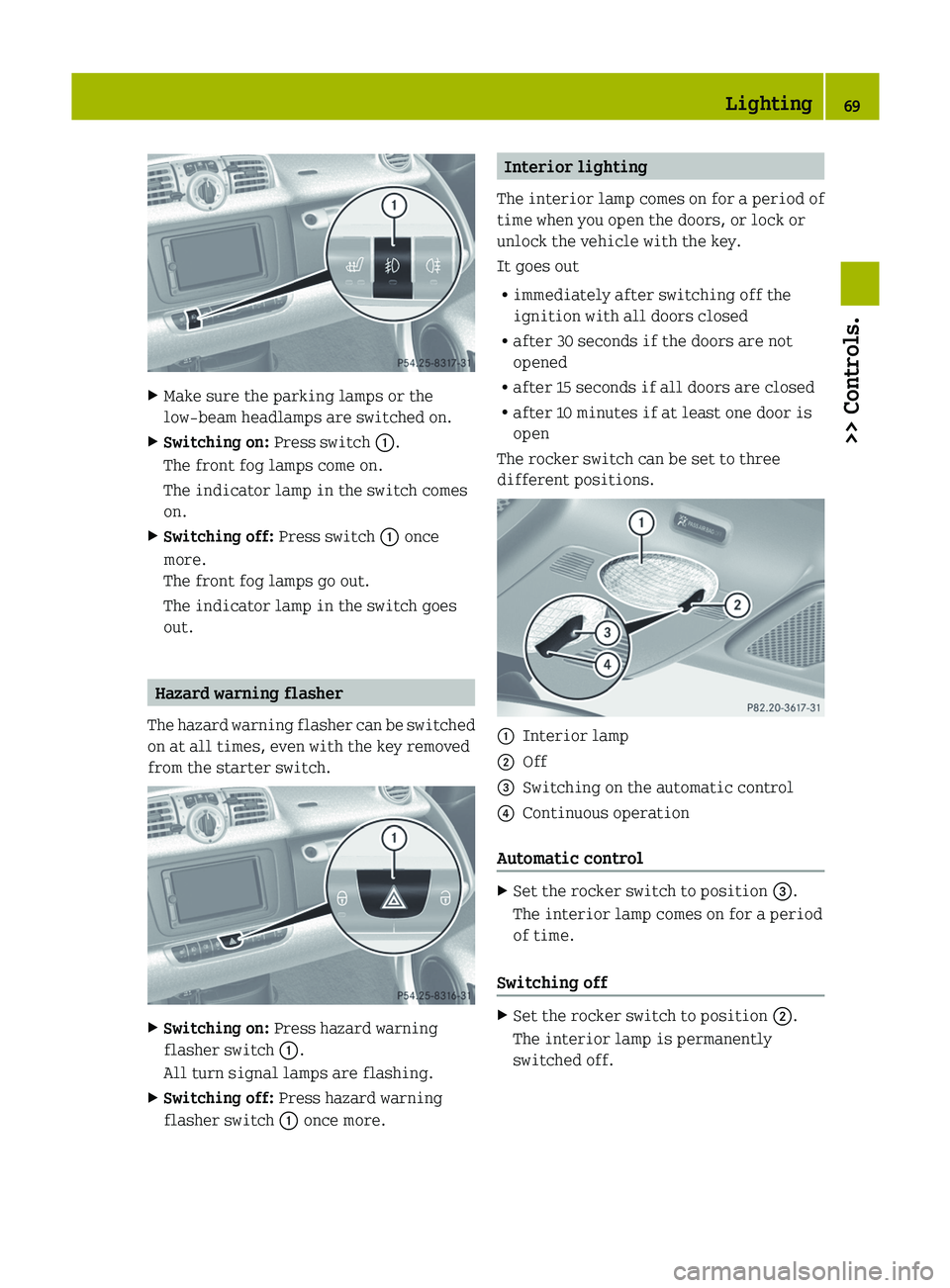
X Switching on: Press switch :.
The front fog lamps come on.
The indicator lamp in the switch comes
on.
X Switching off: Press switch : once
more.
The front fog lamps go out.
The indicator lamp in the switch goes
out. Hazard warning flasher
The hazard warning flasher can be switched
on at all times, even with the key removed
from the starter switch. X
Switching on: Press hazard warning
flasher switch :.
All turn signal lamps are flashing.
X Switching off: Press hazard warning
flasher switch : once more. Interior lighting
The
interior lamp comes on for a period of
time when you open the doors, or lock or
unlock the vehicle with the key.
It goes out
R immediately after switching off the
ignition with all doors closed
R after 30 seconds if the doors are not
opened
R after 15 seconds if all doors are closed
R after 10 minutes if at least one door is
open
The rocker switch can be set to three
different positions. :
Interior lamp
; Off
= Switching on the automatic control
? Continuous operation
Automatic control X
Set the rocker switch to position =.
The interior lamp comes on for a period
of time.
Switching off X
Set the rocker switch to position ;.
The interior lamp is permanently
switched off. Lighting
69
>> Controls. Z
Page 82 of 228
X
Depress the brake pedal.
X Press the release button (Y page 79) to
disengage the gear selector lever lock.
X Move the gear selector lever to reverse
gear R.
R appears in the transmission position
indicator.
X Release the brake pedal.
X Carefully depress the accelerator pedal. Parking
G
WARNING
Do not park this vehicle in areas where
combustible materials such as grass, hay or
leaves can come into contact with the hot
exhaust system. These materials could be
ignited and cause a vehicle fire.
Vehicle movement can cause serious
personal injury or damage to the vehicle or
the vehicle drivetrain. Therefore, always
do the following before turning off the
engine and leaving the vehicle:
R Keep right foot on the brake pedal.
R Engage the parking brake.
R Move the gear selector lever to park
position P.
R Slowly release the brake pedal.
R When parked on an incline, always turn
the front wheels towards the curb.
R Turn the key to starter switch position 0
and remove the key from the starter
switch.
R Take the key with you and lock the vehicle
when leaving. G
WARNING
With the engine not running, there is no
power assistance for the brake and
steering* systems. In this case, it is
important to keep in mind that a
considerably higher degree of effort is
necessary to brake and steer the vehicle.
Adapt your driving accordingly. X
Properly stop and park the vehicle.
X Depress the brake pedal.
X Engage the parking brake ( Y page 80).
When the ignition is switched on or the
engine is running, the brake warning
lamp $ (USA only) or J (Canada
only)
in the instrument cluster comes on.
X Release the brake pedal.
Parking brake The parking brake serves to secure the
vehicle against rolling away when it is
stationary or parked.
G
WARNING
Engaging the parking brake while the
vehicle is in motion can cause the rear
wheels
to lock up. You could lose control of
the vehicle and cause an accident. In
addition, the vehicle’s brake lights do not
light up when the parking brake is engaged. X
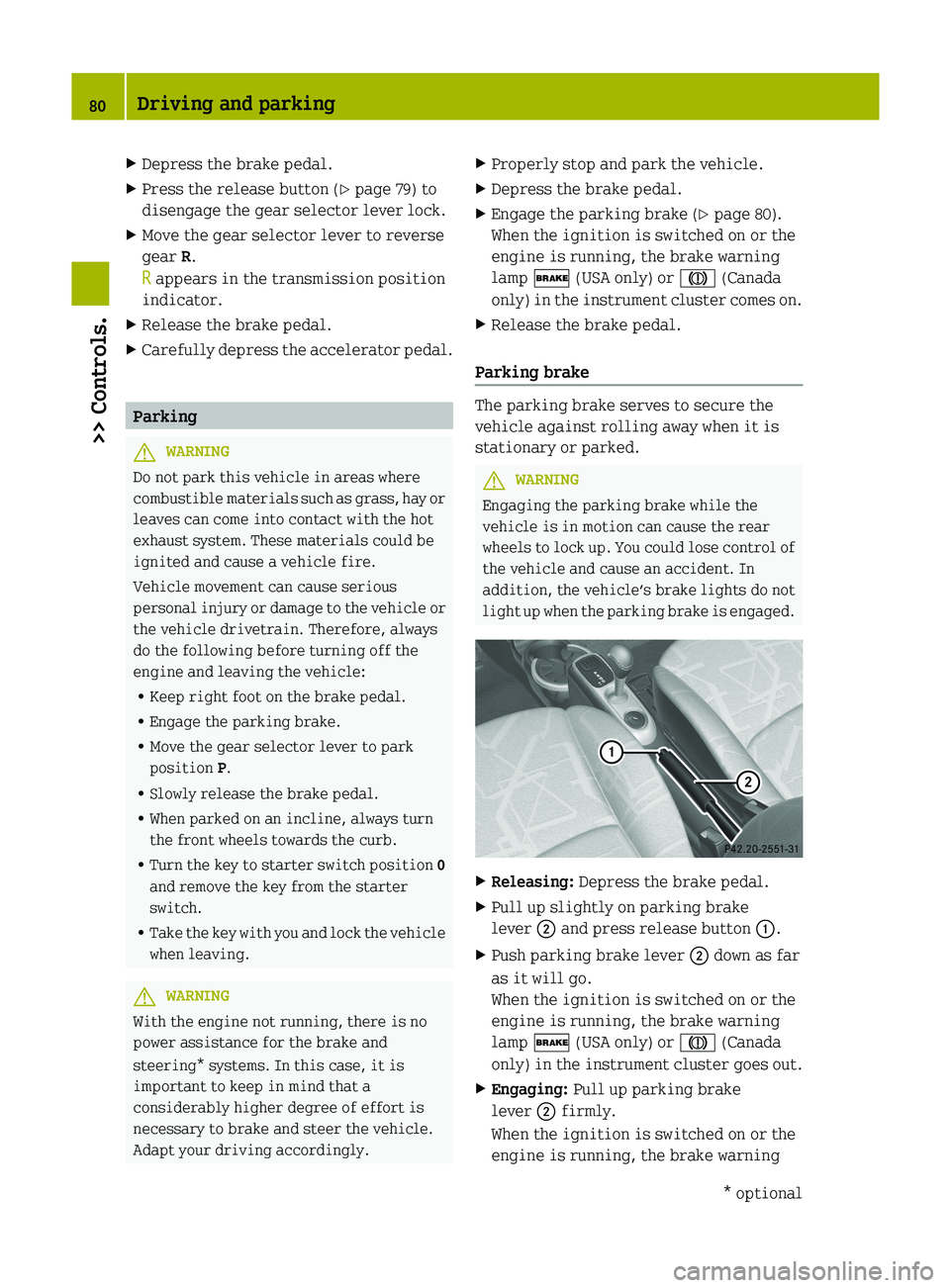
Releasing: Depress the brake pedal.
X Pull up slightly on parking brake
lever ; and press release button :.
X Push parking brake lever ; down as far
as it will go.
When the ignition is switched on or the
engine is running, the brake warning
lamp $ (USA only) or J (Canada
only)
in the instrument cluster goes out.
X Engaging: Pull up parking brake
lever ; firmly.
When the ignition is switched on or the
engine is running, the brake warning 80
Driving and parking
>> Controls.
* optional
Page 94 of 228
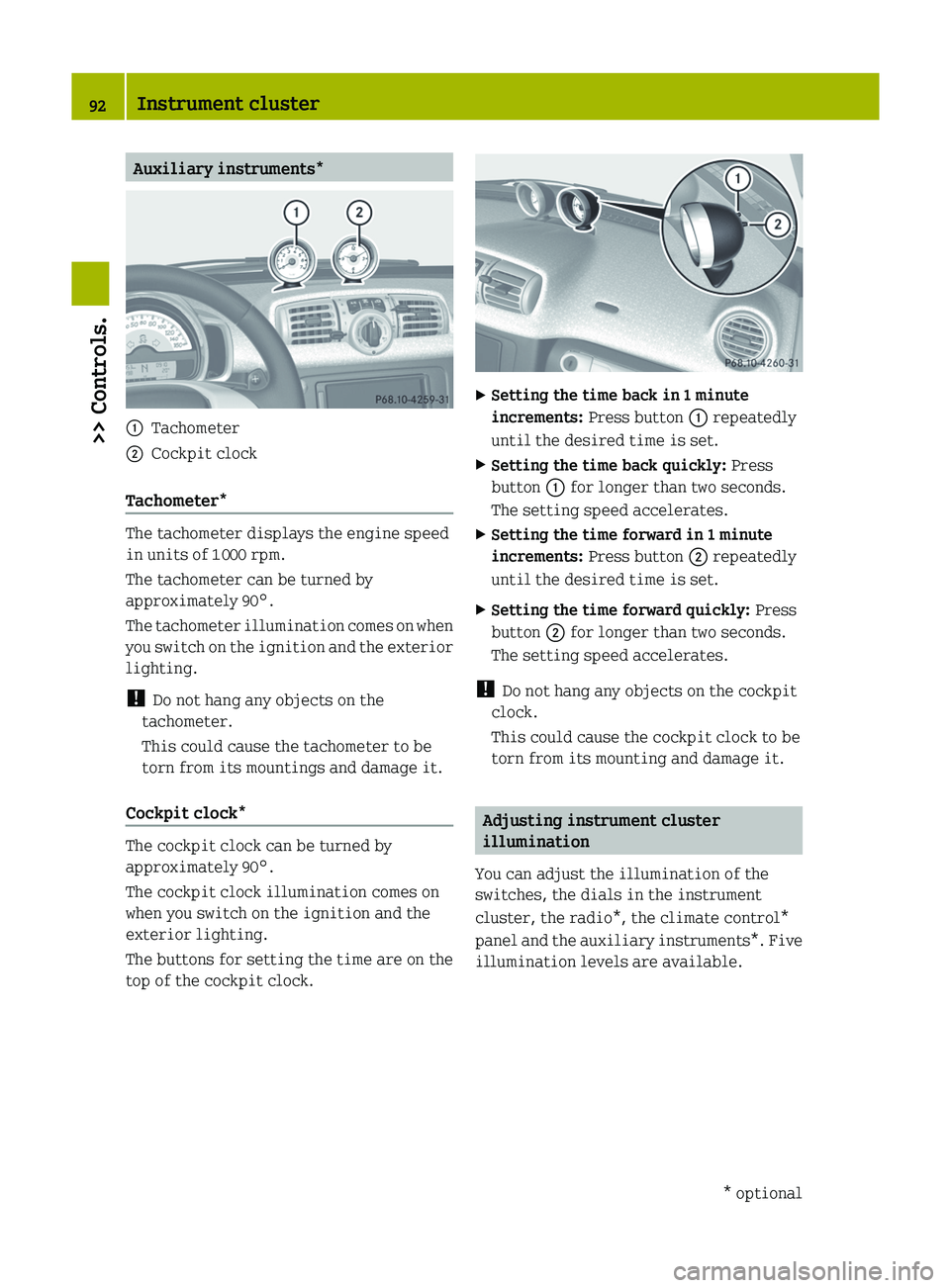
Auxiliary instruments*
:
Tachometer
; Cockpit clock
Tachometer* The tachometer displays the engine speed
in units of 1
000 rpm.
The tachometer can be turned by
approximately 90°.
The
tachometer illumination comes on when
you switch on the ignition and the exterior
lighting.
! Do not hang any objects on the
tachometer.
This could cause the tachometer to be
torn from its mountings and damage it.
Cockpit clock* The cockpit clock can be turned by
approximately 90°.
The cockpit clock illumination comes on
when you switch on the ignition and the
exterior lighting.
The
buttons for setting the time are on the
top of the cockpit clock. X
Setting the time back in 1 minute
increments: Press button : repeatedly
until the desired time is set.
X Setting the time back quickly: Press
button : for longer than two seconds.
The setting speed accelerates.
X Setting the time forward in 1 minute
increments: Press button ; repeatedly
until the desired time is set.
X Setting the time forward quickly: Press
button ; for longer than two seconds.
The setting speed accelerates.
! Do not hang any objects on the cockpit
clock.
This could cause the cockpit clock to be
torn from its mounting and damage it. Adjusting instrument cluster
illumination
You can adjust the illumination of the
switches, the dials in the instrument
cluster, the radio*, the climate control*
panel
and the auxiliary instruments*. Five
illumination levels are available. 92
Instrument cluster
>> Controls.
* optional
Page 97 of 228
Odometer menu appears in the
multifunction display.
X To switch between submenus: Press the OK
button on the control lever briefly.
X To reset the trip odometer: Select the
trip odometer display.
X Press button : (Y page 90) on the
instrument cluster until the trip
odometer is reset to 0. Consumption menu
The Consumption menu shows you the
current fuel consumption. X
Press the control switch on the control
lever (Y page 93) up or down until the
Consumption menu appears in the
multifunction display.
The current current fuel consumption
appears.
i Depending on the selected unit in the
settings menu (Y page 96), the
consumption
is displayed in in miles per
gallon (mpg) or in liters per 100
kilometers (l/100 km).
Canada only: When the vehicle is
standing, the fuel consumption is
displayed in gallons per hour (gal/h) or
liters per hour (l/h). Start menu
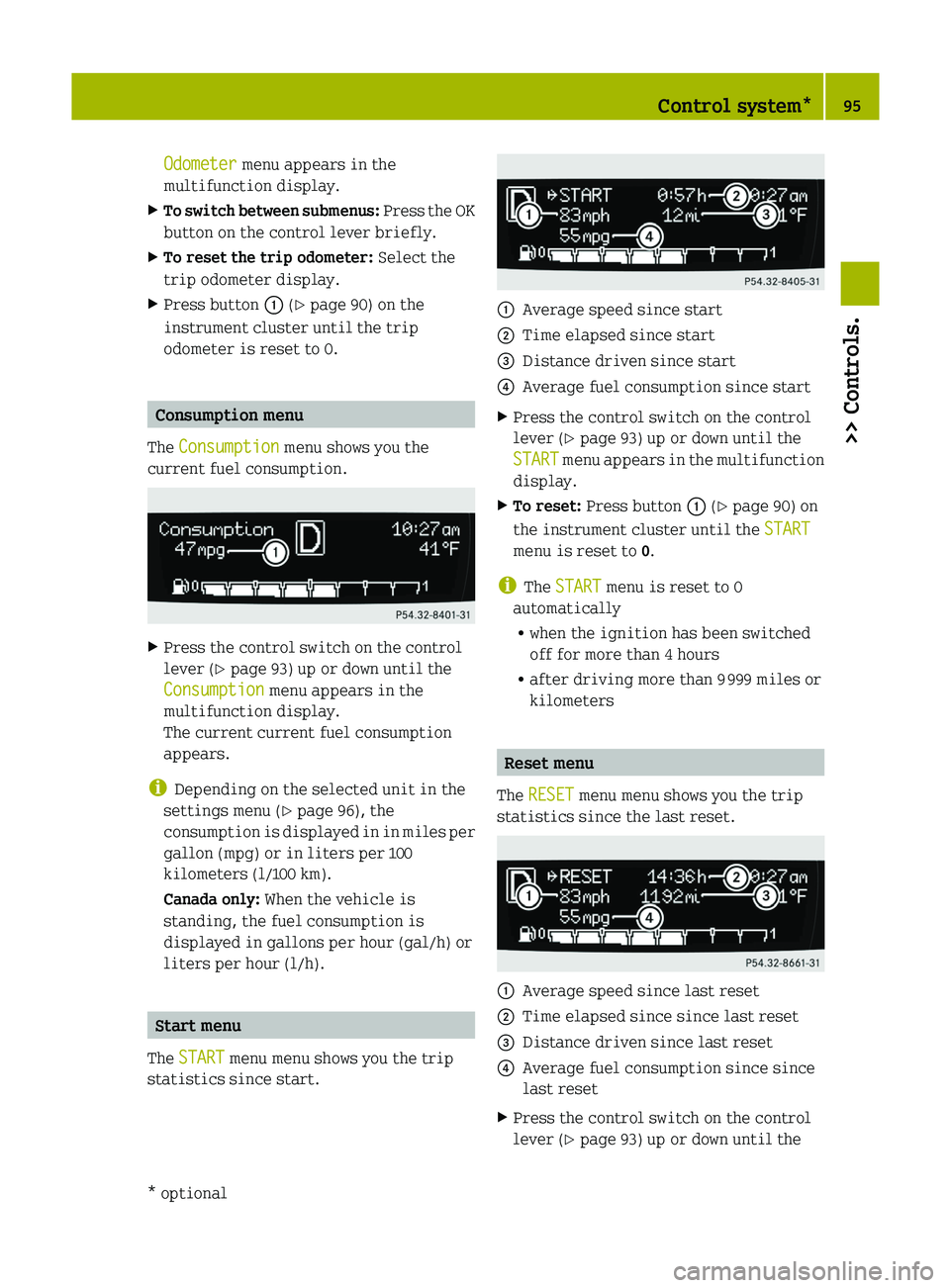
The START menu menu shows you the trip
statistics since start. :
Average speed since start
; Time elapsed since start
= Distance driven since start
? Average fuel consumption since start
X Press the control switch on the control
lever (Y page 93) up or down until the
START
menu appears in the multifunction
display.
X To reset: Press button : (Y page 90) on
the instrument cluster until the START
menu is reset to 0.
i The START menu is reset to 0
automatically
R when the ignition has been switched
off for more than 4 hours
R after driving more than 9 999 miles or
kilometers Reset menu
The RESET menu menu shows you the trip
statistics since the last reset. :
Average speed since last reset
; Time elapsed since since last reset
= Distance driven since last reset
? Average fuel consumption since since
last reset
X Press the control switch on the control
lever (Y page 93) up or down until the Control system*
95
>> Controls.
* optional Z
Page 106 of 228
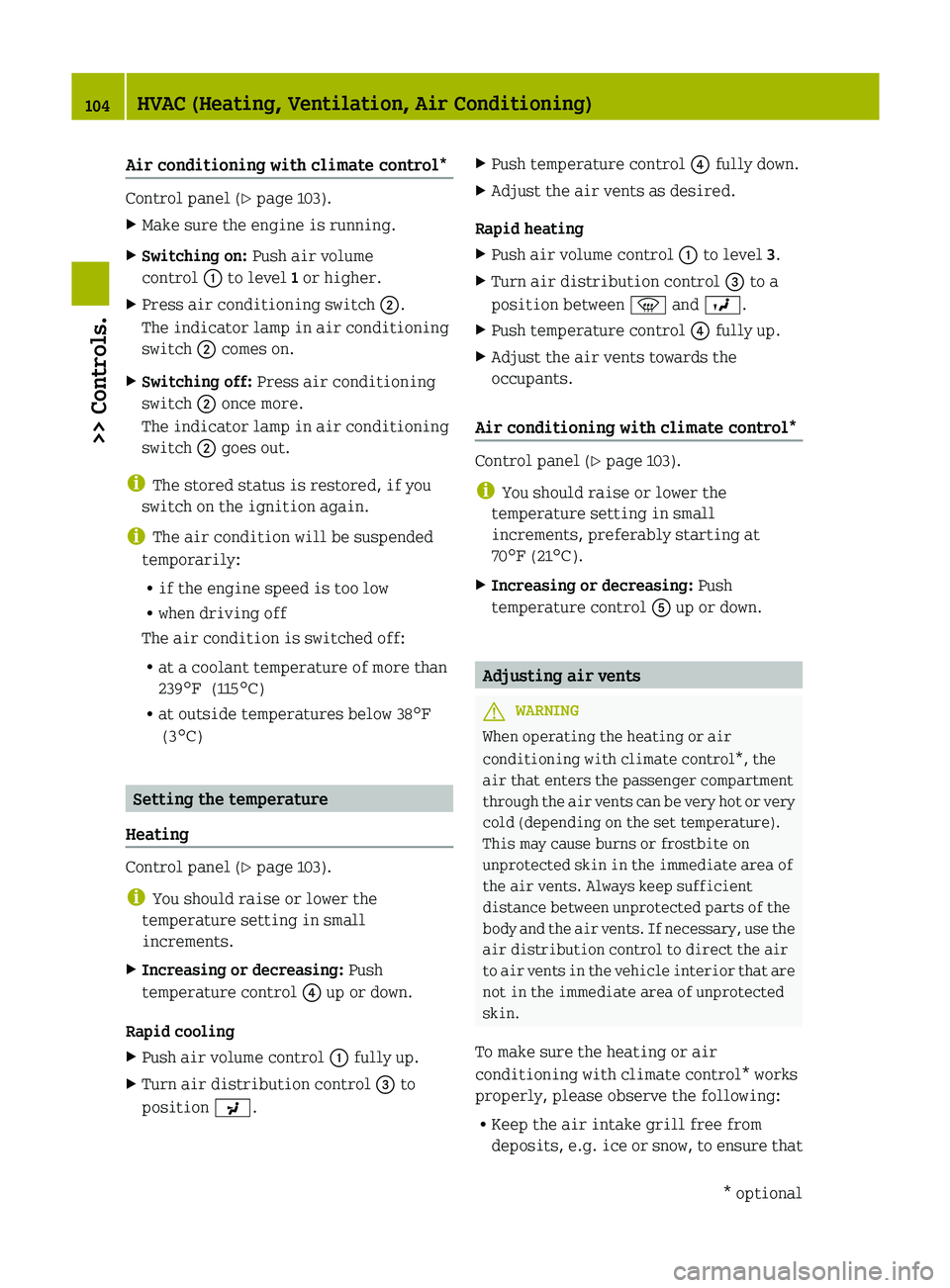
Air conditioning with climate control*
Control panel (Y page 103).
X
Make sure the engine is running.
X Switching on: Push air volume
control : to level 1 or higher.
X Press air conditioning switch ;.
The indicator lamp in air conditioning
switch ; comes on.
X Switching off: Press air conditioning
switch ; once more.
The indicator lamp in air conditioning
switch ; goes out.
i The stored status is restored, if you
switch on the ignition again.
i The air condition will be suspended
temporarily:
R if the engine speed is too low
R when driving off
The air condition is switched off:
R at a coolant temperature of more than
239¦ (115¥)
R at outside temperatures below
38¦
(3¥) Setting the temperature
Heating Control panel (Y page 103).
i
You should raise or lower the
temperature setting in small
increments.
X Increasing or decreasing: Push
temperature control ? up or down.
Rapid cooling
X Push air volume control : fully up.
X Turn air distribution control = to
position P. X
Push temperature control ? fully down.
X Adjust the air vents as desired.
Rapid heating
X Push air volume control : to level 3.
X Turn air distribution control = to a
position between z and O.
X Push temperature control ? fully up.
X Adjust the air vents towards the
occupants.
Air conditioning with climate control* Control panel (Y page 103).
i
You should raise or lower the
temperature setting in small
increments, preferably starting at
70¦ (21¥).
X Increasing or decreasing: Push
temperature control A up or down. Adjusting air vents
G
WARNING
When operating the heating or air
conditioning with climate control*, the
air that enters the passenger compartment
through
the air vents can be very hot or very
cold (depending on the set temperature).
This may cause burns or frostbite on
unprotected skin in the immediate area of
the air vents. Always keep sufficient
distance between unprotected parts of the
body and the air vents. If necessary, use the
air distribution control to direct the air
to air vents in the vehicle interior that are
not in the immediate area of unprotected
skin.
To make sure the heating or air
conditioning with climate control* works
properly, please observe the following:
R Keep the air intake grill free from
deposits, e.g. ice or snow, to ensure that104
HVAC (Heating, Ventilation, Air Conditioning)
>> Controls.
* optional
Page 120 of 228

X
Engage the parking brake.
X Move the gear selector lever to park
position P.
X Switch off the ignition.
X Open the tailgate. G
WARNING
Exercise extreme caution if you see flames
or smoke coming from the engine
compartment. Move away from the vehicle
and call the fire department.
If the coolant temperature warning lamp
indicates
that the engine is overheated, do
not attempt to open the engine compartment
cover. Move away from the vehicle and wait
until the engine has cooled before opening
the engine compartment. G
WARNING
To help prevent personal injury, stay clear
of moving parts when the engine
compartment cover is open and the engine
is running. G
WARNING
The engine is equipped with a
transistorized ignition system that
utilizes high voltage. Do not touch any
components (ignition coils, spark plug
sockets,
diagnostic socket) of the ignition
system
R while the engine is running
R while starting the engine
R if ignition is “on” and the engine is
turned manually X
Opening: Grasp the strap on cargo
compartment floor ;.
X Lift cargo compartment floor ;
with the
strap.
X Engage hook ? into top mounting = of
cargo compartment cover blind A.
X Remove fastening screw :.
X Remove engine compartment cover A.
X Closing:
Slide engine compartment cover
A forward into the tabs provided.
X Tighten fastening screw :.
X Disengage hook ? from top mounting
=.
X Fold cargo compartment floor ; back
down.
X Push the right hand and left hand cargo
compartment
floor edges under the edges
of the side panels.
X Close the tailgate. Engine oil
The amount of oil your engine needs will
depend on a number of factors, including
driving style. Increased oil consumption
can occur when the vehicle is new or the
vehicle is driven at higher engine speeds
frequently.
Engine
oil consumption checks should only
be made after the vehicle break-in period.
! Do not use any special lubricant
additives, as these may increase wear
and damage the drive assemblies. Using
special additives not approved by smart
may cause damage not covered by the
smart Limited Warranty. More
information on this subject is available
at any smart center.
Checking engine oil level !
Check the engine oil level at regular
intervals. 118
Engine compartment
>> Operation.
Page 146 of 228
important to keep in mind that a
considerably higher degree of effort is
necessary to brake and steer the vehicle.
Adapt your driving accordingly.
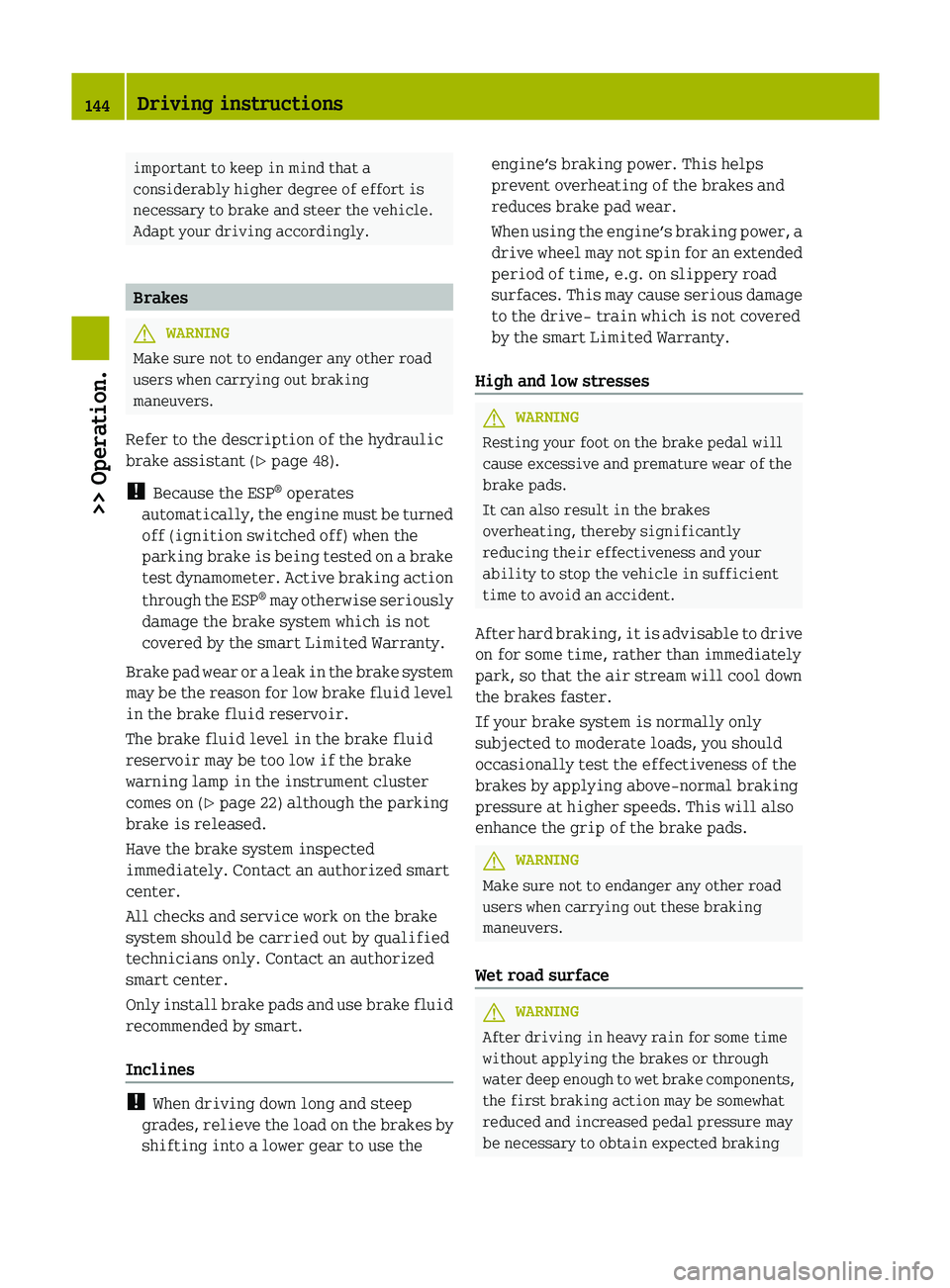
Brakes
G
WARNING
Make sure not to endanger any other road
users when carrying out braking
maneuvers.
Refer to the description of the hydraulic
brake assistant
(Y page 48).
! Because the ESP ®
operates
automatically, the engine must be turned
off (ignition switched off) when the
parking brake is being tested on a brake
test dynamometer. Active braking action
through the ESP ®
may otherwise seriously
damage the brake system which is not
covered by the smart Limited Warranty.
Brake pad wear or a leak in the brake system
may be the reason for low brake fluid level
in the brake fluid reservoir.
The brake fluid level in the brake fluid
reservoir may be too low if the brake
warning lamp in the instrument cluster
comes on (Y page 22) although the parking
brake is released.
Have the brake system inspected
immediately. Contact an authorized smart
center.
All checks and service work on the brake
system should be carried out by qualified
technicians only. Contact an authorized
smart center.
Only install brake pads and use brake fluid
recommended by smart.
Inclines !
When driving down long and steep
grades,
relieve the load on the brakes by
shifting into a lower gear to use the engine’s braking power. This helps
prevent overheating of the brakes and
reduces brake pad wear.
When
using the engine’s braking power, a
drive wheel may not spin for an extended
period of time, e.g. on slippery road
surfaces. This may cause serious damage
to the drive- train which is not covered
by the smart Limited Warranty.
High and low stresses G
WARNING
Resting your foot on the brake pedal will
cause excessive and premature wear of the
brake pads.
It can also result in the brakes
overheating, thereby significantly
reducing their effectiveness and your
ability to stop the vehicle in sufficient
time to avoid an accident.
After
hard braking, it is advisable to drive
on for some time, rather than immediately
park, so that the air stream will cool down
the brakes faster.
If your brake system is normally only
subjected to moderate loads, you should
occasionally test the effectiveness of the
brakes by applying above-normal braking
pressure at higher speeds. This will also
enhance the grip of the brake pads. G
WARNING
Make sure not to endanger any other road
users when carrying out these braking
maneuvers.
Wet road surface G
WARNING
After driving in heavy rain for some time
without applying the brakes or through
water
deep enough to wet brake components,
the first braking action may be somewhat
reduced and increased pedal pressure may
be necessary to obtain expected braking 144
Driving instructions
>> Operation.
Page 164 of 228

Your vehicle has also been equipped with a TPMS malfunction indicator to indicate when
the
system is not operating properly. The TPMS malfunction indicator is combined with the
low tire pressure telltale. When the system detects a malfunction, the telltale will flash for
approximately 1 minute and then remain continuously illuminated.
This sequence will continue upon subsequent vehicle start-ups as long as the malfunction
exists. When the malfunction indicator is illuminated, the system may not be able to detect
or signal low tire pressure as intended.
TPMS malfunctions may occur for a variety of reasons, including the installation of
incompatible replacement or alternate tires or wheels on the vehicle that prevent the TPMS
from functioning properly. Always check the TPMS malfunction telltale after replacing one
or more tires or wheels on your vehicle to ensure that the replacement or alternate tires
and wheels allow the TPMS to continue to function properly. Display messages Possible causes/consequences and
M SolutionsÒ
Danger: Ice
(Canada only) The outside temperature is below 3
¥. The road may be icy.
X Adjust your driving style to the prevailing road and weather
conditions. G
WARNING
The display message Danger:
Ice is not designed as an ice-warning device and is therefore
unsuitable for that purpose.
Indicated temperatures just above the freezing point do not guarantee that the road surface
is free of ice. The road may still be icy, especially in wooded areas or on bridges. Your
vehicle could start to skid if you do not adjust your driving style accordingly.
Therefore, always adjust your driving style to the prevailing road and weather conditions. What to do if ...
Warning and indicator lamps in the
instrument cluster
General information If any of the following lamps in the
instrument
cluster fails to come on during
the bulb self-check when switching on
ignition (Y page 57), have the respective
bulb checked and replaced if necessary. 162
What to do if ...
>> Practical hints.
Page 168 of 228
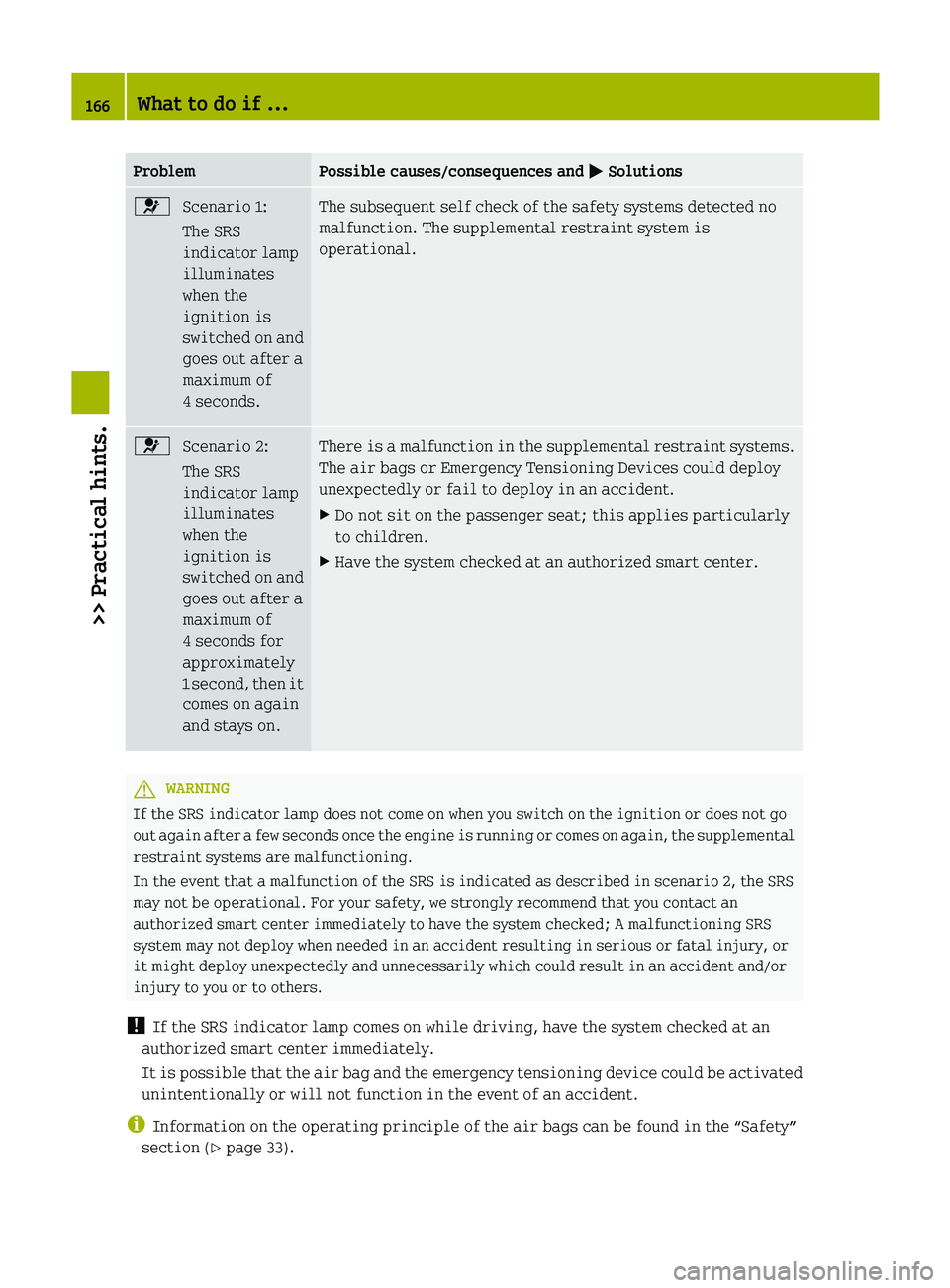
Problem Possible causes/consequences and
M Solutions6
Scenario 1:
The SRS
indicator lamp
illuminates
when the
ignition is
switched
on and
goes out after a
maximum of
4 seconds. The subsequent self check of the safety systems detected no
malfunction. The supplemental restraint system is
operational.
6
Scenario 2:
The SRS
indicator lamp
illuminates
when the
ignition is
switched
on and
goes out after a
maximum of
4 seconds for
approximately
1 second, then it
comes on again
and stays on. There is a malfunction in the supplemental restraint systems.
The air bags or Emergency Tensioning Devices could deploy
unexpectedly or fail to deploy in an accident.
X
Do not sit on the passenger seat; this applies particularly
to children.
X Have the system checked at an authorized smart center. G
WARNING
If the SRS indicator lamp does not come on when you switch on the ignition or does not go
out
again after a few seconds once the engine is running or comes on again, the supplemental
restraint systems are malfunctioning.
In the event that a malfunction of the SRS is indicated as described in scenario 2, the SRS
may not be operational. For your safety, we strongly recommend that you contact an
authorized smart center immediately to have the system checked; A malfunctioning SRS
system may not deploy when needed in an accident resulting in serious or fatal injury, or
it might deploy unexpectedly and unnecessarily which could result in an accident and/or
injury to you or to others.
! If the SRS indicator lamp comes on while driving, have the system checked at an
authorized smart center immediately.
It is possible that the air bag and the emergency tensioning device could be activated
unintentionally or will not function in the event of an accident.
i Information on the operating principle of the air bags can be found in the “Safety”
section (Y page 33). 166
What to do if ...
>> Practical hints.
Page 171 of 228
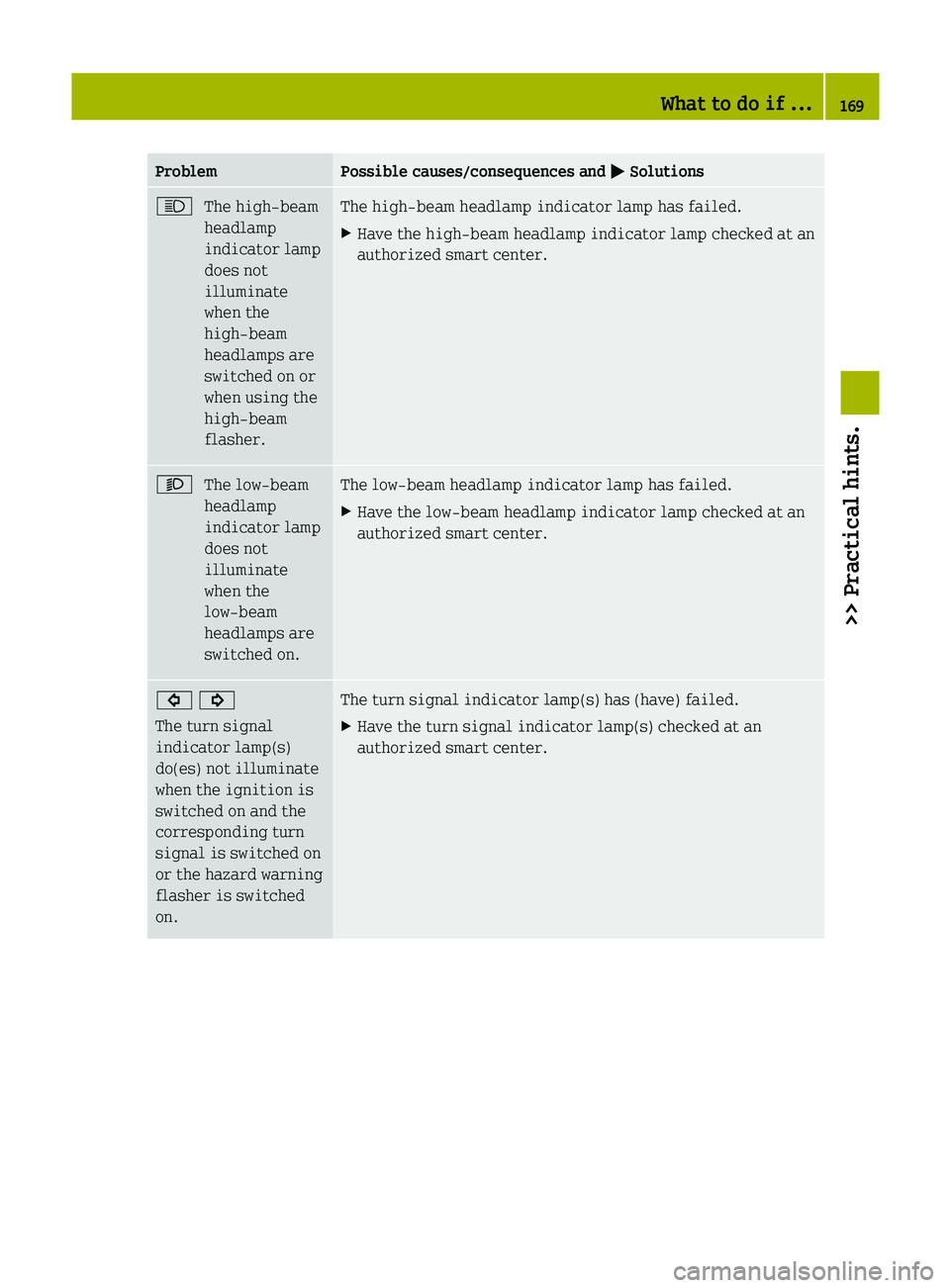
Problem Possible causes/consequences and
M SolutionsK
The high‑beam
headlamp
indicator lamp
does not
illuminate
when the
high‑beam
headlamps are
switched on or
when using the
high‑beam
flasher. The high‑beam headlamp indicator lamp has failed.
X
Have the high‑beam headlamp indicator lamp checked at an
authorized smart center. M
The low‑beam
headlamp
indicator lamp
does not
illuminate
when the
low‑beam
headlamps are
switched on. The low‑beam headlamp indicator lamp has failed.
X
Have the low‑beam headlamp indicator lamp checked at an
authorized smart center. # !
The turn signal
indicator lamp(s)
do(es) not illuminate
when the ignition is
switched on and the
corresponding turn
signal is switched on
or the hazard warning
flasher is switched
on. The turn signal indicator lamp(s) has (have) failed.
X
Have the turn signal indicator lamp(s) checked at an
authorized smart center. What to do if ...
169>> Practical hints. Z