interior SUBARU BRZ 2015 1.G Owners Manual
[x] Cancel search | Manufacturer: SUBARU, Model Year: 2015, Model line: BRZ, Model: SUBARU BRZ 2015 1.GPages: 492, PDF Size: 6.53 MB
Page 1 of 492
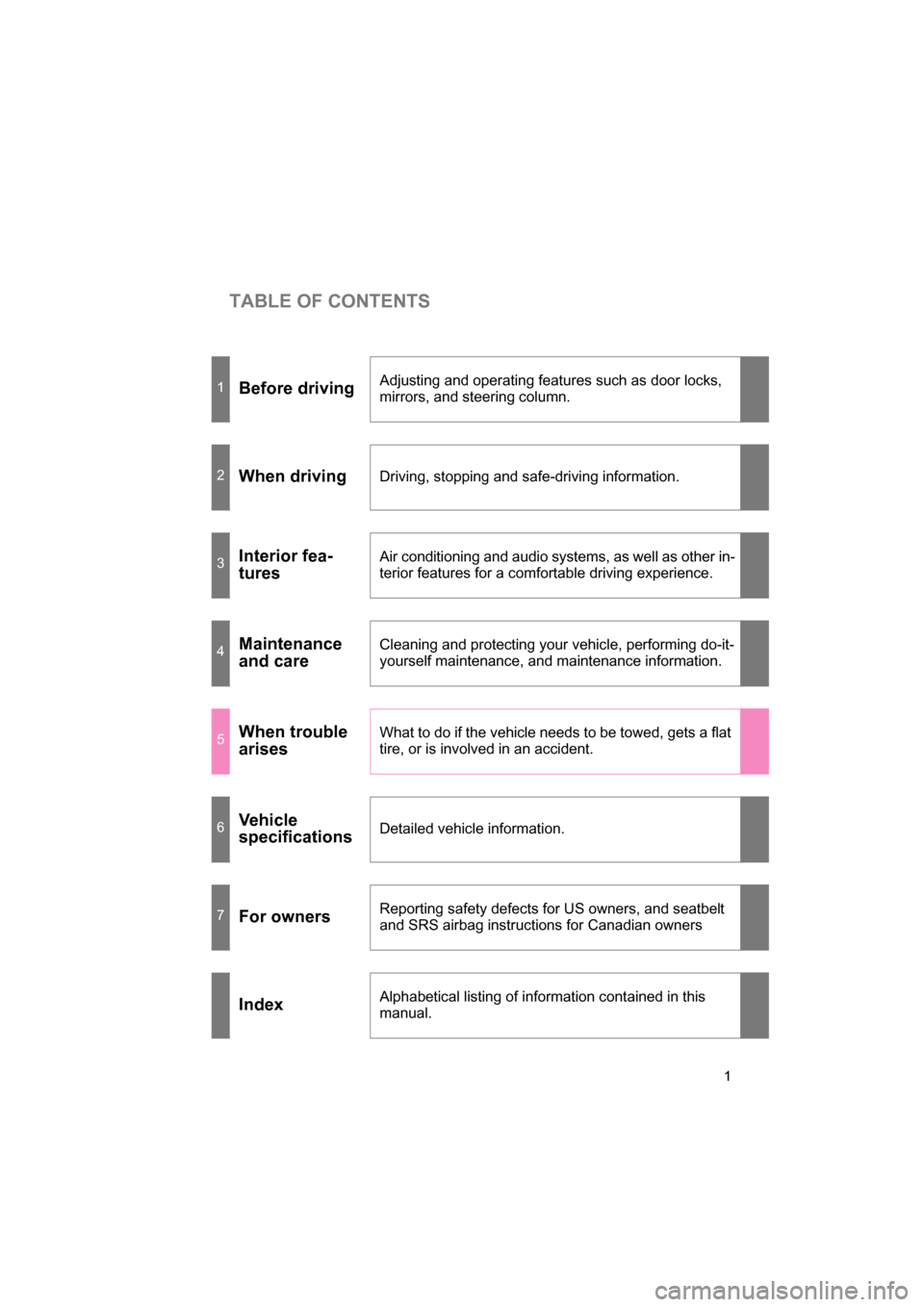
TABLE OF CONTENTS
1
1Before drivingAdjusting and operating features such as door locks,
mirrors, and steering column.
2When driving
Driving, stopping and safe-driving information.
3Interior fea-
turesAir conditioning and audio systems, as well as other in-
terior features for a comf
ortable driving experience.
4Maintenance
and careCleaning and protecting your vehicle, performing do-it-
yourself maintenance, and maintenance information.
5When trouble
arisesWhat to do if the vehicle needs to be towed, gets a flat
tire, or is involved in an accident.
6Vehicle
specifications
Detailed vehicle information.
7For owners
Reporting safety defects for US owners, and seatbelt
and SRS airbag instructions for Canadian owners
IndexAlphabetical listing of information contained in this manual.
Page 3 of 492
1
2
3
4
5
6
7
3
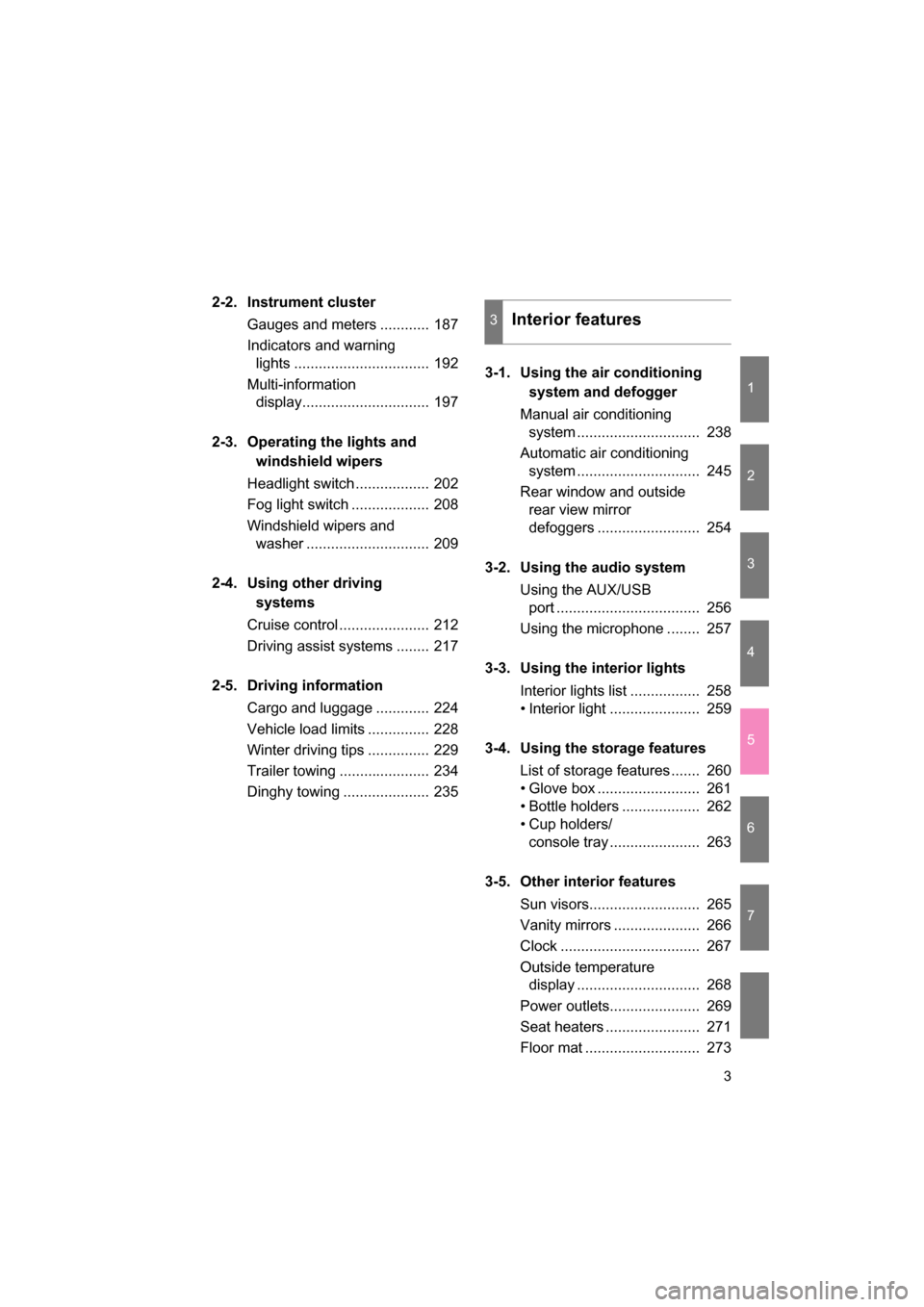
2-2. Instrument cluster
Gauges and meters ............ 187
Indicators and warning lights ................................. 192
Multi-information display............................... 197
2-3. Operating the lights and windshield wipers
Headlight switch .................. 202
Fog light switch ................... 208
Windshield wipers and washer .............................. 209
2-4. Using other driving systems
Cruise control ...................... 212
Driving assist systems ........ 217
2-5. Driving information Cargo and luggage ............. 224
Vehicle load limits ............... 228
Winter driving tips ............... 229
Trailer towing ...................... 234
Dinghy towing ..................... 235 3-1. Using the air conditioning
system and defogger
Manual air conditioning system .............................. 238
Automatic air conditioning
system .............................. 245
Rear window and outside rear view mirror
defoggers ......................... 254
3-2. Using the audio system Using the AUX/USB port ................................... 256
Using the microphone ........ 257
3-3. Using the interior lights Interior lights list ................. 258
Page 4 of 492
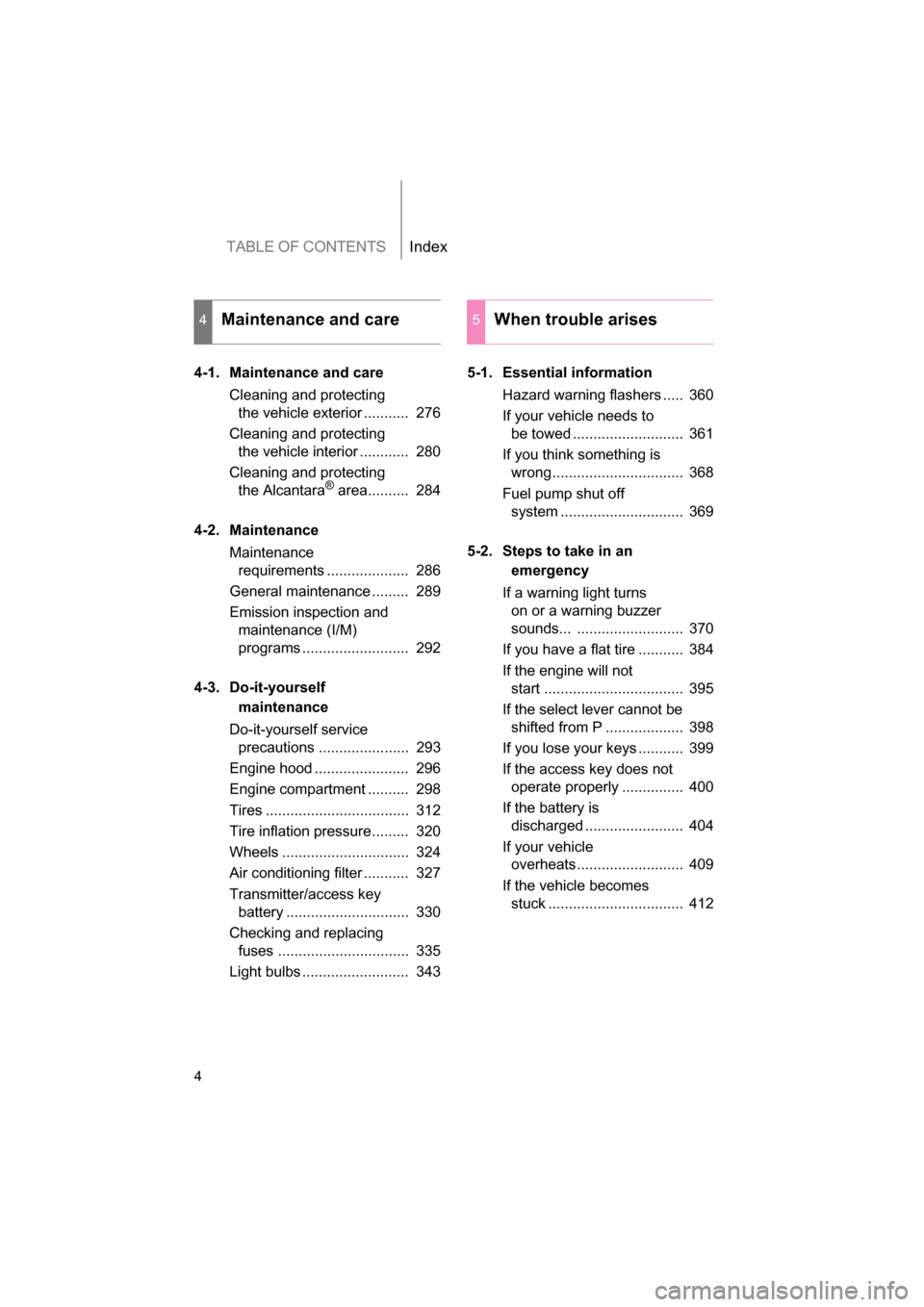
TABLE OF CONTENTSIndex
4
4-1. Maintenance and care
Cleaning and protecting the vehicle exterior ........... 276
Cleaning and protecting the vehicle interior ............ 280
Cleaning and protecting the Alcantara ®
area.......... 284
4-2. Maintenance Maintenance requirements .................... 286
General maintenance ......... 289
Emission inspection and maintenance (I/M)
programs .......................... 292
4-3. Do-it-yourself maintenance
Do-it-yourself service precautions ...................... 293
Engine hood ....................... 296
Engine compartment .......... 298
Tires ................................... 312
Tire inflation pressure......... 320
Wheels ............................... 324
Air conditioning filter ........... 327
Transmitter/access key battery .............................. 330
Checking and replacing fuses ................................ 335
Light bulbs .......................... 343 5-1. Essential information
Hazard warning flashers ..... 360
If your vehicle needs to be towed ........................... 361
If you think something is wrong ................................ 368
Fuel pump shut off system .............................. 369
5-2. Steps to take in an emergency
If a warning light turns on or a warning buzzer
sounds... .......................... 370
If you have a flat tire ........... 384
If the engine will not start .................................. 395
If the select lever cannot be shifted from P ................... 398
If you lose your keys ........... 399
If the access key does not operate properly ............... 400
If the battery is discharged ........................ 404
If your vehicle overheats .......................... 409
If the vehicle becomes stuck ................................. 412
4Maintenance and care5When trouble arises
Page 8 of 492
8
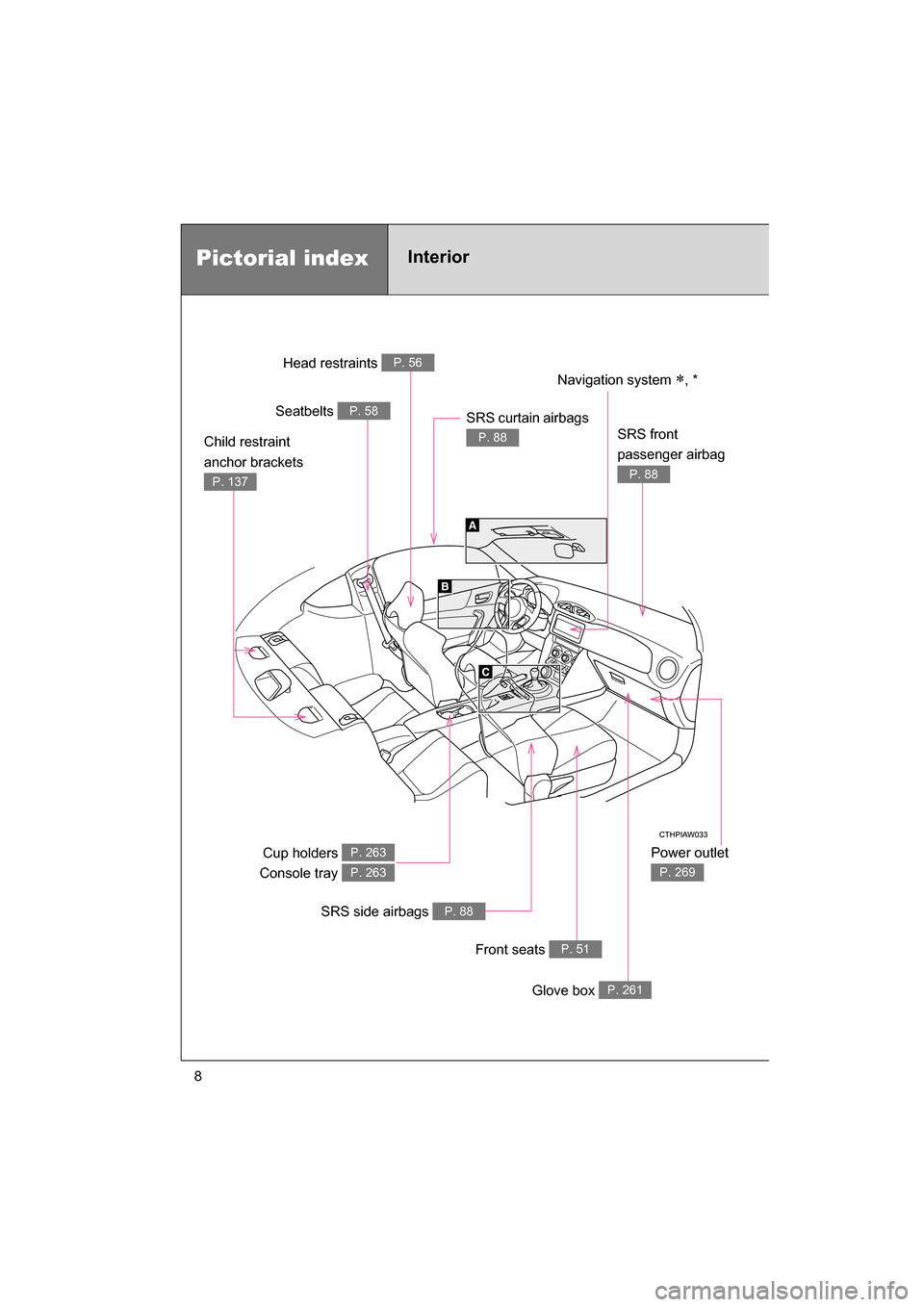
Pictorial indexInterior Power outlet
P. 269
Head restraints P. 56
Seatbelts P. 58
Cup holders
Console tray P. 263
P. 263
SRS side airbags P. 88
Front seats P. 51
Glove box P. 261
SRS curtain airbags
P. 88Child restraint
anchor brackets
P. 137
Navigation system ∗, *
SRS front
passenger airbag
P. 88
Page 9 of 492
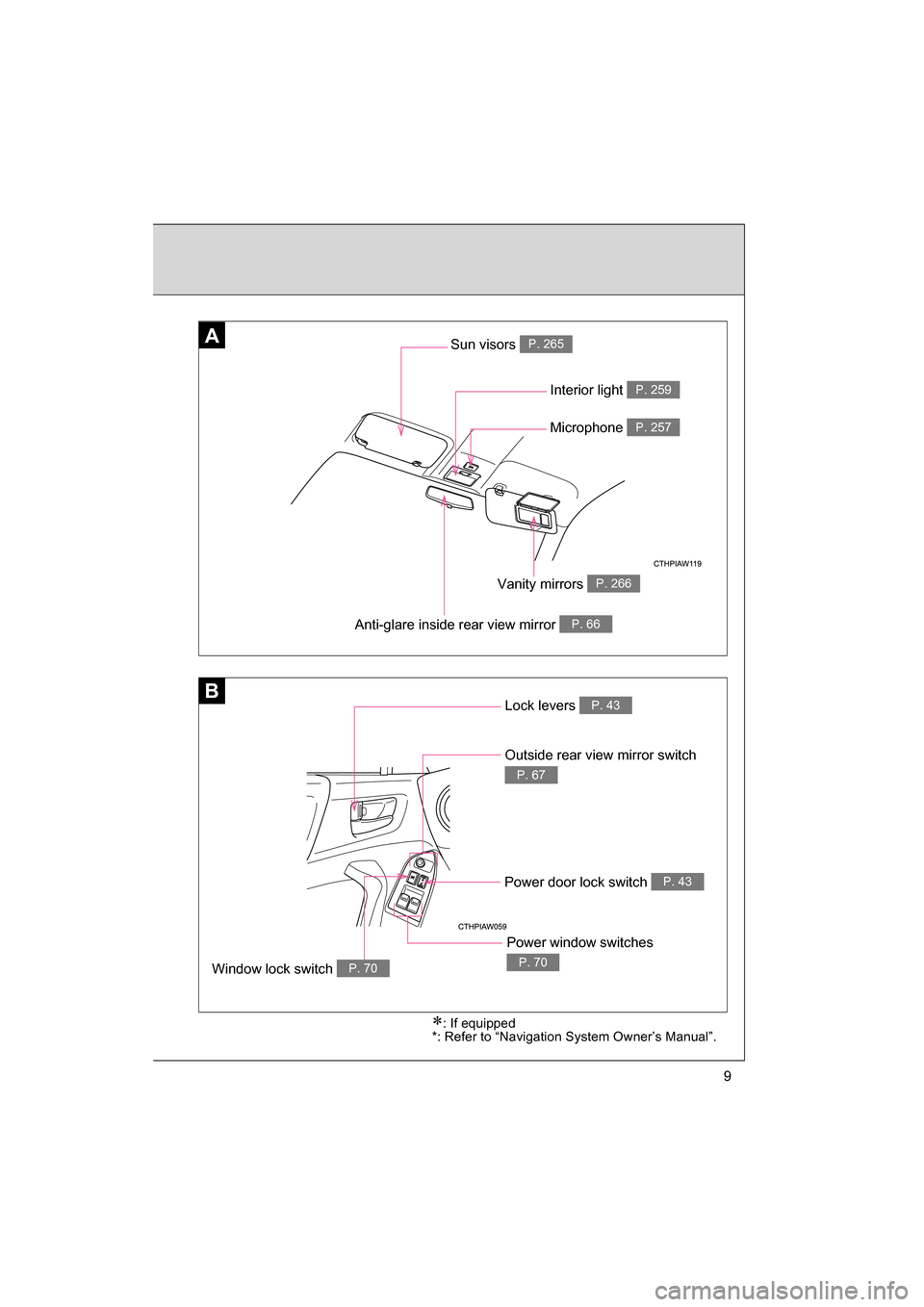
9
B
AA
Anti-glare inside rear view mirror P. 66
Interior light P. 259
Vanity mirrors P. 266
Sun visors P. 265
∗: If equipped
*: Refer to “Navigation System Owner’s Manual”.
Lock levers P. 43
Outside rear view mirror switch
P. 67
Window lock switch P. 70
Power window switches
P. 70
Power door lock switch P. 43
Microphone P. 257
Page 10 of 492
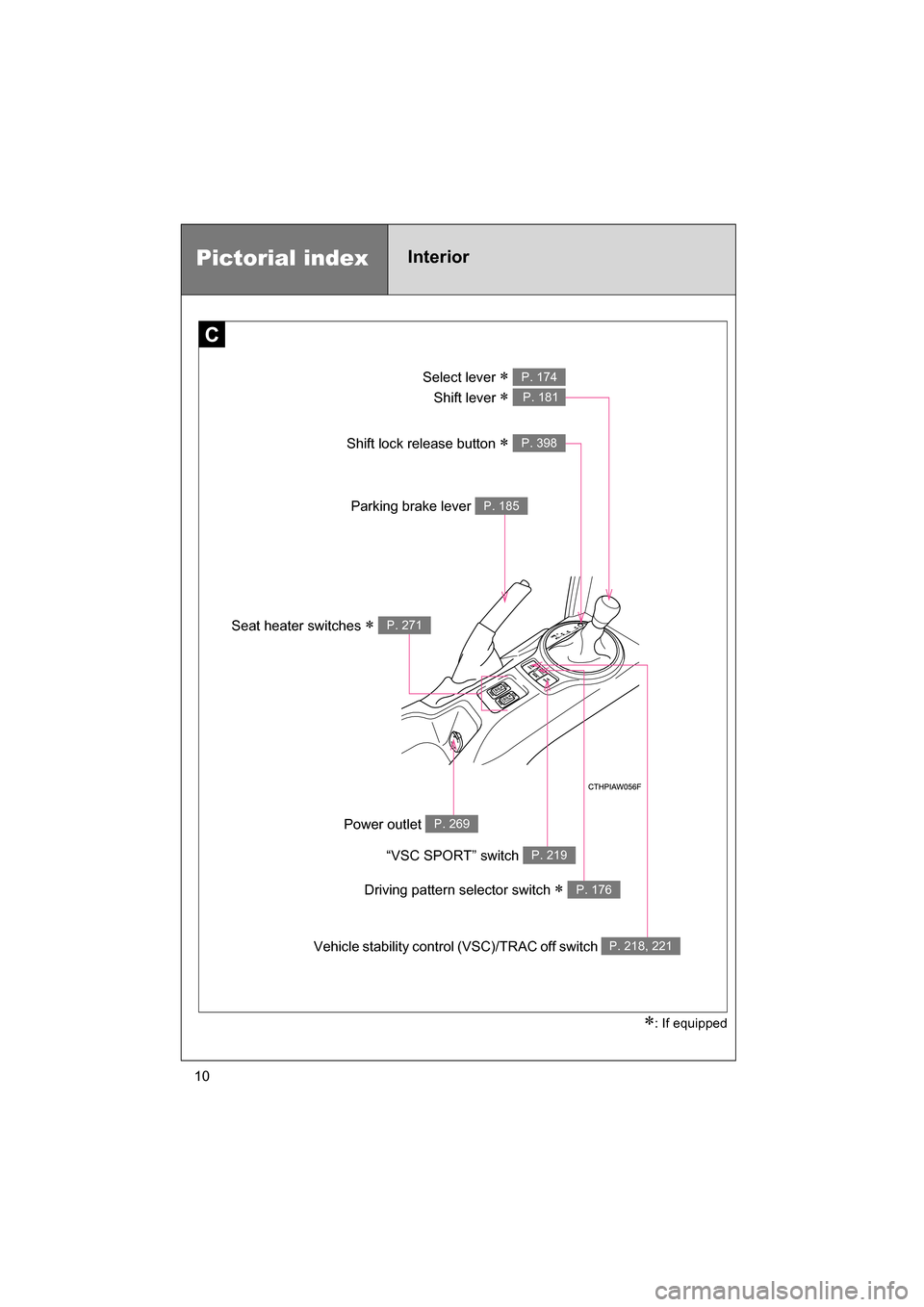
10∗
: If equipped
C
Pictorial indexInterior
Select lever ∗
Shift lever ∗ P. 174
P. 181
Parking brake lever P. 185
Vehicle stability control (VSC)/TRAC off switch P. 218, 221
Seat heater switches ∗ P. 271
“VSC SPORT” switch P. 219
Power outlet P. 269
Shift lock release button ∗ P. 398
Driving pattern selector switch ∗ P. 176
Page 27 of 492
27
1-2. Opening, closing and locking the doors and trunk lid
1
Before driving
■Operation signals
A buzzer sounds and the hazard warning flashers flash to indicate that the
doors have been locked/unlocked. (Locked: once; Unlocked: twice)
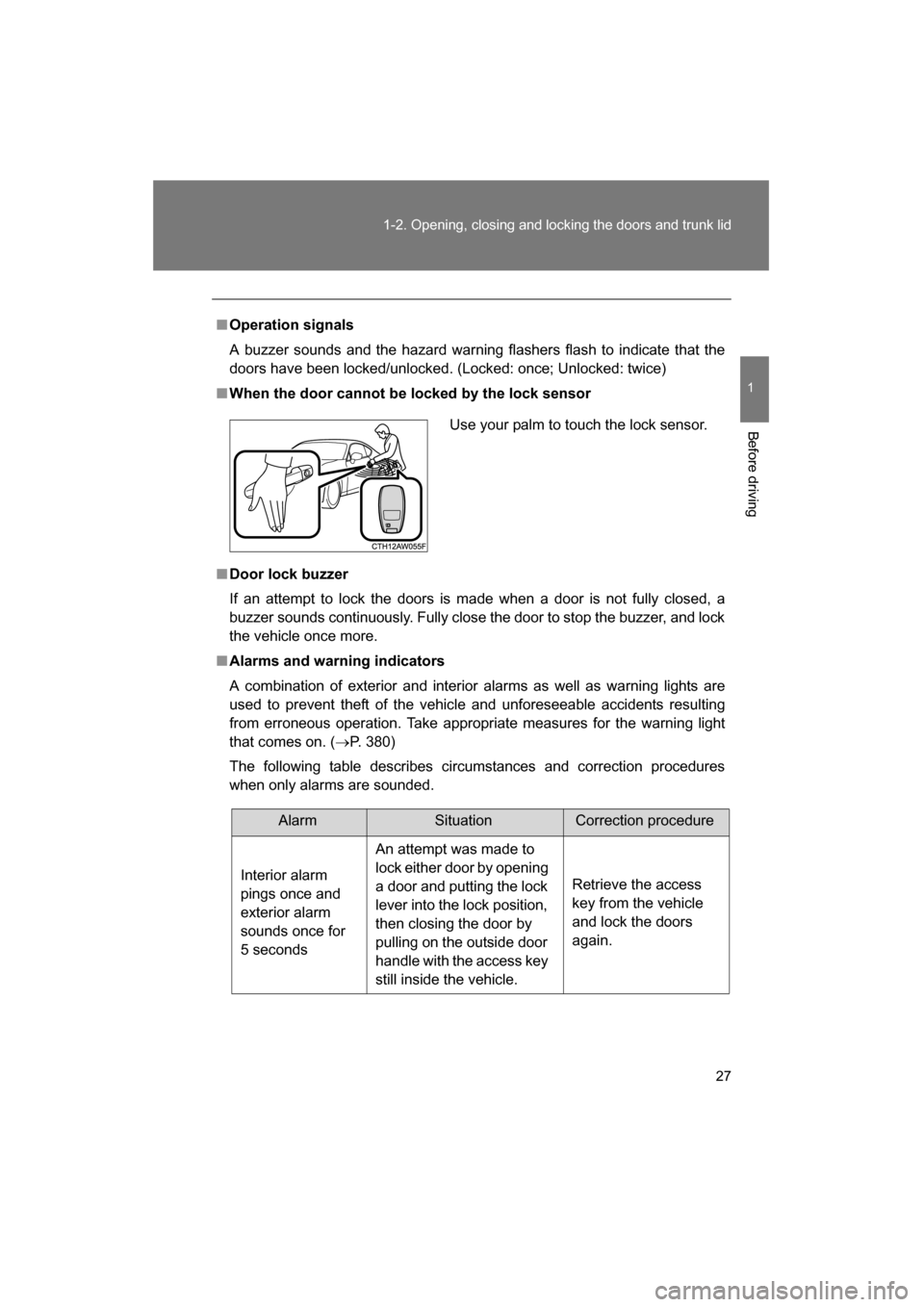
■When the door cannot be locked by the lock sensor
■Door lock buzzer
If an attempt to lock the doors is made when a door is not fully closed, a
buzzer sounds continuously. Fully close the door to stop the buzzer, and lock
the vehicle once more.
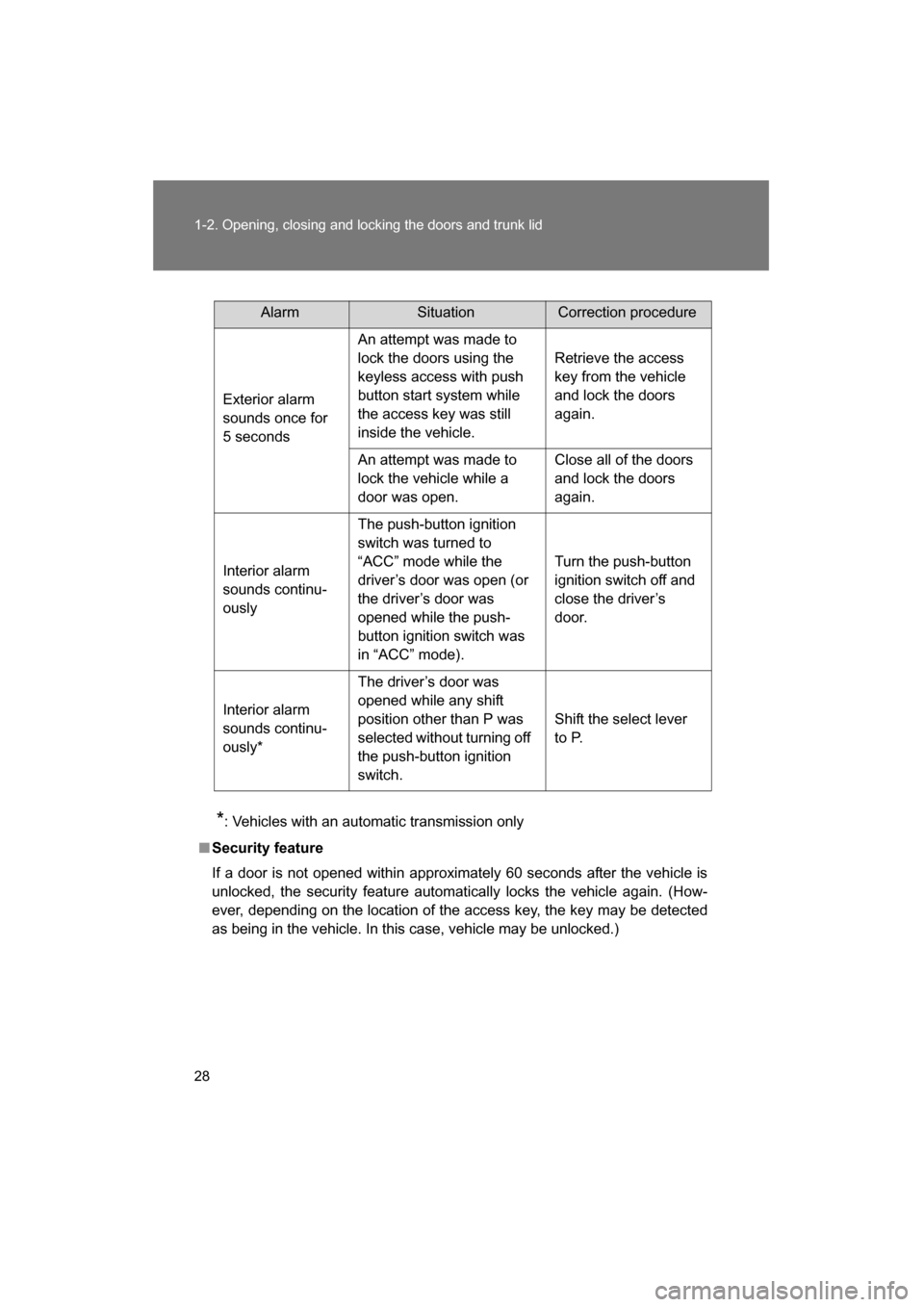
■Alarms and warning indicators
A combination of exterior and interior alarms as well as warning lights are
used to prevent theft of the vehicle and unforeseeable accidents resulting
from erroneous operation. Take appropriate measures for the warning light
that comes on. (→P. 380)
The following table describes circumstances and correction procedures
when only alarms are sounded. Use your palm to touch the lock sensor.
AlarmSituationCorrection procedure
Interior alarm
pings once and
exterior alarm
sounds once for
5 seconds An attempt was made to
lock either door by opening
a door and putting the lock
lever into the lock position,
then closing the door by
pulling on the outside door
handle with the access key
still inside the vehicle.
Retrieve the access
key from the vehicle
and lock the doors again.
Page 28 of 492
28
1-2. Opening, closing and locking the doors and trunk lid
*: Vehicles with an automatic transmission only
■Security feature
If a door is not opened within approximately 60 seconds after the vehicle is
unlocked, the security feature automatically locks the vehicle again. (How-
ever, depending on the location of the access key, the key may be detected
as being in the vehicle. In this case, vehicle may be unlocked.)
AlarmSituationCorrection procedure
Exterior alarm
sounds once for
5 seconds An attempt was made to
lock the doors using the
keyless access with push
button start system while
the access key was still
inside the vehicle.
Retrieve the access
key from the vehicle
and lock the doors again.
An attempt was made to
lock the vehicle while a
door was open. Close all of the doors
and lock the doors again.
Interior alarm
sounds continu-
ously The push-button ignition
switch was turned to
“ACC” mode while the
driver’s door was open (or
the driver’s door was
opened while the push-
button ignition switch was
in “ACC” mode). Turn the push-button
ignition switch off and
close the driver’s
door.
Interior alarm
sounds continu-
ously* The driver’s door was
opened while any shift
position other than P was
selected without turning off
the push-button ignition
switch.
Shift the select lever
to P.
Page 156 of 492
156
2-1. Driving procedures
WARNING
■If you hear a squealing or scraping noise (brake pad wear limit indica-
tors)
Have your SUBARU dealer check and replace the brake pads as soon as
possible.
Rotor damage may result if the pads are not replaced when needed.
It is dangerous to drive the vehicle when the wear limits of the brake pads
and/or those of the brake discs are exceeded. ( →P. 151)
■Breaking-in of new brake pads and linings
A safe location and situation should be selected for break-in driving.
■When the vehicle is stopped
●Do not race the engine.
If the vehicle is in any gear other than P or N (vehicles with an automatic
transmission only) or neutral (vehicles with a manual transmission), the
vehicle may accelerate suddenly and unexpectedly, causing an accident.
●Do not leave the vehicle with the engine running for a long time.
If such a situation cannot be avoided, park the vehicle in an open space
and check that exhaust fumes do not enter the vehicle interior.
●On vehicles with an automatic transmission, in order to prevent accidents
due to the vehicle rolling away, always keep depressing the brake pedal
while the engine is running, and apply the parking brake as necessary.
●If the vehicle is stopped on an incline, in order to prevent accidents caused
by the vehicle rolling forward or backward, always depress the brake pedal
and securely apply the parking brake as needed.
●Avoid revving or racing the engine.
Running the engine at high speed while the vehicle is stopped may cause
the exhaust system to overheat, which could result in a fire if combustible
material is nearby.
Page 201 of 492
201
2-2. Instrument cluster
2
When driving
■The multi-information display operate when
Vehicles without a keyless access with push button start system
The engine switch is in the “ON” position.
Vehicles with a keyless access with push button start system
The push-button ignition switch is in “ON” mode.
WARNING
■The information display at low temperatures
Allow the interior of the vehicle to warm up before using the liquid crystal
information display. At extremely low temperatures, the information display
monitor may respond slowly, and display changes may be delayed.
For example, there is a lag between the driver's shifting and the new shift
position number appearing on the display. In this case, wait until the display
changes and take care not to downshift again, causing rapid and excessive
engine braking and possibly an accident resulting in death or serious injury.