light SUBARU BRZ 2018 Owners Manual
[x] Cancel search | Manufacturer: SUBARU, Model Year: 2018, Model line: BRZ, Model: SUBARU BRZ 2018Pages: 568, PDF Size: 8.94 MB
Page 307 of 568
307
3-3. Using the interior lights
3
Interior features
BRZ_U (A4450BE-A)
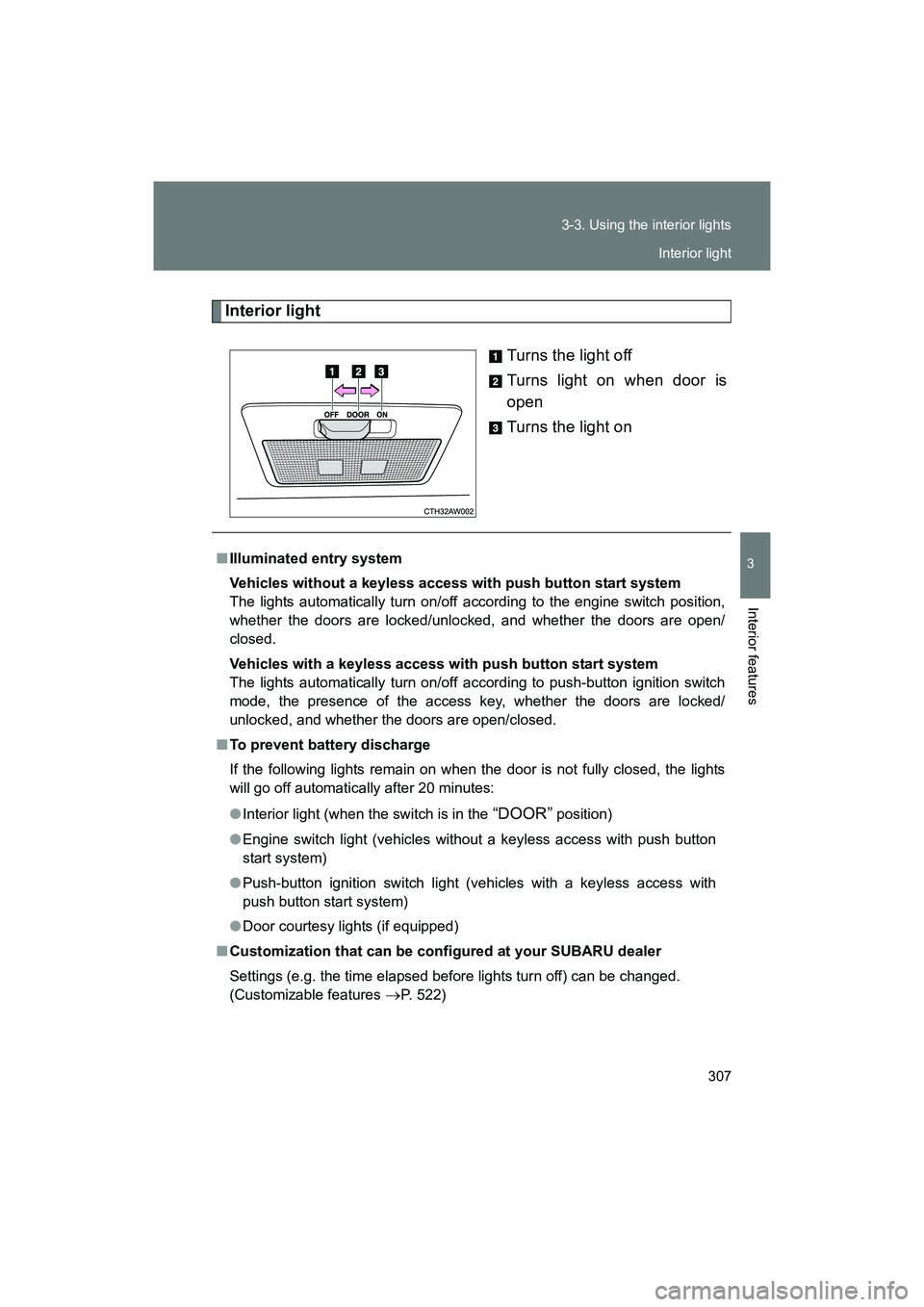
Interior light
Turns the light off
Turns light on when door is
open
Turns the light on
■Illuminated entry system
Vehicles without a keyless access with push button start system
The lights automatically turn on/off according to the engine switch position,
whether the doors are locked/unlocked, and whether the doors are open/
closed.
Vehicles with a keyless access with push button start system
The lights automatically turn on/off according to push-button ignition switch
mode, the presence of the access key, whether the doors are locked/
unlocked, and whether the doors are open/closed.
■ To prevent battery discharge
If the following lights remain on when the door is not fully closed, the lights
will go off automatically after 20 minutes:
● Interior light (when the switch is in the
“DOOR” position)
● Engine switch light (vehicles without a keyless access with push button
start system)
● Push-button ignition switch light (vehicles with a keyless access with
push button start system)
● Door courtesy lights (if equipped)
■ Customization that can be configured at your SUBARU dealer
Settings (e.g. the time elapsed before lights turn off) can be changed.
(Customizable features
→P. 522)
Interior light
Page 308 of 568
308
BRZ_U (A4450BE-A)
3-4. Using the storage features
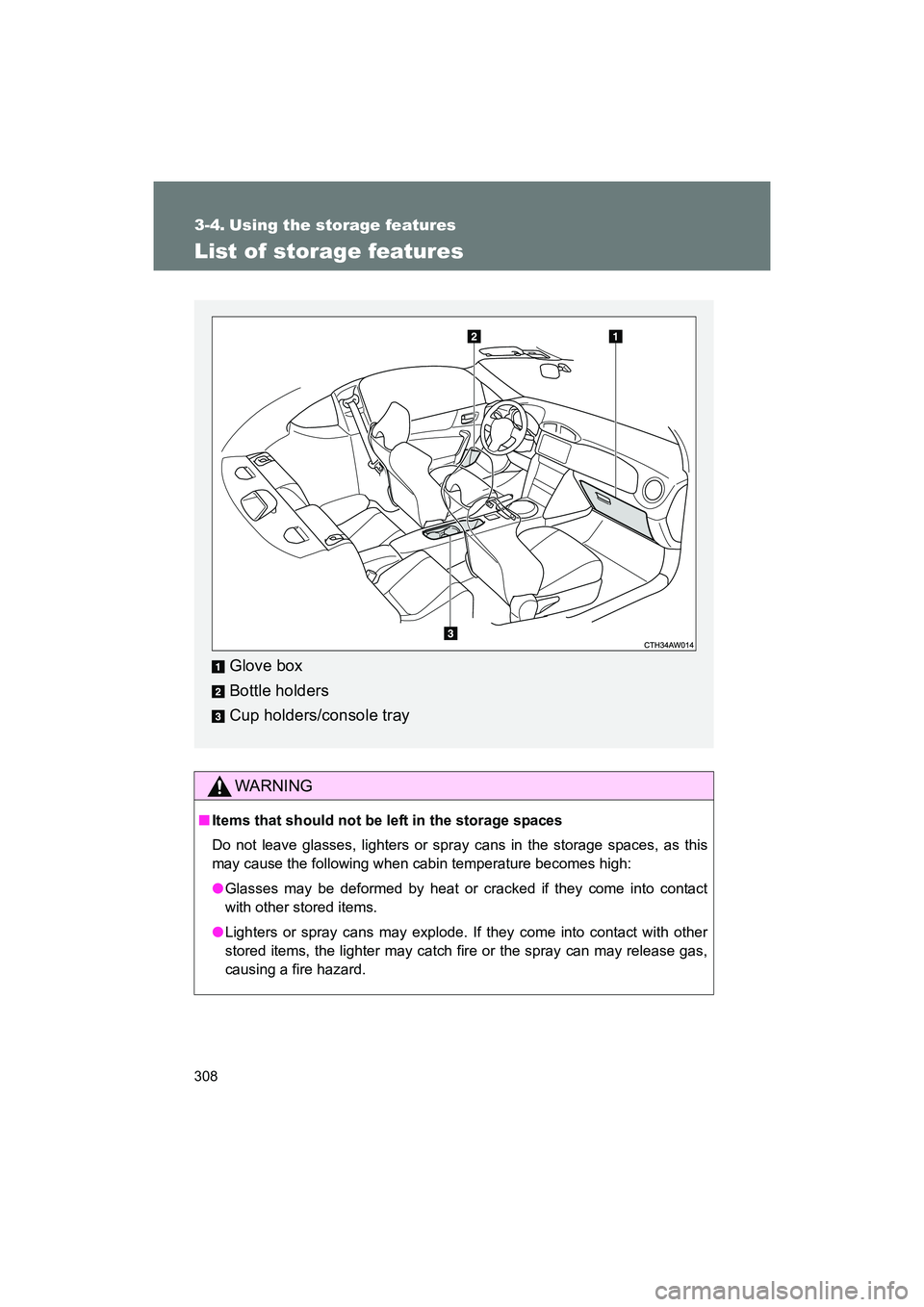
List of storage features
WARNING
■Items that should not be left in the storage spaces
Do not leave glasses, lighters or spray cans in the storage spaces, as this
may cause the following when cabin temperature becomes high:
●Glasses may be deformed by heat or cracked if they come into contact
with other stored items.
● Lighters or spray cans may explode. If they come into contact with other
stored items, the lighter may catch fire or the spray can may release gas,
causing a fire hazard.
Glove box
Bottle holders
Cup holders/console tray
Page 314 of 568
314
3-5. Other interior features
BRZ_U (A4450BE-A)
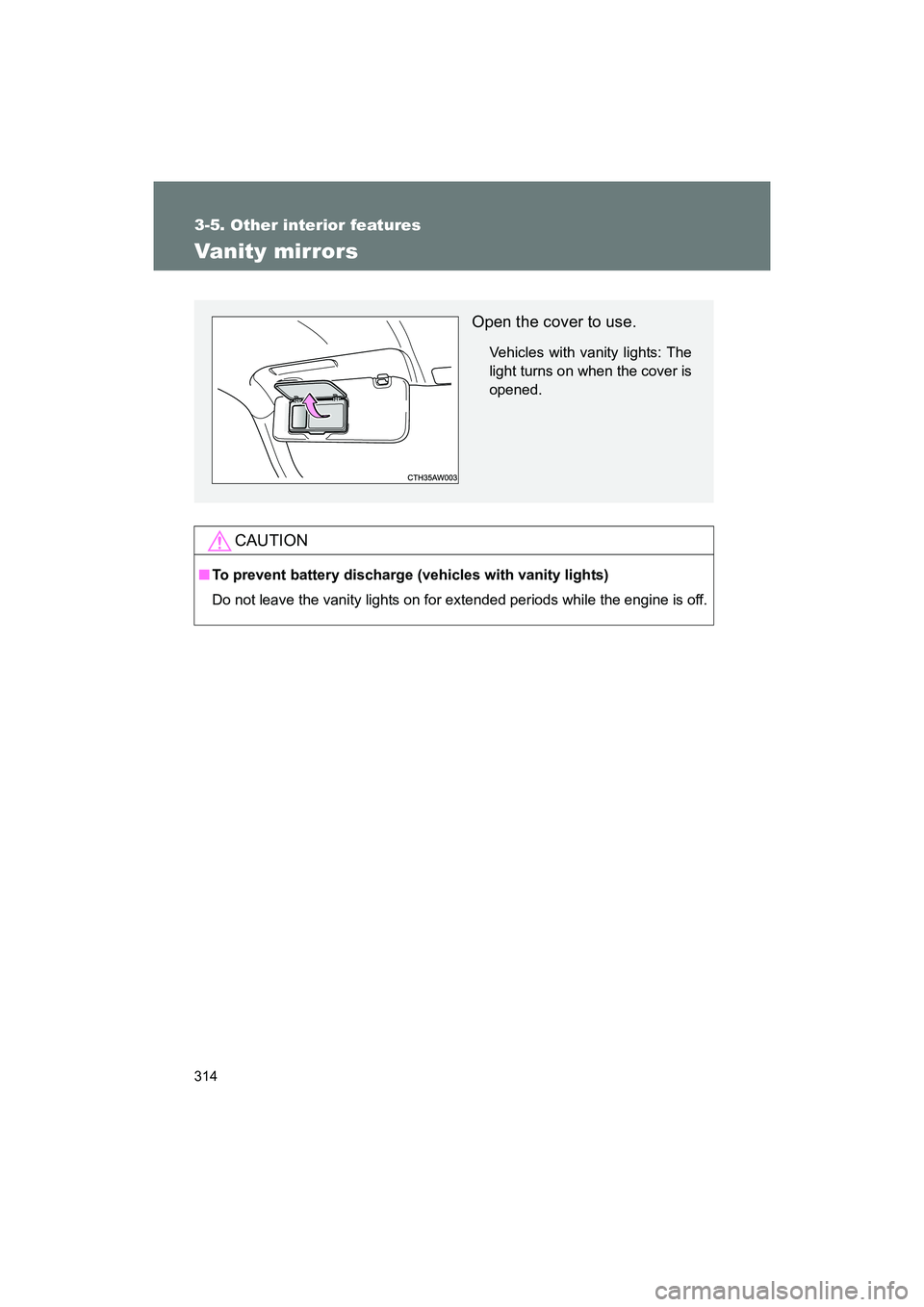
Vanity mirrors
CAUTION
■To prevent battery discharge (vehicles with vanity lights)
Do not leave the vanity lights on for extended periods while the engine is off.
Open the cover to use.
Vehicles with vanity lights: The
light turns on when the cover is
opened.
Page 318 of 568
318
3-5. Other interior features
BRZ_U (A4450BE-A)
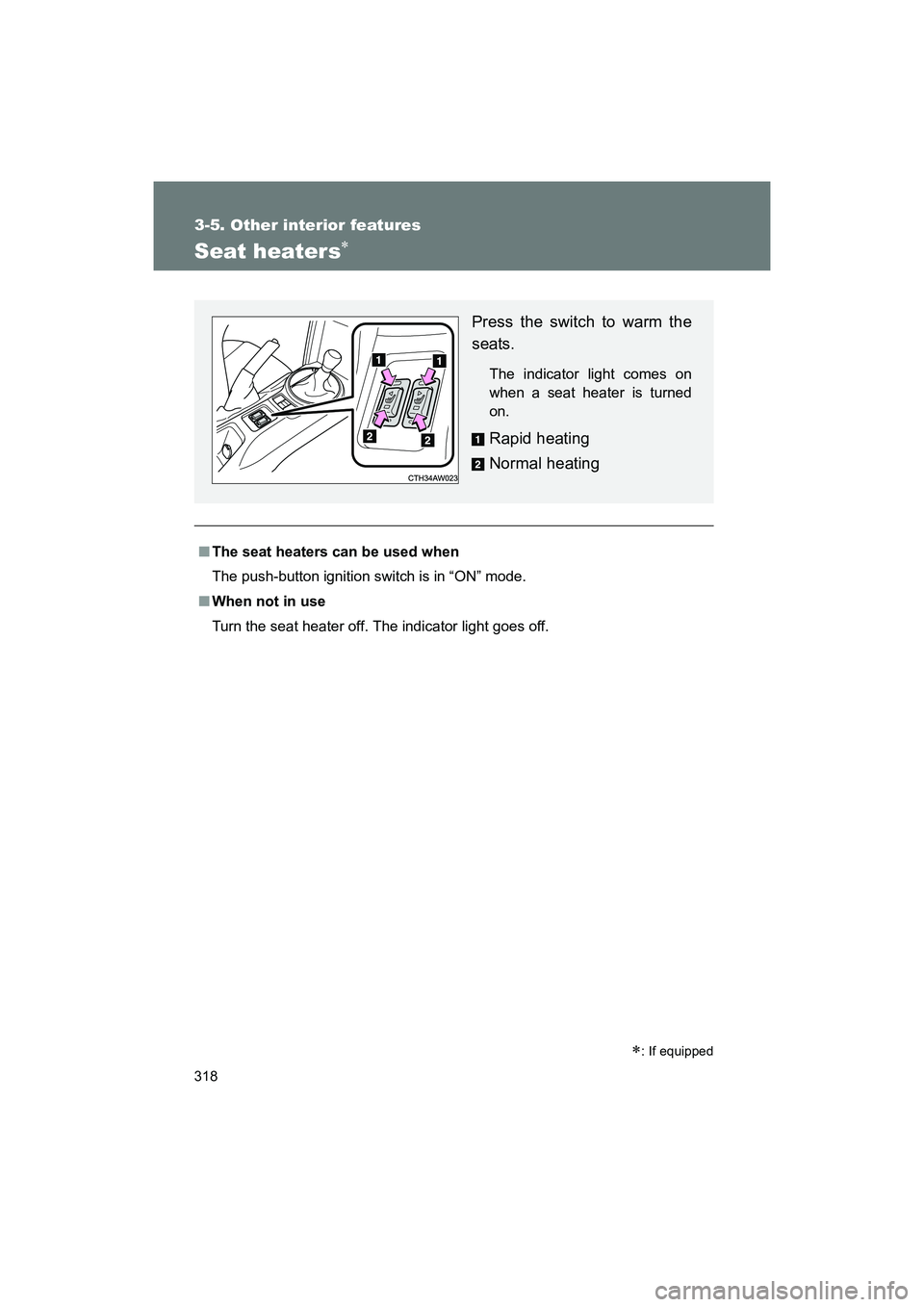
Seat heaters∗
■The seat heaters can be used when
The push-button ignition switch is in “ON” mode.
■ When not in use
Turn the seat heater off. The indicator light goes off.
∗: If equipped
Press the switch to warm the
seats.
The indicator light comes on
when a seat heater is turned
on.
Rapid heating
Normal heating
Page 322 of 568
322
3-5. Other interior features
BRZ_U (A4450BE-A)
HomeLink®∗
Programming HomeLink
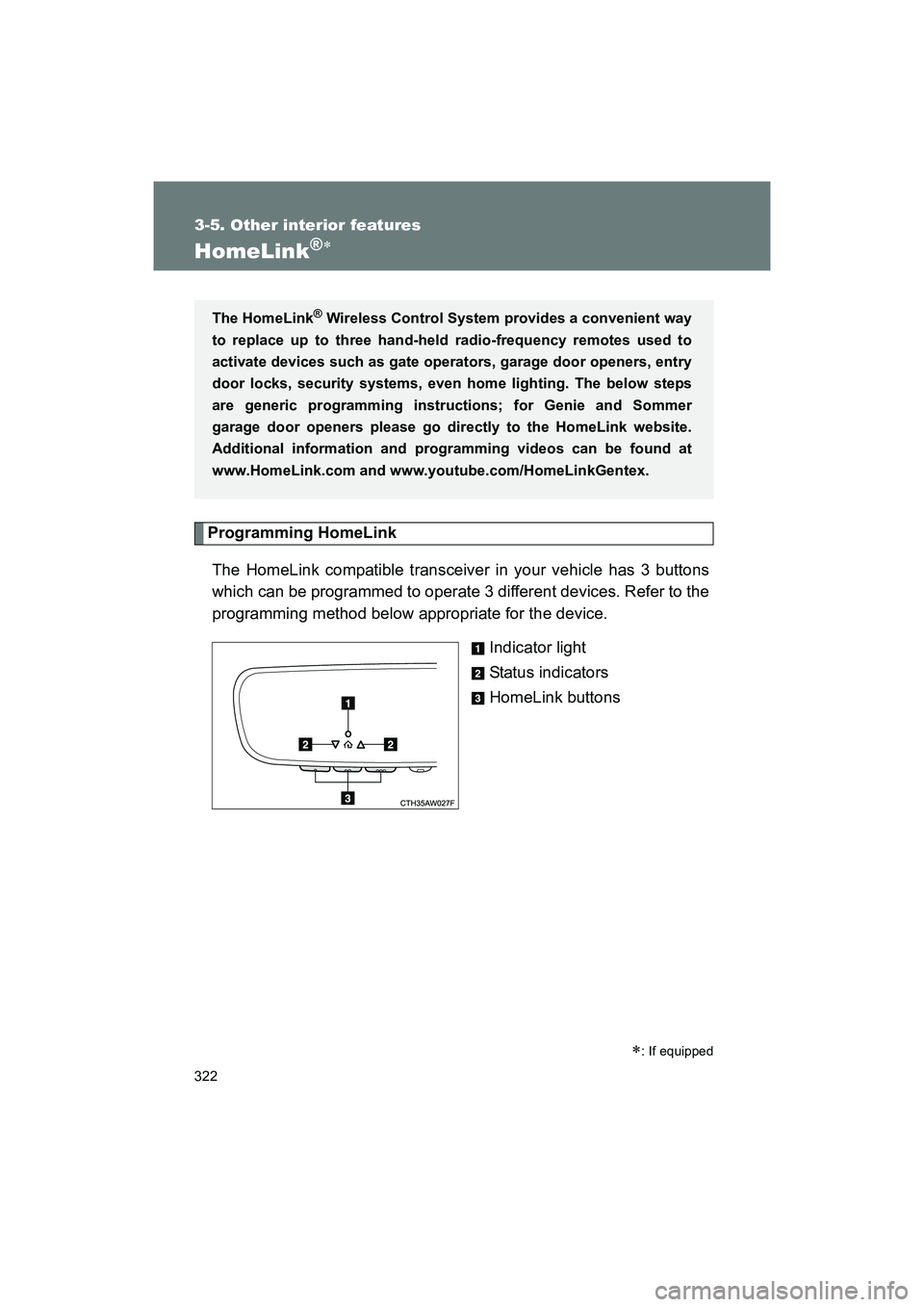
The HomeLink compatible transceiver in your vehicle has 3 buttons
which can be programmed to operate 3 different devices. Refer to the
programming method below appropriate for the device. Indicator light
Status indicators
HomeLink buttons
∗: If equipped
The HomeLink® Wireless Control System provides a convenient way
to replace up to three hand-held radio-frequency remotes used to
activate devices such as gate operators, garage door openers, entry
door locks, security systems, even home lighting. The below steps
are generic programming instructions; for Genie and Sommer
garage door openers please go dir ectly to the HomeLink website.
Additional information and programming videos can be found at
www.HomeLink.com and www.youtube.com/HomeLinkGentex.
Page 324 of 568
324 3-5. Other interior features
BRZ_U (A4450BE-A)■
Programming a New HomeLink Button
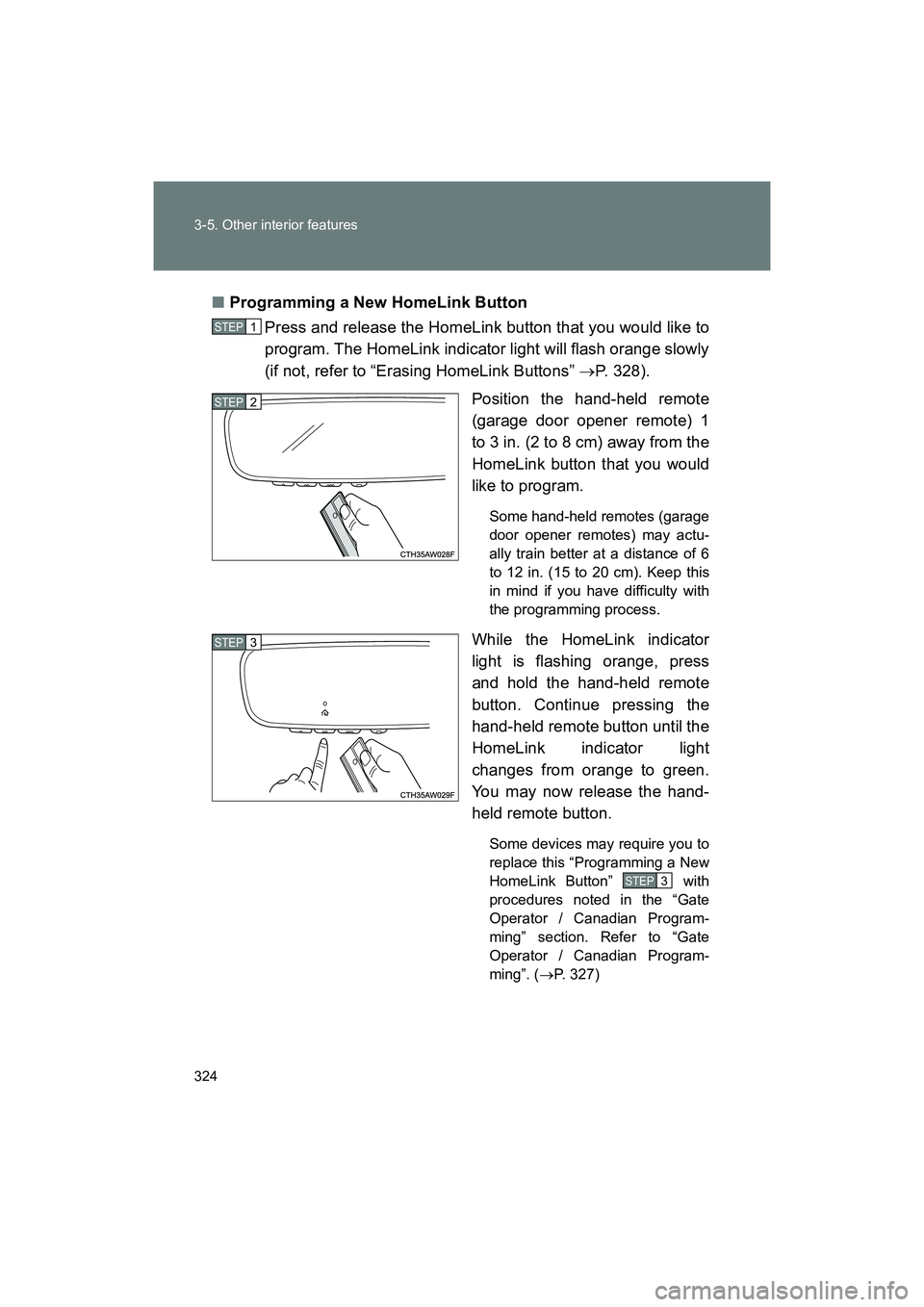
Press and release the HomeLink button that you would like to
program. The HomeLink indicator light will flash orange slowly
(if not, refer to “Erasing HomeLink Buttons” →P. 328).
Position the hand-held remote
(garage door opener remote) 1
to 3 in. (2 to 8 cm) away from the
HomeLink button that you would
like to program.
Some hand-held remotes (garage
door opener remotes) may actu-
ally train better at a distance of 6
to 12 in. (15 to 20 cm). Keep this
in mind if you have difficulty with
the programming process.
While the HomeLink indicator
light is flashing orange, press
and hold the hand-held remote
button. Continue pressing the
hand-held remote button until the
HomeLink indicator light
changes from orange to green.
You may now release the hand-
held remote button.
Some devices may require you to
replace this “Programming a New
HomeLink Button” with
procedures noted in the “Gate
Operator / Canadian Program-
ming” section. Refer to “Gate
Operator / Canadian Program-
ming”. ( →P. 327)
STEP 1
STEP 2
STEP 3
STEP 3
Page 325 of 568
325
3-5. Other interior features
3
Interior features
BRZ_U (A4450BE-A)
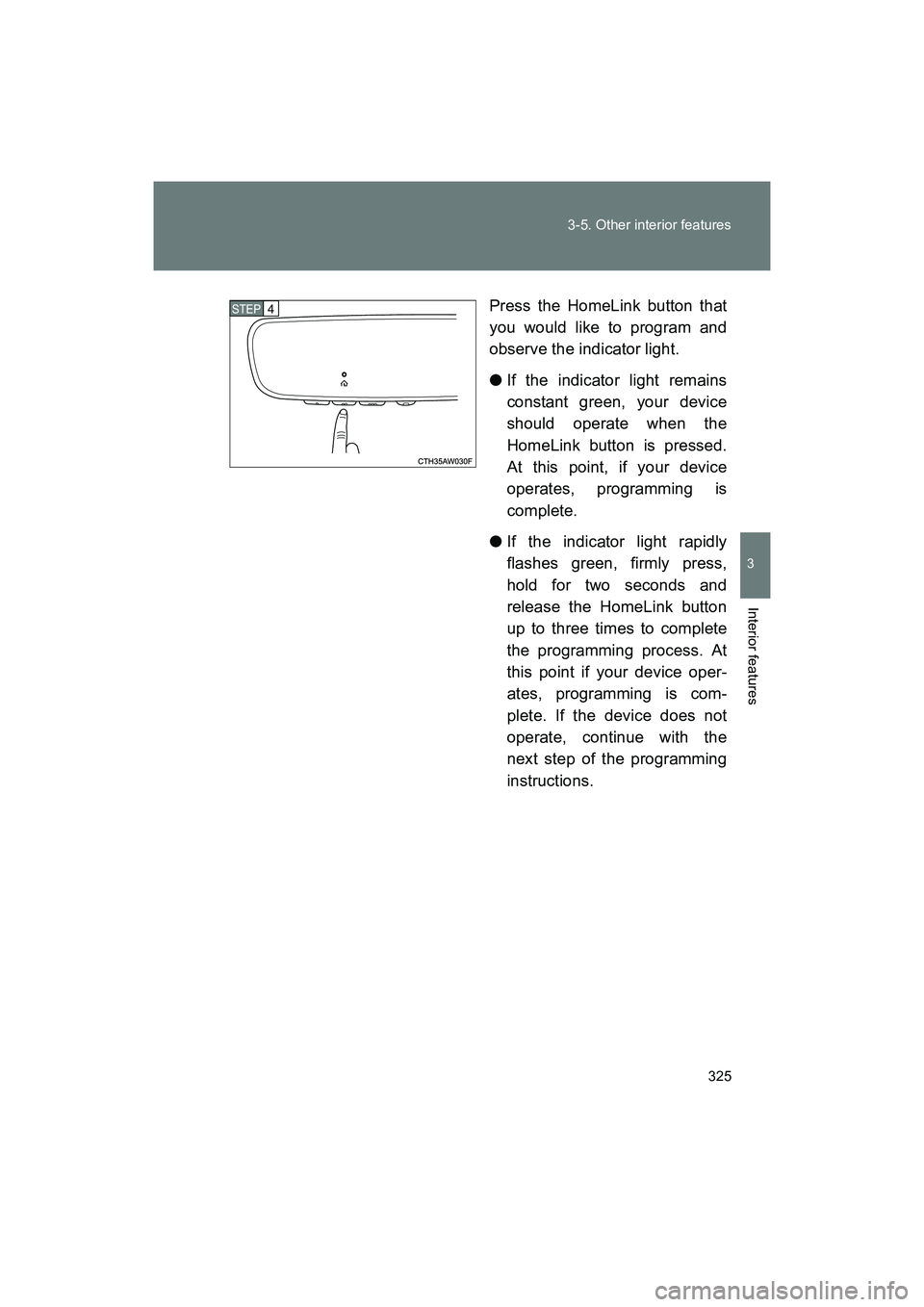
Press the HomeLink button that
you would like to program and
observe the indicator light.
●
If the indicator light remains
constant green, your device
should operate when the
HomeLink button is pressed.
At this point, if your device
operates, programming is
complete.
● If the indicator light rapidly
flashes green, firmly press,
hold for two seconds and
release the HomeLink button
up to three times to complete
the programming process. At
this point if your device oper-
ates, programming is com-
plete. If the device does not
operate, continue with the
next step of the programming
instructions.
STEP 4
Page 327 of 568
327
3-5. Other interior features
3
Interior features
BRZ_U (A4450BE-A)
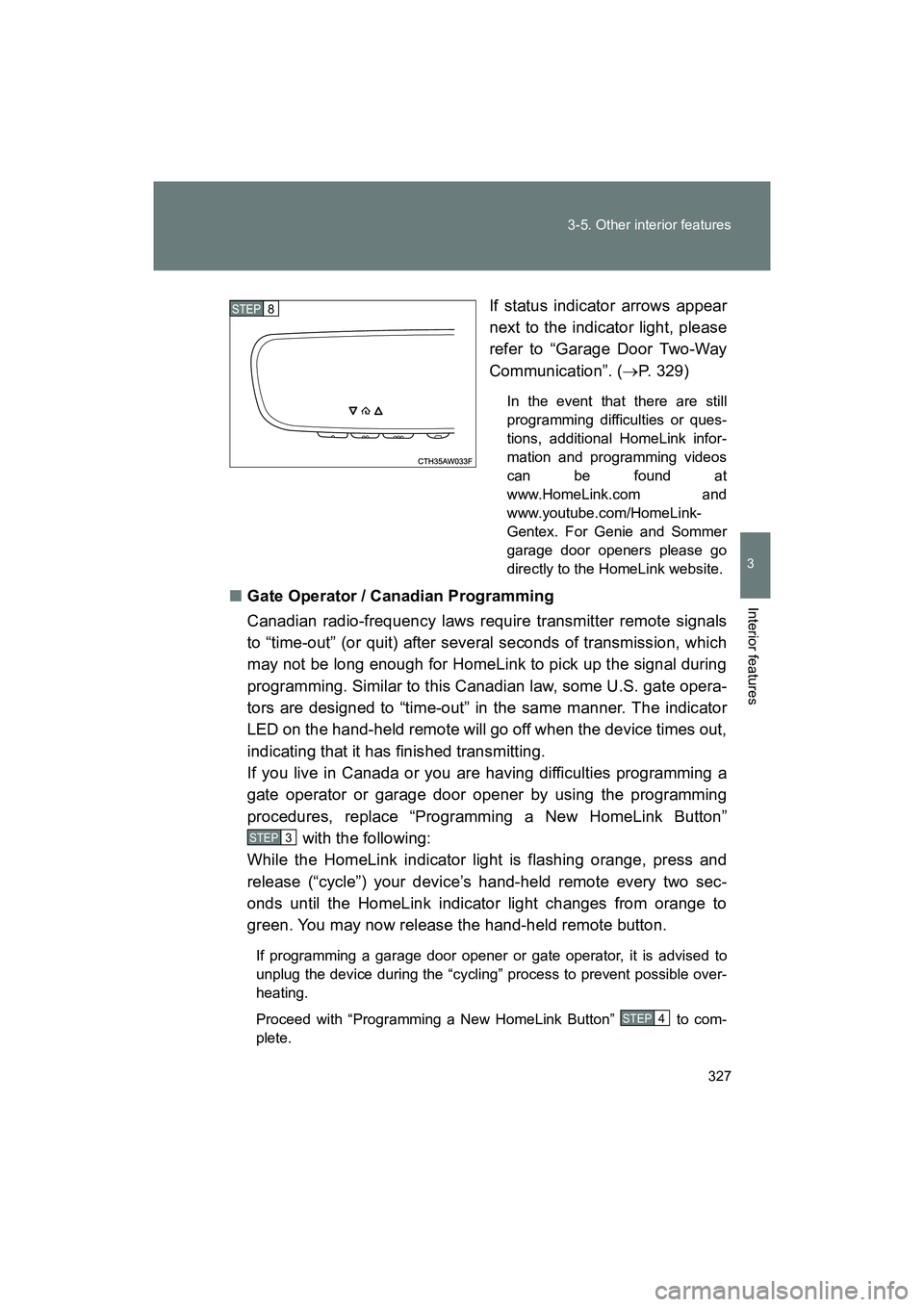
If status indicator arrows appear
next to the indicator light, please
refer to “Garage Door Two-Way
Communication”. (
→P. 329)
In the event that there are still
programming difficulties or ques-
tions, additional HomeLink infor-
mation and programming videos
can be found at
www.HomeLink.com and
www.youtube.com/HomeLink-
Gentex. For Genie and Sommer
garage door openers please go
directly to the HomeLink website.
■ Gate Operator / Canadian Programming
Canadian radio-frequency laws require transmitter remote signals
to “time-out” (or quit) after several seconds of transmission, which
may not be long enough for HomeLink to pick up the signal during
programming. Similar to this Canadian law, some U.S. gate opera-
tors are designed to “time-out” in the same manner. The indicator
LED on the hand-held remote will go off when the device times out,
indicating that it has finished transmitting.
If you live in Canada or you are having difficulties programming a
gate operator or garage door opener by using the programming
procedures, replace “Programming a New HomeLink Button”
with the following:
While the HomeLink indicator light is flashing orange, press and
release (“cycle”) your device’s hand-held remote every two sec-
onds until the HomeLink indicator light changes from orange to
green. You may now release the hand-held remote button.
If programming a garage door opener or gate operator, it is advised to
unplug the device during the “cycling” process to prevent possible over-
heating.
Proceed with “Programming a New HomeLink Button” to com-
plete.
STEP 8
STEP 3
STEP 4
Page 328 of 568
328 3-5. Other interior features
BRZ_U (A4450BE-A)
Using HomeLinkTo operate, simply press and release the programmed HomeLink but-
ton. Activation will now occur for the trained device (i.e. garage door
opener, gate operator, security system, entry door lock, home/office
lighting, etc.). For convenience, the handheld remote of the device
may also be used at any time.
Reprogramming a Single HomeLink ButtonTo program a previously trained button, follow these steps: Press and hold the desired HomeLink button. DO NOT
release the button.
The indicator light will begin to slowly flash orange after 20
seconds. The HomeLink button can be released at this point.
Proceed with “Programming a New HomeLink Button” -.
If you do not complete the programming of a new device to
the button, it will revert to the previously stored programming.
Erasing HomeLink Buttons
To erase programming from the three buttons (individual buttons can-
not be erased but can be “reprogrammed” as outlined below), follow
the step noted:
Press and hold the two outer HomeLink buttons for at least 10 sec-
onds. The LED indicator will change from continuously lit to rapidly
flashing. Release both buttons. Do not hold for longer than 20 sec-
onds. HomeLink is now ready to be programmed at any time begin-
ning with “Programming a New HomeLink Button” - .
STEP 1
STEP 2
STEP 3
STEP 3
STEP 1
Page 335 of 568
Maintenance and care4
335
BRZ_U (A4450BE-A)
4-1. Maintenance and careCleaning and protecting the vehicle exterior......... 336
Cleaning and protecting the vehicle interior.......... 342
Cleaning and protecting the Alcantara
® area ....... 346
4-2. Maintenance Maintenance requirements .................. 348
General maintenance....... 351
Emission inspection and maintenance (I/M)
programs........................ 354 4-3. Do-it-yourself
maintenance
Do-it-yourself service precautions .................... 355
Engine hood ..................... 358
Engine compartment ........ 360
Tires ................................. 374
Tire inflation pressure ...... 382
Wheels ............................. 386
Air conditioning filter......... 389
Transmitter/ access key battery ......... 392
Checking and replacing fuses .............................. 397
Light bulbs........................ 405