change time SUBARU BRZ 2018 User Guide
[x] Cancel search | Manufacturer: SUBARU, Model Year: 2018, Model line: BRZ, Model: SUBARU BRZ 2018Pages: 568, PDF Size: 8.94 MB
Page 216 of 568
216 2-2. Instrument cluster
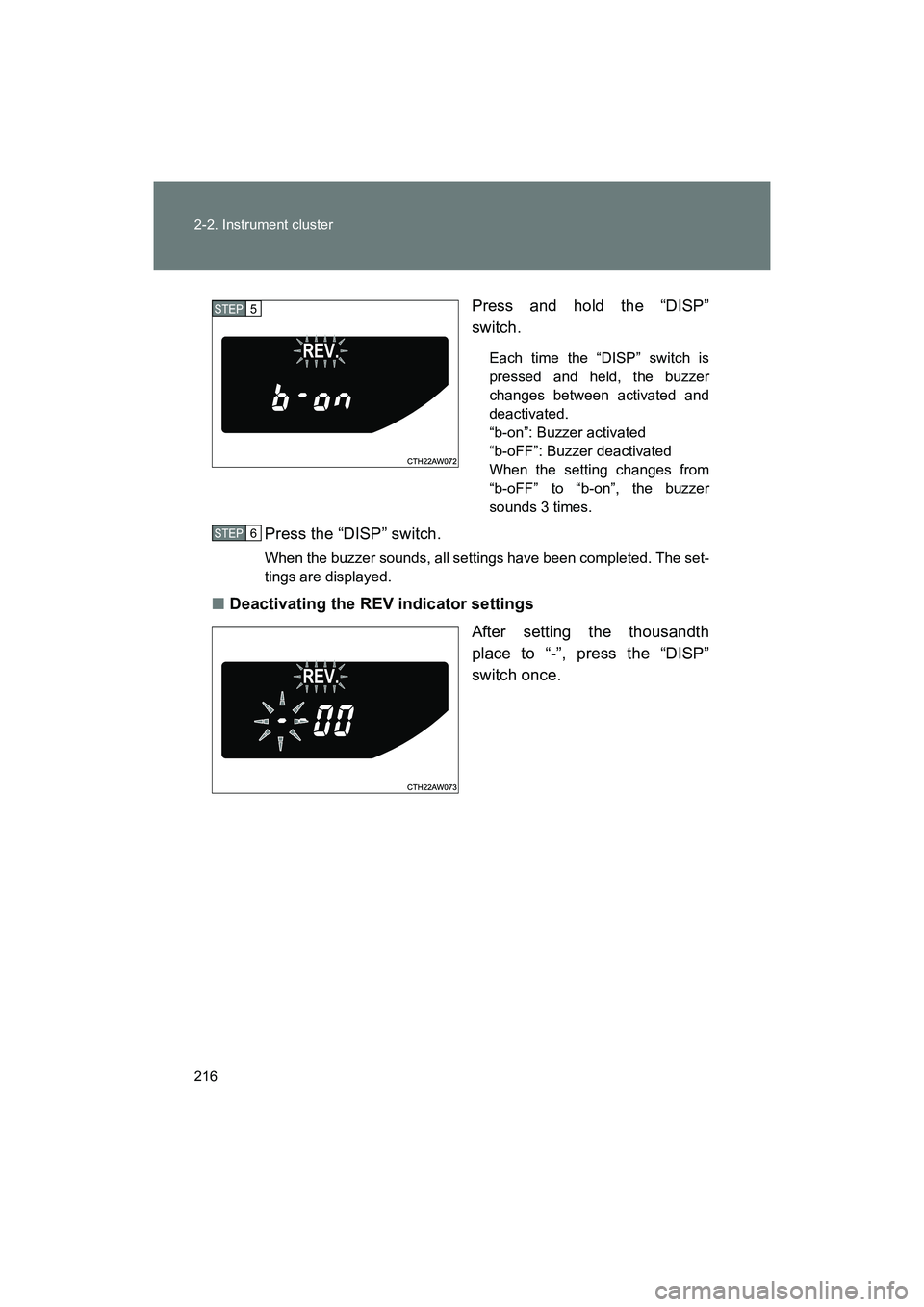
BRZ_U (A4450BE-A)Press and hold the “DISP”
switch.
Each time the “DISP” switch is
pressed and held, the buzzer
changes between activated and
deactivated.
“b-on”: Buzzer activated
“b-oFF”: Buzzer deactivated
When the setting changes from
“b-oFF” to “b-on”, the buzzer
sounds 3 times.
Press the “DISP” switch.
When the buzzer sounds, all settings have been completed. The set-
tings are displayed.
■
Deactivating the REV indicator settings
After setting the thousandth
place to “-”, press the “DISP”
switch once.
STEP 5
STEP 6
Page 219 of 568
219
2-2. Instrument cluster
2
When driving
BRZ_U (A4450BE-A)
Using the multi-information display
■ Using the content display area
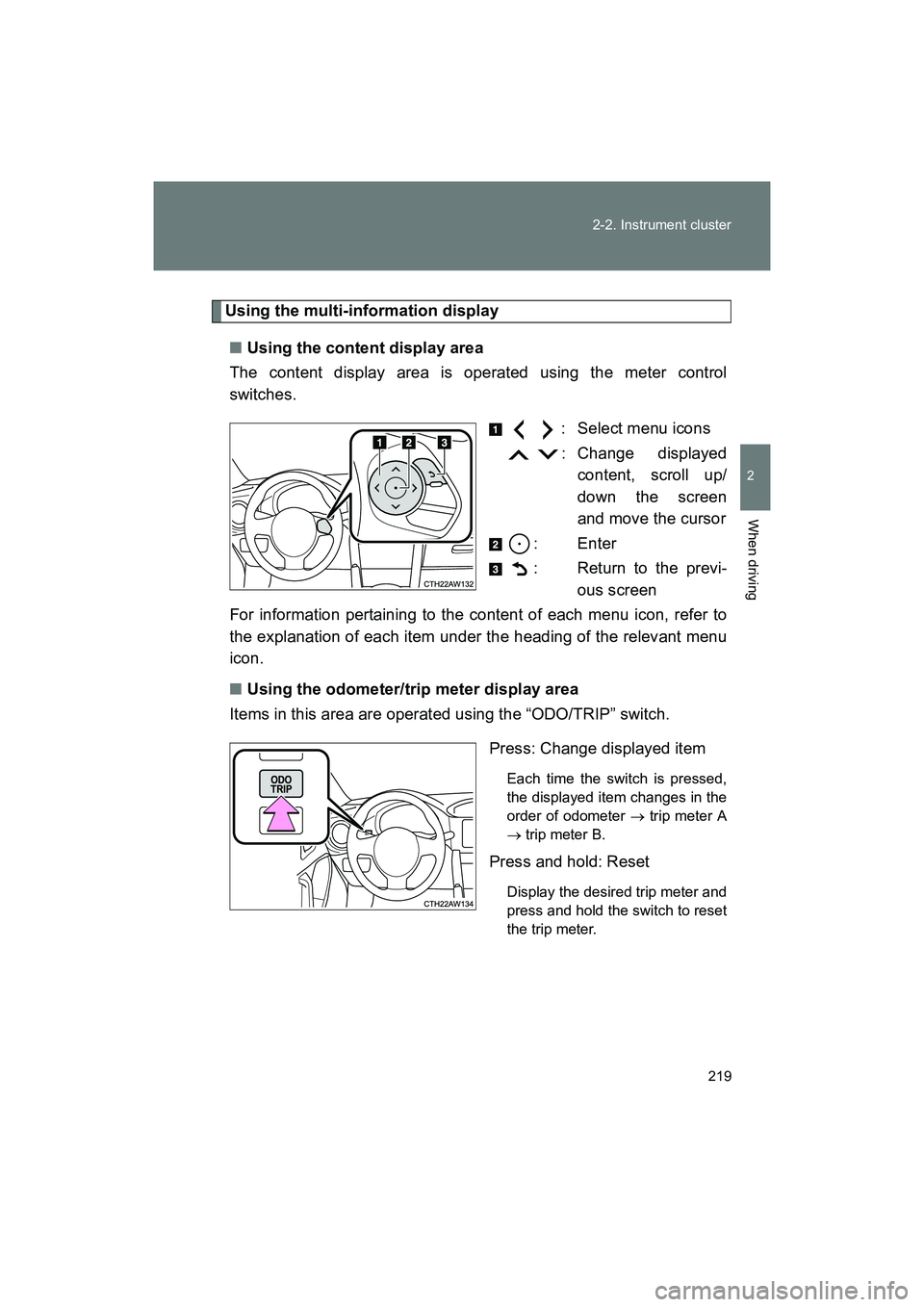
The content display area is operated using the meter control
switches.
: Select menu icons
: Change displayedcontent, scroll up/
down the screen
and move the cursor
: Enter
: Return to the previ- ous screen
For information pertaining to the content of each menu icon, refer to
the explanation of each item under the heading of the relevant menu
icon.
■ Using the odometer/trip meter display area
Items in this area are operated using the “ODO/TRIP” switch.
Press: Change displayed item
Each time the switch is pressed,
the displayed item changes in the
order of odometer → trip meter A
→ trip meter B.
Press and hold: Reset
Display the desired trip meter and
press and hold the switch to reset
the trip meter.
Page 226 of 568
226 2-2. Instrument cluster
BRZ_U (A4450BE-A)■
Stopwatch
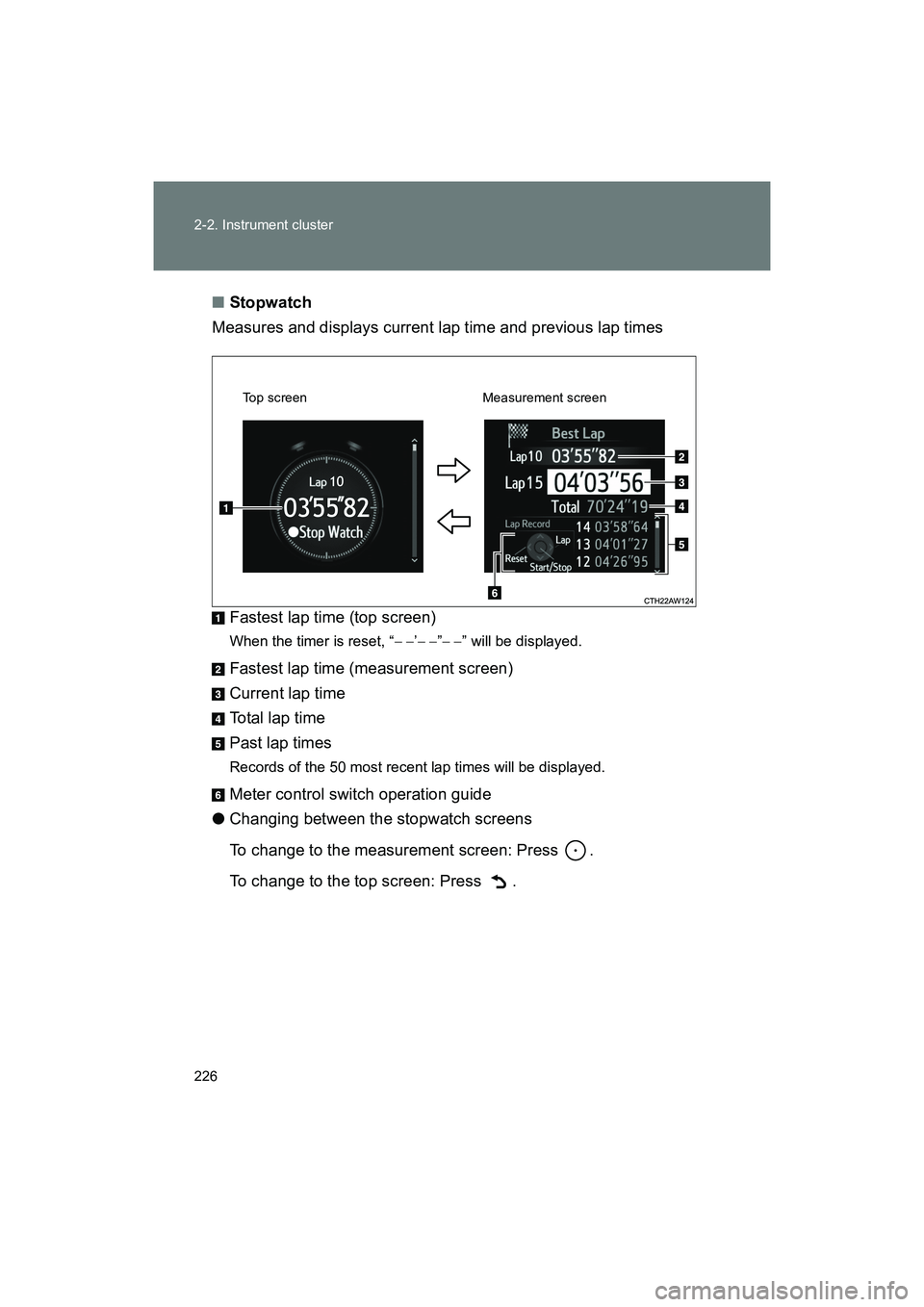
Measures and displays current lap time and previous lap times
Fastest lap time (top screen)
When the timer is reset, “ − −’− − ”− − ” will be displayed.
Fastest lap time (measurement screen)
Current lap time
Total lap time
Past lap times
Records of the 50 most recent lap times will be displayed.
Meter control switch operation guide
● Changing between the stopwatch screens
To change to the measurement screen: Press .
To change to the top screen: Press .
Top screen Measurement screen
Page 231 of 568
231
2-2. Instrument cluster
2
When driving
BRZ_U (A4450BE-A)
■
G-force display
● Depending on the vehicle usage conditions , the brake fluid pressure dis-
play may not reach its maximum reading even though the brake pedal is
fully depressed.
● If a battery terminal is disconnected and reconnected, the steering
amount display may be disabled temporarily. After driving the vehicle for
a while, the display will be enabled.
■ Suspension of the settings display
● The settings cannot be changed while driving. When changing settings,
park the vehicle in a safe place.
● If a warning message is displayed, operation of the settings display will
be suspended.
■ Using the stopwatch
If the engine is stopped while the stopwatch is operating, the stopwatch will
stop and the time up to that point will be recorded.
■ Outside temperature display
● In the following situations, the correct outside temperature may not be
displayed.
• When the vehicle is very hot, such as when under the sun.
• When the vehicle is idling or being driven at low speeds such as in a
traffic jam or when the engine is stopped and then restarted immedi-
ately afterward.
• When the actual outside temperature is outside of the indicator range.
● If “ − − ” is displayed for approximately 1 minute or more or if the outside
temperature is not displayed, the system may be malfunctioning. Have
the vehicle inspected by your SUBARU dealer.
■ Liquid crystal display
Small spots or light spots may appear on the display. This phenomenon is
characteristic of liquid crystal displays, and there is no problem continuing to
use the display.
Page 244 of 568
244 2-4. Using other driving systems
BRZ_U (A4450BE-A)
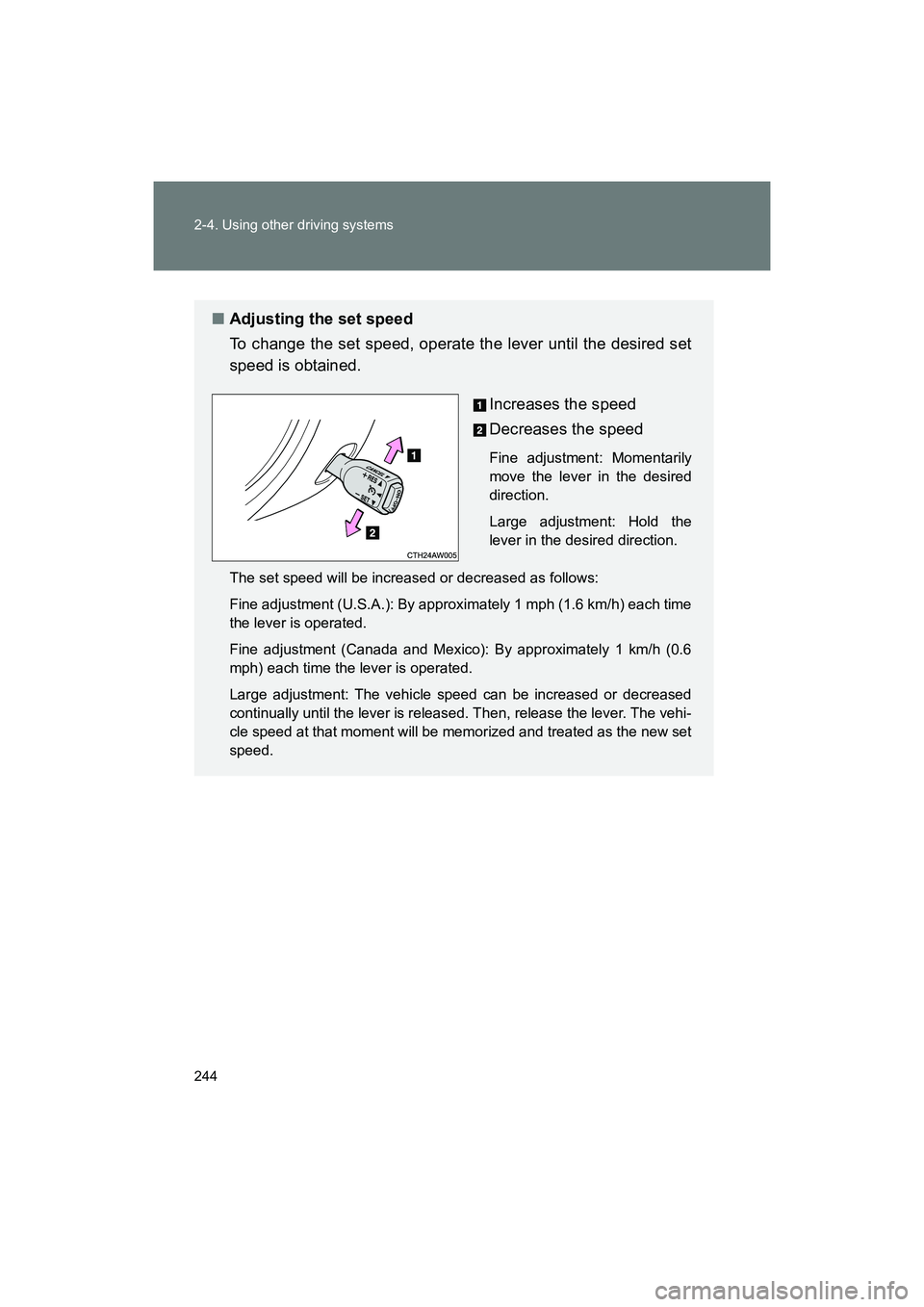
■Adjusting the set speed
To change the set speed, operate the lever until the desired set
speed is obtained.
Increases the speed
Decreases the speed
Fine adjustment: Momentarily
move the lever in the desired
direction.
Large adjustment: Hold the
lever in the desired direction.
The set speed will be increased or decreased as follows:
Fine adjustment (U.S.A.): By approximately 1 mph (1.6 km/h) each time
the lever is operated.
Fine adjustment (Canada and Mexico): By approximately 1 km/h (0.6
mph) each time the lever is operated.
Large adjustment: The vehicle speed can be increased or decreased
continually until the lever is released. Then, release the lever. The vehi-
cle speed at that moment will be memorized and treated as the new set
speed.
Page 295 of 568
295
3-1. Using the air conditioning system and defogger
3
Interior features
BRZ_U (A4450BE-A)
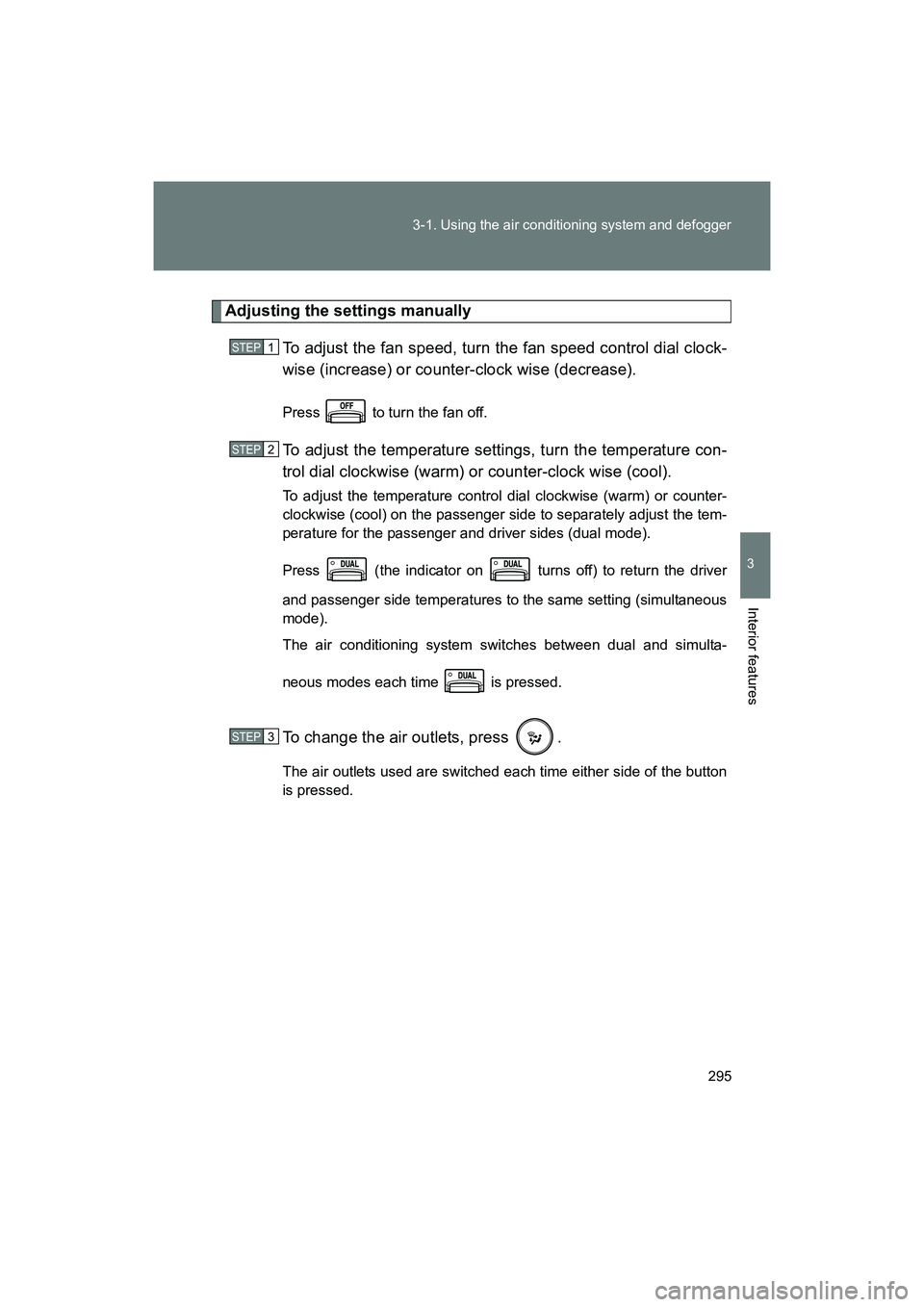
Adjusting the settings manually
To adjust the fan speed, turn the fan speed control dial clock-
wise (increase) or counter-clock wise (decrease).
Press to turn the fan off.
To adjust the temperature settings, turn the temperature con-
trol dial clockwise (warm) or counter-clock wise (cool).
To adjust the temperature control dial clockwise (warm) or counter-
clockwise (cool) on the passenger side to separately adjust the tem-
perature for the passenger and driver sides (dual mode).
Press (the indicator on turns off) to return the driver
and passenger side temperatures to the same setting (simultaneous
mode).
The air conditioning system switches between dual and simulta-
neous modes each time is pressed.
To change the air outlets, press .
The air outlets used are switched each time either side of the button
is pressed.
STEP 1
STEP 2
STEP 3
Page 307 of 568
307
3-3. Using the interior lights
3
Interior features
BRZ_U (A4450BE-A)
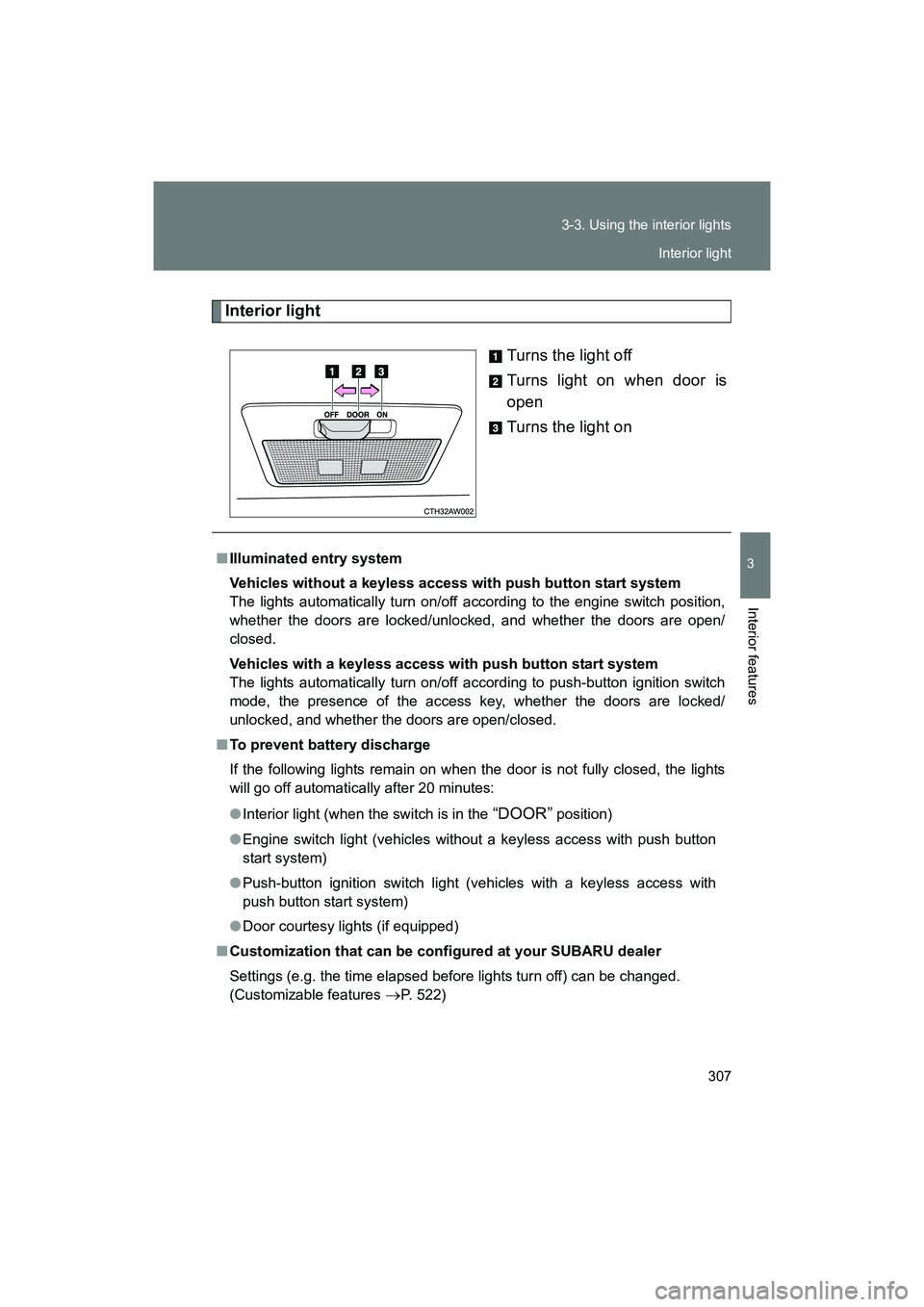
Interior light
Turns the light off
Turns light on when door is
open
Turns the light on
■Illuminated entry system
Vehicles without a keyless access with push button start system
The lights automatically turn on/off according to the engine switch position,
whether the doors are locked/unlocked, and whether the doors are open/
closed.
Vehicles with a keyless access with push button start system
The lights automatically turn on/off according to push-button ignition switch
mode, the presence of the access key, whether the doors are locked/
unlocked, and whether the doors are open/closed.
■ To prevent battery discharge
If the following lights remain on when the door is not fully closed, the lights
will go off automatically after 20 minutes:
● Interior light (when the switch is in the
“DOOR” position)
● Engine switch light (vehicles without a keyless access with push button
start system)
● Push-button ignition switch light (vehicles with a keyless access with
push button start system)
● Door courtesy lights (if equipped)
■ Customization that can be configured at your SUBARU dealer
Settings (e.g. the time elapsed before lights turn off) can be changed.
(Customizable features
→P. 522)
Interior light
Page 327 of 568
327
3-5. Other interior features
3
Interior features
BRZ_U (A4450BE-A)
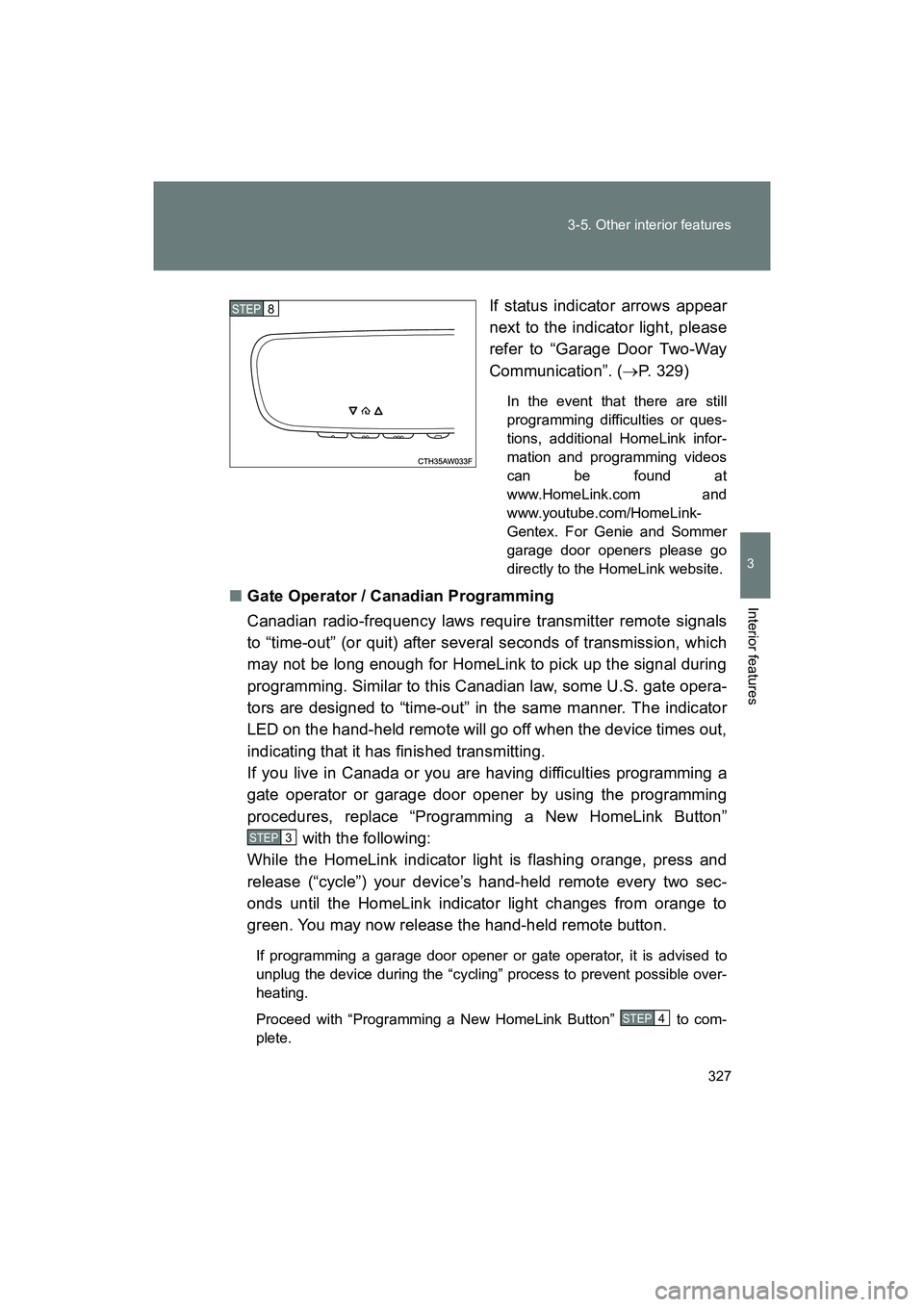
If status indicator arrows appear
next to the indicator light, please
refer to “Garage Door Two-Way
Communication”. (
→P. 329)
In the event that there are still
programming difficulties or ques-
tions, additional HomeLink infor-
mation and programming videos
can be found at
www.HomeLink.com and
www.youtube.com/HomeLink-
Gentex. For Genie and Sommer
garage door openers please go
directly to the HomeLink website.
■ Gate Operator / Canadian Programming
Canadian radio-frequency laws require transmitter remote signals
to “time-out” (or quit) after several seconds of transmission, which
may not be long enough for HomeLink to pick up the signal during
programming. Similar to this Canadian law, some U.S. gate opera-
tors are designed to “time-out” in the same manner. The indicator
LED on the hand-held remote will go off when the device times out,
indicating that it has finished transmitting.
If you live in Canada or you are having difficulties programming a
gate operator or garage door opener by using the programming
procedures, replace “Programming a New HomeLink Button”
with the following:
While the HomeLink indicator light is flashing orange, press and
release (“cycle”) your device’s hand-held remote every two sec-
onds until the HomeLink indicator light changes from orange to
green. You may now release the hand-held remote button.
If programming a garage door opener or gate operator, it is advised to
unplug the device during the “cycling” process to prevent possible over-
heating.
Proceed with “Programming a New HomeLink Button” to com-
plete.
STEP 8
STEP 3
STEP 4
Page 328 of 568
328 3-5. Other interior features
BRZ_U (A4450BE-A)
Using HomeLinkTo operate, simply press and release the programmed HomeLink but-
ton. Activation will now occur for the trained device (i.e. garage door
opener, gate operator, security system, entry door lock, home/office
lighting, etc.). For convenience, the handheld remote of the device
may also be used at any time.
Reprogramming a Single HomeLink ButtonTo program a previously trained button, follow these steps: Press and hold the desired HomeLink button. DO NOT
release the button.
The indicator light will begin to slowly flash orange after 20
seconds. The HomeLink button can be released at this point.
Proceed with “Programming a New HomeLink Button” -.
If you do not complete the programming of a new device to
the button, it will revert to the previously stored programming.
Erasing HomeLink Buttons
To erase programming from the three buttons (individual buttons can-
not be erased but can be “reprogrammed” as outlined below), follow
the step noted:
Press and hold the two outer HomeLink buttons for at least 10 sec-
onds. The LED indicator will change from continuously lit to rapidly
flashing. Release both buttons. Do not hold for longer than 20 sec-
onds. HomeLink is now ready to be programmed at any time begin-
ning with “Programming a New HomeLink Button” - .
STEP 1
STEP 2
STEP 3
STEP 3
STEP 1
Page 338 of 568
338 4-1. Maintenance and care
BRZ_U (A4450BE-A)
■Brake (vehicles with brembo brake)
●Painted brake calipers
• When using detergent, use neutral detergent. Do not use hard brushes
or abrasive cleaners, as they will damage the paint.
• Do not use detergent on the brake calipers when they are hot.
• Wash detergent off immediately after use.
● Rust may form if the vehicle is parked with wet brake pads or disc rotors,
causing them to stick. Before parking the vehicle after it is washed, drive
slowly and apply the brakes several times to dry the parts.
■ CFRP (Carbon Fiber Reinforced Plastic) part (if equipped)
●Remove any dirt using a neutral detergent. Do not use hard brushes or
abrasive cleaners. Do not use st rong or harsh chemical cleaners.
● As the CFRP parts may change color if they are exposed to ultraviolet
rays for extended periods of time, SUBARU recommends that your vehi-
cle be stored in a place where it will not be exposed to direct sunlight.
● Do not use wax that contains abrasives.
■ When washing the vehicle
Wear rubber gloves and use a hand brush when washing down underbody,
inner fenders and suspension to effectively remove mud and dirt off.