display SUBARU BRZ 2018 Workshop Manual
[x] Cancel search | Manufacturer: SUBARU, Model Year: 2018, Model line: BRZ, Model: SUBARU BRZ 2018Pages: 568, PDF Size: 8.94 MB
Page 255 of 568
255
2-4. Using other driving systems
2
When driving
BRZ_U (A4450BE-A)
WARNING
■
When using the rear view camera
● Since the rear view camera uses a wide-angle lens, the image on the
screen will be different from the actual view in terms of distance.
● Since the range of the image displayed on the screen is limited, you
should always check the area behind the vehicle and the surrounding area
with your eyes and mirrors, and move backward at a slow speed. Moving
backward only by checking the rear view image from the rear view camera
could lead to an accident.
● Do not disassemble or modify the rear view camera, switch or wiring. If
smoke comes from any of the parts or you smell a strange odor, stop using
the rear view camera immediately. Contact your SUBARU dealer for an
inspection. Continued use may result in accident, fire or electric shock.
● Do not expose the rear view camera or wiring to an open flame as damage
or a fire may occur.
● Do not use the system if the trunk is open.
Page 293 of 568
293
3-1. Using the air conditioning system and defogger
3
Interior features
BRZ_U (A4450BE-A)
Automatic air conditioning system∗
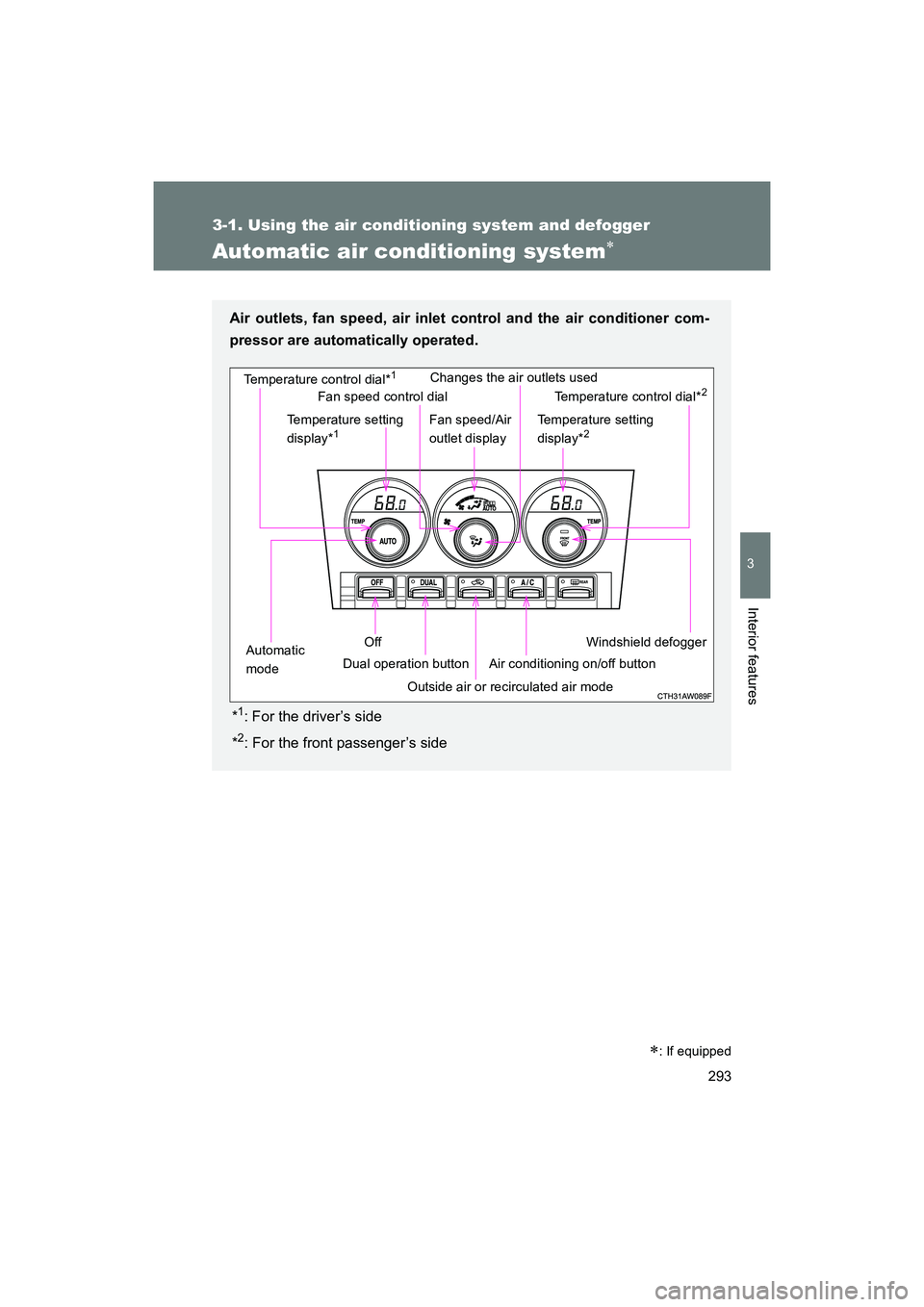
Air outlets, fan speed, air inlet control and the air conditioner com-
pressor are automatically operated.
*
1: For the driver’s side
*
2: For the front passenger’s side
Windshield defogger
Temperature control dial*
1
Outside air or recirculated air mode
Temperature setting
display*
1
Off
Automatic
mode Dual operation buttonChanges the air outlets used
Air conditioning on/off button Temperature control dial*
2
Temperature setting
display*2
Fan speed control dial
Fan speed/Air
outlet display
∗: If equipped
Page 315 of 568
315
3-5. Other interior features
3
Interior features
BRZ_U (A4450BE-A)
Clock
■The clock is displayed when
Vehicles without a keyless access with push button start system
The engine switch is in the “ACC” or “ON” position.
Vehicles with a keyless access with push button start system
The push-button ignition switch is in “ACC” or “ON” mode.
■ When disconnecting and reco nnecting battery terminals
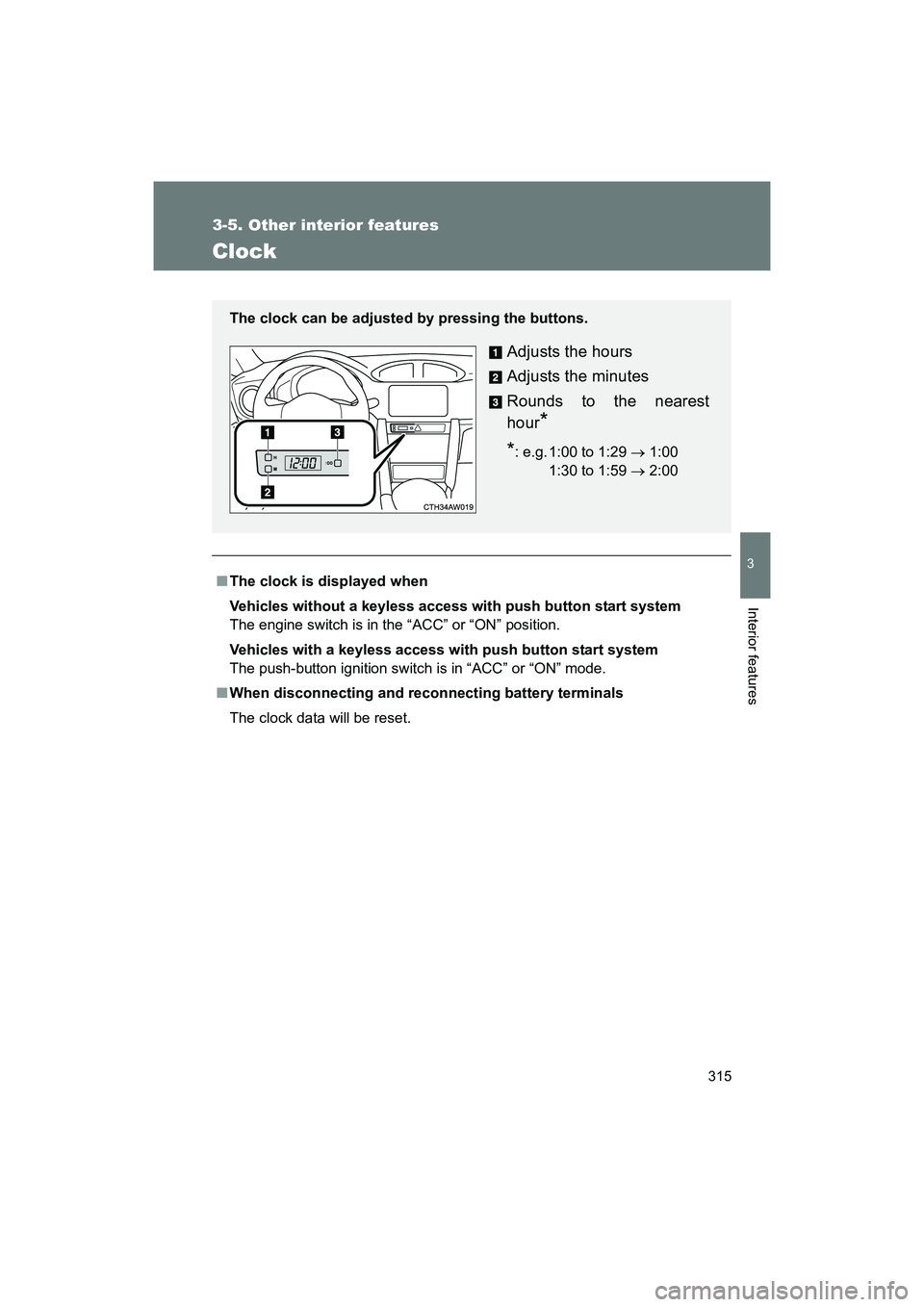
The clock data will be reset. The clock can be adjusted by pressing the buttons.
Adjusts the hours
Adjusts the minutes
Rounds to the nearest
hour
*
*: e.g. 1:00 to 1:29 → 1:00
1:30 to 1:59 → 2:0000
Page 329 of 568
329
3-5. Other interior features
3
Interior features
BRZ_U (A4450BE-A)
Two-Way Communication
■ Garage Door Two-Way Communication
HomeLink has the capability of communicating with your garage door
opener. HomeLink can receive and display “closing” or “opening” sta-
tus messages from compatible garage door opener systems.
At any time, HomeLink can also recall and display the last recorded
status communicated by the garage door opener to indicate your
garage door being “closed” or “opened”.
HomeLink has the capability of receiving this communication from the
garage door opener at a range up to 820 ft. (250 m).Range may be
reduced by obstacles such as houses or trees. You may have to slow
your vehicle speed to successfully receive the garage door opener
communication.
■ Programming Two-Way Communication
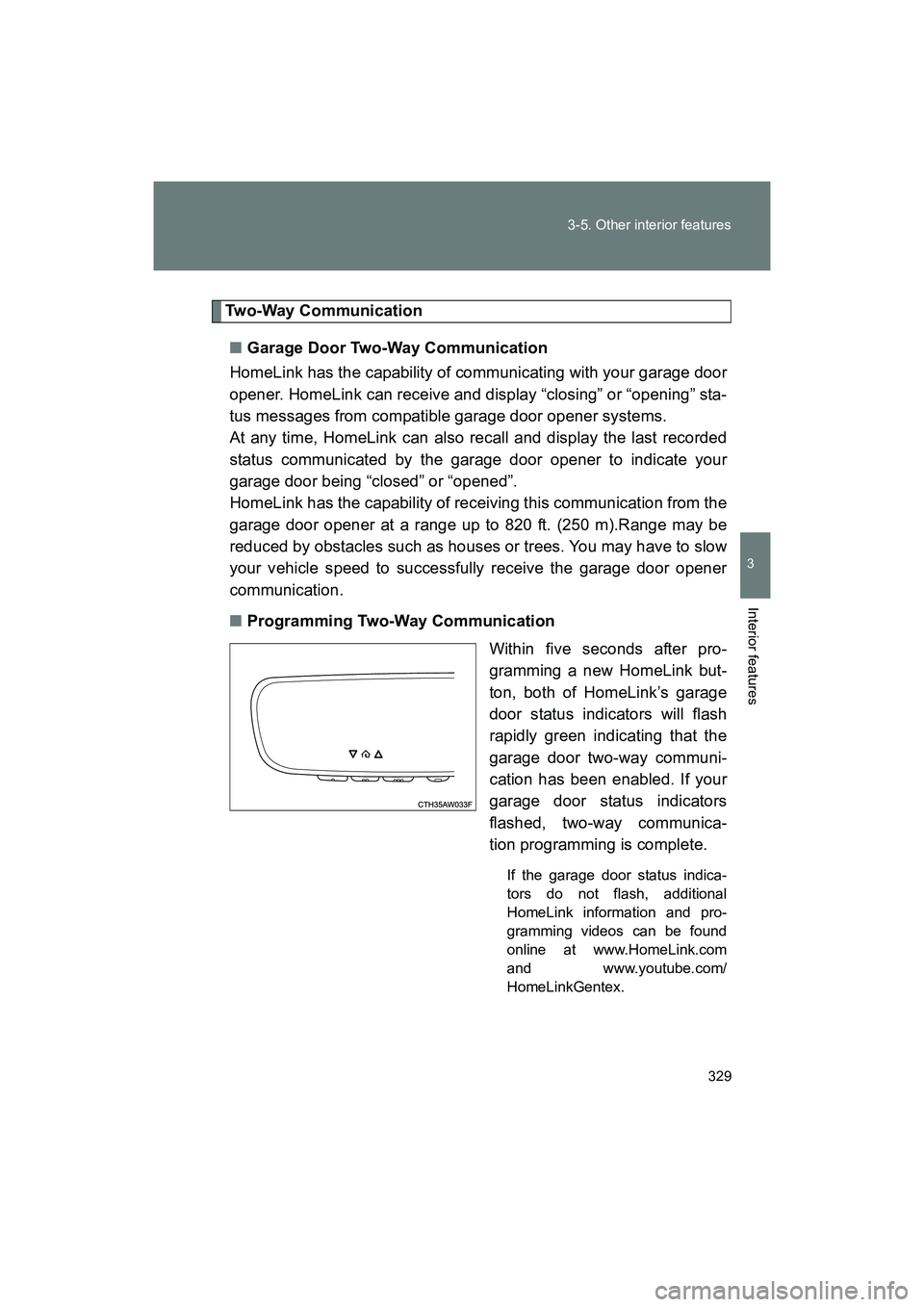
Within five seconds after pro-
gramming a new HomeLink but-
ton, both of HomeLink’s garage
door status indicators will flash
rapidly green indicating that the
garage door two-way communi-
cation has been enabled. If your
garage door status indicators
flashed, two-way communica-
tion programming is complete.
If the garage door status indica-
tors do not flash, additional
HomeLink information and pro-
gramming videos can be found
online at www.HomeLink.com
and www.youtube.com/
HomeLinkGentex.
Page 330 of 568
330 3-5. Other interior features
BRZ_U (A4450BE-A)■
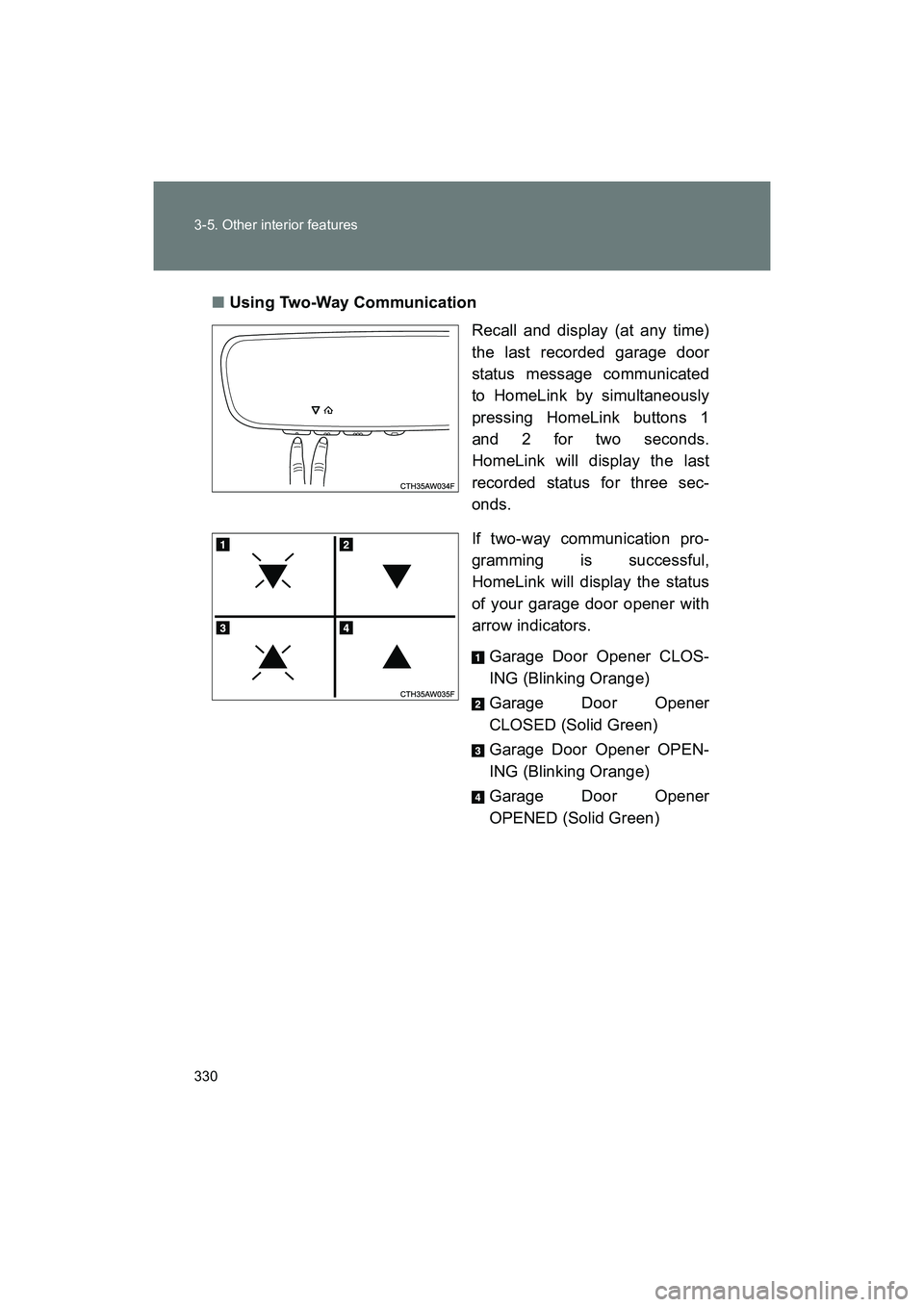
Using Two-Way Communication
Recall and display (at any time)
the last recorded garage door
status message communicated
to HomeLink by simultaneously
pressing HomeLink buttons 1
and 2 for two seconds.
HomeLink will display the last
recorded status for three sec-
onds.
If two-way communication pro-
gramming is successful,
HomeLink will display the status
of your garage door opener with
arrow indicators.
Garage Door Opener CLOS-
ING (Blinking Orange)
Garage Door Opener
CLOSED (Solid Green)
Garage Door Opener OPEN-
ING (Blinking Orange)
Garage Door Opener
OPENED (Solid Green)
Page 333 of 568
333
3-5. Other interior features
3
Interior features
BRZ_U (A4450BE-A)
Compass∗
∗: If equipped
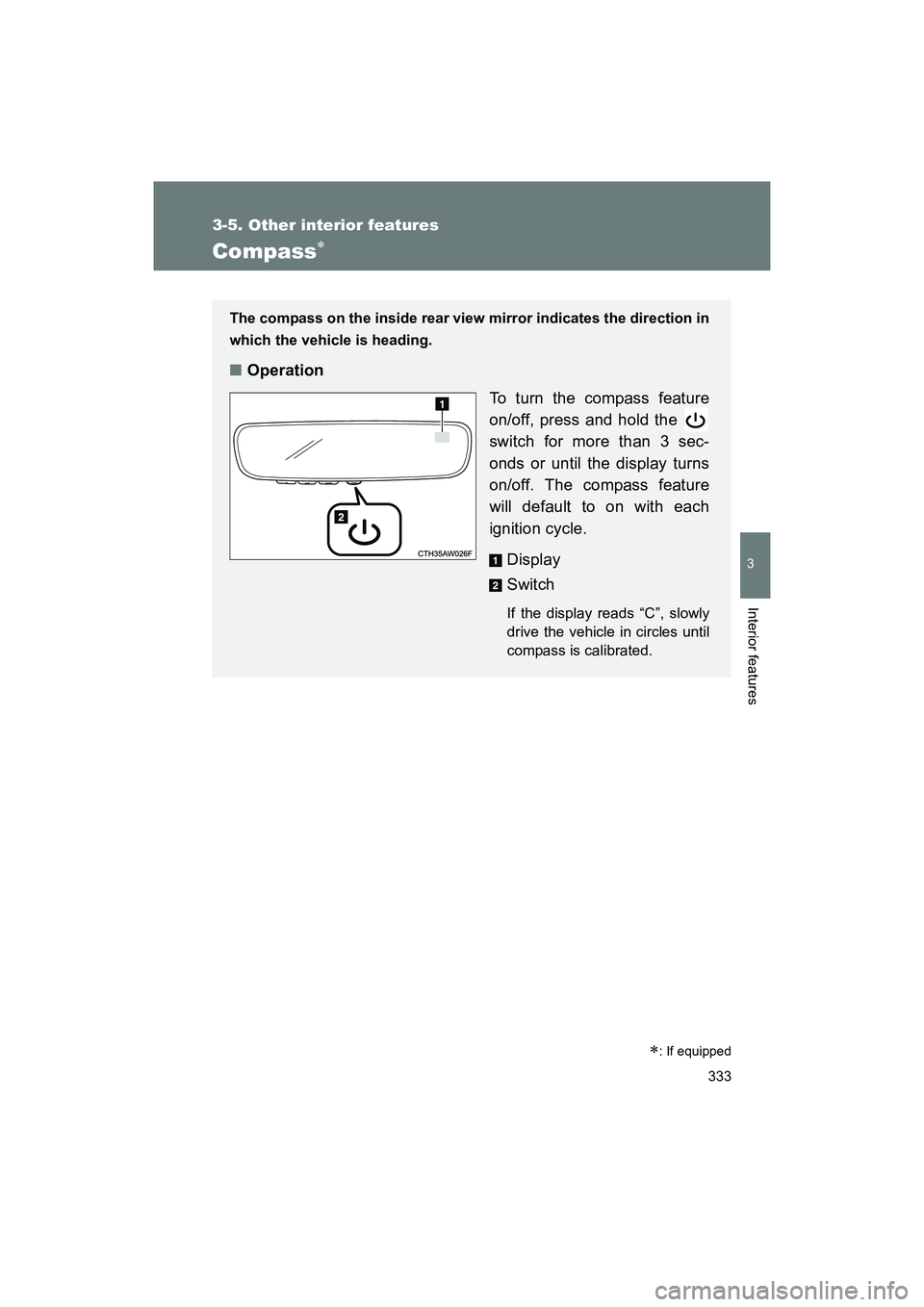
The compass on the inside rear view mirror indicates the direction in
which the vehicle is heading.
■Operation
To turn the compass feature
on/off, press and hold the
switch for more than 3 sec-
onds or until the display turns
on/off. The compass feature
will default to on with each
ignition cycle.
Display
Switch
If the display reads “C”, slowly
drive the vehicle in circles until
compass is calibrated.
Page 334 of 568
334 3-5. Other interior features
BRZ_U (A4450BE-A)
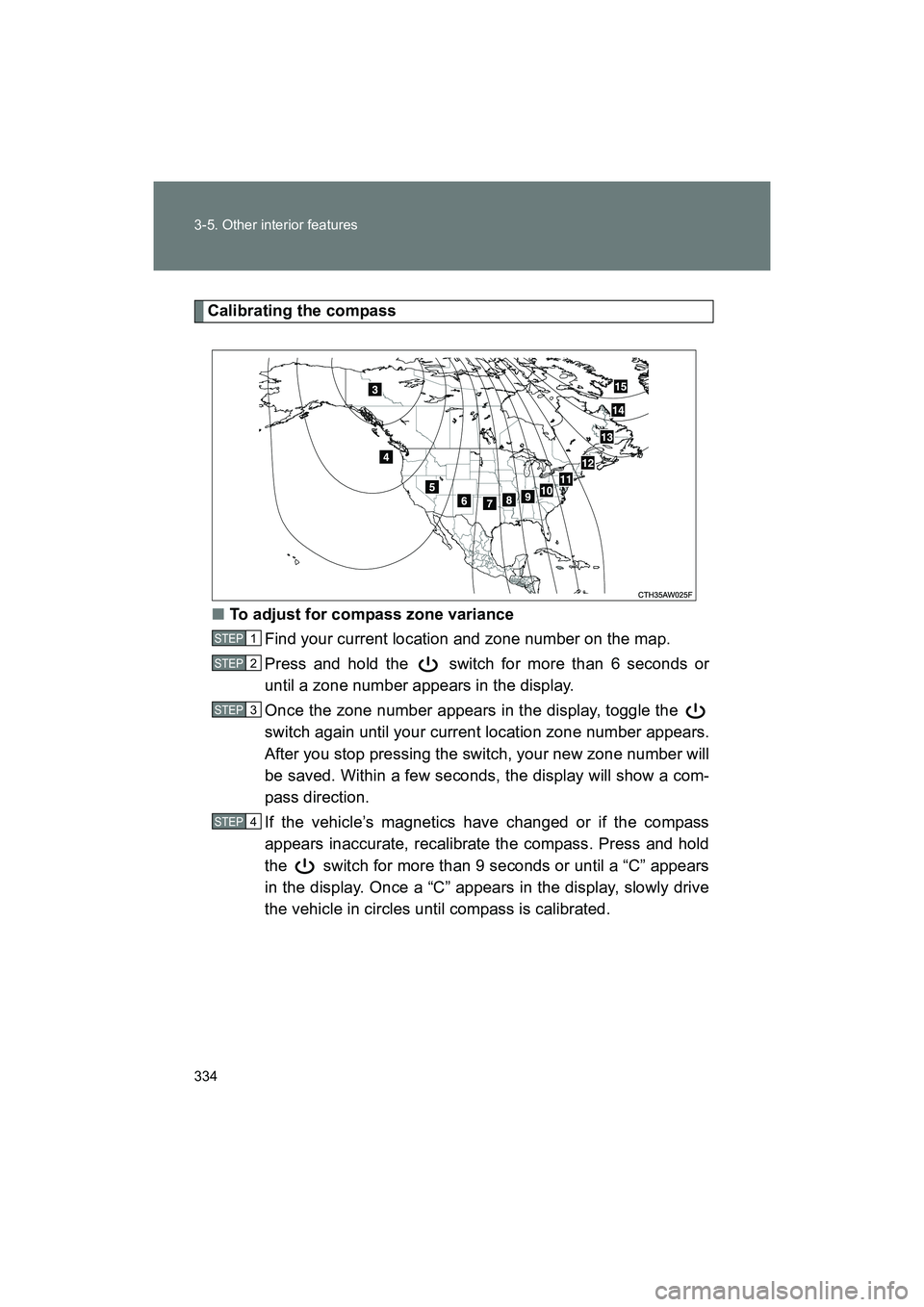
Calibrating the compass■ To adjust for compass zone variance
Find your current location and zone number on the map.
Press and hold the switch for more than 6 seconds or
until a zone number appears in the display.
Once the zone number appears in the display, toggle the
switch again until your current location zone number appears.
After you stop pressing the switch, your new zone number will
be saved. Within a few seconds, the display will show a com-
pass direction.
If the vehicle’s magnetics have changed or if the compass
appears inaccurate, recalibrate the compass. Press and hold
the switch for more than 9 seconds or until a “C” appears
in the display. Once a “C” appears in the display, slowly drive
the vehicle in circles until compass is calibrated.
STEP 1
STEP 2
STEP 3
STEP 4
Page 417 of 568
When trouble arises5
417
BRZ_U (A4450BE-A)
5-1. Essential informationHazard warning flashers .......................... 418
If your vehicle needs to be towed ........................ 419
If you think something is wrong ............................. 426
Fuel pump shut off system ........................... 427
5-2. Steps to take in an emergency
If a warning light turns on or a warning buzzer
sounds... ....................... 428
If a warning message is displayed........................ 440
If you have a flat tire......... 457
If the engine will not start ................................ 471 If the select lever cannot
be shifted from P ............ 474
If you lose your keys ........ 475
If the access key does not operate properly....... 476
If the battery is discharged ..................... 480
If your vehicle overheats ....................... 485
If the vehicle becomes stuck .............................. 488
Page 426 of 568
426
5-1. Essential information
BRZ_U (A4450BE-A)
If you think something is wrong
If you notice any of the following symptoms, your vehicle probably
needs adjustment or repair. Contact your SUBARU dealer as soon as
possible.
■Visible symptoms
● Fluid leaks under the vehicle
(Water dripping from the air conditioning after use is normal.)
● Flat-looking tires or uneven tire wear
● Vehicles with a monochrome multi-information display: The
engine coolant temperature gauge needle continually points
higher than normal
● Vehicles with a color multi-information display: The high
engine coolant temperature warning light flashes or illumi-
nates
■ Audible symptoms
● Changes in exhaust sound
● Excessive tire squeal when cornering
● Strange noises related to the suspension system
● Pinging or other noises related to the engine
■ Operational symptoms
● Engine missing, stumbling or running rough
● Appreciable loss of power
● Vehicle pulls heavily to one side when braking
● Vehicle pulls heavily to one side when driving on a level road
● Loss of brake effectiveness, spongy feeling, pedal almost
touches the floor
Page 440 of 568
440
5-2. Steps to take in an emergency
BRZ_U (A4450BE-A)
If a warning message is displayed (vehicles with a color multi-infor mation display)
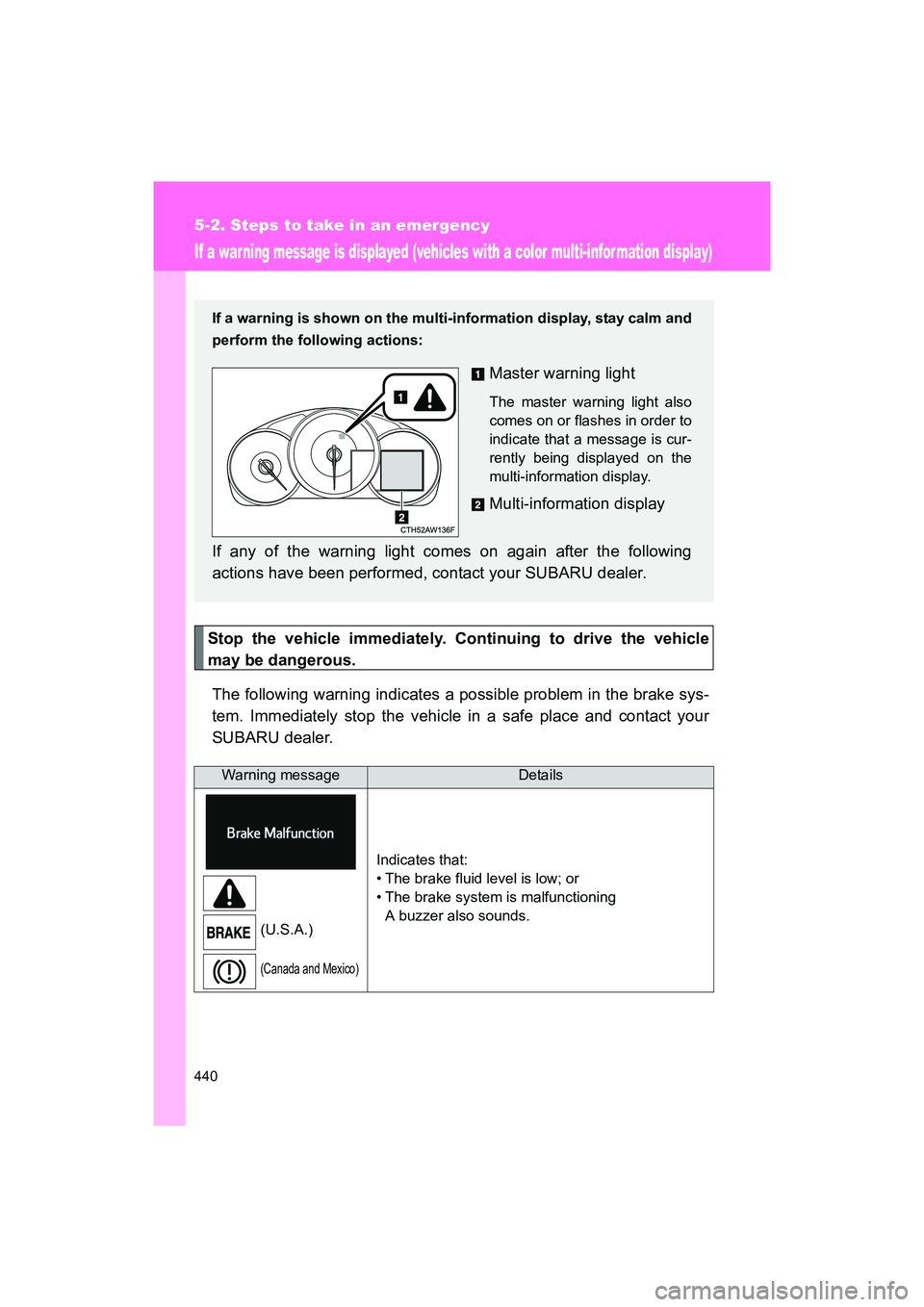
Stop the vehicle immediately. Continuing to drive the vehicle
may be dangerous.The following warning indicates a possible problem in the brake sys-
tem. Immediately stop the vehicle in a safe place and contact your
SUBARU dealer.
Warning messageDetails
(U.S.A.)
(Canada and Mexico)
Indicates that:
• The brake fluid level is low; or
• The brake system is malfunctioning A buzzer also sounds.
If a warning is shown on the multi-information display, stay calm and
perform the following actions:
Master warning light
The master warning light also
comes on or flashes in order to
indicate that a message is cur-
rently being displayed on the
multi-information display.
Multi-information display
If any of the warning light comes on again after the following
actions have been performed, contact your SUBARU dealer.