Maintenance SUBARU CROSSTREK 2017 1.G User Guide
[x] Cancel search | Manufacturer: SUBARU, Model Year: 2017, Model line: CROSSTREK, Model: SUBARU CROSSTREK 2017 1.GPages: 572, PDF Size: 41.52 MB
Page 177 of 572
&Basic operation
By operating“”or“”of the control
switch, the screens and selection items
can be switched. When the“
/SET”
switch is pulled toward you, the item can
be selected and set.
If there are some useful messages, such
as vehicle information, warning informa-
tion, etc., they will interrupt the current
screen, and appear on the display accom-
panied by a beep. If such a screen is
displayed, take proper action according to
the message shown on the screen.
The warning screen will return to the
original screen after a few seconds. While
the“
”information reminder is shown on
the display, it may be possible to display
the warning screen again. To recall the
message marked with“
”on the display,
pull the“/SET”switch on the steering
wheel toward you.
&Welcome screen and Good-
bye screen
When the driver’s door is opened and
closed after unlocking the door, the
welcome screen will appear on the multi
information display for approximately 20
seconds.
When the ignition switch is turned to the“LOCK”/“OFF”position, the multi informa-
tion display gradually turns off (Good-bye
screen).
NOTE
.The basic screen will be shown
when the ignition switch is turned to
the“ON”position while the welcome
screen is displayed.
.Once the welcome screen appears,
it takes a certain period of time to
display it again.
.If the ignition switch is operated
after unlocking the driver’s door, the
welcome screen will not appear even
when the driver’s door is opened and
closed.
.The welcome screen will disappear
when you lock the driver’s door by
using the remote keyless entry system
(all models) or the keyless access
function (if equipped) while the wel-
come screen is displayed.
.If any of the doors (including the
rear gate) is opened while the welcome
screen is displayed, the door ajar
warning will appear.
.The welcome screen can be set to
on or off. For details, refer to“Welcome
Good-bye Screen”F3-41.
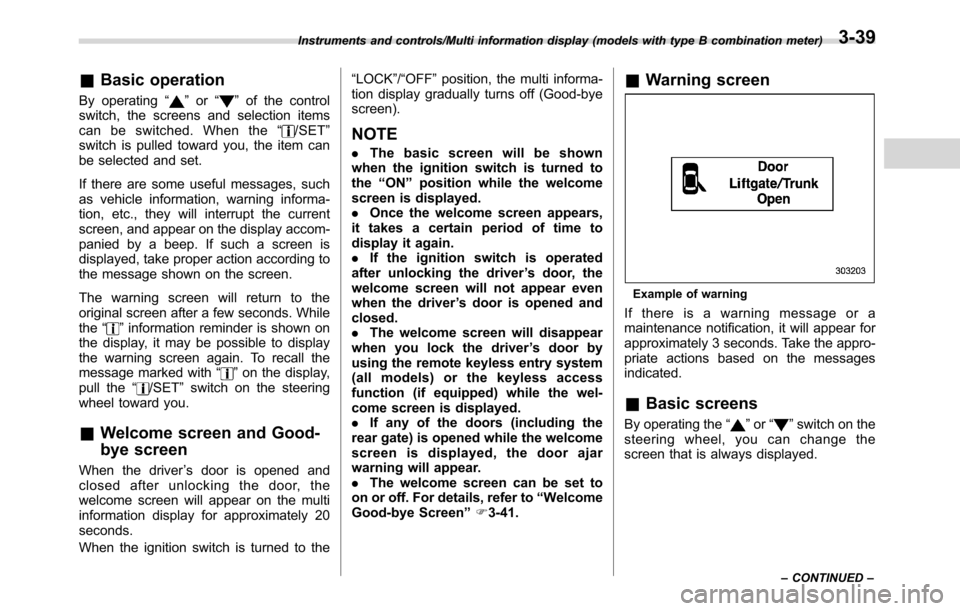
&Warning screen
Example of warning
If there is a warning message or a
maintenance notification, it will appear for
approximately 3 seconds. Take the appro-
priate actions based on the messages
indicated.
&Basic screens
By operating the“”or“”switch on the
steering wheel, you can change the
screen that is always displayed.
Instruments and controls/Multi information display (models with type B combination meter)
–CONTINUED–3-39
Page 181 of 572
&Features
The multi function display has the follow-
ing functions.
Description Page
Displays useful messages, such
as warning information, etc.3-46
Displays basic screens (e.g. fuel
consumption screen, etc.)3-46
Sets and adjusts maintenance
notification3-73
Registers driving history 3-76
Sets and customizes car opera-
tion3-77
Also, the multi function display can also be
used to set and initialize the multi function
display itself.
NOTE
When the vehicle is in motion, certain
functions and selections may not be
available.
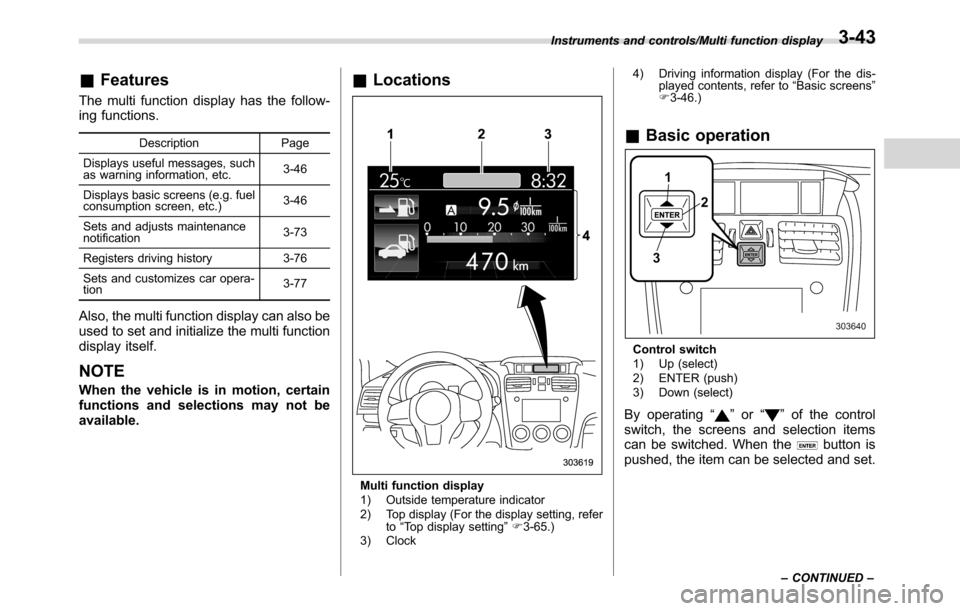
&Locations
Multi function display
1) Outside temperature indicator
2) Top display (For the display setting, refer
to“Top display setting”F3-65.)
3) Clock4) Driving information display (For the dis-
played contents, refer to“Basic screens”
F3-46.)
&Basic operation
Control switch
1) Up (select)
2) ENTER (push)
3) Down (select)
By operating“”or“”of the control
switch, the screens and selection items
can be switched. When the
button is
pushed, the item can be selected and set.
Instruments and controls/Multi function display
–CONTINUED–3-43
Page 182 of 572
Instruments and controls/Multi function display
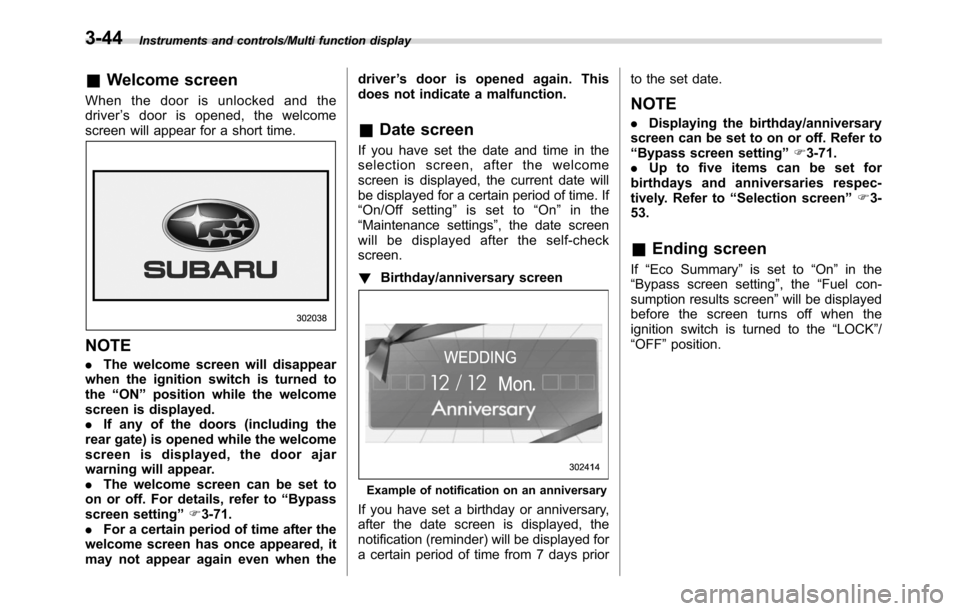
&Welcome screen
When the door is unlocked and the
driver’s door is opened, the welcome
screen will appear for a short time.
NOTE
.The welcome screen will disappear
when the ignition switch is turned to
the“ON”position while the welcome
screen is displayed.
.If any of the doors (including the
rear gate) is opened while the welcome
screen is displayed, the door ajar
warning will appear.
.The welcome screen can be set to
on or off. For details, refer to“Bypass
screen setting”F3-71.
.For a certain period of time after the
welcome screen has once appeared, it
may not appear again even when thedriver’s door is opened again. This
does not indicate a malfunction.
&Date screen
If you have set the date and time in the
selection screen, after the welcome
screen is displayed, the current date will
be displayed for a certain period of time. If
“On/Off setting”is set to“On”in the
“Maintenance settings”, the date screen
will be displayed after the self-check
screen.
!Birthday/anniversary screen
Example of notification on an anniversary
If you have set a birthday or anniversary,
after the date screen is displayed, the
notification (reminder) will be displayed for
a certain period of time from 7 days priorto the set date.
NOTE
.Displaying the birthday/anniversary
screen can be set to on or off. Refer to
“Bypass screen setting”F3-71.
.Up to five items can be set for
birthdays and anniversaries respec-
tively. Refer to“Selection screen”F3-
53.
&Ending screen
If“Eco Summary”is set to“On”in the
“Bypass screen setting”, the“Fuel con-
sumption results screen”will be displayed
before the screen turns off when the
ignition switch is turned to the“LOCK”/
“OFF”position.
3-44
Page 183 of 572
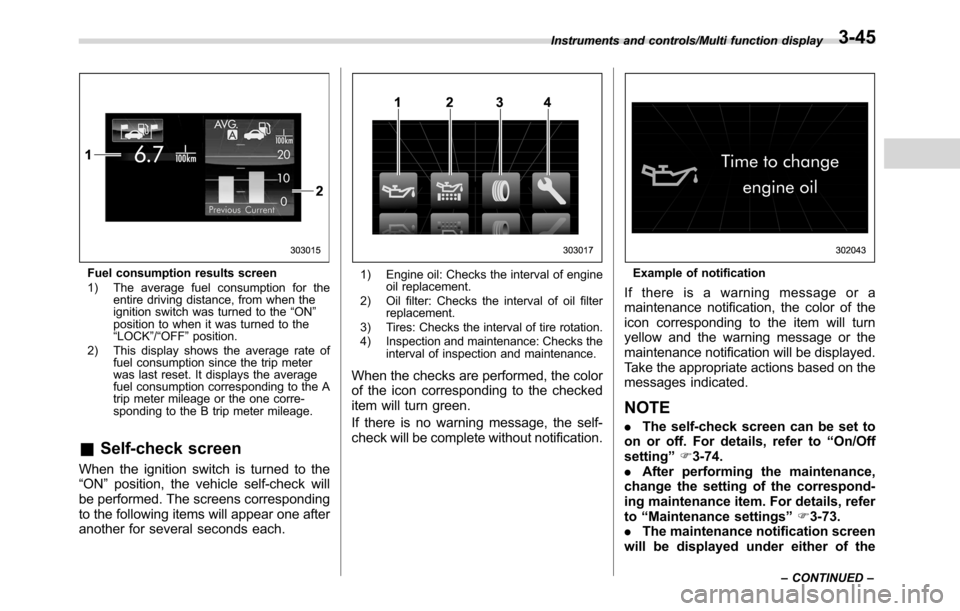
Fuel consumption results screen
1) The average fuel consumption for the
entire driving distance, from when the
ignition switch was turned to the“ON”
position to when it was turned to the
“LOCK”/“OFF”position.
2) This display shows the average rate of
fuel consumption since the trip meter
was last reset. It displays the average
fuel consumption corresponding to the A
trip meter mileage or the one corre-
sponding to the B trip meter mileage.
&Self-check screen
When the ignition switch is turned to the
“ON”position, the vehicle self-check will
be performed. The screens corresponding
to the following items will appear one after
another for several seconds each.
1) Engine oil: Checks the interval of engine
oil replacement.
2) Oil filter: Checks the interval of oil filter
replacement.
3) Tires: Checks the interval of tire rotation.
4) Inspection and maintenance: Checks the
interval of inspection and maintenance.
When the checks are performed, the color
of the icon corresponding to the checked
item will turn green.
If there is no warning message, the self-
check will be complete without notification.
Example of notification
If there is a warning message or a
maintenance notification, the color of the
icon corresponding to the item will turn
yellow and the warning message or the
maintenance notification will be displayed.
Take the appropriate actions based on the
messages indicated.
NOTE
.The self-check screen can be set to
on or off. For details, refer to“On/Off
setting”F3-74.
.After performing the maintenance,
change the setting of the correspond-
ing maintenance item. For details, refer
to“Maintenance settings”F3-73.
.The maintenance notification screen
will be displayed under either of the
Instruments and controls/Multi function display
–CONTINUED–3-45
Page 184 of 572
Instruments and controls/Multi function display
following conditions.
–The period of time remaining
until the registered notification date
is 15 days or less.
–The total driving distance remain-
ing until the registered notification
distance is approximately 311 miles
(500 km) or less.
.The maintenance notification screen
will be displayed until either of the
following conditions is satisfied.
–The period of time passed after
the registered notification date is 15
days or more.
–The total distance driven after the
registered notification distance is
approximately 311 miles (500 km) or
more.&Interruption screen
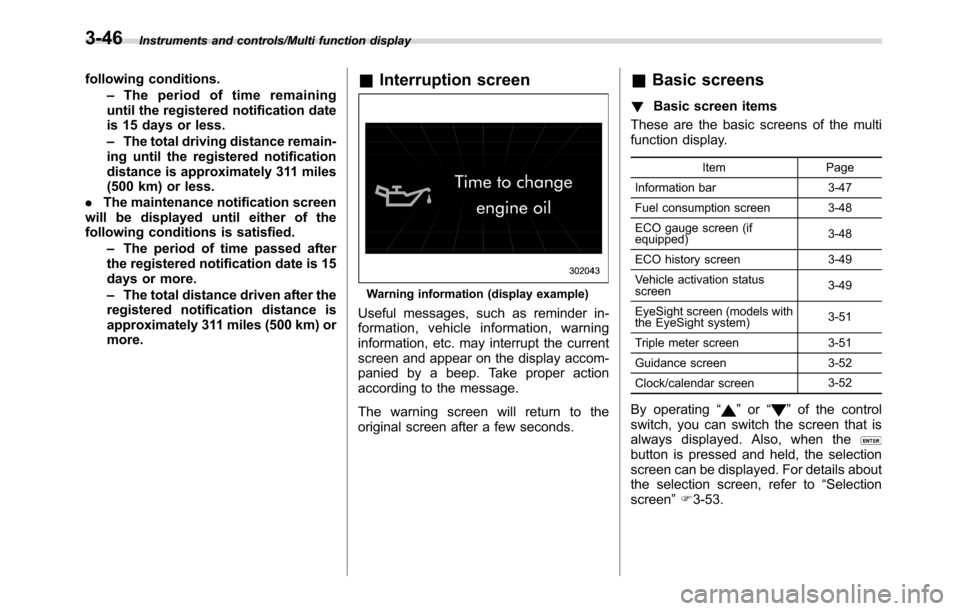
Warning information (display example)
Useful messages, such as reminder in-
formation, vehicle information, warning
information, etc. may interrupt the current
screen and appear on the display accom-
panied by a beep. Take proper action
according to the message.
The warning screen will return to the
original screen after a few seconds.
&Basic screens
!Basic screen items
These are the basic screens of the multi
function display.
Item Page
Information bar 3-47
Fuel consumption screen 3-48
ECO gauge screen (if
equipped)3-48
ECO history screen 3-49
Vehicle activation status
screen3-49
EyeSight screen (models with
the EyeSight system)3-51
Triple meter screen 3-51
Guidance screen 3-52
Clock/calendar screen3-52
By operating“”or“”of the control
switch, you can switch the screen that is
always displayed. Also, when the
button is pressed and held, the selection
screen can be displayed. For details about
the selection screen, refer to“Selection
screen”F3-53.
3-46
Page 192 of 572
Instruments and controls/Multi function display
Top menu Menu option Description Page
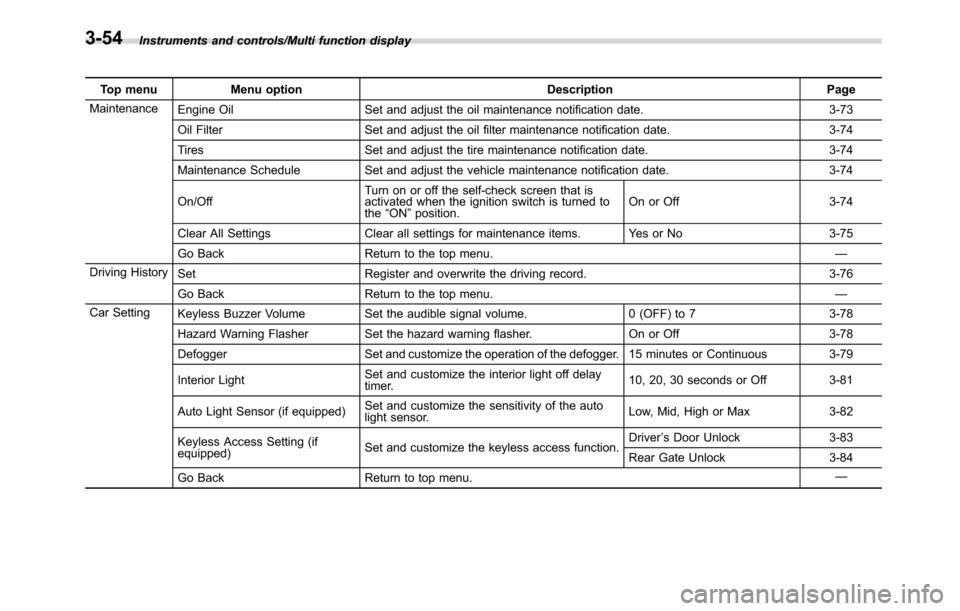
Maintenance
Engine Oil Set and adjust the oil maintenance notification date. 3-73
Oil Filter Set and adjust the oil filter maintenance notification date. 3-74
Tires Set and adjust the tire maintenance notification date. 3-74
Maintenance Schedule Set and adjust the vehicle maintenance notification date. 3-74
On/OffTurn on or off the self-check screen that is
activated when the ignition switch is turned to
the“ON”position.On or Off 3-74
Clear All Settings Clear all settings for maintenance items. Yes or No 3-75
Go Back Return to the top menu.—
Driving History
Set Register and overwrite the driving record. 3-76
Go Back Return to the top menu.—
Car Setting
Keyless Buzzer Volume Set the audible signal volume. 0 (OFF) to 7 3-78
Hazard Warning Flasher Set the hazard warning flasher. On or Off 3-78
Defogger Set and customize the operation of the defogger. 15 minutes or Continuous 3-79
Interior LightSet and customize the interior light off delay
timer.10, 20, 30 seconds or Off 3-81
Auto Light Sensor (if equipped)Set and customize the sensitivity of the auto
light sensor.Low, Mid, High or Max 3-82
Keyless Access Setting (if
equipped)Set and customize the keyless access function.Driver’s Door Unlock 3-83
Rear Gate Unlock 3-84
Go Back Return to top menu.—
3-54
Page 211 of 572
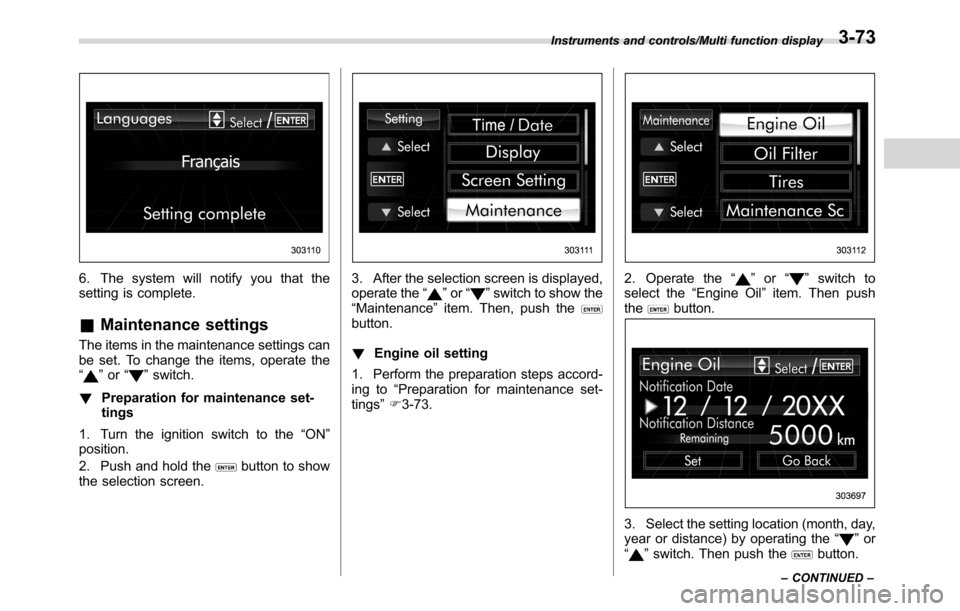
6. The system will notify you that the
setting is complete.
&Maintenance settings
The items in the maintenance settings can
be set. To change the items, operate the
“
”or“”switch.
!Preparation for maintenance set-
tings
1. Turn the ignition switch to the“ON”
position.
2. Push and hold the
button to show
the selection screen.
3. After the selection screen is displayed,
operate the“”or“”switch to show the
“Maintenance”item. Then, push the
button.
!Engine oil setting
1. Perform the preparation steps accord-
ing to“Preparation for maintenance set-
tings”F3-73.
2. Operate the“”or“”switch to
select the“Engine Oil”item. Then push
the
button.
3. Select the setting location (month, day,
year or distance) by operating the“”or
“”switch. Then push thebutton.
Instruments and controls/Multi function display
–CONTINUED–3-73
Page 212 of 572
Instruments and controls/Multi function display
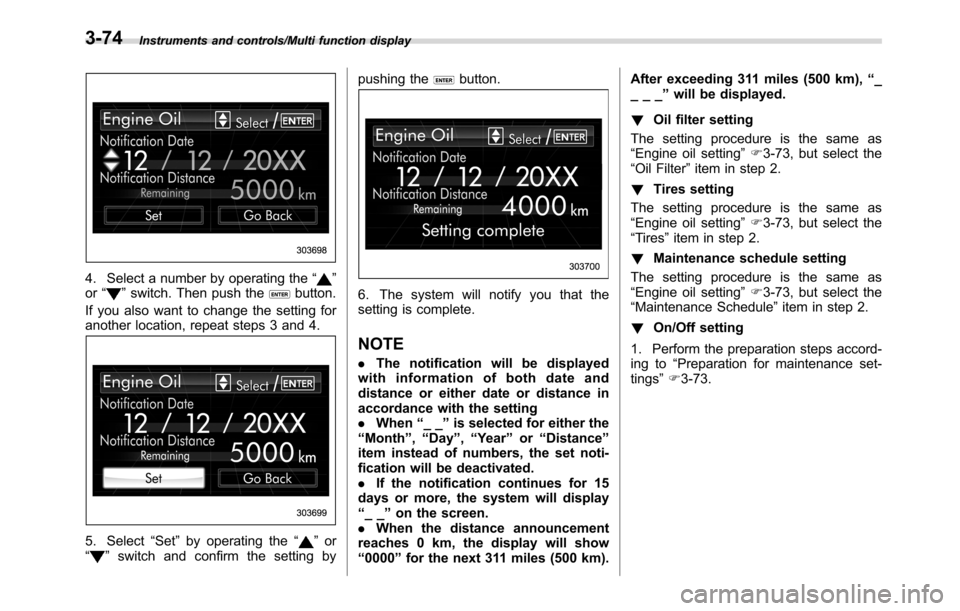
4. Select a number by operating the“”
or“”switch. Then push thebutton.
If you also want to change the setting for
another location, repeat steps 3 and 4.
5. Select“Set”by operating the“”or
“”switch and confirm the setting bypushing the
button.
6. The system will notify you that the
setting is complete.
NOTE
.The notification will be displayed
with information of both date and
distance or either date or distance in
accordance with the setting
.When“__”is selected for either the
“Month”,“Day”,“Year”or“Distance”
item instead of numbers, the set noti-
fication will be deactivated.
.If the notification continues for 15
days or more, the system will display
“__”on the screen.
.When the distance announcement
reaches 0 km, the display will show
“0000”for the next 311 miles (500 km).After exceeding 311 miles (500 km),“_
___”will be displayed.
!Oil filter setting
The setting procedure is the same as
“Engine oil setting”F3-73, but select the
“Oil Filter”item in step 2.
!Tires setting
The setting procedure is the same as
“Engine oil setting”F3-73, but select the
“Tires”item in step 2.
!Maintenance schedule setting
The setting procedure is the same as
“Engine oil setting”F3-73, but select the
“Maintenance Schedule”item in step 2.
!On/Off setting
1. Perform the preparation steps accord-
ing to“Preparation for maintenance set-
tings”F3-73.
3-74
Page 213 of 572
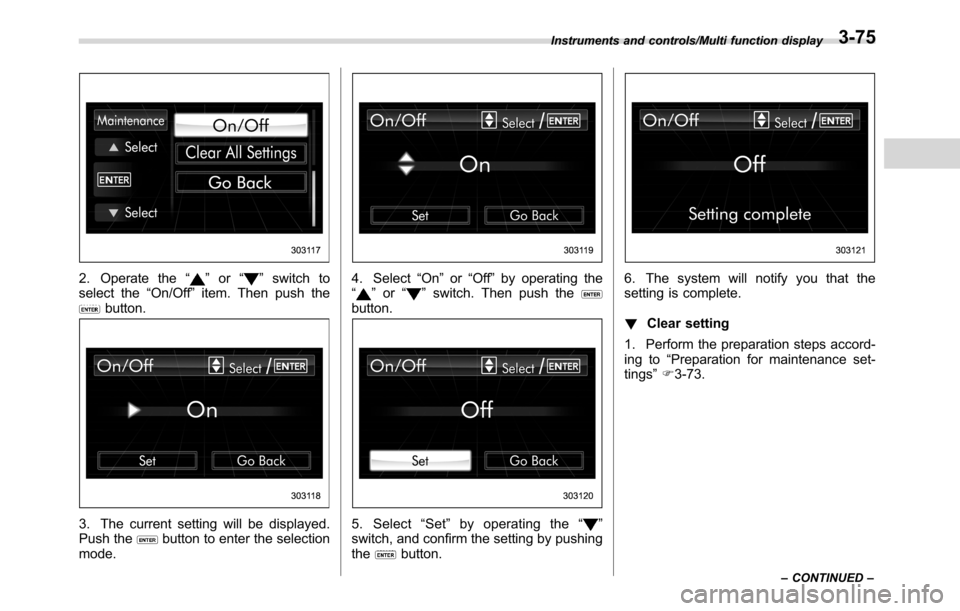
2. Operate the“”or“”switch to
select the“On/Off”item. Then push the
button.
3. The current setting will be displayed.
Push thebutton to enter the selection
mode.
4. Select“On”or“Off”by operating the
“”or“”switch. Then push thebutton.
5. Select“Set”by operating the“”
switch, and confirm the setting by pushing
the
button.
6. The system will notify you that the
setting is complete.
!Clear setting
1. Perform the preparation steps accord-
ing to“Preparation for maintenance set-
tings”F3-73.
Instruments and controls/Multi function display
–CONTINUED–3-75
Page 214 of 572
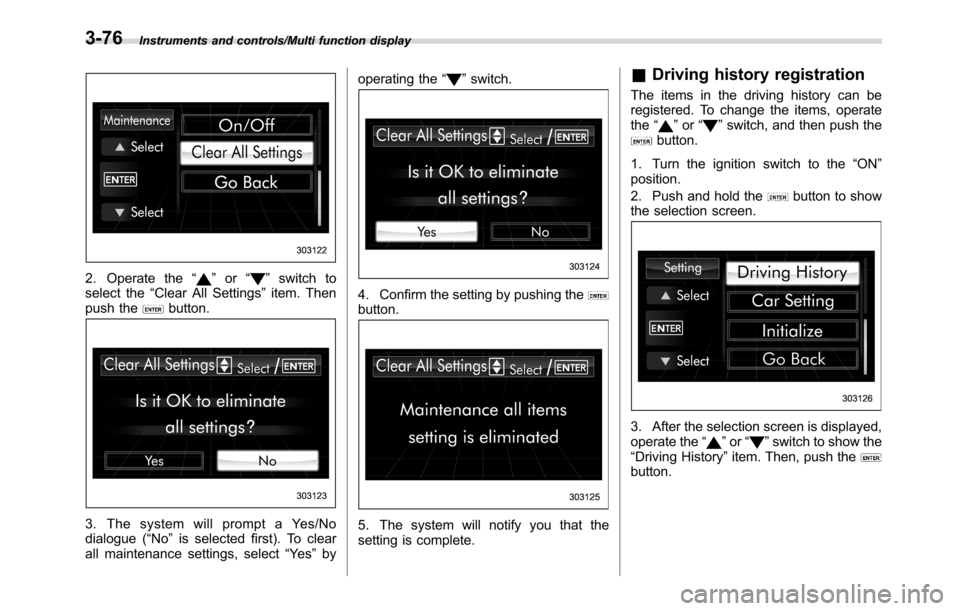
Instruments and controls/Multi function display
2. Operate the“”or“”switch to
select the“Clear All Settings”item. Then
push the
button.
3. The system will prompt a Yes/No
dialogue (“No”is selected first). To clear
all maintenance settings, select“Ye s”byoperating the“
”switch.
4. Confirm the setting by pushing thebutton.
5. The system will notify you that the
setting is complete.
&Driving history registration
The items in the driving history can be
registered. To change the items, operate
the“
”or“”switch, and then push thebutton.
1. Turn the ignition switch to the“ON”
position.
2. Push and hold the
button to show
the selection screen.
3. After the selection screen is displayed,
operate the“”or“”switch to show the
“Driving History”item. Then, push the
button.
3-76