tow SUBARU CROSSTREK 2018 User Guide
[x] Cancel search | Manufacturer: SUBARU, Model Year: 2018, Model line: CROSSTREK, Model: SUBARU CROSSTREK 2018Pages: 474, PDF Size: 20.76 MB
Page 137 of 474
(142,1)
北米Model "A1320BE-C" EDITED: 2017/ 10/ 10
Ignition switch (models with-
out“keyless access with
push-button start system”)
WARNING
.Never turn the ignition switch to
the“LOCK”position while the
vehicle is being driven or towed
because that will lock the steer-
ing wheel, preventing steering
control. And when the engine is
turned off, it takes a much greater
effort than usual to steer.
.Before leaving the vehicle, al-
ways remove the key from the
ignition switch for safety and
never allow an unattended child
to remain in the vehicle. Failure to
follow this procedure could re-
sult in injury to a child or others.
Children could operate the power
windows, the moonroof or other
controls or even make the vehicle
move.
CAUTION
Do not attach a large key holder or
key case to either key. If it banged
against your knees or hands while
you are driving, it could turn the
ignition switch from the“ON”posi-
tion to the“ACC”or“LOCK”posi-
tion, thereby stopping the engine.
Also, if the key is attached to a key
holder or to a large bunch of other
keys, centrifugal force may act on it
as the vehicle moves, resulting in
unwanted turning of the ignition
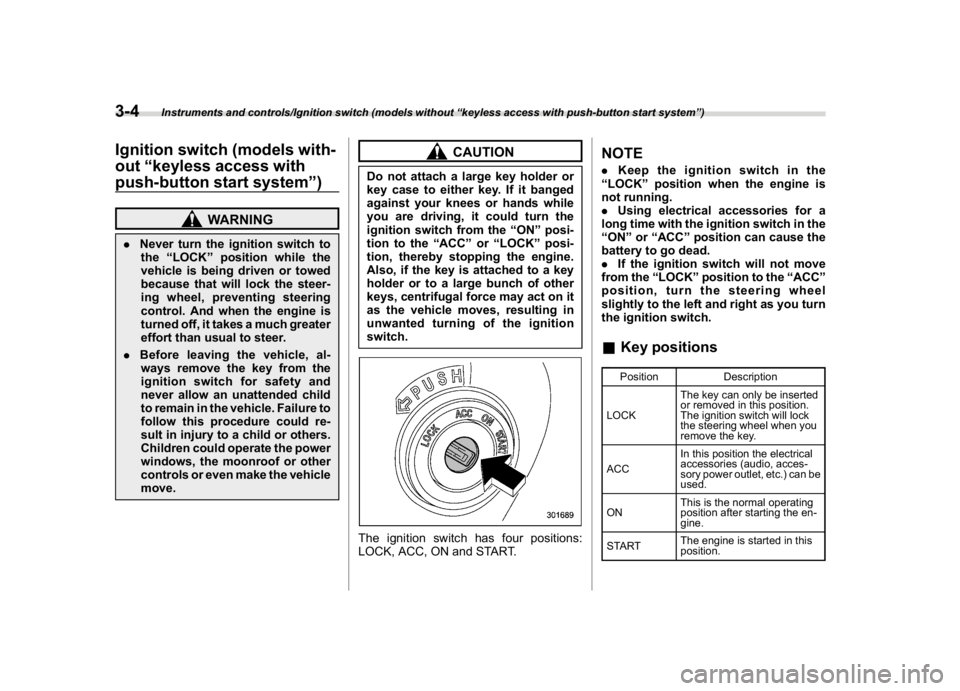
switch.The ignition switch has four positions:
LOCK, ACC, ON and START.
NOTE.Keep the ignition switch in the
“LOCK”position when the engine is
not running.
.Using electrical accessories for a
long time with the ignition switch in the
“ON”or“ACC”position can cause the
battery to go dead.
.If the ignition switch will not move
from the“LOCK”position to the“ACC”
position, turn the steering wheel
slightly to the left and right as you turn
the ignition switch.&Key positions
Position Description
LOCKThe key can only be inserted
or removed in this position.
The ignition switch will lock
the steering wheel when you
remove the key.
ACCIn this position the electrical
accessories (audio, acces-
sory power outlet, etc.) can be
used.
ONThis is the normal operating
position after starting the en-
gine.
STARTThe engine is started in this
position.
Instruments and controls/Ignition switch (models without“keyless access with push-button start system”)
3-4
Page 144 of 474
(149,1)
北米Model "A1320BE-C" EDITED: 2017/ 10/ 10
If the ECO gauge moves towards the +
side, this indicates better fuel efficiency.NOTE.The ECO gauge shows only an
approximate indication of fuel effi-
ciency.
.After resetting the trip meter, the
average rate of fuel consumption is not
shown until you have driven for 1 mile
(or 1 km). Before that time, the ECO
gauge does not operate.&Combination meter settingsMeter and vehicle settings can be set on
the combination meter.
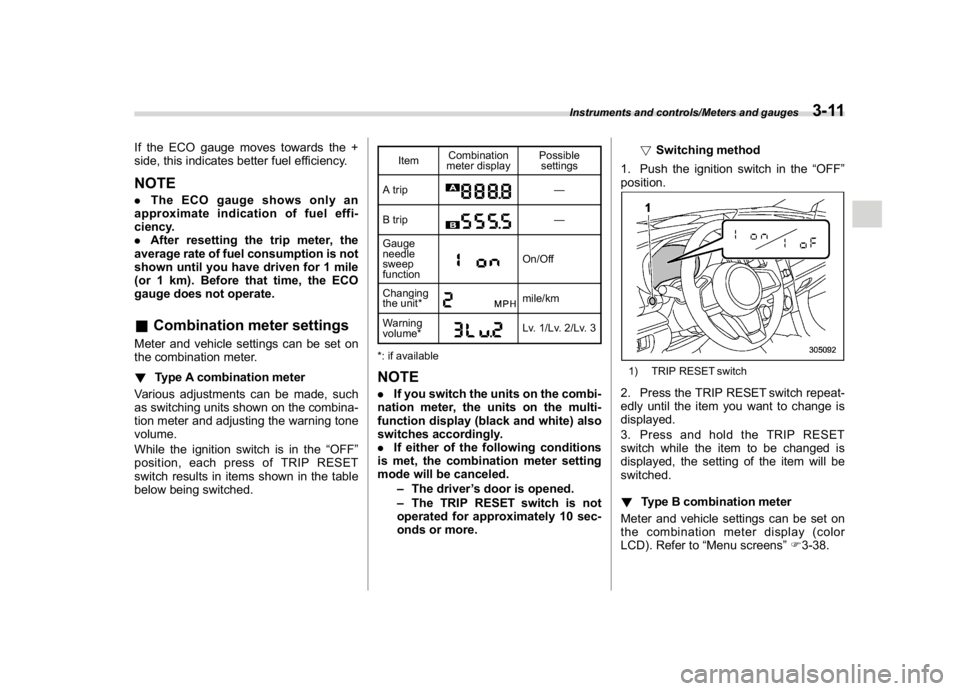
!Type A combination meter
Various adjustments can be made, such
as switching units shown on the combina-
tion meter and adjusting the warning tone
volume.
While the ignition switch is in the“OFF”
position, each press of TRIP RESET
switch results in items shown in the table
below being switched.
ItemCombination
meter displayPossible
settings
A trip
—
B trip—
Gauge
needle
sweep
function
On/Off
Changing
the unit*mile/km
Warning
volume*Lv. 1/Lv. 2/Lv. 3
*: if available
NOTE.If you switch the units on the combi-
nation meter, the units on the multi-
function display (black and white) also
switches accordingly.
.If either of the following conditions
is met, the combination meter setting
mode will be canceled.
–The driver’s door is opened.
–The TRIP RESET switch is not
operated for approximately 10 sec-
onds or more.!Switching method
1. Push the ignition switch in the“OFF”
position.
1) TRIP RESET switch2. Press the TRIP RESET switch repeat-
edly until the item you want to change is
displayed.
3. Press and hold the TRIP RESET
switch while the item to be changed is
displayed, the setting of the item will be
switched.
!Type B combination meter
Meter and vehicle settings can be set on
the combination meter display (color
LCD). Refer to“Menu screens”F3-38.
Instruments and controls/Meters and gauges
3-11
3
Page 149 of 474
(154,1)
北米Model "A1320BE-C" EDITED: 2017/ 10/ 10
serious damage, which may not be
covered by your vehicle’s warranty.
If this light illuminates steadily or blinks
while the engine is running, it may indicate
that there is at least one problem or
potential problem somewhere in the emis-
sion control system.
!If the light illuminates steadily
If the light illuminates steadily while driving
or does not turn off after the engine starts,
an emission control system malfunction
has been detected.
You should have your vehicle checked by
an authorized SUBARU dealer immedi-
ately.NOTEThis light also illuminates when the fuel
filler cap is not tightened until it clicks.
If you have recently refueled your vehicle,
the cause of the CHECK ENGINE warning
light/malfunction indicator light illuminating
could be a loose or missing fuel filler cap.
Remove the cap and retighten it until it
clicks. Make sure nothing is interfering with
the sealing of the cap. Tightening the cap
will not make the CHECK ENGINE warn-
ing light turn off immediately. It may take
several driving trips. If the light does not
turn off, take your vehicle to your author-ized SUBARU dealer immediately.
!If the light is blinking
If the light is blinking while driving, an
engine misfire condition has been de-
tected which may damage the emission
control system.
To prevent serious damage to the emis-
sion control system, you should do the
following.
.Reduce vehicle speed.
.Avoid hard acceleration.
.Avoid steep uphill grades.
.Reduce the amount of cargo, if possi-
ble.
.Stop towing a trailer as soon as
possible.
The CHECK ENGINE warning light may
stop blinking and illuminate steadily after
several driving trips. You should have your
vehicle checked by an authorized
SUBARU dealer immediately.
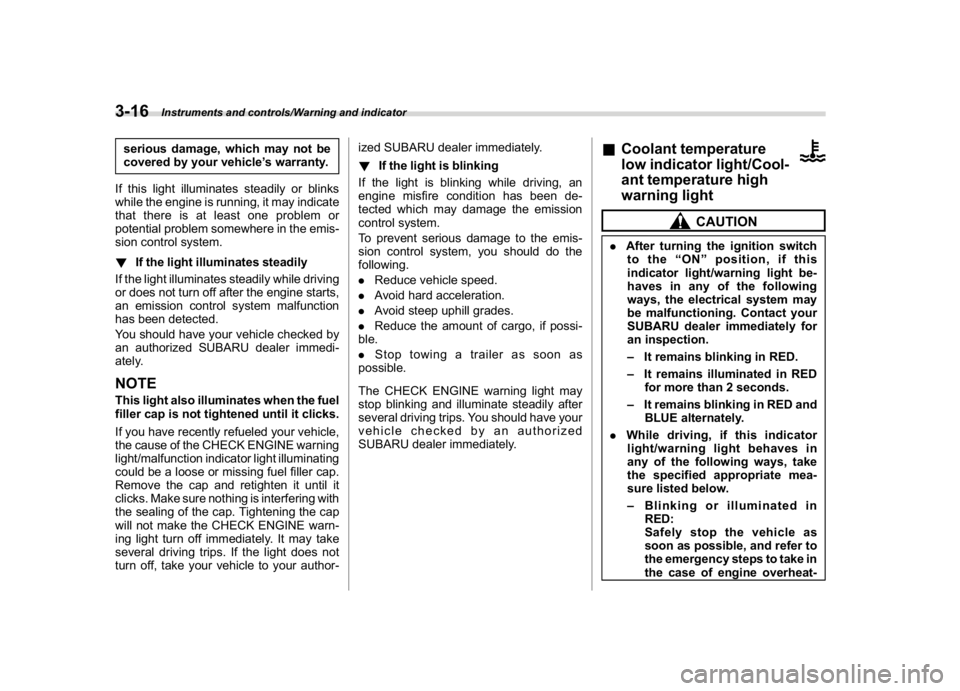
&Coolant temperature
low indicator light/Cool-
ant temperature high
warning light
CAUTION
.After turning the ignition switch
to the“ON”position, if this
indicator light/warning light be-
haves in any of the following
ways, the electrical system may
be malfunctioning. Contact your
SUBARU dealer immediately for
an inspection.
–It remains blinking in RED.
–It remains illuminated in RED
for more than 2 seconds.
–It remains blinking in RED and
BLUE alternately.
.While driving, if this indicator
light/warning light behaves in
any of the following ways, take
the specified appropriate mea-
sure listed below.
–Blinking or illuminated in
RED:
Safely stop the vehicle as
soon as possible, and refer to
the emergency steps to take in
the case of engine overheat-
Instruments and controls/Warning and indicator
3-16
Page 154 of 474
(159,1)
北米Model "A1320BE-C" EDITED: 2017/ 10/ 10
&Brake system
warning light (red)This light illuminates with the parking
brake applied while the ignition switch is
in the“ON”position. It turns off when the
parking brake is fully released.
WARNING
.Driving with the brake system
warning light on is dangerous.
This indicates your brake system
may not be working properly. If
the light remains illuminated,
have the brakes inspected by a
SUBARU dealer immediately.
.If at all in doubt about whether the
brakes are operating properly, do
not drive the vehicle. Have your
vehicle towed to the nearest
SUBARU dealer for repair.
The brake system warning light has the
following functions.
!Brake fluid level warningThis light illuminates when the brake fluid
level has dropped to near the“MIN”level of
the brake fluid reservoir with the ignition
switch in the“ON”position and with the
parking brake fully released.If the brake system warning light should
illuminate while driving (with the parking
brake fully released and with the ignition
switch positioned in“ON”), it could be an
indication of leaking of brake fluid or worn
brake pads. If this occurs, immediately
stop the vehicle at the nearest safe
location and check the brake fluid level. If
the fluid level is below the“MIN”mark in
the reservoir, do not drive the vehicle.
Have the vehicle towed to the nearest
SUBARU dealer for repair.
!Electronic Brake Force Distribution
(EBD) system warning
The EBD system may be malfunctioning if
the brake system warning light
/
,
Vehicle Dynamics Control warning light
and ABS warning light
/
illuminate
simultaneously during driving.
Even if the EBD system fails, the conven-
tional braking system will still function.
However, the rear wheels will be more
prone to locking when the brakes are
applied harder than usual and the vehicle’s
motion may therefore become somewhat
harder to control.
If the brake system warning light
/
,
Vehicle Dynamics Control warning light
and ABS warning light
/
illuminate
simultaneously, take the following steps.
1. Stop the vehicle in the nearest safe, flatlocation.
2. Shut down the engine, apply the
parking brake and then restart it.
3. Fully release the parking brake.
4. Even if all the warning lights do not
come back on, the EBD system may have
a possible malfunction. Drive carefully to
the nearest SUBARU dealer and have the
system inspected.
5. If all the warning lights stay illuminated
or come back on after approximately 2
seconds, shut down the engine, apply the
parking brake and check the brake fluid
level.
.If the brake fluid level is not below the
“MIN”mark, the EBD system may be
malfunctioning. Drive carefully to the
nearest SUBARU dealer and have the
system inspected.
.If the brake fluid level is below the“MIN”
mark, DO NOT drive the vehicle. Instead,
have the vehicle towed to the nearest
SUBARU dealer for repair.
!Vacuum pressure system warning
The brake system warning light
/
will
illuminate when the vacuum pressure
sensor is malfunctioning or brake booster
pressure is decreasing.
If the brake warning light continues to
illuminate for several minutes after starting
–CONTINUED–
Instruments and controls/Warning and indicator
3-21
3
Page 167 of 474
(172,1)
北米Model "A1320BE-C" EDITED: 2017/ 10/ 10
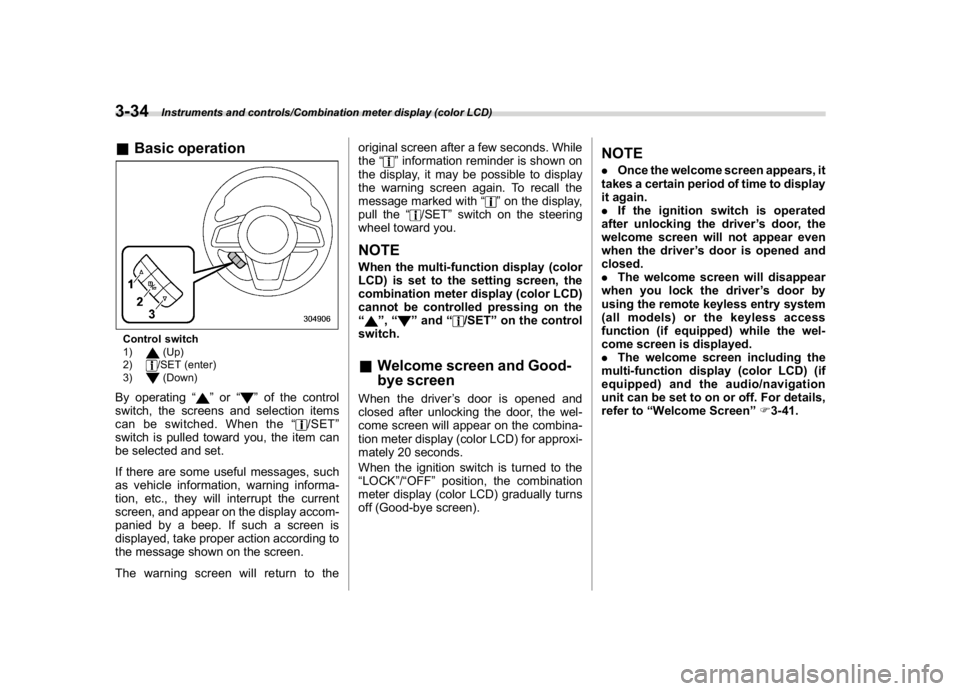
&Basic operationControl switch
1)
(Up)
2)/SET (enter)
3)(Down)
By operating“
”or“
”of the control
switch, the screens and selection items
can be switched. When the“
/SET”
switch is pulled toward you, the item can
be selected and set.
If there are some useful messages, such
as vehicle information, warning informa-
tion, etc., they will interrupt the current
screen, and appear on the display accom-
panied by a beep. If such a screen is
displayed, take proper action according to
the message shown on the screen.
The warning screen will return to theoriginal screen after a few seconds. While
the“
”information reminder is shown on
the display, it may be possible to display
the warning screen again. To recall the
message marked with“
”on the display,
pull the“
/SET”switch on the steering
wheel toward you.
NOTEWhen the multi-function display (color
LCD) is set to the setting screen, the
combination meter display (color LCD)
cannot be controlled pressing on the
“
”,“
”and“
/SET”on the control
switch.
&Welcome screen and Good-
bye screenWhen the driver’s door is opened and
closed after unlocking the door, the wel-
come screen will appear on the combina-
tion meter display (color LCD) for approxi-
mately 20 seconds.
When the ignition switch is turned to the
“LOCK”/“OFF”position, the combination
meter display (color LCD) gradually turns
off (Good-bye screen).
NOTE.Once the welcome screen appears, it
takes a certain period of time to display
it again.
.If the ignition switch is operated
after unlocking the driver’s door, the
welcome screen will not appear even
when the driver’s door is opened and
closed.
.The welcome screen will disappear
when you lock the driver’s door by
using the remote keyless entry system
(all models) or the keyless access
function (if equipped) while the wel-
come screen is displayed.
.The welcome screen including the
multi-function display (color LCD) (if
equipped) and the audio/navigation
unit can be set to on or off. For details,
refer to“Welcome Screen”F3-41.
Instruments and controls/Combination meter display (color LCD)
3-34
Page 202 of 474
(207,1)
北米Model "A1320BE-C" EDITED: 2017/ 10/ 10
&Headlight flasher
CAUTION
Do not hold the lever in the flashing
position for more than just a few
seconds.
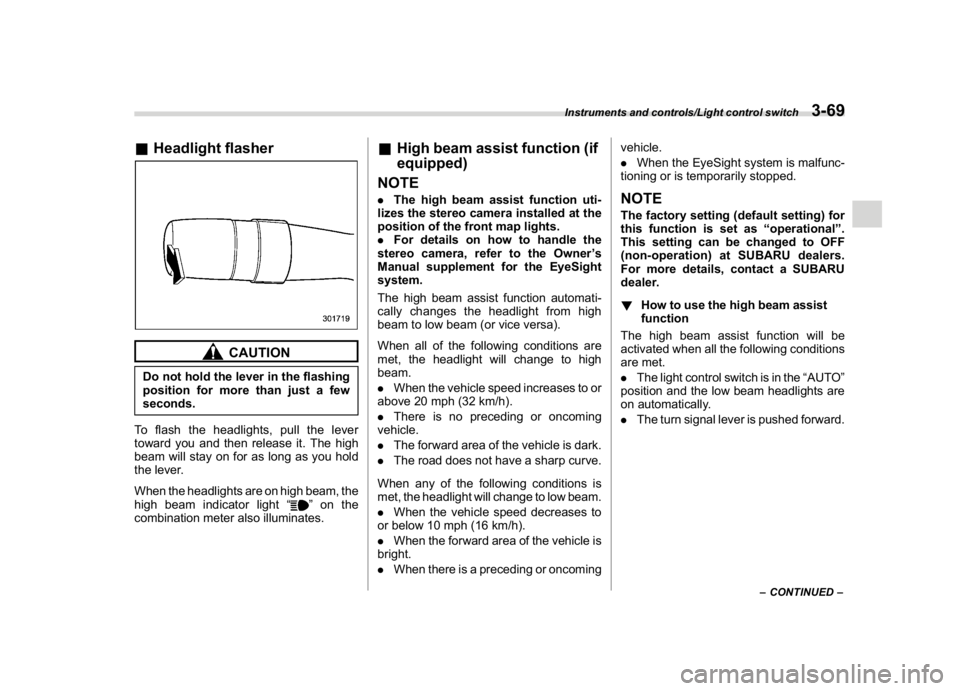
To flash the headlights, pull the lever
toward you and then release it. The high
beam will stay on for as long as you hold
the lever.
When the headlights are on high beam, the
high beam indicator light“
”on the
combination meter also illuminates.
&High beam assist function (if
equipped)
NOTE.The high beam assist function uti-
lizes the stereo camera installed at the
position of the front map lights.
.For details on how to handle the
stereo camera, refer to the Owner’s
Manual supplement for the EyeSight
system.
The high beam assist function automati-
cally changes the headlight from high
beam to low beam (or vice versa).
When all of the following conditions are
met, the headlight will change to high
beam.
.When the vehicle speed increases to or
above 20 mph (32 km/h).
.There is no preceding or oncoming
vehicle.
.The forward area of the vehicle is dark.
.The road does not have a sharp curve.
When any of the following conditions is
met, the headlight will change to low beam.
.When the vehicle speed decreases to
or below 10 mph (16 km/h).
.When the forward area of the vehicle is
bright.
.When there is a preceding or oncomingvehicle.
.When the EyeSight system is malfunc-
tioning or is temporarily stopped.
NOTEThe factory setting (default setting) for
this function is set as“operational”.
This setting can be changed to OFF
(non-operation) at SUBARU dealers.
For more details, contact a SUBARU
dealer.
!How to use the high beam assist
function
The high beam assist function will be
activated when all the following conditions
are met.
.The light control switch is in the“AUTO”
position and the low beam headlights are
on automatically.
.The turn signal lever is pushed forward.
–CONTINUED–
Instruments and controls/Light control switch
3-69
3
Page 204 of 474
(209,1)
北米Model "A1320BE-C" EDITED: 2017/ 10/ 10
and license plate lights will be on.
!Tips for the high beam assist sys-
tem
.The high beam assist function recog-
nizes the conditions surrounding the ve-
hicle based on the brightness of illumina-
tion ahead of your vehicle, etc. Therefore,
the headlight mode may switch in some
situations that do not match to the driver’s
sense.
.A bicycle or cargo cycle may not be
detected.
.Under the following situations, the
brightness of ambient illumination may
not be detected correctly and the high
beam assist function may not work prop-
erly. As a result, the glare of the high beam
maydisturbtheoncomingvehicleor
vehicle ahead. Also, the low beam mode
may continue although there are no
oncoming vehicles and vehicles ahead.
In the such cases, change the headlight
mode manually.
–In bad weather (fog, snow, sand
storm, heavy rain, etc.).
–When the windshield glass is dirty or
fogged.
–When the windshield is cracked or
damaged.
–Whenthestereocameraisde-
formed or the stereo camera lensesare dirty.
–If there are lights similar to the
headlights or the tail lights in the
surrounding area.
–When an oncoming vehicle or ve-
hicle ahead is driven without its head-
lights and tail lights on.
–If the headlights of an oncoming
vehicle or the tail lights of a vehicle
ahead are dirty or discolored, or if the
light beams are not aimed correctly.
–When a rapid change of brightness
continues while driving.
–When driving on a road with many
ups and downs or uneven surfaces.
–When driving on a road with many
curves.
–When there are some objects that
reflect light strongly, such as a road
sign or a mirror in vehicle ahead.
–When the rear part of the vehicle
ahead, such as a container, reflects
light strongly.
–When the headlights of your vehicle
are damaged or dirty.
–When your vehicle is tilted, such as
in case the vehicle has a flat tire or is
being towed.
–Immediately after the engine has
started.
.In the following conditions, the head-
light mode will not be automatically chan-ged from the high beam to the low beam.
–When your vehicle passes an on-
coming vehicle suddenly in a blind
curve.
–When another vehicle passes in
front of your vehicle.
–When an oncoming vehicle or ve-
hicle ahead comes in and out of view
because of continuous curves, median
strips, roadside trees, etc.
.If the stereo camera detects the light of
the front fog lights of an oncoming vehicle,
the headlight mode may change from the
high beam to the low beam automatically.
.The headlight mode may change from
the high beam to the low beam, or the low
beam mode may continue, when affected
by a street light, traffic signal, illumination
of an advertisement board, or a reflective
object such as a road sign and signboard.
.The timing of the change of headlight
mode may differ due to the following
factors.
–Color or brightness of the headlights
of an oncoming vehicle or the tail lights
of a vehicle ahead.
–The headlights of the oncoming
vehicle or the tail lights of the vehicle
ahead are covered with mud, snow,
etc.
–Movement and direction of an on-
coming vehicle or a vehicle ahead.
–CONTINUED–
Instruments and controls/Light control switch
3-71
3
Page 211 of 474
(216,1)
北米Model "A1320BE-C" EDITED: 2017/ 10/ 10
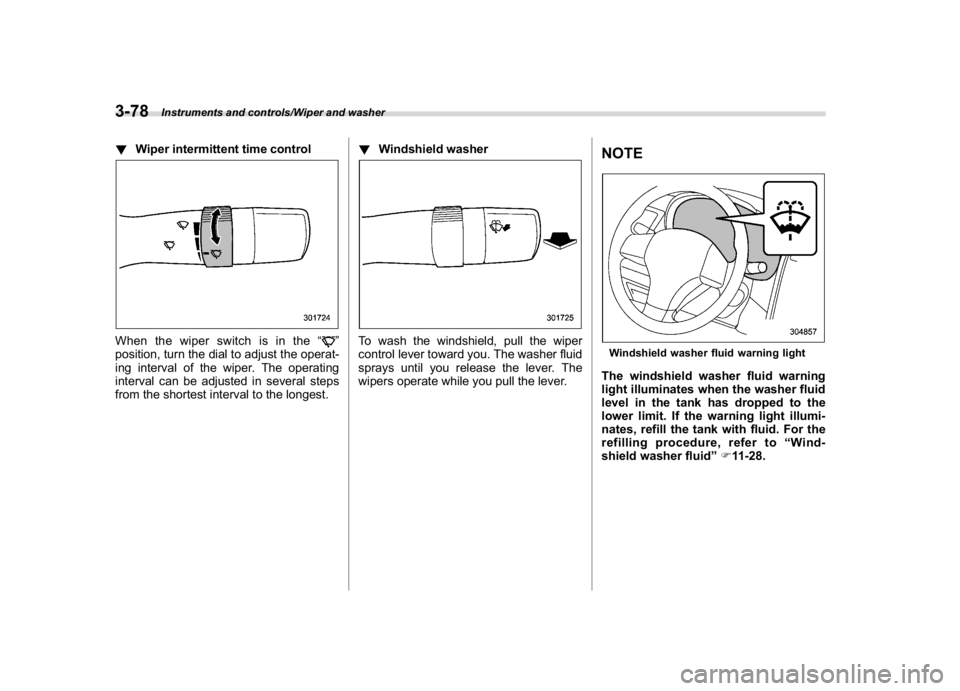
!Wiper intermittent time controlWhen the wiper switch is in the“
”
position, turn the dial to adjust the operat-
ing interval of the wiper. The operating
interval can be adjusted in several steps
from the shortest interval to the longest.!Windshield washer
To wash the windshield, pull the wiper
control lever toward you. The washer fluid
sprays until you release the lever. The
wipers operate while you pull the lever.
NOTEWindshield washer fluid warning lightThe windshield washer fluid warning
light illuminates when the washer fluid
level in the tank has dropped to the
lower limit. If the warning light illumi-
nates, refill the tank with fluid. For the
refilling procedure, refer to“Wind-
shield washer fluid”F11-28.
Instruments and controls/Wiper and washer
3-78
Page 241 of 474
(248,1)
北米Model "A1320BE-C" EDITED: 2017/ 10/ 10
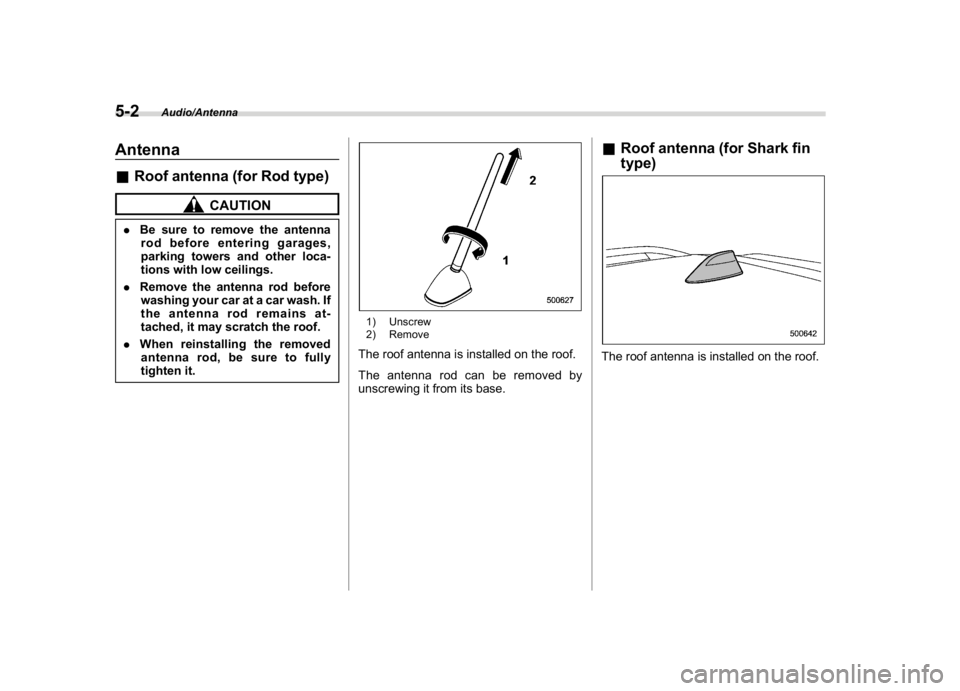
Antenna&Roof antenna (for Rod type)
CAUTION
.Be sure to remove the antenna
rod before entering garages,
parking towers and other loca-
tions with low ceilings.
.Remove the antenna rod before
washing your car at a car wash. If
the antenna rod remains at-
tached, it may scratch the roof.
.When reinstalling the removed
antenna rod, be sure to fully
tighten it.
1) Unscrew
2) RemoveThe roof antenna is installed on the roof.
The antenna rod can be removed by
unscrewing it from its base.
&Roof antenna (for Shark fin
type)The roof antenna is installed on the roof.
Audio/Antenna
5-2
Page 244 of 474
(251,1)
北米Model "A1320BE-C" EDITED: 2017/ 10/ 10
Interior lights...........................................................6-2
Map lights.............................................................. 6-2
Dome light............................................................. 6-2
Cargo area light..................................................... 6-3
OFF delay timer..................................................... 6-3
Sun visors...............................................................6-3
Sun visor extension plate (if equipped) .................. 6-4
Vanity mirror.......................................................... 6-4
Vanity mirror with light (if equipped)...................... 6-5
Storage compartment.............................................6-5
Glove box.............................................................. 6-5
Center console...................................................... 6-6
Cup holders........................................................... 6-6
Bottle holders........................................................ 6-6
Accessory power outlets.......................................6-7
Use with a cigarette lighter (dealer option) ..............6-8
Ashtray (dealer option)..........................................6-9
Floor mat...............................................................6-10
Coat hook..............................................................6-10
Shopping bag hook...............................................6-11
Cargo area cover (ifequipped).............................6-11
Using the cover.................................................... 6-11
To remove the cover housing................................6-12
Stowage of the cargo area cover...........................6-12
To install the cover housing..................................6-13
Cargo tie-down hooks (ifequipped)...................6-13
Interior equipment
6