roof SUBARU FORESTER 2013 SH / 3.G User Guide
[x] Cancel search | Manufacturer: SUBARU, Model Year: 2013, Model line: FORESTER, Model: SUBARU FORESTER 2013 SH / 3.GPages: 436, PDF Size: 15.3 MB
Page 102 of 436

once and the indicator lights will start
flashing rapidly. After rapid flashing for 30
seconds (standby time), the indicator
lights will then flash slowly (twice approxi-
mately every 2 seconds), indicating that
the system has been armed for surveil-lance. NOTE .The system can be armed even if the
engine hood, the windows and/or
moonroof (if equipped) are open. Al-
ways make sure that they are fully
closed before arming the system.. The 30-second standby time can be
eliminated if you prefer. Have it per-
formed by your SUBARU dealer.. The system is in the standby mode
for a 30-second period after locking the
doors with the remote transmitter. The
security indicator light will flash at
short intervals during this period.. If any of the following actions are
done during the standby period, the
system will not switch to the surveil-
lance state.
–Doors are unlocked using the
remote transmitter. – Any door (including the rear
gate) is opened. –
Ignition switch is turned to the
“ ON ”position.
& Disarming the system
Briefly press the “
”button (for less than
2 seconds) on the remote transmitter. The driver ’s door will unlock, an electronic
chirp will sound twice, the turn signal
lights will flash twice. The flashing of the
security indicator light will then change
slowly (once approximately every 3 sec-
onds from twice approximately every 2
seconds), indicating that the alarm system
has been disarmed.
NOTE
After disarming the alarm system,
briefly press the “
”button a second
time within 5 seconds to unlock all
other doors and the rear gate. ! Emergency disarming
If you cannot disarm the system using the
transmitter (i.e. the transmitter is lost,
broken or the transmitter battery is too
weak), you can disarm the system without
using the transmitter as follows. . Turn the ignition switch from the
“ LOCK ”to the “ON ”position with a
registered key. &
Valet mode
When you choose the valet mode, the
alarm system does not operate. In valet
mode, the remote transmitter is used only
for locking and unlocking the doors and
rear gate and panic activation.
To enter the valet mode, change the
setting of your vehicle ’s alarm system for
deactivation mode. Refer to “Activating
and deactivating the alarm system ”F 2-
15. The security indicator light will con-
tinue to flash once every 3 seconds
indicating that the system is in the valetmode.
To exit valet mode, change the setting of
your vehicle ’s alarm system for activation
mode. Refer to “Activating and deactivat-
ing the alarm system ”F 2-15.
& Passive arming
When passive arming mode has been
programmed by the dealer, arming of the
system is automatically accomplished
without using the remote transmitter. Note
that in this mode, DOORS MUST BE
MANUALLY LOCKED. ! To enter the passive mode
If you wish to program the passive arming
mode, have it done by your SUBARU
dealer. Keys and doors
2-17
– CONTINUED –
Page 109 of 436
2-24Keys and doors
.Do not attempt to shut the rear
gate while holding the inside
handle. Also avoid closing the
rear gate by pulling the inside
handle from inside the cargo
area. There is a danger of your
hand being caught and injured.
CAUTION
. Do not jam a plastic bag in or
place cellophane tape on the rear
gate stays or scratch the stays
while loading or unloading cargo.
That could cause leakage of gas
from the stays, which may result
in their inability to hold the rear
gate open.
. Be careful not to hit your head or
face on the rear gate when open-
ing or closing the rear gate and
when loading or unloading car-go.
NOTE
If the rear gate cannot be unlocked due
to a discharged vehicle battery, a
malfunction in the door locking/unlock-
ing system or other causes, you can
unlock it by manually operating the
rear gate lock release lever. For the procedure, refer to
“Rear gate –if the
rear gate cannot be opened ”F 9-18. Moonroof (if equipped)
WARNING
Never let anyone ’shands,arms,
head or any objects protrude from
the moonroof. A person could be
seriously injured if the vehicle stops
suddenly or turns sharply or if the
vehicle is involved in an accident.
To avoid serious personal injury
caused by entrapment, always obey
the following instructions withoutexception. . Before closing the moonroof,
make sure that no one ’s hands,
arms, head or other objects will
be accidentally caught in themoonroof.
. Before leaving the vehicle, al-
ways remove the key from the
ignition switch for safety and
never allow an unattended child
to remain in the vehicle. Failure
to follow this procedure could
result in injury to a child operat-
ing the moonroof.
Page 110 of 436
.Never try to check the anti-en-
trapment function using fingers,
hands or other parts of your
body.
CAUTION
. Do not sit on the edge of the open
moonroof.
. Do not operate the moonroof if
falling snow or extremely cold
conditions have caused it to
freeze shut.
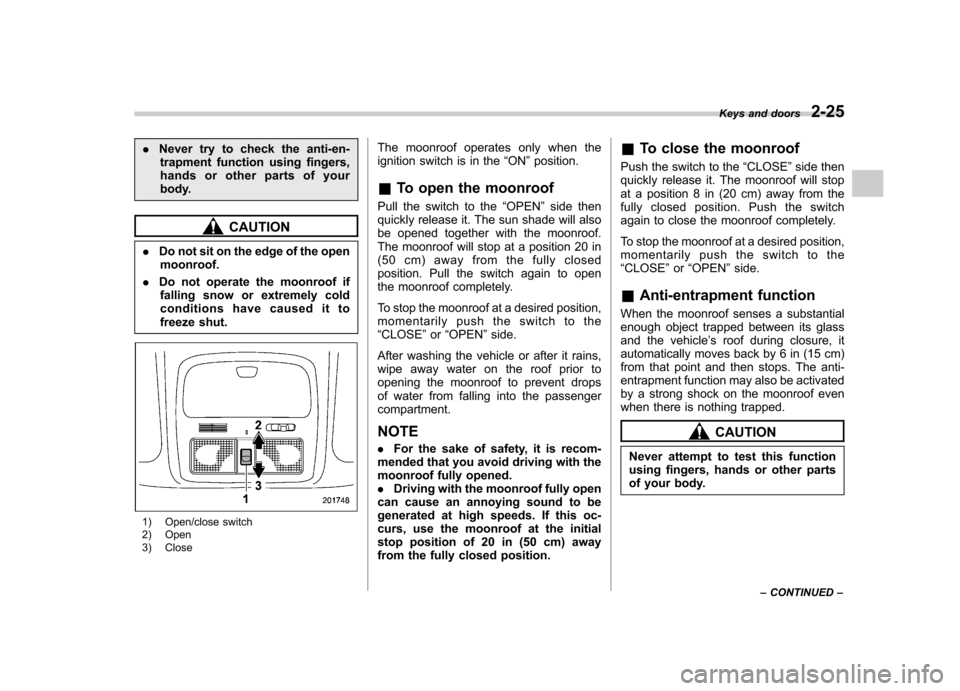
1) Open/close switch
2) Open
3) Close The moonroof operates only when the
ignition switch is in the
“ON ”position.
& To open the moonroof
Pull the switch to the “OPEN ”side then
quickly release it. The sun shade will also
be opened together with the moonroof.
The moonroof will stop at a position 20 in
(50 cm) away from the fully closed
position. Pull the switch again to open
the moonroof completely.
To stop the moonroof at a desired position,
momentarily push the switch to the“ CLOSE ”or “OPEN ”side.
After washing the vehicle or after it rains,
wipe away water on the roof prior to
opening the moonroof to prevent drops
of water from falling into the passengercompartment. NOTE . For the sake of safety, it is recom-
mended that you avoid driving with the
moonroof fully opened.. Driving with the moonroof fully open
can cause an annoying sound to be
generated at high speeds. If this oc-
curs, use the moonroof at the initial
stop position of 20 in (50 cm) away
from the fully closed position. &
To close the moonroof
Push the switch to the “CLOSE ”side then
quickly release it. The moonroof will stop
at a position 8 in (20 cm) away from the
fully closed position. Push the switch
again to close the moonroof completely.
To stop the moonroof at a desired position,
momentarily push the switch to the“ CLOSE ”or “OPEN ”side.
& Anti-entrapment function
When the moonroof senses a substantial
enough object trapped between its glass
and the vehicle ’s roof during closure, it
automatically moves back by 6 in (15 cm)
from that point and then stops. The anti-
entrapment function may also be activated
by a strong shock on the moonroof even
when there is nothing trapped.
CAUTION
Never attempt to test this function
using fingers, hands or other parts
of your body. Keys and doors
2-25
– CONTINUED –
Page 111 of 436

2-26Keys and doors
& Sun shade
The sun shade can be slid forward or
backward by hand while the moonroof isclosed.
If the moonroof is opened, the sun shade
also moves back.
Page 114 of 436
Ignition switch
WARNING
. Never turn the ignition switch to
“ LOCK ”while the vehicle is
being driven or towed because
that will lock the steering wheel,
preventing steering control. In
addition, when the engine is
turned off, it takes a much great-
er effort than usual to steer.
. Before leaving the vehicle, al-
ways remove the key from the
ignition switch for safety and
never allow an unattended child
to remain in the vehicle. Failure
to follow this procedure could
result in injury to a child or
others. Children could operate
the power windows, the moon-
roof or other controls or even
make the vehicle move.
CAUTION
Do not attach a large key holder or
key case to either key. If it bangs
against your knees or hands while
you are driving, it could turn the
ignition switch from the “ON ”posi- tion to the
“Acc ”or “LOCK ”posi-
tion, thereby stopping the engine.
Also, if the key is attached to a
keyholder or to a large bunch of
other keys, centrifugal force may act
on it as the vehicle moves, resulting
in unwanted turning of the ignitionswitch.
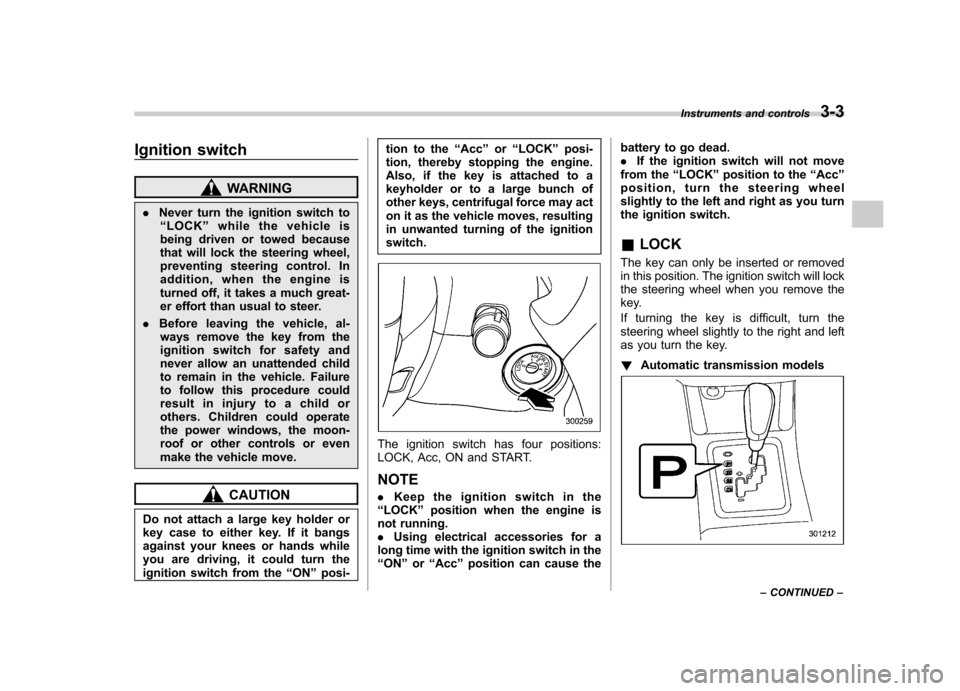
The ignition switch has four positions:
LOCK, Acc, ON and START. NOTE . Keep the ignition switch in the
“ LOCK ”position when the engine is
not running. . Using electrical accessories for a
long time with the ignition switch in the“ ON ”or “Acc ”position can cause the battery to go dead..
If the ignition switch will not move
from the “LOCK ”position to the “Acc ”
position, turn the steering wheel
slightly to the left and right as you turn
the ignition switch. & LOCK
The key can only be inserted or removed
in this position. The ignition switch will lock
the steering wheel when you remove the
key.
If turning the key is difficult, turn the
steering wheel slightly to the right and left
as you turn the key. ! Automatic transmission models
Instruments and controls 3-3
– CONTINUED –
Page 174 of 436

Antenna system.................................................. 5-3
Roof antenna (Rod type) ...................................... 5-3
FM reception ....................................................... 5-3
Installation of accessories .................................. 5-4
Audio set ............................................................. 5-4
Type A audio set (if equipped) ............................. 5-5
Type B audio set (if equipped) ............................. 5-6
Type C audio set (if equipped) ............................. 5-7
Type D audio set (if equipped) ............................. 5-8
Power and audio controls .................................. 5-9
Power switch and volume control ........................ 5-9
Sound controls and audio settings ...................... 5-9
FM/AM radio operation ...................................... 5-13
FM/AM selection ................................................. 5-13
Tuning ............................................................... 5-13
HD Radio
TMTechnology (Digital AM and FM
Radio) (type D audio) ........................................ 5-15
Displaying radio PS (Program Service Name) and RT (Radio Text) ................................................ 5-16
Station preset .................................................... 5-17
Satellite radio operation (if equipped) .............. 5-18
Sirius XM
TMsatellite radio (U.S.A. only).... ........... 5-18
Satellite radio reception ...................................... 5-18
Displaying satellite radio ID of tuner ................... 5-19
Band selection ................................................... 5-20
Channel and category selection .......................... 5-20
Channel preset ................................................... 5-21
Display selection (type A, B and C audio) ........... 5-22
CD player operation ........................................... 5-22
Play file. ............................................................. 5-22
How to insert a CD (type A, C and D) .................. 5-23How to insert a CD(s) (type B) ..
.......................... 5-23
How to play back a CD ...................................... 5-24
To select a track from the beginning .................. 5-24
Fast-forwarding and rewinding . .......................... 5-25
Repeating .......................................................... 5-25
Random playback .............................................. 5-26
Scan (type A, B and C audio) ... .......................... 5-27
Display selection (type A, B and C audio) ........... 5-27
Folder selection ................................................. 5-28
How to eject a CD from the player (type A, C and D audio) .............................................................. 5-28
How to eject CDs from the player (type B) ..... ..... 5-28
When the following messages are displayed. . ..... 5-29
Auxiliary input jack (if equipped). ..................... 5-29
Precautions to observe when handling a compact disc ................................................... 5-30
USB storage device / iPod
®operations
(type C and D audio) ...................................... 5-32
Play file ............................................................. 5-32
Connectable USB storage device ....................... 5-32
Connectable iPod
®models ................................. 5-33
Connecting USB storage device / iPod®............. 5-33
How to play back ............................................... 5-34
To select a track from the beginning .................. 5-34
To select a chapter from the beginning when connecting iPod
®............................................. 5-34
Fast-forwarding and rewinding . .......................... 5-34
Repeating .......................................................... 5-35
Random playback .............................................. 5-35
SCAN (only when connecting USB storage device) (type C audio) ...................................... 5-36Audio
5
Page 176 of 436

Antenna system &Roof antenna (Rod type)
CAUTION
. Be sure to lower the antenna rod
before entering garages, parking
towers and other locations with
low ceilings.
. Remove the antenna rod before
washing your car at a car wash. If
the antenna rod is left attached, it
may scratch the roof.
. When reinstalling the removed
antenna rod, be sure to fully
tighten it.
1) Unscrew
2) Remove
The roof antenna is installed in the center
at the rear part of the roof.
The antenna rod can be folded down
toward the front or rear of the vehicle.
Raise the antenna rod when listening to
the radio.
The antenna rod can be removed by
unscrewing it from its base. &
FM reception
Although FM is normally static free,
reception can be affected by the surround-
ing area, atmospheric conditions, station
strength and transmitter distance. Build-
ings or other obstructions may cause
momentary static, flutter or station inter-
ference. If reception continues to be
unsatisfactory, switch to a stronger station. Audio
5-3
Page 288 of 436

New vehicle break-in driving–the first
1,000 miles (1,600 km) ..................................... 8-2
Fuel economy hints ............................................ 8-2
Engine exhaust gas (carbon monoxide) ............ 8-2
Catalytic converter .............................................. 8-3
Periodic inspections ........................................... 8-4
Driving in foreign countries ............................... 8-4
Driving tips for AWD models .............................. 8-5
On-road and off-road driving .............................. 8-6
Winter driving ...................................................... 8-8
Operation during cold weather ............................. 8-8
Driving on snowy and icy roads ......................... 8-10
Corrosion protection .......................................... 8-11
Snow tires ......................................................... 8-11
Tire chains ......................................................... 8-11
Rocking the vehicle ............................................ 8-12 Loading your vehicle
......................................... 8-12
Vehicle capacity weight ...................................... 8-13
GVWR and GAWR (Gross Vehicle Weight Rating and Gross Axle Weight Rating) ........................ 8-13
Roof rails (if equipped) ...................................... 8-14
Roof molding and crossbar (if equipped) ............ 8-15
Trailer hitch (dealer option) ............................... 8-16
Connecting a trailer ........................................... 8-16
When you do not tow a trailer .. .......................... 8-18
Trailer towing ..................................................... 8-18
Warranties and maintenance .............................. 8-18
Maximum load limits .......................................... 8-18
Trailer hitches .................................................... 8-21
Connecting a trailer ........................................... 8-22
Trailer towing tips .............................................. 8-23Driving tips
8
Page 294 of 436

common sense precautions such as those
in the following list should be taken. .Make certain that you and all of your
passengers are wearing seatbelts.. Carry some emergency equipment,
such as a towing rope or chain, a shovel,
wheel blocks, first aid kit and cell phone or
citizens band radio. . Drive carefully. Do not take unneces-
sary risks by driving in dangerous areas or
over rough terrain. . Slow down and employ extra caution at
all times. When driving off-road, you will
not have the benefit of marked traffic
lanes, banked curves, traffic signs and
the like. . Do not drive across steep slopes.
Instead, drive either straight up or straight
down the slopes. A vehicle can much
more easily tip over sideways than it can
end over end. Avoid driving straight up or
down slopes that are too steep. . Avoid sharp turning maneuvers, espe-
cially at higher speeds.. Do not grip the inside or spokes of the
steering wheel. A bad bump could jerk the
wheel and injure your hands. Instead drive
with your fingers and thumbs on the
outside of the rim. . If driving through water, such as when
crossing shallow streams, first check the depth of the water and the bottom of the
stream bed for firmness and ensure that
the bed of the stream is flat. Drive slowly
and cross the stream without stopping.
The water should be shallow enough that
it does not reach the vehicle
’s under-
carriage. Water entering the engine air
intake or the exhaust pipe or water
splashing onto electrical parts may da-
mage your vehicle and may cause it to
stall. Never attempt to drive through
rushing water; regardless of its depth, it
can wash away the ground from under
your tires, resulting in possible loss of
traction and even vehicle rollover. . Always check your brakes for effec-
tiveness immediately after driving in sand,
mud or water. Do this by driving slowly
and stepping on the brake pedal. Repeat
that process several times to dry out the
brake discs and brake pads. . Do not drive or park over or near
flammable materials such as dry grass or
fallen leaves, as they may burn easily. The
exhaust system is very hot while the
engine is running and right after engine
stops. This could create a fire hazard. . After driving through tall grass, mud,
rocks, sand, rivers, etc., check that there
is no grass, bush, paper, rags, stones,
sand, etc. adhering to or trapped on the
underbody. Clear off any such matter from the underbody. If the vehicle is used with
these materials trapped or adhering to the
underbody, a mechanical breakdown or
fire could occur. .
Secure all cargo carried inside the
vehicle and make certain that it is not
piled higher than the seatbacks. During
sudden stops or jolts, unsecured cargo
could be thrown around in the vehicle and
cause injury. Do not pile heavy loads on
the roof. Those loads raise the vehicle ’s
center of gravity and make it more prone
to tip over. . If you must rock the vehicle to free it
from sand or mud, depress the accelerator
pedal slightly and move the shift lever/
select lever back and forth between “1 ”/
“ D ” and “R ” repeatedly. Do not race the
engine. For the best possible traction,
avoid spinning the wheels when trying to
free the vehicle. . When the road surface is extremely
slippery, you can obtain better traction by
starting the vehicle with the transmission
in 2nd than 1st. For AT models, refer to“ Selection of manual mode ”F 7-19.
. Never equip your vehicle with tires
larger than those specified in this manual. . Wash the vehicle ’s underbody after off-
road driving. Suspension components are
particularly prone to dirt buildup, so they
need to be washed thoroughly. Driving tips
8-7
– CONTINUED –
Page 299 of 436
8-12Driving tips
caused to your vehicle by use of a
traction device is not covered under
warranty.
Make certain that any traction device
you use is an SAE class S device, and
use it on the front wheels only. Always
use the utmost care when driving with
a traction device. Overconfidence be-
cause you are using a traction device
could easily lead to a serious accident. &Rocking the vehicle
If you must rock the vehicle to free it from
snow, sand, or mud, depress the accel-
erator pedal slightly and move the shift
lever/select lever back and forth between“ 1 ”/“ D ”and “R ”repeatedly. Do not race the
engine. For the best possible traction,
avoid spinning the wheels when trying to
free the vehicle.
When the road surface is extremely
slippery, you can obtain better traction by
starting the vehicle with the transmission
in 2nd than 1st (both for MT and AT).
If your vehicle is an AT model, for
information about holding the transmission
in the 2nd position, refer to “Selection of
manual mode ”F 7-19. Loading your vehicle
WARNING
Never allow passengers to ride on a
folded rear seatback or in the cargo
area. Doing so may result in serious
injury in the event of a sudden stop,
sharp turn or an accident.
WARNING
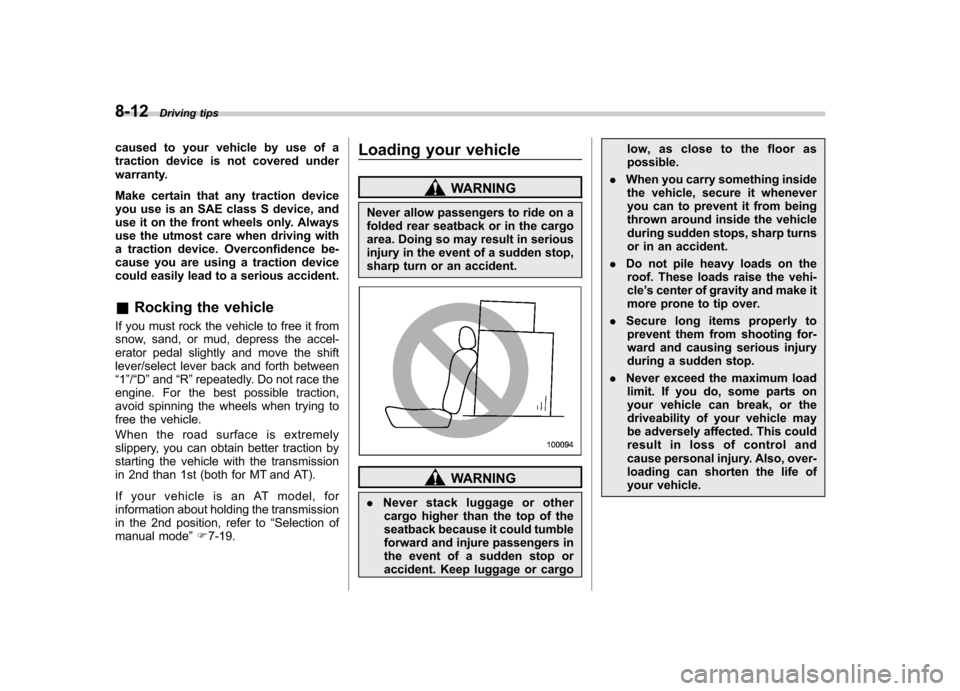
. Never stack luggage or other
cargo higher than the top of the
seatback because it could tumble
forward and injure passengers in
the event of a sudden stop or
accident. Keep luggage or cargo low, as close to the floor aspossible.
. When you carry something inside
the vehicle, secure it whenever
you can to prevent it from being
thrown around inside the vehicle
during sudden stops, sharp turns
or in an accident.
. Do not pile heavy loads on the
roof. These loads raise the vehi-cle ’s center of gravity and make it
more prone to tip over.
. Secure long items properly to
prevent them from shooting for-
ward and causing serious injury
during a sudden stop.
. Never exceed the maximum load
limit. If you do, some parts on
your vehicle can break, or the
driveability of your vehicle may
be adversely affected. This could
result in loss of control and
cause personal injury. Also, over-
loading can shorten the life of
your vehicle.