light SUBARU IMPREZA 2004 2.G Owners Manual
[x] Cancel search | Manufacturer: SUBARU, Model Year: 2004, Model line: IMPREZA, Model: SUBARU IMPREZA 2004 2.GPages: 491, PDF Size: 5.93 MB
Page 241 of 491
5-28
Audio
“TAPE” (12), the player will enter standby mode. Press
the “CD” button to start playback. "
Loading all the magazine (Full disc loading mode)
1. If you continue to press the “LOAD” button for more
than 1.5 seconds, the player will produce beep sound
and will enter the full disc loading mode.
2. A “DISC” indicator will blink, and the “IN” will be on
display for a period of 15 seconds. If a disc is success-
fully loaded during this period, the “DISC” indicator will
stop blinking and will steadily light.
3. When the loading of a disc is complete, the next
“DISC” indicator will blink. Then repeat Step 2.
4. When the magazine is filled with discs by repeating
Steps 2 and 3, the player will start playback of the
discs, beginning with the one inserted first.
If you fail to insert any disc during each 15-second in-
terval, the full disc loading mode will be canceled, and
the player will start playback of the disc inserted first. ! How to play back a CD or make a pause
" When there is no CD inserted:
Insert a CD by referring to “How to Insert a CD(s)”.
When a CD is loaded, the player will start playback of
the CD, beginning with the first number. "
When there are CDs loaded:
Press a desired one of the “DISC SELECT” buttons
(26) the “DISC” indicator of which steadily lights up.
The player will then start playback of the selected CD,
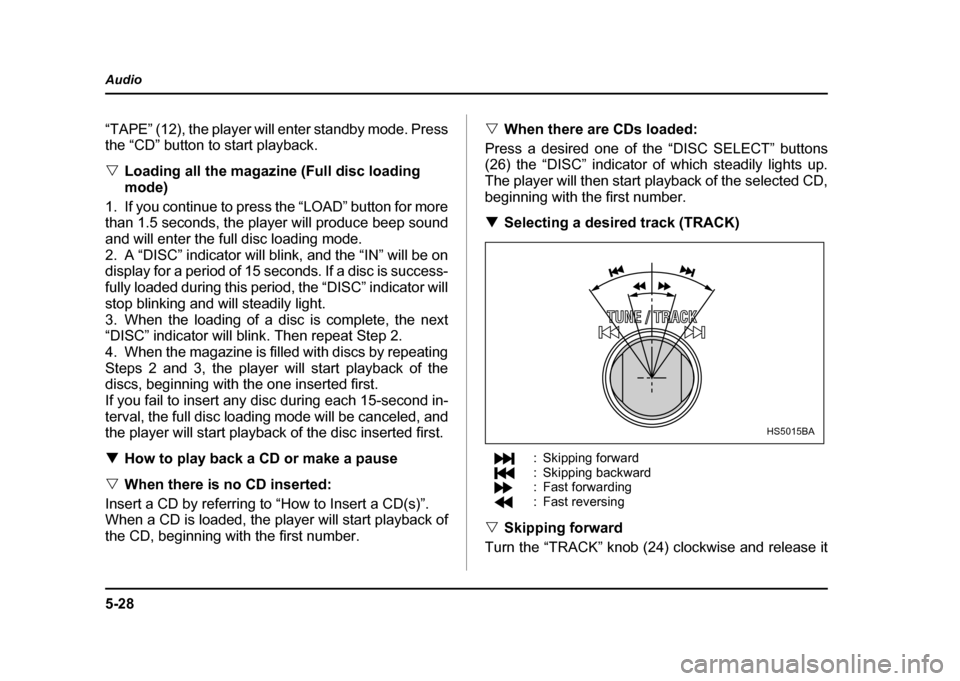
beginning with the first number. ! Selecting a desired track (TRACK)
: Skipping forward
: Skipping backward
: Fast forwarding
: Fast reversing
" Skipping forward
Turn the “TRACK” knob (24) clockwise and release it
HS5015BA
Page 245 of 491
5-32
Audio
"
Do not attempt to insert two or more discs
into the slot at a time. Doing so can cause me-
chanical damage to the CD changer." Use only music CDs identified by
am ark .
" Do not use CDs listed below which could
cause damage to the CD player. "3-inch (8 cm) compact disc.
" Any disc with a peel-off or seal on it.
" Any disc with scratches and/or dust.
" Bent disc.
" Cleaning disc.
" CD accessory. (E.g., 3-inch (8 cm) disc
adapter)
" Do not insert or remove any disc when the
automatic transmission selector lever is in the
park position; the selector lever in that position
can interfere with disc insertion or removal,
causing scratches on the disc surface (for AT
vehicles).
! To insert a disc
1. Press one of the “Disc select” buttons (3) (num-
bered from 1 to 6) for which the disc indicator light (2) is “OFF”.
The Disc indicator lights are located directly above the
corresponding “Disc select” buttons.
2. The indicator will begin blinking. The blinking will last for 15 seconds.
During this period, insert a desired disc, and the disc
will begin to play. (If any disc is not inserted during this
period, the “Disc slot” (1) door will close. Repeat step
1.)
Be sure to hold a disc with the label side (the side
where titles are printed) up.
3. To insert another disc, repeat step 1 and 2 choos-
ing a different disc select button. !
To insert six discs at a time
1. Press and hold the “Disc select” button number 1
until all disc indicators begin blinking (about 1.5 sec-
onds).
2. The indicators will blink for 15 seconds. During this
period, insert desired six discs.
3. When all discs are loaded, the first disc will begin to
play. (If no disc is inserted within this 15 seconds, the
entire disc load sequence will be canceled.) ! To remove a disc
1. Press the desired one of the “Disc select” buttons
(3) (numbered from 1 to 6) for which the disc indicator
light is on.
Page 246 of 491

5-33
Audio
– CONTINUED –
2. Press the “Eject button” (4). The selected disc will
be ejected and the indicator light will begin blinking.
3. To remove another disc, repeat step 1 and 2
choosing a different “Disc select” button.
(To remove discs when the ignition switch is in the
“Lock” position, press the “Eject” button, and the first
disc will be ejected. Press the “Eject” button again,
and the next disc will be ejected and so on. At this
time, the “Disc select” buttons are disabled.) !To remove all discs at one time
1. Press and hold the “Eject” button (4) until all “Disc”
indicators begin blinking (about 1.5 seconds), and the
first disc will be ejected.
2. When the disc is removed, the next one will be
ejected, and so on. ! To replace a playing disc with another
Simply press the desired one of “Disc select” buttons
(3) (numbered from 1 to 6) or press the “DISC select”
button on the radio unit to select the desired disc, and
the disc will begin to play. ! Disc indicators
Lit: when the corresponding storage tray is occupied
by a disc.
Blinking: Disc player is either in loading, eject or
changing mode. OFF: No disc is loaded or the ignition switch is in the
“LOCK” position. "
Open/Closed disc slot indicator
When the disc slot is open, the disc indicators on both
sides of the slot illuminate. ! Function control
Refer to CD changer control operating instructions de-
scribed in the “Type B audio set (if equipped)” section.
Page 247 of 491
5-34
Audio
Precautions to observe when han-
dling a compact disc (CD)
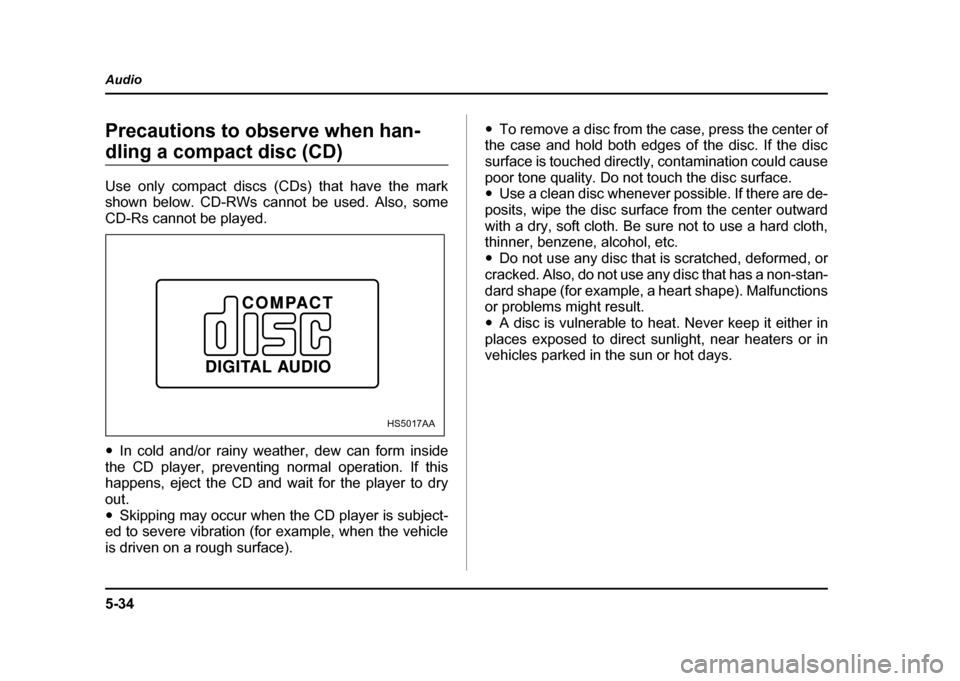
Use only compact discs (CDs) that have the mark
shown below. CD-RWs cannot be used. Also, some
CD-Rs cannot be played. "
In cold and/or rainy weather, dew can form inside
the CD player, preventing normal operation. If this
happens, eject the CD and wait for the player to dry
out." Skipping may occur when the CD player is subject-
ed to severe vibration (for example, when the vehicle
is driven on a rough surface). "
To remove a disc from the case, press the center of
the case and hold both edges of the disc. If the disc
surface is touched directly, contamination could cause
poor tone quality. Do not touch the disc surface. " Use a clean disc whenever possible. If there are de-
posits, wipe the disc surface from the center outward
with a dry, soft cloth. Be sure not to use a hard cloth,
thinner, benzene, alcohol, etc. " Do not use any disc that is scratched, deformed, or
cracked. Also, do not use any disc that has a non-stan-
dard shape (for example, a heart shape). Malfunctions
or problems might result. " A disc is vulnerable to heat. Never keep it either in
places exposed to direct sunlight, near heaters or in
vehicles parked in the sun or hot days.
HS5017AA
Page 251 of 491
6-2
Interior equipment
Interior equipmentInterior light
When leaving your vehicle, make sure the light goes
out to avoid battery discharge. !
Dome light
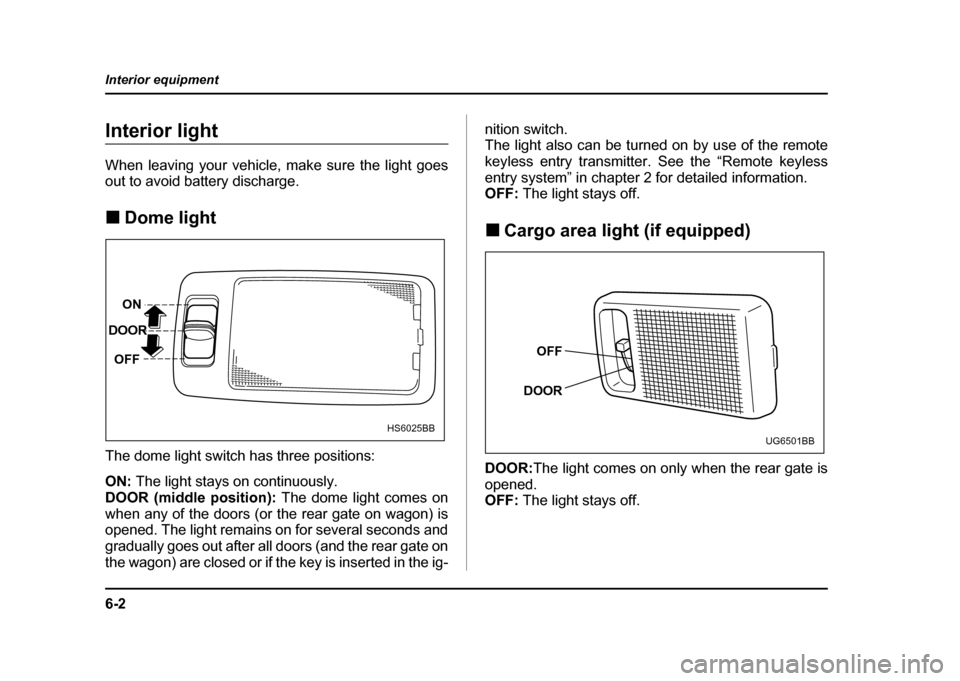
The dome light switch has three positions: ON: The light stays on continuously.
DOOR (middle position): The dome light comes on
when any of the doors (or the rear gate on wagon) is
opened. The light remains on for several seconds and
gradually goes out after all doors (and the rear gate on
the wagon) are closed or if the key is inserted in the ig- nition switch.
The light also can be turned on by use of the remote
keyless entry transmitter. See the “Remote keyless
entry system” in chapter 2 for detailed information.
OFF:
The light stays off.
! Cargo area light (if equipped)
DOOR: The light comes on only when the rear gate is
opened.
OFF: The light stays off.
ON
DOOR
OFF
HS6025BB
OFF
DOOR
UG6501BB
Page 252 of 491
6-3
Interior equipment
– CONTINUED –
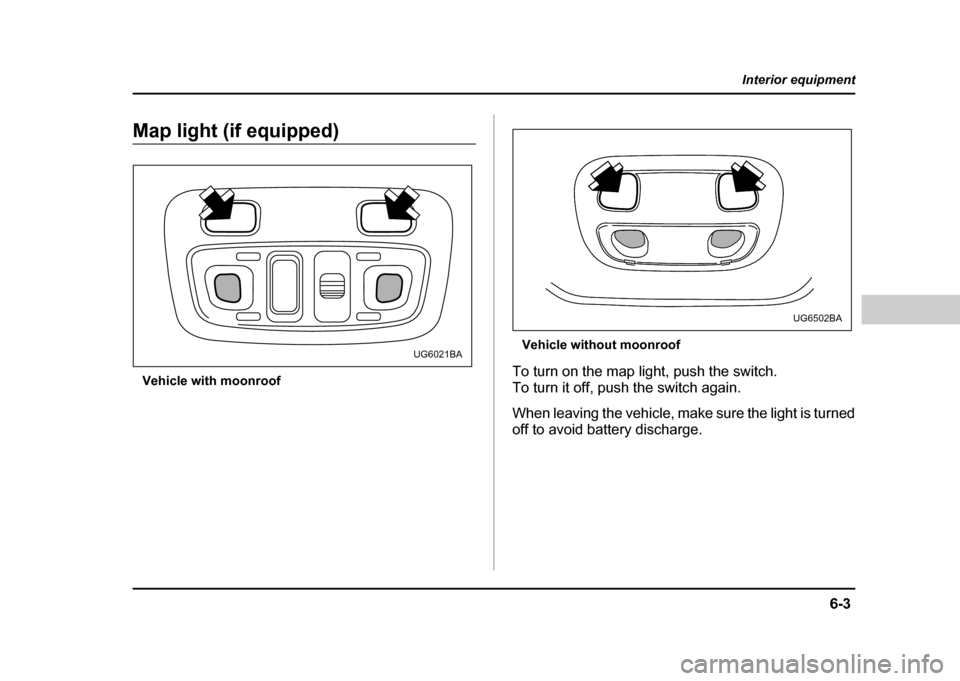
Map light (if equipped)
Vehicle with moonroof Vehicle without moonroof
To turn on the map light, push the switch.
To turn it off, push the switch again.
When leaving the vehicle, make sure the light is turned
off to avoid battery discharge.
UG6021BA
UG6502BA
Page 258 of 491
6-9
Interior equipment
– CONTINUED –
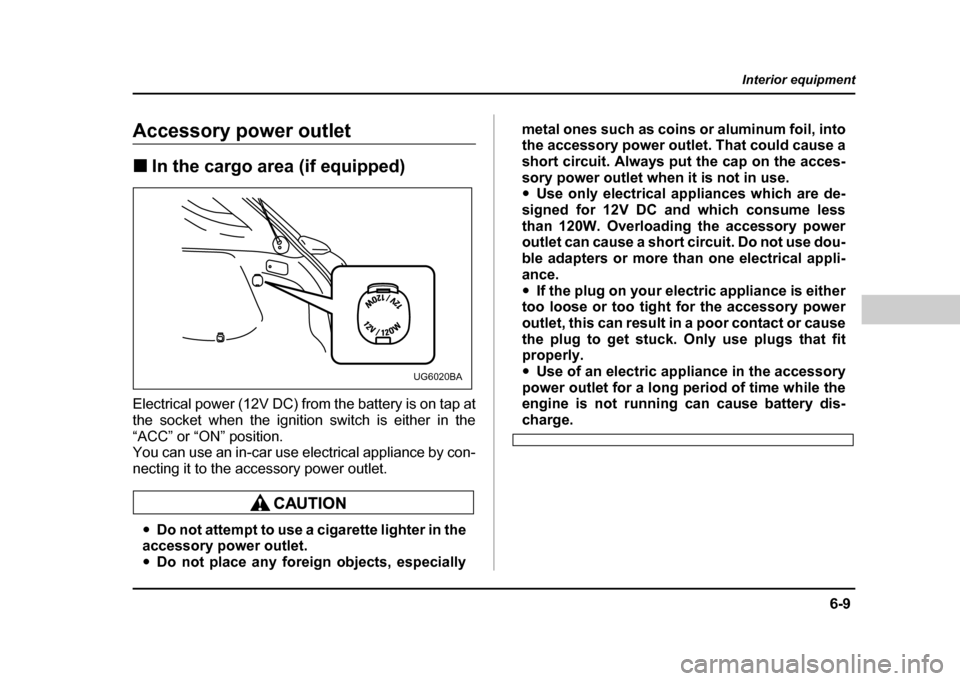
Accessory power outlet !In the cargo area (if equipped)
Electrical power (12V DC) from the battery is on tap at
the socket when the ignition switch is either in the
“ACC” or “ON” position.
You can use an in-car use electrical appliance by con-
necting it to the accessory power outlet.
" Do not attempt to use a cigarette lighter in the
accessory power outlet. " Do not place any foreign objects, especially metal ones such as coins or aluminum foil, into
the accessory power outlet. That could cause a
short circuit. Always put the cap on the acces-
sory power outlet when it is not in use. "
Use only electrical appliances which are de-
signed for 12V DC and which consume less
than 120W. Overloading the accessory power
outlet can cause a short circuit. Do not use dou-
ble adapters or more than one electrical appli-
ance." If the plug on your electric appliance is either
too loose or too tight for the accessory power
outlet, this can result in a poor contact or cause
the plug to get stuck. Only use plugs that fit
properly. " Use of an electric appliance in the accessory
power outlet for a long period of time while the
engine is not running can cause battery dis-
charge.
UG6020BA
Page 259 of 491
6-10
Interior equipment
Cigarette lighter socket
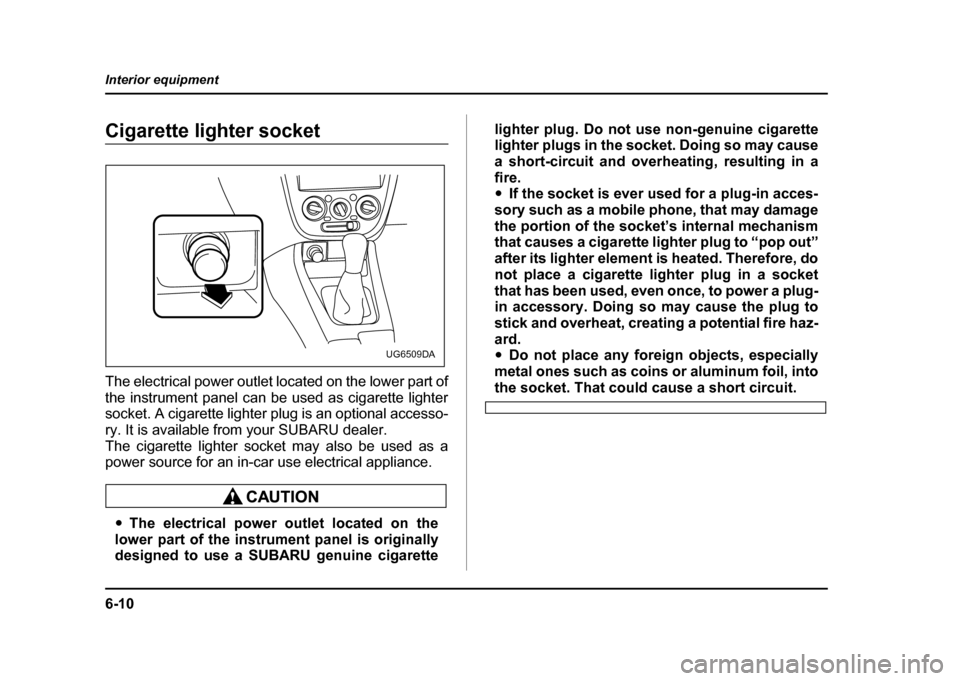
The electrical power outlet located on the lower part of
the instrument panel can be used as cigarette lighter
socket. A cigarette lighter plug is an optional accesso-
ry. It is available from your SUBARU dealer.
The cigarette lighter socket may also be used as a
power source for an in-car use electrical appliance.
"
The electrical power outlet located on the
lower part of the instrument panel is originally
designed to use a SUBARU genuine cigarette lighter plug. Do not use non-genuine cigarette
lighter plugs in the socket. Doing so may cause
a short-circuit and overheating, resulting in afire. "
If the socket is ever used for a plug-in acces-
sory such as a mobile phone, that may damage
the portion of the socket’s internal mechanism
that causes a cigarette lighter plug to “pop out”
after its lighter element is heated. Therefore, do
not place a cigarette lighter plug in a socket
that has been used, even once, to power a plug-
in accessory. Doing so may cause the plug to
stick and overheat, creating a potential fire haz-
ard. " Do not place any foreign objects, especially
metal ones such as coins or aluminum foil, into
the socket. That could cause a short circuit.
UG6509DA
Page 260 of 491
6-11
Interior equipment
– CONTINUED –
!Use with a cigarette lighter
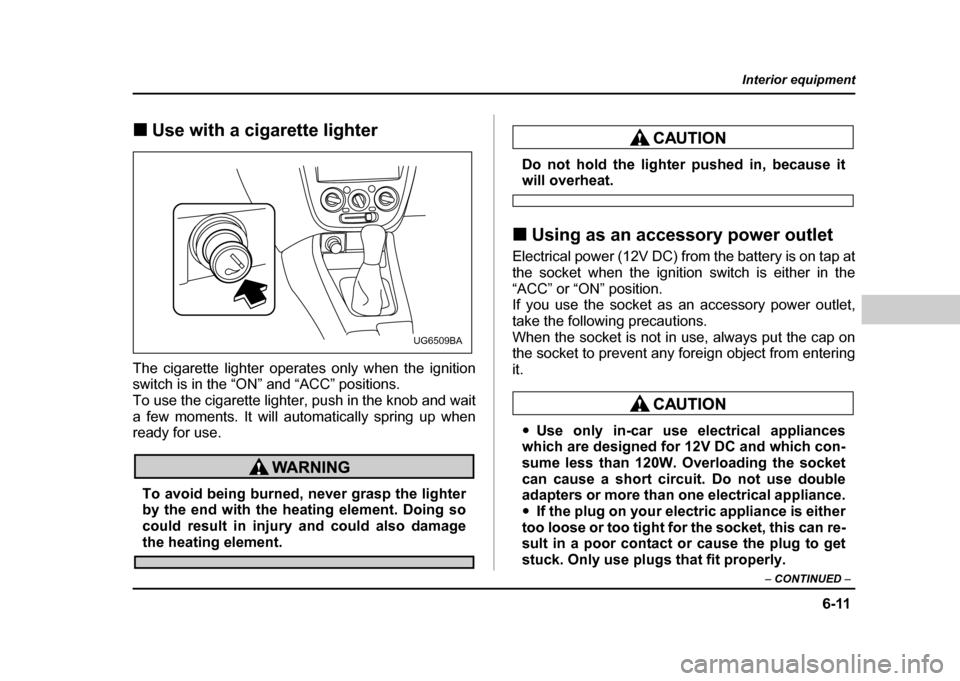
The cigarette lighter operates only when the ignition
switch is in the “ON” and “ACC” positions.
To use the cigarette lighter, push in the knob and wait
a few moments. It will automatically spring up when
ready for use.
To avoid being burned, never grasp the lighter
by the end with the heating element. Doing so
could result in injury and could also damage
the heating element.
Do not hold the lighter pushed in, because itwill overheat.
! Using as an accessory power outlet
Electrical power (12V DC) from the battery is on tap at
the socket when the ignition switch is either in the
“ACC” or “ON” position.
If you use the socket as an accessory power outlet,
take the following precautions.
When the socket is not in use, always put the cap on
the socket to prevent any foreign object from entering it.
" Use only in-car use electrical appliances
which are designed for 12V DC and which con-
sume less than 120W. Overloading the socket
can cause a short circuit. Do not use double
adapters or more than one electrical appliance. " If the plug on your electric appliance is either
too loose or too tight for the socket, this can re-
sult in a poor contact or cause the plug to get
stuck. Only use plugs that fit properly.
UG6509BA
Page 261 of 491
6-12
Interior equipment
"
Use of an electric appliance in the socket for
a long period of time while the engine is not
running can cause battery discharge." Before driving your vehicle, make sure that
the plug and the cord on your electrical appli-
ance will not interfere with your shifting gears
and operating the accelerator and brake pedals.
If they do, do not use the electrical appliance
while driving.
If the socket has been used for electrical appliances,
damage may have been done to the internal mecha-
nism that causes a cigarette lighter to “pop out” after
its element has been heated. For that reason, a ciga-
rette lighter, even if it is a genuine part, should not be
used in the socket. If you want to use the socket for a
cigarette lighter again, or to protect your purchaser be-
fore you sell your car, have your SUBARU dealer re-
place the socket with a new one.
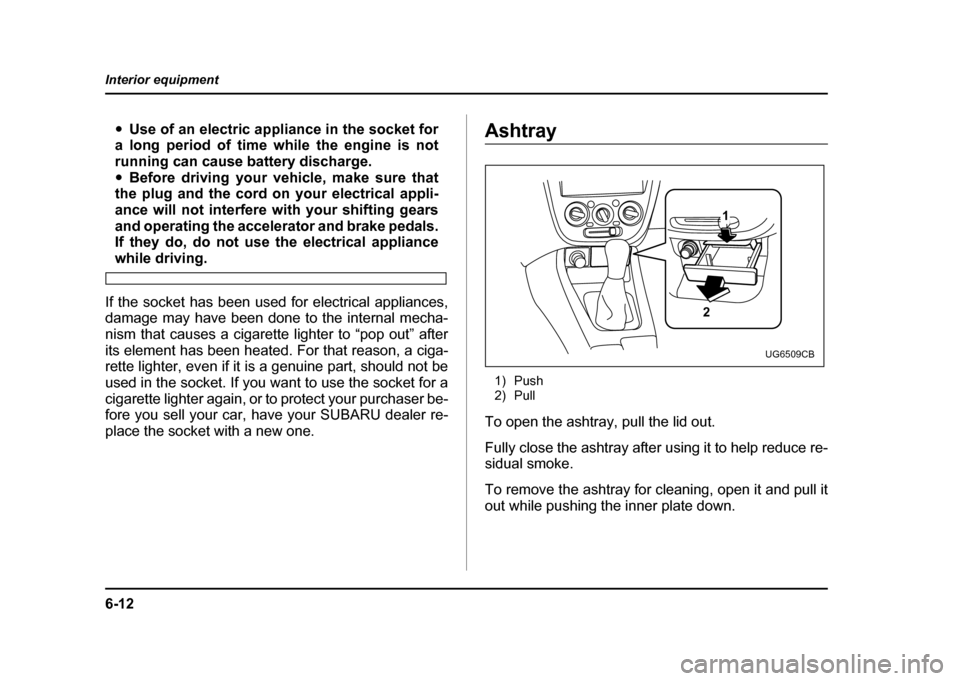
Ashtray
1) Push
2) Pull
To open the ashtray, pull the lid out.
Fully close the ashtray after using it to help reduce re-
sidual smoke.
To remove the ashtray for cleaning, open it and pull it
out while pushing the inner plate down.
2 1
UG6509CB