ECO mode SUBARU IMPREZA 2004 2.G User Guide
[x] Cancel search | Manufacturer: SUBARU, Model Year: 2004, Model line: IMPREZA, Model: SUBARU IMPREZA 2004 2.GPages: 491, PDF Size: 5.93 MB
Page 183 of 491
3-46
Instruments and controls
detect it and make the reflection surface of the mirror
dimmer to help prevent you from being blinded. For
this reason, use care not to cover the sensors with
stickers, or other similar items. Periodically wipe the
sensors clean using a piece of dry soft cotton cloth or
an applicator. "
Compass calibration
1. For optimum calibration, switch off all nonessential
electrical accessories (rear window defogger, heater/
air conditioning system, spotlight, etc.) and ensure all
doors are shut.
2. Drive to an open, level area away from large metal-
lic objects or structures and make certain the ignition
switch is in the “ON” position.
3. Press and hold the left button for 3 seconds then re-
lease, and the compass will enter the calibration
mode. “CAL” and direction will be displayed.
4. Drive slowly in a circle until “CAL” disappears from
the display (about two or three circles). The compass
is now calibrated.
5. Further calibration may be necessary should out-
side. Influences cause the mirror to read inaccurately.
You will know that this has occurred if your compass
begins to read in only limited directions. Should you
encounter this situation, return to step one of the
above procedure and recalibrate the mirror. "
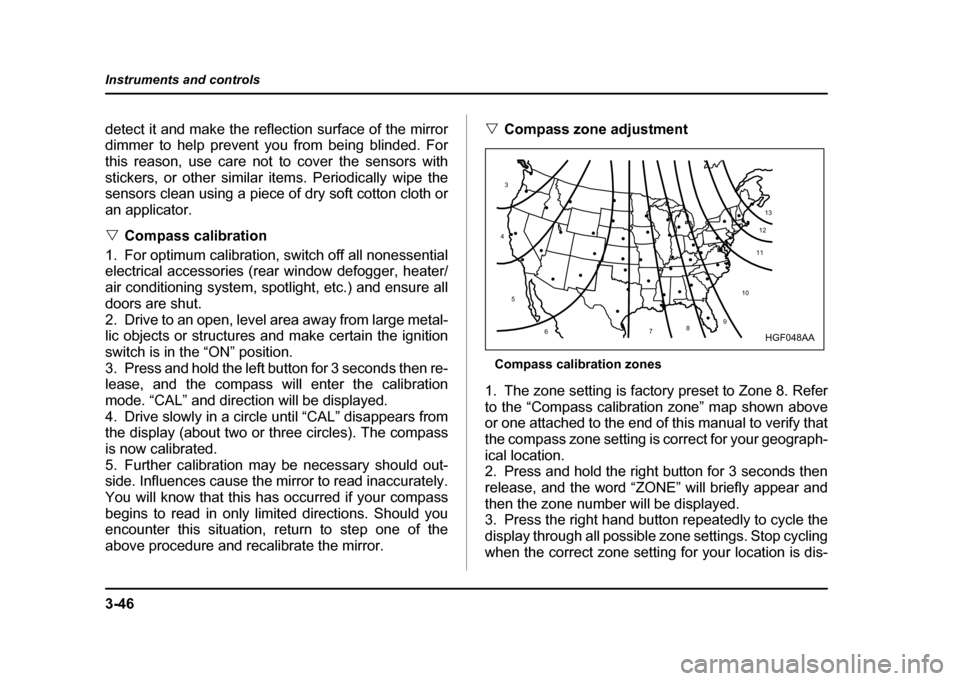
Compass zone adjustment
Compass calibration zones
1. The zone setting is factory preset to Zone 8. Refer
to the “Compass calibration zone” map shown above
or one attached to the end of this manual to verify that
the compass zone setting is correct for your geograph-ical location.
2. Press and hold the right button for 3 seconds then
release, and the word “ZONE” will briefly appear and
then the zone number will be displayed.
3. Press the right hand button repeatedly to cycle the
display through all possible zone settings. Stop cycling
when the correct zone setting for your location is dis-
10
9
8
7
6
5
4
3
1112
13
HGF048AA
Page 184 of 491
3-47
Instruments and controls
– CONTINUED –
played.
4. Releasing the button for 3 seconds will exit the
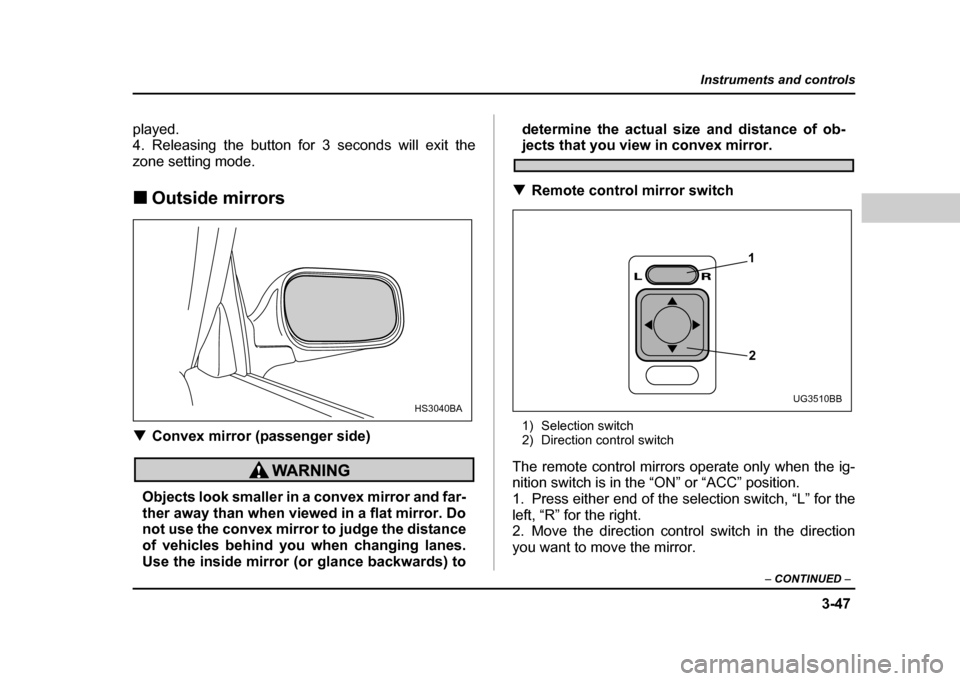
zone setting mode. !Outside mirrors
! Convex mirror (passenger side)
Objects look smaller in a convex mirror and far-
ther away than when viewed in a flat mirror. Do
not use the convex mirror to judge the distance
of vehicles behind you when changing lanes.
Use the inside mirror (or glance backwards) to determine the actual size and distance of ob-
jects that you view in convex mirror.
! Remote control mirror switch
1) Selection switch
2) Direction control switch
The remote control mirrors operate only when the ig-
nition switch is in the “ON” or “ACC” position.
1. Press either end of the selection switch, “L” for the left, “R” for the right.
2. Move the direction control switch in the direction
you want to move the mirror.
HS3040BA
1
2
UG3510BB
Page 201 of 491
4-12
Climate control
functions are as follows:
OFF:
The fan does not operate.
AUTO: The fan speed is adjusted automatically in ac-
cordance with the air temperature inside and outside
the passenger compartment, the intensity of sunlight,
and other factors. Subaru recommends using the
AUTO position.
Other positions: The fan speed can be adjusted in
four steps.
NOTE
With the fan speed control dial in the AUTO posi-
tion and the air flow control dial in the “ ”,
“ ”, or “ ” position, the fan does not oper-
ate during engine warmup until the engine coolant
temperature exceeds approx. 122 °F (50 °C).
! Temperature control dial
This dial is used to set the desired interior tempera-
ture. With the dial set to your desired temperature, the
system automatically adjusts the temperature of air
supplied from the outlets such that the desired temper-
ature is achieved and maintained.
If the dial is turned fully counterclockwise, the system
gives maximum cooling performance. If the dial is
turned fully clockwise, the system gives maximum
heating performance. !
Air flow control dial
This dial has the following five positions. The outlets
from which air is supplied in each position are as fol-
lows:
: Instrument panel outlets: Instrument panel outlets and foot outlets
: Foot outlets and windshield defroster outlets (rel-
atively little air from windshield defroster outlets)
: Windshield defroster outlets and foot outlets
: Windshield defroster outlets
NOTE
When the dial is placed in the “ ” or “ ” po-
sition, the air conditioner compressor operates
automatically to defog the windshield quickly. At
the same time, the air inlet selection is automati-
cally set to “outside air” mode.
Page 206 of 491
4-17
Climate control
– CONTINUED –
NOTE "For rapid defrosting or defogging, set the fan
speed control dial to the highest speed position. " If air supplied from the outlets is too cold, the
windshield may become fogged on the outside.
Turn up the air temperature control dial slightly if
this happens." Warm air also comes out from the right and left
air outlets. To stop warm air flow from these out-
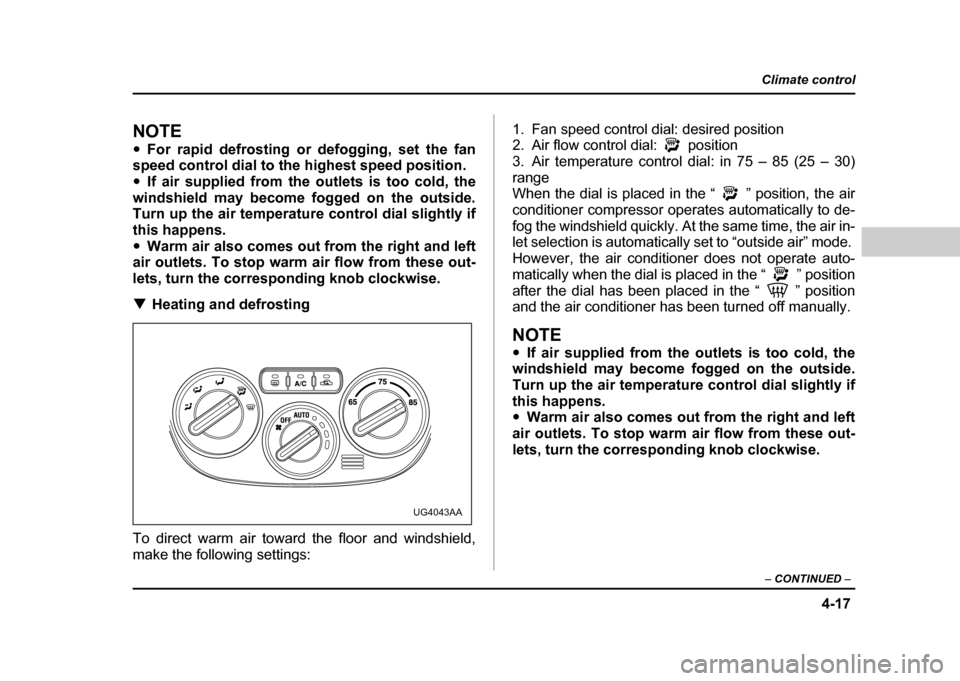
lets, turn the corresponding knob clockwise. ! Heating and defrosting
To direct warm air toward the floor and windshield,
make the following settings: 1. Fan speed control dial: desired position
2. Air flow control dial: position
3. Air temperature control dial: in 75 – 85 (25 – 30)
range
When the dial is placed in the “ ” position, the air
conditioner compressor operates automatically to de-
fog the windshield quickly. At the same time, the air in-
let selection is automatically set to “outside air” mode.
However, the air conditioner does not operate auto-
matically when the dial is placed in the “ ” position
after the dial has been placed in the “ ” position
and the air conditioner has been turned off manually.
NOTE "
If air supplied from the outlets is too cold, the
windshield may become fogged on the outside.
Turn up the air temperature control dial slightly if
this happens. " Warm air also comes out from the right and left
air outlets. To stop warm air flow from these out-
lets, turn the corresponding knob clockwise.
UG4043AA
Page 219 of 491
5-6
Audio
!
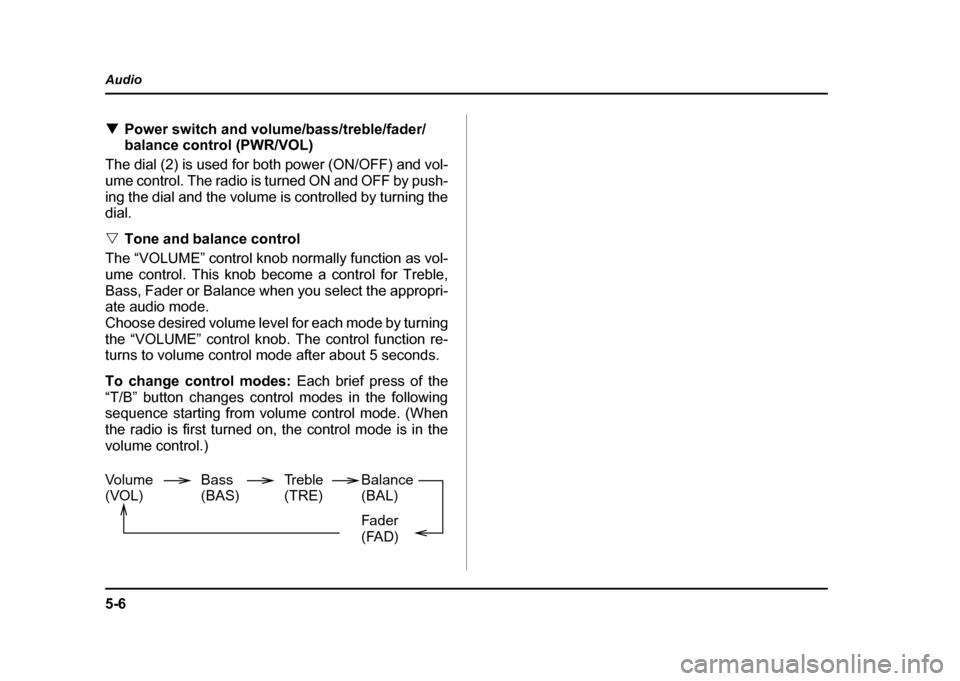
Power switch and volume/bass/treble/fader/
balance control (PWR/VOL)
The dial (2) is used for both power (ON/OFF) and vol-
ume control. The radio is turned ON and OFF by push-
ing the dial and the volume is controlled by turning the
dial. " Tone and balance control
The “VOLUME” control knob normally function as vol-
ume control. This knob become a control for Treble,
Bass, Fader or Balance when you select the appropri-
ate audio mode.
Choose desired volume level for each mode by turning
the “VOLUME” control knob. The control function re-
turns to volume control mode after about 5 seconds.
To change control modes: Each brief press of the
“T/B” button changes control modes in the following
sequence starting from volume control mode. (When
the radio is first turned on, the control mode is in the
volume control.)
Volume
(VOL) Bass(BAS)Treble(TRE)Balance(BAL)
Fader
(FAD)
Page 221 of 491
5-8
Audio
!
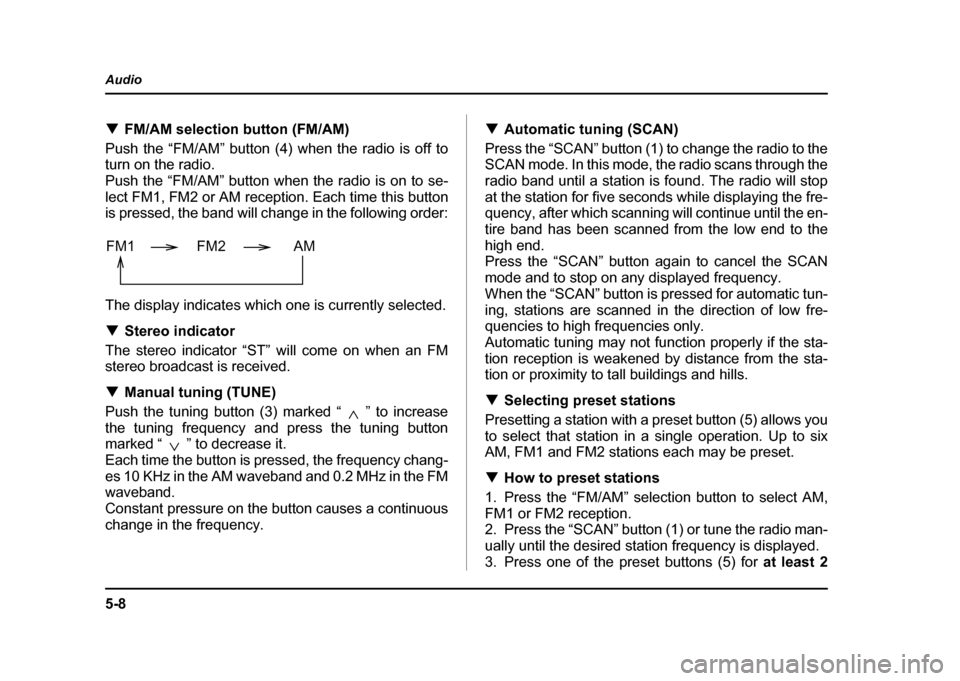
FM/AM selection button (FM/AM)
Push the “FM/AM” button (4) when the radio is off to
turn on the radio.
Push the “FM/AM” button when the radio is on to se-
lect FM1, FM2 or AM reception. Each time this button
is pressed, the band will change in the following order:
The display indicates which one is currently selected. ! Stereo indicator
The stereo indicator “ST” will come on when an FM
stereo broadcast is received. ! Manual tuning (TUNE)
Push the tuning button (3) marked “ ” to increase
the tuning frequency and press the tuning button
marked “ ” to decrease it.
Each time the button is pressed, the frequency chang-
es 10 KHz in the AM waveband and 0.2 MHz in the FM
waveband.
Constant pressure on the button causes a continuous
change in the frequency. !
Automatic tuning (SCAN)
Press the “SCAN” button (1) to change the radio to the
SCAN mode. In this mode, the radio scans through the
radio band until a station is found. The radio will stop
at the station for five seconds while displaying the fre-
quency, after which scanning will continue until the en-
tire band has been scanned from the low end to the
high end.
Press the “SCAN” button again to cancel the SCAN
mode and to stop on any displayed frequency.
When the “SCAN” button is pressed for automatic tun-
ing, stations are scanned in the direction of low fre-
quencies to high frequencies only.
Automatic tuning may not function properly if the sta-
tion reception is weakened by distance from the sta-
tion or proximity to tall buildings and hills. ! Selecting preset stations
Presetting a station with a preset button (5) allows you
to select that station in a single operation. Up to six
AM, FM1 and FM2 stations each may be preset. ! How to preset stations
1. Press the “FM/AM” selection button to select AM,
FM1 or FM2 reception.
2. Press the “SCAN” button (1) or tune the radio man-
ually until the desired station frequency is displayed.
3. Press one of the preset buttons (5) for at least 2
FM1 FM2 AM
Page 225 of 491
5-12
Audio
mode, press the button again. Then the “RPT” indica-
tor goes out, and normal playback mode is restored. !
Random playback
Press the “RPT/RDM” button (10) and hold it in for
more than 2 seconds while a disc is being played back
to play all songs on the disc in a random order. The
“RDM” indicator will come on and all songs on the disc
will be played in a random order.
To cancel the random mode, press the button again.
Then the “RDM” indicator goes out, and normal play-
back mode is restored. ! To eject a disc from the player
When a disc is being played back or when a disc is in
the player, press the eject button “ ” (7). The disc
will be ejected.
The disc may be removed even when the ignition
switch is in the “LOCK” position.
NOTE
Avoid driving the vehicle with a CD sticking out,
because vibration might make it fall out. !
CD changer control (If optional in-dash
CD changer is connected)
An optional CD changer can be connected to this au-
dio unit. Consult the instructions that accompany the
CD changer for operating the CD changer itself (e.g.,
how to load or unload CDs). See your SUBARU dealerfor more information.
Page 227 of 491
5-14
Audio
!
To start playback
When the “CD” button (13) is pressed, the CD changer
will start playback. The display shows the current disc
number, track number and the elapsed time during
playback.
NOTE " If a disc is in the player, the “DISC” button is
used to change from CD player operation to DISC
changer operation. Each time the “DISC” button is
pressed, the operating mode will change alter-
nately. " At the end of the disc, the player automatically
continues with the next disc. " After playback on the last disc finishes, play-
back will automatically return to the first disc. " If you have loaded fewer than 6 discs, any miss-
ing disc is automatically skipped. ! Selection of a desired disc
You can select a desired disc from among the discs
contained in the CD changer only by pressing the cor-
responding number on one of the disc select buttons.
If you are to listen to the 5th disc in the CD changer,
press the “5” button of the disc select buttons. All other
discs in the CD changer can also be selected in a sim-
ilar way.
NOTE " No disc change takes place if the button corre-
sponding to the storage tray in which no disc is
loaded is pressed." If the disc select button corresponding to the
disc now in playback is pressed again, the disc
will be replayed from its beginning. ! To select a song from its beginning
" Forward direction
Briefly press the “ ” button (12) to skip to the begin-
ning of the next track. Each time the button is pressed,
the indicated track number will increase. " Backward direction
Briefly press the “ ” button (12) to skip to the begin-
ning of the current track. Each time the button is
pressed, the indicated track number will decrease. ! Fast forwarding and fast reverse
" Fast forwarding
Press the “ ” button (12) continuously for more than
1 second to fast forward the disc.
Release the button to stop fast forwarding.
If you continue fast forwarding to the end of the disc,
the CD changer will automatically stop fast forwarding
and start playback beginning with the first track on the
Page 228 of 491
5-15
Audio
– CONTINUED –
current disc. "Fast reverse
Press the “ ” button (12) continuously for more than
1 second to fast reverse the disc.
Release the button to stop fast reverse.
If you continue fast reverse to the beginning of the
disc, the CD changer will automatically stop fast re-
verse and start playback beginning with the first track
on the current disc. ! Repeat playback
Use this to play a certain track repeatedly. During
playback, press the “RPT/RDM” button (14) and re-
lease it in less than 2 seconds. The “RPT” indicator will
come on and the song will be played continuously. To
cancel the repeat mode, press the button again. Then
the “RPT” indicator goes out, and normal playback
mode is restored. ! Random playback
Use this to play the tracks on the disc in random order.
During playback, press the “RPT/RDM” button (14)
and hold it in for more than 2 seconds. The “RDM” in-
dicator will come on and all songs on the disc will be
played in a random order.
To cancel the random mode, press the button again.
Then the “RDM” indicator goes out, and normal play- back mode is restored.
Page 232 of 491
5-19
Audio
– CONTINUED –
"Tone control
The volume control dial (7) normally function as vol-
ume control. The dial become a control for Bass or
Treble when you select the appropriate tone control
mode.
Choose desired level for each mode by turning the vol-
ume control dial. The control function returns to vol-
ume control mode after about 5 seconds.
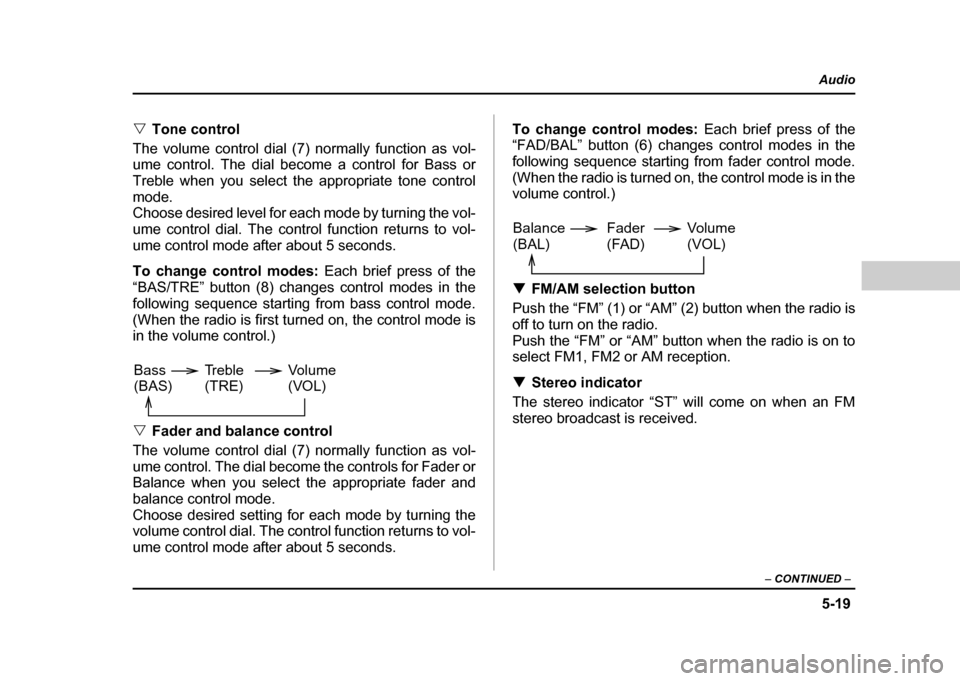
To change control modes: Each brief press of the
“BAS/TRE” button (8) changes control modes in the
following sequence starting from bass control mode.
(When the radio is first turned on, the control mode is
in the volume control.) " Fader and balance control
The volume control dial (7) normally function as vol-
ume control. The dial become the controls for Fader or
Balance when you select the appropriate fader and
balance control mode.
Choose desired setting for each mode by turning the
volume control dial. The control function returns to vol-
ume control mode after about 5 seconds. To change control modes:
Each brief press of the
“FAD/BAL” button (6) changes control modes in the
following sequence starting from fader control mode.
(When the radio is turned on, the control mode is in the
volume control.) ! FM/AM selection button
Push the “FM” (1) or “AM” (2) button when the radio is
off to turn on the radio.
Push the “FM” or “AM” button when the radio is on to
select FM1, FM2 or AM reception. ! Stereo indicator
The stereo indicator “ST” will come on when an FM
stereo broadcast is received.
Volume
(VOL)
Bass(BAS) Treble(TRE)
Volume (VOL)
Balance(BAL) Fader
(FAD)