ECO mode SUBARU IMPREZA 2006 2.G Owner's Manual
[x] Cancel search | Manufacturer: SUBARU, Model Year: 2006, Model line: IMPREZA, Model: SUBARU IMPREZA 2006 2.GPages: 365, PDF Size: 7.09 MB
Page 171 of 365
5-8 Audio
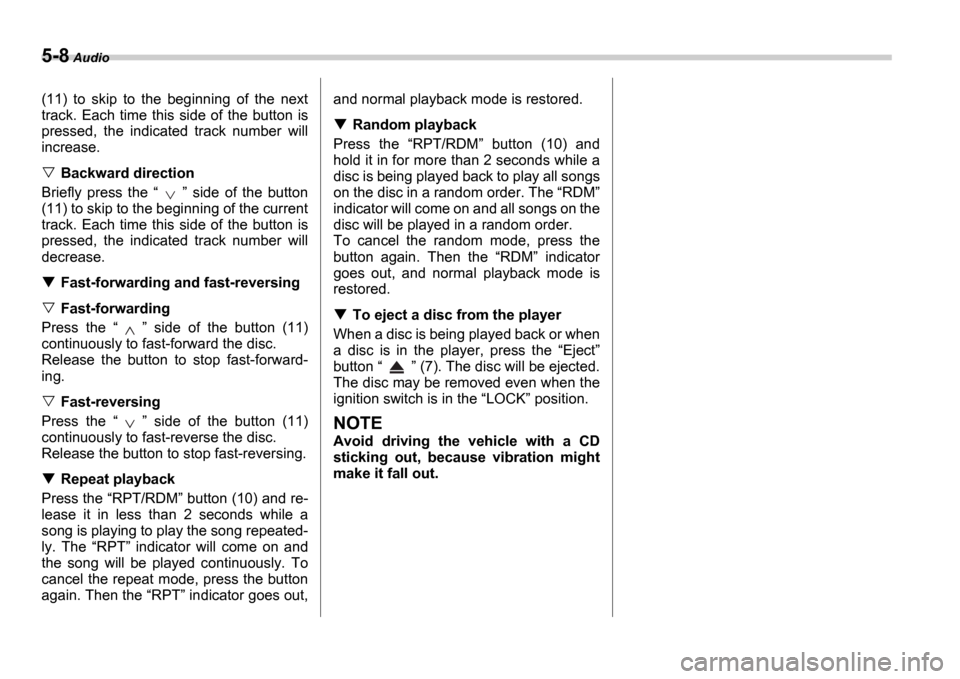
(11) to skip to the beginning of the next
track. Each time this side of the button is
pressed, the indicated track number will
increase.
Backward direction
Briefly press the side of the button
(11) to skip to the beginning of the current
track. Each time this side of the button is
pressed, the indicated track number will
decrease.
Fast-forwarding and fast-reversing
Fast-forwarding
Press the side of the button (11)
continuously to fast-forward the disc.
Release the button to stop fast-forward-
ing.
Fast-reversing
Press the side of the button (11)
continuously to fast-reverse the disc.
Release the button to stop fast-reversing.
Repeat playback
Press the RPT/RDM button (10) and re-
lease it in less than 2 seconds while a
song is playing to play the song repeated-
ly. The RPT indicator will come on and
the song will be played continuously. To
cancel the repeat mode, press the button
again. Then the RPT indicator goes out, and normal playback mode is restored.
Random playback
Press the RPT/RDM button (10) and
hold it in for more than 2 seconds while a
disc is being played back to play all songs
on the disc in a random order. The RDM
indicator will come on and all songs on the
disc will be played in a random order.
To cancel the random mode, press the
button again. Then the RDM indicator
goes out, and normal playback mode is
restored.
To eject a disc from the player
When a disc is being played back or when
a disc is in the player, press the Eject
button (7). The disc will be ejected.
The disc may be removed even when the
ignition switch is in the LOCK position.
NOTE
Avoid driving the vehicle with a CD
sticking out, because vibration might
make it fall out.
Page 173 of 365
5-10 Audio
lected in a similar way.
NOTE
No disc change takes place if the
button corresponding to the storage
tray in which no disc is loaded is
pressed.
If the disc select button correspond-
ing to the disc now in playback is
pressed again, the disc will be replayed
from its beginning.
To select a song from its beginning
Forward direction
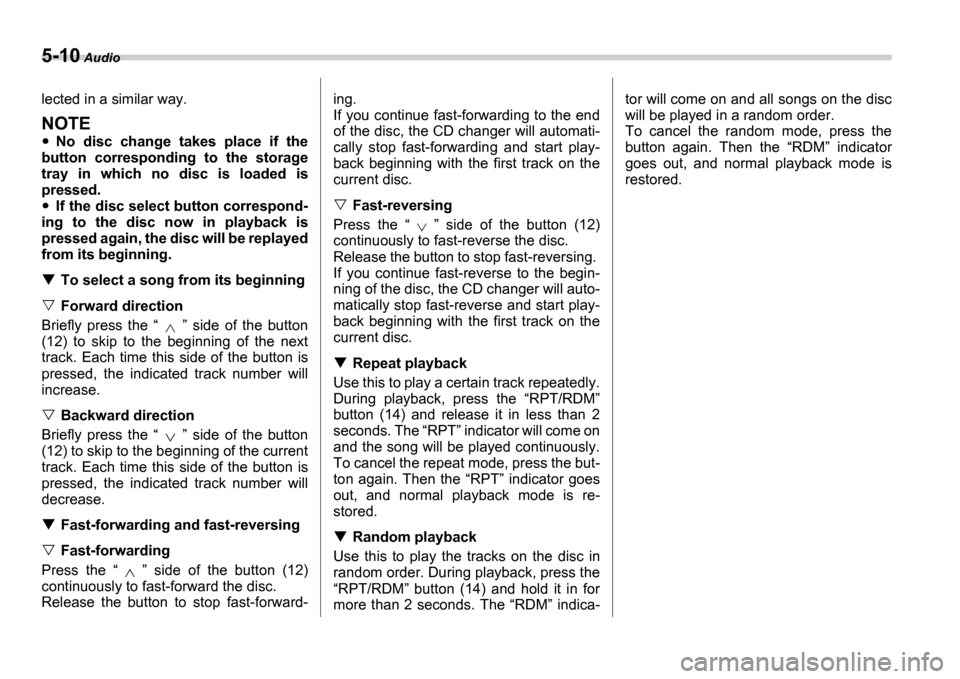
Briefly press the side of the button
(12) to skip to the beginning of the next
track. Each time this side of the button is
pressed, the indicated track number will
increase.
Backward direction
Briefly press the side of the button
(12) to skip to the beginning of the current
track. Each time this side of the button is
pressed, the indicated track number will
decrease.
Fast-forwarding and fast-reversing
Fast-forwarding
Press the side of the button (12)
continuously to fast-forward the disc.
Release the button to stop fast-forward- ing.
If you continue fast-forwarding to the end
of the disc, the CD changer will automati-
cally stop fast-forwarding and start play-
back beginning with the first track on the
current disc.
Fast-reversing
Press the side of the button (12)
continuously to fast-reverse the disc.
Release the button to stop fast-reversing.
If you continue fast-reverse to the begin-
ning of the disc, the CD changer will auto-
matically stop fast-reverse and start play-
back beginning with the first track on the
current disc.
Repeat playback
Use this to play a certain track repeatedly.
During playback, press the RPT/RDM
button (14) and release it in less than 2
seconds. The RPT indicator will come on
and the song will be played continuously.
To cancel the repeat mode, press the but-
ton again. Then the RPT indicator goes
out, and normal playback mode is re-
stored.
Random playback
Use this to play the tracks on the disc in
random order. During playback, press the RPT/RDM button (14) and hold it in for
more than 2 seconds. The RDM indica- tor will come on and all songs on the disc
will be played in a random order.
To cancel the random mode, press the
button again. Then the
RDM indicator
goes out, and normal playback mode is
restored.
Page 175 of 365
5-12 Audio
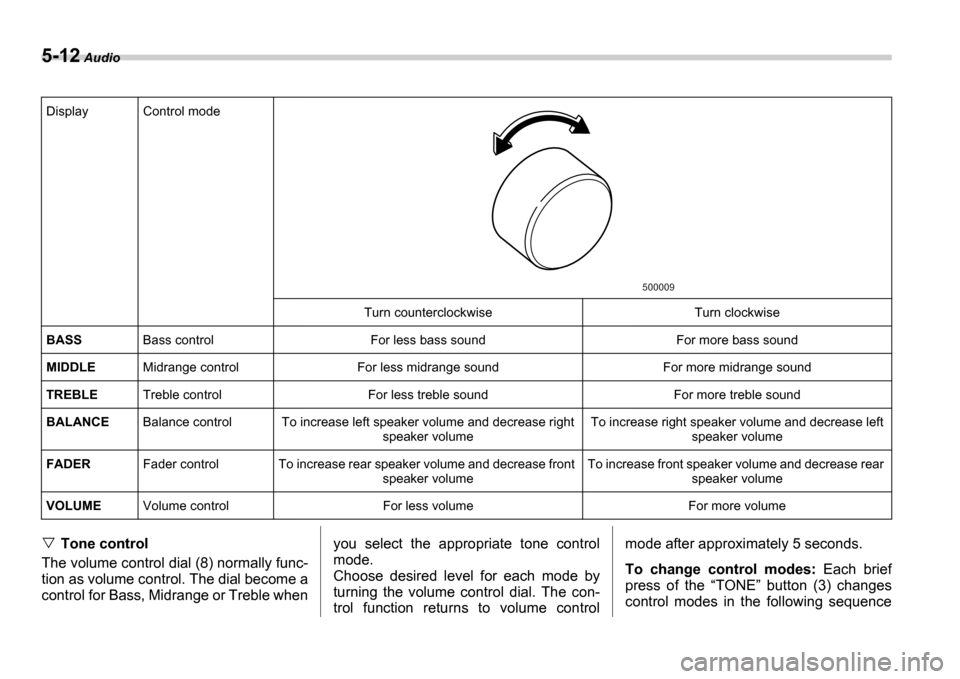
Tone control
The volume control dial (8) normally func-
tion as volume control. The dial become a
control for Bass, Midrange or Treble when you select the appropriate tone control
mode.
Choose desired level for each mode by
turning the volume control dial. The con-
trol function returns to volume controlmode after approximately 5 seconds.
To change control modes:
Each brief
press of the TONE button (3) changes
control modes in the following sequence
Display Control mode
Turn counterclockwise Turn clockwise
BASS Bass control For less bass sound For more bass sound
MIDDLE Midrange control For less midrange sound For more mid range sound
TREBLE Treble control For less treble sound For more treble sound
BALANCE Balance control To increase left speaker volume and decrease right
speaker volume To increase right speaker volume and decrease left
speaker volume
FADER Fader control To increase rear speaker volume and de crease front
speaker volume To increase front speaker volume and decrease rear
speaker volume
VOLUME Volume control For less volume For more volume
500009
Page 176 of 365
Audio 5-13
CONTINUED
starting from bass control mode. (When
the radio is first turned on, the control
mode is in the volume control.)
Fader and balance control
The volume control dial (8) normally func-
tion as volume control. The dial become
the controls for Fader or Balance when
you select the appropriate fader and bal-
ance control mode.
Choose desired setting for each mode by
turning the volume control dial. The con-
trol function returns to volume control
mode after approximately 5 seconds.
To change control modes: Each brief
press of the BAL button (4) changes
control modes in the following sequence
starting from fader control mode. (When
the radio is turned on, the control mode is
in the volume control.)
Display illumination dimness can-
cellation (BRIGHT)
The brightness of the radio display dims
when the light switch is in the or
positions. If this makes the display
difficult to read, press the volume dial for
more than 1.5 seconds to return the dis-
play to original brightness.
Subsequently pressing the volume dial
again for more than 1.5 seconds or if you
can safely do so, turning the light switch to
the OFF position and back to the
or position makes the radio display
dim again.
FM/AM selection button
Push the FM (1) or AM (2) button when
the radio is off to turn on the radio.
Push the FM or AM button when the ra-
dio is on to select FM1, FM2 or AM recep-
tion.
Stereo indicator
The stereo indicator ST will come on
when an FM stereo broadcast is received.
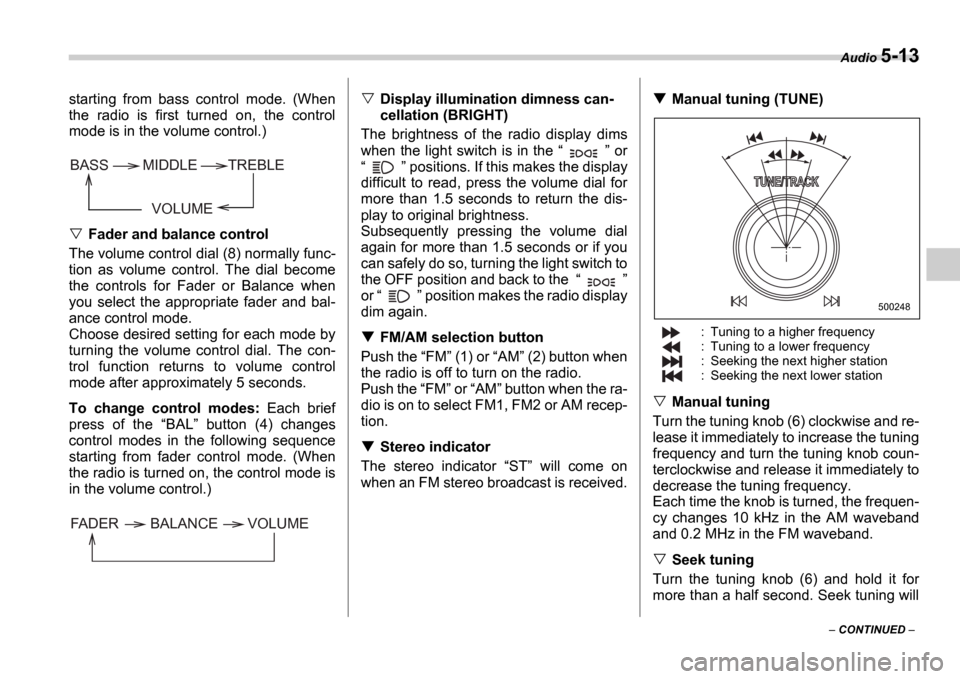
Manual tuning (TUNE)
: Tuning to a higher frequency
: Tuning to a lower frequency
: Seeking the next higher station
: Seeking the next lower station
Manual tuning
Turn the tuning knob (6) clockwise and re-
lease it immediately to increase the tuning
frequency and turn the tuning knob coun-
terclockwise and release it immediately to
decrease the tuning frequency.
Each time the knob is turned, the frequen-
cy changes 10 kHz in the AM waveband
and 0.2 MHz in the FM waveband.
Seek tuning
Turn the tuning knob (6) and hold it for
more than a half second. Seek tuning will
VOLUME
BASS TREBLE
MIDDLE
FADER BALANCE VOLUME
500248
Page 177 of 365
5-14 Audio
operate and stop automatically on the
next station.
Continue this operation until you find the
desired station.
Automatic tuning (SCAN)
Press the SCAN button (5) to change the
radio to the SCAN mode. In this mode, the
radio scans through the radio band until a
station is found. The radio will stop at the
station for five seconds while displaying
the frequency, after which scanning will
continue until the entire band has been
scanned from the low end to the high end.
Press the SCAN button again to cancel
the SCAN mode and to stop on any dis-
played frequency.
When the SCAN button is pressed for
automatic tuning, stations are scanned in
the direction of low frequencies to high fre-
quencies only.
Automatic tuning may not function proper-
ly if the station reception is weakened by
distance from the station or proximity to
tall buildings and hills.
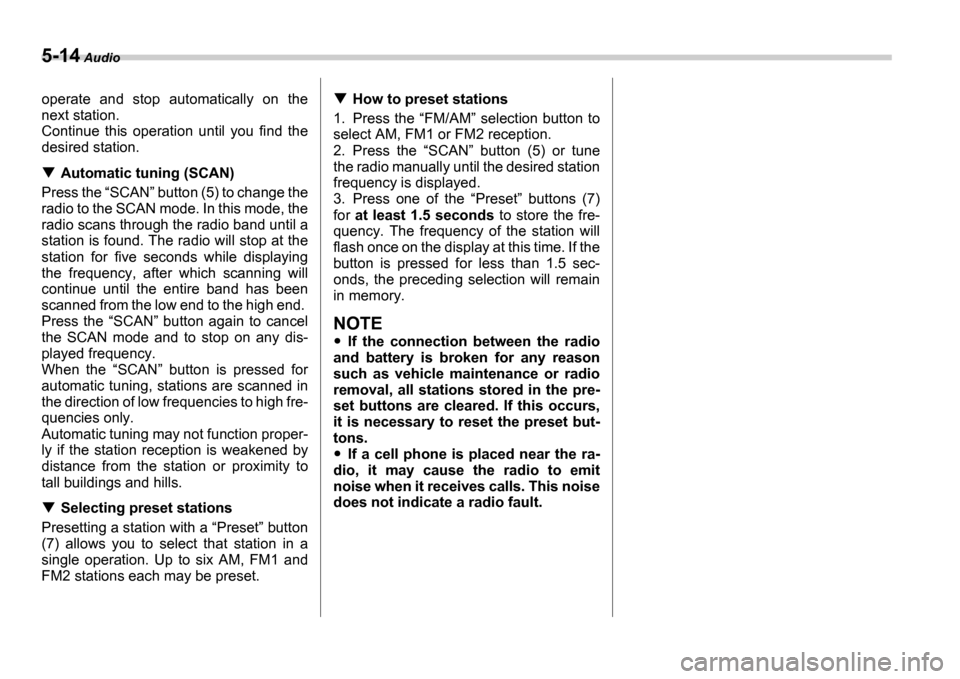
Selecting preset stations
Presetting a station with a Preset button
(7) allows you to select that station in a
single operation. Up to six AM, FM1 and
FM2 stations each may be preset.
How to preset stations
1. Press the FM/AM selection button to
select AM, FM1 or FM2 reception.
2. Press the SCAN button (5) or tune
the radio manually until the desired station
frequency is displayed.
3. Press one of the Preset buttons (7)
for at least 1.5 seconds to store the fre-
quency. The frequency of the station will
flash once on the display at this time. If the
button is pressed for less than 1.5 sec-
onds, the preceding selection will remain
in memory.
NOTE
If the connection between the radio
and battery is broken for any reason
such as vehicle maintenance or radio
removal, all stations stored in the pre-
set buttons are cleared. If this occurs,
it is necessary to reset the preset but-
tons.
If a cell phone is placed near the ra-
dio, it may cause the radio to emit
noise when it receives calls. This noise
does not indicate a radio fault.
Page 179 of 365
5-16 Audio
begin to play back the first track of the
disc.
To insert more discs in succession, re-
peat Steps 1 and 2. The magazine will be
loaded with discs in the ascending order
of position number.
If you do not insert any disc in 15 seconds
after you have pressed the LOAD but-
ton, the player will begin to play back the
first track of the last disc you have insert-
ed.
The disc indicator steadily lights up if a
disc is already inserted in the correspond-
ing position of the magazine.
While the player is in the loading mode,
if you press any of the other mode buttons FM (1), AM (2), the player will enter the
standby mode. Press the CD button (14)
to start playback.
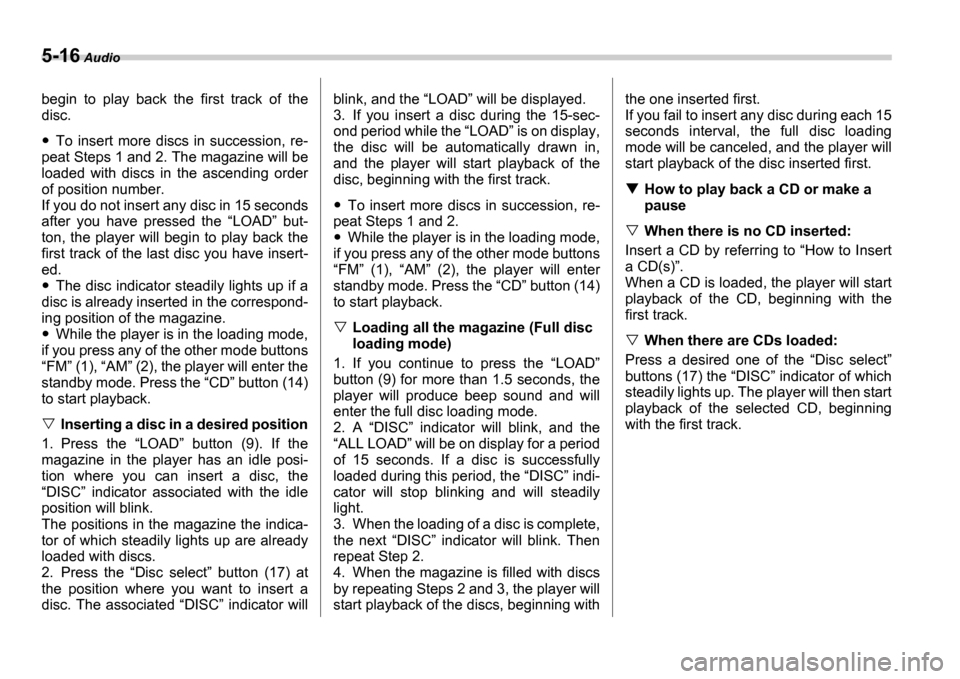
Inserting a disc in a desired position
1. Press the LOAD button (9). If the
magazine in the player has an idle posi-
tion where you can insert a disc, the DISC indicator associated with the idle
position will blink.
The positions in the magazine the indica-
tor of which steadily lights up are already
loaded with discs.
2. Press the Disc select button (17) at
the position where you want to insert a
disc. The associated DISC indicator will blink, and the
LOAD will be displayed.
3. If you insert a disc during the 15-sec-
ond period while the LOAD is on display,
the disc will be automatically drawn in,
and the player will start playback of the
disc, beginning with the first track.
To insert more discs in succession, re-
peat Steps 1 and 2.
While the player is in the loading mode,
if you press any of the other mode buttons FM (1), AM (2), the player will enter
standby mode. Press the CD button (14)
to start playback.
Loading all the magazine (Full disc
loading mode)
1. If you continue to press the LOAD
button (9) for more than 1.5 seconds, the
player will produce beep sound and will
enter the full disc loading mode.
2. A DISC indicator will blink, and the
ALL LOAD will be on display for a period
of 15 seconds. If a disc is successfully
loaded during this period, the DISC indi-
cator will stop blinking and will steadily
light.
3. When the loading of a disc is complete,
the next DISC indicator will blink. Then
repeat Step 2.
4. When the magazine is filled with discs
by repeating Steps 2 and 3, the player will
start playback of the discs, beginning with the one inserted first.
If you fail to insert any disc during each 15
seconds interval, the full disc loading
mode will be canceled, and the player will
start playback of the disc inserted first.
How to play back a CD or make a
pause
When there is no CD inserted:
Insert a CD by referring to How to Insert
a CD(s) .
When a CD is loaded, the player will start
playback of the CD, beginning with the
first track.
When there are CDs loaded:
Press a desired one of the Disc select
buttons (17) the DISC indicator of which
steadily lights up. The player will then start
playback of the selected CD, beginning
with the first track.
Page 180 of 365
Audio 5-17
CONTINUED
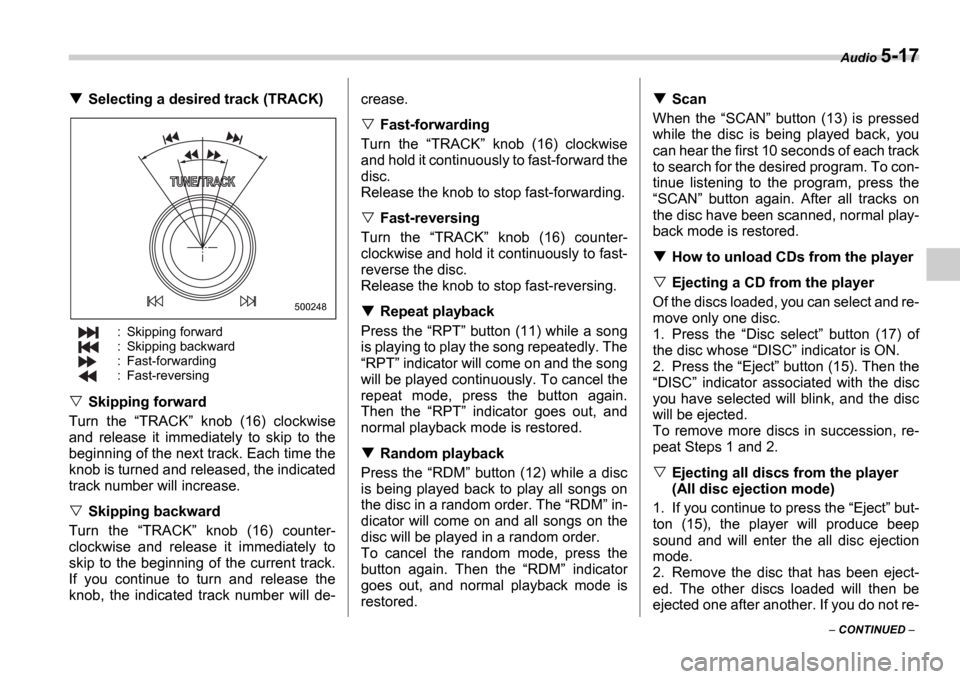
Selecting a desired track (TRACK)
: Skipping forward
: Skipping backward
: Fast-forwarding
: Fast-reversing
Skipping forward
Turn the TRACK knob (16) clockwise
and release it immediately to skip to the
beginning of the next track. Each time the
knob is turned and released, the indicated
track number will increase.
Skipping backward
Turn the TRACK knob (16) counter-
clockwise and release it immediately to
skip to the beginning of the current track.
If you continue to turn and release the
knob, the indicated track number will de- crease.
Fast-forwarding
Turn the TRACK knob (16) clockwise
and hold it continuously to fast-forward the
disc.
Release the knob to stop fast-forwarding.
Fast-reversing
Turn the TRACK knob (16) counter-
clockwise and hold it continuously to fast-
reverse the disc.
Release the knob to stop fast-reversing.
Repeat playback
Press the RPT button (11) while a song
is playing to play the song repeatedly. The RPT indicator will come on and the song
will be played continuously. To cancel the
repeat mode, press the button again.
Then the RPT indicator goes out, and
normal playback mode is restored.
Random playback
Press the RDM button (12) while a disc
is being played back to play all songs on
the disc in a random order. The RDM in-
dicator will come on and all songs on the
disc will be played in a random order.
To cancel the random mode, press the
button again. Then the RDM indicator
goes out, and normal playback mode is
restored.
Scan
When the SCAN button (13) is pressed
while the disc is being played back, you
can hear the first 10 seconds of each track
to search for the desired program. To con-
tinue listening to the program, press the SCAN button again. After all tracks on
the disc have been scanned, normal play-
back mode is restored.
How to unload CDs from the player
Ejecting a CD from the player
Of the discs loaded, you can select and re-
move only one disc.
1. Press the Disc select button (17) of
the disc whose DISC indicator is ON.
2. Press the Eject button (15). Then the
DISC indicator associated with the disc
you have selected will blink, and the disc
will be ejected.
To remove more discs in succession, re-
peat Steps 1 and 2.
Ejecting all discs from the player
(All disc ejection mode)
1. If you continue to press the Eject but-
ton (15), the player will produce beep
sound and will enter the all disc ejection
mode.
2. Remove the disc that has been eject-
ed. The other discs loaded will then be
ejected one after another. If you do not re-
500248
Page 183 of 365
5-20 Audio
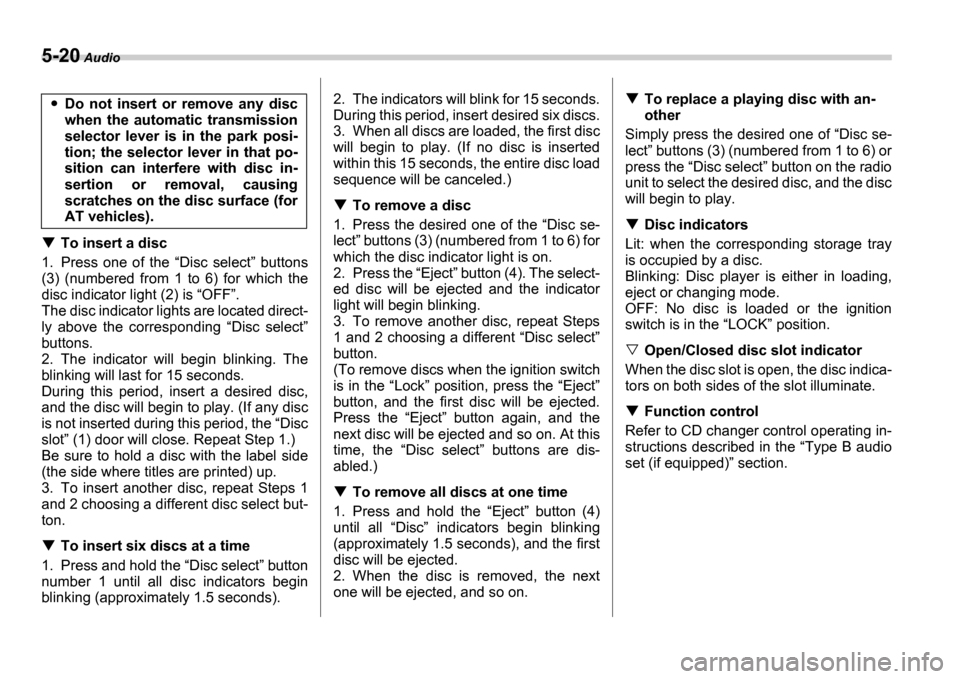
To insert a disc
1. Press one of the Disc select buttons
(3) (numbered from 1 to 6) for which the
disc indicator light (2) is OFF .
The disc indicator lights are located direct-
ly above the corresponding Disc select
buttons.
2. The indicator will begin blinking. The
blinking will last for 15 seconds.
During this period, insert a desired disc,
and the disc will begin to play. (If any disc
is not inserted during this period, the Disc
slot (1) door will close. Repeat Step 1.)
Be sure to hold a disc with the label side
(the side where titles are printed) up.
3. To insert another disc, repeat Steps 1
and 2 choosing a different disc select but-
ton.
To insert six discs at a time
1. Press and hold the Disc select button
number 1 until all disc indicators begin
blinking (approximately 1.5 seconds). 2. The indicators will blink for 15 seconds.
During this period, insert desired six discs.
3. When all discs are loaded, the first disc
will begin to play. (If no disc is inserted
within this 15 seconds, the entire disc load
sequence will be canceled.)
To remove a disc
1. Press the desired one of the Disc se-
lect buttons (3) (numbered from 1 to 6) for
which the disc indicator light is on.
2. Press the Eject button (4). The select-
ed disc will be ejected and the indicator
light will begin blinking.
3. To remove another disc, repeat Steps
1 and 2 choosing a different Disc select
button.
(To remove discs when the ignition switch
is in the Lock position, press the Eject
button, and the first disc will be ejected.
Press the Eject button again, and the
next disc will be ejected and so on. At this
time, the Disc select buttons are dis-
abled.)
To remove all discs at one time
1. Press and hold the Eject button (4)
until all Disc indicators begin blinking
(approximately 1.5 seconds), and the first
disc will be ejected.
2. When the disc is removed, the next
one will be ejected, and so on.
To replace a playing disc with an-
other
Simply press the desired one of Disc se-
lect buttons (3) (numbered from 1 to 6) or
press the Disc select button on the radio
unit to select the desired disc, and the disc
will begin to play.
Disc indicators
Lit: when the corresponding storage tray
is occupied by a disc.
Blinking: Disc player is either in loading,
eject or changing mode.
OFF: No disc is loaded or the ignition
switch is in the LOCK position.
Open/Closed disc slot indicator
When the disc slot is open, the disc indica-
tors on both sides of the slot illuminate.
Function control
Refer to CD changer control operating in-
structions described in the Type B audio
set (if equipped) section.
Do not insert or remove any disc
when the automatic transmission
selector lever is in the park posi-
tion; the selector lever in that po-
sition can interfere with disc in-
sertion or removal, causing
scratches on the disc surface (for
AT vehicles).
Page 199 of 365
7-2 Starting and operating
Starting and operatingFuel
Fuel requirements
2.5-liter non-turbo models
The 2.5-liter non-turbo engine is designed
to operate using unleaded gasoline with
an octane rating of 87 AKI or higher.
WRX
The 2.5-liter turbo engine is designed to
operate using premium unleaded gasoline
with an octane rating of 91 AKI or higher.
If premium unleaded gasoline is not avail-
able, regular unleaded gasoline with an
octane rating of 87 AKI or higher may be
temporarily used. For optimum engine
performance and driveability, it is required
that you use premium grade unleaded
gasoline.
NOTE
Be sure to use premium unleaded gas-
oline of 91 AKI or higher for WRX. If
other gasoline (lower than 91 AKI) is
used, knocking, reduced output and poor accelerator response will result.
WRX-STI
The 2.5-liter turbo engine is designed to
operate using super-premium unleaded
gasoline with an octane rating of 93 AKI or
higher. If super-premium unleaded gaso-
line with an octane rating of 93 AKI or
higher is not available, premium unleaded
gasoline with an octane rating of 91 AKI or
higher may be temporarily used. For opti-
mum engine performance and driveability,
it is required that you use super-premium
grade unleaded gasoline with an octane
rating of 93 AKI or higher.
NOTE
Be sure to use super-premium unlead-
ed gasoline of 93 AKI or higher for
WRX-STI. If other gasoline (lower than
93 AKI) is used, knocking, reduced out-
put and poor accelerator response will
result.
Fuel octane rating
This octane rating is the average of the
Research Octane and Motor Octane num-
bers and is commonly referred to as the
Anti Knock Index (AKI).
Using a gasoline with a lower octane rat-
ing can cause persistent and heavy
knocking, which can damage the engine.
Do not be concerned if your vehicle some- times knocks lightly when you drive up a
hill or when you accelerate. See your
dealer or a qualified service technician if
you use a fuel with the specified octane
rating and your vehicle knocks heavily or
persistently.
Unleaded gasoline
The neck of the fuel filler pipe is designed
to accept only an unleaded gasoline filler
nozzle. Under no circumstances should
leaded gasoline be used because it will
damage the emission control system and
may impair driveability and fuel economy.
Gasoline for California-certified LEV
Your vehicle was certified to California s
low emission vehicle (LEV) standards as
indicated on the underhood tune-up label,
it is designed to optimize engine and
emission performance with gasoline that
meets the clean burning low-sulfur Califor-
nia gasoline specifications. If you live in
any other state than California, your vehi-
cle will operate on gasoline meeting Fed-
eral specifications. Gasoline sold outside
California is permitted to have higher sul-
fur levels, which may affect the perfor-
mance of your vehicle s catalytic convert-
er and may produce a sulfur exhaust odor
or smell. SUBARU recommends that you
try a different brand of unleaded gasoline
having lower sulfur to determine if the
Use of a fuel which is low in quality
or use of an inappropriate fuel addi-
tive may cause engine damage.
Page 208 of 365
Starting and operating 7-11
CONTINUED
Manual transmission 5
speeds (except WRX-STI)
The manual transmission is a fully syn-
chromeshed, 5-forward-speed and 1-re-
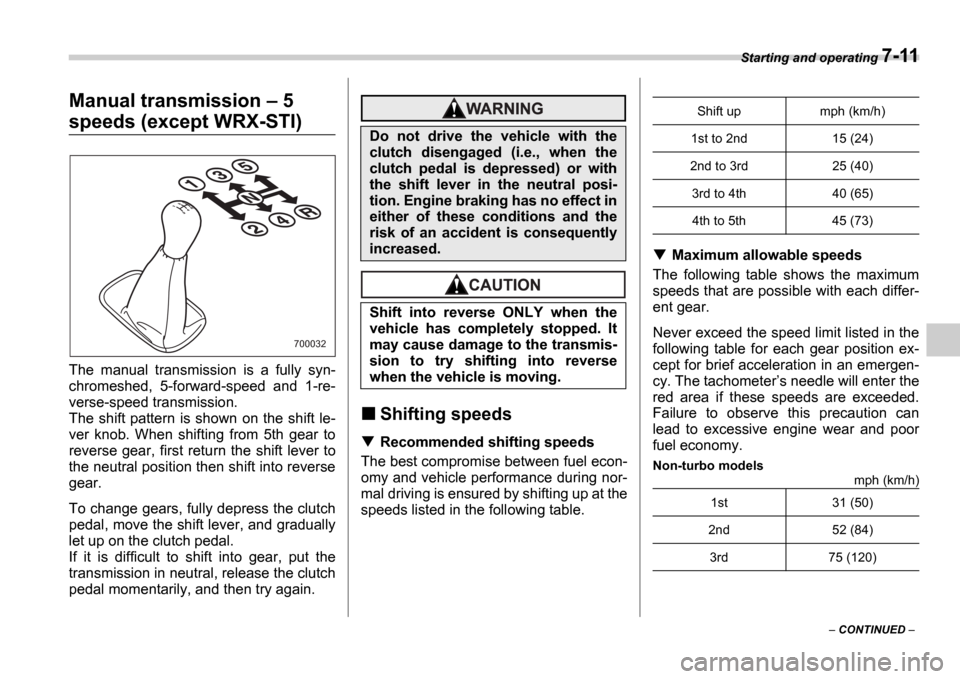
verse-speed transmission.
The shift pattern is shown on the shift le-
ver knob. When shifting from 5th gear to
reverse gear, first return the shift lever to
the neutral position then shift into reverse
gear.
To change gears, fully depress the clutch
pedal, move the shift lever, and gradually
let up on the clutch pedal.
If it is difficult to shift into gear, put the
transmission in neutral, release the clutch
pedal momentarily, and then try again.
Shifting speeds
Recommended shifting speeds
The best compromise between fuel econ-
omy and vehicle performance during nor-
mal driving is ensured by shifting up at the
speeds listed in the following table.
Maximum allowable speeds
The following table shows the maximum
speeds that are possible with each differ-
ent gear.
Never exceed the speed limit listed in the
following table for each gear position ex-
cept for brief acceleration in an emergen-
cy. The tachometer s needle will enter the
red area if these speeds are exceeded.
Failure to observe this precaution can
lead to excessive engine wear and poor
fuel economy.
Non-turbo models mph (km/h)
700032
Do not drive the vehicle with the
clutch disengaged (i.e., when the
clutch pedal is depressed) or with
the shift lever in the neutral posi-
tion. Engine braking has no effect in
either of these conditions and the
risk of an accident is consequently
increased.
Shift into reverse ONLY when the
vehicle has completely stopped. It
may cause damage to the transmis-
sion to try shifting into reverse
when the vehicle is moving.
Shift up mph (km/h)
1st to 2nd 15 (24)
2nd to 3rd 25 (40) 3rd to 4th 40 (65)4th to 5th 45 (73)
1st 31 (50)
2nd 52 (84)
3rd 75 (120)