lock SUBARU IMPREZA 2006 2.G Repair Manual
[x] Cancel search | Manufacturer: SUBARU, Model Year: 2006, Model line: IMPREZA, Model: SUBARU IMPREZA 2006 2.GPages: 365, PDF Size: 7.09 MB
Page 133 of 365
3-20 Instruments and controls
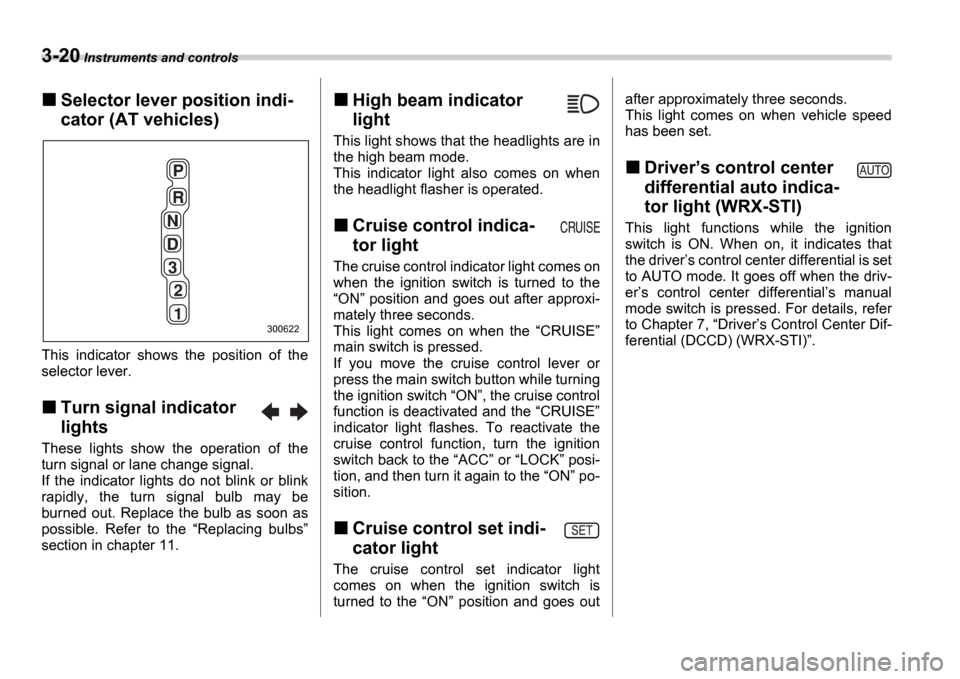
Selector lever position indi-
cator (AT vehicles)
This indicator shows the position of the
selector lever.
Turn signal indicator
lights
These lights show the operation of the
turn signal or lane change signal.
If the indicator lights do not blink or blink
rapidly, the turn signal bulb may be
burned out. Replace the bulb as soon as
possible. Refer to the Replacing bulbs
section in chapter 11.
High beam indicator
light
This light shows that the headlights are in
the high beam mode.
This indicator light also comes on when
the headlight flasher is operated.
Cruise control indica-
tor light
The cruise control indicator light comes on
when the ignition switch is turned to the ON position and goes out after approxi-
mately three seconds.
This light comes on when the CRUISE
main switch is pressed.
If you move the cruise control lever or
press the main switch button while turning
the ignition switch ON , the cruise control
function is deactivated and the CRUISE
indicator light flashes. To reactivate the
cruise control function, turn the ignition
switch back to the ACC or LOCK posi-
tion, and then turn it again to the ON po-
sition.
Cruise control set indi-
cator light
The cruise control set indicator light
comes on when the ignition switch is
turned to the ON position and goes out after approximately three seconds.
This light comes on when vehicle speed
has been set.
Driver
s control center
differential auto indica-
tor light (WRX-STI)
This light functions while the ignition
switch is ON. When on, it indicates that
the driver s control center differential is set
to AUTO mode. It goes off when the driv-
er s control center differential s manual
mode switch is pressed. For details, refer
to Chapter 7, Driver s Control Center Dif-
ferential (DCCD) (WRX-STI) .
300622
Page 135 of 365
3-22 Instruments and controls
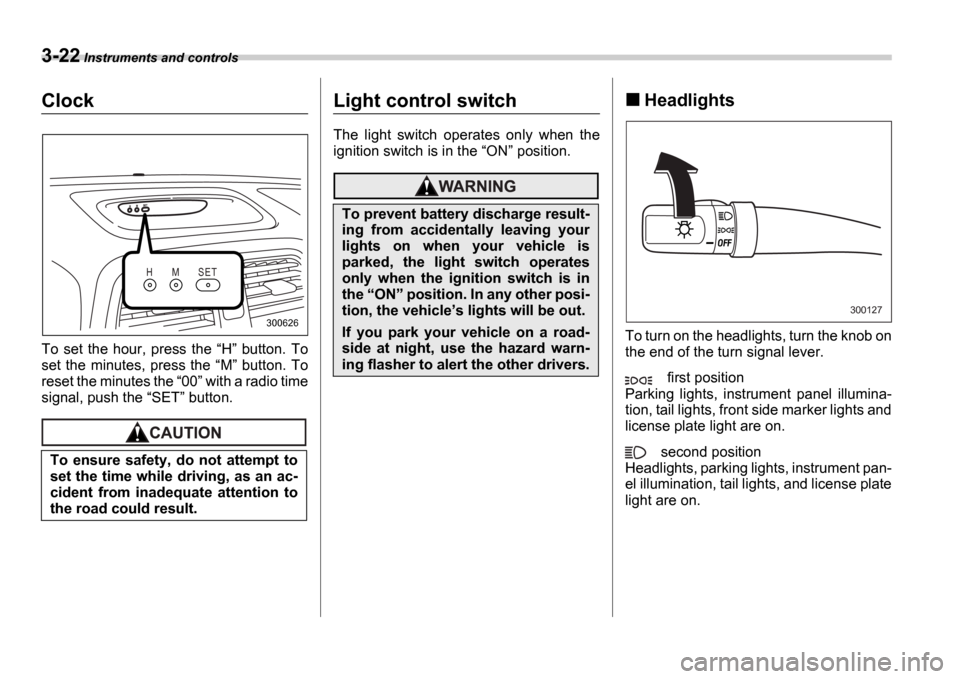
Clock
To set the hour, press the H button. To
set the minutes, press the M button. To
reset the minutes the 00 with a radio time
signal, push the SET button.
Light control switch
The light switch operates only when the
ignition switch is in the ON position.
Headlights
To turn on the headlights, turn the knob on
the end of the turn signal lever.
first position
Parking lights, instrument panel illumina-
tion, tail lights, front side marker lights and
license plate light are on.
second position
Headlights, parking lights, instrument pan-
el illumination, tail lights, and license plate
light are on.
To ensure safety, do not attempt to
set the time while driving, as an ac-
cident from inadequate attention to
the road could result.
H M S E T
300626
To prevent battery discharge result-
ing from accidentally leaving your
lights on when your vehicle is
parked, the light switch operates
only when the ignition switch is in
the
ON position. In any other posi-
tion, the vehicle s lights will be out.
If you park your vehicle on a road-
side at night, use the hazard warn-
ing flasher to alert the other drivers.
300127
Page 139 of 365
3-26 Instruments and controls
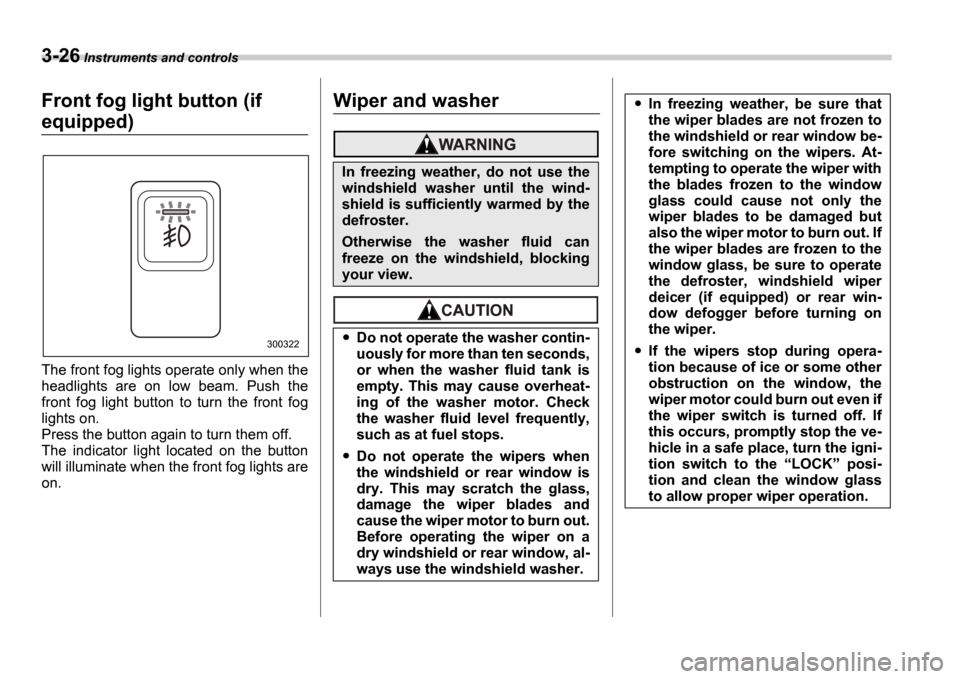
Front fog light button (if
equipped)
The front fog lights operate only when the
headlights are on low beam. Push the
front fog light button to turn the front fog
lights on.
Press the button again to turn them off.
The indicator light located on the button
will illuminate when the front fog lights are
on.
Wiper and washer
300322
In freezing weather, do not use the
windshield washer until the wind-
shield is sufficiently warmed by the
defroster.
Otherwise the washer fluid can
freeze on the windshield, blocking
your view.
Do not operate the washer contin-
uously for more than ten seconds,
or when the washer fluid tank is
empty. This may cause overheat-
ing of the washer motor. Check
the washer fluid level frequently,
such as at fuel stops.
Do not operate the wipers when
the windshield or rear window is
dry. This may scratch the glass,
damage the wiper blades and
cause the wiper motor to burn out.
Before operating the wiper on a
dry windshield or rear window, al-
ways use the windshield washer.
In freezing weather, be sure that
the wiper blades are not frozen to
the windshield or rear window be-
fore switching on the wipers. At-
tempting to operate the wiper with
the blades frozen to the window
glass could cause not only the
wiper blades to be damaged but
also the wiper motor to burn out. If
the wiper blades are frozen to the
window glass, be sure to operate
the defroster, windshield wiper
deicer (if equipped) or rear win-
dow defogger before turning on
the wiper.
If the wipers stop during opera-
tion because of ice or some other
obstruction on the window, the
wiper motor could burn out even if
the wiper switch is turned off. If
this occurs, promptly stop the ve-
hicle in a safe place, turn the igni-
tion switch to the LOCK posi-
tion and clean the window glass
to allow proper wiper operation.
Page 142 of 365
Instruments and controls 3-29
CONTINUED
ON position.
To turn the wiper off, return the knob on
the end of the lever to the OFF position.
Washer
To wash the rear window while the rear
wiper is operating, turn the knob on the
end of the wiper control lever counter-
clockwise to the position. The
washer fluid sprays until you release the
knob.
To wash the rear window when the rear
wiper is not in use, turn the knob on the
end of the wiper control lever clockwise to
the position. The washer fluid
sprays and the wiper operates until you
release the knob.
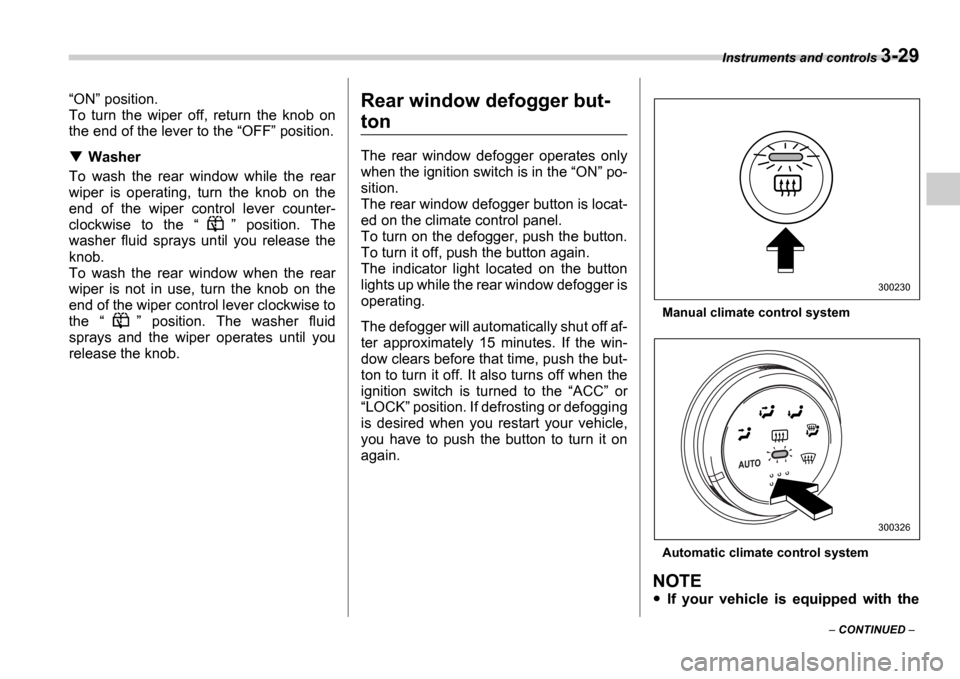
Rear window defogger but-
ton
The rear window defogger operates only
when the ignition switch is in the ON po-
sition.
The rear window defogger button is locat-
ed on the climate control panel.
To turn on the defogger, push the button.
To turn it off, push the button again.
The indicator light located on the button
lights up while the rear window defogger is
operating.
The defogger will automatically shut off af-
ter approximately 15 minutes. If the win-
dow clears before that time, push the but-
ton to turn it off. It also turns off when the
ignition switch is turned to the ACC or
LOCK position. If defrosting or defogging
is desired when you restart your vehicle,
you have to push the button to turn it on
again.
Manual climate control system
Automatic climate control system
NOTE
If your vehicle is equipped with the
300230
300326
Page 143 of 365
3-30 Instruments and controls
outside mirror defogger, the outside
mirror defogger operates while the rear
window defogger is operating.
Turn on the rear window defogger if
the wiper is frozen to the glass.
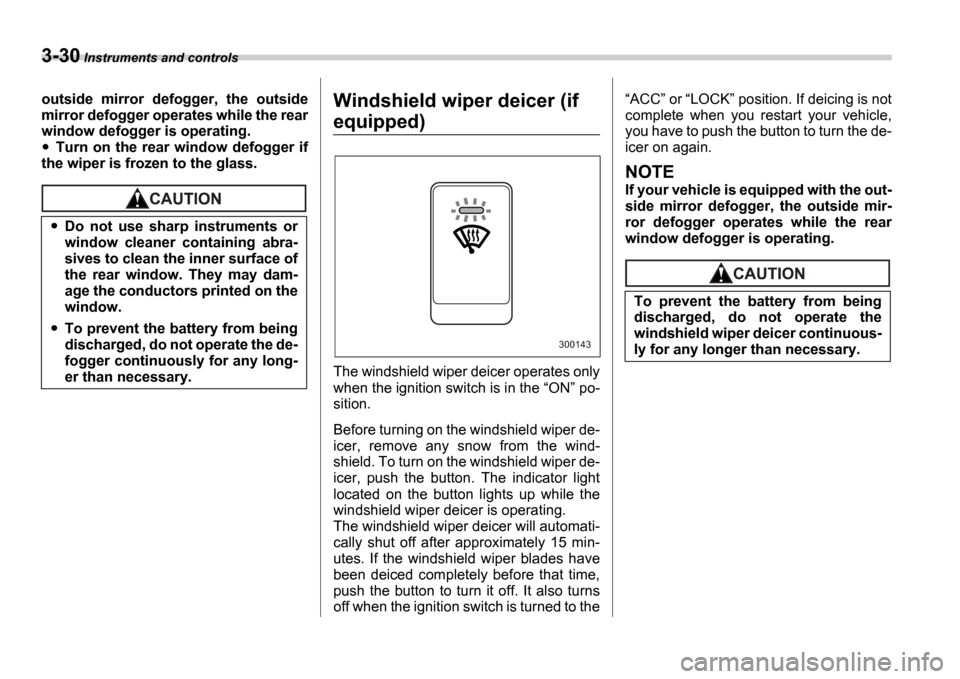
Windshield wiper deicer (if
equipped)
The windshield wiper deicer operates only
when the ignition switch is in the ON po-
sition.
Before turning on the windshield wiper de-
icer, remove any snow from the wind-
shield. To turn on the windshield wiper de-
icer, push the button. The indicator light
located on the button lights up while the
windshield wiper deicer is operating.
The windshield wiper deicer will automati-
cally shut off after approximately 15 min-
utes. If the windshield wiper blades have
been deiced completely before that time,
push the button to turn it off. It also turns
off when the ignition switch is turned to the
ACC or LOCK position. If deicing is not
complete when you restart your vehicle,
you have to push the button to turn the de-
icer on again.
NOTE
If your vehicle is equipped with the out-
side mirror defogger, the outside mir-
ror defogger operates while the rear
window defogger is operating.
Do not use sharp instruments or
window cleaner containing abra-
sives to clean the inner surface of
the rear window. They may dam-
age the conductors printed on the
window.
To prevent the battery from being
discharged, do not operate the de-
fogger continuously for any long-
er than necessary.
300143
To prevent the battery from being
discharged, do not operate the
windshield wiper deicer continuous-
ly for any longer than necessary.
Page 147 of 365
3-34 Instruments and controls
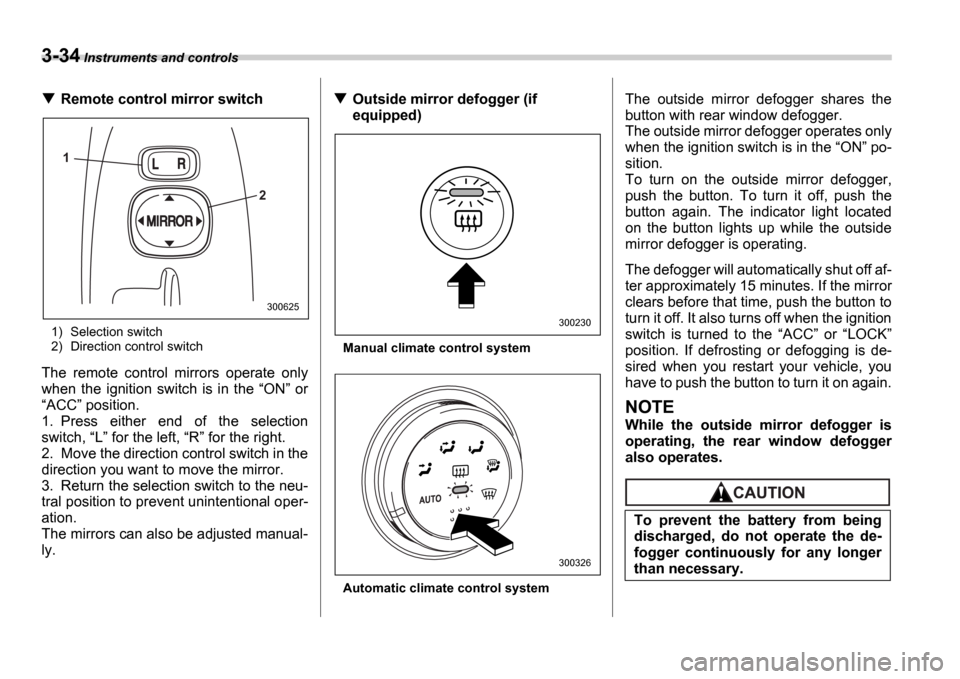
Remote control mirror switch
1) Selection switch
2) Direction control switch
The remote control mirrors operate only
when the ignition switch is in the ON or
ACC position.
1. Press either end of the selection
switch, L for the left, R for the right.
2. Move the direction control switch in the
direction you want to move the mirror.
3. Return the selection switch to the neu-
tral position to prevent unintentional oper-
ation.
The mirrors can also be adjusted manual-
ly.
Outside mirror defogger (if
equipped)
Manual climate control system
Automatic climate control system
The outside mirror defogger shares the
button with rear window defogger.
The outside mirror defogger operates only
when the ignition switch is in the ON po-
sition.
To turn on the outside mirror defogger,
push the button. To turn it off, push the
button again. The indicator light located
on the button lights up while the outside
mirror defogger is operating.
The defogger will automatically shut off af-
ter approximately 15 minutes. If the mirror
clears before that time, push the button to
turn it off. It also turns off when the ignition
switch is turned to the ACC or LOCK
position. If defrosting or defogging is de-
sired when you restart your vehicle, you
have to push the button to turn it on again.
NOTE
While the outside mirror defogger is
operating, the rear window defogger
also operates.
1
2
300625
300230
300326
To prevent the battery from being
discharged, do not operate the de-
fogger continuously for any longer
than necessary.
Page 148 of 365
Instruments and controls 3-35
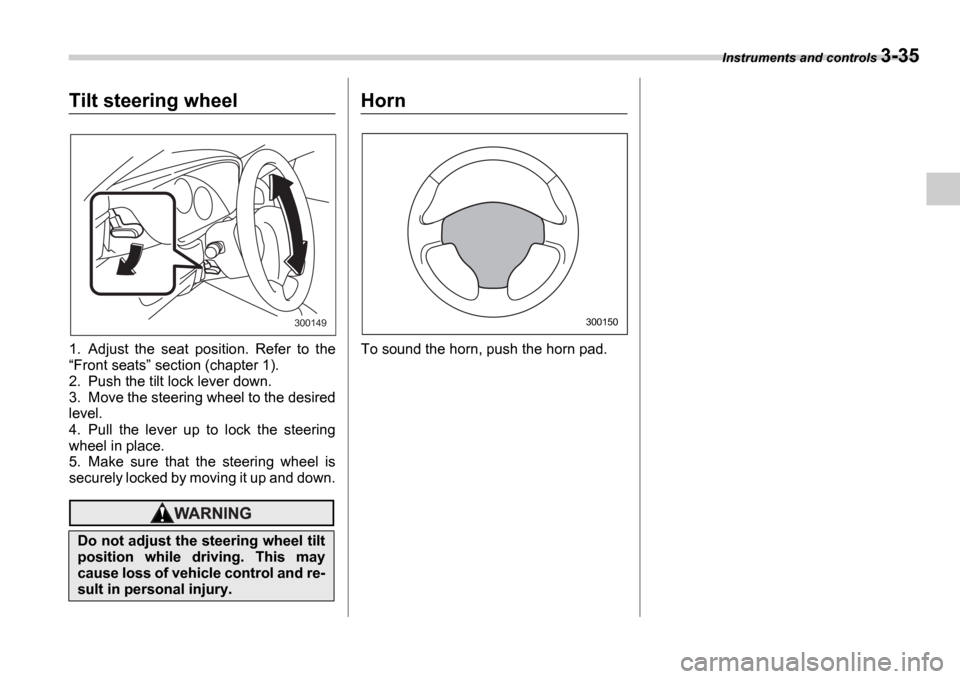
Tilt steering wheel
1. Adjust the seat position. Refer to the Front seats section (chapter 1).
2. Push the tilt lock lever down.
3. Move the steering wheel to the desired
level.
4. Pull the lever up to lock the steering
wheel in place.
5. Make sure that the steering wheel is
securely locked by moving it up and down.
Horn
To sound the horn, push the horn pad.
Do not adjust the steering wheel tilt
position while driving. This may
cause loss of vehicle control and re-
sult in personal injury.
300149300150
Page 152 of 365
Climate control 4-3
CONTINUED
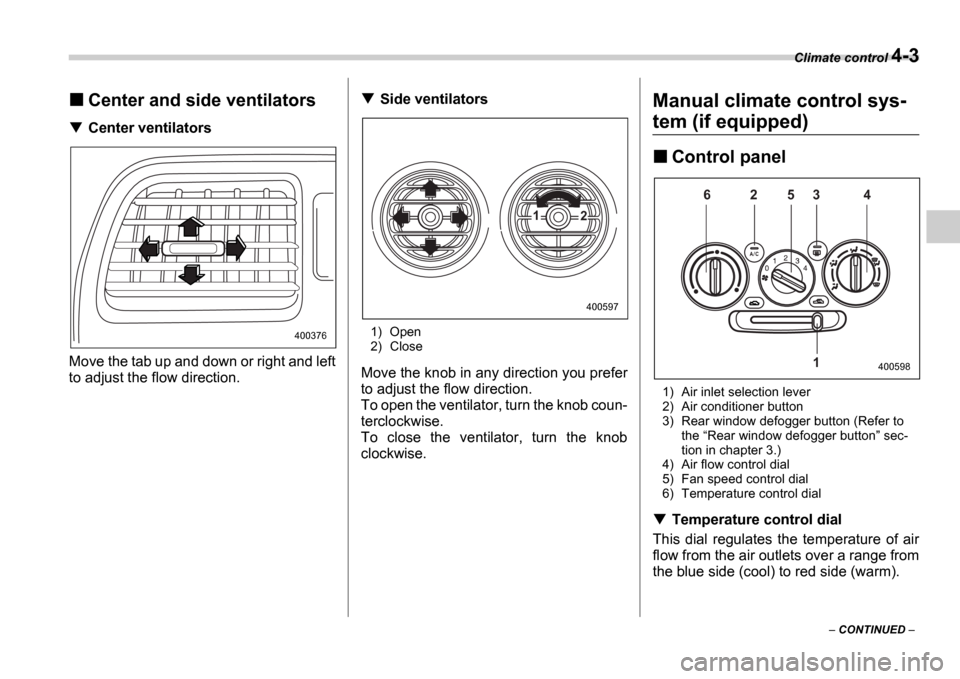
Center and side ventilators
Center ventilators
Move the tab up and down or right and left
to adjust the flow direction.
Side ventilators
1) Open
2) Close
Move the knob in any direction you prefer
to adjust the flow direction.
To open the ventilator, turn the knob coun-
terclockwise.
To close the ventilator, turn the knob
clockwise.
Manual climate control sys-
tem (if equipped)
Control panel
1) Air inlet selection lever
2) Air conditioner button
3) Rear window defogger button (Refer to the Rear window defogger button sec-
tion in chapter 3.)
4) Air flow control dial
5) Fan speed control dial
6) Temperature control dial
Temperature control dial
This dial regulates the temperature of air
flow from the air outlets over a range from
the blue side (cool) to red side (warm).
400376
1 2
400597
6 2 5 3 4
1
400598
Page 154 of 365
Climate control 4-5
CONTINUED
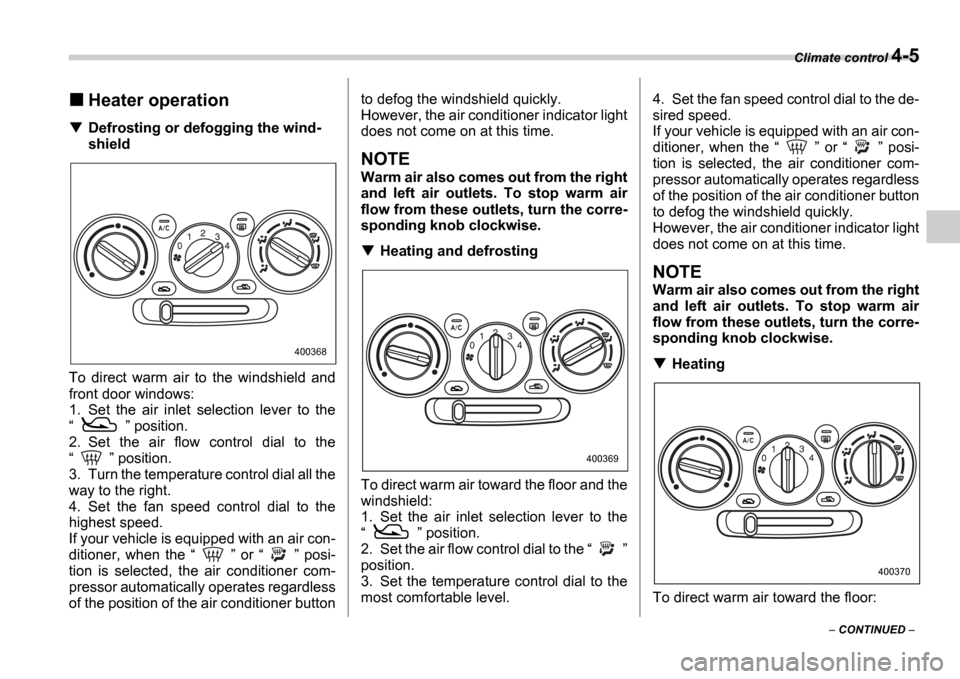
Heater operation
Defrosting or defogging the wind-
shield
To direct warm air to the windshield and
front door windows:
1. Set the air inlet selection lever to the
position.
2. Set the air flow control dial to the
position.
3. Turn the temperature control dial all the
way to the right.
4. Set the fan speed control dial to the
highest speed.
If your vehicle is equipped with an air con-
ditioner, when the or posi-
tion is selected, the air conditioner com-
pressor automatically operates regardless
of the position of the air conditioner button to defog the windshield quickly.
However, the air conditioner indicator light
does not come on at this time.
NOTE
Warm air also comes out from the right
and left air outlets. To stop warm air
flow from these outlets, turn the corre-
sponding knob clockwise.
Heating and defrosting
To direct warm air toward the floor and the
windshield:
1. Set the air inlet selection lever to the
position.
2. Set the air flow control dial to the
position.
3. Set the temperature control dial to the
most comfortable level. 4. Set the fan speed control dial to the de-
sired speed.
If your vehicle is equipped with an air con-
ditioner, when the
or posi-
tion is selected, the air conditioner com-
pressor automatically operates regardless
of the position of the air conditioner button
to defog the windshield quickly.
However, the air conditioner indicator light
does not come on at this time.
NOTE
Warm air also comes out from the right
and left air outlets. To stop warm air
flow from these outlets, turn the corre-
sponding knob clockwise.
Heating
To direct warm air toward the floor:
400368
400369
400370
Page 155 of 365
4-6 Climate control
1. Set the air inlet selection lever to the
position.
2. Set the air flow control dial to the
position.
3. Set the temperature control dial to the
most comfortable level.
4. Set the fan speed control dial to the de-
sired speed.
NOTE
Warm air also comes out from the right
and left air outlets. To stop warm air
flow from these outlets, turn the corre-
sponding knob clockwise.
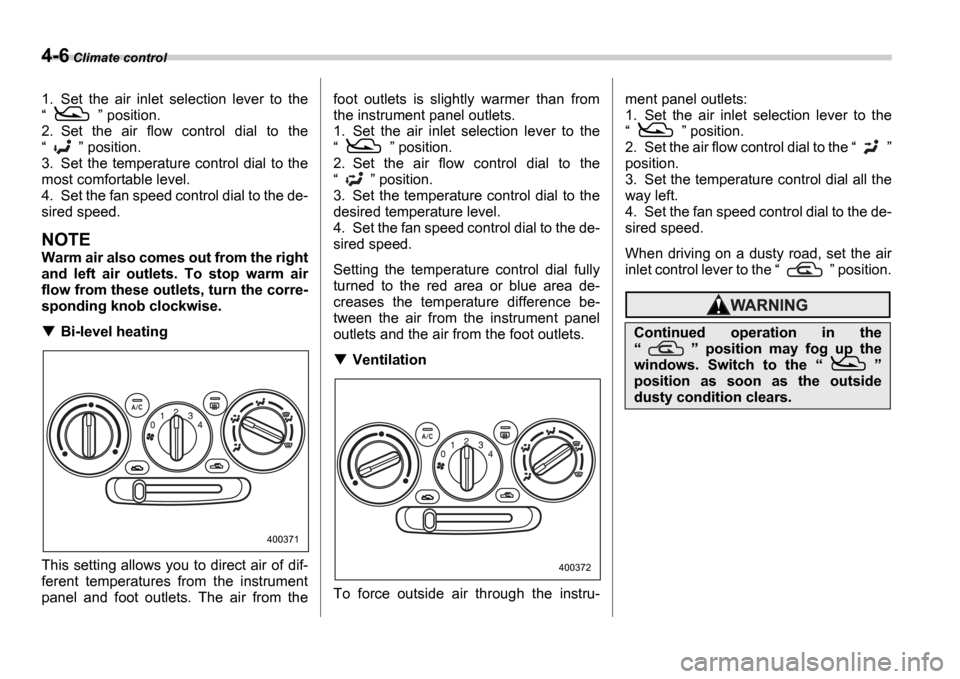
Bi-level heating
This setting allows you to direct air of dif-
ferent temperatures from the instrument
panel and foot outlets. The air from the foot outlets is slightly warmer than from
the instrument panel outlets.
1. Set the air inlet selection lever to the
position.
2. Set the air flow control dial to the
position.
3. Set the temperature control dial to the
desired temperature level.
4. Set the fan speed control dial to the de-
sired speed.
Setting the temperature control dial fully
turned to the red area or blue area de-
creases the temperature difference be-
tween the air from the instrument panel
outlets and the air from the foot outlets.
Ventilation
To force outside air through the instru- ment panel outlets:
1. Set the air inlet selection lever to the
position.
2. Set the air flow control dial to the
position.
3. Set the temperature control dial all the
way left.
4. Set the fan speed control dial to the de-
sired speed.
When driving on a dusty road, set the air
inlet control lever to the position.
400371
400372
Continued operation in the
position may fog up the
windows. Switch to the
position as soon as the outside
dusty condition clears.