Switch SUBARU IMPREZA WRX 2004 2.G Owner's Manual
[x] Cancel search | Manufacturer: SUBARU, Model Year: 2004, Model line: IMPREZA WRX, Model: SUBARU IMPREZA WRX 2004 2.GPages: 491, PDF Size: 5.93 MB
Page 111 of 491
2-8
Keys and doors
wagon).
An electronic chirp will sound one time and the turn
signal lights will flash one time.
If any of the doors (or the rear gate) is not fully closed,
an electronic chirp will sound five times and the turn
signal lights will flash five times to alert you that the
doors (or the rear gate) are not properly closed. When
you close the door, it will automatically lock.
NOTE
If the “LOCK/ALARM” button is pressed for two
seconds or longer, the panic alarm will sound.
When locking the doors in normal circumstances,press the “LOCK/ALARM” button for less than two
seconds. For details on the panic alarm, refer to
“Sounding a panic alarm”. !
Unlocking the doors
Briefly press the “UNLOCK/DISARM” button (for less
than two seconds) to unlock the driver’s door. An elec-
tronic chirp will sound two times and the turn signal
lights will flash two times. To unlock all other doors
(and rear gate on the wagon), briefly press the “UN-
LOCK/DISARM” button a second time within 5 sec-
onds.
NOTE
If the interval between the first and second press-
es of the “UNLOCK/DISARM” button (for unlock-
ing of all of the doors and the rear gate) is extreme-
ly short, the system may not respond. ! Illuminated entry
The interior (dome) light and ignition switch light (for
turbo models) will illuminate when the “UNLOCK/DIS-
ARM” button is pressed. These lights stay illuminated
for approximately 30 seconds if any of the doors (or
the rear gate on the wagon) is not opened.
If the “LOCK/ARM” button is pressed before 30 sec-
onds have elapsed, these lights will go out. Also, these
lights will go out if the key is inserted in the ignition switch. The interior light must be set to the middle po-
sition in order for this function to operate.
! Vehicle finder function
Use this function to find your vehicle parked among
many vehicles in a large parking lot. Provided you are
within 30 feet (10 meters) of the vehicle, pressing the
“LOCK/ARM” button three times in a five-second peri-
od will cause your vehicle’s horn to sound one time
and its turn signal lights to flash three times.
Page 115 of 491
2-12
Keys and doors
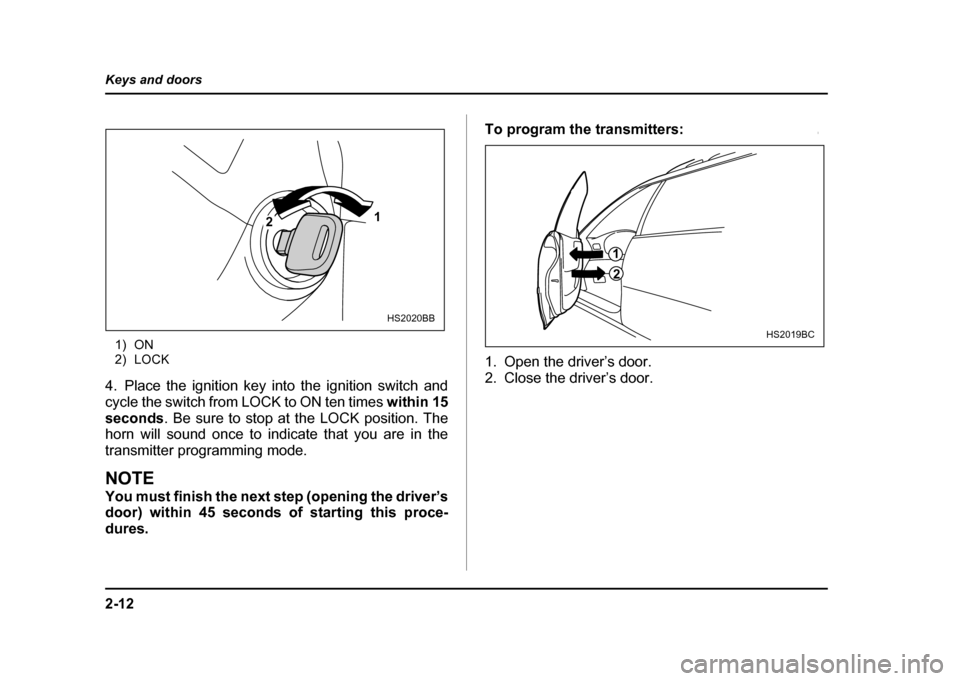
1) ON
2) LOCK
4. Place the ignition key into the ignition switch and
cycle the switch from LOCK to ON ten times within 15
seconds . Be sure to stop at the LOCK position. The
horn will sound once to indicate that you are in the
transmitter programming mode.
NOTE
You must finish the next step (opening the driver’s
door) within 45 seconds of starting this proce-
dures. To program the transmitters:
0
1. Open the driver’s door.
2. Close the driver’s door.
1
2
HS2020BB
1
2
HS2019BC
Page 116 of 491
2-13
Keys and doors
– CONTINUED –
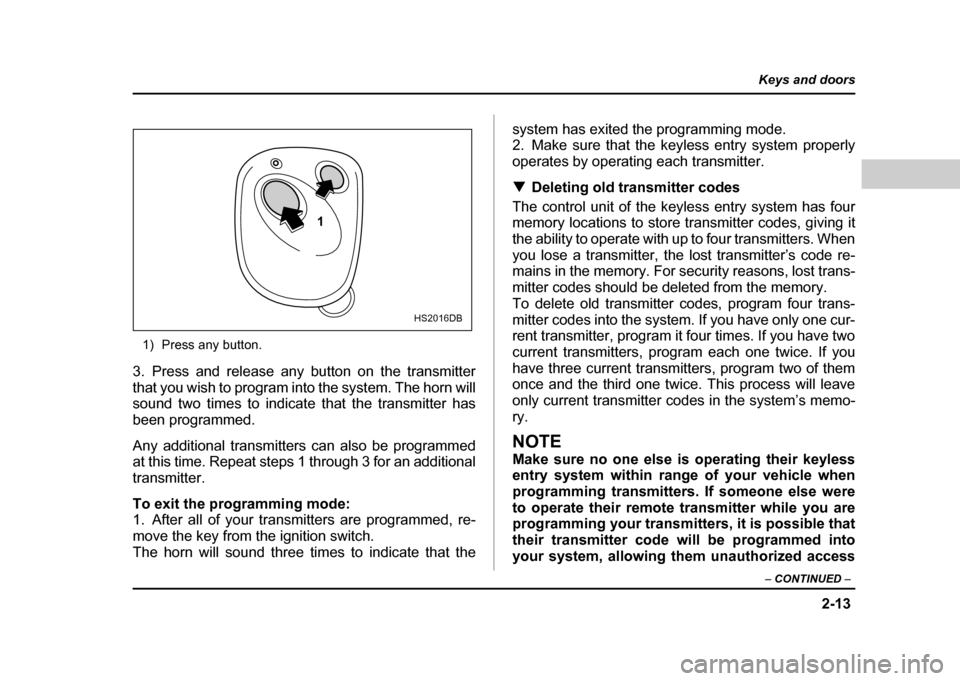
1) Press any button.
3. Press and release any button on the transmitter
that you wish to program into the system. The horn will
sound two times to indicate that the transmitter has
been programmed.
Any additional transmitters can also be programmed
at this time. Repeat steps 1 through 3 for an additional
transmitter.
To exit the programming mode:
1. After all of your transmitters are programmed, re-
move the key from the ignition switch.
The horn will sound three times to indicate that the system has exited the programming mode.
2. Make sure that the keyless entry system properly
operates by operating each transmitter. !
Deleting old transmitter codes
The control unit of the keyless entry system has four
memory locations to store transmitter codes, giving it
the ability to operate with up to four transmitters. When
you lose a transmitter, the lost transmitter’s code re-
mains in the memory. For security reasons, lost trans-
mitter codes should be deleted from the memory.
To delete old transmitter codes, program four trans-
mitter codes into the system. If you have only one cur-
rent transmitter, program it four times. If you have two
current transmitters, program each one twice. If you
have three current transmitters, program two of them
once and the third one twice. This process will leave
only current transmitter codes in the system’s memo-ry.
NOTE
Make sure no one else is operating their keyless
entry system within range of your vehicle when
programming transmitters. If someone else were
to operate their remote transmitter while you are
programming your transmitters, it is possible that
their transmitter code will be programmed into
your system, allowing them unauthorized access
1
HS2016DB
Page 117 of 491

2-14
Keys and doors
to your vehicle.Security system (if equipped)
The security system helps to protect your vehicle and
valuables from theft. The horn sounds and the turn
signal lights flash if someone attempts to break into
your vehicle. The starter motor is also interrupted to
prevent starting the vehicle without a key.
The system can be armed and disarmed with the re-
mote transmitter.
The system does not operate when the key is inserted
into the ignition switch. !
System operation
The security system will give the following alarm indi-
cations when triggered:" The turn signal lights will flash and the horn will
sound intermittently. In addition, the starter motor will
not operate." The alarm automatically resets after 30 seconds;
however, the alarm will reactivate if the vehicle is tam-
pered with again. The alarm will continue for six times
if any sensor continues to be activated.
The alarm is triggered by: " Opening a door, the rear gate or trunk lid.
" Application of physical shock to the vehicle (e.g.
Page 118 of 491
2-15
Keys and doors
– CONTINUED –
breaking glass or forced entry). Note that there are two
alarm levels for shock: warning and alarm. In warning
mode, the alarm detects lower level vibrations and
triggers 2 warning chirps on the horn and two flashes
on the lights as a deterrent to would be vandals. In
alarm mode, higher levels of shock are detected and
the system will go into full alarm. "Ignition switch being turned on while in armed state.
NOTE
With the valet mode selected, the security system
does not operate when the remote transmitter is
used for locking and unlocking. The security sys-
tem indicator light in the combination meter flash-
es twice per second to show that the valet mode is
selected. For details, refer to “Valet mode” in this
section. ! Arming the system
! To arm the system using remote transmitter
1. Close all windows.
2. Remove the key from the ignition switch.
3. Open the doors and get out of the vehicle.
4. Make sure that the engine hood (and the trunk lid)
are locked.
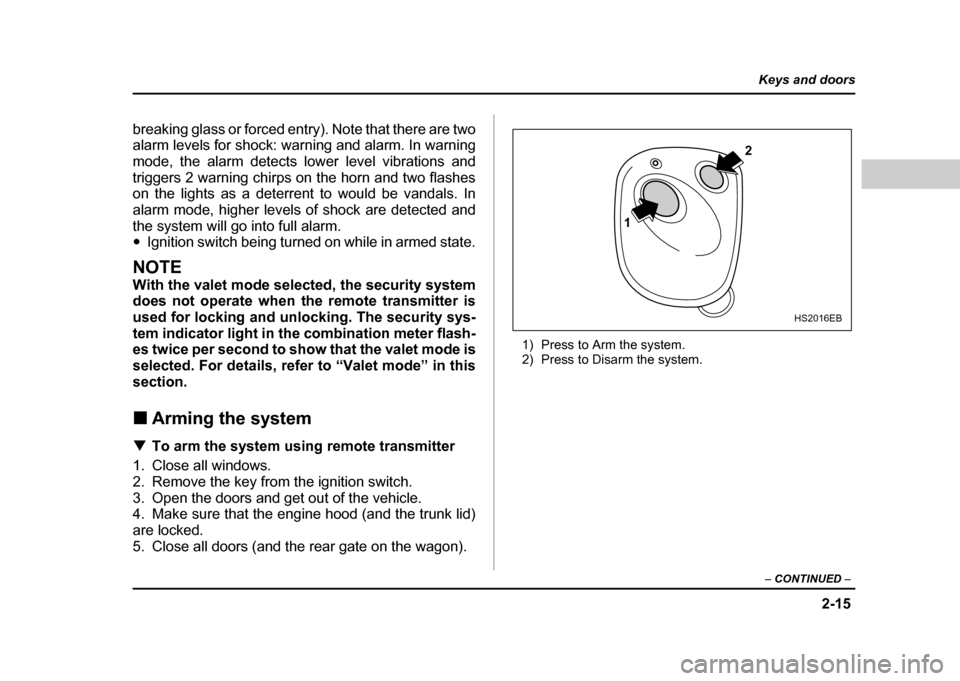
5. Close all doors (and the rear gate on the wagon). 1) Press to Arm the system.
2) Press to Disarm the system.
1
2
HS2016EB
Page 119 of 491
2-16
Keys and doors
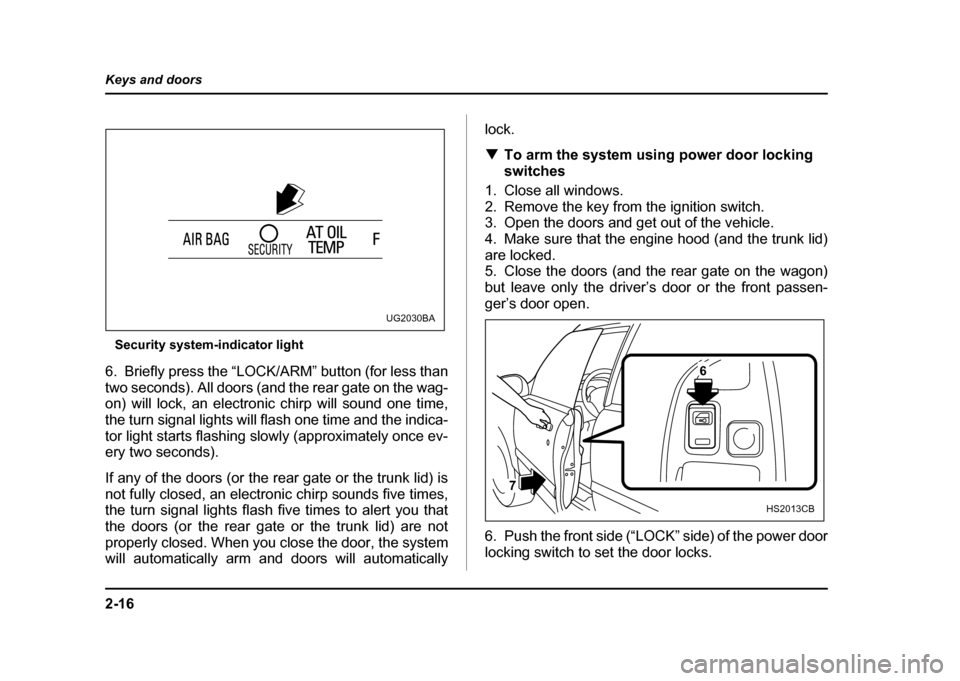
Security system-indicator light
6. Briefly press the “LOCK/ARM” button (for less than
two seconds). All doors (and the rear gate on the wag-
on) will lock, an electronic chirp will sound one time,
the turn signal lights will flash one time and the indica-
tor light starts flashing slowly (approximately once ev-
ery two seconds).
If any of the doors (or the rear gate or the trunk lid) is
not fully closed, an electronic chirp sounds five times,
the turn signal lights flash five times to alert you that
the doors (or the rear gate or the trunk lid) are not
properly closed. When you close the door, the system
will automatically arm and doors will automatically lock. !
To arm the system using power door locking
switches
1. Close all windows.
2. Remove the key from the ignition switch.
3. Open the doors and get out of the vehicle.
4. Make sure that the engine hood (and the trunk lid)
are locked.
5. Close the doors (and the rear gate on the wagon)
but leave only the driver’s door or the front passen-
ger’s door open.
6. Push the front side (“LOCK” side) of the power door
locking switch to set the door locks.
UG2030BA
6
7
HS2013CB
Page 120 of 491
2-17
Keys and doors
– CONTINUED –
7. Close the door. An electronic chirp will sound one
time, the turn signal lights will flash one time and the
indicator light will start flashing slowly (approximately
once every two seconds) to inform you that the system
has armed.
NOTE
The system can be armed even if the engine hood
and/or the windows are opened. Always make
sure that they are fully closed before arming the
system. !Disarming the system
Briefly press the “UNLOCK/DISARM” button (for less
than two seconds) on the remote transmitter. The driv-
er’s door will unlock, an electronic chirp will sound two
times, the turn signal lights will flash two times and the
indicator light will go off.
To unlock all other doors (and the rear gate on the
wagon), briefly press the “UNLOCK/DISARM” button a
second time. ! Emergency disarming
If you cannot disarm the system using the transmitter
(i.e. the transmitter is lost, broken or the transmitter
battery is too weak), you can disarm the system with-
out using the transmitter. To disarm the system:
1. Unlock the door with the key and then open the
door.
2. The alarm will sound.
3. Insert the key into the ignition switch and cycle it
from the “LOCK” to the “ON” position three (3) times
within 5 seconds
.
! Valet mode
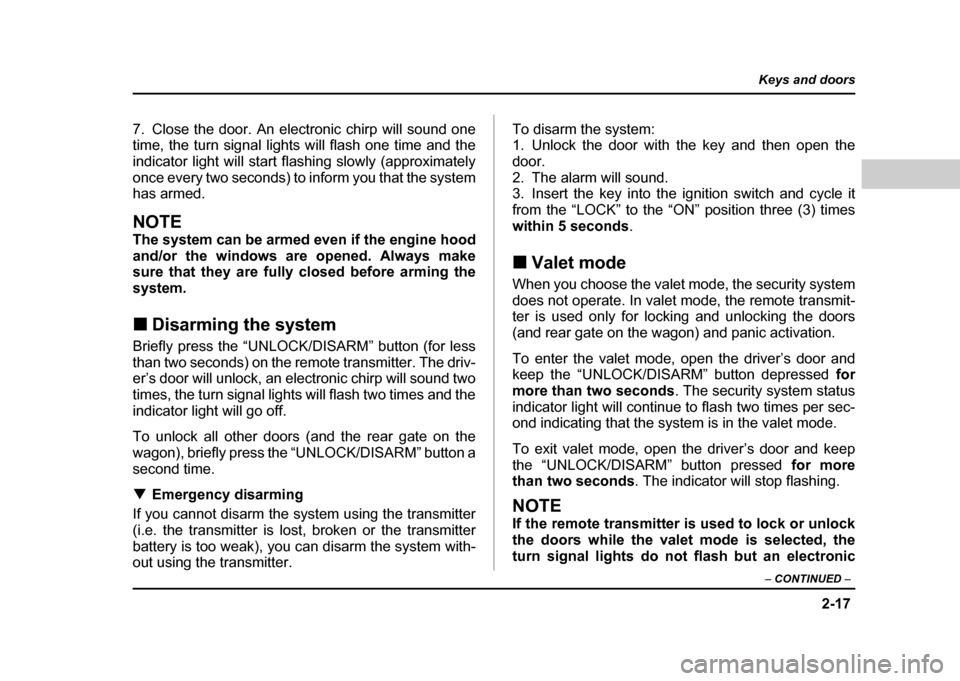
When you choose the valet mode, the security system
does not operate. In valet mode, the remote transmit-
ter is used only for locking and unlocking the doors
(and rear gate on the wagon) and panic activation.
To enter the valet mode, open the driver’s door and
keep the “UNLOCK/DISARM” button depressed for
more than two seconds . The security system status
indicator light will continue to flash two times per sec-
ond indicating that the system is in the valet mode.
To exit valet mode, open the driver’s door and keep
the “UNLOCK/DISARM” button pressed for more
than two seconds . The indicator will stop flashing.
NOTE
If the remote transmitter is used to lock or unlock
the doors while the valet mode is selected, the
turn signal lights do not flash but an electronic
Page 121 of 491
2-18
Keys and doors
chirp is emitted. !
Passive arming
When passive arming mode has been programmed by
the dealer, arming of the system is automatically ac-
complished without using the remote transmitter. Note
that in this mode, DOORS MUST BE MANUALLY LOCKED. ! To enter the passive mode
0
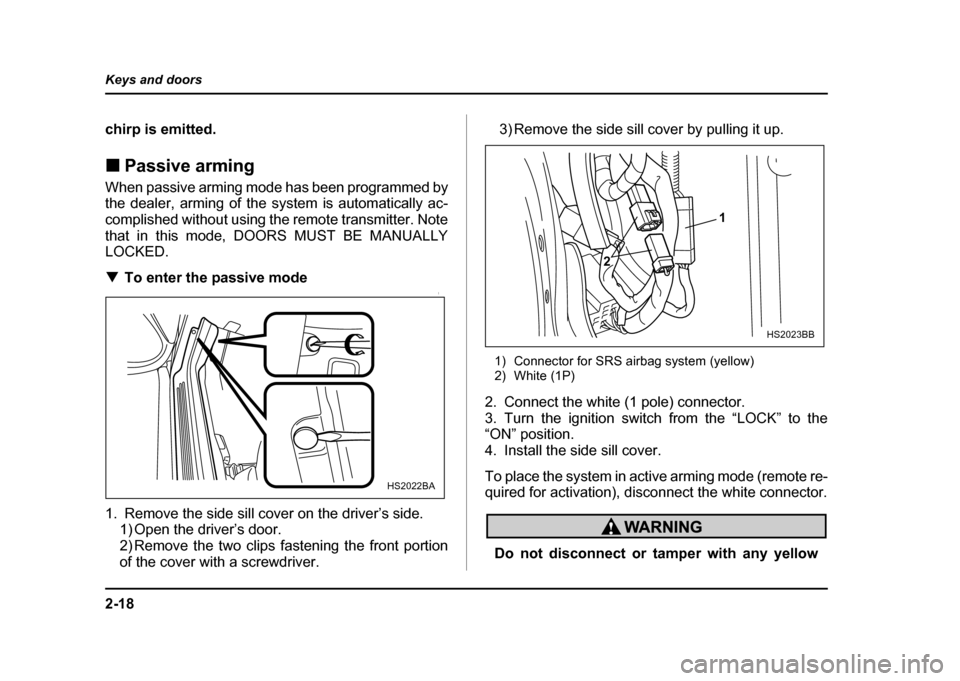
1. Remove the side sill cover on the driver’s side.
1) Open the driver’s door.
2) Remove the two clips fastening the front portion
of the cover with a screwdriver. 3) Remove the side sill cover by pulling it up.
1) Connector for SRS airbag system (yellow)
2) White (1P)
2. Connect the white (1 pole) connector.
3. Turn the ignition switch from the “LOCK” to the “ON” position.
4. Install the side sill cover.
To place the system in active arming mode (remote re-
quired for activation), disconnect the white connector.
Do not disconnect or tamper with any yellow
HS2022BA
1
2
HS2023BB
Page 122 of 491
2-19
Keys and doors
– CONTINUED –
connector and/or any harness covered with yel-
low insulation and/or tape.
Doing so could result in accidental inflation of
the SRS airbag or could make the SRS airbag
system inoperative, which may result in serious
injury.
! Arming the system
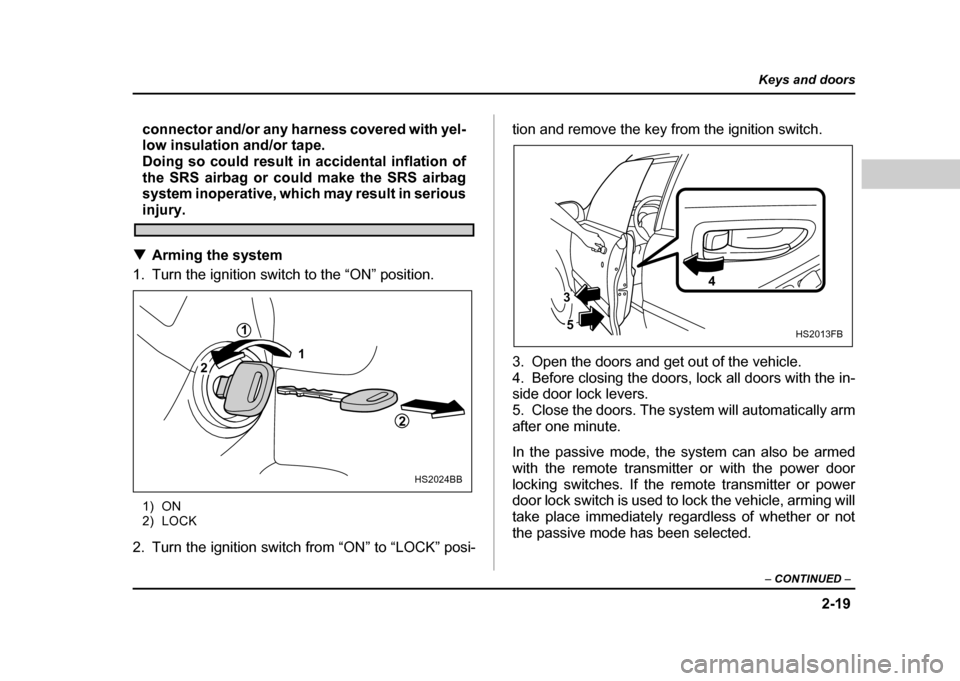
1. Turn the ignition switch to the “ON” position.
1) ON
2) LOCK
2. Turn the ignition switch from “ON” to “LOCK” posi- tion and remove the key from the ignition switch.
3. Open the doors and get out of the vehicle.
4. Before closing the doors, lock all doors with the in-
side door lock levers.
5. Close the doors. The system will automatically arm
after one minute.
In the passive mode, the system can also be armed
with the remote transmitter or with the power door
locking switches. If the remote transmitter or power
door lock switch is used to lock the vehicle, arming will
take place immediately regardless of whether or not
the passive mode has been selected.
1
2
1
2
HS2024BB
HS2013FB
4
5
3
Page 123 of 491
2-20
Keys and doors
In passive mode, the system will automatically
activate the alarm but WILL NOT automatically
lock the doors. In order to lock the doors you
must either lock them as indicated in step 4
above or with the key once they have been
closed. Failure to lock the doors manually will
result in a higher security risk.
! Disarming the system
To disarm the system, briefly press the “UNLOCK/
DISARM” button on the transmitter. " Tripped sensor identification
If an electronic chirp sounds four times and the turn
signal lights flash four times when you disarm the sys-
tem, this indicates that the alarm was triggered. The
number of times the indicator light flashes indicates
what sensor caused the alarm condition.
To enter identification mode:
1. Open the driver’s door and leave it open.
2. Turn the ignition switch to the “ON” position twotimes. (“LOCK” → “ON” → “LOCK” → “ON” →
“LOCK”)
3. The indicator light will start flashing. The indicator light provides the following indications.
Flashing one time:
Any door, the rear gate or the
trunk lid has been opened.
Flashing three times: The impact sensor in the sys-
tem’s unit has been activated. This may indicate that
your vehicle has been shocked or tampered with by
some outside force and/or unauthorized person.
Flashing four times: The ignition switch has been
turned on or the battery has been disconnected.
NOTE
The battery must be reconnected before the indi-
cator light will flash.
To exit this mode, close the door and turn the ignition
switch to the “ON” position.