window SUBARU IMPREZA WRX 2006 2.G Owner's Manual
[x] Cancel search | Manufacturer: SUBARU, Model Year: 2006, Model line: IMPREZA WRX, Model: SUBARU IMPREZA WRX 2006 2.GPages: 365, PDF Size: 7.09 MB
Page 115 of 365

Instruments and controls
Clock .................................................................... 3-22
Light control switch .............................. ............. 3-22
Headlights ........................................ ....................... 3-22
High/low beam change (dimmer) ..................... ..... 3-23
Headlight flasher ................................. ................... 3-23
Daytime running light system ...................... ......... 3-23
Turn signal lever ................................. ................ 3-24
Illumination brightness control ................... ...... 3-25
Headlight beam leveler (U.S.-spec. WRX-STI) .............................. ........ 3-25
Parking light switch .............................. ............. 3-25
Front fog light button (if equipped) .............. .... 3-26
Wiper and washer .................................. ............. 3-26
Windshield wiper and washer switches .............. . 3-27
Rear window wiper and washer switch Wagon ............................................ .................... 3-28
Rear window defogger button ....................... .... 3-29
Windshield wiper deicer (if equipped) ............. . 3-30
Intercooler water spray switch (WRX-STI) ....... 3-3 1
Mirrors ........................................... ...................... 3-32
Inside mirror ..................................... ...................... 3-32
Outside mirrors ................................... .................... 3-33
Tilt steering wheel ............................... ............... 3-35
Horn .............................................. ....................... 3-35
Page 117 of 365
3-4 Instruments and controls
NOTE
Keep the ignition switch in the
LOCK position when the engine is
not running.
Using electrical accessories for a
long time with the ignition switch in the ON or ACC position can cause the
battery to go dead.
If the ignition switch will not move from
the LOCK position to the ACC po-
sition, turn the steering wheel slightly
to the left and right as you turn the ig-
nition switch.
If the key is attached to a keyholder
or to a large bunch of other keys, cen-
trifugal force may act on it as the vehi-
cle moves, resulting in unwanted turn-
ing of the ignition switch. Also, if a
large keyholder is attached to the key,
your knees or hands may accidentally
touch it in a way that turns the ignition switch.
ACC
In this position the electrical accessories
(radio, cigarette lighter, etc.) can be used.
ON
This is the normal operating position after
the engine is started.
START
The engine is started in this position. The
starter cranks the engine to start it. When
the key is released (after the engine has
started), the key automatically returns to
the
ON position.
For vehicle with immobilizer
If your registered key fails to start the en-
gine, pull out the key once (the security in-
dicator light will blink), and then insert the
key in the ignition switch and turn it to the START position and again try to start the
engine.
NOTE
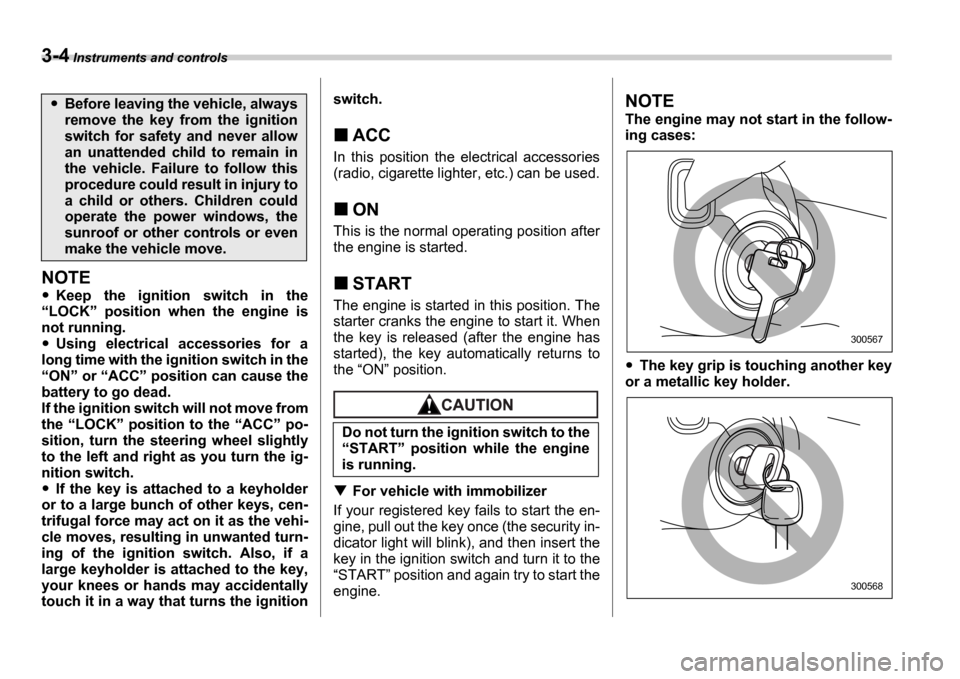
The engine may not start in the follow-
ing cases:
The key grip is touching another key
or a metallic key holder.
Before leaving the vehicle, always
remove the key from the ignition
switch for safety and never allow
an unattended child to remain in
the vehicle. Failure to follow this
procedure could result in injury to
a child or others. Children could
operate the power windows, the
sunroof or other controls or even
make the vehicle move.
Do not turn the ignition switch to the START position while the engine
is running.
300567
300568
Page 139 of 365
3-26 Instruments and controls
Front fog light button (if
equipped)
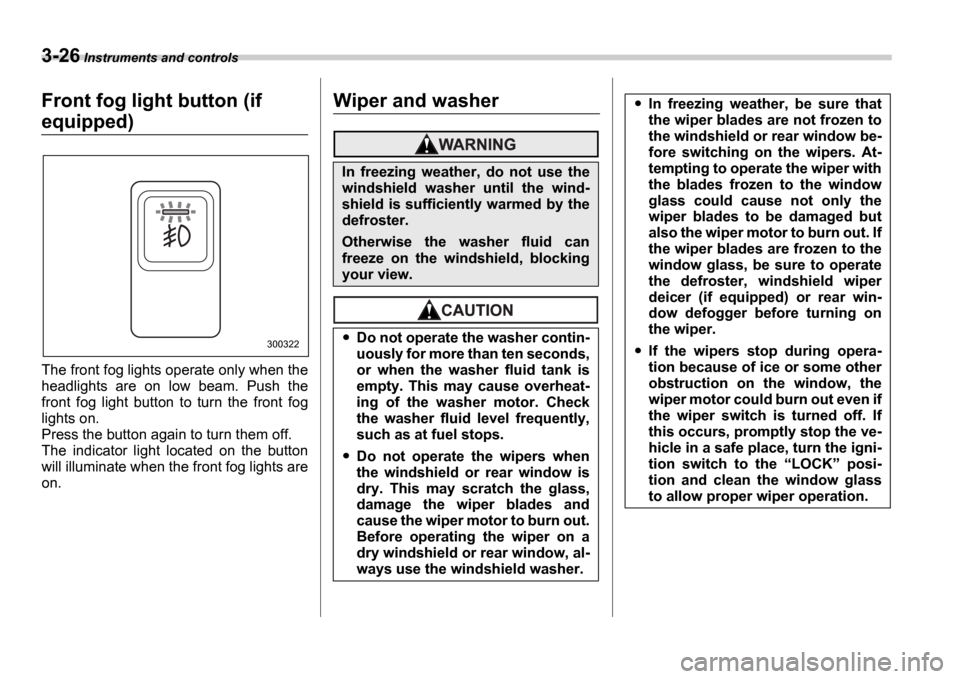
The front fog lights operate only when the
headlights are on low beam. Push the
front fog light button to turn the front fog
lights on.
Press the button again to turn them off.
The indicator light located on the button
will illuminate when the front fog lights are
on.
Wiper and washer
300322
In freezing weather, do not use the
windshield washer until the wind-
shield is sufficiently warmed by the
defroster.
Otherwise the washer fluid can
freeze on the windshield, blocking
your view.
Do not operate the washer contin-
uously for more than ten seconds,
or when the washer fluid tank is
empty. This may cause overheat-
ing of the washer motor. Check
the washer fluid level frequently,
such as at fuel stops.
Do not operate the wipers when
the windshield or rear window is
dry. This may scratch the glass,
damage the wiper blades and
cause the wiper motor to burn out.
Before operating the wiper on a
dry windshield or rear window, al-
ways use the windshield washer.
In freezing weather, be sure that
the wiper blades are not frozen to
the windshield or rear window be-
fore switching on the wipers. At-
tempting to operate the wiper with
the blades frozen to the window
glass could cause not only the
wiper blades to be damaged but
also the wiper motor to burn out. If
the wiper blades are frozen to the
window glass, be sure to operate
the defroster, windshield wiper
deicer (if equipped) or rear win-
dow defogger before turning on
the wiper.
If the wipers stop during opera-
tion because of ice or some other
obstruction on the window, the
wiper motor could burn out even if
the wiper switch is turned off. If
this occurs, promptly stop the ve-
hicle in a safe place, turn the igni-
tion switch to the LOCK posi-
tion and clean the window glass
to allow proper wiper operation.
Page 140 of 365
Instruments and controls 3-27
CONTINUED
NOTE
The wiper operates only when the ig-
nition switch is in the ON or ACC
position.
Clean your wiper blades and window
glass periodically with a washer solu-
tion to prevent streaking, and to re-
move accumulations of road salt or
road film. Keep the washer button de-
pressed at least for 1 second so that
washer solution will be sprinkled all
over the windshield or rear window.
Grease, wax, insects or other materi-
al on the windshield or the wiper blade results in jerky wiper operation and
streaking on the glass. If you cannot
remove those streaks after operating
the washer or if the wiper operation is
jerky, clean the outer surface of the
windshield or rear window and the wip-
er blades using a sponge or soft cloth
with a neutral detergent or mild-abra-
sive cleaner. After cleaning, rinse the
window glass and wiper blades with
clean water. The glass is clean if no
beads form on the glass when you
rinse with water.
If you cannot eliminate the streaking
even after following this procedure, re-
place the wiper blades with new ones.
Refer to the Replacement of wiper
blades section (chapter 11) for re-
placement instructions.
Windshield wiper and washer
switches
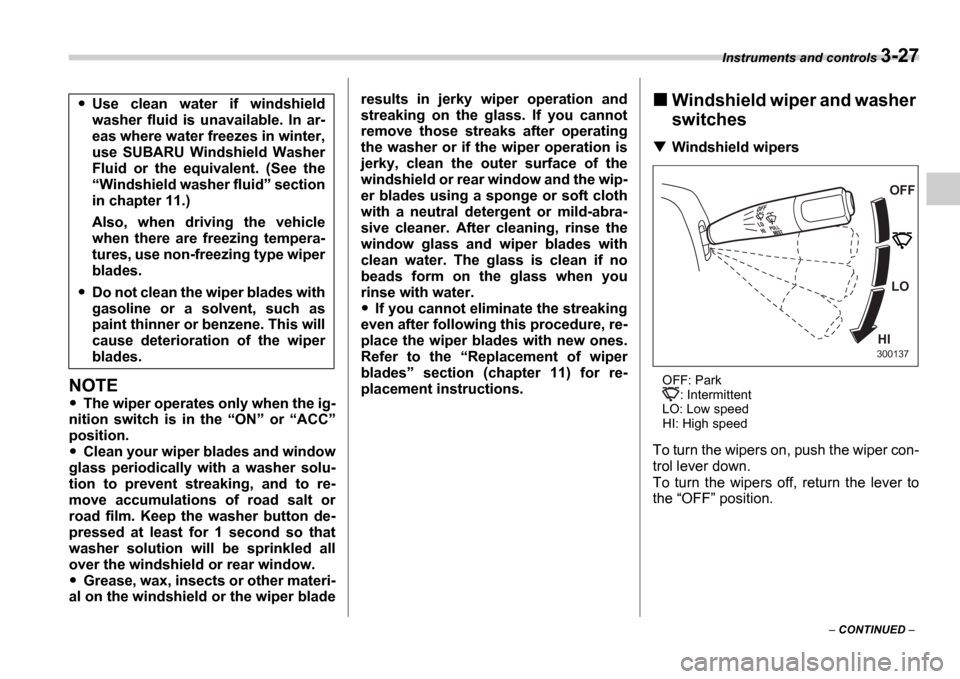
Windshield wipers
OFF: Park : Intermittent
LO: Low speed
HI: High speed
To turn the wipers on, push the wiper con-
trol lever down.
To turn the wipers off, return the lever to
the OFF position.
Use clean water if windshield
washer fluid is unavailable. In ar-
eas where water freezes in winter,
use SUBARU Windshield Washer
Fluid or the equivalent. (See the Windshield washer fluid section
in chapter 11.)
Also, when driving the vehicle
when there are freezing tempera-
tures, use non-freezing type wiper
blades.
Do not clean the wiper blades with
gasoline or a solvent, such as
paint thinner or benzene. This will
cause deterioration of the wiper
blades.
OFF
LO
HI
300137
Page 141 of 365
3-28 Instruments and controls
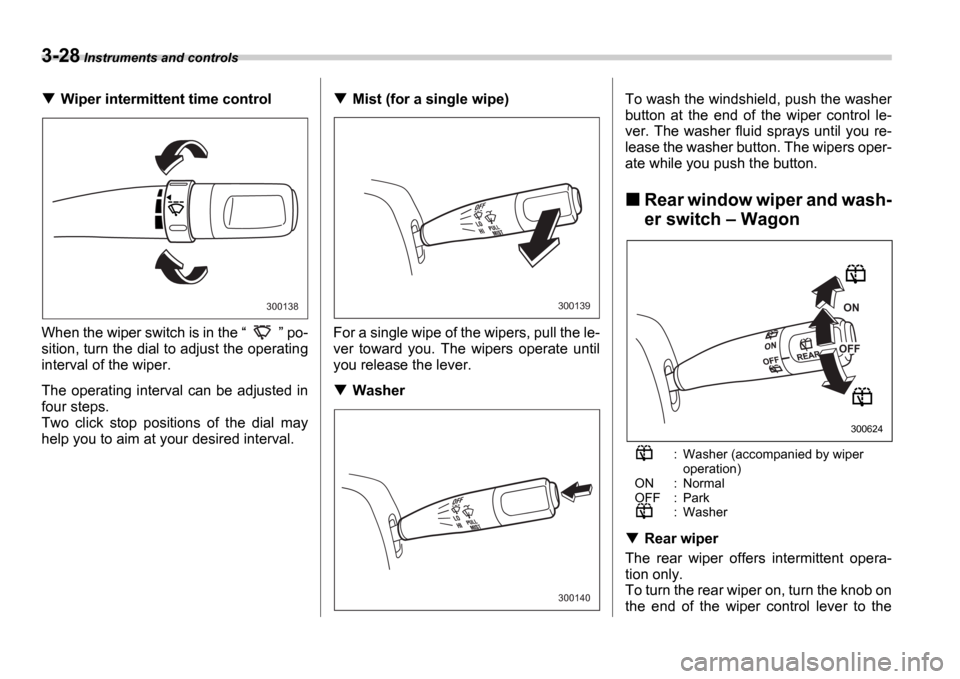
Wiper intermittent time control
When the wiper switch is in the po-
sition, turn the dial to adjust the operating
interval of the wiper.
The operating interval can be adjusted in
four steps.
Two click stop positions of the dial may
help you to aim at your desired interval.Mist (for a single wipe)
For a single wipe of the wipers, pull the le-
ver toward you. The wipers operate until
you release the lever.
Washer To wash the windshield, push the washer
button at the end of the wiper control le-
ver. The washer fluid sprays until you re-
lease the washer button. The wipers oper-
ate while you push the button.
Rear window wiper and wash-
er switch
Wagon
: Washer (accompanied by wiper operation)
ON : Normal
OFF : Park
: Washer
Rear wiper
The rear wiper offers intermittent opera-
tion only.
To turn the rear wiper on, turn the knob on
the end of the wiper control lever to the
300138300139
300140
ON
OFF
300624
Page 142 of 365
Instruments and controls 3-29
CONTINUED
ON position.
To turn the wiper off, return the knob on
the end of the lever to the OFF position.
Washer
To wash the rear window while the rear
wiper is operating, turn the knob on the
end of the wiper control lever counter-
clockwise to the position. The
washer fluid sprays until you release the
knob.
To wash the rear window when the rear
wiper is not in use, turn the knob on the
end of the wiper control lever clockwise to
the position. The washer fluid
sprays and the wiper operates until you
release the knob.
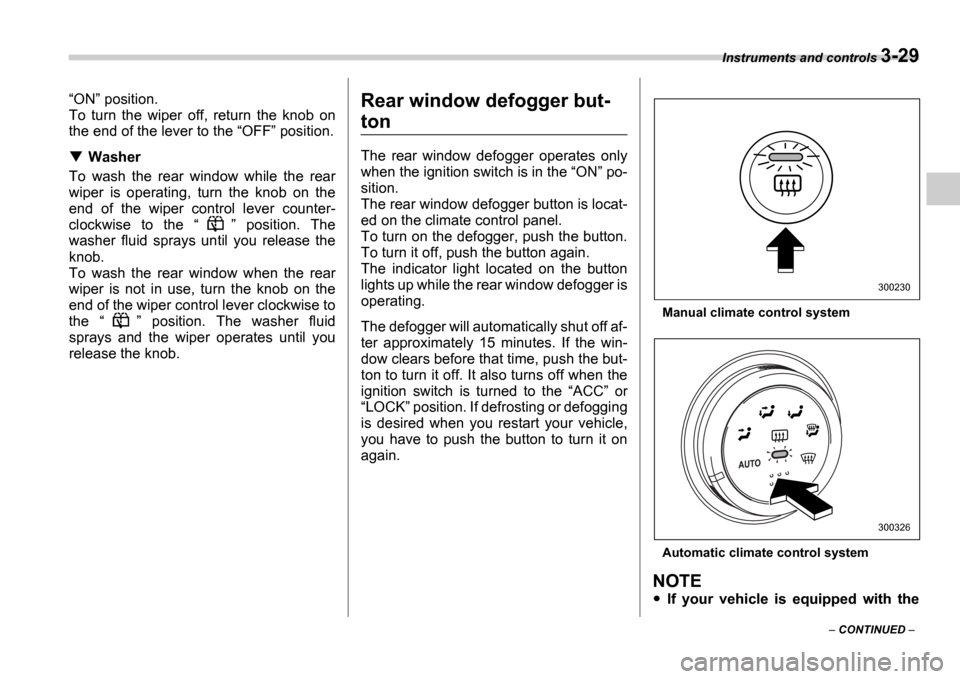
Rear window defogger but-
ton
The rear window defogger operates only
when the ignition switch is in the ON po-
sition.
The rear window defogger button is locat-
ed on the climate control panel.
To turn on the defogger, push the button.
To turn it off, push the button again.
The indicator light located on the button
lights up while the rear window defogger is
operating.
The defogger will automatically shut off af-
ter approximately 15 minutes. If the win-
dow clears before that time, push the but-
ton to turn it off. It also turns off when the
ignition switch is turned to the ACC or
LOCK position. If defrosting or defogging
is desired when you restart your vehicle,
you have to push the button to turn it on
again.
Manual climate control system
Automatic climate control system
NOTE
If your vehicle is equipped with the
300230
300326
Page 143 of 365
3-30 Instruments and controls
outside mirror defogger, the outside
mirror defogger operates while the rear
window defogger is operating.
Turn on the rear window defogger if
the wiper is frozen to the glass.
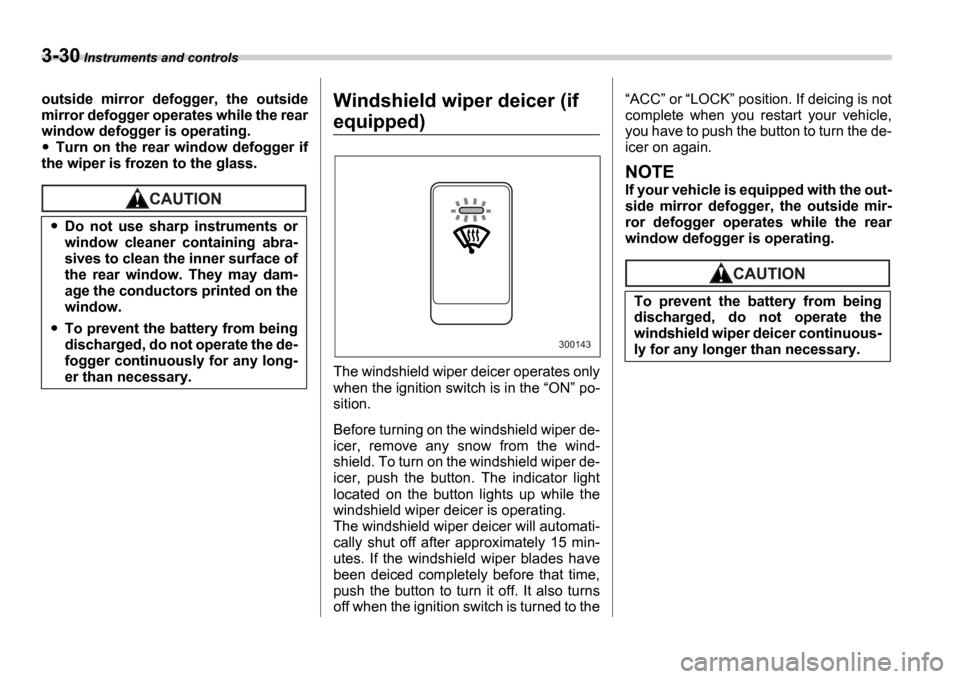
Windshield wiper deicer (if
equipped)
The windshield wiper deicer operates only
when the ignition switch is in the ON po-
sition.
Before turning on the windshield wiper de-
icer, remove any snow from the wind-
shield. To turn on the windshield wiper de-
icer, push the button. The indicator light
located on the button lights up while the
windshield wiper deicer is operating.
The windshield wiper deicer will automati-
cally shut off after approximately 15 min-
utes. If the windshield wiper blades have
been deiced completely before that time,
push the button to turn it off. It also turns
off when the ignition switch is turned to the
ACC or LOCK position. If deicing is not
complete when you restart your vehicle,
you have to push the button to turn the de-
icer on again.
NOTE
If your vehicle is equipped with the out-
side mirror defogger, the outside mir-
ror defogger operates while the rear
window defogger is operating.
Do not use sharp instruments or
window cleaner containing abra-
sives to clean the inner surface of
the rear window. They may dam-
age the conductors printed on the
window.
To prevent the battery from being
discharged, do not operate the de-
fogger continuously for any long-
er than necessary.
300143
To prevent the battery from being
discharged, do not operate the
windshield wiper deicer continuous-
ly for any longer than necessary.
Page 146 of 365
Instruments and controls 3-33
CONTINUED
cover the sensors with stickers, or other
similar items. Periodically wipe the sen-
sors clean using a piece of dry soft cotton
cloth or an applicator.
Compass calibration
1. For optimum calibration, switch off all
nonessential electrical accessories (rear
window defogger, heater/air conditioning
system, spotlight, etc.) and ensure all
doors are shut.
2. Drive to an open, level area away from
large metallic objects or structures and
make certain the ignition switch is in the ON position.
3. Press and hold the left button for 3 sec-
onds then release, and the compass will
enter the calibration mode. CAL and di-
rection will be displayed.
4. Drive slowly in a circle until CAL dis-
appears from the display (approximately
two or three circles). The compass is now
calibrated.
5. Further calibration may be necessary
should outside. Influences cause the mir-
ror to read inaccurately. You will know that
this has occurred if your compass begins
to read in only limited directions. Should
you encounter this situation, return to step
one of the above procedure and recali-
brate the mirror.
Compass zone adjustment
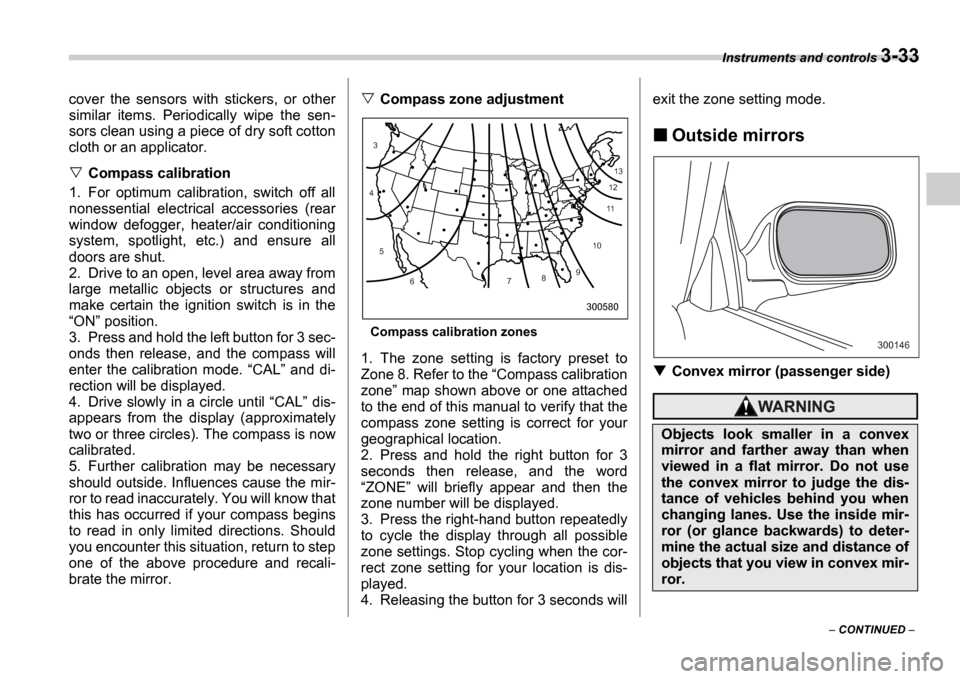
Compass calibration zones
1. The zone setting is factory preset to
Zone 8. Refer to the Compass calibration
zone map shown above or one attached
to the end of this manual to verify that the
compass zone setting is correct for your
geographical location.
2. Press and hold the right button for 3
seconds then release, and the word ZONE will briefly appear and then the
zone number will be displayed.
3. Press the right-hand button repeatedly
to cycle the display through all possible
zone settings. Stop cycling when the cor-
rect zone setting for your location is dis-
played.
4. Releasing the button for 3 seconds will exit the zone setting mode.
Outside mirrors
Convex mirror (passenger side)
10
9
8
7
6
5
4
3
1112
13
300580
Objects look smaller in a convex
mirror and farther away than when
viewed in a flat mirror. Do not use
the convex mirror to judge the dis-
tance of vehicles behind you when
changing lanes. Use the inside mir-
ror (or glance backwards) to deter-
mine the actual size and distance of
objects that you view in convex mir-
ror.
300146
Page 147 of 365
3-34 Instruments and controls
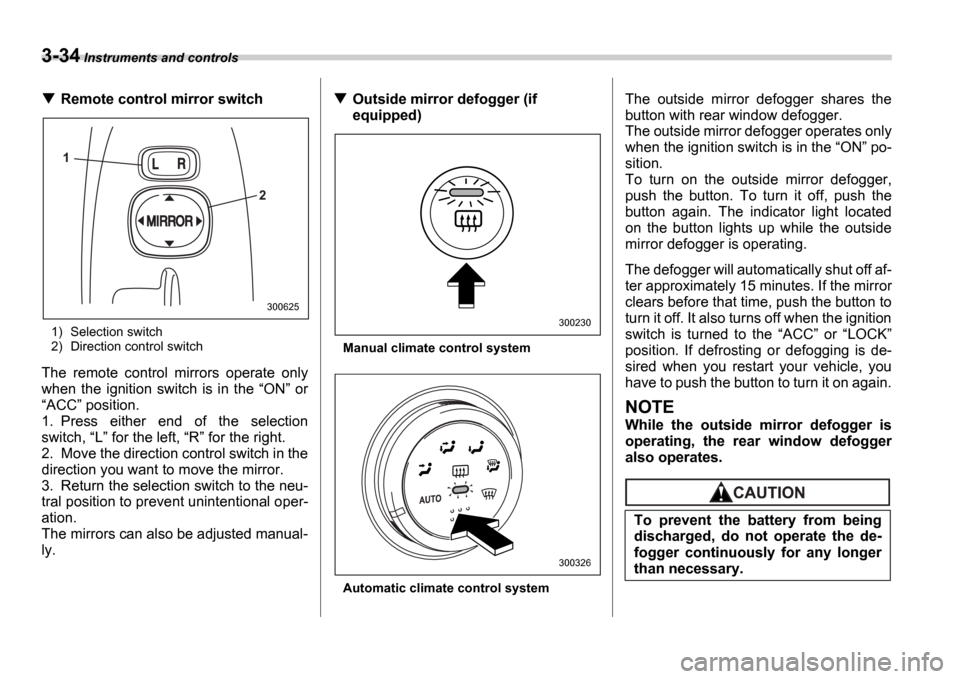
Remote control mirror switch
1) Selection switch
2) Direction control switch
The remote control mirrors operate only
when the ignition switch is in the ON or
ACC position.
1. Press either end of the selection
switch, L for the left, R for the right.
2. Move the direction control switch in the
direction you want to move the mirror.
3. Return the selection switch to the neu-
tral position to prevent unintentional oper-
ation.
The mirrors can also be adjusted manual-
ly.
Outside mirror defogger (if
equipped)
Manual climate control system
Automatic climate control system
The outside mirror defogger shares the
button with rear window defogger.
The outside mirror defogger operates only
when the ignition switch is in the ON po-
sition.
To turn on the outside mirror defogger,
push the button. To turn it off, push the
button again. The indicator light located
on the button lights up while the outside
mirror defogger is operating.
The defogger will automatically shut off af-
ter approximately 15 minutes. If the mirror
clears before that time, push the button to
turn it off. It also turns off when the ignition
switch is turned to the ACC or LOCK
position. If defrosting or defogging is de-
sired when you restart your vehicle, you
have to push the button to turn it on again.
NOTE
While the outside mirror defogger is
operating, the rear window defogger
also operates.
1
2
300625
300230
300326
To prevent the battery from being
discharged, do not operate the de-
fogger continuously for any longer
than necessary.
Page 152 of 365
Climate control 4-3
CONTINUED
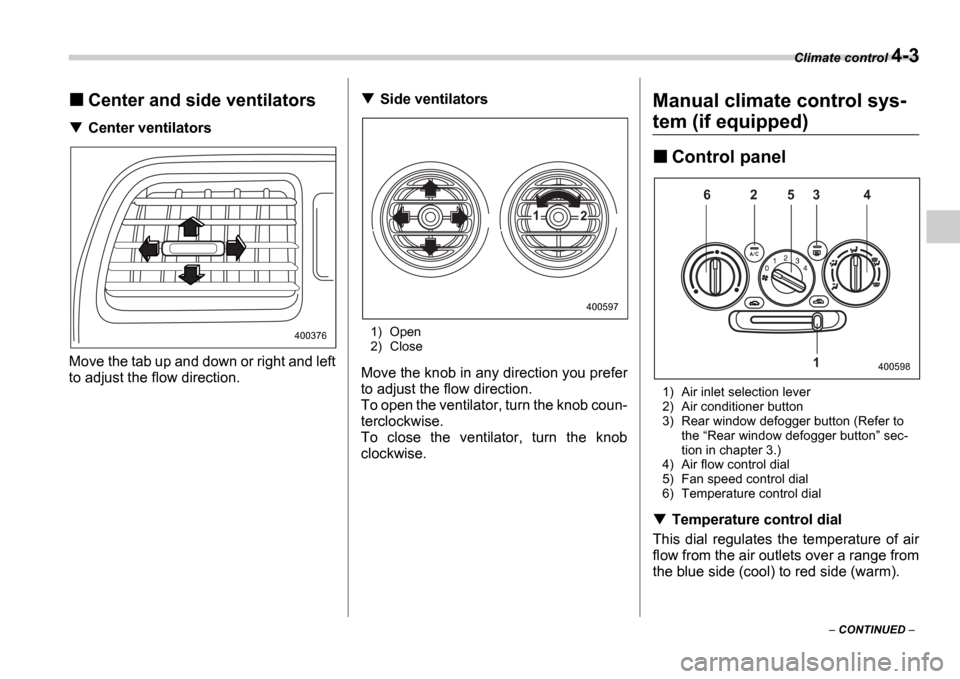
Center and side ventilators
Center ventilators
Move the tab up and down or right and left
to adjust the flow direction.
Side ventilators
1) Open
2) Close
Move the knob in any direction you prefer
to adjust the flow direction.
To open the ventilator, turn the knob coun-
terclockwise.
To close the ventilator, turn the knob
clockwise.
Manual climate control sys-
tem (if equipped)
Control panel
1) Air inlet selection lever
2) Air conditioner button
3) Rear window defogger button (Refer to the Rear window defogger button sec-
tion in chapter 3.)
4) Air flow control dial
5) Fan speed control dial
6) Temperature control dial
Temperature control dial
This dial regulates the temperature of air
flow from the air outlets over a range from
the blue side (cool) to red side (warm).
400376
1 2
400597
6 2 5 3 4
1
400598