lock SUBARU LEGACY 2005 4.G Owners Manual
[x] Cancel search | Manufacturer: SUBARU, Model Year: 2005, Model line: LEGACY, Model: SUBARU LEGACY 2005 4.GPages: 627, PDF Size: 6.42 MB
Page 234 of 627
3-63
Instruments and controls
– CONTINUED –
switch is turned to the “ACC” or “LOCK” position. If de-
frosting or defogging is desired when you restart your
vehicle, you have to push the button to turn it on again.
NOTE "While the outside mirror defogger is operating,
the rear window defogger also operates. " When the rear window defogger has been set for
continuous operation, the outside mirror defogger
also operates continuously. Refer to the “Rear
window defogger button” section in this chapter.
To prevent the battery from being discharged,
do not operate the defogger continuously for
any longer than necessary.
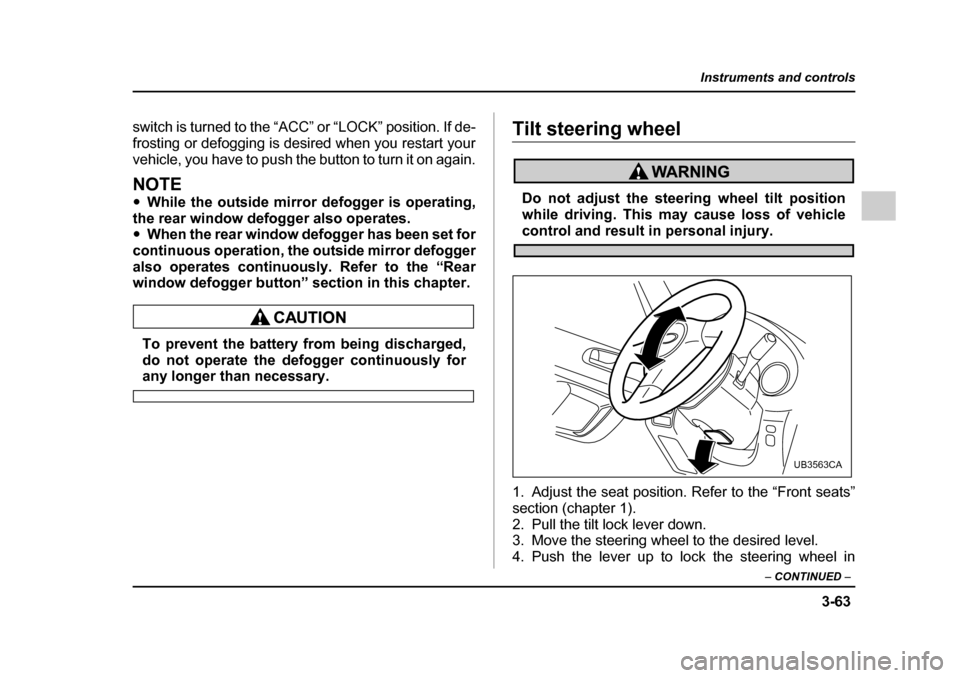
Tilt steering wheel
Do not adjust the steering wheel tilt position
while driving. This may cause loss of vehicle
control and result in personal injury.
1. Adjust the seat position. Refer to the “Front seats”
section (chapter 1).
2. Pull the tilt lock lever down.
3. Move the steering wheel to the desired level.
4. Push the lever up to lock the steering wheel in
UB3563CA
Page 235 of 627
3-64
Instruments and controls
place.
5. Make sure that the steering wheel is securely
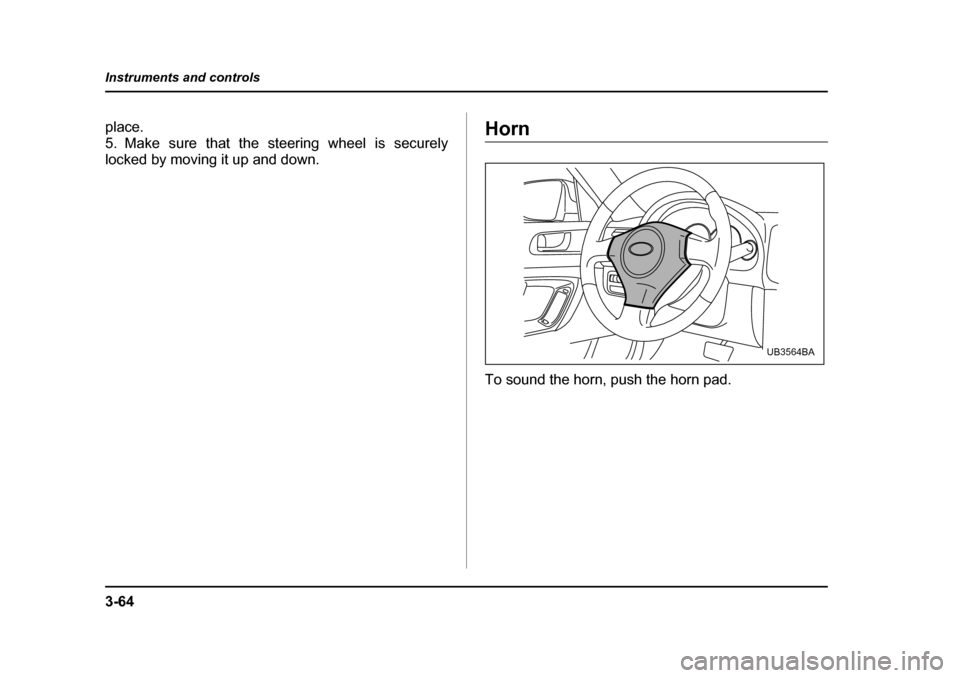
locked by moving it up and down.Horn
To sound the horn, push the horn pad.
UB3564BA
Page 248 of 627
4-13
Climate control
– CONTINUED –
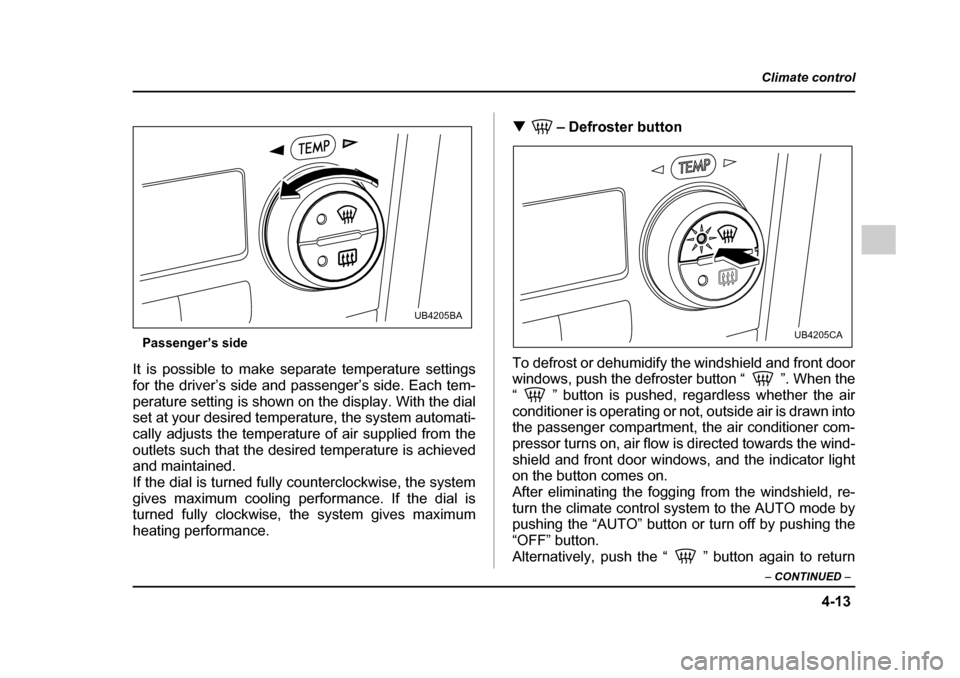
Passenger’s side
It is possible to make separate temperature settings
for the driver’s side and passenger’s side. Each tem-
perature setting is shown on the display. With the dial
set at your desired temperature, the system automati-
cally adjusts the temperature of air supplied from the
outlets such that the desired temperature is achieved
and maintained.
If the dial is turned fully counterclockwise, the system
gives maximum cooling performance. If the dial is
turned fully clockwise, the system gives maximum
heating performance. !
– Defroster button
To defrost or dehumidify the windshield and front door
windows, push the defroster button “ ”. When the
“ ” button is pushed, regardless whether the air
conditioner is operating or not, outside air is drawn into
the passenger compartment, the air conditioner com-
pressor turns on, air flow is directed towards the wind-
shield and front door windows, and the indicator light
on the button comes on.
After eliminating the fogging from the windshield, re-turn the climate control system to the AUTO mode by
pushing the “AUTO” button or turn off by pushing the
“OFF” button.
Alternatively, push the “ ” button again to return
UB4205BA
UB4205CA
Page 251 of 627
4-16
Climate control
ed, a “ ” indicator light appears on the display.
(Outside air): Outside air is drawn into the pas-
senger compartment. When the climate control sys-
tem is operated in the “AUTO” mode, this position is
selected automatically. (There is one exception: When
the temperature control dial is turned fully counter-
clockwise, the recirculation mode is automatically se-
lected.) When the outside air mode is selected, a
“ ” indicator light appears on the display.
Continued operation in the “ ” position
may fog up the windows. Switch to the
“ ” position as soon as the outside dusty
condition clears.
NOTE
When driving on a dusty road or behind a vehicle
that emits unpleasant exhaust gases, set the air
inlet selection button to the “ ” position.
From time to time, return the air inlet selection but-
ton to the “ ” position to draw outside air
into the passenger compartment. !
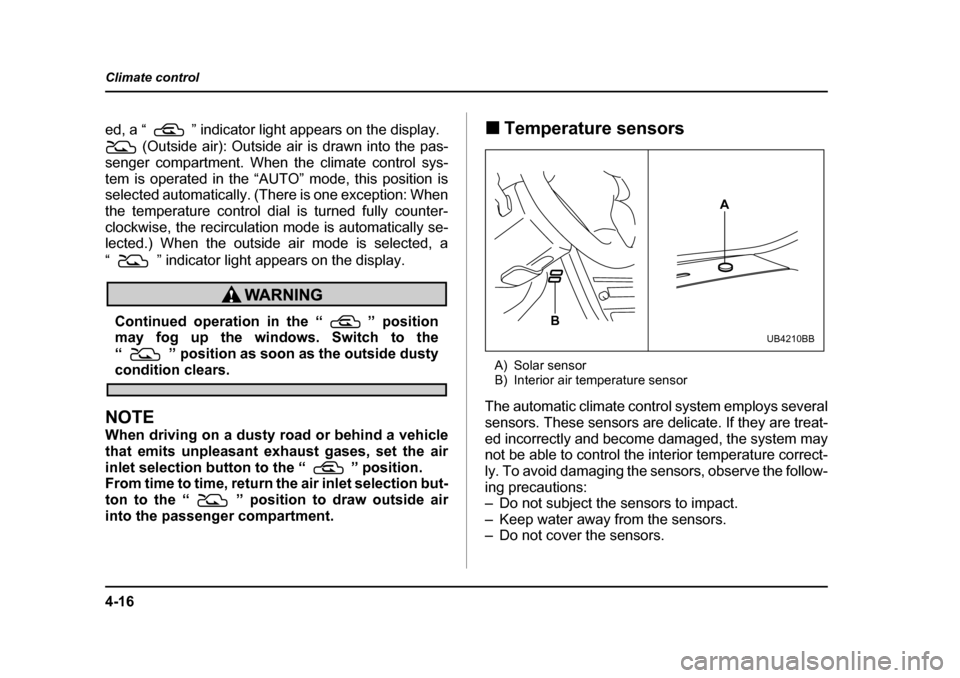
Temperature sensors
A) Solar sensor
B) Interior air temperature sensor
The automatic climate control system employs several
sensors. These sensors are delicate. If they are treat-
ed incorrectly and become damaged, the system may
not be able to control the interior temperature correct-
ly. To avoid damaging the sensors, observe the follow-
ing precautions:
– Do not subject the sensors to impact.
– Keep water away from the sensors.
– Do not cover the sensors.
A
B
UB4210BB
Page 262 of 627
5-7
Audio
– CONTINUED –
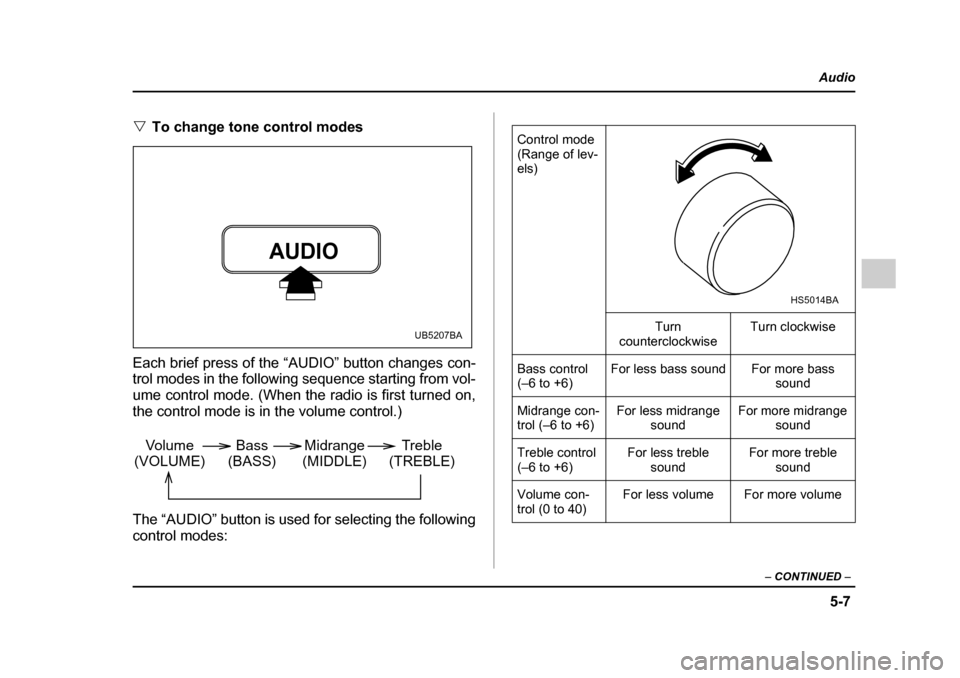
"To change tone control modes
Each brief press of the “AUDIO” button changes con-
trol modes in the following sequence starting from vol-
ume control mode. (When the radio is first turned on,
the control mode is in the volume control.)
The “AUDIO” button is used for selecting the following
control modes:
AUDIO
UB5207BA
Volume
(VOLUME) Bass
(BASS) Midrange
(MIDDLE) Treble
(TREBLE)
Control mode
(Range of lev- els)
Turn
counterclockwise Turn clockwise
Bass control
(–6 to +6) For less bass sound For more bass
sound
Midrange con-
trol (–6 to +6) For less midrange
sound For more midrange
sound
Treble control
(–6 to +6) For less treble
sound For more treble
sound
Volume con-
trol (0 to 40) For less volume For more volume
HS5014BA
Page 263 of 627
5-8
Audio
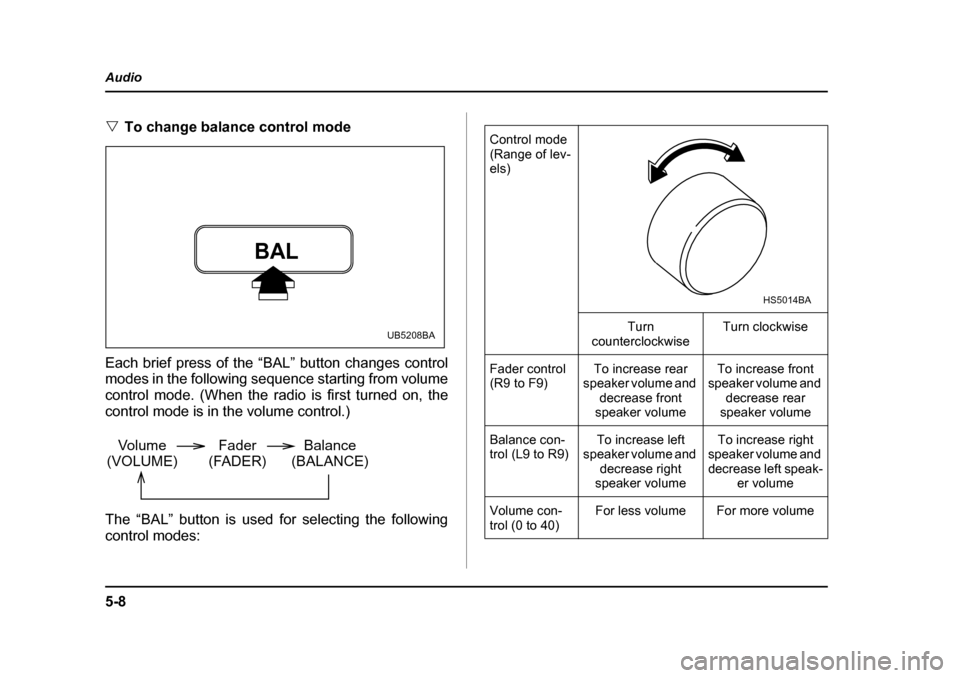
"
To change balance control mode
Each brief press of the “BAL” button changes control
modes in the following sequence starting from volume
control mode. (When the radio is first turned on, the
control mode is in the volume control.)
The “BAL” button is used for selecting the following control modes:
BAL
UB5208BA
Volume
(VOLUME) Balance
(BALANCE)
Fader
(FADER)
Control mode
(Range of lev- els)
Turn
counterclockwise Turn clockwise
Fader control
(R9 to F9) To increase rear
speaker volume and decrease front
speaker volume To increase front
speaker volume and decrease rear
speaker volume
Balance con-
trol (L9 to R9) To increase left
speaker volume and decrease right
speaker volume To increase right
speaker volume and
decrease left speak- er volume
Volume con-
trol (0 to 40) For less volume For more volume
HS5014BA
Page 275 of 627
5-20
Audio
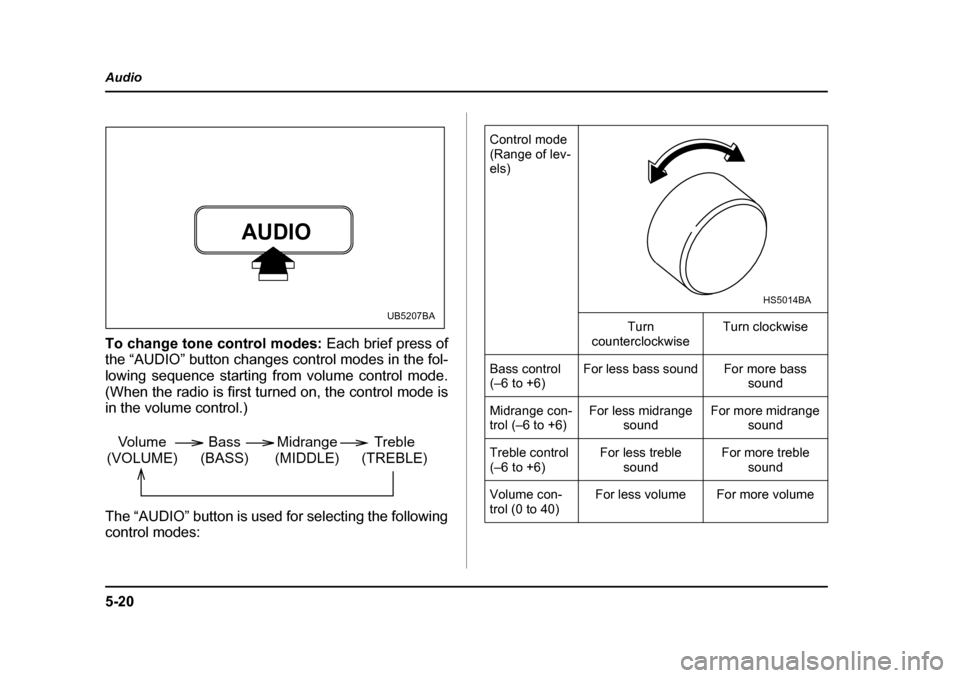
To change tone control modes:
Each brief press of
the “AUDIO” button changes control modes in the fol-
lowing sequence starting from volume control mode.
(When the radio is first turned on, the control mode is
in the volume control.)
The “AUDIO” button is used for selecting the following control modes:
AUDIO
UB5207BA
Volume
(VOLUME) Bass
(BASS) Midrange
(MIDDLE) Treble
(TREBLE)
Control mode
(Range of lev- els)
Turn
counterclockwise Turn clockwise
Bass control
(–6 to +6) For less bass sound For more bass
sound
Midrange con-
trol (–6 to +6) For less midrange
sound For more midrange
sound
Treble control
(–6 to +6) For less treble
sound For more treble
sound
Volume con-
trol (0 to 40) For less volume For more volume
HS5014BA
Page 276 of 627
5-21
Audio
– CONTINUED –
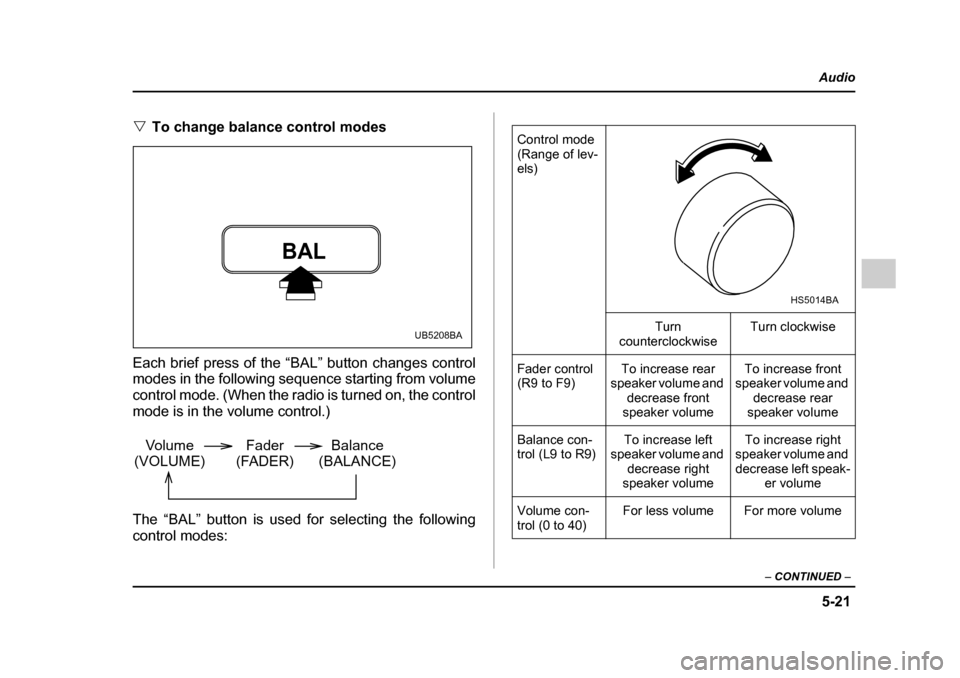
"To change balance control modes
Each brief press of the “BAL” button changes control
modes in the following sequence starting from volume
control mode. (When the radio is turned on, the control
mode is in the volume control.)
The “BAL” button is used for selecting the following
control modes:
BAL
UB5208BA
Volume
(VOLUME) Balance
(BALANCE)
Fader
(FADER)
Control mode
(Range of lev- els)
Turn
counterclockwise Turn clockwise
Fader control
(R9 to F9) To increase rear
speaker volume and decrease front
speaker volume To increase front
speaker volume and decrease rear
speaker volume
Balance con-
trol (L9 to R9) To increase left
speaker volume and decrease right
speaker volume To increase right
speaker volume and decrease left speak- er volume
Volume con-
trol (0 to 40) For less volume For more volume
HS5014BA
Page 294 of 627
5-39
Audio
– CONTINUED –
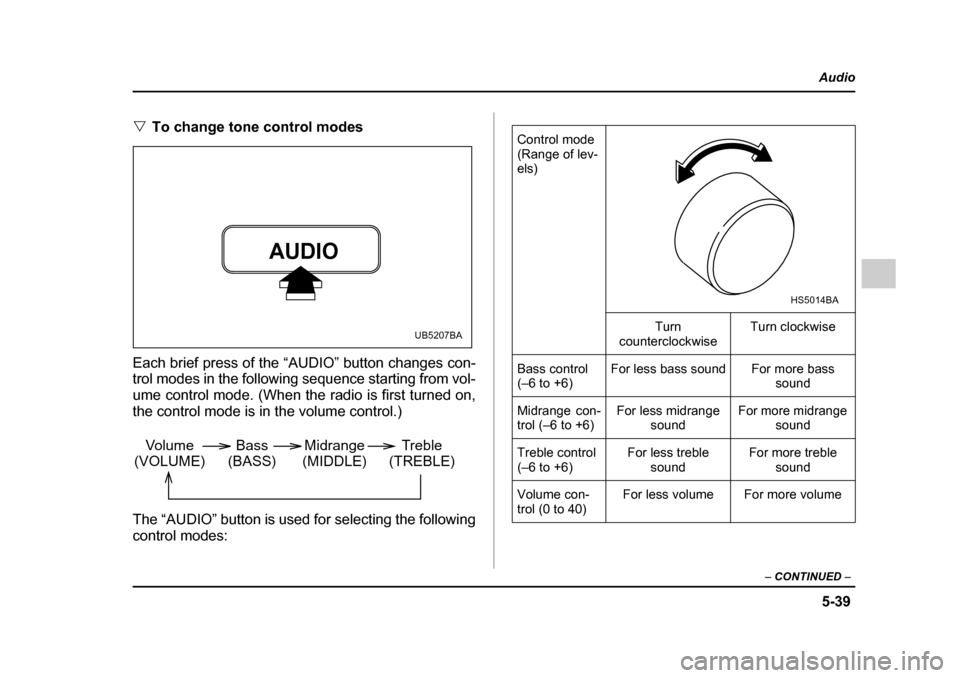
"To change tone control modes
Each brief press of the “AUDIO” button changes con-
trol modes in the following sequence starting from vol-
ume control mode. (When the radio is first turned on,
the control mode is in the volume control.)
The “AUDIO” button is used for selecting the following
control modes:
AUDIO
UB5207BA
Volume
(VOLUME) Bass
(BASS) Midrange
(MIDDLE) Treble
(TREBLE)
Control mode
(Range of lev- els)
Turn
counterclockwise Turn clockwise
Bass control
(–6 to +6) For less bass sound For more bass
sound
Midrange con-
trol (–6 to +6) For less midrange
sound For more midrange
sound
Treble control
(–6 to +6) For less treble
sound For more treble
sound
Volume con-
trol (0 to 40) For less volume For more volume
HS5014BA
Page 295 of 627
5-40
Audio
"
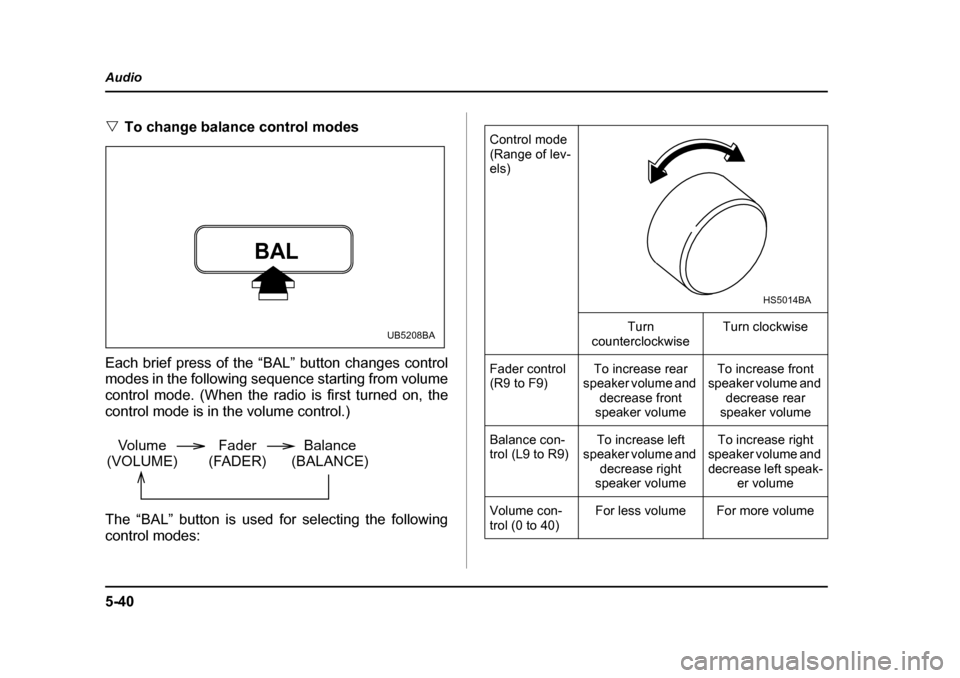
To change balance control modes
Each brief press of the “BAL” button changes control
modes in the following sequence starting from volume
control mode. (When the radio is first turned on, the
control mode is in the volume control.)
The “BAL” button is used for selecting the following control modes:
BAL
UB5208BA
Volume
(VOLUME) Balance
(BALANCE)
Fader
(FADER)
Control mode
(Range of lev- els)
Turn
counterclockwise Turn clockwise
Fader control
(R9 to F9) To increase rear
speaker volume and decrease front
speaker volume To increase front
speaker volume and decrease rear
speaker volume
Balance con-
trol (L9 to R9) To increase left
speaker volume and decrease right
speaker volume To increase right
speaker volume and
decrease left speak- er volume
Volume con-
trol (0 to 40) For less volume For more volume
HS5014BA