key SUBARU LEGACY 2012 5.G Service Manual
[x] Cancel search | Manufacturer: SUBARU, Model Year: 2012, Model line: LEGACY, Model: SUBARU LEGACY 2012 5.GPages: 474, PDF Size: 17.45 MB
Page 227 of 474

5-44Audio
NOTE . The Bluetooth
®audio function may
not operate properly under the follow-
ing conditions.
–The device is turned off.
– The battery of the device has run
down. – The device is not connected to
the system.– The device is behind the seat or
in the glove box.– A metal material is covering or
touching the device.
. Depending on the type of device that
is used, operation and sound volume
may be different from normal use of
those devices. . The sound quality may degrade due
to the influence of the device that is
connected to the system or the circum-
stances of the Bluetooth network. . When another Bluetooth
®device is
simultaneously connected, noise may
be heard. & Media format
Bluetooth
®audio devices cannot be
connected if they are not compatible with
the following Bluetooth
®profiles.
. A2DP (Advanced Audio Distribution
Profile) .
AVRCP (Audio/Video Remote Control
Profile)
& Setting Bluetooth
®audio
(type B audio)
1. Select “BT-A SETUP ”by pressing the
“ MENU ”button.
2. Perform the following procedure by
operating the “TUNE ”dial while “BT-A ”is
displayed.
NOTE
You cannot set Bluetooth
®audio while
driving. ! Registering (pairing) device
NOTE
Only one device can be registered.
1. Select the “PAIR AUDIO ”menu.
– If a device is already registered,
“ MEMORY FULL ”is displayed and the
mode changes to the Bluetooth
®
audio setting mode.
2. After the passkey is shown on the
display, input the passkey into the device. –If the registering procedure is fin-
ished, “PAIRED ”and the name of the
device are displayed. – If the registering procedure was not
successful, “FAILED ”is displayed. After the name of the device or
“FAILED ”
is displayed, the mode changes to the Bluetooth
®audio setting mode.
NOTE
After the ignition switch is turned to the “ LOCK ”position, the registered device
is not automatically connected to the
system even if the ignition switch is
turned to the “Acc ”or “ON ”position.
! Selecting device
1. Select the “SELECT AUDIO ”menu.
– If no devices are registered,
“ EMPTY ”is displayed and the mode
changes to the Bluetooth
®audio
setting mode.
2. Select the “CONFIRM ”menu.
– Then the name of the selected
device is displayed. – If the device is connected, “SE-
LECTED ”is displayed and the mode
changes to the Bluetooth
®audio
setting mode.– If the device cannot be connected,
“ FAILED ”is displayed and the select-
ing procedure was not successful.
! Setting passkey
1. Select the “SET PASSKEY ”menu.
– After the currently set passkey is
displayed, a new passkey can be
Page 228 of 474
entered.
2. Input the new passkey (a 4 - 8 digit
number) by operating the “TUNE ”dial.
3. Select the “CONFIRM ”menu.
– The new passkey is displayed, the
passkey is changed and the mode
changes to the Bluetooth
®audio
setting mode.
! Deleting device
1. Select the “DELETE AUDIO ”menu.
– If no devices are registered,
“ EMPTY ”is displayed and the mode
changes to the Bluetooth
®audio
setting mode.
2. Select the “CONFIRM ”menu.
–“ DELETED ”is displayed and the
mode changes to the Bluetooth
®
audio setting mode.
& Setting Bluetooth
®audio
(type C audio)
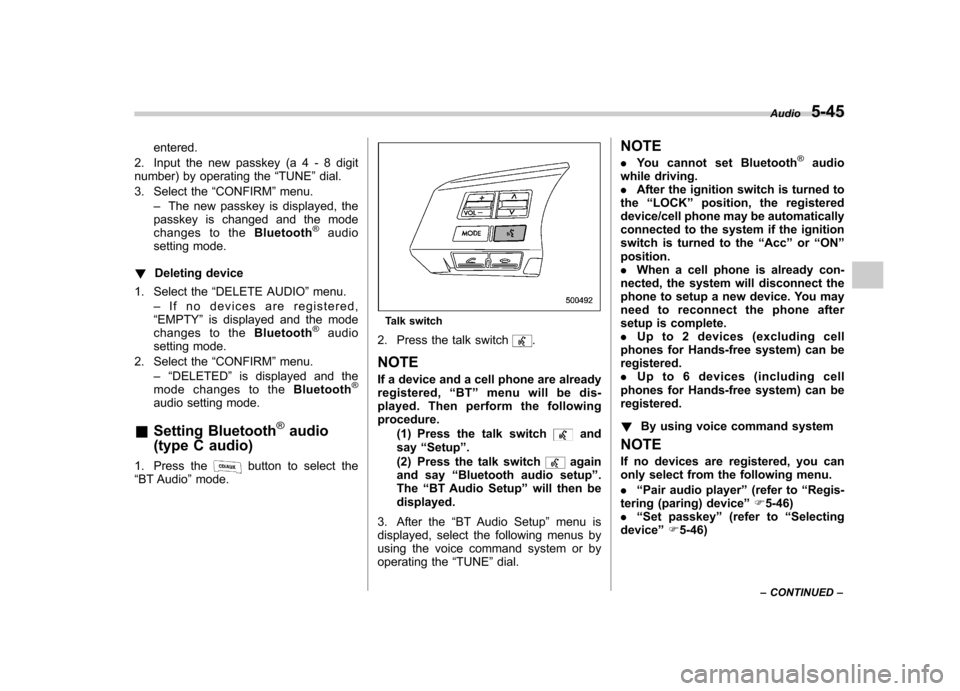
1. Press the
button to select the
“ BT Audio ”mode.
Talk switch
2. Press the talk switch
.
NOTE
If a device and a cell phone are already
registered, “BT ”menu will be dis-
played. Then perform the followingprocedure.
(1) Press the talk switch
and
say “Setup ”.
(2) Press the talk switch
again
and say “Bluetooth audio setup ”.
The “BT Audio Setup ”will then be
displayed.
3. After the “BT Audio Setup ”menu is
displayed, select the following menus by
using the voice command system or by
operating the “TUNE ”dial. NOTE .
You cannot set Bluetooth
®audio
while driving. . After the ignition switch is turned to
the “LOCK ”position, the registered
device/cell phone may be automatically
connected to the system if the ignition
switch is turned to the “Acc ”or “ON ”
position.. When a cell phone is already con-
nected, the system will disconnect the
phone to setup a new device. You may
need to reconnect the phone after
setup is complete.. Up to 2 devices (excluding cell
phones for Hands-free system) can beregistered.. Up to 6 devices (including cell
phones for Hands-free system) can beregistered. ! By using voice command system
NOTE
If no devices are registered, you can
only select from the following menu. . “Pair audio player ”(refer to “Regis-
tering (paring) device ”F 5-46)
. “Set passkey ”(refer to “Selecting
device ”F 5-46) Audio
5-45
– CONTINUED –
Page 229 of 474

5-46Audio
! Registering (paring) device
1. Press the talk switch
and say “Pair
audio player ”.
2. Press the talk switch
and say the
name of the device to be registered.
3. Press the talk switch
.
4. Say “Confirm ”to register the device, or
say “Go back ”to go back.
5. After saying “Confirm ”, the passkey
will be shown on the display. Then input
the passkey into the device.
–If the registering procedure is fin-
ished, “Audio Players Paired. ”will be
displayed. – If the registering procedure was not
successful, “Unable to pair audio
players. ”will be displayed.
! Selecting device
1. Press the talk switch
and say
“ Select audio player ”.
2. Press the talk switch
.
3. Say the name of the registered device, or “List audio players ”and select the
registered device (for details, refer to “List
audio player function ”F 5-46).
4. Press the talk switch
and say
“ Confirm ”.
5. Press the talk switch
and say
“ From car ”or “From audio ”. 6. Press the talk switch
.
7. Say “Confirm ”to select the device, or
say “Go back ”to go back.
– If the device is connected, “Se-
lected ”will be displayed.
– If the device cannot be connected,
“ Failed ”will be displayed.
! Changing the registered name
1. Press the talk switch
and say
“ Change name ”.
2. Press the talk switch
.
3. Say the name of the registered device, or “List audio players ”and select the
registered device (for details, refer to “List
audio player function ”F 5-46).
4. Press the talk switch
.
5. Say “Confirm ”to select the device, or
say “Go back ”to go back.
6. After saying “Confirm ”, press the talk
switch
.
7. Say a new name to be registered.
8. Press the talk switch
.
9. Say “Confirm ”to change the name, or
say “Go back ”to go back.
– If the name is changed, “Name
changed. ”will be displayed.
! List audio player function
The names of the registered devices are spoken by using the list audio player
function. To use the list audio player
function, perform the following procedure.
1. Press the talk switch
and say
“List
audio player ”.
– The names will then be spoken.
2. Press the talk switch
while the
name is being spoken to select the device.
–After the talk switch is pressed,
“ Audio player selected. ”will be dis-
played.
3. Press the talk switch
and say the
following words.
.“Select audio player ”(refer to “Se-
lecting device ”F 5-46)
. “Change name ”(refer to “Changing
the registered name ”F 5-46)
. “Delete audio player ”(refer to “De-
leting device ”F 5-47)
! Setting passkey
1. Press the talk switch
and say “Set
passkey ”.
2. Press the talk switch
and say the
new passkey (a 4 - 8 digit number).
3. Press the talk switch
.
4. Say “Confirm ”to set the passkey, or
say “Go back ”to go back.
– If the passkey is set, the new
passkey will be displayed.
Page 230 of 474

!Deleting device
1. Press the talk switch
and say
“ Delete audio player ”.
2. Press the talk switch
.
3. Say the name of the device, or “List
audio player ”and select the device (for
details, refer to “List audio player function ”
F 5-46).
4. Press the talk switch
.
5. Say “Confirm ”to delete the device, or
say “Go back ”to go back.
– If the device is deleted, “Deleted. ”
will be displayed.
! By operating the dial
Select the menu by turning and pressing the “TUNE ”dial.
NOTE . Select the “Go Back ”menu to go
back to the previous menu. . If no devices are registered, you can
only select from the following menu.
–“ Pair Audio Players ”to register
the device (refer to “Registering
(paring) device ”F 5-47)
–“ Set Passkey ”to set a new
passkey (refer to “Setting passkey ”
F 5-48) !
Registering (paring) device
1. Select the “Pair Audio Players ”menu.
2. Select the “Record Name ”menu.
3. Say the name of the device to beregistered.
4. Select the “Confirm pair audio? ”menu.
– The passkey will then be shown on
the display.
5. Input the passkey into the device. –If the registering procedure is fin-
ished, “Audio Players Paired. ”will be
displayed. – If the registering procedure was not
successful, “Unable to pair audio
players. ”will be displayed.
! Selecting device
1. Select the “Select Audio Player ”menu.
2. Select the preferred device.
3. Select the “Confirm select audio
player? ”menu.
4. Select the “From Car ”menu or “From
Audio Player ”menu.
5. Select the “Confirm select audio
player? ”menu.
– If the device is connected, “Se-
lected ”will be displayed.
– If the device cannot be connected,
“ Failed ”will be displayed. !
Changing the registered name
1. Select the “Change Name ”menu.
2. Select the preferred device.
3. Select the “Record Name ”menu.
4. Say the new name.
5. Select the “Confirm name change? ”
menu.
–If the name is changed, “Device
name has been changed. ”will be
displayed.
! List audio player function
For details about the list audio player
function, refer to “List audio player func-
tion ”F 5-46.
1. Select the “List Audio Players ”menu.
– The names will then be spoken.
2. Press the talk switch
while the
name is being spoken to select the device.
–After the talk switch is pressed,
“ Audio player selected. ”will be dis-
played.
3. Select from the following menu. .“Select Audio Player ”(refer to “Se-
lecting device ”F 5-47)
. “Change name ”(refer to “Changing
the registered name ”F 5-47)
. “Delete Audio Player ”(refer to “De-
leting device ”F 5-48) Audio
5-47
– CONTINUED –
Page 231 of 474

5-48Audio
!Setting passkey
1. Select the “Set Passkey ”menu.
2. Press the “TUNE ”dial.
3. Input the new passkey (a 4 - 8 digit
number) by turning and pressing the“ TUNE ”dial.
4. After inputting the new passkey, pressthe “TUNE ”dial again.
– If the passkey is set, the new
passkey will be displayed.
! Deleting device
1. Select the “Delete Audio Player ”
menu.
2. Select the preferred device.
3. Select the “Confirm delete audio
Player? ”menu.
– If the device is deleted, “Audio
player has been deleted. ”will be
displayed.
& Bluetooth
®audio operation
NOTE
Depending on the connected device, it
may not activate as per the following
items or not work smoothly. Refer to
the instruction manual of the con-
nected device. !
How to play back
Type B audio
Type C audio
Press the “CD/AUX ”button and select the
“ BT-A ”(type B audio)/ “BT Audio ”(type C
audio) mode. ! To select a track from the beginning
Select a track in the same way as for a
CD. Refer to “To select a track from the
beginning ”F 5-24.
! Repeating (type B audio)
Repeating is operated in the same way as
for a CD. Refer to “Repeating ”F 5-26.
Each time you briefly press the
button, the mode changes in the following sequence.
! Random playback (type B audio)
Random playback is operated in the same
way as for a CD. Refer to “Random playback
”F 5-27. Each time you press
and hold the
button, the mode
changes in the following sequence.
! Display selection (type B audio)
Select an indication in the same way as
for a CD. Refer to “Display selection (type
A and B audio) ”F 5-28. Each time you
briefly press the
button, the indica-
tion changes in the following sequence.
! Fast-forwarding and rewinding
(type C audio)
Fast-forwarding and rewinding are oper-
ated in the same way as for a CD. Refer to“ Fast-forwarding and rewinding ”F 5-25.
! Folder selection
Select a folder in the same way as for a
CD. Refer to “Folder selection ”F 5-28.
Page 236 of 474

Hands-free mode, press the ON hook switch.
! Preparation for using the Hands-
free system
Before using the Hands-free system, it is
necessary to register a cell phone in the
system. Perform the following procedure
to register a cell phone. NOTE . Up to 5 cell phones can be regis-
tered (for type B audio). . Up to 6 cell phones (including Blue-
tooth
®audio devices) can be registered
(for type C audio).. When the ignition switch is turned to
the “Acc ”or “ON ”position, the regis-
tered cell phone may be automatically
connected to the system. ! Registering by operating dial
“ TUNE ”dial:
Type B audio
Type C audio
Select the menus by operating the “TUNE ”
dial.
Type B audio:
1. Press the OFF hook switch
.
2. Select “ENGLISH ”/“ FRANÇAIS ”by
operating the “TUNE ”dial.
–“ WELCOME! ”will then be dis-
played.
3. Press the “TUNE ”dial or the talk
switch
.
4. Select the “RECORD NAME ”menu, or
press the talk switch
.
5. Say the name to be registered.
6. Select the “CONFIRM ”menu.
– After “CAR M_MEDIA ”is displayed,
a pass key will be displayed.
7. Input the displayed pass key into the
cell phone while “PKY: **** ”is displayed.
Type C audio:
1. Press the OFF hook switch
.
– If no cell phone is registered,
“ Welcome!! ”is shown on the screen.
In this case, perform the procedure
after step 4.
2. Select the “Setup ”menu.
3. Select the “Phone Setup ”menu.
4. Select the “Pair Phone ”menu.
5. Select the “Record Name ”menu.
6. Say the name to be registered. 7. Select the
“Confirm pair phone? ”
menu.
8. Select the “Phone Only ”menu to
register only a cell phone, or select “Int.
Audio ”menu to register internal audio in
addition to the cell phone.
9. After “Car Multi-Media ”is displayed, a
pass key will be displayed.
10. Input the displayed pass key into the
cell phone while “Passkey: **** ”is dis-
played. ! Registering by using voice com-
mand system (type C audio)
NOTE
If no cell phone is registered, when the
OFF hook switch
is pressed, “Wel-
come!! ”is shown on the screen. In this
case, perform the procedure after step 4.
1. Select a mode other than “BT Audio ”
mode.
2. Press the talk switch
and say
“ Setup ”.
3. Press the talk switch
and say
“ Phone Setup ”.
4. Press the talk switch
and say “Pair
Phone ”.
5. Press the talk switch
and say the
name to be registered. Audio
5-53
– CONTINUED –
Page 237 of 474

5-54Audio
6. Press the talk switch
and say
“ Confirm ”.
7. Press the talk switch
.
8. Say “Phone Only ”to register only a
cell phone, or say “Internal Audio ”to
register internal audio in addition to the
cell phone.
9. Press the talk switch
and say
“ Confirm pair phone? ”.
– After “Car Multi-Media ”is displayed,
a pass key will be displayed.
10. Input the displayed pass key into the
cell phone while “Passkey: **** ”is dis-
played. ! Menu list of the Hands-free system
Turn the “TUNE ”dial to select a menu,
and then press the dial to enter the
selected menu.
Page 239 of 474

5-56Audio
First menu Second menu Third menu Details Page
SETUP SECURITY SET PIN Setting a PIN code 5-67
PHBK LOCK
*1Locking the phonebook 5-67
PHBK UNLOCK*1Unlocking the phonebook 5-68
GO BACK
PHONE SETUP PAIR PHONE Registering a new cell phone
*25-53
SELECT PHONE Selecting a cell phone to be used 5-68
CHANGE NAME Changing the registered name of the cell phone 5-68
LIST PHONES Showing the list of the registered cell phones 5-69
SET PASSKEY Changing the pass key 5-69
DELETE Deleting the registered cell phone 5-69
GO BACK
SYSTEM SETUP GUIDANCE VOL Setting the volume of the voice guidance 5-70
INITIALIZE Initialization 5-70
SEL LANGUAGE Selecting the language (using the Hands-free system) 5-70
GO BACK
GO BACK —
*1: If a PIN code is not registered, the menu described in the chart is not available.
*2: Up to 5 cell phones can be registered.
Page 241 of 474

5-58Audio
First menu Second menu Third menu Details
Page
Setup Security*1Set PIN Setting a PIN code 5-67
Phonebook Lock Locking the phonebook 5-67
Phonebook Unlock Unlocking the phonebook 5-68
Go Back
Phone setup Pair Phone Registering a new cell phone
*35-53
Select Phone*1Selecting a cell phone to be used 5-68
Change Phone Name
*1Changing the registered name of the cell phone 5-68
List Phones
*1Showing the list of the registered cell phones 5-69
Set Passkey Changing the pass key 5-69
Delete Phone
*1Deleting the registered cell phone 5-69
Handsfree Power*1Turning the Hands-free power ON/OFF 5-69
Go Back
BT Audio Setup
*1Pair Audio Players Registering an audio player (device)*35-47
Select Audio Player*2Selecting the registered audio player (device) 5-47
Change Name*2Changing the name of the registered audio player (device) 5-47
List Audio Players*2Speaking the names of the registered audio players (devices) 5-47
Set Passkey Setting a new passkey for the registered audio player (device) 5-48
Delete Audio Player
*2Deleting the registered audio player (device) 5-48
Go Back
*1: If a cell phone is not registered, the menu described in the chart is not indicated.
*2: If a device is not registered, the menu described in the chart is not indicated.
*3: Up to 6 cell phones and Bluetooth
®audio devices can be registered.
Page 244 of 474

37 security sécurité
38 pair phonejumeler le télé- phone
39 change name modifier le nom
40 select phone sélectionner le tél- éphone
41 list phones lister les télé-phones
42 set pass key configurer le
passe-partout
43 add entry ajouter l ’entrée
44 delete entry supprimer l ’entrée
45 delete speed dial supprimer compo-
sition abrégée
46 by voice vocalement
47 by phone par téléphone
48 call history historique d ’appels
49 set speed dial configurer compo-
sition abrégée
50 incoming entrant
51 outgoing sortant
52 list names lister les noms
53 set PIN configurer NIP
54 phone book lock verrouiller le regis- tre!
Type C audio
Command
English Français
1 0 (zero, oh) 0 (zéro)
2 1 (one) 1 (un)
3 2 (two) 2 (deux)
4 3 (three) 3 (trois)
5 4 (four) 4 (quatre)
6 5 (five) 5 (cinq)
7 6 (six) 6 (six)
8 7 (seven) 7 (sept)
9 8 (eight) 8 (huit)
10 9 (nine) 9 (neuf)
11 * (star) * (étoile)
12 # (pound) # (dièse)
13 + (plus) + (plus)
14 add entry ajouter entrée 15 Bluetooth Audio setup configuration
Audio Bluetooth
16 BT-A setup configuration
Audio Bluetooth
17 BT-Audio setup configuration
Audio Bluetooth
18 by phone par téléphone
19 by voice par la voix 20 call history
historique des ap- pels
21 call transfer transfert d ’appel
22 callback rappel automatique
23 cancel annuler
24 change name changer nom
25 confirm valider
26 delete supprimer
27 delete audio supprimer audio
28 delete audio player supprimer lecteur audio
29 delete entry supprimer entrée
30 delete phone supprimer télé- phone
31 delete speed dial supprimer compo-
sition rapide
32 dial composer
33 dial by name composer par nom
34 dial by number composer par nu- méro
35 from audio depuis audio
36 from car depuis voiture
37 go back retour
38 hands free power alimentation mains libres
39 help aide
40 incoming appel d ’arrivée
Audio
5-61
– CONTINUED –