steering SUBARU OUTBACK 2017 6.G Owner's Manual
[x] Cancel search | Manufacturer: SUBARU, Model Year: 2017, Model line: OUTBACK, Model: SUBARU OUTBACK 2017 6.GPages: 610, PDF Size: 10.28 MB
Page 162 of 610
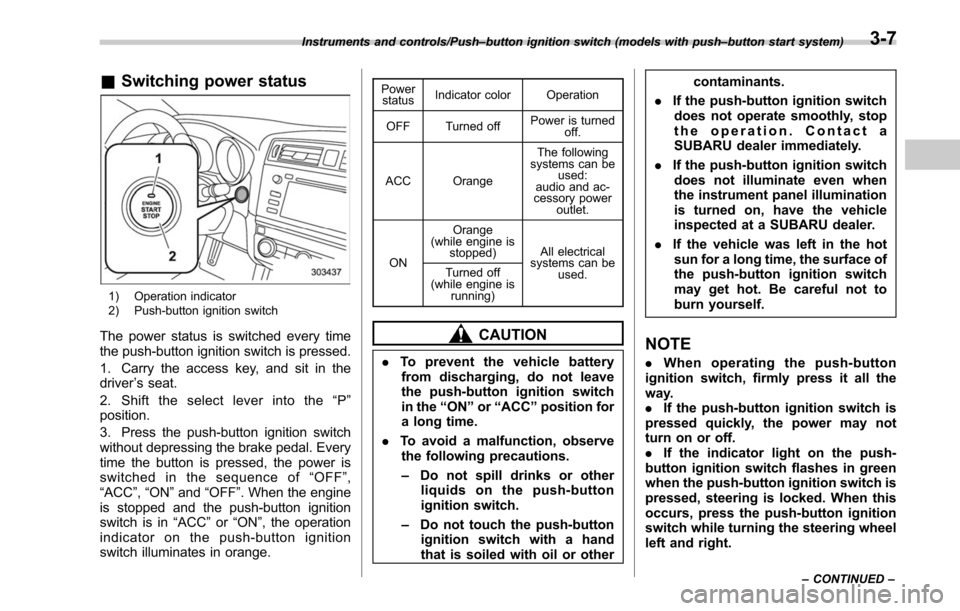
&Switching power status
1) Operation indicator
2) Push-button ignition switch
The power status is switched every time
the push-button ignition switch is pressed.
1. Carry the access key, and sit in the
driver ’s seat.
2. Shift the select lever into the “P ”
position.
3. Press the push-button ignition switch
without depressing the brake pedal. Every
time the button is pressed, the power is
switched in the sequence of “OFF ”,
“ACC ”,“ON ”and “OFF ”. When the engine
is stopped and the push-button ignition
switch is in “ACC”or “ON ”, the operation
indicator on the push-button ignition
switch illuminates in orange.
Power status Indicator color Operation
OFF Turned off Power is turned
off.
ACC Orange The following
systems can be used:
audio and ac-
cessory power
outlet.
ON Orange
(while engine is stopped) All electrical
systems can be
used.
Turned off
(while engine is
running)
CAUTION
.To prevent the vehicle battery
from discharging, do not leave
the push-button ignition switch
in the “ON ”or “ACC ”position for
a long time.
. To avoid a malfunction, observe
the following precautions.
– Do not spill drinks or other
liquids on the push-button
ignition switch.
– Do not touch the push-button
ignition switch with a hand
that is soiled with oil or other contaminants.
. If the push-button ignition switch
does not operate smoothly, stop
the operation. Contact a
SUBARU dealer immediately.
. If the push-button ignition switch
does not illuminate even when
the instrument panel illumination
is turned on, have the vehicle
inspected at a SUBARU dealer.
. If the vehicle was left in the hot
sun for a long time, the surface of
the push-button ignition switch
may get hot. Be careful not to
burn yourself.
NOTE
. When operating the push-button
ignition switch, firmly press it all the
way.
. If the push-button ignition switch is
pressed quickly, the power may not
turn on or off.
. If the indicator light on the push-
button ignition switch flashes in green
when the push-button ignition switch is
pressed, steering is locked. When this
occurs, press the push-button ignition
switch while turning the steering wheel
left and right.
Instruments and controls/Push –button ignition switch (models with push –button start system)
–CONTINUED –3-7
Page 168 of 610
Warning and indicator lights
Several of the warning and indicator lights
illuminate momentarily and then go out
when the ignition switch is initially turned
to the“ON ”position. This permits check-
ing the operation of the bulbs.
Apply the parking brake and turn the
ignition switch to the “ON”position. For
the system check, the following lights
illuminate and turn off after several sec-
onds or after the engine has started:
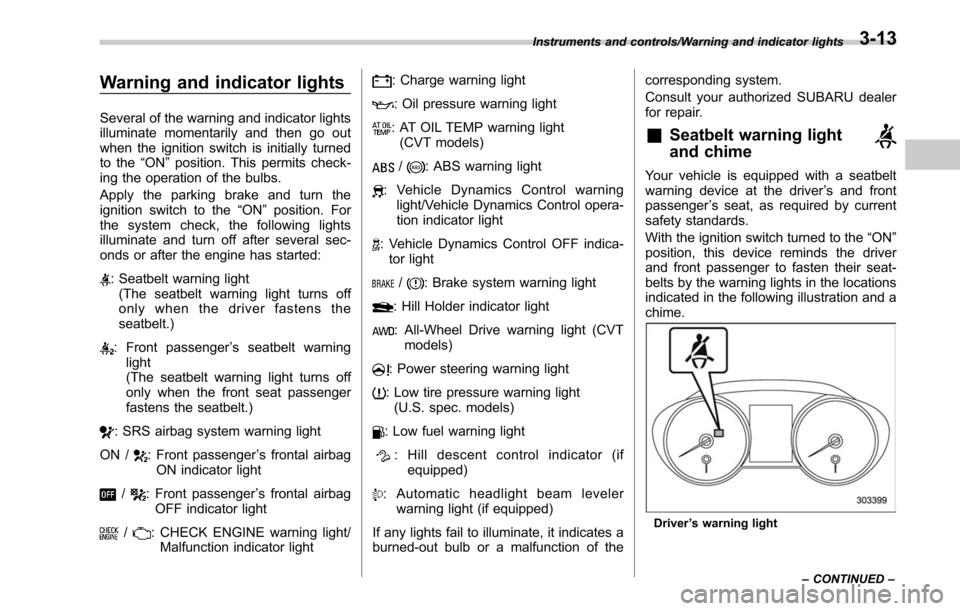
: Seatbelt warning light (The seatbelt warning light turns off
only when the driver fastens the
seatbelt.)
: Front passenger ’s seatbelt warning
light
(The seatbelt warning light turns off
only when the front seat passenger
fastens the seatbelt.)
: SRS airbag system warning light
ON /
: Front passenger ’s frontal airbag
ON indicator light
/: Front passenger ’s frontal airbag
OFF indicator light
/: CHECK ENGINE warning light/ Malfunction indicator light
: Charge warning light
: Oil pressure warning light
: AT OIL TEMP warning light(CVT models)
/: ABS warning light
: Vehicle Dynamics Control warning light/Vehicle Dynamics Control opera-
tion indicator light
: Vehicle Dynamics Control OFF indica-tor light
/: Brake system warning light
: Hill Holder indicator light
: All-Wheel Drive warning light (CVT models)
: Power steering warning light
: Low tire pressure warning light(U.S. spec. models)
: Low fuel warning light
: Hill descent control indicator (if equipped)
: Automatic headlight beam leveler warning light (if equipped)
If any lights fail to illuminate, it indicates a
burned-out bulb or a malfunction of the corresponding system.
Consult your authorized SUBARU dealer
for repair.
&Seatbelt warning light
and chime
Your vehicle is equipped with a seatbelt
warning device at the driver
’s and front
passenger ’s seat, as required by current
safety standards.
With the ignition switch turned to the “ON”
position, this device reminds the driver
and front passenger to fasten their seat-
belts by the warning lights in the locations
indicated in the following illustration and a
chime.
Driver ’s warning light
Instruments and controls/Warning and indicator lights
–CONTINUED –
3-13
Page 178 of 610
damage to the engine.
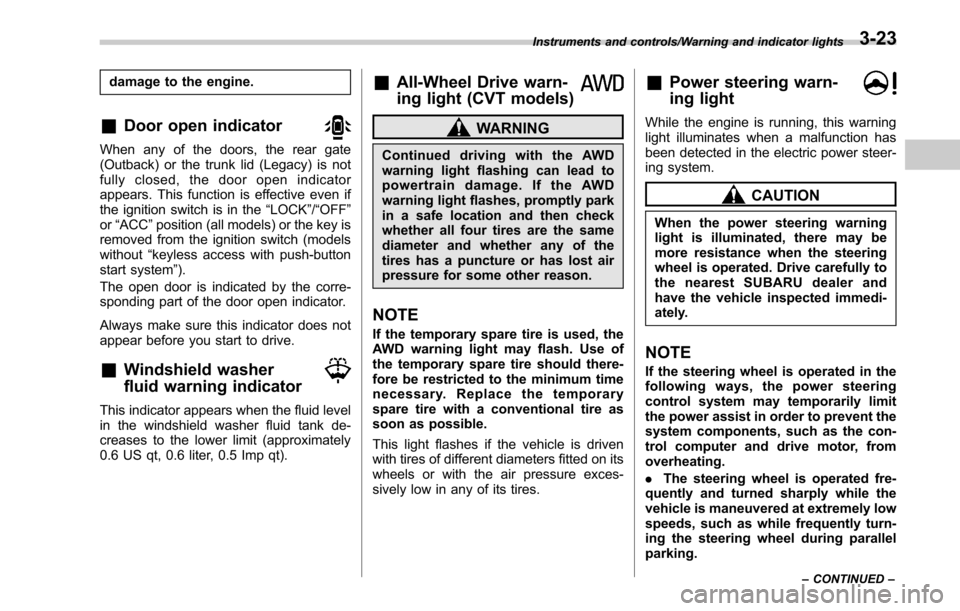
&Door open indicator
When any of the doors, the rear gate
(Outback) or the trunk lid (Legacy) is not
fully closed, the door open indicator
appears. This function is effective even if
the ignition switch is in the“LOCK”/“OFF ”
or “ACC ”position (all models) or the key is
removed from the ignition switch (models
without “keyless access with push-button
start system ”).
The open door is indicated by the corre-
sponding part of the door open indicator.
Always make sure this indicator does not
appear before you start to drive.
&Windshield washer
fluid warning indicator
This indicator appears when the fluid level
in the windshield washer fluid tank de-
creases to the lower limit (approximately
0.6 US qt, 0.6 liter, 0.5 Imp qt).
&All-Wheel Drive warn-
ing light (CVT models)
WARNING
Continued driving with the AWD
warning light flashing can lead to
powertrain damage. If the AWD
warning light flashes, promptly park
in a safe location and then check
whether all four tires are the same
diameter and whether any of the
tires has a puncture or has lost air
pressure for some other reason.
NOTE
If the temporary spare tire is used, the
AWD warning light may flash. Use of
the temporary spare tire should there-
fore be restricted to the minimum time
necessary. Replace the temporary
spare tire with a conventional tire as
soon as possible.
This light flashes if the vehicle is driven
with tires of different diameters fitted on its
wheels or with the air pressure exces-
sively low in any of its tires.
&Power steering warn-
ing light
While the engine is running, this warning
light illuminates when a malfunction has
been detected in the electric power steer-
ing system.
CAUTION
When the power steering warning
light is illuminated, there may be
more resistance when the steering
wheel is operated. Drive carefully to
the nearest SUBARU dealer and
have the vehicle inspected immedi-
ately.
NOTE
If the steering wheel is operated in the
following ways, the power steering
control system may temporarily limit
the power assist in order to prevent the
system components, such as the con-
trol computer and drive motor, from
overheating.
. The steering wheel is operated fre-
quently and turned sharply while the
vehicle is maneuvered at extremely low
speeds, such as while frequently turn-
ing the steering wheel during parallel
parking.
Instruments and controls/Warning and indicator lights
–CONTINUED –3-23
Page 179 of 610
Instruments and controls/Warning and indicator lights
.The steering wheel remains in the
fully turned position for a long period
of time.
At this time, there will be more resis-
tance when steering. However this is
not a malfunction. Normal steering
force will be restored after the steering
wheel is not operated for a while and
the power steering control system has
an opportunity to cool down. However,
if the power steering is operated in a
non-standard way which causes power
assist limitation to occur too fre-
quently, that may result in a malfunc-
tion of the power steering control
system.
&Vehicle Dynamics
Control warning light/
Vehicle Dynamics Con-
trol operation indicator
light
! Vehicle Dynamics Control warning
light
CAUTION
The Vehicle Dynamics Control sys-
tem provides its ABS control
through the electrical circuit of the ABS. Accordingly, if the ABS is
inoperative, the Vehicle Dynamics
Control system becomes unable to
provide ABS control. As a result, the
Vehicle Dynamics Control system
becomes inoperative, causing the
warning light to illuminate. Although
both the Vehicle Dynamics Control
and ABS are inoperative in this
case, the ordinary functions of the
brake system are still available. You
will be safe while driving in this
condition, but drive carefully and
have your vehicle checked at a
SUBARU dealer as soon as possi-
ble.
NOTE
.
If the electrical circuit of the Vehicle
Dynamics Control system itself mal-
functions, the warning light only illumi-
nates. At this time, the ABS (Anti-lock
Brake System) remains fully opera-
tional.
. The warning light illuminates when
the electronic control system of the
ABS/Vehicle Dynamics Control system
malfunctions.
The Vehicle Dynamics Control system is
probably inoperative under any of the
following conditions. Have your vehicle checked at a SUBARU dealer immedi-
ately.
.
The warning light does not illuminate
when the ignition switch is turned to the
“ON ”position.
. The warning light illuminates while the
vehicle is running.
NOTE
If the warning light behavior is as
described in the following examples,
the Vehicle Dynamics Control system
may be considered normal.
. The warning light illuminates right
after the engine is started but turns off
immediately and remains off.
. The warning light illuminates after
the engine has started and turns off
while the vehicle is subsequently being
driven.
. The warning light illuminates during
driving, but turns off immediately and
remains off.
! Vehicle Dynamics Control opera-
tion indicator light
The indicator light flashes during activa-
tion of the skid suppression function and
during activation of the traction control
function.
3-24
Page 180 of 610
NOTE
.The light may remain illuminated for
a short period of time after the engine
has been started, especially in cold
weather. This does not indicate the
existence of a problem. The light
should turn off as soon as the engine
has warmed up.
. The indicator light illuminates when
the engine has developed a problem
and the CHECK ENGINE warning light/
malfunction indicator light is on.
The Vehicle Dynamics Control system is
probably malfunctioning under the follow-
ing condition. Have your vehicle checked
at a SUBARU dealer as soon as possible.
. The light does not turn off even after
the lapse of several minutes (the engine
has warmed up) after the engine has
started.
&Vehicle Dynamics
Control OFF indicator
light
The light illuminates when the Vehicle
Dynamics Control OFF switch is pressed
to deactivate the Vehicle Dynamics Con-
trol system.
The Vehicle Dynamics Control system is
probably malfunctioning under any of the
following conditions. Have your vehicle checked at a SUBARU dealer immedi-
ately.
.
The light does not illuminate when the
ignition switch is turned to the “ON ”
position.
. The light does not turn off even after a
period of approximately 2 seconds after
the ignition switch has been turned to the
“ON ”position.
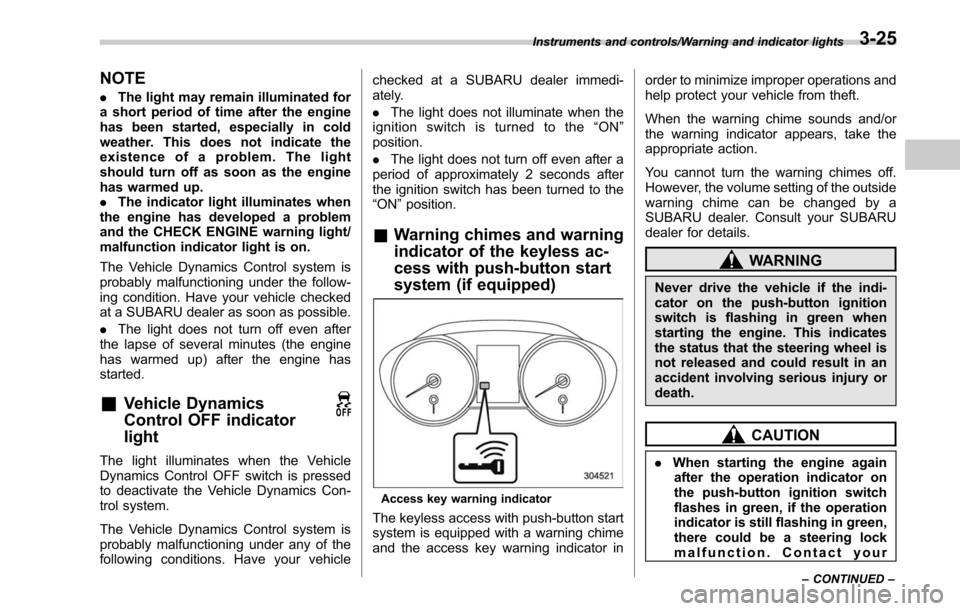
& Warning chimes and warning
indicator of the keyless ac-
cess with push-button start
system (if equipped)
Access key warning indicator
The keyless access with push-button start
system is equipped with a warning chime
and the access key warning indicator in order to minimize improper operations and
help protect your vehicle from theft.
When the warning chime sounds and/or
the warning indicator appears, take the
appropriate action.
You cannot turn the warning chimes off.
However, the volume setting of the outside
warning chime can be changed by a
SUBARU dealer. Consult your SUBARU
dealer for details.
WARNING
Never drive the vehicle if the indi-
cator on the push-button ignition
switch is flashing in green when
starting the engine. This indicates
the status that the steering wheel is
not released and could result in an
accident involving serious injury or
death.
CAUTION
.
When starting the engine again
after the operation indicator on
the push-button ignition switch
flashes in green, if the operation
indicator is still flashing in green,
there could be a steering lock
malfunction. Contact your
Instruments and controls/Warning and indicator lights
–CONTINUED –3-25
Page 184 of 610
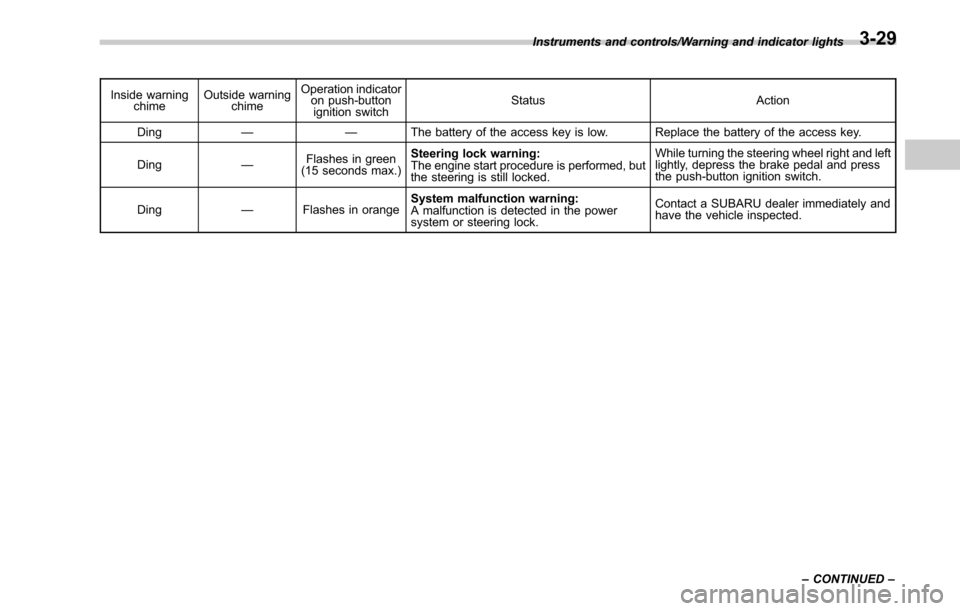
Inside warningchime Outside warning
chime Operation indicator
on push-button
ignition switch Status Action
Ding —— The battery of the access key is low. Replace the battery of the access key.
Ding —Flashes in green
(15 seconds max.) Steering lock warning:
The engine start procedure is performed, but
the steering is still locked. While turning the steering wheel right and left
lightly, depress the brake pedal and press
the push-button ignition switch.
Ding —Flashes in orange System malfunction warning:
A malfunction is detected in the power
system or steering lock. Contact a SUBARU dealer immediately and
have the vehicle inspected.
Instruments and controls/Warning and indicator lights
–CONTINUED –
3-29
Page 187 of 610
Instruments and controls/Warning and indicator lights
&Cruise control set in-
dicator
This indicator appears when vehicle
speed has been set to use the cruise
control function.
&Automatic headlight
beam leveler warning
light (models with HID
headlights)
This light illuminates when the automatic
headlight beam leveler does not operate
normally.
If this light illuminates while driving or does
not turn off approximately 3 seconds after
turning the ignition switch to the“ON”
position, have your vehicle inspected at
your SUBARU dealer.
&Headlight indicator
light
This indicator light illuminates under the
following conditions.
. when the light switch is turned to the
“
” or “”position
. when the light switch is in the “AUTO”
position and the headlights illuminate
automatically
&Front fog light indicator
light (if equipped)
This indicator light illuminates while the
front fog lights are illuminated.
&X-mode indicator (if
equipped)
This indicator appears while the X-mode is
activated. It will disappear when the X-
mode is deactivated.
&Hill descent control
indicator (if equipped)
This indicator appears while the hill
descent control function is in standby. It
will flash while the hill descent control
function is operating. It will disappear
when the hill descent control function is
not available.
&Steering responsive
fog lights OFF indicator
(models with EyeSight
system)
This indicator appears when the steering
responsive fog lights system is deacti-
vated. This indicator disappears when the
system is activated.
For details about the steering responsive fog lights system, refer to
“Steering
responsive fog lights system (models with
EyeSight system) ”F 3-56.
&BSD/RCTA warning in-
dicator (if equipped)
This warning indicator appears on the
multi information display when the BSD
(Blind Spot Detection) or RCTA (Rear
Cross Traffic Alert) is not functioning for
any reason. For further details, refer to
“BSD/RCTA warning indicator ”F 7-59. If
this indicator remains displayed, have
your vehicle inspected by your SUBARU
dealer as soon as possible.
&BSD/RCTA OFF indica-
tor (if equipped)
This indicator appears on the multi in-
formation display when the BSD/RCTA
OFF switch is pressed to deactivate the
BSD (Blind Spot Detection) and RCTA
(Rear Cross Traffic Alert). For details, refer
to “BSD/RCTA OFF switch ”F 7-60.
&Icy road surface warn-
ing indicator
When the outside temperature is 37 8F
(3 8C) or less, the icy road surface warning
indicator will illuminate to inform the driver
that the road surface may be frozen.
3-32
Page 192 of 610
as vehicle information, warning informa-
tion, etc., they will interrupt the current
screen, and appear on the display accom-
panied by a beep. If such a screen is
displayed, take proper action according to
the message shown on the screen.
The warning screen will return to the
original screen after a few seconds. While
the“
”information reminder is shown on
the display, it may be possible to display
the warning screen again. To recall the
message marked with “
”on the display,
pull the “/SET”switch on the steering
wheel toward you.
& Welcome screen and Good-
bye screen
When the driver ’s door is opened and
closed after unlocking the door, the
welcome screen will appear on the multi
information display for approximately 20
seconds.
When the ignition switch is turned to the
“LOCK”/ “OFF ”position, the multi informa-
tion display gradually turns off (Good-bye
screen).
NOTE
. The basic screen will be shown
when the ignition switch is turned to
the “ON ”position while the welcome screen is displayed.
.
Once the welcome screen appears,
it takes a certain period of time to
display it again.
. If the ignition switch is operated
after unlocking the driver ’s door, the
welcome screen will not appear even
when the driver ’s door is opened and
closed.
. The welcome screen will disappear
when you lock the driver ’s door by
using the remote keyless entry system
(all models) or the keyless access
function (if equipped) while the wel-
come screen is displayed.
. If any of the doors (including the
rear gate) is opened while the welcome
screen is displayed, the door ajar
warning will appear.
. The welcome screen can be set to
on or off. For details, refer to “Welcome
Screen ”F 3-44.
. The Good-bye screen can be set to
on or off. For details, refer to “Good-
bye Screen ”F 3-44.
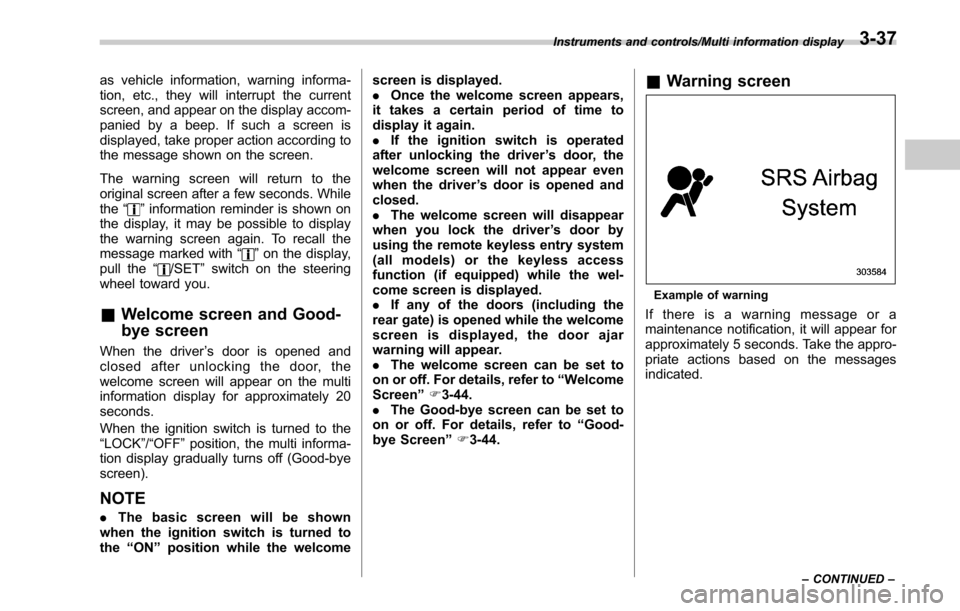
& Warning screen
Example of warning
If there is a warning message or a
maintenance notification, it will appear for
approximately 5 seconds. Take the appro-
priate actions based on the messages
indicated.
Instruments and controls/Multi information display
–CONTINUED –3-37
Page 193 of 610
Instruments and controls/Multi information display
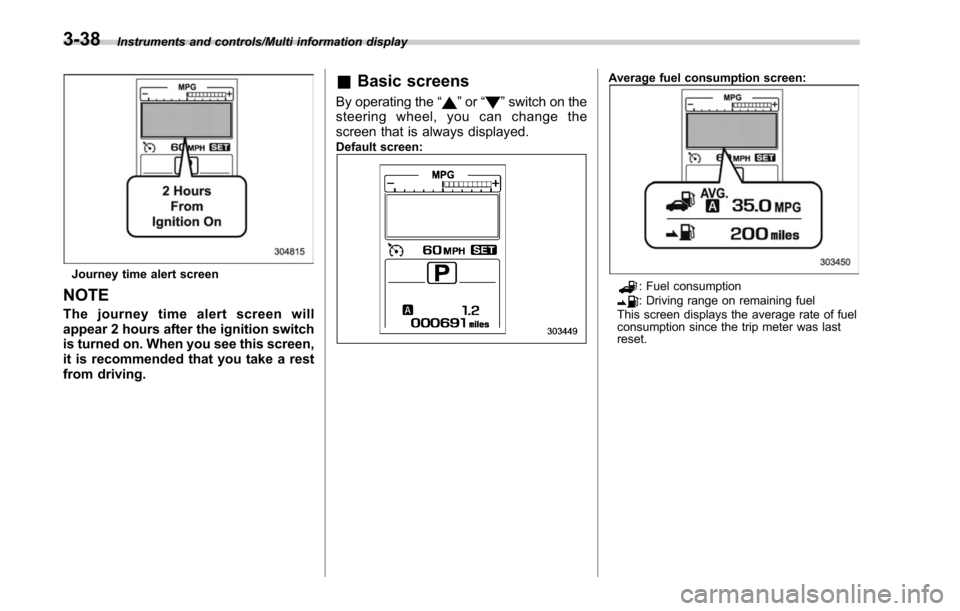
Journey time alert screen
NOTE
The journey time alert screen will
appear 2 hours after the ignition switch
is turned on. When you see this screen,
it is recommended that you take a rest
from driving.
&Basic screens
By operating the “”or “”switch on the
steering wheel, you can change the
screen that is always displayed.
Default screen:
Average fuel consumption screen:
: Fuel consumption: Driving range on remaining fuel
This screen displays the average rate of fuel
consumption since the trip meter was last
reset.
3-38
Page 195 of 610
Instruments and controls/Multi information display
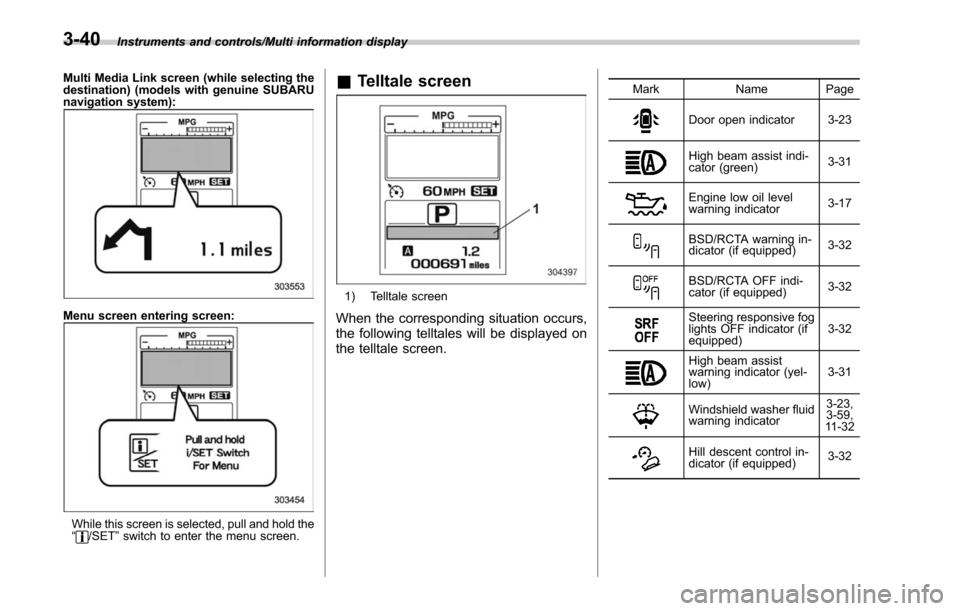
Multi Media Link screen (while selecting the
destination) (models with genuine SUBARU
navigation system):
Menu screen entering screen:
While this screen is selected, pull and hold the
“/SET”switch to enter the menu screen.
& Telltale screen
1) Telltale screen
When the corresponding situation occurs,
the following telltales will be displayed on
the telltale screen.
Mark Name Page
Door open indicator 3-23
High beam assist indi-
cator (green) 3-31
Engine low oil level
warning indicator
3-17
BSD/RCTA warning in-
dicator (if equipped)3-32
BSD/RCTA OFF indi-
cator (if equipped)
3-32
Steering responsive fog
lights OFF indicator (if
equipped)3-32
High beam assist
warning indicator (yel-
low)3-31
Windshield washer fluid
warning indicator3-23,
3-59,
11 - 3 2
Hill descent control in-
dicator (if equipped) 3-32
3-40