alarm SUBARU SOLTERRA 2023 User Guide
[x] Cancel search | Manufacturer: SUBARU, Model Year: 2023, Model line: SOLTERRA, Model: SUBARU SOLTERRA 2023Pages: 628, PDF Size: 11.91 MB
Page 190 of 628

1904-2. Opening, closing and locking the doors
Owners Manual_USA_M42C01_enlock and unlock repeatedly. In that
case, follow the fo
llowing correc-
tion procedures to wash the vehi-
cle:
• Place the electronic key in a loca- tion 6 ft. (2 m) or more away from
the vehicle. (Take care to ensure
that the key is not stolen.)
• Set the electronic key to battery-
saving mode to disable the smart
key system. ( P.188)
●If the electronic key is inside the
vehicle and a door handle
becomes wet during a car wash, a
message may be shown on the
multi-informatio n display and a
buzzer will sound outside the vehi-
cle. To turn off the alarm, lock all
the doors.
●The lock sensor may not work
properly if it com es into contact
with ice, snow, mud, etc. Clean
the lock sensor and attempt to
operate it again.
●A sudden approach to the effec-
tive range or door handle may pre-
vent the doors from being
unlocked. In this case, return the
door handle to the original position
and check that the doors unlock
before pulling the door handle
again.
●If there is another electronic key in
the detection area, it may take
slightly longer to unlock the doors
after the door handle is gripped.
■When the vehicle is not driven
for extended periods
●To prevent theft of the vehicle, do
not leave the electronic key within
6 ft. (2 m) of the vehicle.
●The smart key system can be
deactivated in advance. ( P.569)
●Battery-saving mode can reduce
the power consumption of elec-
tronic keys. ( P.188)
■To operate the system properly
Make sure to carry the electronic
key when operating the system. Do
not get the electronic key too close to the vehicle when operating the
system from the out
side of the vehi-
cle.
Depending on the position and hold-
ing condition of the electronic key,
the key may not be detected cor-
rectly and the system may not oper-
ate properly. (The alarm may go off
accidentally, or the door lock pre-
vention may not operate.)
■If the smart key system does
not operate properly
●If the doors cannot be locked or
unlocked, perform the following.
• Bring the electronic key close to the door handle and perform a
lock or unlock operation.
• Use the wireless remote control.
If the doors cannot be locked or
unlocked by perform the above, use
the mechanical key. ( P.539)
However, if the mechanical key is
used while the alarm system is set,
the warning will sound. ( P. 6 9 )
●If the EV system cannot be
started, refer to P.540
■Customization
Settings (e.g. smart key system)
can be changed.
(Customizable features: P.569)
If the smart key system has been
deactivated in a customized setting,
refer to the explanations for the fol-
lowing operations.
●Locking and unlocking the doors:
Use the wireless remote control or
mechanical key. ( P.167, 539)
●Starting the EV system and
changing power switch modes:
P. 5 4 0
●Stopping the EV system: P. 2 3 3
Page 213 of 628
2134-5. Opening, closing the windows
Owners Manual_USA_M42C01_en
4
Before driving
5 Release the power window
switch for a m oment, resume
pushing the switch in the one-
touch opening direction, and
hold it there for a pproximately 4
seconds or more.
6 Pull and hold the power window
switch in the one-touch closing
direction again. After the side
window is completely closed,
continue holding the switch for a
further 1 second or more.
If you release the switch while the
side window is moving, start again
from the beginning.
If the side window reverses and
cannot be fully closed or opened,
have the vehicle inspected by your
Toyota dealer.
■Door lock linked power window
operation
●The power windows can be
opened and closed using the
mechanical key.
* ( P.540)
●The power windows can be
opened using the wireless remote
control.
* ( P.167)
●The alarm may be triggered if the
alarm is set and the power window
is closed using the door lock
linked power win dow operation
function. ( P. 6 9 )
*: These settings must be custom-
ized at your Toyota dealer.
■Power window open reminder
function
The buzzer sounds and a message
is shown on the multi-information
display when the power switch is
turned to OFF and the driver’s door
is opened with the power windows
open.
■Customization
Some functions can be customized.
(Customizable features: P.571)
WARNING
Observe the following precau-
tions.
Failing to do so may result in
death or serious injury.
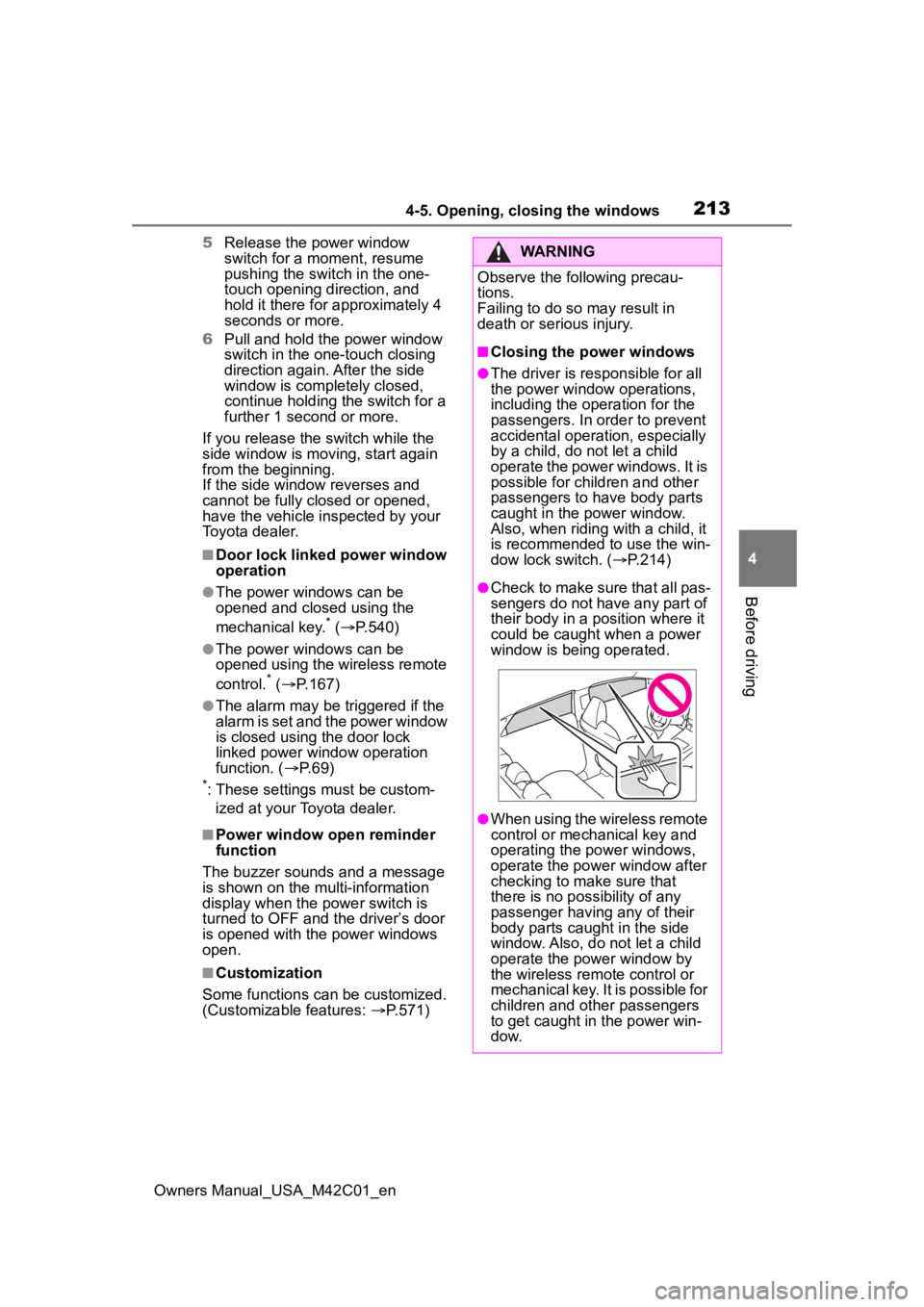
■Closing the power windows
●The driver is responsible for all
the power window operations,
including the operation for the
passengers. In order to prevent
accidental operation, especially
by a child, do not let a child
operate the power windows. It is
possible for children and other
passengers to have body parts
caught in the power window.
Also, when ridin g with a child, it
is recommended to use the win-
dow lock switch. ( P.214)
●Check to make sure that all pas-
sengers do not have any part of
their body in a position where it
could be caught when a power
window is being operated.
●When using the wireless remote
control or mechanical key and
operating the power windows,
operate the power window after
checking to make sure that
there is no possibility of any
passenger having any of their
body parts caught in the side
window. Also, do not let a child
operate the power window by
the wireless remote control or
mechanical key. It is possible for
children and other passengers
to get caught in the power win-
d o w.
Page 376 of 628
3765-4. Using the driving support systems
Owners Manual_USA_M42C01_en
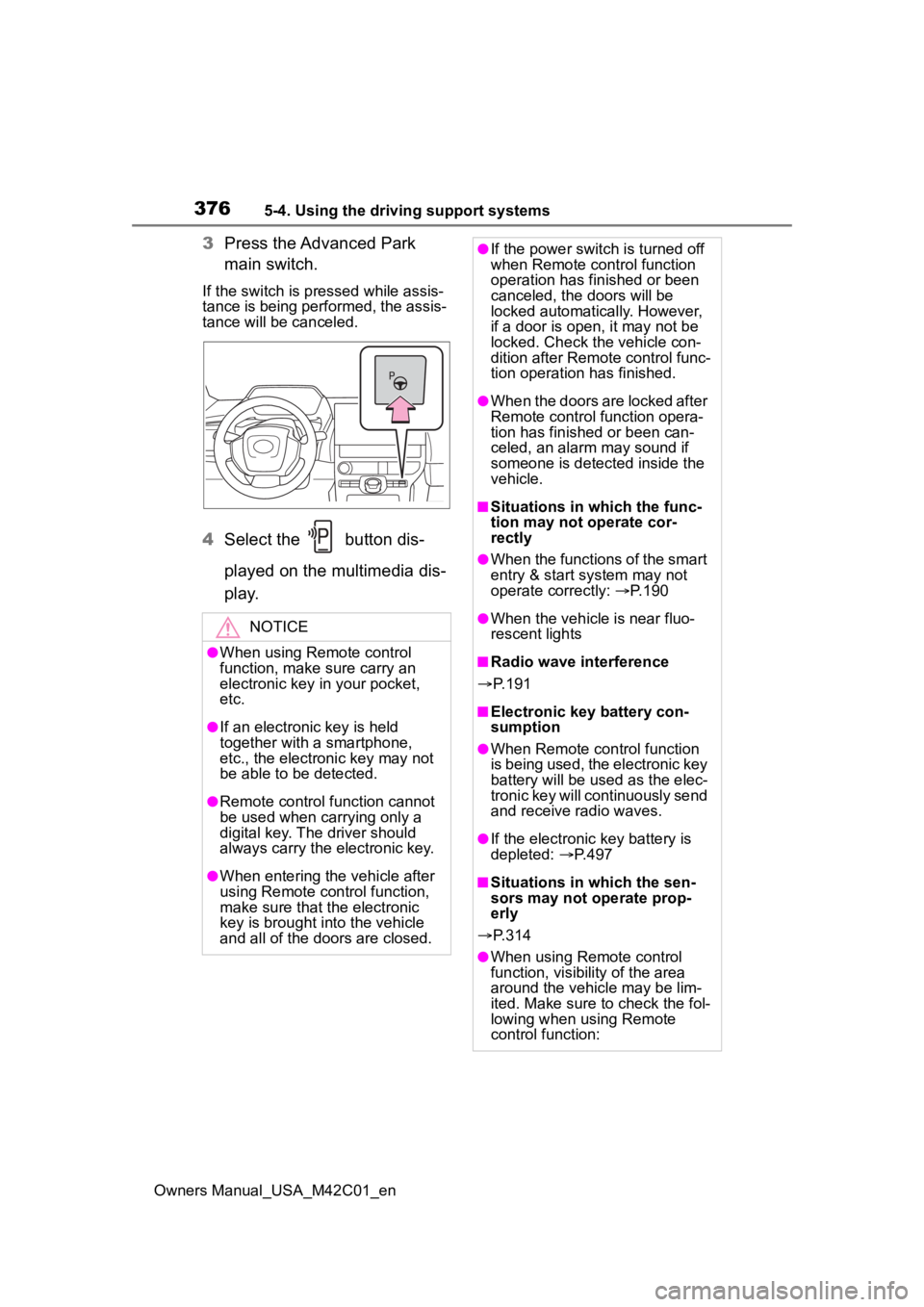
3Press the Advanced Park
main switch.
If the switch is pressed while assis-
tance is being performed, the assis-
tance will be canceled.
4Select the button dis-
played on the multimedia dis-
p l a y.
NOTICE
●When using Remote control
function, make sure carry an
electronic key in your pocket,
etc.
●If an electronic key is held
together with a smartphone,
etc., the electronic key may not
be able to be detected.
●Remote control function cannot
be used when carrying only a
digital key. The driver should
always carry the electronic key.
●When entering the vehicle after
using Remote control function,
make sure that the electronic
key is brought i nto the vehicle
and all of the doors are closed.
●If the power switch is turned off
when Remote control function
operation has finished or been
canceled, the doors will be
locked automatica lly. However,
if a door is open , it may not be
locked. Check the vehicle con-
dition after Remote control func-
tion operation has finished.
●When the doors are locked after
Remote control function opera-
tion has finished or been can-
celed, an alarm may sound if
someone is detected inside the
vehicle.
■Situations in which the func-
tion may not operate cor-
rectly
●When the functions of the smart
entry & start system may not
operate correctly: P. 1 9 0
●When the vehicle is near fluo-
rescent lights
■Radio wave interference
P. 1 9 1
■Electronic key battery con-
sumption
●When Remote control function
is being used, the electronic key
battery will be used as the elec-
tronic key will continuously send
and receive radio waves.
●If the electronic key battery is
depleted: P. 4 9 7
■Situations in which the sen-
sors may not operate prop-
erly
P. 3 1 4
●When using Remote control
function, visibility of the area
around the vehicle may be lim-
ited. Make sure to check the fol-
lowing when using Remote
control function:
Page 449 of 628
4497-1. Maintenance and care
Owners Manual_USA_M42C01_en
7
Maintenance and care
●If the electronic key is inside the
vehicle and a door handle
becomes wet during a car wash, a
buzzer may sound outside the
vehicle and “Key Detected In
Vehicle” may be shown on the
multi-information display. To turn
off the alarm, lock all the doors.
■Wheels and wheel ornaments
●Remove any dirt immediately by
using a neutral detergent.
●Wash detergent off with water
immediately after use.
●To protect the paint from damage,
make sure to obs erve the follow-
ing precautions.
• Do not use acidi c, alkaline or
abrasive detergent
• Do not use hard brushes
• Do not use det ergent on the
wheels when they are hot, such
as after driving or parking in hot
weather
■Painted brake calipers (if
equipped)
●When using detergent, use neu-
tral detergent. Do not use hard
brushes or abrasive cleaners, as
they will damage the paint.
●Do not use detergent on the brake
calipers when th ey are hot.
●Wash detergent off immediately
after use.
■Brake pads and calipers
Rust may form if the vehicle is
parked with wet brake pads or disc
rotors, causing them to stick. Before
parking the vehicle after it is
washed, drive slow ly and apply the
brakes several times to dry the
parts.
■Bumpers
Do not scrub with abrasive cleaners.
■Plated portions
If dirt cannot be removed, clean the
parts as follows:
●Use a soft cloth dampened with an approximately 5% solution of neu-
tral detergent and water to clean
the dirt off.
●Wipe the surface with a dry, soft
cloth to remove any remaining
moisture.
●To remove oily deposits, use alco-
hol wet wipes or a similar product.
WARNING
■When washing the vehicle
Do not apply water to the inside of
the motor compartment. Doing so
may cause the electrical compo-
nents, etc. to catch fire.
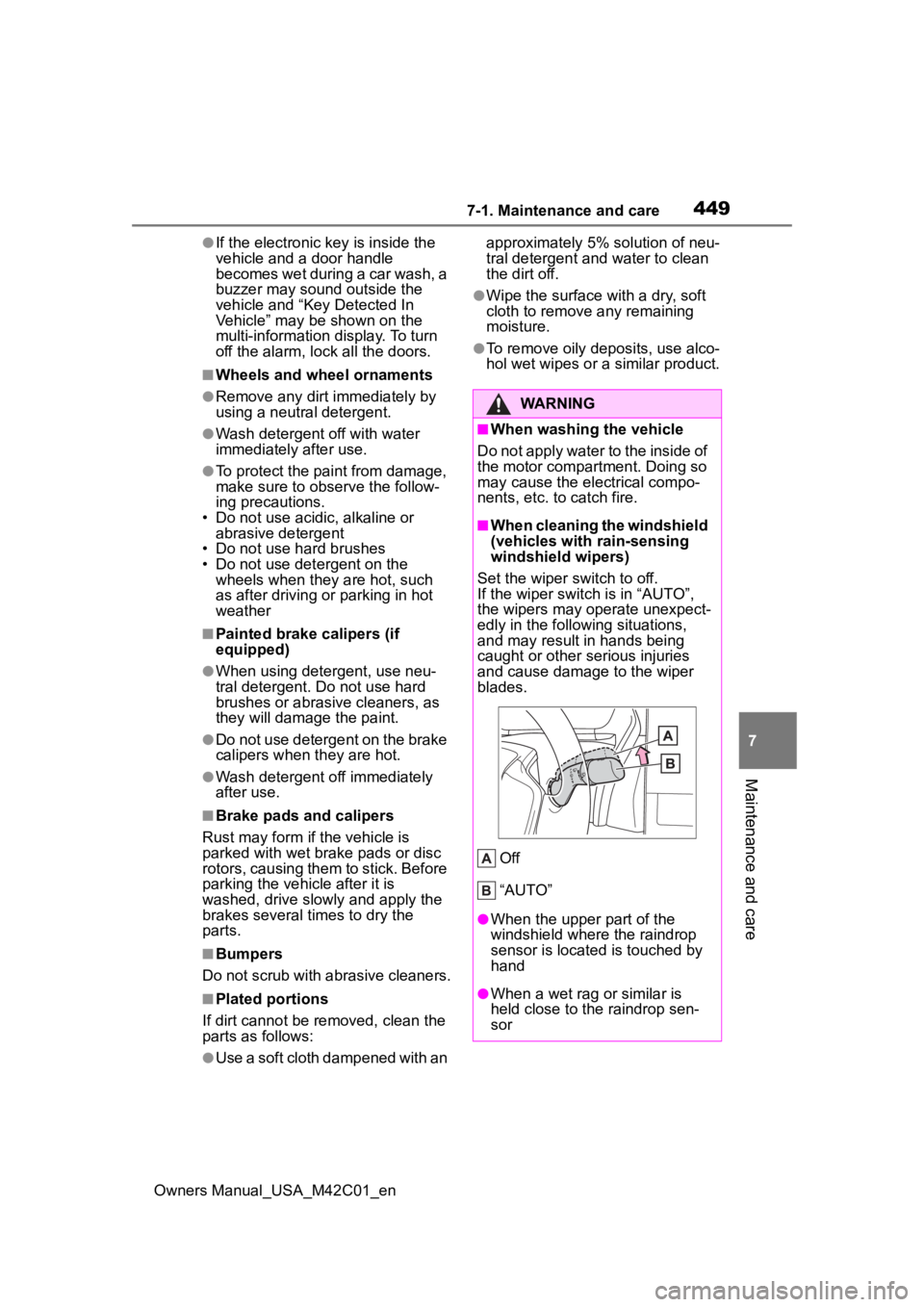
■When cleaning the windshield
(vehicles with rain-sensing
windshield wipers)
Set the wiper switch to off.
If the wiper switch is in “AUTO”,
the wipers may operate unexpect-
edly in the following situations,
and may result in hands being
caught or other serious injuries
and cause damage to the wiper
blades.
Off
“AUTO”
●When the upper part of the
windshield where the raindrop
sensor is located is touched by
hand
●When a wet rag or similar is
held close to the raindrop sen-
sor
Page 541 of 628
5418-2. Steps to take in an emergency
Owners Manual_USA_M42C01_en
8
When trouble arises
cannot be started, contact your Toy-
ota dealer.
■Stopping the EV system
Shift the shift position to P, set the
parking brake and press the power
switch as you no rmally do when
stopping the EV system.
■Replacing the key battery
As the above proc edure is a tempo-
rary measure, it is recommended
that the electronic key battery be
replaced immediate ly when the bat-
tery is depleted. ( P.497)
■Alarm
If a door is unlocked using the
mechanical key when the alarm sys-
tem is set, the alarm may be trig-
gered. ( P. 6 9 )
■Changing power switch modes
Release the brake pedal and press
the power switch in step 3 above.
The EV system does not start and
modes will be cha nged each time
the switch is pressed. ( P.234)
If you have a set of jumper (or
booster) cables and a second
vehicle with a 12-volt battery,
you can jump start your vehicle
by following the steps below.
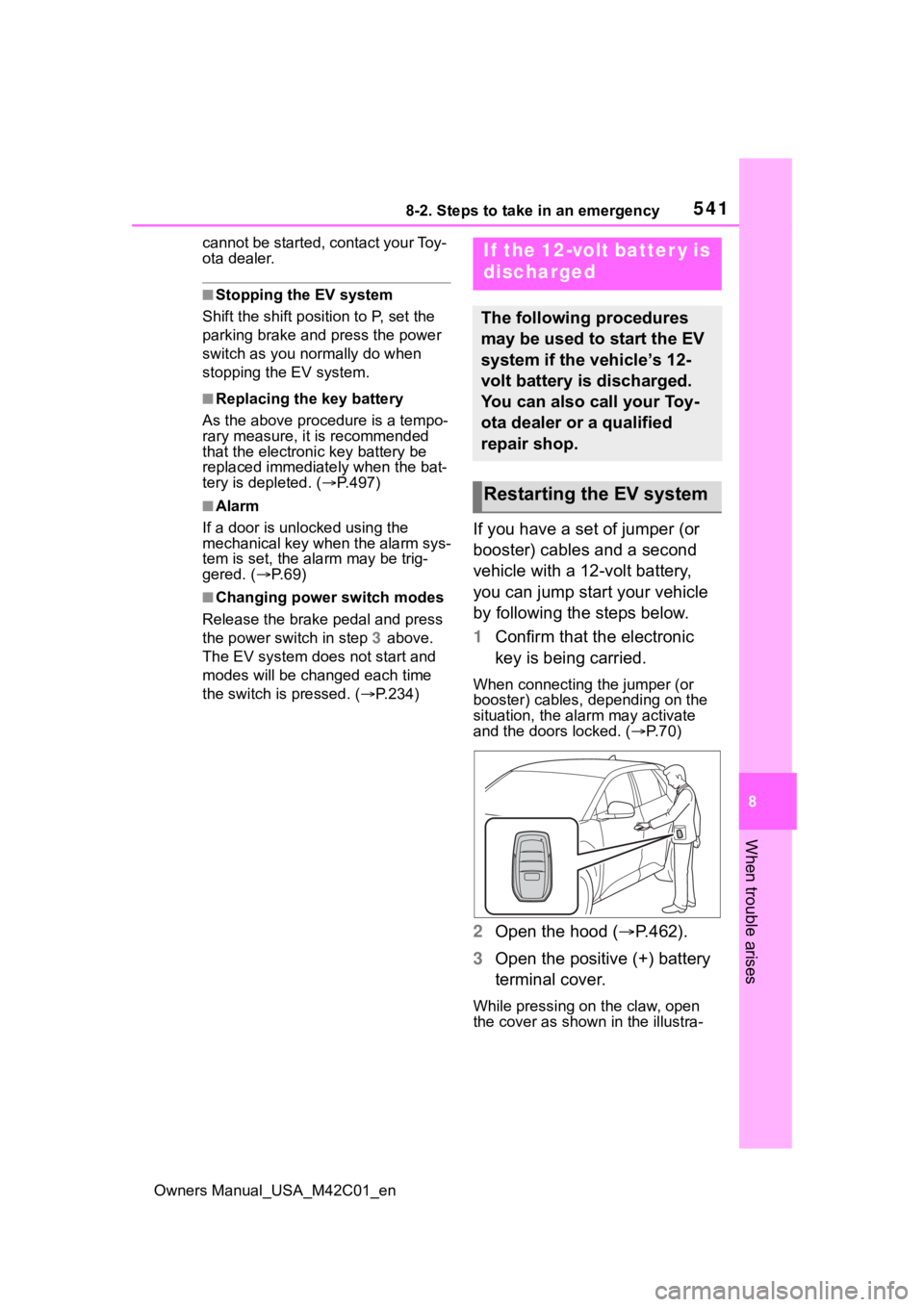
1Confirm that the electronic
key is being carried.
When connecting the jumper (or
booster) cables, depending on the
situation, the alarm may activate
and the doors locked. ( P. 7 0 )
2 Open the hood ( P.462).
3 Open the positive (+) battery
terminal cover.
While pressing on the claw, open
the cover as shown in the illustra-
If the 12-volt batter y is
discharged
The following procedures
may be used to start the EV
system if the vehicle’s 12-
volt battery is discharged.
You can also call your Toy-
ota dealer or a qualified
repair shop.
Restarting the EV system
Page 595 of 628
Owners Manual_USA_M42C01_en
595What to do if... (Troubleshooting)
Is the 12-volt battery dis-
charged? ( P.541)
Is the window lock switch
pressed?
The power window except for
the one at the driver’s seat
cannot be operated if the win-
dow lock switch is pressed.
( P.214)
The auto power off function
will be operated if the vehicle
is left in ACC or ON (the EV
system is not operating) for a
period of time. ( P.235)
The seat belt reminder light is
flashing
Are the driver and the passengers
wearing the seat belts? ( P. 5 1 5
,
516)
The parking brake indicator is
on
Is the parking brake released?
( P.245)
Depending on the situation,
other types of warning buzzer
may also sound. ( P.513, 522)
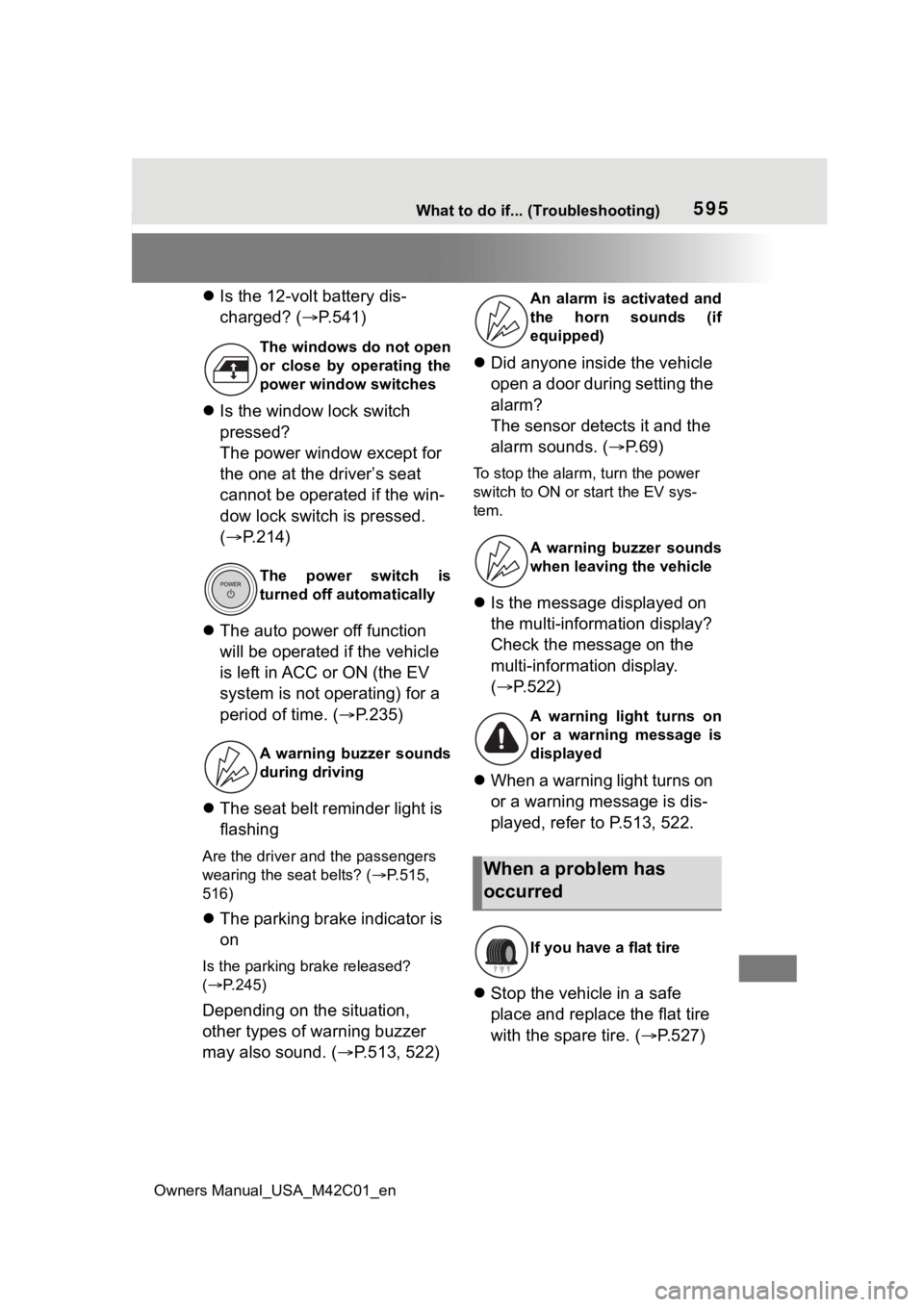
Did anyone inside the vehicle
open a door during setting the
alarm?
The sensor detects it and the
alarm sounds. ( P.69)
To stop the alarm, turn the power
switch to ON or start the EV sys-
tem.
Is the message displayed on
the multi-information display?
Check the message on the
multi-information display.
( P.522)
When a warning light turns on
or a warning message is dis-
played, refer to P.513, 522.
Stop the vehicle in a safe
place and replace the flat tire
with the spare tire. ( P.527)
The windows do not open
or close by operating the
power window switches
The power switch is
turned off automatically
A warning buzzer sounds
during driving
An alarm is activated and
the horn sounds (if
equipped)
A warning buzzer sounds
when leaving the vehicle
A warning light turns on
or a warning message is
displayed
When a problem has
occurred
If you have a flat tire
Page 597 of 628
Owners Manual_USA_M42C01_en
597Alphabetical Index
Alphabetical Index
A
A/C ........................................... 402Air conditioning filter ............. 494
Automatic air conditioning sys-tem ..................................... 402
Front seat concentrated airflow mode (S-FLOW) ................. 408
My Room Mode .................... 129
Remote Air Conditioning System ........................................... 409
“SYNC”mode ........................ 406
ABS (Anti-lock Brake System) ............................................... 387Function ............................... 387
Warning light ........................ 514
AC charging ............................ 105
AC charging cable .................... 87 CCID (Charging Circuit Interrupt-ing Device) ........................... 89
If the AC charging connector cannot be unlocked .............. 95
Indicator ................................. 90
Maintenance........................... 92
Safety functions...................... 89
ACA (Active Cornering Assist) ............................................... 387
Acoustic Vehicle Alerting Sys- tem ........................................... 74
Active Cornering Assist (ACA) ............................................... 387
Air conditioning filter ............. 494
Air conditioning system Air conditioning filter ............. 494
Automatic air conditioning sys-tem ..................................... 402
Front seat concentrated airflow mode (S-FLOW) ................. 408
Remote Air Conditioning System ........................................... 409
“SYNC” mode ....................... 406
Airbags ...................................... 34 Airbag operating conditions ....36
Airbag precautions for your child
.............................................39
Correct driving posture ...........27
Curtain shield airbag operating conditions .............................37
Curtain shield air bag precautions
.............................................39
Front passenger occupant clas- sification system ...................44
General airbag precautions ....39
Locations of airbags ...............34
Modification and disposal of air- bags......................................42
Side airbag operating conditions .............................................37
Side airbag precautions..........39
Side and curtain shield airbags operating conditions .............37
Side and curtain shield airbags precautions ...........................39
SRS airbag instructions for Canadian owners ...............583
SRS airbags ...........................34
SRS warning light .................514
Alarm .........................................69 Alarm ......................................69
Warning buzzer ....................513
ALL AUTO (“ECO”) control....400
Anchor brackets ... ..............52, 61
Antenna (smart key system)..187
Anti-lock Brake System (ABS) Warning light.........................514
Anti-lock brake system (ABS)387 Function................................387
Approach warning ..................294
Armrest ......... ......................... ..437
Assist grips .............................438
Audio system-linked display .157
Automatic air conditioning sys- tem .........................................402Air conditioning filter .............494
Page 609 of 628
Owners Manual_USA_M42C01_en
Alphabetical Index609
“SOS” button .......................... 64
Tire pressure warning reset switch ................................. 477
Vehicle-to-vehicle distance switch ................................. 291
Ventilators (seat ventilators) . 413
VSC OFF switch................... 388
Window lock switch .............. 214
Windshield defogger switch . 403
Windshield wipers and washer switch ................................. 253
X-MODE switch .................... 382
Switching the meter display .. 154
“SYNC” mode ......................... 406
T
Tail lights Light switch .......................... 248
Replacing light bulbs ............ 502
Theft deterrent system Alarm ...................................... 69
Immobilizer system ................ 68
Tire inflation pre ssure............ 158
Maintenance data................. 555
Tire inflation pressure display function............................... 474
Warning buzzers .................. 516
Warning light ........................ 516
Tire information ...................... 556 Glossary ............................... 560
Size ...................................... 557
Tire identification number ..... 557
Tire section names ............... 558
Tire pressure warning system ............................................... 474Function ............................... 474
Installing tire pressure warning valves and transmitters ...... 476
Registering ID codes ............ 481
Registration of the position of each wheel ......................... 477
Selecting wheel set .............. 483 Setting the tire pre
ssure .......478
Warning buzzers...................516
Warning light.........................516
Tires .........................................472 Chains ..................................395
Checking ..............................472
Emergency tire puncture repair kit ........................................527
Glossary ...............................560
If you have a flat tire .............527
Inflation pressure ..................491
Information ......... ..................556
Replacing .............................485
Rotating tires ........................474
Size ......................................555
Snow tires.............................393
Tire identification number .....557
Tire inflation pressure display function ...............................474
Tire pressure w arning system
...........................................474
Uniform Tire Quality Grading 558
Warning buzzers...................516
Warning light.........................516
Tools ................................486, 528
Top tether strap ........................61
Total load capacity .........225, 228
To w i n g Dinghy towing .......................230
Emergency towing ........507, 509
Towing eyelet........................510
Trailer sway control ..............387
Trailer towing ...... ..................229
Toyota Safety Sense 3.0.........259 Automatic High Beam (AHB) 250
Dynamic radar cruise control 288
Emergency Driving Stop System ...........................................299
LDA (Lane Departure Alert) ..281
LTA (Lane Tracing Assist) .....276
PCS (Pre-Collisio n System) .265
RSA (Road Sign Assist) ........286