brake SUBARU SOLTERRA 2023 User Guide
[x] Cancel search | Manufacturer: SUBARU, Model Year: 2023, Model line: SOLTERRA, Model: SUBARU SOLTERRA 2023Pages: 628, PDF Size: 11.91 MB
Page 103 of 628
1032-2. Charging
Owners Manual_USA_M42C01_en
2
Electric Vehicle system
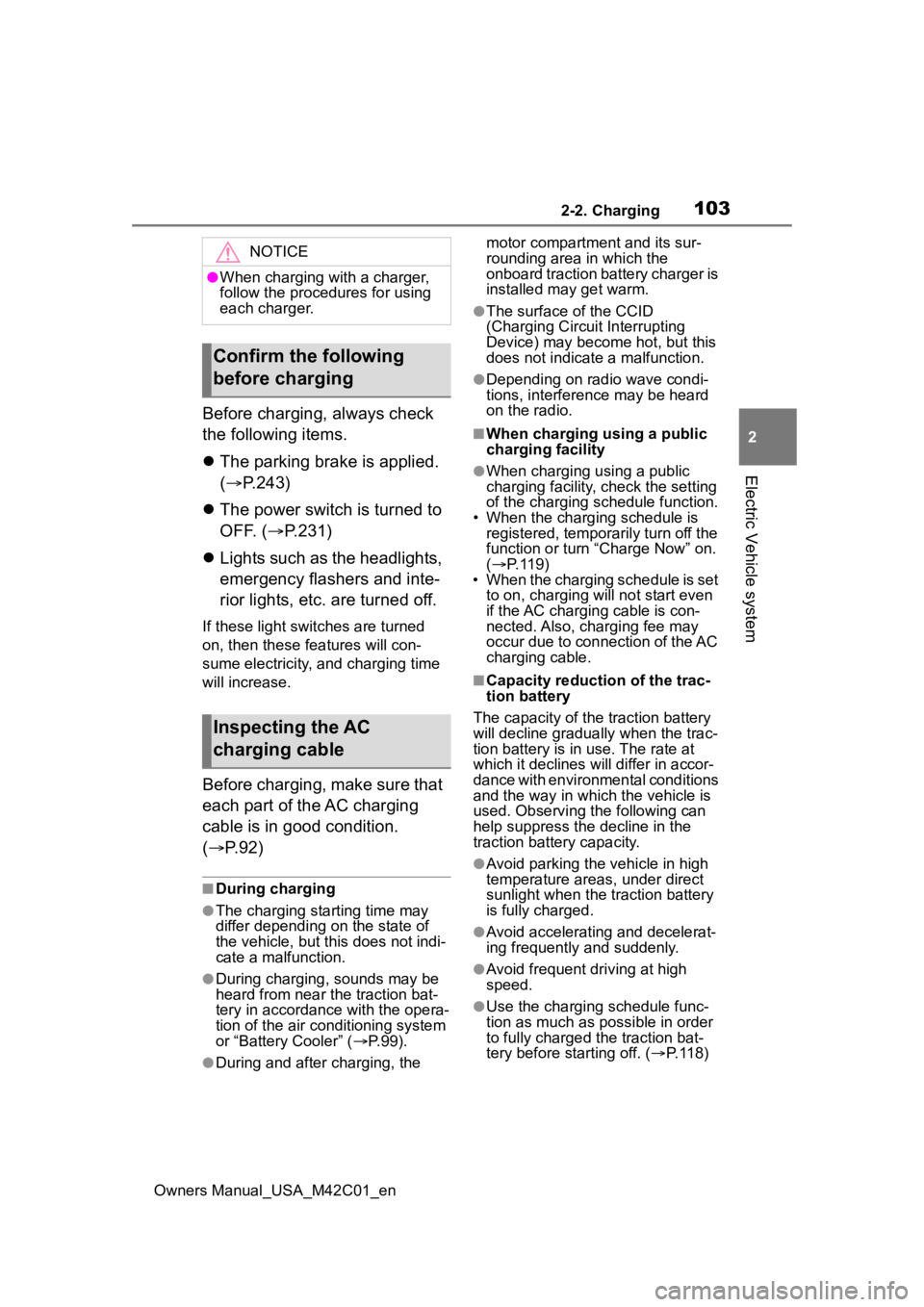
Before charging, always check
the following items.
The parking brake is applied.
( P.243)
The power switch is turned to
OFF. ( P.231)
Lights such as the headlights,
emergency flashers and inte-
rior lights, etc. are turned off.
If these light switches are turned
on, then these features will con-
sume electricity, and charging time
will increase.
Before charging, make sure that
each part of the AC charging
cable is in good condition.
( P.92)
■During charging
●The charging starting time may
differ depending on the state of
the vehicle, but this does not indi-
cate a malfunction.
●During charging, sounds may be
heard from near the traction bat-
tery in accordance with the opera-
tion of the air conditioning system
or “Battery Cooler” ( P.99).
●During and after charging, the motor compartment and its sur-
rounding area in which the
onboard traction battery charger is
installed may get warm.
●The surface of the CCID
(Charging Circuit Interrupting
Device) may become hot, but this
does not indicate a malfunction.
●Depending on radio wave condi-
tions, interference may be heard
on the radio.
■When charging using a public
charging facility
●When charging using a public
charging facility, check the setting
of the charging schedule function.
• When the charging schedule is registered, temporarily turn off the
function or turn “ Charge Now” on.
( P. 1 1 9 )
• When the charging schedule is set to on, charging will not start even
if the AC charging cable is con-
nected. Also, charging fee may
occur due to connection of the AC
charging cable.
■Capacity reduction of the trac-
tion battery
The capacity of the traction battery
will decline gradually when the trac-
tion battery is in use. The rate at
which it declines will differ in accor-
dance with environmental conditions
and the way in which the vehicle is
used. Observing the following can
help suppress the decline in the
traction battery capacity.
●Avoid parking the vehicle in high
temperature areas, under direct
sunlight when the traction battery
is fully charged.
●Avoid accelerating and decelerat-
ing frequently and suddenly.
●Avoid frequent d riving at high
speed.
●Use the charging schedule func-
tion as much as possible in order
to fully charged the traction bat-
tery before starting off. ( P. 1 1 8 )
NOTICE
●When charging with a charger,
follow the procedures for using
each charger.
Confirm the following
before charging
Inspecting the AC
charging cable
Page 115 of 628
1152-2. Charging
Owners Manual_USA_M42C01_en
2
Electric Vehicle system
cannot be hear d due to noise
occurrence during DC charging
●As the battery approaches full
charge, the charging speed will
decrease and it will take longer to
complete charging.
●The time to complete charging
may change, or charging may
stop before reaching the upper
limit of the charge capacity, due to
the remaining charge of the trac-
tion battery, the outside tempera-
ture, the specifications of the
charger (stand), etc.
●It is recommended to avoid fre-
quent DC charging to prevent a
decline in the traction battery
capacity.
●Quickly move from the DC
charging space for other users
after the DC charging is com-
pleted.
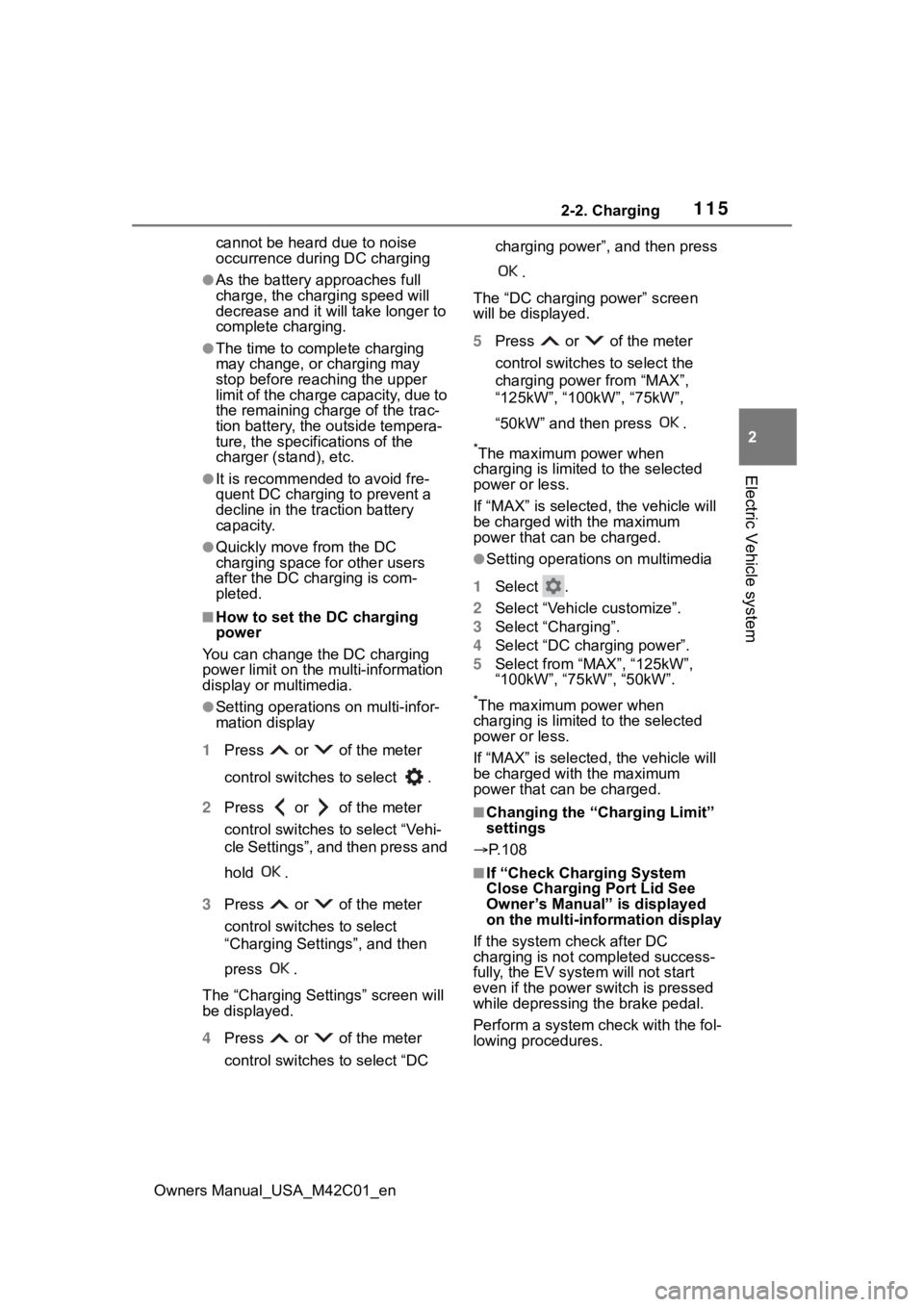
■How to set the DC charging
power
You can change the DC charging
power limit on the multi-information
display or multimedia.
●Setting operations on multi-infor-
mation display
1 Press or of the meter
control switches to select .
2 Press or of the meter
control switches to select “Vehi-
cle Settings”, and then press and
hold .
3 Press or of the meter
control switches to select
“Charging Settings”, and then
press .
The “Charging Sett ings” screen will
be displayed.
4 Press or of the meter
control switches to select “DC charging power”, and then press
.
The “DC charging power” screen
will be displayed.
5 Press or of the meter
control switches to select the
charging power from “MAX”,
“125kW”, “100kW”, “75kW”,
“50kW” and then press .
*The maximum power when
charging is limited to the selected
power or less.
If “MAX” is selected , the vehicle will
be charged with the maximum
power that can be charged.
●Setting operations on multimedia
1 Select .
2 Select “Vehicle customize”.
3 Select “Charging”.
4 Select “DC charging power”.
5 Select from “MAX”, “125kW”,
“100kW”, “75kW”, “50kW”.
*The maximum power when
charging is limited to the selected
power or less.
If “MAX” is selected , the vehicle will
be charged with the maximum
power that can be charged.
■Changing the “Cha rging Limit”
settings
P.108
■If “Check Charging System
Close Charging Port Lid See
Owner’s Manual” is displayed
on the multi-information display
If the system check after DC
charging is not completed success-
fully, the EV system will not start
even if the power switch is pressed
while depressing the brake pedal.
Perform a system check with the fol-
lowing procedures.
Page 116 of 628
1162-2. Charging
Owners Manual_USA_M42C01_en1
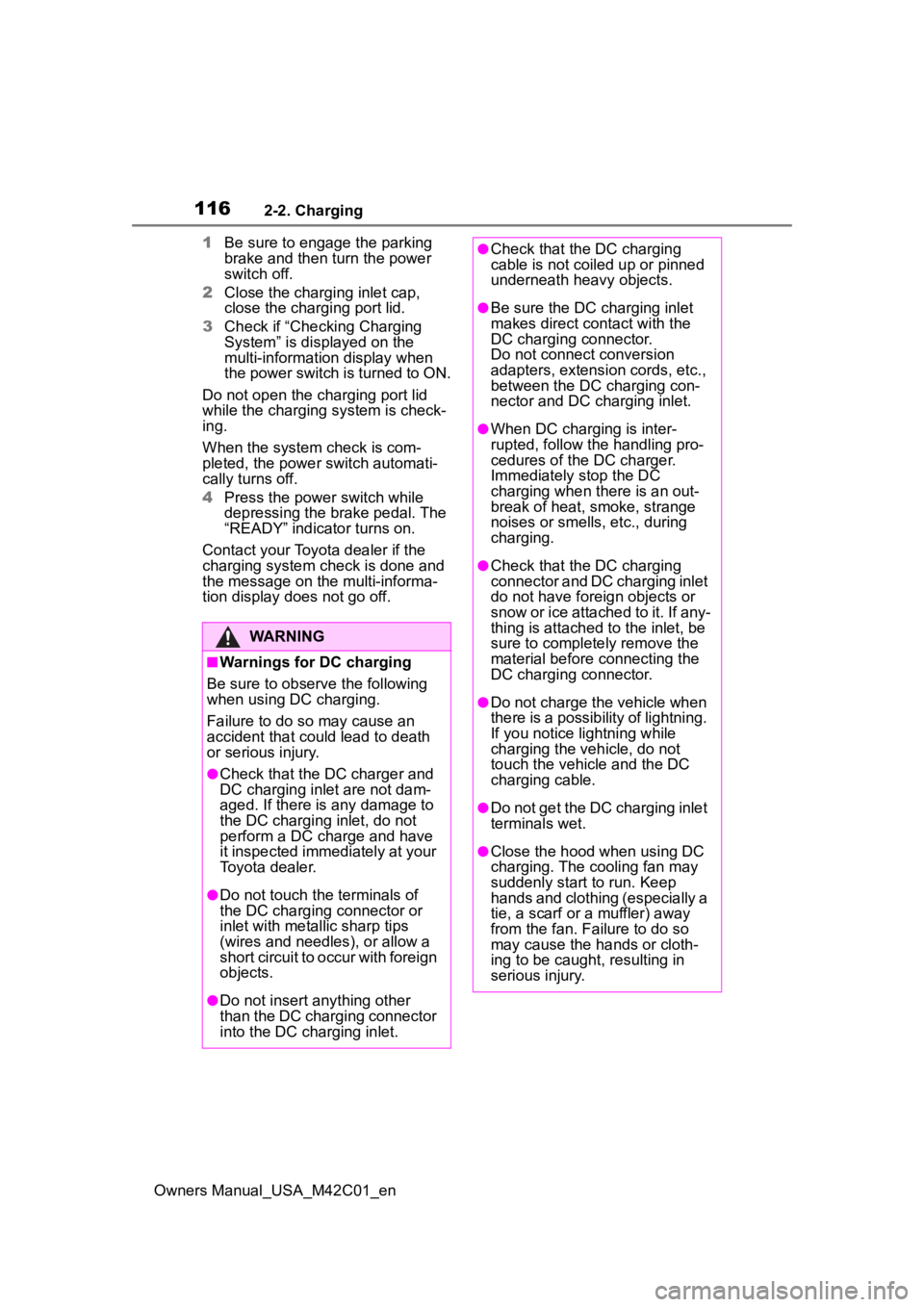
Be sure to engage the parking
brake and then turn the power
switch off.
2 Close the charging inlet cap,
close the charging port lid.
3 Check if “Checking Charging
System” is displayed on the
multi-information display when
the power switch is turned to ON.
Do not open the c harging port lid
while the charging system is check-
ing.
When the system check is com-
pleted, the power switch automati-
cally turns off.
4 Press the power switch while
depressing the brake pedal. The
“READY” indicator turns on.
Contact your Toyot a dealer if the
charging system check is done and
the message on the multi-informa-
tion display does not go off.
WARNING
■Warnings for DC charging
Be sure to observe the following
when using DC charging.
Failure to do so may cause an
accident that could lead to death
or serious injury.
●Check that the DC charger and
DC charging inlet are not dam-
aged. If there is any damage to
the DC charging inlet, do not
perform a DC charge and have
it inspected immediately at your
Toyota dealer.
●Do not touch the terminals of
the DC charging connector or
inlet with metallic sharp tips
(wires and needles), or allow a
short circuit to occur with foreign
objects.
●Do not insert anything other
than the DC charging connector
into the DC charging inlet.
●Check that the DC charging
cable is not coiled up or pinned
underneath heavy objects.
●Be sure the DC charging inlet
makes direct contact with the
DC charging connector.
Do not connect conversion
adapters, extension cords, etc.,
between the DC charging con-
nector and DC ch arging inlet.
●When DC charging is inter-
rupted, follow the handling pro-
cedures of the DC charger.
Immediately stop the DC
charging when the re is an out-
break of heat, smoke, strange
noises or smells, etc., during
charging.
●Check that the DC charging
connector and DC charging inlet
do not have foreign objects or
snow or ice attached to it. If any-
thing is attached t o the inlet, be
sure to complete ly remove the
material before connecting the
DC charging connector.
●Do not charge the vehicle when
there is a possibility of lightning.
If you notice lightning while
charging the vehicle, do not
touch the vehicle and the DC
charging cable.
●Do not get the DC charging inlet
terminals wet.
●Close the hood when using DC
charging. The cooling fan may
suddenly start to run. Keep
hands and clothing (especially a
tie, a scarf or a muffler) away
from the fan. Fa ilure to do so
may cause the hands or cloth-
ing to be caught, resulting in
serious injury.
Page 148 of 628
1483-1. Instrument cluster
Owners Manual_USA_M42C01_en
3-1.Instrument cluster
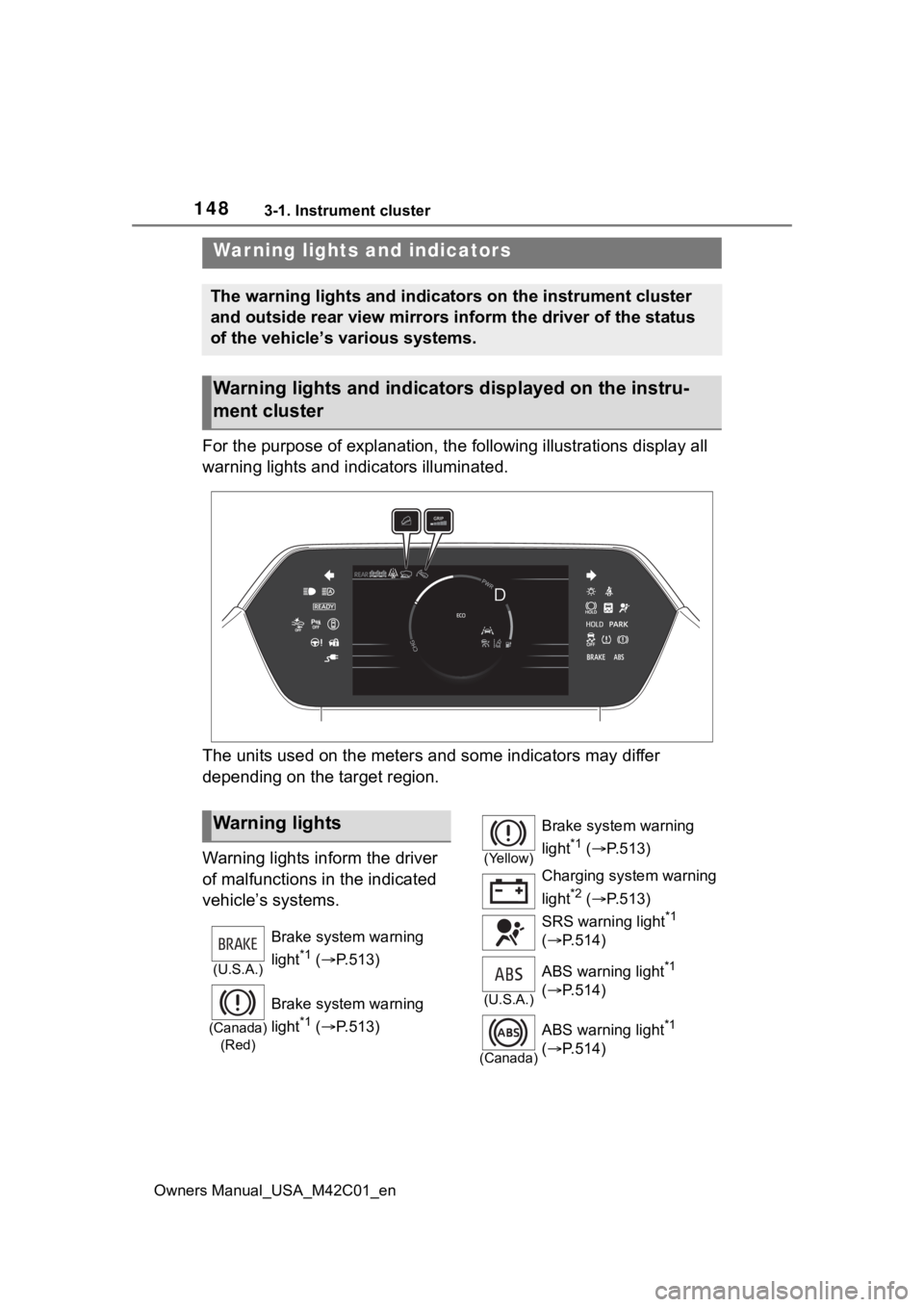
For the purpose of explanation, the following illustrations display all
warning lights and indicators illuminated.
The units used on the meters and some indicators may differ
depending on the target region.
Warning lights inform the driver
of malfunctions in the indicated
vehicle’s systems.
War ning lights and indicators
The warning lights and indicators on the instrument cluster
and outside rear view mirrors inform the driver of the status
of the vehicle’s various systems.
Warning lights and indicators displayed on the instru-
ment cluster
Warning lights
(U.S.A.)
Brake system warning
light
*1 ( P.513)
(Canada)
(Red)
Brake system warning
light
*1 ( P.513)
(Yellow)
Brake system warning
light
*1 ( P.513)
Charging system warning
light
*2 ( P.513)
SRS warning light
*1
( P.514)
(U.S.A.)
ABS warning light*1
( P.514)
(Canada)
ABS warning light*1
( P.514)
Page 149 of 628
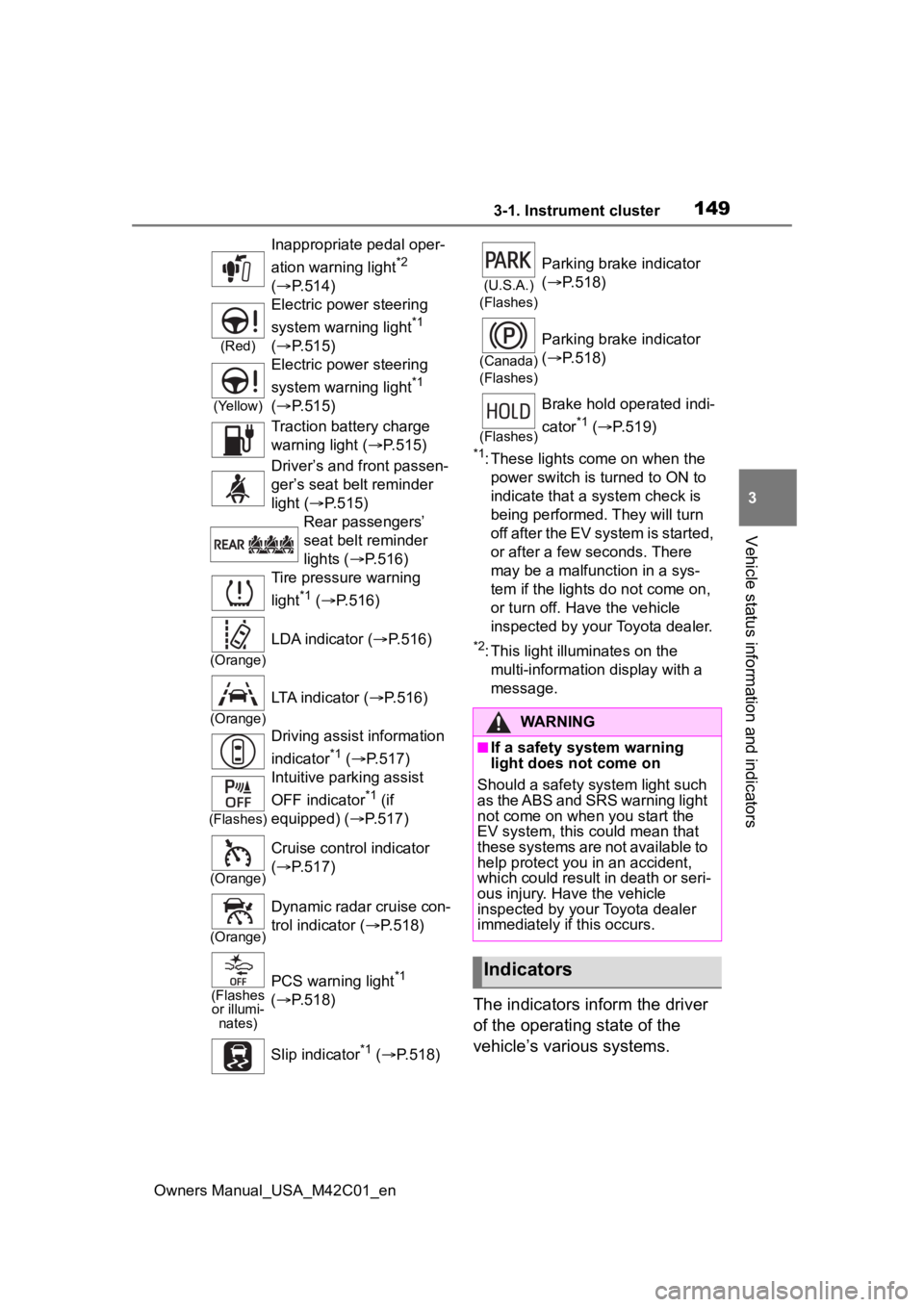
1493-1. Instrument cluster
Owners Manual_USA_M42C01_en
3
Vehicle status information and indicators
*1: These lights come on when the power switch is turned to ON to
indicate that a system check is
being performed. They will turn
off after the EV system is started,
or after a few seconds. There
may be a malfunction in a sys-
tem if the lights do not come on,
or turn off. Have the vehicle
inspected by your Toyota dealer.
*2: This light illuminates on the multi-information display with a
message.
The indicators inform the driver
of the operating state of the
vehicle’s various systems.
Inappropriate pedal oper-
ation warning light
*2
( P.514)
(Red)
Electric power steering
system warning light
*1
( P.515)
(Yellow)
Electric power steering
system warning light
*1
( P.515)
Traction battery charge
warning light ( P.515)
Driver’s and front passen-
ger’s seat belt reminder
light ( P.515)
Rear passengers’
seat belt reminder
lights ( P.516)
Tire pressure warning
light
*1 ( P.516)
(Orange)
LDA indicator ( P.516)
(Orange)
LTA indicator (P.516)
Driving assist information
indicator
*1 ( P.517)
(Flashes)
Intuitive parking assist
OFF indicator
*1 (if
equipped) ( P.517)
(Orange)
Cruise control indicator
( P.517)
(Orange)
Dynamic radar cruise con-
trol indicator ( P.518)
(Flashes
or illumi- nates)PCS warning light*1
( P.518)
Slip indicator
*1 ( P.518)
(U.S.A.)
(Flashes)
Parking brake indicator
( P.518)
(Canada)
(Flashes)
Parking brake indicator
( P.518)
(Flashes)
Brake hold operated indi-
cator
*1 ( P.519)
WARNING
■If a safety system warning
light does not come on
Should a safety system light such
as the ABS and SRS warning light
not come on when you start the
EV system, this c ould mean that
these systems are not available to
help protect you in an accident,
which could result in death or seri-
ous injury. Have the vehicle
inspected by you r Toyota dealer
immediately if this occurs.
Indicators
Page 150 of 628
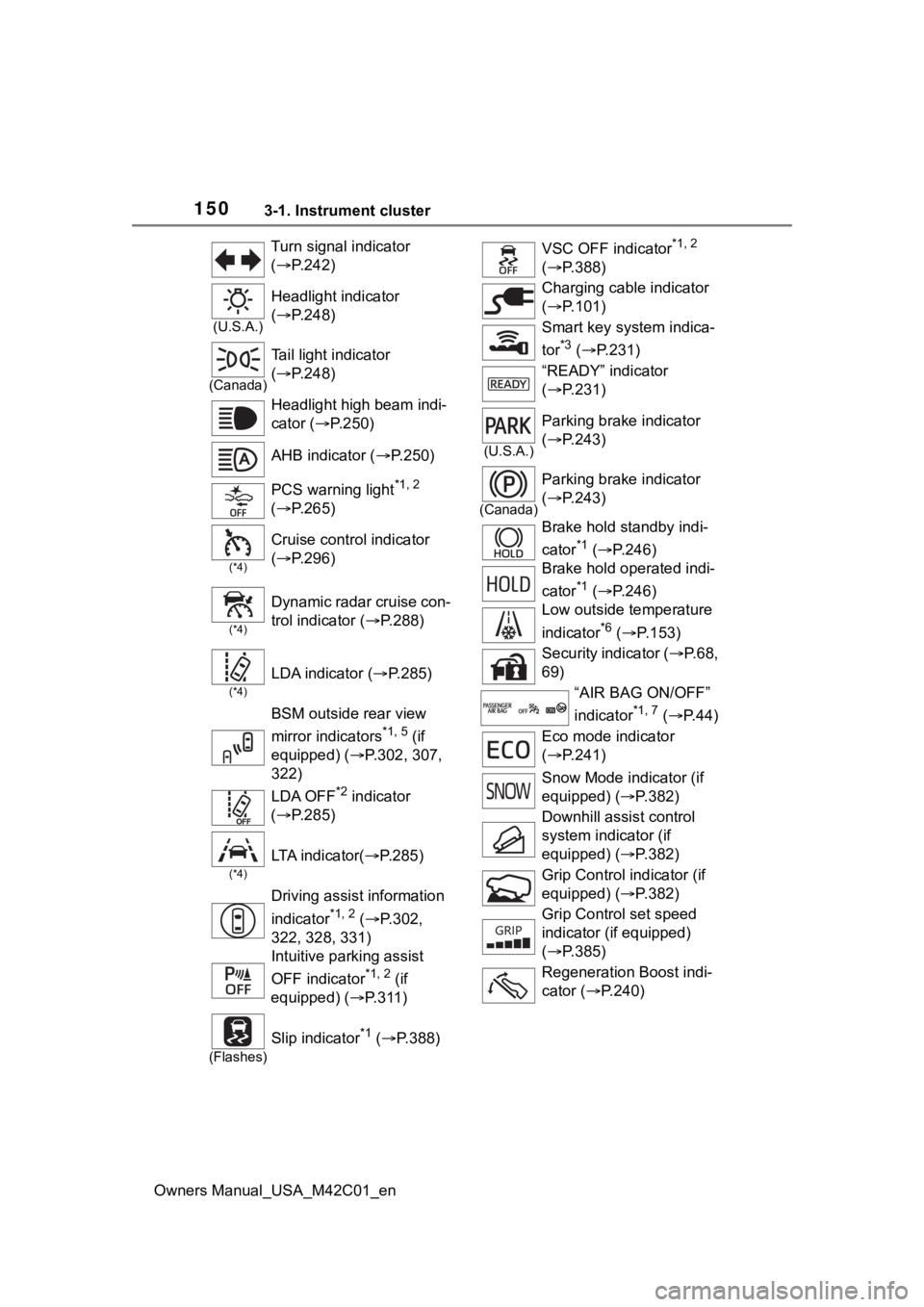
1503-1. Instrument cluster
Owners Manual_USA_M42C01_enTurn signal indicator
(
P.242)
(U.S.A.)
Headlight indicator
( P.248)
(Canada)
Tail light indicator
( P.248)
Headlight high beam indi-
cator ( P.250)
AHB indicator ( P.250)
PCS warning light
*1, 2
( P.265)
(*4)
Cruise control indicator
( P.296)
(*4)
Dynamic radar cruise con-
trol indicator ( P.288)
(*4)
LDA indicator ( P.285)
BSM outside rear view
mirror indicators
*1, 5 (if
equipped) ( P.302, 307,
322)
LDA OFF
*2 indicator
( P.285)
(*4)
LTA i n d i c a t o r ( P.285)
Driving assist information
indicator
*1, 2 ( P.302,
322, 328, 331)
Intuitive parking assist
OFF indicator
*1, 2 (if
equipped) ( P.311)
(Flashes)
Slip indicator*1 ( P.388)
VSC OFF indicator*1, 2
( P.388)
Charging cable indicator
( P.101)
Smart key system indica-
tor
*3 ( P.231)
“READY” indicator
( P.231)
(U.S.A.)
Parking brake indicator
( P.243)
(Canada)
Parking brake indicator
( P.243)
Brake hold standby indi-
cator
*1 ( P.246)
Brake hold operated indi-
cator
*1 ( P.246)
Low outside temperature
indicator
*6 ( P.153)
Security indicator ( P. 6 8 ,
69)
“AIR BAG ON/OFF”
indicator
*1, 7 ( P. 4 4 )
Eco mode indicator
( P.241)
Snow Mode indicator (if
equipped) ( P.382)
Downhill assist control
system indicator (if
equipped) ( P.382)
Grip Control indicator (if
equipped) ( P.382)
Grip Control set speed
indicator (if equipped)
( P.385)
Regeneration Boost indi-
cator ( P.240)
Page 179 of 628
1794-2. Opening, closing and locking the doors
Owners Manual_USA_M42C01_en
4
Before driving
closed position.
Whatever the state of the power
switch, the back door closer oper-
ates.
■Power back door operating con-
ditions
The power back door can automati-
cally open and close under the fol-
lowing conditions:
●When the power back door sys-
tem is enabled. ( P.185)
●When the power switch is in ON,
in addition to the above for the
opening operations, the back door
operates for any of the following
conditions:
• Parking brake is engaged
• The brake pedal is depressed
• The shift position is in P.
■Operation of the power back
door
●A buzzer sounds and the emer-
gency flashers flash twice to indi-
cate that the back door is
opening/closing.
●When the power back door sys-
tem is disabled, the power back
door does not ope rate but it can
be opened and closed by hand.
●When the power back door auto-
matically opens, if an abnormality
due to people or objects is
detected, oper ation will stop.
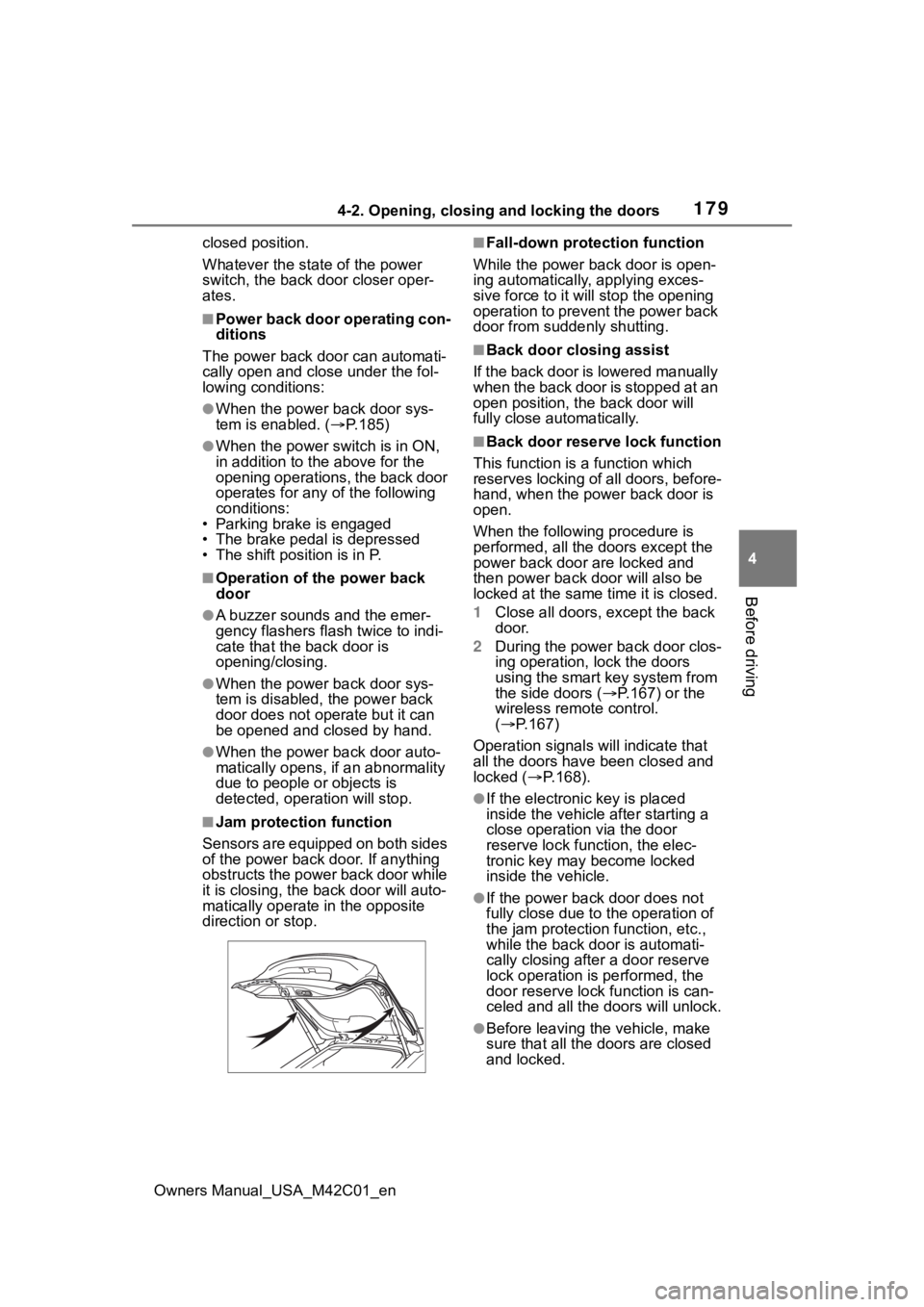
■Jam protection function
Sensors are equipped on both sides
of the power back door. If anything
obstructs the power back door while
it is closing, the b ack door will auto-
matically operate in the opposite
direction or stop.
■Fall-down protection function
While the power back door is open-
ing automatically, applying exces-
sive force to it will stop the opening
operation to prevent the power back
door from suddenly shutting.
■Back door closing assist
If the back door is lowered manually
when the back door is stopped at an
open position, the back door will
fully close automatically.
■Back door reserve lock function
This function is a function which
reserves locking of all doors, before-
hand, when the power back door is
open.
When the following procedure is
performed, all the doors except the
power back door are locked and
then power back door will also be
locked at the same time it is closed.
1 Close all doors, except the back
door.
2 During the power back door clos-
ing operation, lock the doors
using the smart key system from
the side doors ( P.167) or the
wireless remote control.
( P.167)
Operation signals will indicate that
all the doors have been closed and
locked ( P.168).
●If the electronic key is placed
inside the vehicle after starting a
close operation via the door
reserve lock function, the elec-
tronic key may become locked
inside the vehicle.
●If the power back door does not
fully close due to the operation of
the jam protection function, etc.,
while the back door is automati-
cally closing after a door reserve
lock operation is performed, the
door reserve lock function is can-
celed and all the doors will unlock.
●Before leaving the vehicle, make
sure that all the doors are closed
and locked.
Page 194 of 628
1944-3. Adjusting the seats
Owners Manual_USA_M42C01_en
■Before folding down the
seatbacks
1 Park the vehicle in a safe
place.
Apply the parking brake ( P.243)
and shift the shift position to P.
( P.237)
2 Adjust the position of the
front seat and the angle of
the seatback. ( P.192)
Depending on the position of the
front seat, if the seatback is folded
backward, it may interfere with the
operation of the rear seat.
3 Lower the head restraint of
the rear center seat.
( P.196)
4 Stow the armrest of the rear
seat if it is pulled out.
( P.437)
This step is not necessary when
operating the left side seat only.
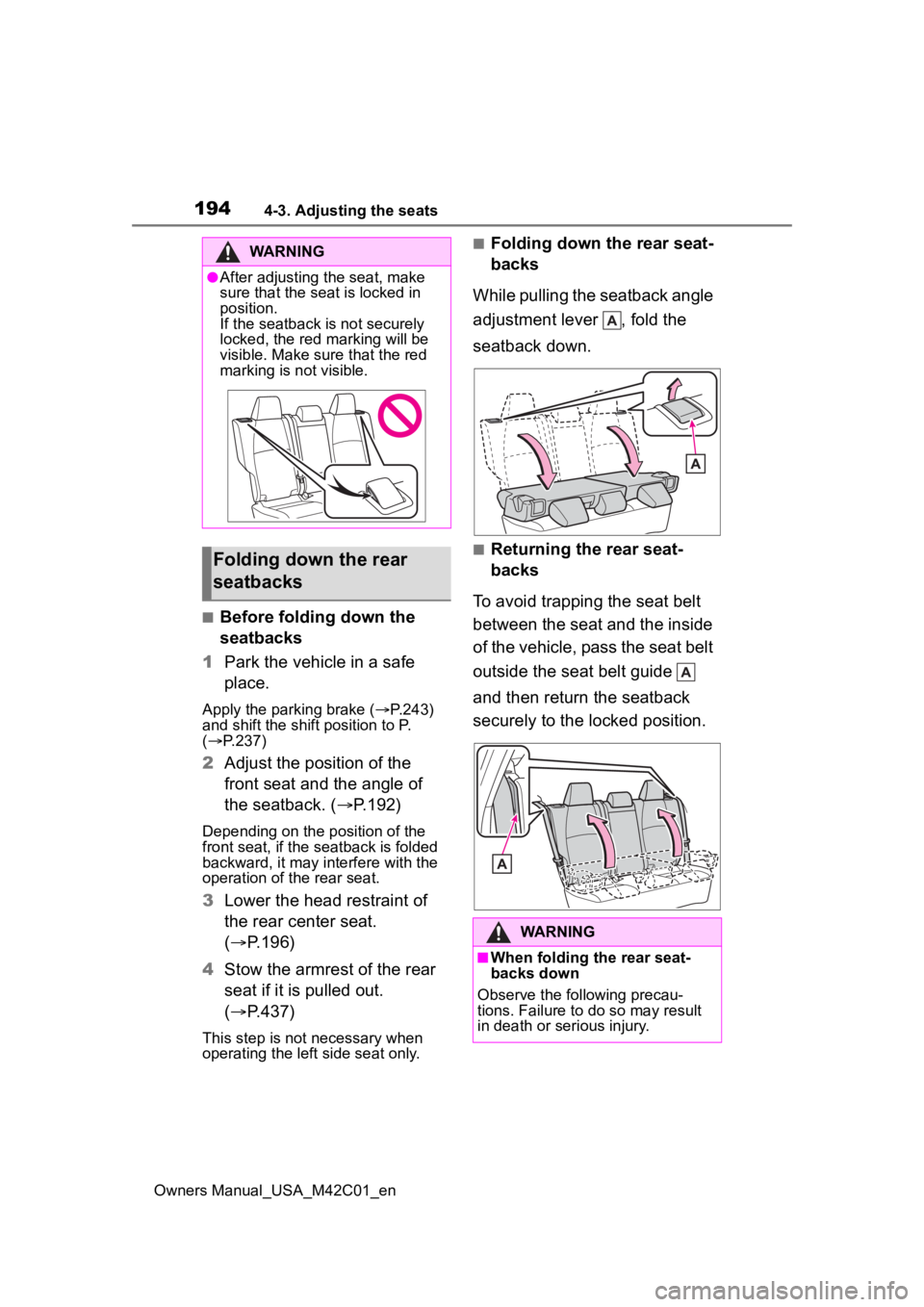
■Folding down the rear seat-
backs
While pulling the seatback angle
adjustment lever , fold the
seatback down.
■Returning the rear seat-
backs
To avoid trapping the seat belt
between the seat and the inside
of the vehicle, pass the seat belt
outside the seat belt guide
and then return the seatback
securely to the locked position.
WARNING
●After adjusting the seat, make
sure that the seat is locked in
position.
If the seatback is not securely
locked, the red marking will be
visible. Make sure that the red
marking is not visible.
Folding down the rear
seatbacks
WARNING
■When folding the rear seat-
backs down
Observe the following precau-
tions. Failure to do so may result
in death or serious injury.
Page 195 of 628
1954-3. Adjusting the seats
Owners Manual_USA_M42C01_en
4
Before driving
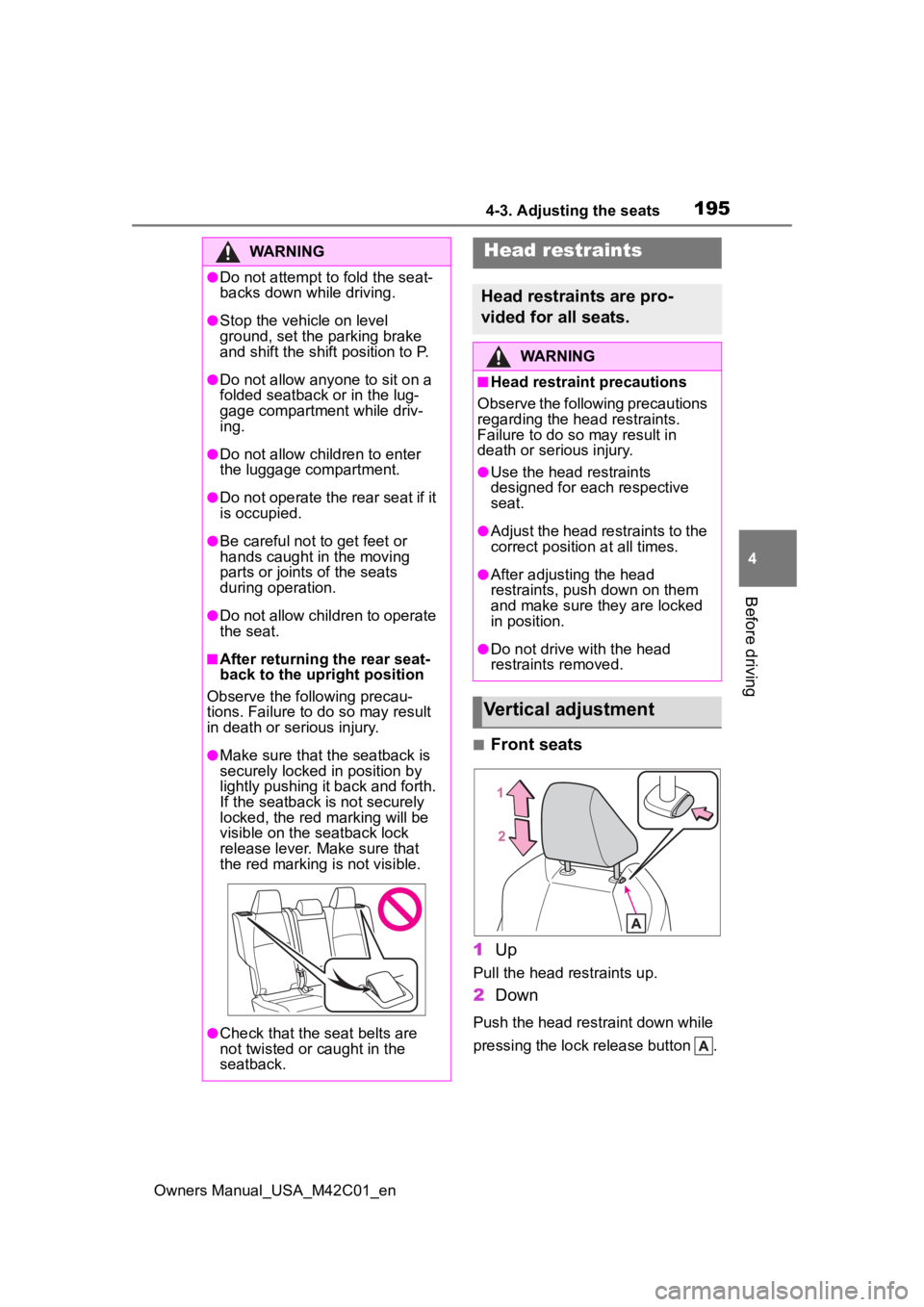
■Front seats
1 Up
Pull the head restraints up.
2Down
Push the head restraint down while
pressing the lock release button .
WARNING
●Do not attempt t o fold the seat-
backs down while driving.
●Stop the vehicle on level
ground, set the parking brake
and shift the shift position to P.
●Do not allow anyo ne to sit on a
folded seatback or in the lug-
gage compartment while driv-
ing.
●Do not allow child ren to enter
the luggage compartment.
●Do not operate the rear seat if it
is occupied.
●Be careful not to get feet or
hands caught in the moving
parts or joints of the seats
during operation.
●Do not allow children to operate
the seat.
■After returning the rear seat-
back to the upright position
Observe the following precau-
tions. Failure to do so may result
in death or serious injury.
●Make sure that the seatback is
securely locked in position by
lightly pushing it back and forth.
If the seatback is not securely
locked, the red marking will be
visible on the seatback lock
release lever. Make sure that
the red marking is not visible.
●Check that the seat belts are
not twisted or caught in the
seatback.
Head restraints
Head restraints are pro-
vided for all seats.
WARNING
■Head restraint precautions
Observe the following precautions
regarding the head restraints.
Failure to do so may result in
death or serious injury.
●Use the head restraints
designed for each respective
seat.
●Adjust the head restraints to the
correct position at all times.
●After adjusting the head
restraints, push down on them
and make sure they are locked
in position.
●Do not drive with the head
restraints removed.
Vertical adjustment
Page 217 of 628
217
Owners Manual_USA_M42C01_en
5
5
Driving
Driving
5-1. Before drivingDriving the vehicle....... 219
Cargo and luggage ..... 225
Vehicle load limits ....... 228
Trailer towing............... 229
Dinghy towing ............. 230
5-2. Driving procedures Power (ignition) switch 231
Transmission ............... 236
Turn signal lever.......... 242
Parking brake .............. 243
Brake Hold .................. 246
5-3. Operating the lights and wipers
Headlight switch .......... 248
AHB (Automatic High Beam)........................ 250
Windshield wipers and washer....................... 2535-4. Using the dr
iving support
systems
Software update .......... 257
Toyota Safety Sense 3.0 .................................. 259
PCS (Pre-Collision System) .................................. 265
LTA (Lane Tracing Assist) .................................. 276
LDA (Lane Departure Alert) .................................. 281
RSA (Road Sign Assist) .................................. 286
Dynamic radar cruise con- trol ............................. 288
Cruise control .............. 296
Emergency Driving Stop System ...................... 299
BSM (Blind Spot Monitor) .................................. 302
SEA (Safe Exit Assist) . 307
Intuitive parking assist . 311
RCTA (Rear Cross Traffic Alert) .......................... 322
RCD (Rear Camera Detec- tion) ........................... 328
PKSB (Parking Support Brake) ........................ 331
Static Objects Front and Rear of the Vehicle .... 336
Moving Vehicle Rear of the Vehicle ....................... 339