change wheel SUBARU SOLTERRA 2023 User Guide
[x] Cancel search | Manufacturer: SUBARU, Model Year: 2023, Model line: SOLTERRA, Model: SUBARU SOLTERRA 2023Pages: 628, PDF Size: 11.91 MB
Page 209 of 628
2094-4. Adjusting the steering wheel and mirrors
Owners Manual_USA_M42C01_en
4
Before driving
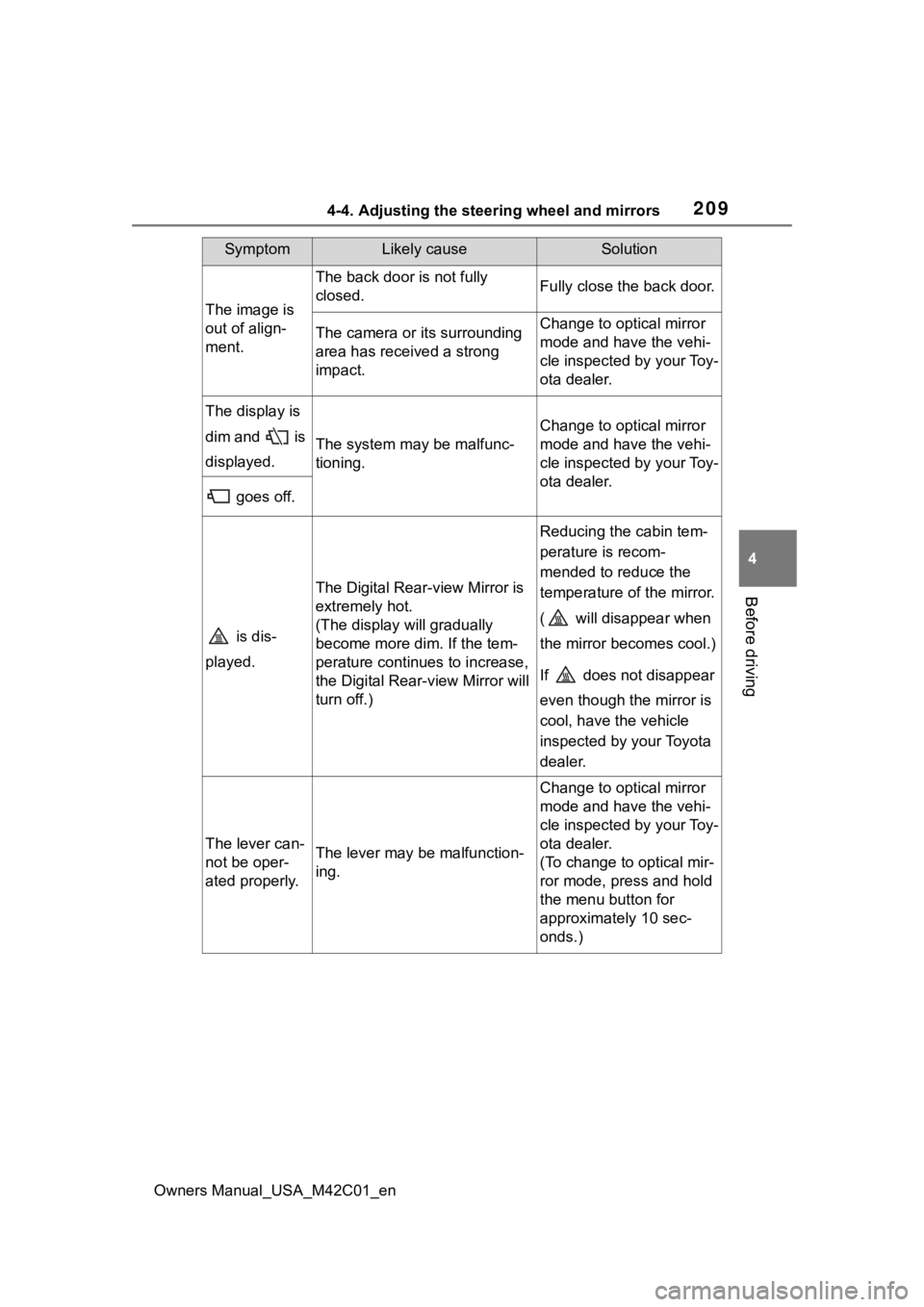
The image is
out of align-
ment.
The back door is not fully
closed.Fully close the back door.
The camera or its surrounding
area has received a strong
impact.Change to optical mirror
mode and have the vehi-
cle inspected by your Toy-
ota dealer.
The display is
dim and is
displayed.
The system may be malfunc-
tioning.
Change to optical mirror
mode and have the vehi-
cle inspected by your Toy-
ota dealer.
goes off.
is dis-
played.
The Digital Rear-view Mirror is
extremely hot.
(The display will gradually
become more dim. If the tem-
perature continues to increase,
the Digital Rear-view Mirror will
turn off.)
Reducing the cabin tem-
perature is recom-
mended to reduce the
temperature of the mirror.
( will disappear when
the mirror becomes cool.)
If does not disappear
even though the mirror is
cool, have the vehicle
inspected by your Toyota
dealer.
The lever can-
not be oper-
ated properly.The lever may be malfunction-
ing.
Change to optical mirror
mode and have the vehi-
cle inspected by your Toy-
ota dealer.
(To change to optical mir-
ror mode, press and hold
the menu button for
approximately 10 sec-
onds.)
SymptomLikely causeSolution
Page 224 of 628
2245-1. Before driving
Owners Manual_USA_M42C01_en
When the following unusual
NOTICE
■When driving the vehicle
●Do not depress t he accelerator
and brake pedals at the same
time during drivin g, as this may
restrain the EV system output.
●Do not use the accelerator
pedal or depress the accelera-
tor and brake pedals at the
same time to hold the vehicle on
a hill.
■Avoiding damage to vehicle
parts
●Do not turn the steering wheel
fully in either direction and hold
it there for an extended period
of time.
Doing so may damage the
power steering motor.
●When driving over bumps in the
road, drive as slowly as possible
to avoid damagi ng the wheels,
underside of the vehicle, etc.
■If you get a flat tire while driv-
ing
A flat or damaged tire may cause
the following situations. Hold the
steering wheel firmly and gradu-
ally depress the brake pedal to
slow down the vehicle.
●It may be difficult to control your
vehicle.
●The vehicle will make abnormal
sounds or vibrations.
●The vehicle will lean abnor-
mally.
Information on what to do in case
of a flat tire ( P.527)
■When encountering flooded
roads
Do not drive on a road that has
flooded after heavy rain, etc.
Doing so may cause the following
serious damage to the vehicle:
●Short in electrical components
●Traction battery caused by
water immersion
In the event that you drive on a
flooded road and the vehicle is
flooded, be sure to have your Toy-
ota dealer check the following:
●Brake function
●Changes in quantity and quality
of transmission fluid, etc.
●Lubricant condition for the bear-
ings and suspension joints
(where possible), and the func-
tion of all joints, bearings, etc.
●Components connected to the
traction battery.
If the shift control system is dam-
aged by flooding, it may not be
possible to shift the shift position
to P, or from P to other positions.
In this case, contact your Toyota
dealer.
■When parking the vehicle
Always set the parking brake, and
shift the shift position to P. Failure
to do so may cause the vehicle to
move or the vehicle may acceler-
ate suddenly if t he accelerator
pedal is accidentally depressed.
■When involved in a minor
accident
Damage to the traction battery or
battery peripheral components
could cause malfunctions. Even if
it is a minor accident, have the
vehicle inspected by your Toyota
dealer.
Sudden start restraint
control (Drive-Start Con-
trol [DSC])
Page 234 of 628
2345-2. Driving procedures
Owners Manual_USA_M42C01_en
Modes can be changed by
pressing the power switch with
the brake pedal released. (The
mode changes each time the
switch is pressed.)
WARNING
■Stopping the EV system in an
emergency
●If you want to stop the EV sys-
tem in an emergency while driv-
ing the vehicle, press and hold
the power switch for more than
2 seconds, or press it briefly 3
times or more in succession.
( P.505)
However, do not touch the
power switch while driving
except in an emergency. Turn-
ing the EV system off while driv-
ing will not cause a loss of
steering or braking control.
However, power assist for the
steering wheel may be lost mak-
ing it difficult to steer smoothly
before stopping the vehicle
depending on the remaining
charge in the 12-volt battery or
usage conditions. In this situa-
tion, you should pull over and
stop the vehicle as soon as it is
safe to do so.
●If the power switch is operated
while the vehicle is running, a
warning message will be shown
on the multi-info rmation display
and a buzzer sounds.
●When restarting the EV system
after an emergency shutdown,
press the power switch shortly
and firmly.
■When parking
Exhaust gases include harmful
carbon monoxide (CO), which is
colorless and odorless. Observe
the following precautions.
Failure to do so may cause
exhaust gases to enter the vehicle
and may lead to an accident
caused by light-headedness, or
may lead to death or a serious
health hazard.
●If the vehicle is in a poorly venti-
lated area or a closed area,
such as a garage, stop the EV
system.
●Do not leave the vehicle with
the EV system operating for a
long time. If such a situation
cannot be avoided, park the
vehicle in an open space and
ensure that exhaust fumes do
not enter the vehicle interior.
●Do not leave the EV system
operating in an area with snow
build-up, or where it is snowing.
If snowbanks build up around
the vehicle while the EV system
is operating, exhaust gases
may collect and enter the vehi-
cle.
Changing power switch
modes
Page 251 of 628
2515-3. Operating the lights and wipers
Owners Manual_USA_M42C01_en
5
Driving
2 Turn the headlight switch to
the or position.
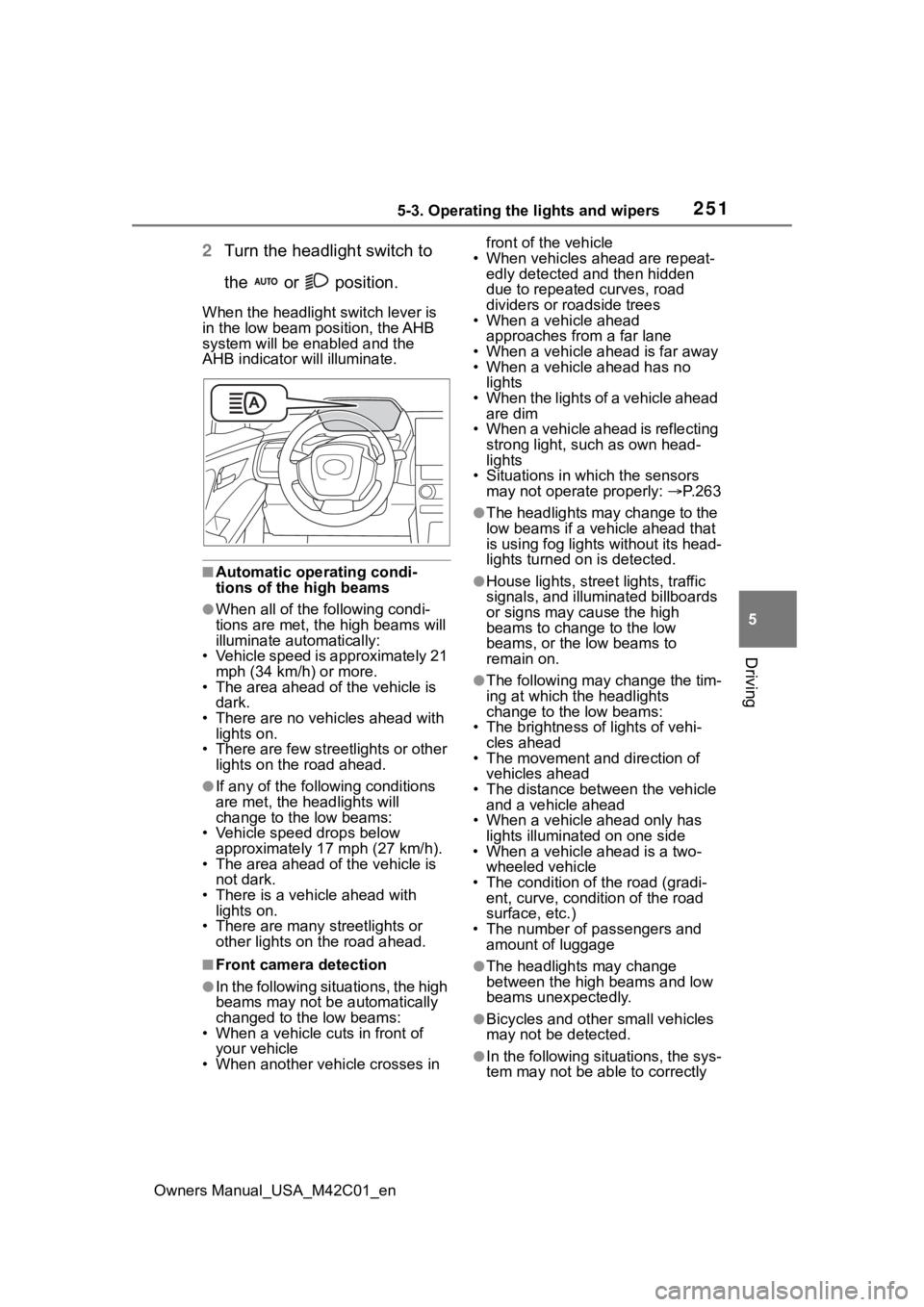
When the headlight switch lever is
in the low beam position, the AHB
system will be enabled and the
AHB indicator will illuminate.
■Automatic operating condi-
tions of the high beams
●When all of the following condi-
tions are met, the high beams will
illuminate automatically:
• Vehicle speed is approximately 21 mph (34 km/h) or more.
• The area ahead of the vehicle is dark.
• There are no vehicles ahead with
lights on.
• There are few streetlights or other lights on the road ahead.
●If any of the following conditions
are met, the headlights will
change to the low beams:
• Vehicle speed drops below approximately 17 mph (27 km/h).
• The area ahead of the vehicle is not dark.
• There is a vehi cle ahead with
lights on.
• There are many streetlights or other lights on the road ahead.
■Front camera detection
●In the following situations, the high
beams may not be automatically
changed to the low beams:
• When a vehicle cuts in front of your vehicle
• When another vehicle crosses in front of the vehicle
• When vehicles ahead are repeat- edly detected and then hidden
due to repeated curves, road
dividers or roadside trees
• When a vehicle ahead
approaches from a far lane
• When a vehicle ahead is far away
• When a vehicle ahead has no lights
• When the lights of a vehicle ahead are dim
• When a vehicle ahead is reflecting strong light, such as own head-
lights
• Situations in which the sensors may not operate properly: P. 2 6 3
●The headlights may change to the
low beams if a vehicle ahead that
is using fog lights without its head-
lights turned on is detected.
●House lights, street lights, traffic
signals, and illuminated billboards
or signs may cause the high
beams to change to the low
beams, or the low beams to
remain on.
●The following may change the tim-
ing at which the headlights
change to the low beams:
• The brightness o f lights of vehi-
cles ahead
• The movement and direction of
vehicles ahead
• The distance between the vehicle and a vehicle ahead
• When a vehicle ahead only has
lights illuminate d on one side
• When a vehicle ahead is a two-
wheeled vehicle
• The condition of the road (gradi- ent, curve, condition of the road
surface, etc.)
• The number of passengers and amount of luggage
●The headlights may change
between the high beams and low
beams unexpectedly.
●Bicycles and other small vehicles
may not be detected.
●In the following situations, the sys-
tem may not be able to correctly
Page 264 of 628
2645-4. Using the driving support systems
Owners Manual_USA_M42C01_en
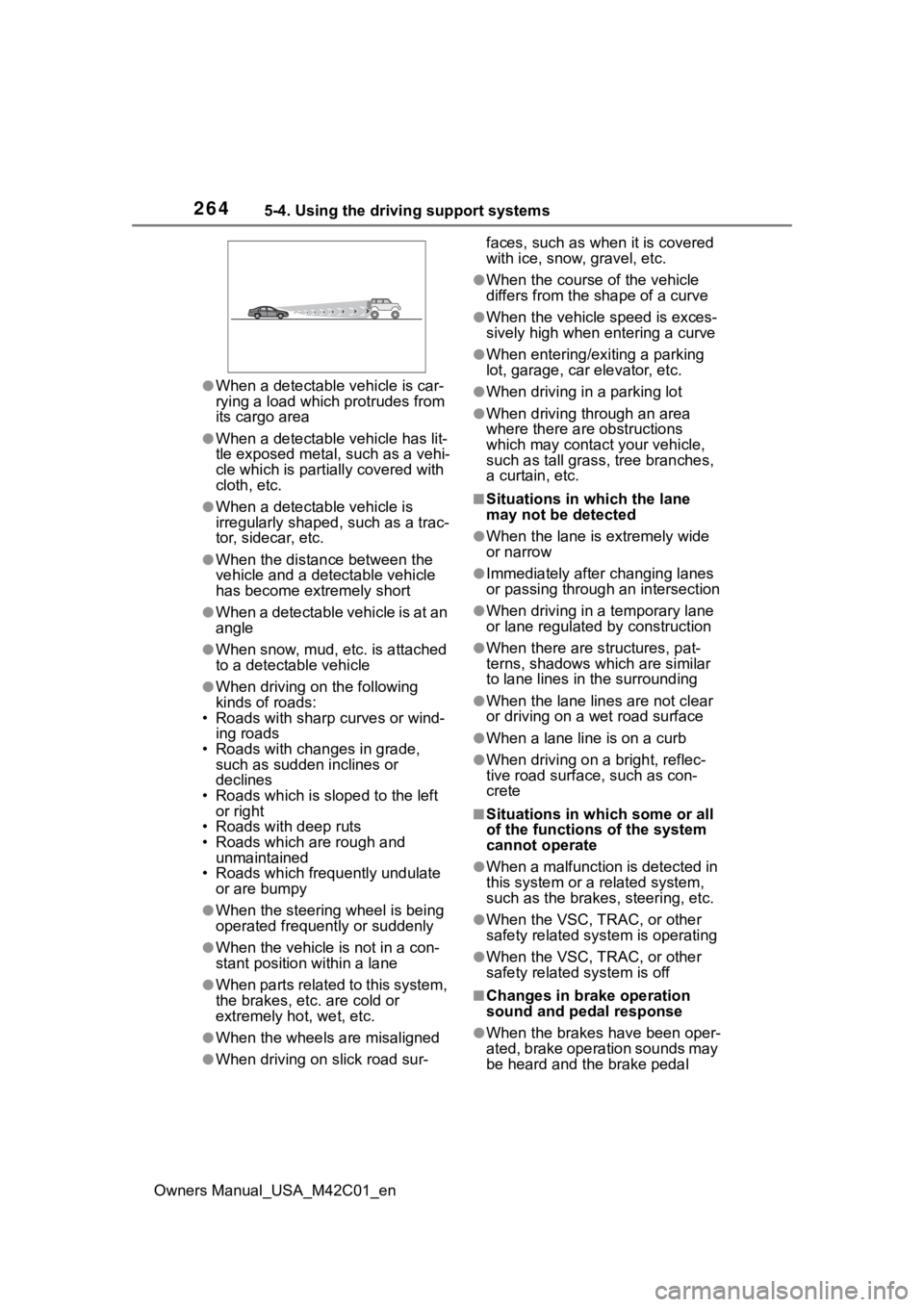
●When a detectable vehicle is car-
rying a load which protrudes from
its cargo area
●When a detectable vehicle has lit-
tle exposed metal, such as a vehi-
cle which is parti ally covered with
cloth, etc.
●When a detectabl e vehicle is
irregularly shaped , such as a trac-
tor, sidecar, etc.
●When the distance between the
vehicle and a detectable vehicle
has become extremely short
●When a detectable vehicle is at an
angle
●When snow, mud, etc. is attached
to a detectable vehicle
●When driving on the following
kinds of roads:
• Roads with sharp curves or wind- ing roads
• Roads with chang es in grade,
such as sudden inclines or
declines
• Roads which is slo ped to the left
or right
• Roads with deep ruts
• Roads which are rough and
unmaintained
• Roads which frequently undulate
or are bumpy
●When the steering wheel is being
operated frequently or suddenly
●When the vehicle is not in a con-
stant position within a lane
●When parts related to this system,
the brakes, etc. are cold or
extremely hot, wet, etc.
●When the wheels are misaligned
●When driving on slick road sur- faces, such as when it is covered
with ice, snow, gravel, etc.
●When the course of the vehicle
differs from the
shape of a curve
●When the vehicle speed is exces-
sively high when entering a curve
●When entering/exiting a parking
lot, garage, car elevator, etc.
●When driving in a parking lot
●When driving through an area
where there are obstructions
which may contact your vehicle,
such as tall grass , tree branches,
a curtain, etc.
■Situations in which the lane
may not be detected
●When the lane is extremely wide
or narrow
●Immediately after changing lanes
or passing through an intersection
●When driving in a temporary lane
or lane regulated by construction
●When there are s tructures, pat-
terns, shadows which are similar
to lane lines in the surrounding
●When the lane lines are not clear
or driving on a wet road surface
●When a lane line is on a curb
●When driving on a bright, reflec-
tive road surface, such as con-
crete
■Situations in which some or all
of the functions of the system
cannot operate
●When a malfunction is detected in
this system or a related system,
such as the brakes, steering, etc.
●When the VSC, TRAC, or other
safety related system is operating
●When the VSC, TRAC, or other
safety related system is off
■Changes in brake operation
sound and pedal response
●When the brakes have been oper-
ated, brake operation sounds may
be heard and the brake pedal
Page 276 of 628

2765-4. Using the driving support systems
Owners Manual_USA_M42C01_en
“Pre-Collision System OFF”
The pre-collision setting can
be changed on the customize
settings. ( P.572)
When the pre-collision warn-
ing timing is changed, the
emergency steering assist
timing will also be changed.
When “Later” is selected, the
emergency steering assist will
not operate in most cases.
When the dynamic radar
cruise control is operating, the
pre-collision warning will
operate at the “Earlier” timing,
regardless of the user setting.
When driving on a road with
clear lane lines with the
dynamic radar cruise control
operating, lane lines and pre-
ceding and surrounding vehi-
cles are detected using the
front camera and radar sen-
sor, and the steering wheel is
operated to maintain the vehi-
cle’s lane position.
Use the this function only on high-
ways and expressways.
If the dynamic radar cruise control
is not operating, the function will not
operate.
In situations where the lane lines
are difficult to see or are not visible,
such as when in a traffic jam, sup-
port will be provided using the path
of preceding and surrounding vehi-
cles.
If the system determines that the
steering wheel has not been oper-
ated for a certain amount of time or
the steering wheel is not being
firmly gripped, the driver will be
alerted via a display and this func-
tion will be temporarily canceled.
If the steering wheel is firmly
gripped, the func tion will begin
operating again.
LTA (Lane Tracing
Assist)
LTA functions
Page 278 of 628
2785-4. Using the driving support systems
Owners Manual_USA_M42C01_enthe following cond
itions are met:
●The LTA system detects lane lines
or the path of preceding or sur-
rounding vehicles (except when
the preceding vehicle is small,
such as a motorcycle).
●The dynamic radar cruise control
is operating.
●The lane width is approximately
10 to 13 ft. (3 to 4 m).
●The turn signal le ver is not being
operated.
●The vehicle is not being driven
around a sharp curve.
●The vehicle is not accelerating or
decelerating more than a certain
amount.
●The steering wheel is not being
turned with a large force.
●The hands off steering wheel
warning ( P.278) is not operat-
ing.
●The vehicle is being driven in the
center of a lane.
■Temporary cancelation of func-
tions
●When the operating conditions are
no longer met, a function may be
temporarily canceled. However,
when the operation conditions are
met again, operation of the func-
tion will automatically be restored.
( P.277)
●If the operating conditions of a
function are no longer met while
the function is operating, a buzzer
may sound to indicate that the
function has been temporarily
canceled.
●The steering assist operation of
the function can be overridden by
the steering wheel operation of
the driver.
■Lane departure warning func-
tion when the LTA is operating
●Even if the LDA warning method is
changed to vibration of the steer-
ing wheel, if the vehicle deviates from the lane while the LTA is
operating, the warning buzzer will
sound to aler
t the driver.
●If steering wheel operation equiv-
alent to that necessary for a lane
change is detected, the system
will determine the vehicle is not
deviating from the lane and the
warning will not operate.
■Hands off steering wheel warn-
ing operation
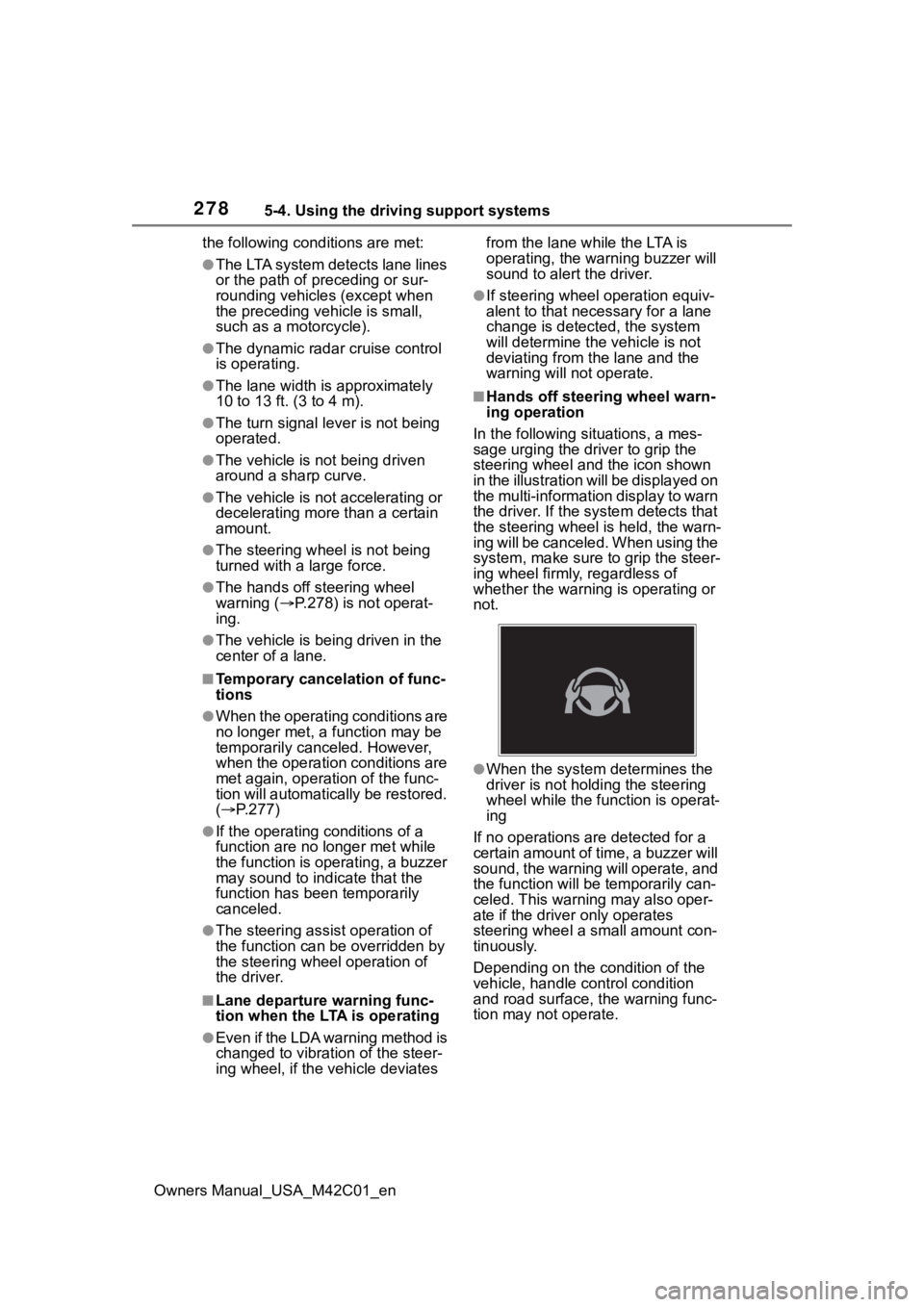
In the following si tuations, a mes-
sage urging the driver to grip the
steering wheel and the icon shown
in the illustration will be displayed on
the multi-information display to warn
the driver. If the system detects that
the steering wheel is held, the warn-
ing will be canceled. When using the
system, make sure to grip the steer-
ing wheel firmly, regardless of
whether the warning is operating or
not.
●When the system determines the
driver is not hold ing the steering
wheel while the function is operat-
ing
If no operations are detected for a
certain amount of time, a buzzer will
sound, the warning will operate, and
the function will be temporarily can-
celed. This warnin g may also oper-
ate if the driver only operates
steering wheel a small amount con-
tinuously.
Depending on the condition of the
vehicle, handle control condition
and road surface, t he warning func-
tion may not operate.
Page 279 of 628
2795-4. Using the driving support systems
Owners Manual_USA_M42C01_en
5
Driving
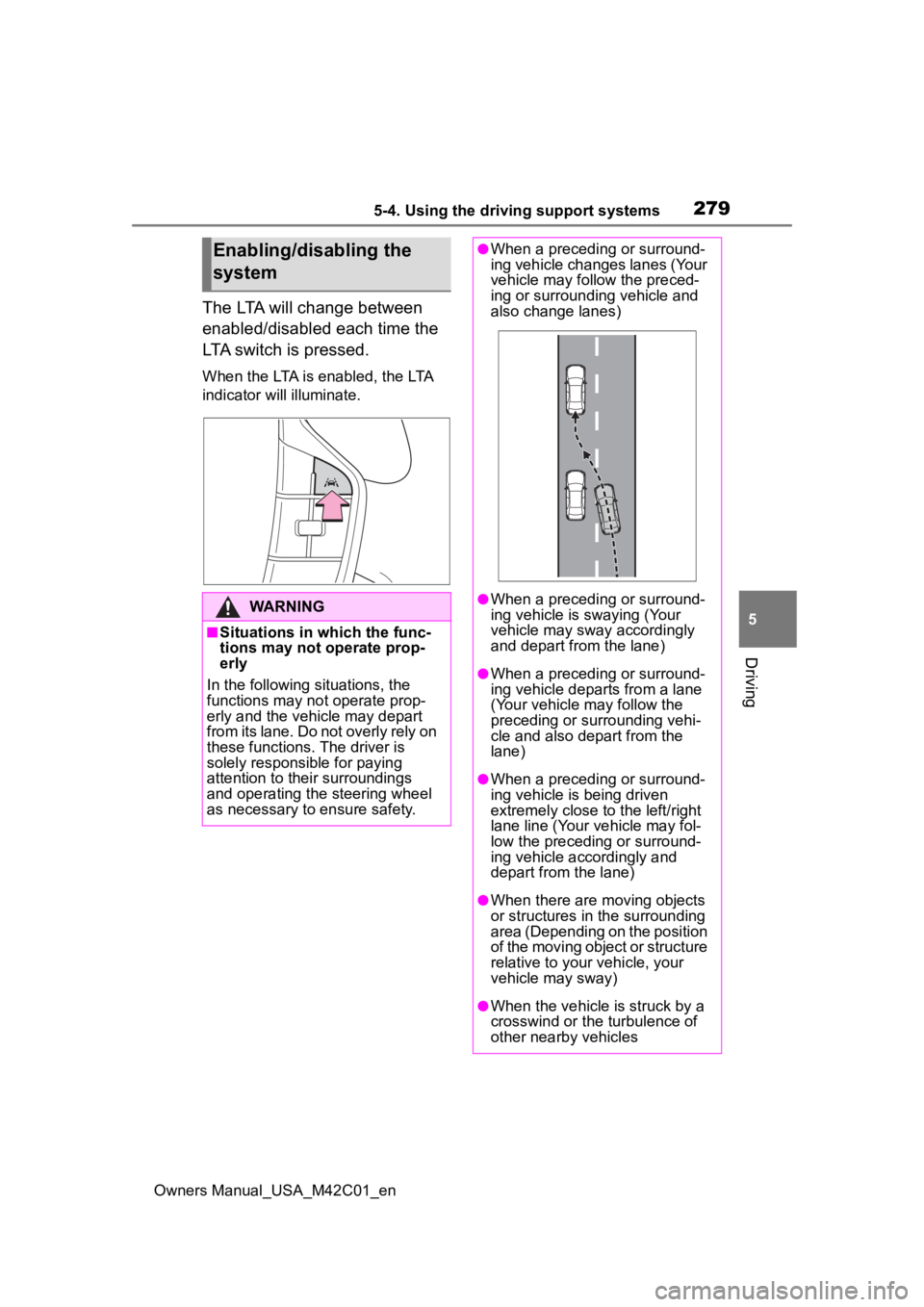
The LTA will change between
enabled/disabled each time the
LTA switch is pressed.
When the LTA is enabled, the LTA
indicator will illuminate.
Enabling/disabling the
system
WARNING
■Situations in which the func-
tions may not operate prop-
erly
In the following situations, the
functions may not operate prop-
erly and the vehicle may depart
from its lane. Do not overly rely on
these functions. The driver is
solely responsible for paying
attention to their surroundings
and operating the steering wheel
as necessary to ensure safety.
●When a preceding or surround-
ing vehicle changes lanes (Your
vehicle may follow the preced-
ing or surrounding vehicle and
also change lanes)
●When a preceding or surround-
ing vehicle is swaying (Your
vehicle may sway accordingly
and depart from the lane)
●When a preceding or surround-
ing vehicle departs from a lane
(Your vehicle may follow the
preceding or surrounding vehi-
cle and also depart from the
lane)
●When a preceding or surround-
ing vehicle is being driven
extremely close to the left/right
lane line (Your vehicle may fol-
low the preceding or surround-
ing vehicle accordingly and
depart from the lane)
●When there are moving objects
or structures in the surrounding
area (Depending on the position
of the moving object or structure
relative to your vehicle, your
vehicle may sway)
●When the vehicle is struck by a
crosswind or the turbulence of
other nearby vehicles
Page 283 of 628
2835-4. Using the driving support systems
Owners Manual_USA_M42C01_en
5
Driving
This function is operable when all of
the following cond itions are met:
• The vehicle speed is approxi- mately 30 mph (50 km/h) or more.
Operation may be possible when
the vehicle speed is approximately
25 mph (40 km/h) o r more if vehi-
cles, motorcycles, bicycles, or
pedestrians are detected near the
lane.
• The system reco gnizes a lane or
course
*. (When recognized on
only one side, the system will
operate only for the recognized
side.)
• The lane width is approximately 9.8 ft. (3 m) or more.
• The turn signal l ever is not being
operated. (Vehicles with BSM:
Except when a vehicle is detected
in the direction that the turn signal
lever is operated.)
• The vehicle is not being driven around a sharp curve.
• The vehicle is not accelerating or decelerating more than a certain
amount.
• The steering wheel is not being turned sufficiently to perform a
lane change.
*: Boundary between the asphalt
and grass, soil, etc., or structures,
such as a curb, guardrail, etc.
●Break suggestion function
This function is operable when all of
the following cond itions are met:
• The vehicle speed is approxi- mately 32 mph (50 km/h) or more.
• The lane width is approximately
9.8 ft. (3 m) or more.
■Temporary cancelation of func-
tions
When the operating conditions are
no longer met, a function may be
temporarily canceled. However,
when the operation conditions are
met again, operation of the function
will automatically be restored.
( P.282)
■Operation of the lane departure
alert function/lane departure
prevention function
●Depending on the vehicle speed,
road conditions, lane departure
angle, etc., operation of the lane
departure prevention function may
not be felt or the function may not
operate.
●Depending on the conditions, the
warning buzzer may operate even
if vibration is selected through a
customize setting.
●If a course* is not clear or straight,
the lane departure alert function or
lane departure prevention function
may not operate.
●The lane departure alert function
or lane departure prevention func-
tion may not operate if the system
judges that the vehicle is inten-
tionally being ste ered to avoid a
pedestrian or parked vehicle.
●Vehicles with BSM: It may not be
possible for the sys tem to judge if
there is danger of a collision with a
vehicle in an adjacent lane.
●The steering assist operation of
the lane departure prevention
function can be overridden by the
steering wheel operation of the
driver.
*: Boundary between the asphalt
and grass, soil, etc., or structures,
such as a curb, guardrail, etc.
■Hands off steering wheel warn-
ing operation
In the following si tuations, a mes-
sage urging the driver to operate the
steering wheel and an icon will be
displayed and a buzzer will sound to
warn the driver. When using the sys-
tem, make sure to grip the steering
wheel firmly, rega rdless of whether
the warning is operating or not.
Page 284 of 628
2845-4. Using the driving support systems
Owners Manual_USA_M42C01_en
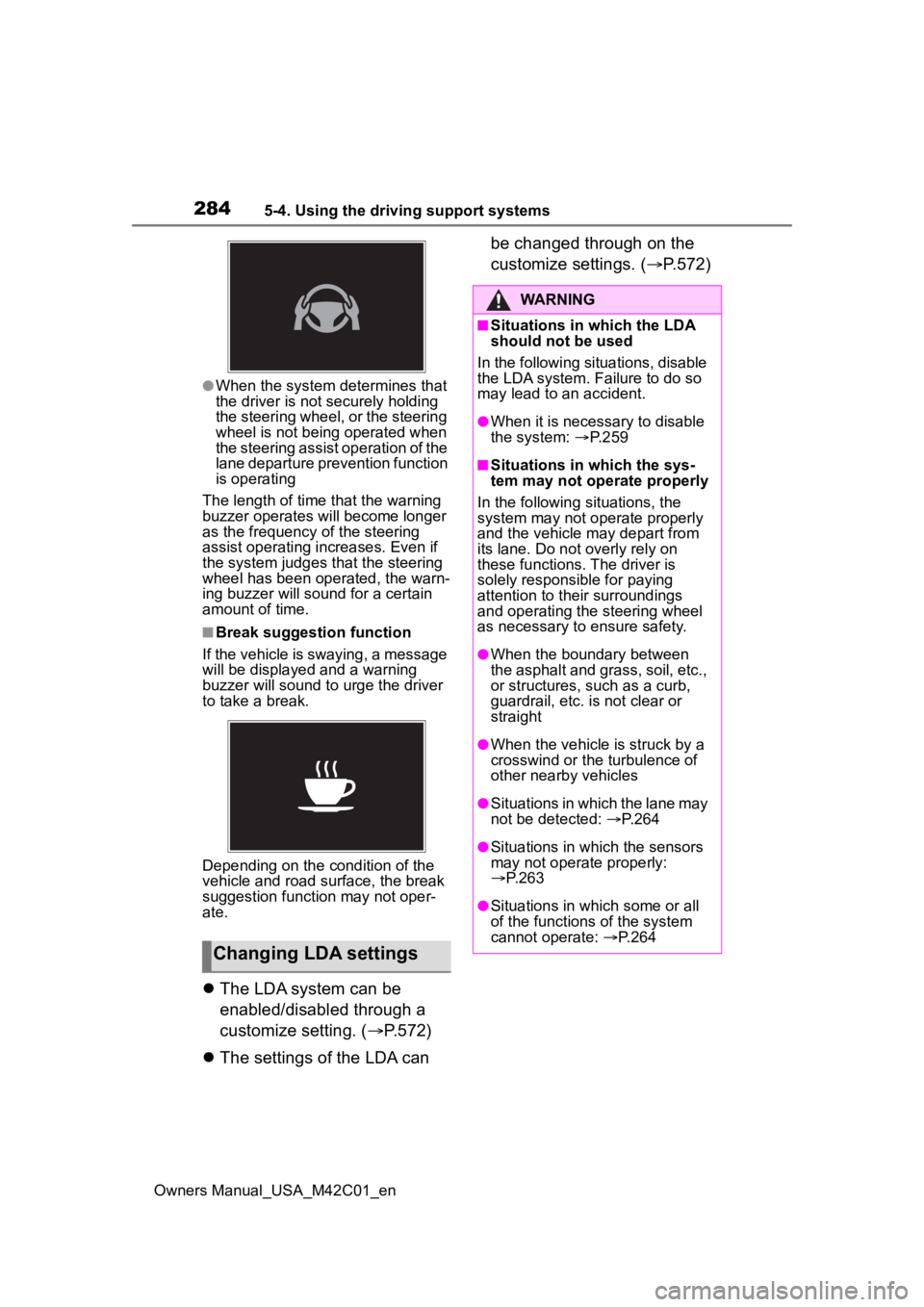
●When the system determines that
the driver is not securely holding
the steering wheel, or the steering
wheel is not being operated when
the steering assist operation of the
lane departure prevention function
is operating
The length of time that the warning
buzzer operates will become longer
as the frequency o f the steering
assist operating i ncreases. Even if
the system judges that the steering
wheel has been operated, the warn-
ing buzzer will sound for a certain
amount of time.
■Break suggestion function
If the vehicle is swaying, a message
will be displayed and a warning
buzzer will sound to u rge the driver
to take a break.
Depending on the condition of the
vehicle and road surface, the break
suggestion functi on may not oper-
ate.
The LDA system can be
enabled/disabled through a
customize setting. ( P.572)
The settings of the LDA can be changed through on the
customize settings. (
P.572)
Changing LDA settings
WARNING
■Situations in which the LDA
should not be used
In the following situations, disable
the LDA system. Failure to do so
may lead to an accident.
●When it is necessary to disable
the system: P.259
■Situations in which the sys-
tem may not ope rate properly
In the following situations, the
system may not operate properly
and the vehicle may depart from
its lane. Do not overly rely on
these functions. The driver is
solely responsible for paying
attention to their surroundings
and operating the steering wheel
as necessary to ensure safety.
●When the boundary between
the asphalt and grass, soil, etc.,
or structures, such as a curb,
guardrail, etc. is not clear or
straight
●When the vehicle is struck by a
crosswind or the turbulence of
other nearby vehicles
●Situations in which the lane may
not be detected: P.264
●Situations in which the sensors
may not operate properly:
P.263
●Situations in which some or all
of the functions of the system
cannot operate: P.264