parking SUBARU SOLTERRA 2023 User Guide
[x] Cancel search | Manufacturer: SUBARU, Model Year: 2023, Model line: SOLTERRA, Model: SUBARU SOLTERRA 2023Pages: 628, PDF Size: 11.91 MB
Page 149 of 628
1493-1. Instrument cluster
Owners Manual_USA_M42C01_en
3
Vehicle status information and indicators
*1: These lights come on when the power switch is turned to ON to
indicate that a system check is
being performed. They will turn
off after the EV system is started,
or after a few seconds. There
may be a malfunction in a sys-
tem if the lights do not come on,
or turn off. Have the vehicle
inspected by your Toyota dealer.
*2: This light illuminates on the multi-information display with a
message.
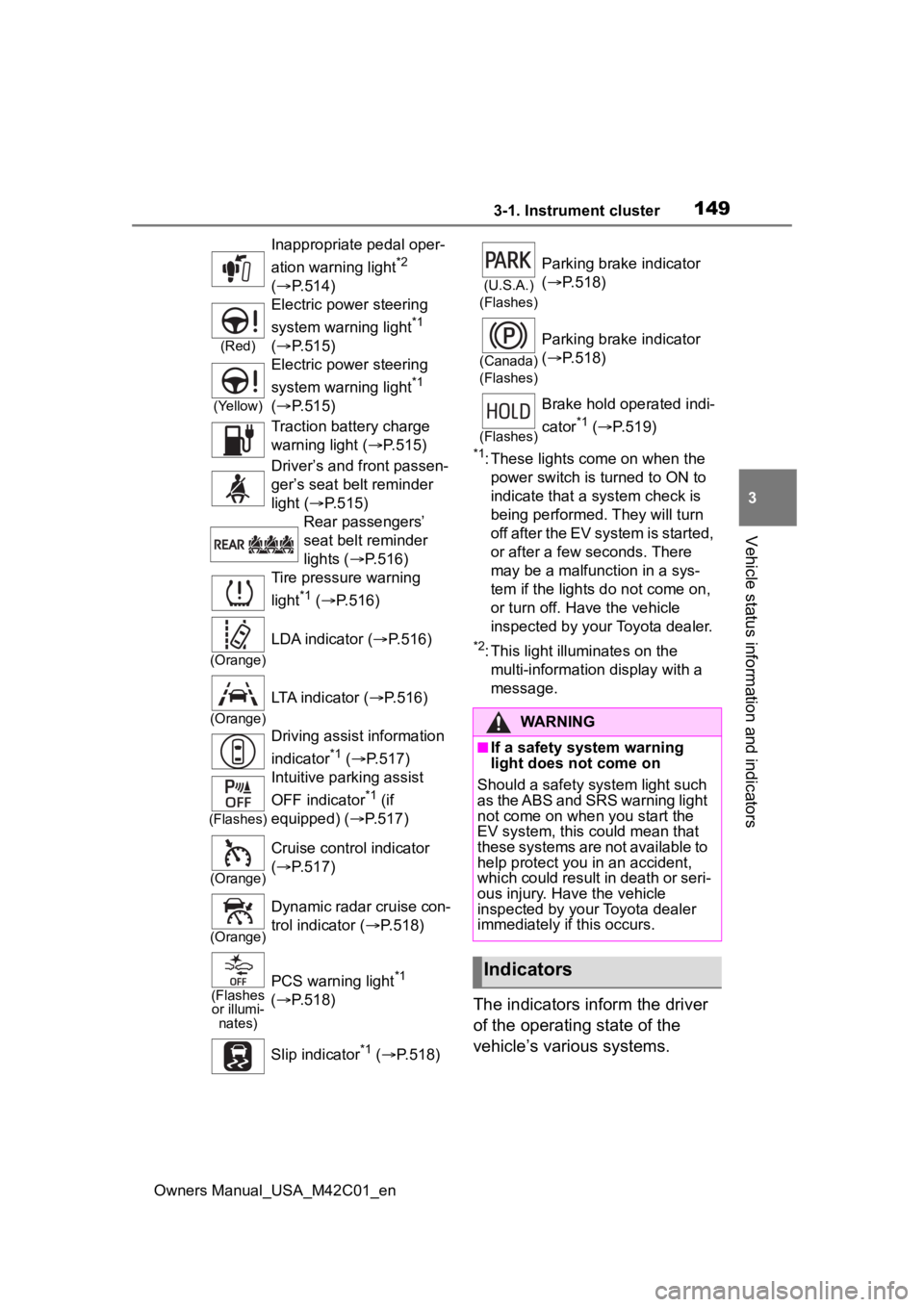
The indicators inform the driver
of the operating state of the
vehicle’s various systems.
Inappropriate pedal oper-
ation warning light
*2
( P.514)
(Red)
Electric power steering
system warning light
*1
( P.515)
(Yellow)
Electric power steering
system warning light
*1
( P.515)
Traction battery charge
warning light ( P.515)
Driver’s and front passen-
ger’s seat belt reminder
light ( P.515)
Rear passengers’
seat belt reminder
lights ( P.516)
Tire pressure warning
light
*1 ( P.516)
(Orange)
LDA indicator ( P.516)
(Orange)
LTA indicator (P.516)
Driving assist information
indicator
*1 ( P.517)
(Flashes)
Intuitive parking assist
OFF indicator
*1 (if
equipped) ( P.517)
(Orange)
Cruise control indicator
( P.517)
(Orange)
Dynamic radar cruise con-
trol indicator ( P.518)
(Flashes
or illumi- nates)PCS warning light*1
( P.518)
Slip indicator
*1 ( P.518)
(U.S.A.)
(Flashes)
Parking brake indicator
( P.518)
(Canada)
(Flashes)
Parking brake indicator
( P.518)
(Flashes)
Brake hold operated indi-
cator
*1 ( P.519)
WARNING
■If a safety system warning
light does not come on
Should a safety system light such
as the ABS and SRS warning light
not come on when you start the
EV system, this c ould mean that
these systems are not available to
help protect you in an accident,
which could result in death or seri-
ous injury. Have the vehicle
inspected by you r Toyota dealer
immediately if this occurs.
Indicators
Page 150 of 628
1503-1. Instrument cluster
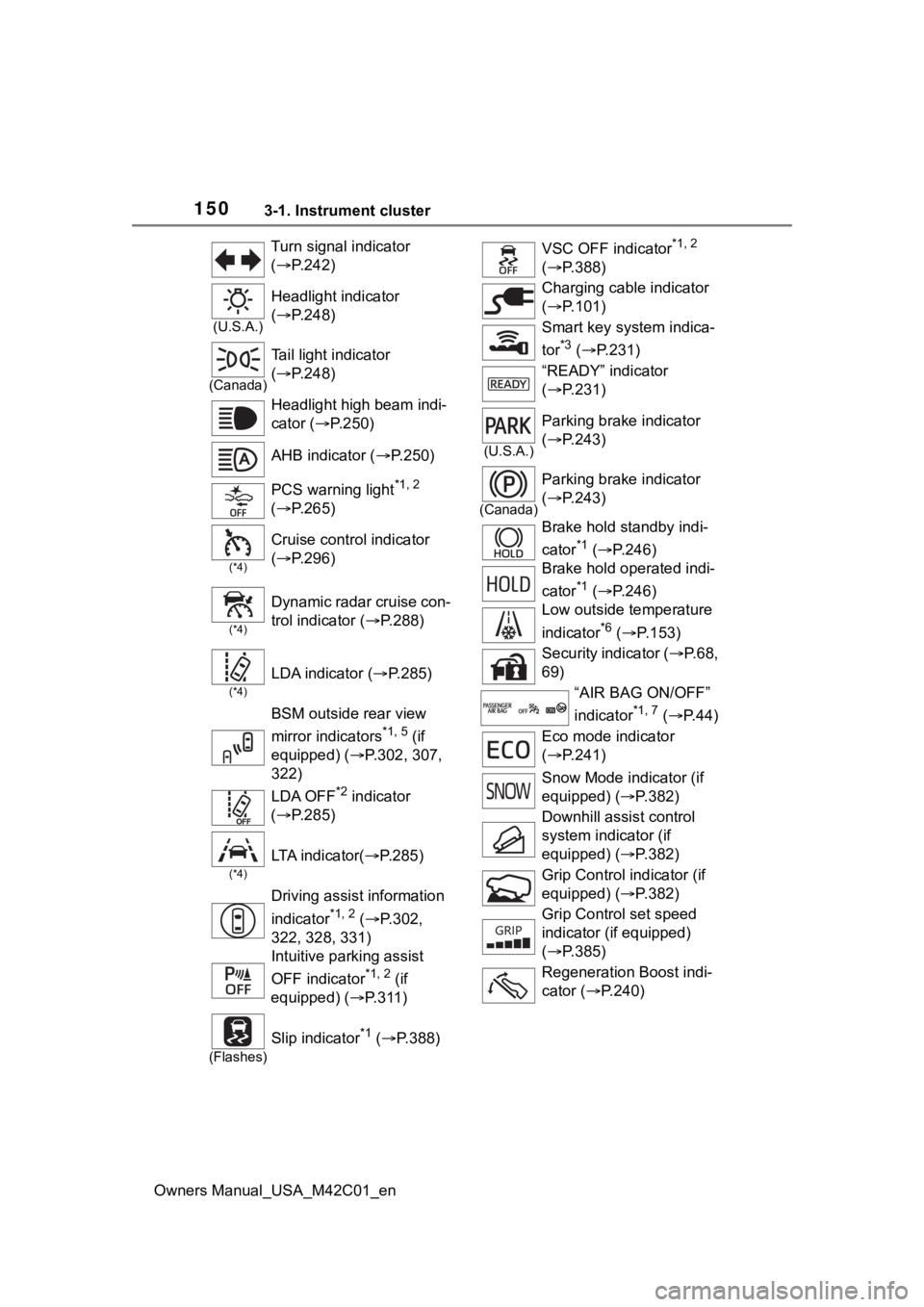
Owners Manual_USA_M42C01_enTurn signal indicator
(
P.242)
(U.S.A.)
Headlight indicator
( P.248)
(Canada)
Tail light indicator
( P.248)
Headlight high beam indi-
cator ( P.250)
AHB indicator ( P.250)
PCS warning light
*1, 2
( P.265)
(*4)
Cruise control indicator
( P.296)
(*4)
Dynamic radar cruise con-
trol indicator ( P.288)
(*4)
LDA indicator ( P.285)
BSM outside rear view
mirror indicators
*1, 5 (if
equipped) ( P.302, 307,
322)
LDA OFF
*2 indicator
( P.285)
(*4)
LTA i n d i c a t o r ( P.285)
Driving assist information
indicator
*1, 2 ( P.302,
322, 328, 331)
Intuitive parking assist
OFF indicator
*1, 2 (if
equipped) ( P.311)
(Flashes)
Slip indicator*1 ( P.388)
VSC OFF indicator*1, 2
( P.388)
Charging cable indicator
( P.101)
Smart key system indica-
tor
*3 ( P.231)
“READY” indicator
( P.231)
(U.S.A.)
Parking brake indicator
( P.243)
(Canada)
Parking brake indicator
( P.243)
Brake hold standby indi-
cator
*1 ( P.246)
Brake hold operated indi-
cator
*1 ( P.246)
Low outside temperature
indicator
*6 ( P.153)
Security indicator ( P. 6 8 ,
69)
“AIR BAG ON/OFF”
indicator
*1, 7 ( P. 4 4 )
Eco mode indicator
( P.241)
Snow Mode indicator (if
equipped) ( P.382)
Downhill assist control
system indicator (if
equipped) ( P.382)
Grip Control indicator (if
equipped) ( P.382)
Grip Control set speed
indicator (if equipped)
( P.385)
Regeneration Boost indi-
cator ( P.240)
Page 165 of 628
1654-1. Key information
Owners Manual_USA_M42C01_en
4
Before driving
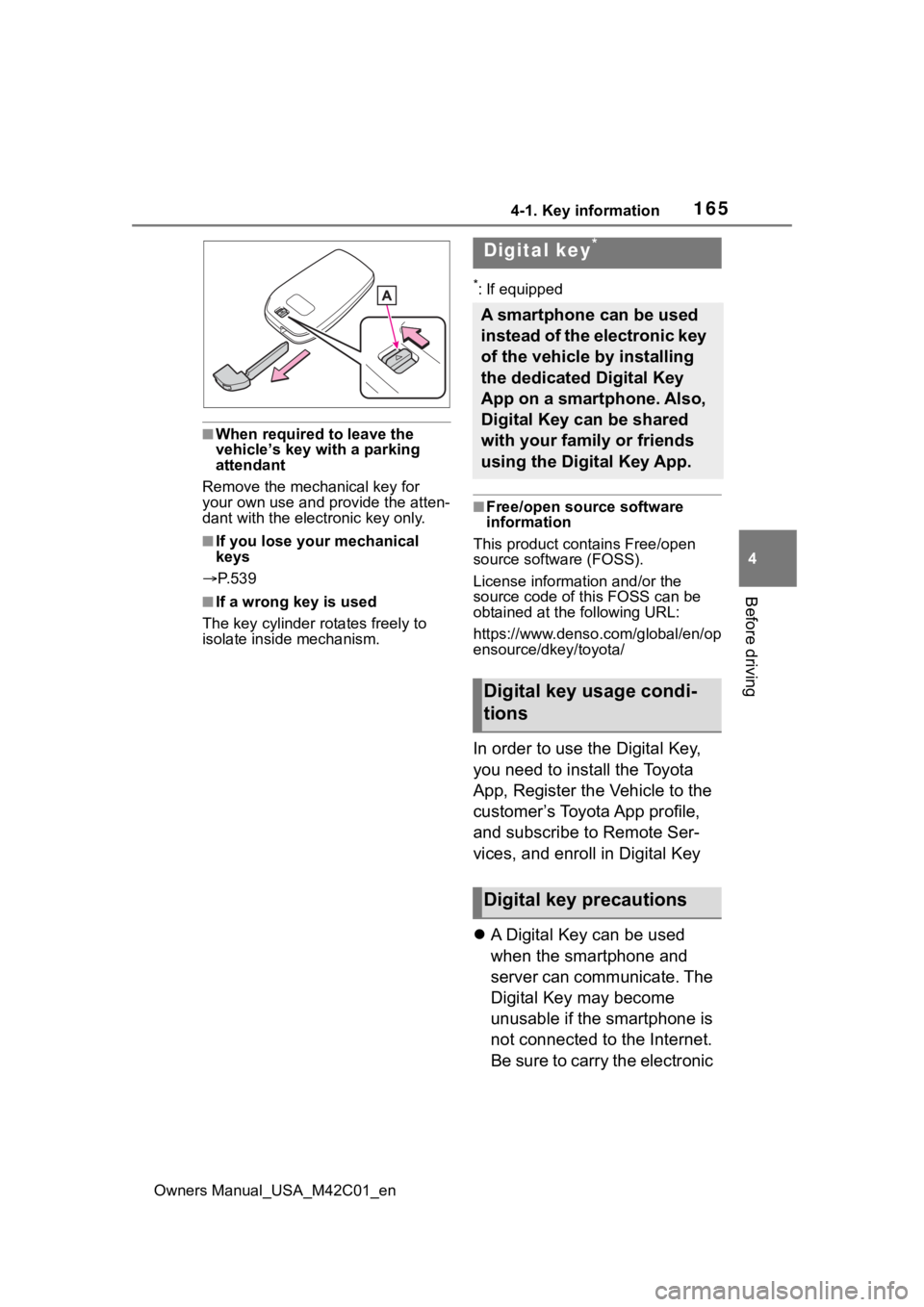
■When required to leave the
vehicle’s key with a parking
attendant
Remove the mechanical key for
your own use and provide the atten-
dant with the electronic key only.
■If you lose your mechanical
keys
P. 5 3 9
■If a wrong key is used
The key cylinder rotates freely to
isolate inside mechanism.
*: If equipped
■Free/open source software
information
This product contains Free/open
source software (FOSS).
License information and/or the
source code of this FOSS can be
obtained at th e following URL:
https://www.denso .com/global/en/op
ensource/dkey/toyota/
In order to use the Digital Key,
you need to install the Toyota
App, Register the Vehicle to the
customer’s Toyota App profile,
and subscribe to Remote Ser-
vices, and enroll in Digital Key
A Digital Key can be used
when the smartphone and
server can communicate. The
Digital Key may become
unusable if the smartphone is
not connected to the Internet.
Be sure to carry the electronic
Digital key*
A smartphone can be used
instead of the electronic key
of the vehicle by installing
the dedicated Digital Key
App on a smartphone. Also,
Digital Key can be shared
with your family or friends
using the Digital Key App.
Digital key usage condi-
tions
Digital key precautions
Page 179 of 628
1794-2. Opening, closing and locking the doors
Owners Manual_USA_M42C01_en
4
Before driving
closed position.
Whatever the state of the power
switch, the back door closer oper-
ates.
■Power back door operating con-
ditions
The power back door can automati-
cally open and close under the fol-
lowing conditions:
●When the power back door sys-
tem is enabled. ( P.185)
●When the power switch is in ON,
in addition to the above for the
opening operations, the back door
operates for any of the following
conditions:
• Parking brake is engaged
• The brake pedal is depressed
• The shift position is in P.
■Operation of the power back
door
●A buzzer sounds and the emer-
gency flashers flash twice to indi-
cate that the back door is
opening/closing.
●When the power back door sys-
tem is disabled, the power back
door does not ope rate but it can
be opened and closed by hand.
●When the power back door auto-
matically opens, if an abnormality
due to people or objects is
detected, oper ation will stop.
■Jam protection function
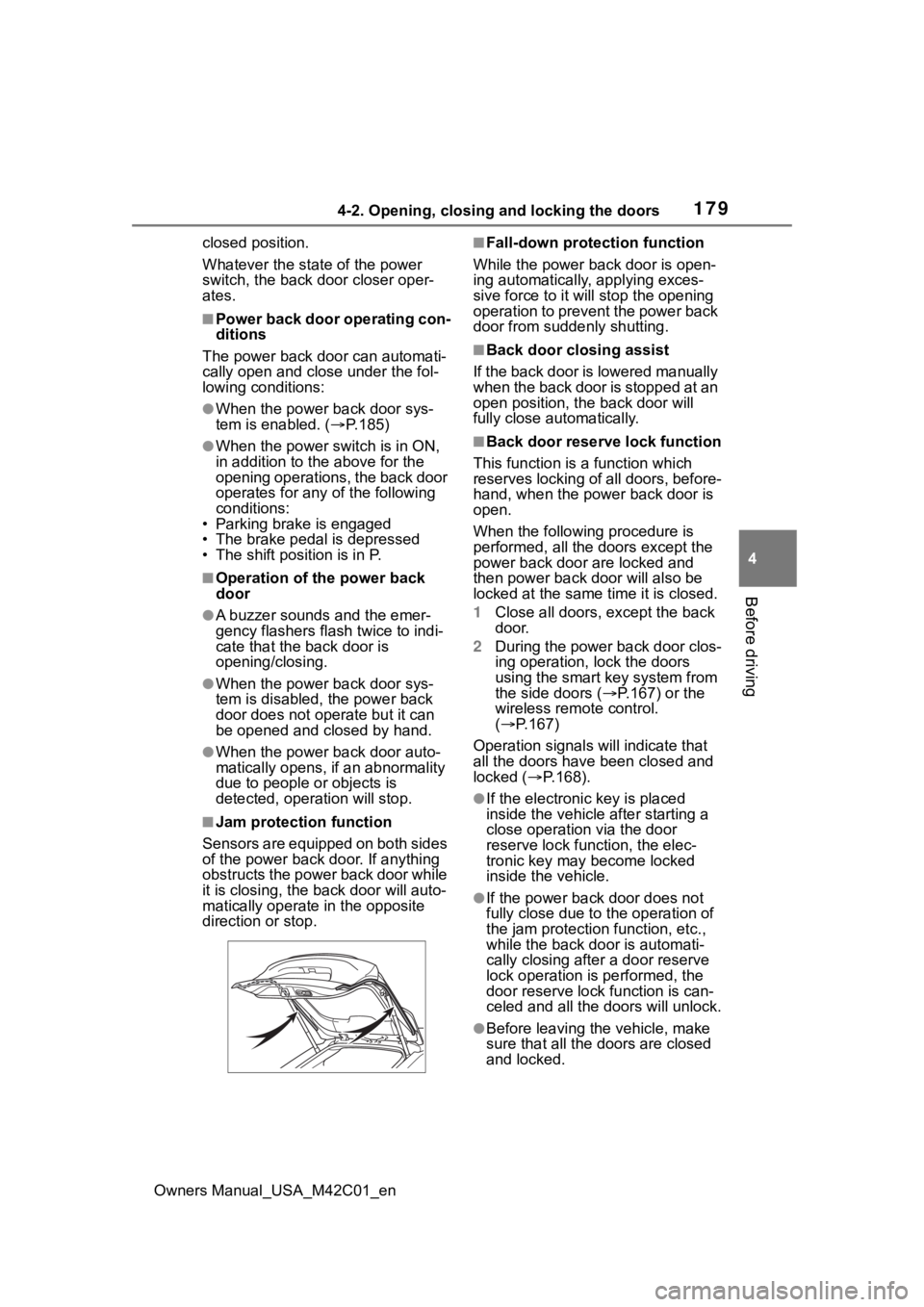
Sensors are equipped on both sides
of the power back door. If anything
obstructs the power back door while
it is closing, the b ack door will auto-
matically operate in the opposite
direction or stop.
■Fall-down protection function
While the power back door is open-
ing automatically, applying exces-
sive force to it will stop the opening
operation to prevent the power back
door from suddenly shutting.
■Back door closing assist
If the back door is lowered manually
when the back door is stopped at an
open position, the back door will
fully close automatically.
■Back door reserve lock function
This function is a function which
reserves locking of all doors, before-
hand, when the power back door is
open.
When the following procedure is
performed, all the doors except the
power back door are locked and
then power back door will also be
locked at the same time it is closed.
1 Close all doors, except the back
door.
2 During the power back door clos-
ing operation, lock the doors
using the smart key system from
the side doors ( P.167) or the
wireless remote control.
( P.167)
Operation signals will indicate that
all the doors have been closed and
locked ( P.168).
●If the electronic key is placed
inside the vehicle after starting a
close operation via the door
reserve lock function, the elec-
tronic key may become locked
inside the vehicle.
●If the power back door does not
fully close due to the operation of
the jam protection function, etc.,
while the back door is automati-
cally closing after a door reserve
lock operation is performed, the
door reserve lock function is can-
celed and all the doors will unlock.
●Before leaving the vehicle, make
sure that all the doors are closed
and locked.
Page 181 of 628
1814-2. Opening, closing and locking the doors
Owners Manual_USA_M42C01_en
4
Before driving
●When charging from an external
power source or connecting the
AC charging cable
●When the vehicle is parked near
an electrical noise source which
affects the sensitivity of the Hands
Free Power Back Door, such as a
pay parking spot , gas station,
electrically heated road, or fluo-
rescent light
●When the vehicle is near a TV
tower, electric po wer plant, radio
station, large display, airport or
other facility that generates strong
radio waves or electrical noise
●When a large amount of water is
applied to the rear bumper, such
as when the vehicle is being
washed or in heavy rain
●When mud, snow, ice, etc. is
attached to the rear bumper
●When the vehicle has been
parked for a while near objects
that may move and contact the
rear bumper, such as plants
●When an accessory is installed to
the rear bumper
If an accessory has been installed,
turn the Hands Free Power Back
Door operation setting off.
■Preventing unintentional opera-
tion of the Hands Free Power
Back Door (vehicles with Hands
Free Power Back Door)
When an electronic key is in the
operation range, the Hands Free
Power Back Door may operate unin-
tentionally, so be ca reful in the fol-
lowing situations.
●When a large amount of water is
applied to the rear bumper, such
as when the vehicle is being
washed or in heavy rain
●When dirt is wiped off the rear
bumper
●When a small animal or small
object, such as a ball, moves
under the rear bumper
●When an object is moved from
under the rear bumper
●If someone is swinging their legs
while sitting on the rear bumper
●If the legs or another part of some-
one’s body contacts the rear
bumper while passing by the vehi-
cle
●When the vehicle is parked near
an electrical noise source which
affects the sensitivity of the Hands
Free Power Back Door, such as a
pay parking spot, gas station,
electrically heated road, or fluo-
rescent light
●When the vehicle is near a TV
tower, electric pow er plant, radio
station, large display, airport or
other facility that generates strong
radio waves or electrical noise
●When the vehicle is parked in a
place where objects such as
plants are near the rear bumper
●If luggage, etc. is set near the rear
bumper
●If accessories or a vehicle cover is
installed/removed near the rear
bumper
●When the vehicle is being towed
To prevent unintentional operation,
turn the Hands F ree Power Back
Door operation setting off. ( P.185)
■When reconnecting the 12-volt
battery
To enable the power back door to
operate properly, close the back
door manually.
■If the back door opener is inop-
erative
The back door can be unlocked
from the inside.
1 Remove the cover.
To prevent damage, cover the tip of
the screwdriver with a rag.
Page 189 of 628
1894-2. Opening, closing and locking the doors
Owners Manual_USA_M42C01_en
4
Before driving
tact with, or is covered by the fol-
lowing metallic objects
• Cards to which al uminum foil is
attached
• Cigarette boxes that have alumi- num foil inside
• Metallic wallets or bags
• Coins
• Hand warmers made of metal
• Media such as CDs and DVDs
●When another wireless key (that
emits radio waves) is being used
nearby
●When carrying the electronic key
together with the following devices
that emit radio waves
• Portable radio, cellular phone, cordless phone or other wireless
communication devices
• Another electronic key or a wire- less key that emits radio waves
• Personal computers or personal
digital assistants (PDAs)
• Digital audio players
• Portable game systems
●If window tint with a metallic con-
tent or metallic objects are
attached to the rear window
●When the electronic key is placed
near a battery charger or elec-
tronic devices
●When the vehicle is parked in a
pay parking spot where radio
waves are emitted.
■Note for the entry function
●Even when the electronic key is
within the effective range (detec-
tion areas), the system may not
operate properly in the following
cases:
• The electronic key is too close to the window or outside door han-
dle, near the ground, or in a high
place when the doors are locked
or unlocked.
• The electronic key is on the instru- ment panel, luggage cover or
floor, or in the door pockets or
glove box when the EV system is
started or power switch modes are
changed.
●Do not leave the electronic key on
top of the instrument panel or near
the door pockets when exiting the
vehicle. Depending on the radio
wave reception conditions, it may
be detected by the antenna out-
side the cabin and the door will
become lockable from the outside,
possibly trapping the electronic
key inside the vehicle.
●As long as the electronic key is
within the effective range, the
doors may be locked or unlocked
by anyone. However, only the
doors detecting the electronic key
can be used to lo ck or unlock the
vehicle.
●Even if the electro nic key is not
inside the vehicle, it may be possi-
ble to start the EV system if the
electronic key is near the window.
●The doors may unlock if a large
amount of water splashes on the
door handle, such as in the rain or
in a car wash when the electronic
key is within the effective range.
(The doors will au tomatically be
locked after approximately 60 sec-
onds if the doors are not opened
and closed.)
●If the wireless remote control is
used to lock the doors when the
electronic key is near the vehicle,
there is a possib ility that the door
may not be unlocked by the entry
function. (Use the wireless remote
control to unlock the doors.)
●Touching the door lock sensor
while wearing gloves may delay or
prevent lock operation. Remove
the gloves and touch the lock sen-
sor again.
●When the lock operation is per-
formed using the lock sensor, rec-
ognition signals will be shown up
to two consecutive times. After
this, no recognition signals will be
given.
●If the door handle becomes wet
while the electronic key is within
the effective range, the door may
Page 194 of 628
1944-3. Adjusting the seats
Owners Manual_USA_M42C01_en
■Before folding down the
seatbacks
1 Park the vehicle in a safe
place.
Apply the parking brake ( P.243)
and shift the shift position to P.
( P.237)
2 Adjust the position of the
front seat and the angle of
the seatback. ( P.192)
Depending on the position of the
front seat, if the seatback is folded
backward, it may interfere with the
operation of the rear seat.
3 Lower the head restraint of
the rear center seat.
( P.196)
4 Stow the armrest of the rear
seat if it is pulled out.
( P.437)
This step is not necessary when
operating the left side seat only.
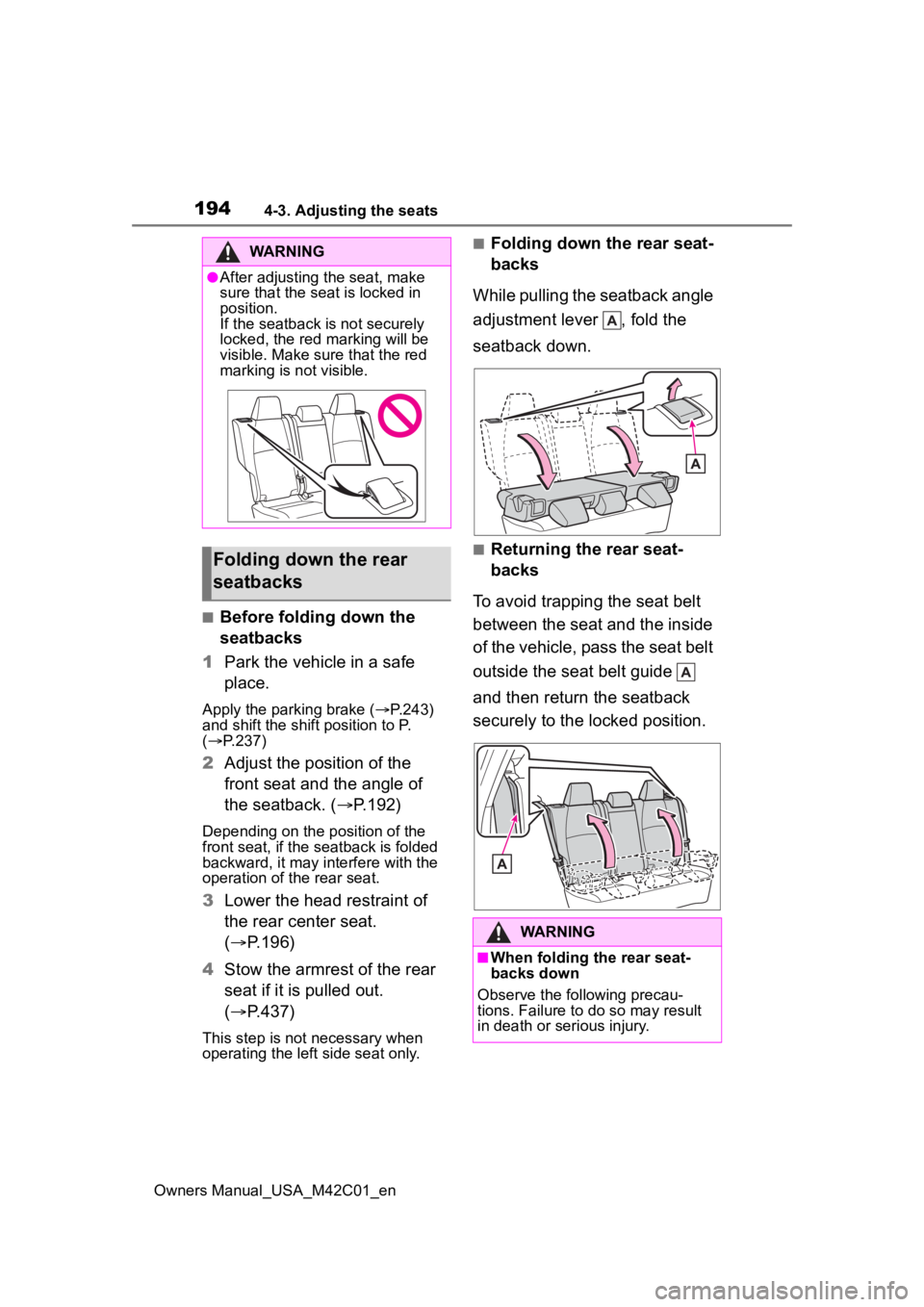
■Folding down the rear seat-
backs
While pulling the seatback angle
adjustment lever , fold the
seatback down.
■Returning the rear seat-
backs
To avoid trapping the seat belt
between the seat and the inside
of the vehicle, pass the seat belt
outside the seat belt guide
and then return the seatback
securely to the locked position.
WARNING
●After adjusting the seat, make
sure that the seat is locked in
position.
If the seatback is not securely
locked, the red marking will be
visible. Make sure that the red
marking is not visible.
Folding down the rear
seatbacks
WARNING
■When folding the rear seat-
backs down
Observe the following precau-
tions. Failure to do so may result
in death or serious injury.
Page 195 of 628
1954-3. Adjusting the seats
Owners Manual_USA_M42C01_en
4
Before driving
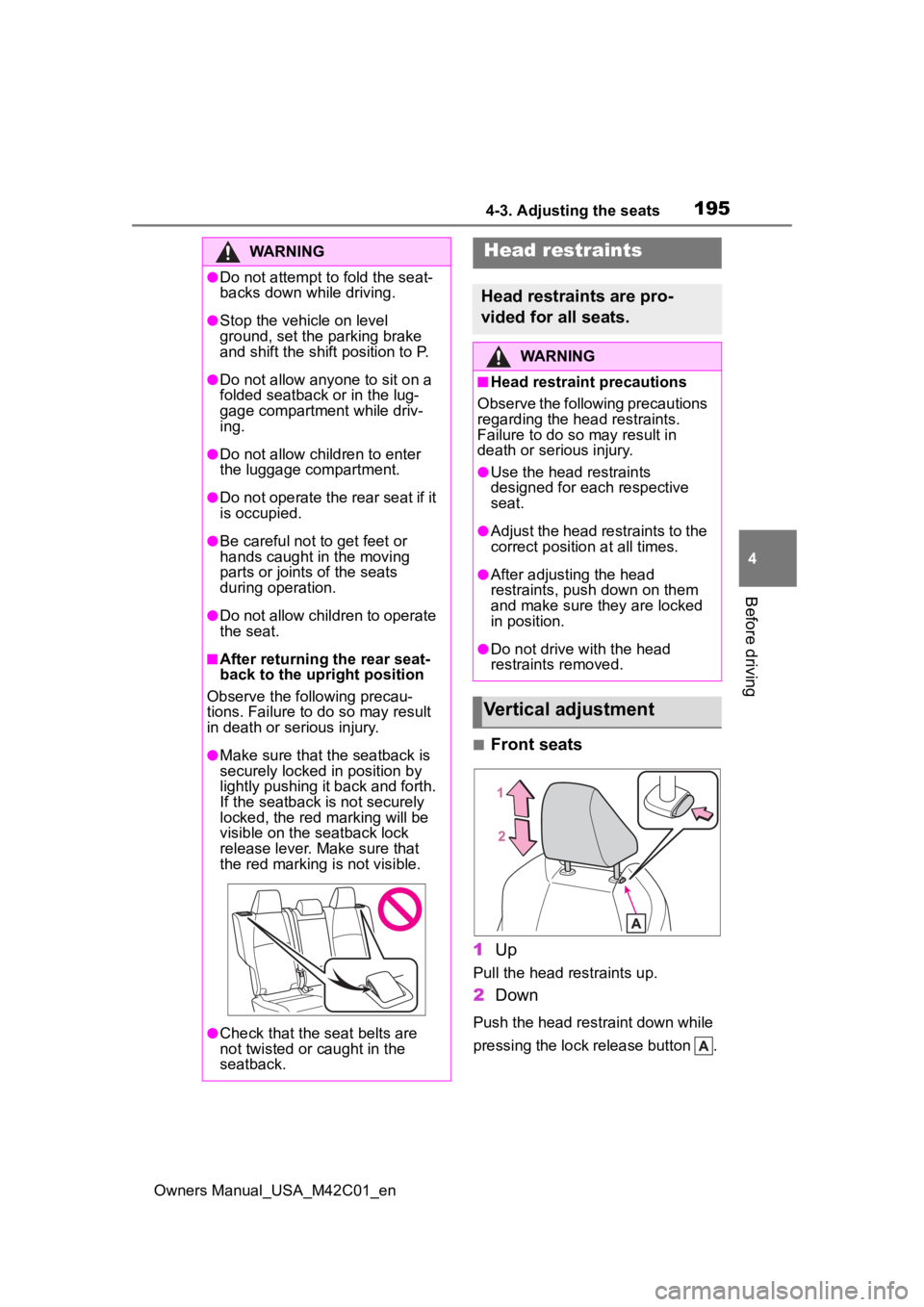
■Front seats
1 Up
Pull the head restraints up.
2Down
Push the head restraint down while
pressing the lock release button .
WARNING
●Do not attempt t o fold the seat-
backs down while driving.
●Stop the vehicle on level
ground, set the parking brake
and shift the shift position to P.
●Do not allow anyo ne to sit on a
folded seatback or in the lug-
gage compartment while driv-
ing.
●Do not allow child ren to enter
the luggage compartment.
●Do not operate the rear seat if it
is occupied.
●Be careful not to get feet or
hands caught in the moving
parts or joints of the seats
during operation.
●Do not allow children to operate
the seat.
■After returning the rear seat-
back to the upright position
Observe the following precau-
tions. Failure to do so may result
in death or serious injury.
●Make sure that the seatback is
securely locked in position by
lightly pushing it back and forth.
If the seatback is not securely
locked, the red marking will be
visible on the seatback lock
release lever. Make sure that
the red marking is not visible.
●Check that the seat belts are
not twisted or caught in the
seatback.
Head restraints
Head restraints are pro-
vided for all seats.
WARNING
■Head restraint precautions
Observe the following precautions
regarding the head restraints.
Failure to do so may result in
death or serious injury.
●Use the head restraints
designed for each respective
seat.
●Adjust the head restraints to the
correct position at all times.
●After adjusting the head
restraints, push down on them
and make sure they are locked
in position.
●Do not drive with the head
restraints removed.
Vertical adjustment
Page 217 of 628
217
Owners Manual_USA_M42C01_en
5
5
Driving
Driving
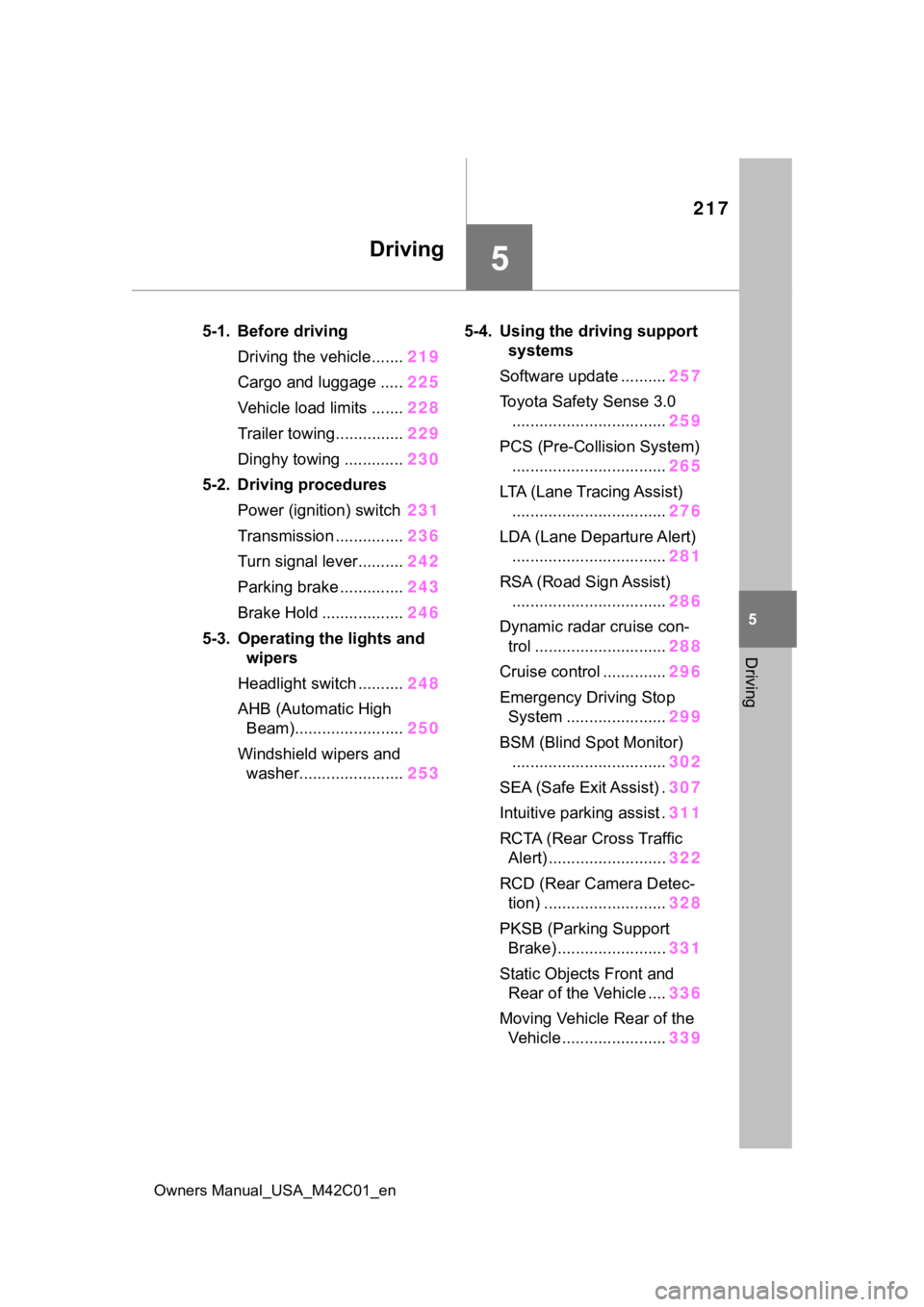
5-1. Before drivingDriving the vehicle....... 219
Cargo and luggage ..... 225
Vehicle load limits ....... 228
Trailer towing............... 229
Dinghy towing ............. 230
5-2. Driving procedures Power (ignition) switch 231
Transmission ............... 236
Turn signal lever.......... 242
Parking brake .............. 243
Brake Hold .................. 246
5-3. Operating the lights and wipers
Headlight switch .......... 248
AHB (Automatic High Beam)........................ 250
Windshield wipers and washer....................... 2535-4. Using the dr
iving support
systems
Software update .......... 257
Toyota Safety Sense 3.0 .................................. 259
PCS (Pre-Collision System) .................................. 265
LTA (Lane Tracing Assist) .................................. 276
LDA (Lane Departure Alert) .................................. 281
RSA (Road Sign Assist) .................................. 286
Dynamic radar cruise con- trol ............................. 288
Cruise control .............. 296
Emergency Driving Stop System ...................... 299
BSM (Blind Spot Monitor) .................................. 302
SEA (Safe Exit Assist) . 307
Intuitive parking assist . 311
RCTA (Rear Cross Traffic Alert) .......................... 322
RCD (Rear Camera Detec- tion) ........................... 328
PKSB (Parking Support Brake) ........................ 331
Static Objects Front and Rear of the Vehicle .... 336
Moving Vehicle Rear of the Vehicle ....................... 339
Page 219 of 628
2195-1. Before driving
Owners Manual_USA_M42C01_en
5
Driving
5-1.Before driving
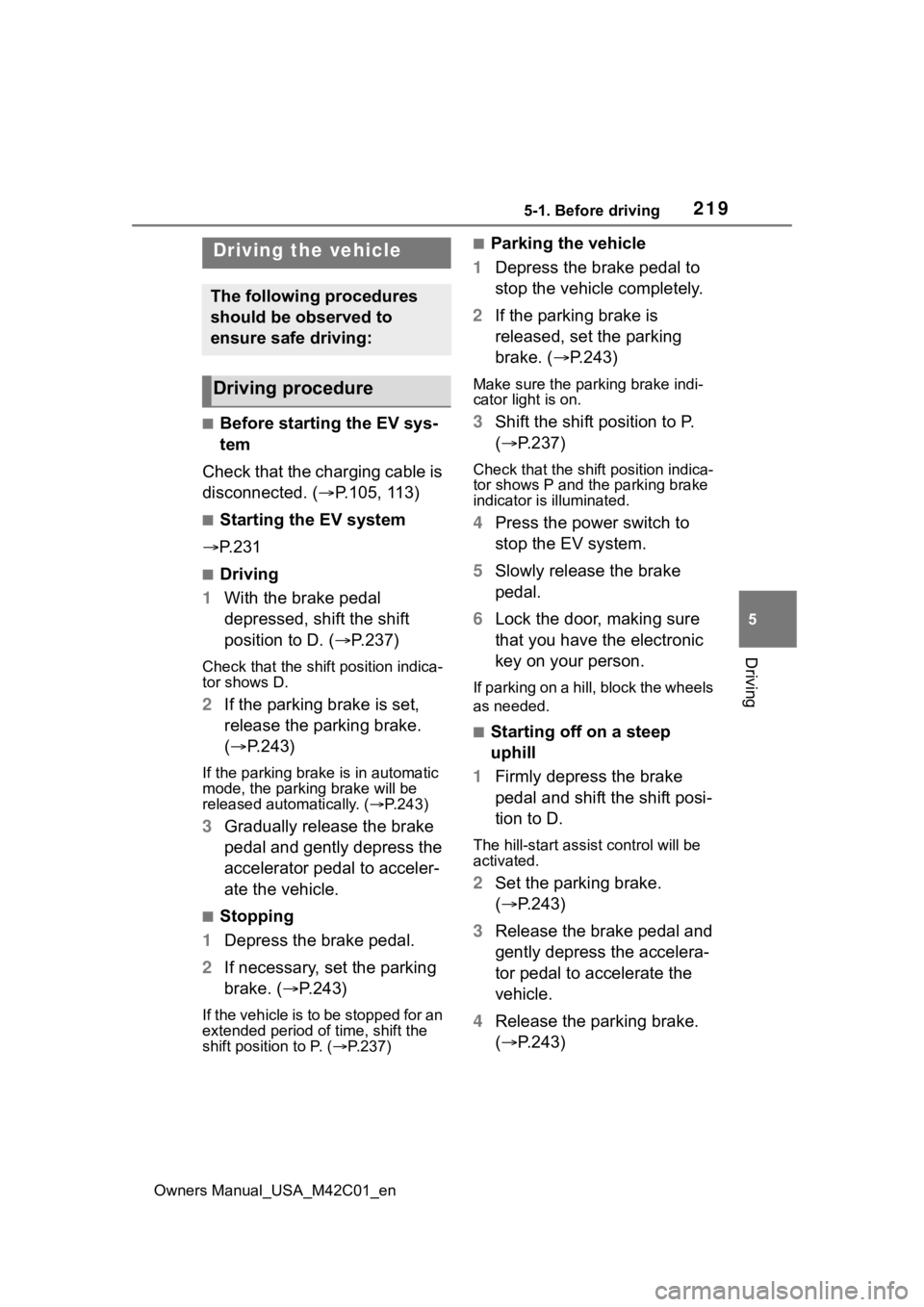
■Before starting the EV sys-
tem
Check that the charging cable is
disconnected. ( P.105, 113)
■Starting the EV system
P. 2 3 1
■Driving
1 With the brake pedal
depressed, shift the shift
position to D. ( P.237)
Check that the shift position indica-
tor shows D.
2If the parking brake is set,
release the parking brake.
( P.243)
If the parking brake is in automatic
mode, the parkin g brake will be
released automatically. ( P.243)
3 Gradually release the brake
pedal and gently depress the
accelerator pedal to acceler-
ate the vehicle.
■Stopping
1 Depress the brake pedal.
2 If necessary, set the parking
brake. ( P.243)
If the vehicle is to be stopped for an
extended period of time, shift the
shift position to P. ( P.237)
■Parking the vehicle
1 Depress the brake pedal to
stop the vehicle completely.
2 If the parking brake is
released, set the parking
brake. ( P.243)
Make sure the park ing brake indi-
cator light is on.
3 Shift the shift position to P.
( P.237)
Check that the shif t position indica-
tor shows P and the parking brake
indicator is illuminated.
4 Press the power switch to
stop the EV system.
5 Slowly release the brake
pedal.
6 Lock the door, making sure
that you have the electronic
key on your person.
If parking on a hill, block the wheels
as needed.
■Starting off on a steep
uphill
1 Firmly depress the brake
pedal and shift the shift posi-
tion to D.
The hill-start assist control will be
activated.
2Set the parking brake.
( P.243)
3 Release the brake pedal and
gently depress the accelera-
tor pedal to accelerate the
vehicle.
4 Release the parking brake.
( P.243)
Driving the vehicle
The following procedures
should be observed to
ensure safe driving:
Driving procedure