cruise control SUBARU SOLTERRA 2023 Owner's Manual
[x] Cancel search | Manufacturer: SUBARU, Model Year: 2023, Model line: SOLTERRA, Model: SUBARU SOLTERRA 2023Pages: 628, PDF Size: 11.91 MB
Page 517 of 628
5178-2. Steps to take in an emergency
Owners Manual_USA_M42C01_en
8
When trouble arises
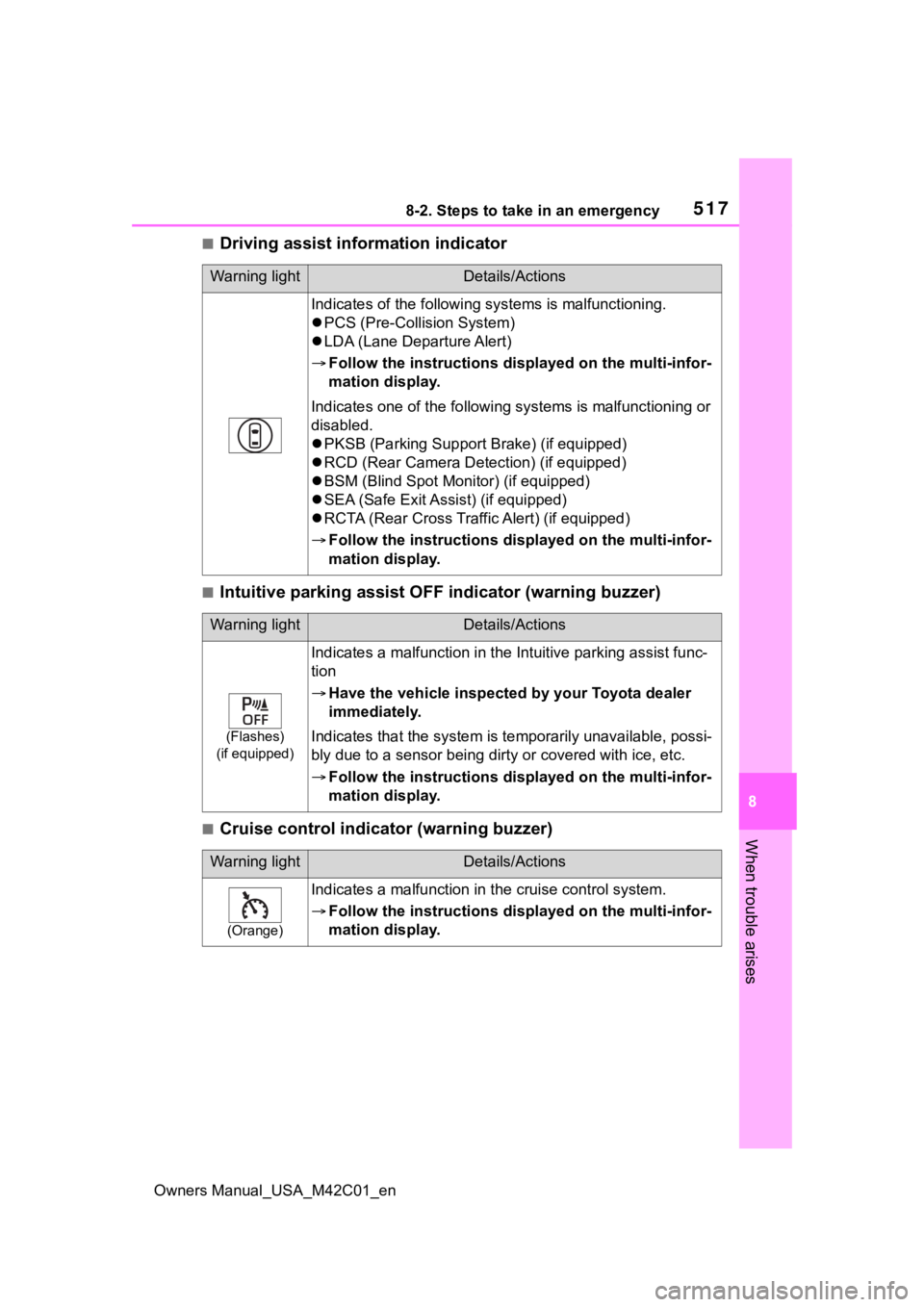
■Driving assist information indicator
■Intuitive parking assist OFF indicator (warning buzzer)
■Cruise control indicator (warning buzzer)
Warning lightDetails/Actions
Indicates of the following systems is malfunctioning.
PCS (Pre-Collis ion System)
LDA (Lane Departure Alert)
Follow the instructions dis played on the multi-infor-
mation display.
Indicates one of the following systems is malfunctioning or
disabled.
PKSB (Parking Support Brake) (if equipped)
RCD (Rear Camera Det ection) (if equipped)
BSM (Blind Spot Monitor) (if equipped)
SEA (Safe Exit Assist) (if equipped)
RCTA (Rear Cross Traffic Alert) (if equipped)
Follow the instructions dis played on the multi-infor-
mation display.
Warning lightDetails/Actions
(Flashes)
(if equipped)
Indicates a malfunction in the Intuitive parking assist func-
tion
Have the vehicle inspecte d by your Toyota dealer
immediately.
Indicates that the system is te mporarily unavailable, possi-
bly due to a sensor being dirt y or covered with ice, etc.
Follow the instructions dis played on the multi-infor-
mation display.
Warning lightDetails/Actions
(Orange)
Indicates a malfunction in t he cruise control system.
Follow the instructions dis played on the multi-infor-
mation display.
Page 518 of 628
5188-2. Steps to take in an emergency
Owners Manual_USA_M42C01_en
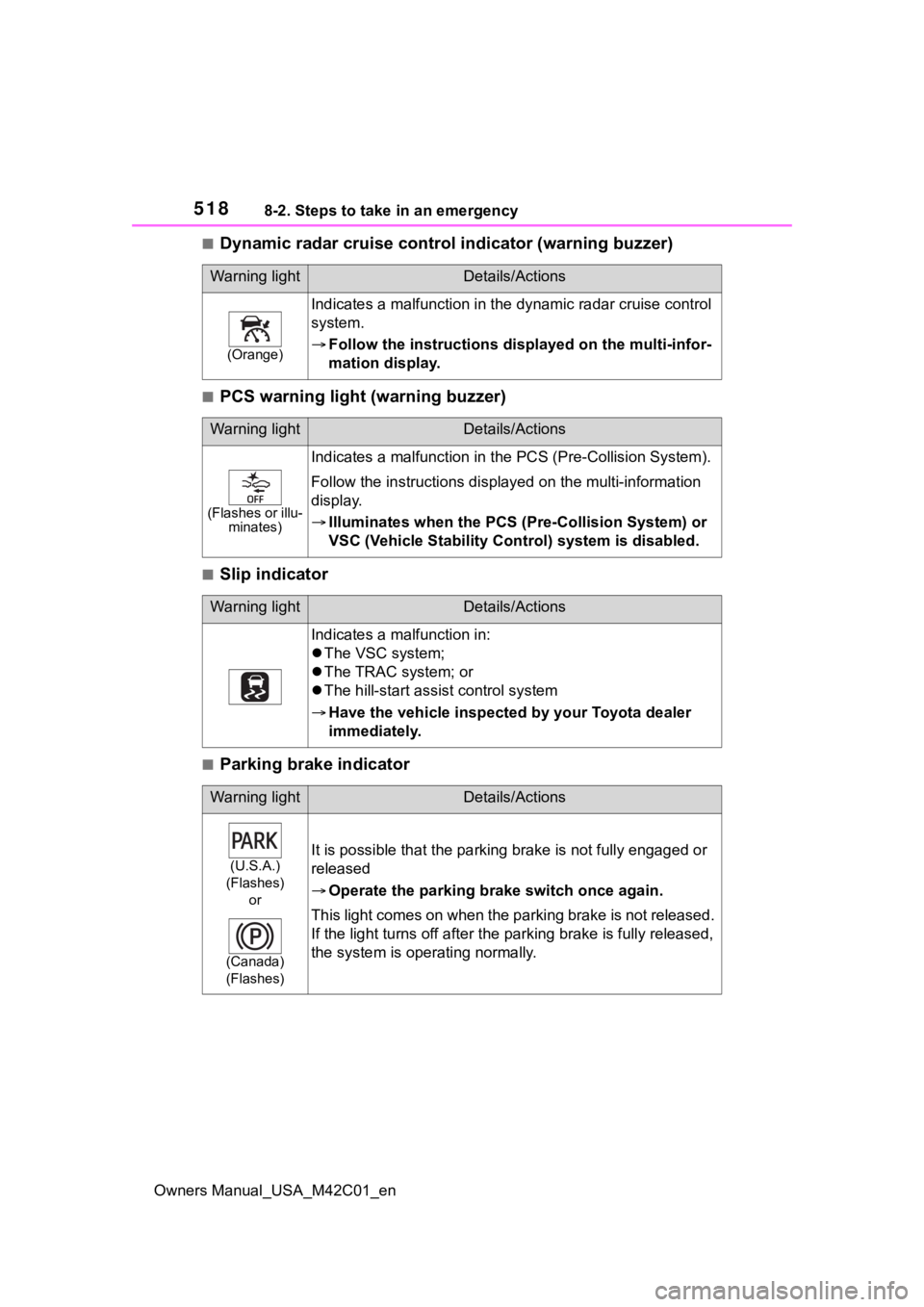
■Dynamic radar cruise control indicator (warning buzzer)
■PCS warning light (warning buzzer)
■Slip indicator
■Parking brake indicator
Warning lightDetails/Actions
(Orange)
Indicates a malfunction in the dynamic radar cruise control
system.
Follow the instructions dis played on the multi-infor-
mation display.
Warning lightDetails/Actions
(Flashes or illu- minates)
Indicates a malfunction in the PCS (Pre-Collision System).
Follow the instructio ns displayed on the multi-information
display.
Illuminates when the PCS (Pre-Collision System) or
VSC (Vehicle Stability Cont rol) system is disabled.
Warning lightDetails/Actions
Indicates a malfunction in:
The VSC system;
The TRAC system; or
The hill-start assist control system
Have the vehicle inspecte d by your Toyota dealer
immediately.
Warning lightDetails/Actions
(U.S.A.)
(Flashes) or
(Canada)
(Flashes)It is possible that the parking brake is not fully engaged or
released
Operate the parking br ake switch once again.
This light comes on when the parking brake is not released.
If the light turns of f after the parking brake is fully released,
the system is operating normally.
Page 523 of 628
5238-2. Steps to take in an emergency
Owners Manual_USA_M42C01_en
8
When trouble arises
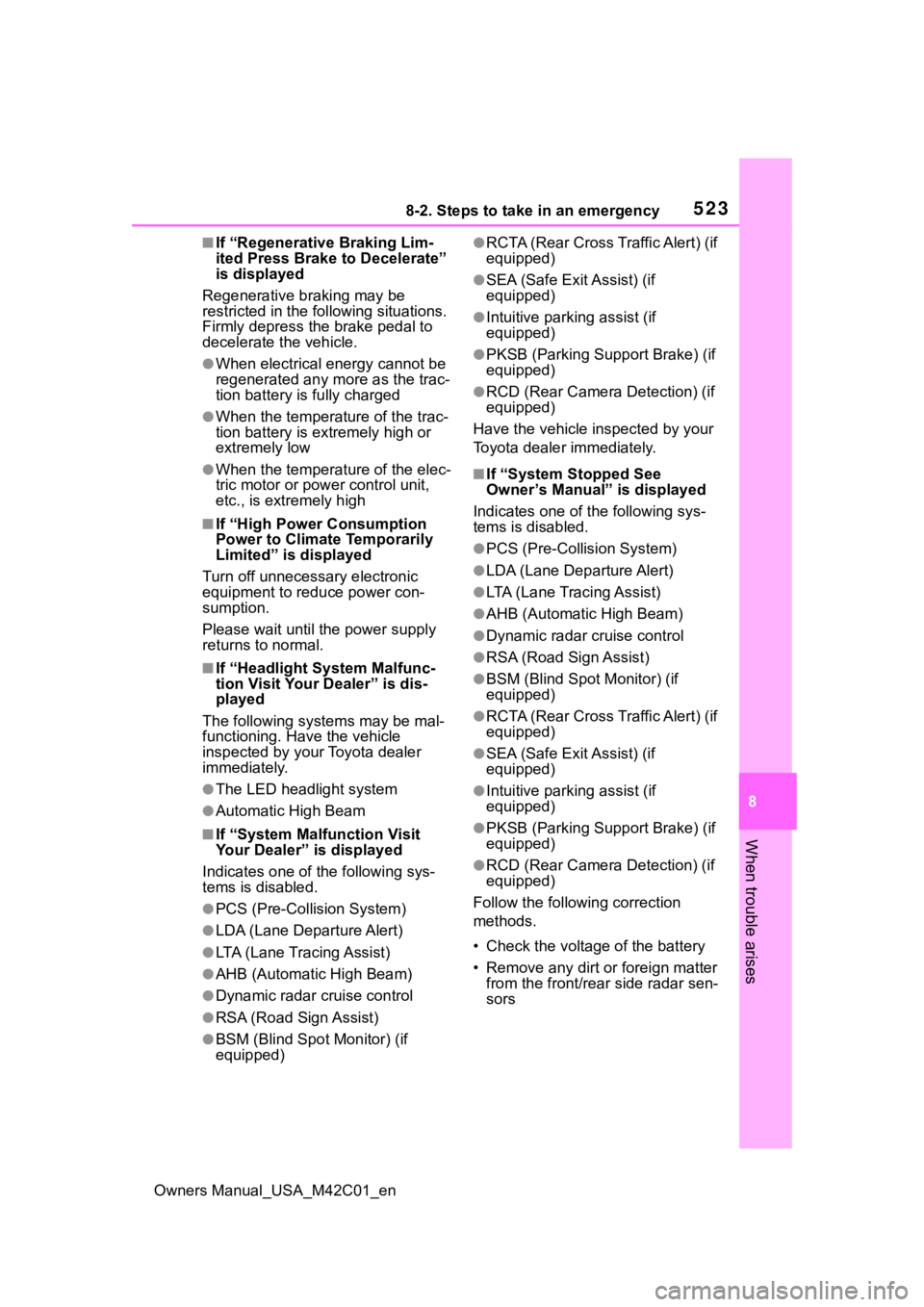
■If “Regenerative Braking Lim-
ited Press Brake to Decelerate”
is displayed
Regenerative br aking may be
restricted in the following situations.
Firmly depress the brake pedal to
decelerate the vehicle.
●When electrical energy cannot be
regenerated any more as the trac-
tion battery is fully charged
●When the temperature of the trac-
tion battery is extremely high or
extremely low
●When the temperature of the elec-
tric motor or power control unit,
etc., is extremely high
■If “High Power Consumption
Power to Climate Temporarily
Limited” is displayed
Turn off unnecessary electronic
equipment to reduce power con-
sumption.
Please wait until th e power supply
returns to normal.
■If “Headlight System Malfunc-
tion Visit Your Dealer” is dis-
played
The following systems may be mal-
functioning. Have the vehicle
inspected by your Toyota dealer
immediately.
●The LED headlight system
●Automatic High Beam
■If “System Malfunction Visit
Your Dealer” is displayed
Indicates one of the following sys-
tems is disabled.
●PCS (Pre-Collis ion System)
●LDA (Lane Departure Alert)
●LTA (Lane Tracing Assist)
●AHB (Automatic High Beam)
●Dynamic radar cruise control
●RSA (Road Sign Assist)
●BSM (Blind Spot Monitor) (if
equipped)
●RCTA (Rear Cross Traffic Alert) (if
equipped)
●SEA (Safe Exit Assist) (if
equipped)
●Intuitive parking assist (if
equipped)
●PKSB (Parking Suppor t Brake) (if
equipped)
●RCD (Rear Camera Detection) (if
equipped)
Have the vehicle inspected by your
Toyota dealer immediately.
■If “System Stopped See
Owner’s Manual” is displayed
Indicates one of the following sys-
tems is disabled.
●PCS (Pre-Collision System)
●LDA (Lane Departure Alert)
●LTA (Lane Tracing Assist)
●AHB (Automatic High Beam)
●Dynamic radar cruise control
●RSA (Road Sign Assist)
●BSM (Blind Spot Monitor) (if
equipped)
●RCTA (Rear Cross Traffic Alert) (if
equipped)
●SEA (Safe Exit Assist) (if
equipped)
●Intuitive parking assist (if
equipped)
●PKSB (Parking Suppor t Brake) (if
equipped)
●RCD (Rear Camera Detection) (if
equipped)
Follow the following correction
methods.
• Check the voltage of the battery
• Remove any dirt or foreign matter from the front/rear side radar sen-
sors
Page 524 of 628
5248-2. Steps to take in an emergency
Owners Manual_USA_M42C01_en
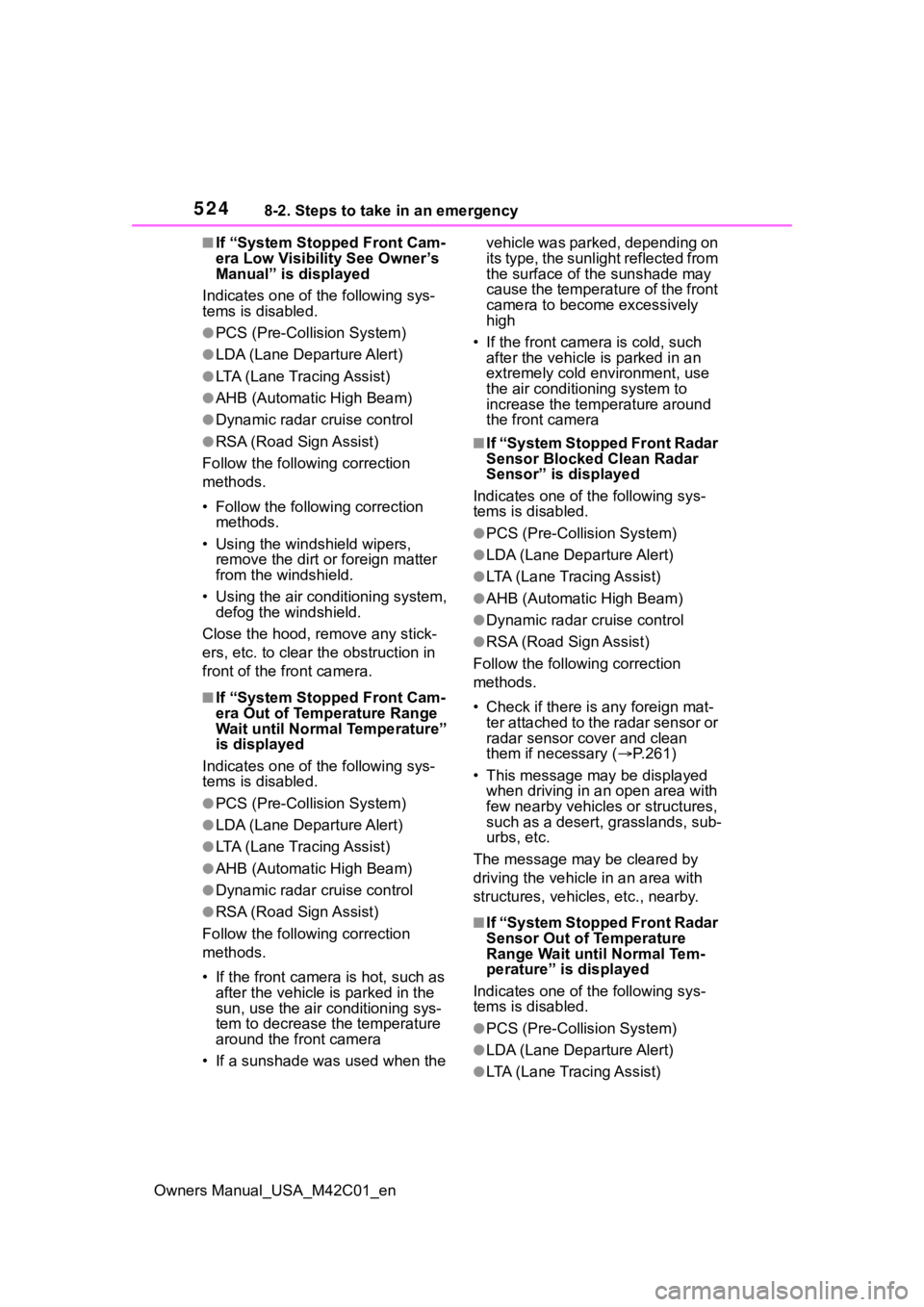
■If “System Stopped Front Cam-
era Low Visibility See Owner’s
Manual” is displayed
Indicates one of the following sys-
tems is disabled.
●PCS (Pre-Collis ion System)
●LDA (Lane Departure Alert)
●LTA (Lane Tracing Assist)
●AHB (Automatic High Beam)
●Dynamic radar cruise control
●RSA (Road Sign Assist)
Follow the followi ng correction
methods.
• Follow the follo wing correction
methods.
• Using the windshield wipers, remove the dirt o r foreign matter
from the windshield.
• Using the air conditioning system, defog the windshield.
Close the hood, remove any stick-
ers, etc. to clear th e obstruction in
front of the front camera.
■If “System Stopped Front Cam-
era Out of Temperature Range
Wait until Normal Temperature”
is displayed
Indicates one of the following sys-
tems is disabled.
●PCS (Pre-Collis ion System)
●LDA (Lane Departure Alert)
●LTA (Lane Tracing Assist)
●AHB (Automatic High Beam)
●Dynamic radar cruise control
●RSA (Road Sign Assist)
Follow the followi ng correction
methods.
• If the front camera is hot, such as after the vehicle is parked in the
sun, use the air conditioning sys-
tem to decrease the temperature
around the front camera
• If a sunshade was used when the vehicle was parked, depending on
its type, the sunlight reflected from
the surface of the sunshade may
cause the temperature of the front
camera to become excessively
high
• If the front camera is cold, such after the vehicle is parked in an
extremely cold environment, use
the air conditioning system to
increase the temperature around
the front camera
■If “System Stopped Front Radar
Sensor Blocked Clean Radar
Sensor” is displayed
Indicates one of the following sys-
tems is disabled.
●PCS (Pre-Collision System)
●LDA (Lane Departure Alert)
●LTA (Lane Tracing Assist)
●AHB (Automatic High Beam)
●Dynamic radar cruise control
●RSA (Road Sign Assist)
Follow the following correction
methods.
• Check if there is any foreign mat- ter attached to the radar sensor or
radar sensor cover and clean
them if necessary ( P.261)
• This message may be displayed when driving in an open area with
few nearby vehicles or structures,
such as a desert, grasslands, sub-
urbs, etc.
The message may be cleared by
driving the vehicle in an area with
structures, vehicles, etc., nearby.
■If “System Stopped Front Radar
Sensor Out of Temperature
Range Wait until Normal Tem-
perature” is displayed
Indicates one of the following sys-
tems is disabled.
●PCS (Pre-Collision System)
●LDA (Lane Departure Alert)
●LTA (Lane Tracing Assist)
Page 525 of 628
5258-2. Steps to take in an emergency
Owners Manual_USA_M42C01_en
8
When trouble arises
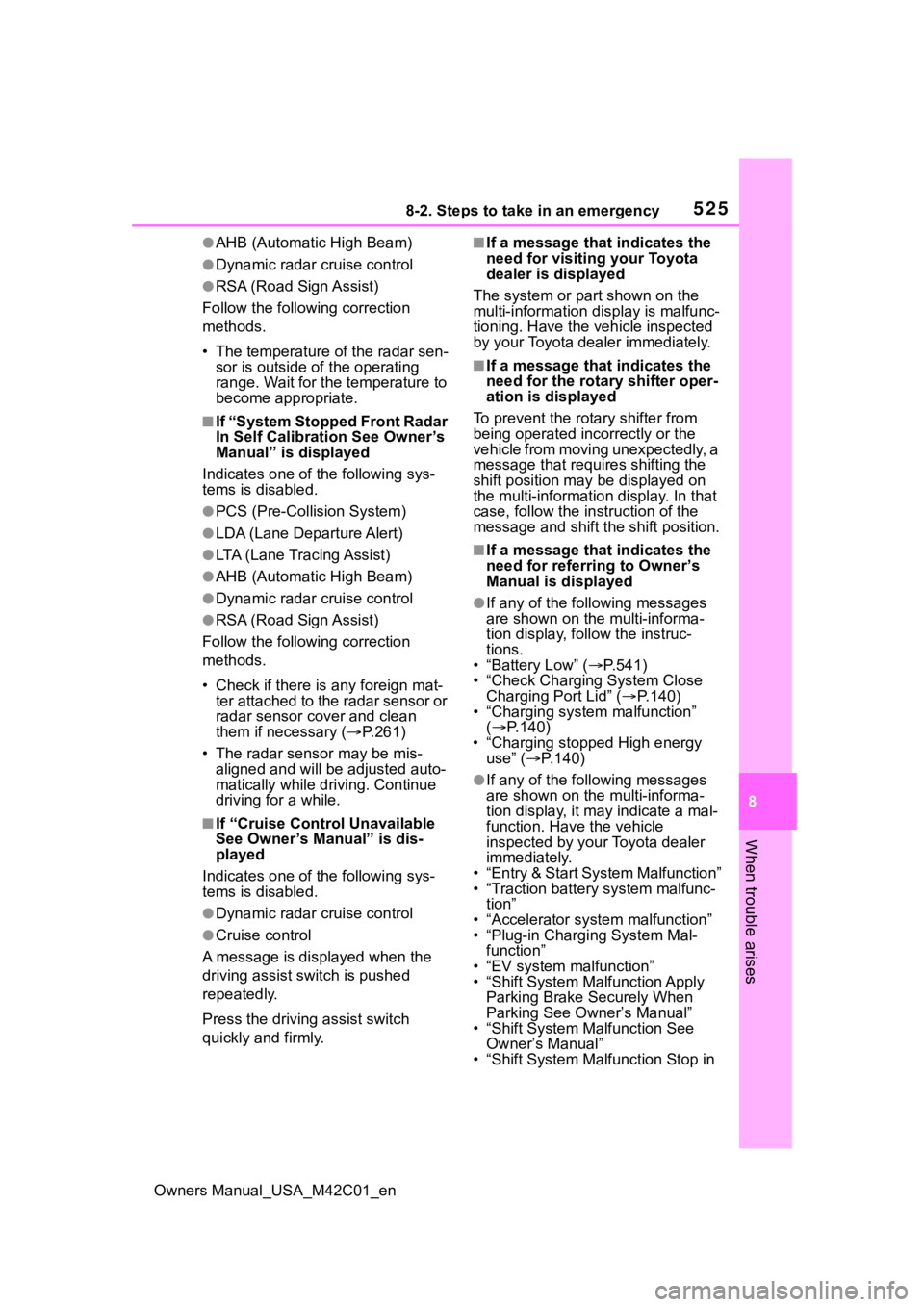
●AHB (Automatic High Beam)
●Dynamic radar cruise control
●RSA (Road Sign Assist)
Follow the followi ng correction
methods.
• The temperature of the radar sen- sor is outside of the operating
range. Wait for the temperature to
become appropriate.
■If “System Stopped Front Radar
In Self Calibration See Owner’s
Manual” is displayed
Indicates one of the following sys-
tems is disabled.
●PCS (Pre-Collis ion System)
●LDA (Lane Departure Alert)
●LTA (Lane Tracing Assist)
●AHB (Automatic High Beam)
●Dynamic radar cruise control
●RSA (Road Sign Assist)
Follow the followi ng correction
methods.
• Check if there is any foreign mat- ter attached to the radar sensor or
radar sensor cover and clean
them if necessary ( P.261)
• The radar sensor may be mis- aligned and will be adjusted auto-
matically while driving. Continue
driving for a while.
■If “Cruise Control Unavailable
See Owner’s Manual” is dis-
played
Indicates one of the following sys-
tems is disabled.
●Dynamic radar cruise control
●Cruise control
A message is displayed when the
driving assist s witch is pushed
repeatedly.
Press the driving assist switch
quickly and firmly.
■If a message that indicates the
need for visiting your Toyota
dealer is displayed
The system or part shown on the
multi-information di splay is malfunc-
tioning. Have the vehicle inspected
by your Toyota dealer immediately.
■If a message that indicates the
need for the rotary shifter oper-
ation is displayed
To prevent the rota ry shifter from
being operated incorrectly or the
vehicle from moving unexpectedly, a
message that requires shifting the
shift position may be displayed on
the multi-informatio n display. In that
case, follow the in struction of the
message and shift the shift position.
■If a message that indicates the
need for referring to Owner’s
Manual is displayed
●If any of the following messages
are shown on the multi-informa-
tion display, follow the instruc-
tions.
• “Battery Low” ( P.541)
• “Check Charging System Close Charging Port Lid” ( P.140)
• “Charging system malfunction”
( P.140)
• “Charging stopped High energy use” ( P.140)
●If any of the following messages
are shown on the multi-informa-
tion display, it may indicate a mal-
function. Have the vehicle
inspected by your Toyota dealer
immediately.
• “Entry & Start System Malfunction”
• “Traction battery system malfunc- tion”
• “Accelerator system malfunction”
• “Plug-in Charging System Mal- function”
• “EV system malfunction”
• “Shift System Mal function Apply
Parking Brake Securely When
Parking See Owner’s Manual”
• “Shift System M alfunction See
Owner’s Manual”
• “Shift System Malfunction Stop in
Page 572 of 628
5729-2. Customization
Owners Manual_USA_M42C01_en
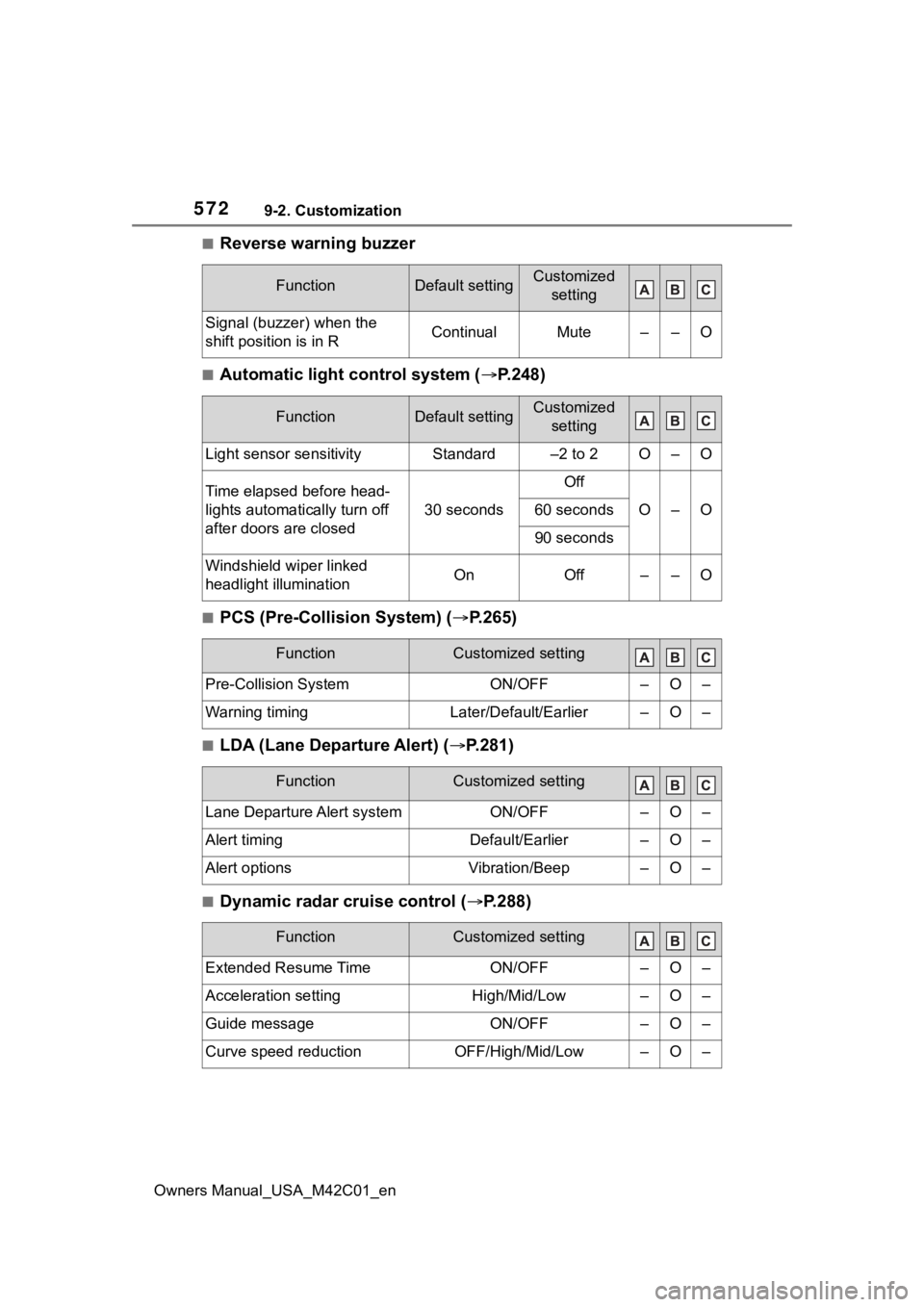
■Reverse warning buzzer
■Automatic light control system (P.248)
■PCS (Pre-Collision System) ( P.265)
■LDA (Lane Departure Alert) (P.281)
■Dynamic radar cruise control ( P.288)
FunctionDefault settingCustomized
setting
Signal (buzzer) when the
shift position is in RContinualMute––O
FunctionDefault settingCustomized setting
Light sensor sensitivityStandard–2 to 2O–O
Time elapsed before head-
lights automatically turn off
after doors are closed
30 seconds
Off
O–O60 seconds
90 seconds
Windshield wiper linked
headlight illuminationOnOff––O
FunctionCustomized setting
Pre-Collision SystemON/OFF–O–
Warning timingLater/Default/Earlier–O–
FunctionCustomized setting
Lane Departure Alert systemON/OFF–O–
Alert timingDefault/Earlier–O–
Alert optionsVibration/Beep–O–
FunctionCustomized setting
Extended Resume TimeON/OFF–O–
Acceleration settingHigh/Mid/Low–O–
Guide messageON/OFF–O–
Curve speed reductionOFF/High/Mid/Low–O–
Page 600 of 628
600Alphabetical Index
Owners Manual_USA_M42C01_en
Coat hooks .............................. 437
Console box ............................ 419
Coolant Capacity ............................... 552
Checking ...................... 465, 467
Preparing and c hecking before
winter.................................. 393
Cooling system EV system overheating ........ 545
Coussins gonflables Modification et é limination en fin
de vie des coussins gonflables ........................................... 589
Précautions avec les coussins gonflables latéraux ............. 585
Précautions avec les coussins gonflables latéraux et rideau........................................... 585
Précautions avec les coussins gonflables pour votre enfant........................................... 585
Précautions avec les coussins gonflables rideau ................ 585
Précautions générales avec les coussins gonflables ............ 585
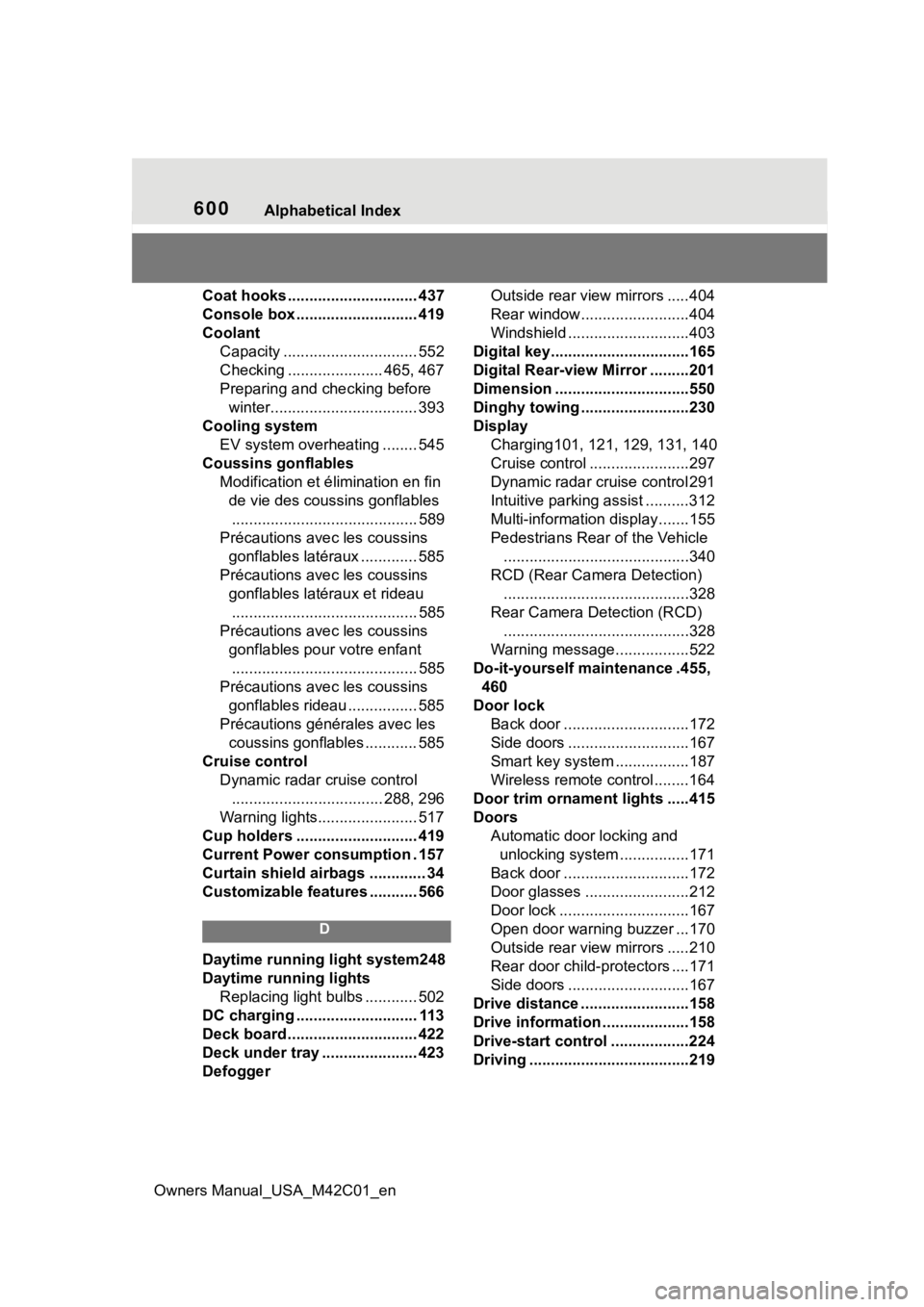
Cruise control Dynamic radar cruise control................................... 288, 296
Warning lights....................... 517
Cup holders ............................ 419
Current Power consumption . 157
Curtain shield airbags ............. 34
Customizable features ........... 566
D
Daytime running light system248
Daytime running lights Replacing light bulbs ............ 502
DC charging ............................ 113
Deck board .............................. 422
Deck under tray ...................... 423
Defogger Outside rear view mirrors .....404
Rear window.........................404
Windshield ............................403
Digital key................................165
Digital Rear-view Mirror .........201
Dimension ...............................550
Dinghy towing .........................230
Display Charging101, 121, 129, 131, 140
Cruise control .......................297
Dynamic radar cruise control 291
Intuitive parking assist ..........312
Multi-information display.......155
Pedestrians Rear of the Vehicle ...........................................340
RCD (Rear Camera Detection) ...........................................328
Rear Camera Detection (RCD) ...........................................328
Warning message.................522
Do-it-yourself maintenance .455, 460
Door lock Back door .............................172
Side doors ............................167
Smart key system .................187
Wireless remote control........164
Door trim ornament lights .....415
Doors Automatic door locking and unlocking system ................171
Back door .............................172
Door glasses ........................212
Door lock ..............................167
Open door warning buzzer ...170
Outside rear view mirrors .....210
Rear door child-protectors ....171
Side doors ............................167
Drive distance .........................158
Drive information ....................158
Drive-start control ..................224
Driving .....................................219
Page 601 of 628
Owners Manual_USA_M42C01_en
Alphabetical Index601
Battery Electric Vehicle driving tips........................................ 81
Break-in tips ......................... 220
Correct posture ...................... 27
Procedures ........................... 219
Winter drive tips ................... 393
Driving assist information Warning light ........................ 517
Driving information display ... 157
Driving range .......................... 152
Driving support system informa- tion display ........................... 157
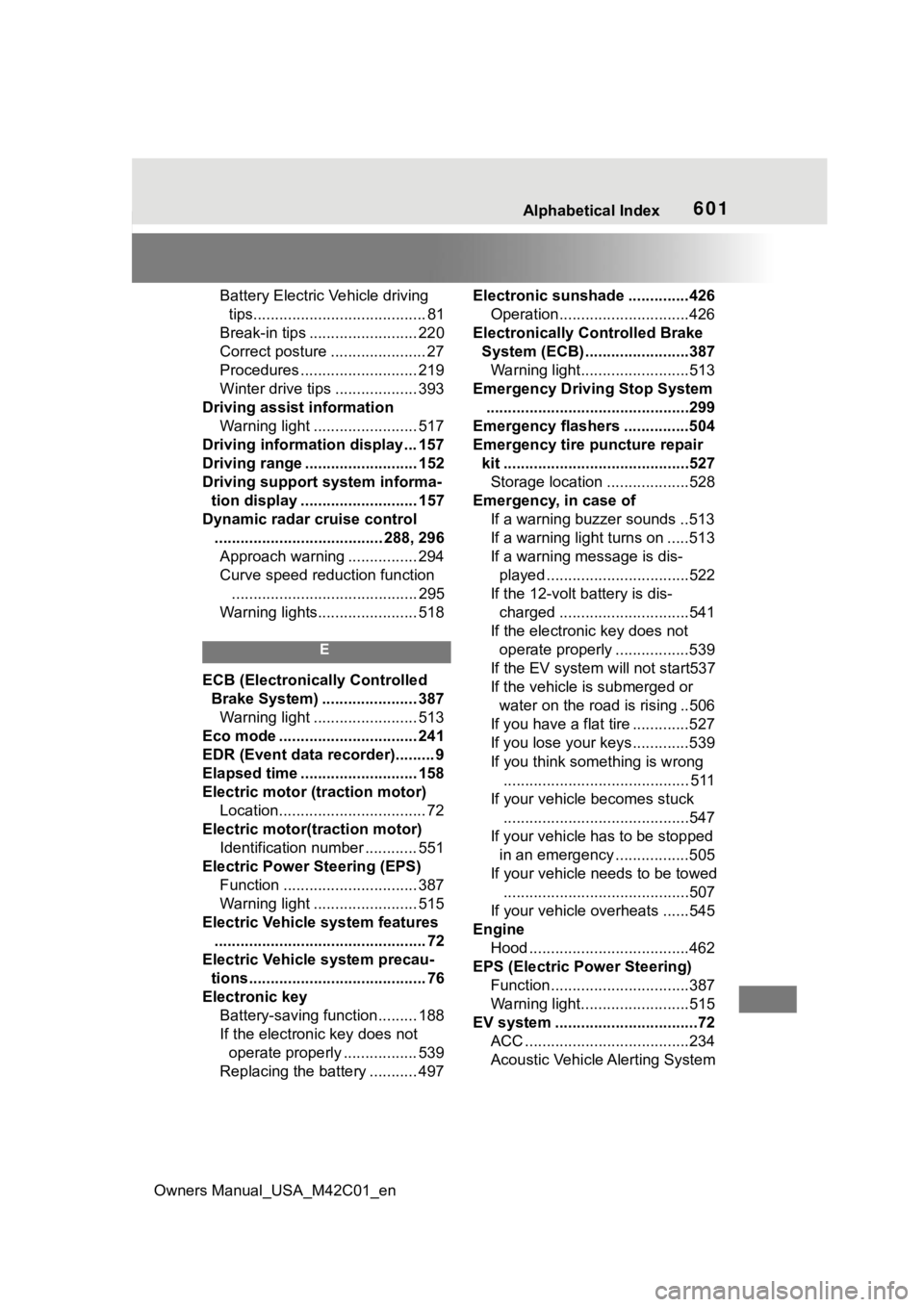
Dynamic radar cruise control ....................................... 288, 296Approach warning ................ 294
Curve speed redu ction function
........................................... 295
Warning lights....................... 518
E
ECB (Electronically Controlled Brake System) ...................... 387Warning light ........................ 513
Eco mode ................................ 241
EDR (Event data recorder)......... 9
Elapsed time ........................... 158
Electric motor (traction motor) Location.................................. 72
Electric motor(traction motor) Identification number ............ 551
Electric Power Steering (EPS) Function ............................... 387
Warning light ........................ 515
Electric Vehicle system features ................................................. 72
Electric Vehicle system precau-
tions......................................... 76
Electronic key Battery-saving function......... 188
If the electronic key does not operate properly ................. 539
Replacing the battery ........... 497 Electronic sunshade ..............426
Operation..............................426
Electronically Controlled Brake System (ECB) ........................387Warning light.........................513
Emergency Driving Stop System ...............................................299
Emergency flashers ...............504
Emergency tire puncture repair kit ...........................................527Storage location ...................528
Emergency, in case of If a warning buzzer sounds ..513
If a warning light turns on .....513
If a warning message is dis-played .................................522
If the 12-volt battery is dis- charged ..............................541
If the electronic key does not operate properly .................539
If the EV system will not start537
If the vehicle is submerged or water on the road is rising ..506
If you have a flat tire .............527
If you lose your keys.............539
If you think something is wrong ........................................... 511
If your vehicle becomes stuck ...........................................547
If your vehicle has to be stopped in an emergency .................505
If your vehicle needs to be towed ...........................................507
If your vehicle ove rheats ......545
Engine Hood .....................................462
EPS (Electric Po wer Steering)
Function................................387
Warning light.........................515
EV system .................................72 ACC ......................................234
Acoustic Vehicle Alerting System
Page 604 of 628
604Alphabetical Index
Owners Manual_USA_M42C01_en
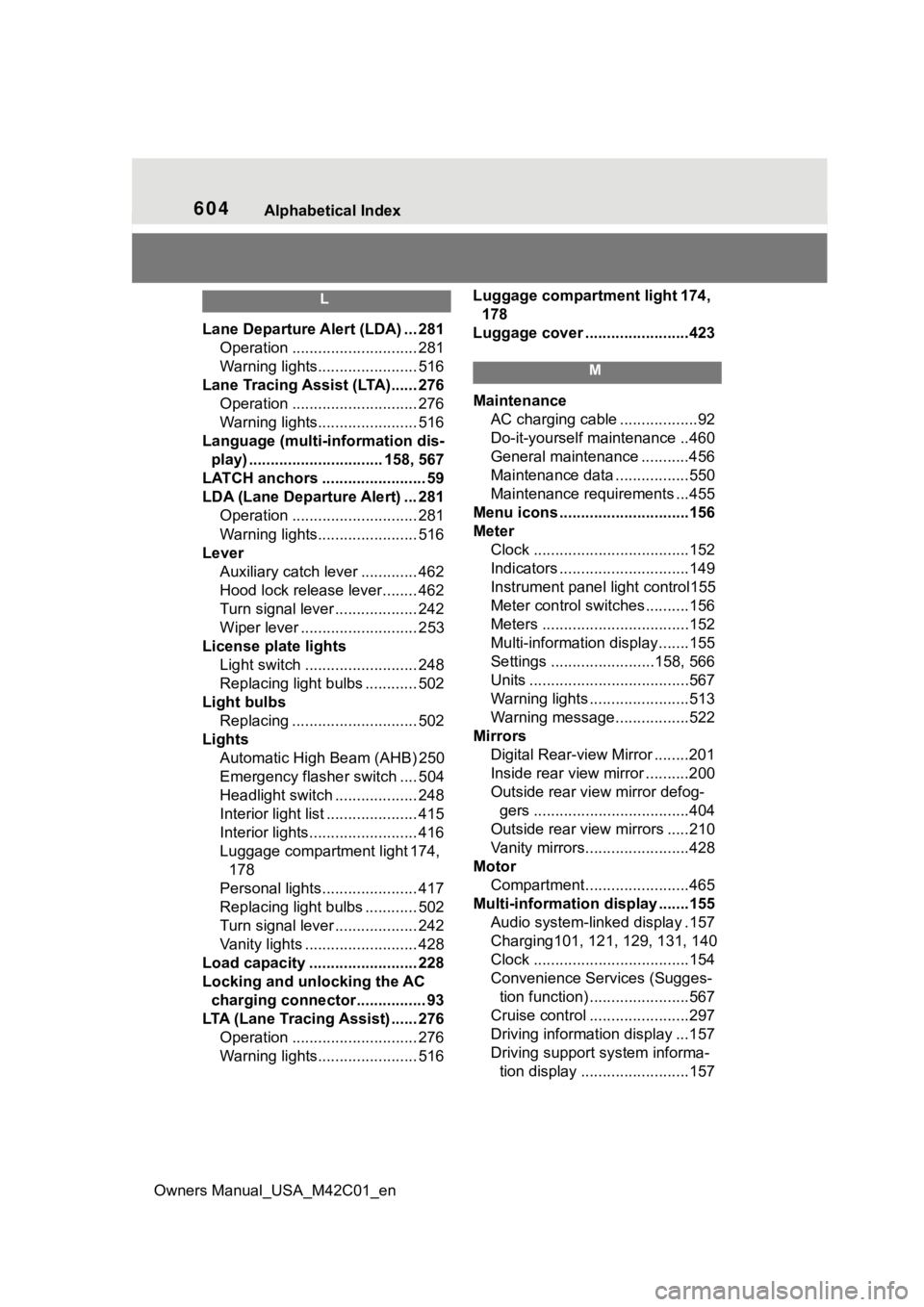
L
Lane Departure A lert (LDA) ... 281
Operation ............................. 281
Warning lights....................... 516
Lane Tracing Assist (LTA)...... 276 Operation ............................. 276
Warning lights....................... 516
Language (multi-information dis- play) ............................... 158, 567
LATCH anchors ........................ 59
LDA (Lane Departure Alert) ... 281 Operation ............................. 281
Warning lights....................... 516
Lever Auxiliary catch lever ............. 462
Hood lock release lever........ 462
Turn signal lever ................... 242
Wiper lever ........................... 253
License plate lights Light switch .......................... 248
Replacing light bulbs ............ 502
Light bulbs Replacing ............................. 502
Lights Automatic High Beam (AHB) 250
Emergency flasher switch .... 504
Headlight switch ................... 248
Interior light list ..................... 415
Interior lights......................... 416
Luggage compartment light 174, 178
Personal lights...................... 417
Replacing light bulbs ............ 502
Turn signal lever ................... 242
Vanity lights .......................... 428
Load capacity ......................... 228
Locking and unlocking the AC charging c onnector................ 93
LTA (Lane Tracing Assist) ...... 276 Operation ............................. 276
Warning lights....................... 516 Luggage compartment light 174,
178
Luggage cover ........................423
M
Maintenance AC charging cable ..................92
Do-it-yourself maintenance ..460
General maintenance ...........456
Maintenance data .................550
Maintenance requirements ...455
Menu icons ..............................156
Meter Clock ....................................152
Indicators ..............................149
Instrument panel light control155
Meter control switches..........156
Meters ..................................152
Multi-information display.......155
Settings ........................158, 566
Units .....................................567
Warning lights .......................513
Warning message.................522
Mirrors Digital Rear-view Mirror ........201
Inside rear view mirror ..........200
Outside rear view mirror defog-gers ....................................404
Outside rear view mirrors .....210
Vanity mirrors........................428
Motor Compartment........................465
Multi-information display .......155
Audio system-linked display .157
Charging101, 121, 129, 131, 140
Clock ....................................154
Convenience Services (Sugges- tion function) .......................567
Cruise control .......................297
Driving information display ...157
Driving support system informa- tion display .........................157
Page 605 of 628
Owners Manual_USA_M42C01_en
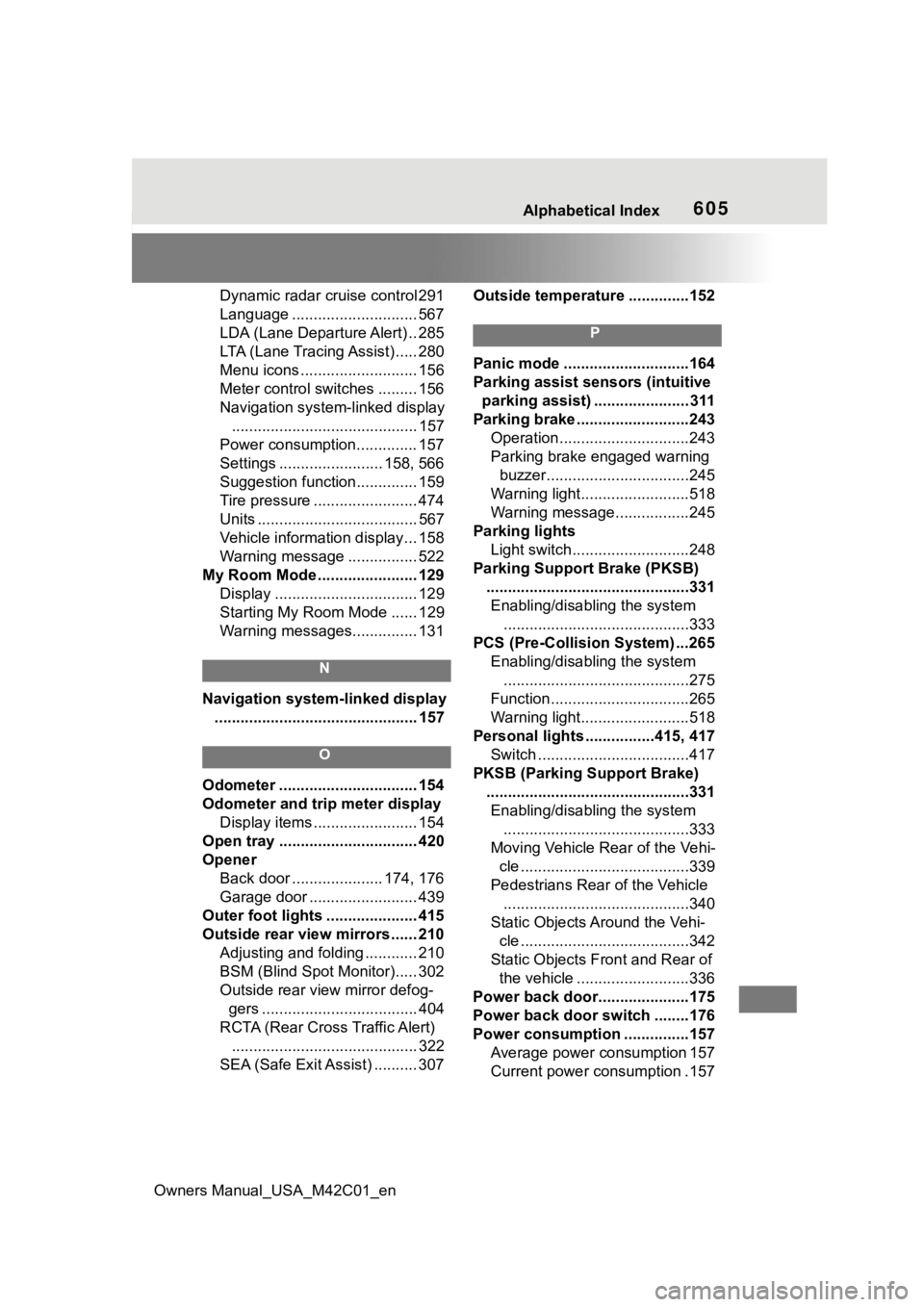
Alphabetical Index605
Dynamic radar cruise control 291
Language ............................. 567
LDA (Lane Departure Alert) .. 285
LTA (Lane Tracing Assist) ..... 280
Menu icons ........................... 156
Meter control switches ......... 156
Navigation system-linked display........................................... 157
Power consumption.............. 157
Settings ........................ 158, 566
Suggestion function.............. 159
Tire pressure ........................ 474
Units ..................................... 567
Vehicle information display... 158
Warning message ................ 522
My Room Mode ....................... 129 Display ................................. 129
Starting My Room Mode ...... 129
Warning messages............... 131
N
Navigation system-linked display............................................... 157
O
Odometer ................................ 154
Odometer and trip meter display Display items ........................ 154
Open tray ................................ 420
Opener Back door ..................... 174, 176
Garage door ......................... 439
Outer foot lights ..................... 415
Outside rear view mirrors ...... 210 Adjusting and folding ............ 210
BSM (Blind Spot Monitor)..... 302
Outside rear view mirror defog-gers .................................... 404
RCTA (Rear Cross Traffic Alert) ........................................... 322
SEA (Safe Exit Assist) .......... 307 Outside temperatur
e ..............152
P
Panic mode .............................164
Parking assist sens ors (intuitive
parking assist) ...................... 311
Parking brake ..........................243 Operation..............................243
Parking brake engaged warning buzzer.................................245
Warning light.........................518
Warning message.................245
Parking lights Light switch...........................248
Parking Support Brake (PKSB) ...............................................331Enabling/disabling the system ...........................................333
PCS (Pre-Collision System) ...265 Enabling/disabling the system...........................................275
Function................................265
Warning light.........................518
Personal lights ................415, 417 Switch ...................................417
PKSB (Parking Support Brake) ...............................................331Enabling/disabling the system ...........................................333
Moving Vehicle Rear of the Vehi- cle .......................................339
Pedestrians Rear of the Vehicle ...........................................340
Static Objects Around the Vehi- cle .......................................342
Static Objects Front and Rear of the vehicle ..........................336
Power back door... ..................175
Power back door switch ........176
Power consumption ...............157 Average power consumption 157
Current power consumption .157