wheel SUBARU SOLTERRA 2023 Manual Online
[x] Cancel search | Manufacturer: SUBARU, Model Year: 2023, Model line: SOLTERRA, Model: SUBARU SOLTERRA 2023Pages: 628, PDF Size: 11.91 MB
Page 450 of 628
4507-1. Maintenance and care
Owners Manual_USA_M42C01_en
WARNING
●If something bumps against the
windshield
●If you directly touch the raindrop
sensor body or if something
bumps into the raindrop sensor
■Precaution regarding the rear
bumper
If the paint of the rear bumper is
chipped or scratched, the system
may malfunction. If this occurs,
consult your Toyota dealer.
●Toyota Safety Sense 3.0
●BSM (if equipped)
●RCTA (if equipped)
●PKSB (if equipped)
NOTICE
■To prevent paint deteriora-
tion and corrosion on the
body and components (alumi-
num wheels, etc.)
●Wash the vehicle immediately in
the following cases:
• After driving near the sea coast
• After driving on salted roads
• If coal tar or tre e sap is present
on the paint surface
• If dead insects, insect droppings or bird droppings are present on
the paint surface
• After driving in an area contami- nated with soot, oily smoke,
mine dust, iron powder or chem-
ical substances
• If the vehicle becomes heavily soiled with dust or mud
• If liquids such as benzene and gasoline are spilled on the paint
surface
●If the paint is chipped or
scratched, have it repaired
immediately.
●To prevent the wheels from cor-
roding, remove any dirt and
store in a place with low humid-
ity when storing the wheels.
■Cleaning the exterior lights
●Wash carefully. Do not use
organic substances or scrub
with a hard brush.
This may damage the surfaces
of the lights.
●Do not apply wax to the sur-
faces of the lights.
Wax may cause damage to the
lenses.
■When using an automatic car
wash (vehicles with rain-
sensing windshield wipers)
Set the wiper switch to off posi-
tion.
If the wiper switch is in “AUTO”,
the wipers may operate and the
wiper blades may be damaged.
■When using a high pressure
car wash
●When washing the vehicle, do
not spray the camera or its sur-
rounding area directly with a
high pressure washer. Shock
applied from high pressure
water may cause the device to
not operate normally.
●Do not spray water directly on
the radar which is equipped
behind the radar sensor cover.
Otherwise it may cause the
device to be damaged.
●Do not bring the nozzle tip close
to boots (rubber or resin manu-
factured cover), or connectors
or the following parts.
The parts may be damaged if
they come into contact with
high-pressure water.
Page 458 of 628
4587-2. Maintenance
Owners Manual_USA_M42C01_en
Seat belts
• Do the seat belts operate
smoothly?
• The seat belts should not be
damaged.
Seats
• Do the seat con-trols operate
properly?
Steering wheel
• Does the steer-ing wheel rotate
smoothly?
• Does the steer- ing wheel have
the correct
amount of free
play?
• There should not be any strange
sounds coming
from the steer-
ing wheel.
Vehicle exterior
ItemsCheck points
Doors
• Do the doors operate
smoothly?
Hood
• Does the hood lock system work
properly?
Fluid leaks
• There should not be any signs of
fluid leakage
after the vehicle
has been parked.
ItemsCheck points
Tires
• Is the tire infla-tion pressure
correct?
• The tires should not be damaged
or excessively
worn.
• Have the tires been rotated
according to the
maintenance
schedule?
• The wheel bolt should not be
loose.
Windshield
wipers
• The wiper blades should not show
any signs of
cracking, split-
ting, wear, con-
tamination or
deformation.
• The wiper blades should clear the
windshield with-
out streaking or
skipping.
ItemsCheck points
Page 473 of 628
4737-3. Do-it-yourself maintenance
Owners Manual_USA_M42C01_en
7
Maintenance and care
Summer tires are high-speed perfor-
mance tires best suited to highway
driving under dry conditions. Since
summer tires do not have the same
traction performanc e as snow tires,
summer tires are inadequate for
driving on snow-covered or icy
roads. For driving on snow-covered
roads or icy roads, the use of snow
tires is recommended. When install-
ing snow tires, be sure to replace all
four tires.
●All season tires
All season tires are designed to pro-
vide better traction in snow and to
be adequate for driving in most win-
ter conditions a s well as for use
year-round. All season tires, how-
ever, do not have adequate traction
performance compared with snow
tires in heavy or loose snow. Also,
all season tires fall short in accelera-
tion and handling performance com-
pared with summer tires in highway
driving.
●Snow tires
For driving on snow-covered roads
or icy roads, we recommend using
snow tires. If you need snow tires,
select tires of the same size, con-
struction and load capacity as the
originally installed tires. Since your
vehicle has radial tires as original
equipment, make sure your snow
tires also have radial construction.
Do not install stud ded tires without
first checking local regulations for
possible restrictions. Snow tires
should be installed on all wheels.
( P.393)
■If the tread on snow tires wears
down below 0.16 in. (4 mm)
The effectiveness of the tires as
snow tires is lost.
WARNING
■When inspecting or replacing
tires
Observe the following precautions
to prevent accidents.
Failure to do so may cause dam-
age to parts of the drive train as
well as dangerous handling char-
acteristics, which may lead to an
accident resulting in death or seri-
ous injury.
●Do not mix tires of different
makes, models or tread pat-
terns.
Also, do not mix tires of remark-
ably different treadwear.
●Do not use tire sizes other than
those recommended by Toyota.
●Do not mix differently con-
structed tires (radial, bias-belted
or bias-ply tires).
●Do not mix summer, all season
and snow tires.
●Do not use tires that have been
used on another vehicle.
Do not use tires if you do not
know how they were used previ-
ously.
NOTICE
■Driving on rough roads
Take particular care when driving
on roads with loose surfaces or
potholes.
These conditions may cause
losses in tire inflation pressure,
reducing the cushioning ability of
the tires. In addition, driving on
rough roads may cause damage
to the tires themselves, as well as
the vehicle’s wheels and body.
Page 474 of 628
4747-3. Do-it-yourself maintenance
Owners Manual_USA_M42C01_en
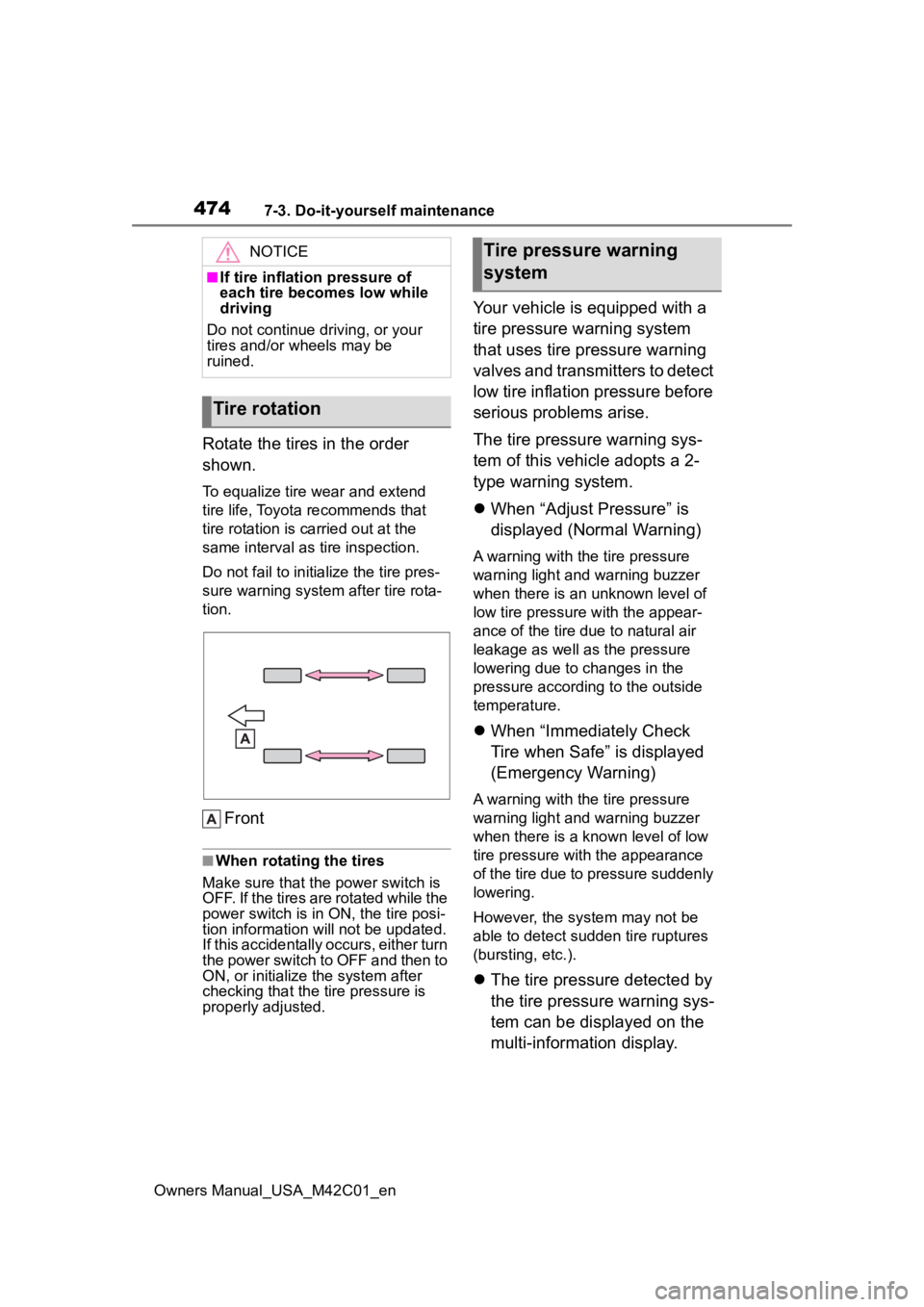
Rotate the tires in the order
shown.
To equalize tire wear and extend
tire life, Toyota recommends that
tire rotation is carried out at the
same interval as tire inspection.
Do not fail to initialize the tire pres-
sure warning system after tire rota-
tion.
Front
■When rotating the tires
Make sure that the power switch is
OFF. If the tires are rotated while the
power switch is in ON, the tire posi-
tion information will not be updated.
If this accidentally occurs, either turn
the power switch to OFF and then to
ON, or initialize the system after
checking that the tire pressure is
properly adjusted.
Your vehicle is equipped with a
tire pressure warning system
that uses tire pressure warning
valves and transmitters to detect
low tire inflation pressure before
serious problems arise.
The tire pressure warning sys-
tem of this vehicle adopts a 2-
type warning system.
When “Adjust Pressure” is
displayed (Normal Warning)
A warning with the tire pressure
warning light and warning buzzer
when there is an unknown level of
low tire pressure with the appear-
ance of the tire due to natural air
leakage as well as the pressure
lowering due to changes in the
pressure according to the outside
temperature.
When “Immediately Check
Tire when Safe” is displayed
(Emergency Warning)
A warning with the tire pressure
warning light and warning buzzer
when there is a k nown level of low
tire pressure with the appearance
of the tire due to pressure suddenly
lowering.
However, the system may not be
able to detect sudden tire ruptures
(bursting, etc.).
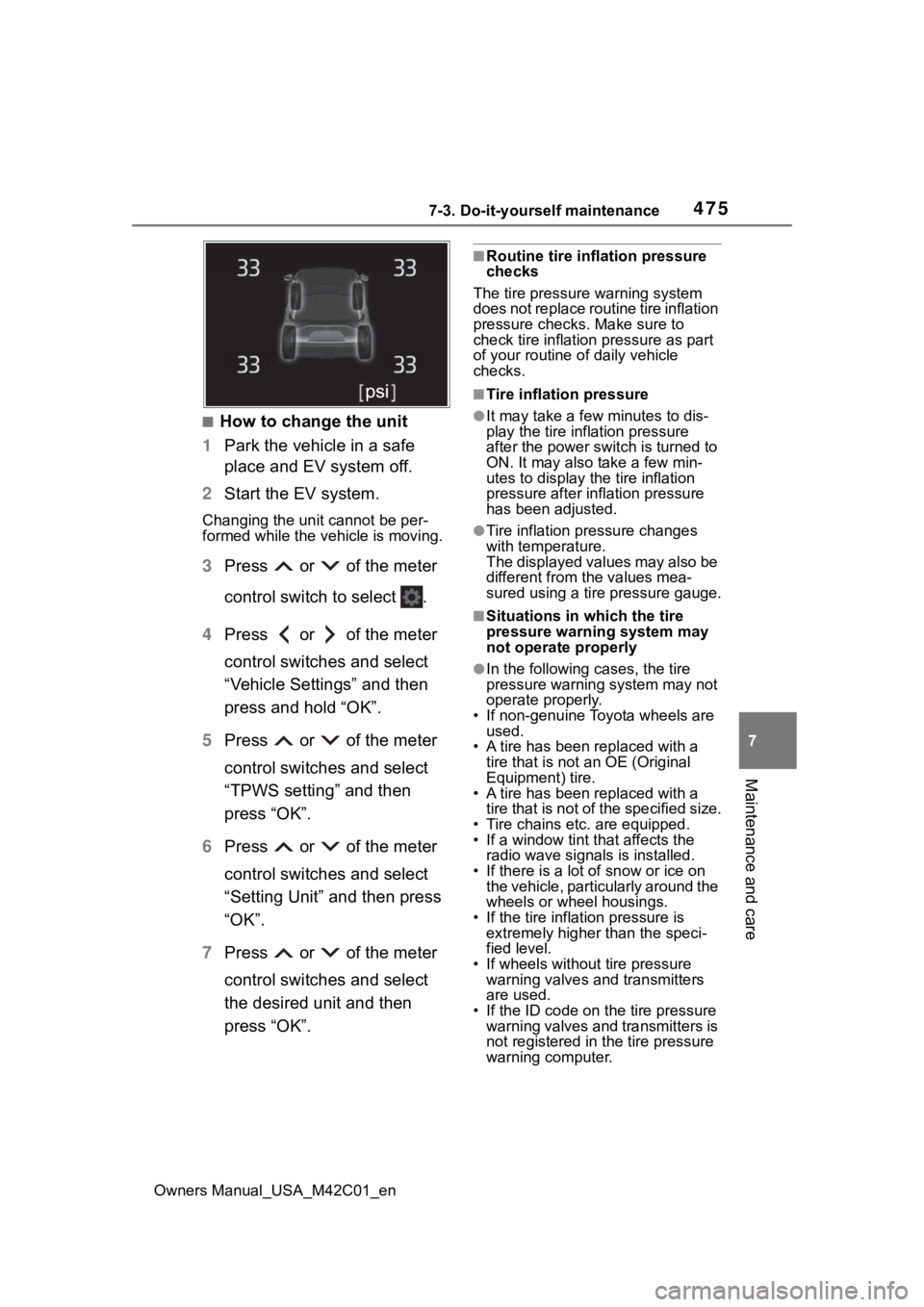
The tire pressure detected by
the tire pressure warning sys-
tem can be displayed on the
multi-information display.
NOTICE
■If tire inflation pressure of
each tire becomes low while
driving
Do not continue driving, or your
tires and/or wheels may be
ruined.
Tire rotation
Tire pressure warning
system
Page 475 of 628
4757-3. Do-it-yourself maintenance
Owners Manual_USA_M42C01_en
7
Maintenance and care
■How to change the unit
1 Park the vehicle in a safe
place and EV system off.
2 Start the EV system.
Changing the unit cannot be per-
formed while the vehicle is moving.
3Press or of the meter
control switch to select .
4 Press or of the meter
control switches and select
“Vehicle Settings” and then
press and hold “OK”.
5 Press or of the meter
control switches and select
“TPWS setting” and then
press “OK”.
6 Press or of the meter
control switches and select
“Setting Unit” and then press
“OK”.
7 Press or of the meter
control switches and select
the desired unit and then
press “OK”.
■Routine tire inflation pressure
checks
The tire pressure warning system
does not replace routine tire inflation
pressure checks . Make sure to
check tire inflation pressure as part
of your routine o f daily vehicle
checks.
■Tire inflation pressure
●It may take a few minutes to dis-
play the tire inflation pressure
after the power switch is turned to
ON. It may also take a few min-
utes to display the tire inflation
pressure after infl ation pressure
has been adjusted.
●Tire inflation pressure changes
with temperature.
The displayed values may also be
different from the values mea-
sured using a tire pressure gauge.
■Situations in which the tire
pressure warning system may
not operate properly
●In the following cases, the tire
pressure warning system may not
operate properly.
• If non-genuine Toyota wheels are used.
• A tire has been replaced with a
tire that is not an OE (Original
Equipment) tire.
• A tire has been replaced with a
tire that is not of the specified size.
• Tire chains etc. are equipped.
• If a window tint that affects the radio wave signals is installed.
• If there is a lot of snow or ice on the vehicle, particularly around the
wheels or wheel housings.
• If the tire inflation pressure is extremely higher than the speci-
fied level.
• If wheels without tire pressure warning valves and transmitters
are used.
• If the ID code on the tire pressure warning valves and transmitters is
not registered in the tire pressure
warning computer.
Page 476 of 628
4767-3. Do-it-yourself maintenance
Owners Manual_USA_M42C01_en
●Performance may be affected in
the following situations.
• Near a TV tower, electric power
plant, gas station, radio station,
large display, airpo rt or other facil-
ity that generates strong radio
waves or electrical noise
• When carrying a portable radio, cellular phone, cordless phone or
other wireless communication
device
If tire position information is not cor-
rectly displayed due to the radio
wave conditions, the display may be
corrected by driving and changing
the radio wave conditions.
●When the vehicle is parked, the
time taken for the warning to start
or go off could be extended.
●When tire inflation pressure
declines rapidly for example when
a tire has burst, the warning may
not function.
When replacing tires or wheels,
tire pressure warning valves and
transmitters must also be
installed.
When new tire pressure warning
valves and transmitters are
installed, new ID codes must be
registered in the tire pressure warn-
ing computer and the tire pressure
warning system must be initialized.
( P.481)
■When replacing the tires and
wheels
If the ID code of the tire pressure
warning valve and transmitter is not
registered, the tire pressure warning
system will not work properly. After driving for about 10 minutes, the tire
pressure warning light blinks for 1
minute and stays on to indicate a
system malfunction.
Installing tire pressure
warning valves and trans-
mitters
NOTICE
■Repairing or replacing tires,
wheels, tire pressure warn-
ing valves, transmitters and
tire valve caps
●When removing or fitting the
wheels, tires or the tire pressure
warning valves and transmit-
ters, contact your
Toyota dealer
as the tire pressure warning
valves and transmitters may be
damaged if not handled cor-
rectly.
●Make sure to install the tire
valve caps. If the tire valve caps
are not installed, water could
enter the tire pressure warning
valves and the tire pressure
warning valves could be bound.
●When replacing tire valve caps,
do not use tire valve caps other
than those specified. The cap
may become stuck.
■To avoid damage to the tire
pressure warning valves and
transmitters
When a tire is repa ired with liquid
sealants, the tire pressure warn-
ing valve and transmitter may not
operate properly. If a liquid seal-
ant is used, contact your Toyota
dealer as soon as possible. After
use of liquid sealant, make sure to
replace the tire p ressure warning
valve and transmitter when repair-
ing or replacing the tire.
Page 477 of 628
4777-3. Do-it-yourself maintenance
Owners Manual_USA_M42C01_en
7
Maintenance and care
■When rotating the tires
It is necessary to register the
position of each wheel after per-
forming a tire rotation.
Wheel position registration can
be performed by oneself. Wheel
position registration is per-
formed by driving forward with
moderate left and right turns.
However, depending on the driv-
ing conditions and driving envi-
ronment, registration may take
some time to complete.
■Registration of the tire posi-
tion
1 Park the vehicle in a safe
place and stop the EV sys-
tem for 15 minutes or more.
2 Start the EV system
( P.467)
Registration cannot be performed
while the vehicle is moving.
3Press or of the meter
control switches and select
.
4 Press or of the meter
control switches and select
“Vehicle Settings”, and then
press and hold the “OK”.
5 Press or of the meter
control switches and select “TPWS Setting”, and then
press “OK”.
6 Press or of the meter
control switches and select
“Tire Rotation”, and then
press “OK”.
7 Press or of the meter
control switches and select
“OK”, and then press “OK”.
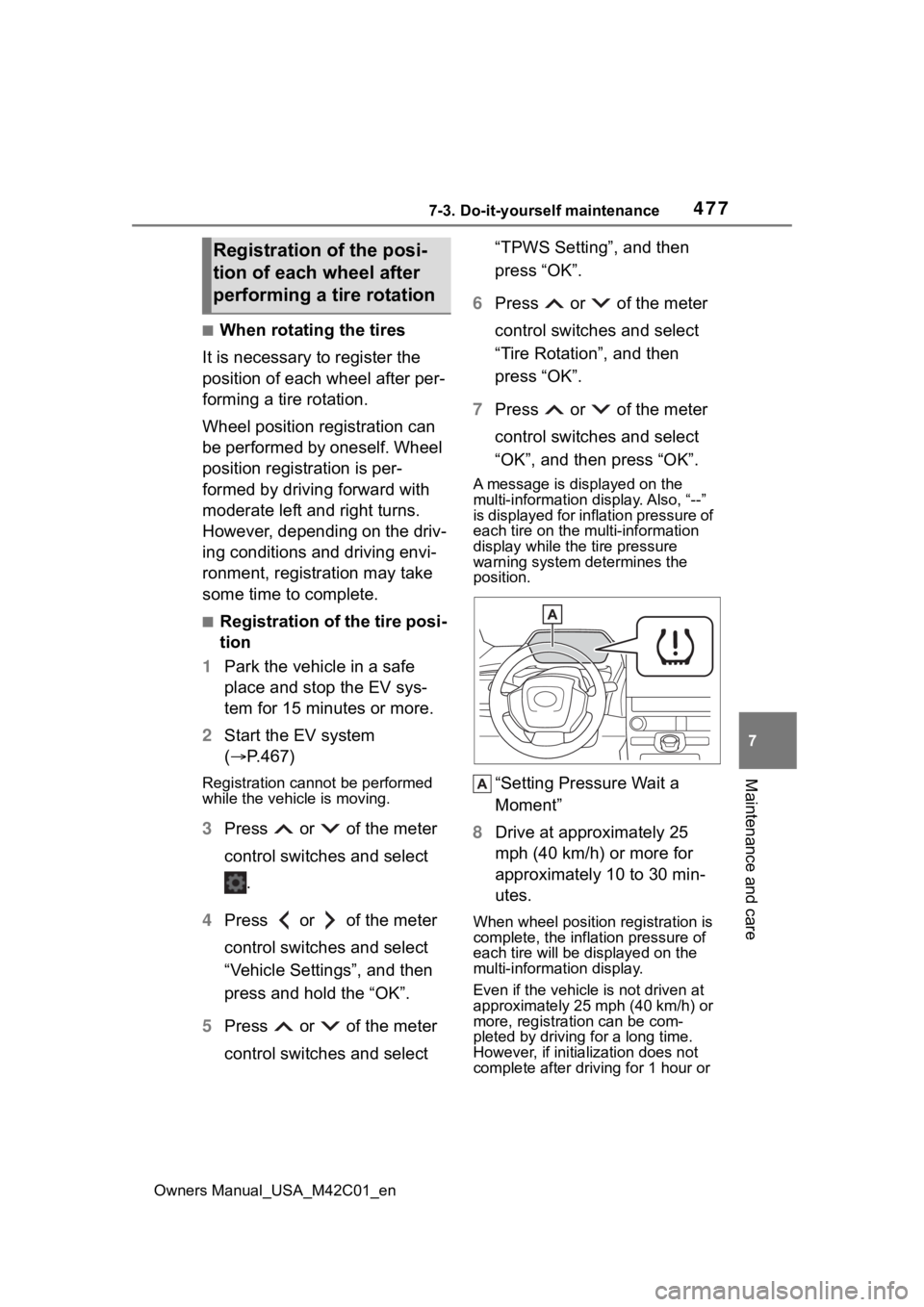
A message is displayed on the
multi-information di splay. Also, “--”
is displayed for inflation pressure of
each tire on the m ulti-information
display while the tire pressure
warning system determines the
position.
“Setting Pressure Wait a
Moment”
8 Drive at approximately 25
mph (40 km/h) or more for
approximately 10 to 30 min-
utes.
When wheel position registration is
complete, the infl ation pressure of
each tire will be displayed on the
multi-information display.
Even if the vehicle is not driven at
approximately 25 mph (40 km/h) or
more, registration can be com-
pleted by driving for a long time.
However, if initialization does not
complete after driving for 1 hour or
Registration of the posi-
tion of each wheel after
performing a tire rotation
Page 478 of 628

4787-3. Do-it-yourself maintenance
Owners Manual_USA_M42C01_enmore, park the vehicle in a safe
place for approximately 15 minutes
and then drive th
e vehicle again.
■When performing wheel posi-
tion registration
●Normally, wheel position registra-
tion can be completed within
approximately 30 minutes.
●Wheel position registration is per-
formed while driving at a vehicle
speed of approximately 25 mph
(40 km/h) or more.
■The initialization operation
●If the power switch is turned off
while registering the wheel posi-
tion, the next time the power
switch is turned to ON, the wheel
position registr ation will resume
and it will not be necessary to
restart the procedure.
●While the position of each tire is
being determined and the inflation
pressures are not being displayed
on the multi-information display, if
the inflation pres sure of a tire
drops, the tire pressure warning
light will come on.
■If the tire pressure warning sys-
tem is not registered properly
●In the following situations, wheel
position registration may take lon-
ger than usual to b e completed or
may not be possible.
• Vehicle is not driven at approxi-
mately 25 mph ( 40 km/h) or more
• Vehicle is driven on unpaved roads
If initialization does not complete
after driving for 1 hour or more, park
the vehicle in a safe place for
approximately 15 minutes and then
drive the vehicle again.
●If the vehicle is reversed during
wheel position registration, all
data collected until then will be
cleared. Perform driving again.
■When you need to setting
the tire pressure
In the following situations, it will
be necessary to perform the tire
inflation pressure setting proce-
dure of the tire pressure warning
system.
When the specified tire infla-
tion pressure has changed,
such as due to carried load,
etc.
When the tire inflation pres-
sure is changed such as
when the tire size is changed.
If the tire inflation pressure has
been adjusted to the specified
level, perform the tire inflation
setting procedure by selecting
specified inflation pressure on
the multi-information display.
When the tire inflation pressure
is to be other than specified,
such as when tires other than
the specified size are used, etc.,
set the tire inflation pressure
using the current pressure.
Make sure to adjust the tire
inflation pressure of each tire to
the appropriate level before per-
forming tire pressure setting.
The tire pressure warning sys-
tem operates based on this tire
inflation pressure.
Setting the tire pressure
Page 481 of 628
4817-3. Do-it-yourself maintenance
Owners Manual_USA_M42C01_en
7
Maintenance and care
does not blink 3 times when start-
ing the tire inflation pressure set-
ting procedure, the procedure
may not have started. Perform the
procedure again from the begin-
ning.
●If tire inflation pressure setting
procedure cannot be completed
after performing the above proce-
dure, contact your Toyota dealer.
■When the registering ID
codes
The tire pressure warning valve
and transmitter is equipped with
a unique ID code.
When new tire pressure warning
valves and transmitters are
installed, new ID codes must be
registered in the tire pressure
warning computer.
■How to registration ID code
1 Park the vehicle in a safe
place, wait for approximately
15 minutes.
2 Start the EV system.
( P.231)
The ID code registration procedure cannot be performed while the
vehicle is moving.
3
Press or of the meter
control switches and select
.
4 Press or of the meter
control switches and select
“Vehicle Settings”, and then
press and hold the “OK”.
5 Press or of the meter
control switches and select
“TPWS Setting”, and then
press “OK”.
6 Press or of the meter
control switches and select
“Tire Set Switching”, and then
press “OK”.
7 Press or of the meter
control switches and select
“Register New Valve/ID” and
then press “OK”.
8 Check if the desired wheel
set (“Tire Set 1” or “Tire Set
2”) is displayed.
ID codes will be regi stered to the
displayed wheel set.
To change the whee l set to be reg-
istered, press or of the
meter control switches, and then
select the wheel set you wish to
register.
If ID codes have already been reg-
istered for that wheel set, the tire
pressure warning light will slowly
blink 3 times, and a message indi-
cating that change is occurring will
WARNING
■When setting using the cur-
rent tire inflation pressure
Make sure to adjust the tire infla-
tion pressure of each tire to the
appropriate level before perform-
ing tire pressure setting. Other-
wise, the tire pressure warning
light may not illuminate even if the
tire inflation pressure drops or
may illuminate ev en though the
tire inflation pressure is normal.
Registering ID codes
Page 482 of 628
4827-3. Do-it-yourself maintenance
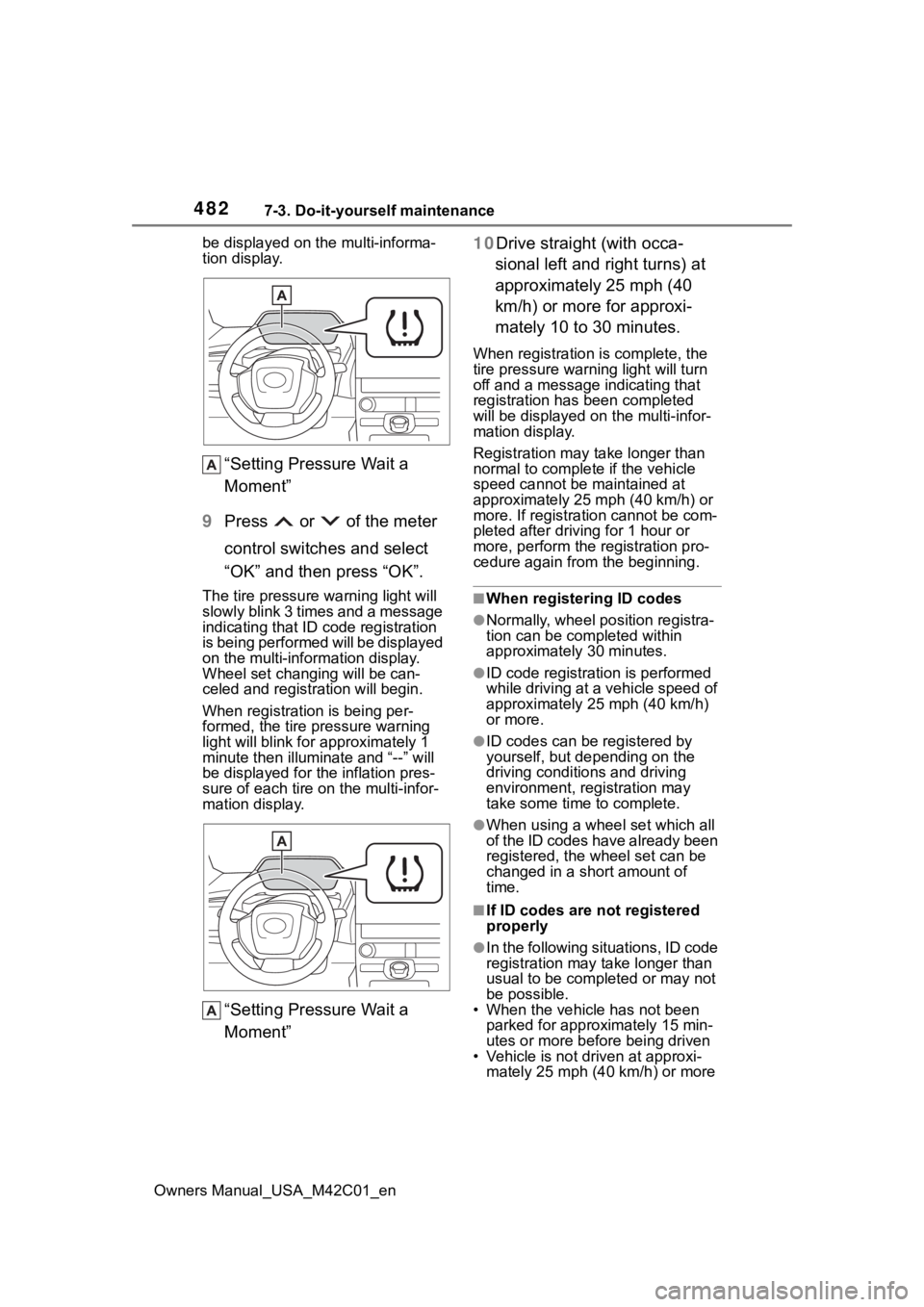
Owners Manual_USA_M42C01_enbe displayed on the multi-informa-
tion display.
“Setting Pressure Wait a
Moment”
9 Press or of the meter
control switches and select
“OK” and then press “OK”.
The tire pressure warning light will
slowly blink 3 times and a message
indicating that ID code registration
is being performed will be displayed
on the multi-inform ation display.
Wheel set changing will be can-
celed and registration will begin.
When registration is being per-
formed, the tire pressure warning
light will blink for approximately 1
minute then illumi nate and “--” will
be displayed for the inflation pres-
sure of each tire on the multi-infor-
mation display.
“Setting Pressure Wait a
Moment” 10Drive straight (with occa-
sional left and right turns) at
approximately 25 mph (40
km/h) or more for approxi-
mately 10 to 30 minutes.
When registration is complete, the
tire pressure warn ing light will turn
off and a message indicating that
registration has been completed
will be displayed on the multi-infor-
mation display.
Registration may take longer than
normal to complete if the vehicle
speed cannot be maintained at
approximately 25 mph (40 km/h) or
more. If registration cannot be com-
pleted after driving for 1 hour or
more, perform the registration pro-
cedure again from the beginning.
■When registering ID codes
●Normally, wheel position registra-
tion can be completed within
approximately 30 minutes.
●ID code registrati on is performed
while driving at a vehicle speed of
approximately 25 mph (40 km/h)
or more.
●ID codes can be registered by
yourself, but depending on the
driving conditions and driving
environment, registration may
take some time to complete.
●When using a wheel set which all
of the ID codes have already been
registered, the wheel set can be
changed in a short amount of
time.
■If ID codes are not registered
properly
●In the following situations, ID code
registration may take longer than
usual to be completed or may not
be possible.
• When the vehicle has not been parked for approximately 15 min-
utes or more before being driven
• Vehicle is not dr iven at approxi-
mately 25 mph (40 km/h) or more