CD player SUBARU TRIBECA 2008 User Guide
[x] Cancel search | Manufacturer: SUBARU, Model Year: 2008, Model line: TRIBECA, Model: SUBARU TRIBECA 2008Pages: 409, PDF Size: 5.75 MB
Page 204 of 409
5-28
Audio
waveband will be displayed.
*2: Only when a CD is in the player.
*3: Only vehicle equipped with RSE (Rear Seat Entertainment)
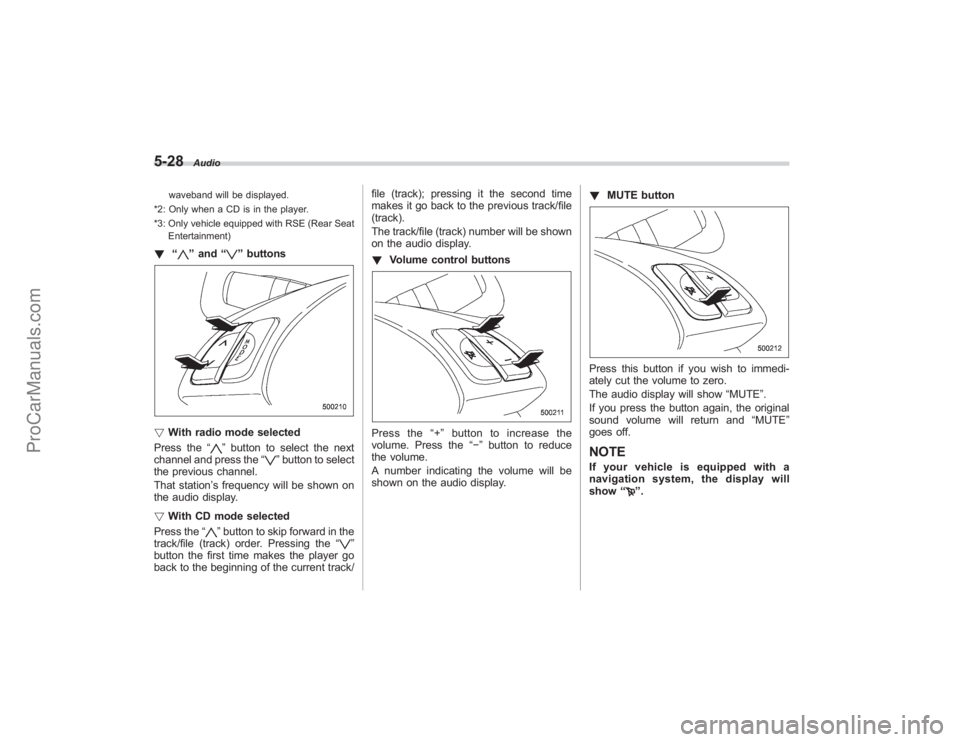
! “
”and “
”buttons
! With radio mode selected
Press the “
”button to select the next
channel and press the “
”button to select
the previous channel.
That station ’s frequency will be shown on
the audio display.
! With CD mode selected
Press the “
”button to skip forward in the
track/file (track) order. Pressing the “
”
button the first time makes the player go
back to the beginning of the current track/ file (track); pressing it the second time
makes it go back to the previous track/file
(track).
The track/file (track) number will be shown
on the audio display.
!
Volume control buttons
Press the “+ ” button to increase the
volume. Press the “−”button to reduce
the volume.
A number indicating the volume will be
shown on the audio display. !
MUTE button
Press this button if you wish to immedi-
ately cut the volume to zero.
The audio display will show “MUTE”.
If you press the button again, the original
sound volume will return and “MUTE ”
goes off.NOTEIf your vehicle is equipped with a
navigation system, the display will
show “
”.
ProCarManuals.com
Page 205 of 409
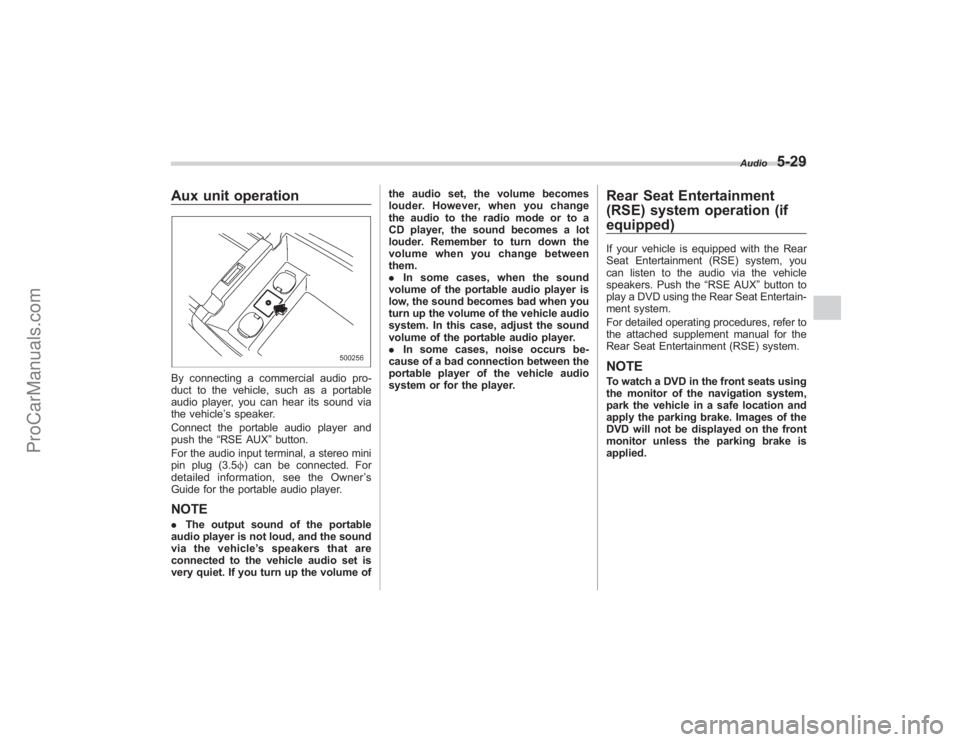
Aux unit operationBy connecting a commercial audio pro-
duct to the vehicle, such as a portable
audio player, you can hear its sound via
the vehicle’s speaker.
Connect the portable audio player and
push the “RSE AUX ”button.
For the audio input terminal, a stereo mini
pin plug (3.5 f) can be connected. For
detailed information, see the Owner ’s
Guide for the portable audio player.NOTE. The output sound of the portable
audio player is not loud, and the sound
via the vehicle ’s speakers that are
connected to the vehicle audio set is
very quiet. If you turn up the volume of the audio set, the volume becomes
louder. However, when you change
the audio to the radio mode or to a
CD player, the sound becomes a lot
louder. Remember to turn down the
volume when you change between
them.
.
In some cases, when the sound
volume of the portable audio player is
low, the sound becomes bad when you
turn up the volume of the vehicle audio
system. In this case, adjust the sound
volume of the portable audio player.
. In some cases, noise occurs be-
cause of a bad connection between the
portable player of the vehicle audio
system or for the player.
Rear Seat Entertainment
(RSE) system operation (if
equipped)If your vehicle is equipped with the Rear
Seat Entertainment (RSE) system, you
can listen to the audio via the vehicle
speakers. Push the “RSE AUX”button to
play a DVD using the Rear Seat Entertain-
ment system.
For detailed operating procedures, refer to
the attached supplement manual for the
Rear Seat Entertainment (RSE) system.NOTETo watch a DVD in the front seats using
the monitor of the navigation system,
park the vehicle in a safe location and
apply the parking brake. Images of the
DVD will not be displayed on the front
monitor unless the parking brake is
applied.
Audio
5-29
ProCarManuals.com
Page 206 of 409
5-30
Audio
Precautions to observe when
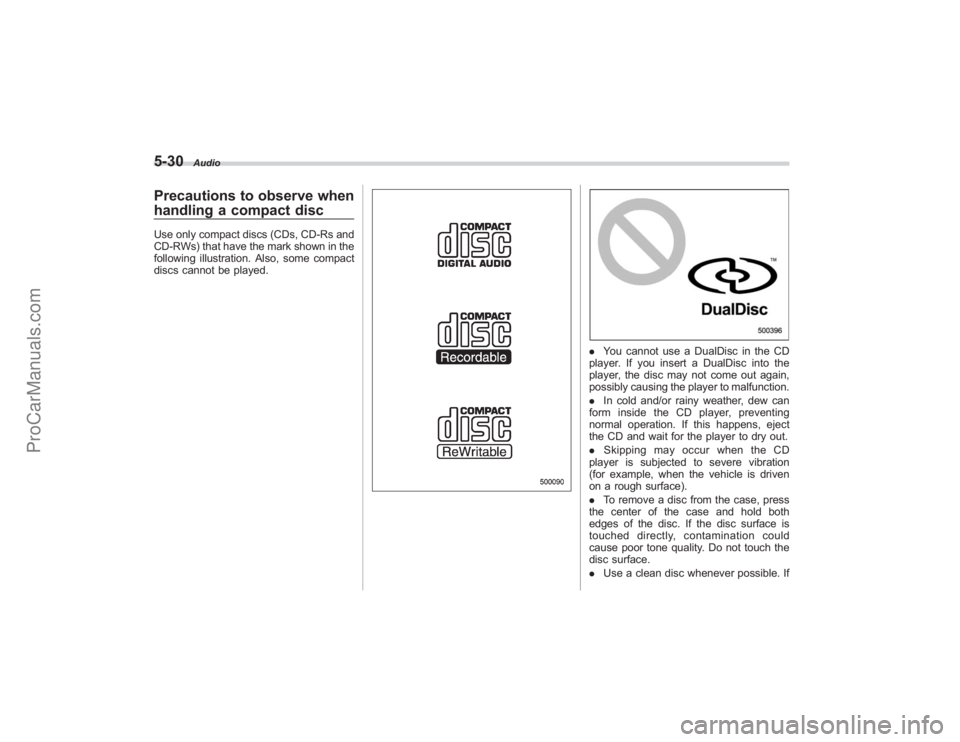
handling a compact discUse only compact discs (CDs, CD-Rs and
CD-RWs) that have the mark shown in the
following illustration. Also, some compact
discs cannot be played.
.You cannot use a DualDisc in the CD
player. If you insert a DualDisc into the
player, the disc may not come out again,
possibly causing the player to malfunction.
. In cold and/or rainy weather, dew can
form inside the CD player, preventing
normal operation. If this happens, eject
the CD and wait for the player to dry out.
. Skipping may occur when the CD
player is subjected to severe vibration
(for example, when the vehicle is driven
on a rough surface).
. To remove a disc from the case, press
the center of the case and hold both
edges of the disc. If the disc surface is
touched directly, contamination could
cause poor tone quality. Do not touch the
disc surface.
. Use a clean disc whenever possible. If
ProCarManuals.com