CD player SUBARU TRIBECA 2008 Owners Manual
[x] Cancel search | Manufacturer: SUBARU, Model Year: 2008, Model line: TRIBECA, Model: SUBARU TRIBECA 2008Pages: 409, PDF Size: 5.75 MB
Page 177 of 409
Antenna system............................................... 5-2
Printed antenna................................................ 5-2
FM reception .................................................... 5-2
XM
TM
satellite radio reception
(if equipped) .................................................. 5-2
Installation of accessories ............................... 5-4
Audio set .......................................................... 5-4
Type A audio set .............................................. 5-4
Type B audio set .............................................. 5-4
Type A audio set (if equipped) ........................ 5-5
Radio operation................................................ 5-5 Compact disc player operation .
....................... 5-11
Type B audio set (if equipped)...................... 5-16
Radio operation.............................................. 5-16
Built in CD changer operation .. ....................... 5-22
Audio control buttons................................... 5-27
MODE button.................................................. 5-27
Aux unit operation ......................................... 5-29
Rear Seat Entertainment (RSE) system operation (if equipped) ................................... 5-29
Precautions to observe when handling a compact disc ............................................... 5-30
Audio
5
ProCarManuals.com
Page 180 of 409
5-4
Audio
Installation of accessoriesAlways consult your SUBARU dealer
before installing a citizen band radio or
other transmitting device in your vehicle.
Such devices may cause the electronic
control system to malfunction if they are
incorrectly installed or if they are not
suited for the vehicle.
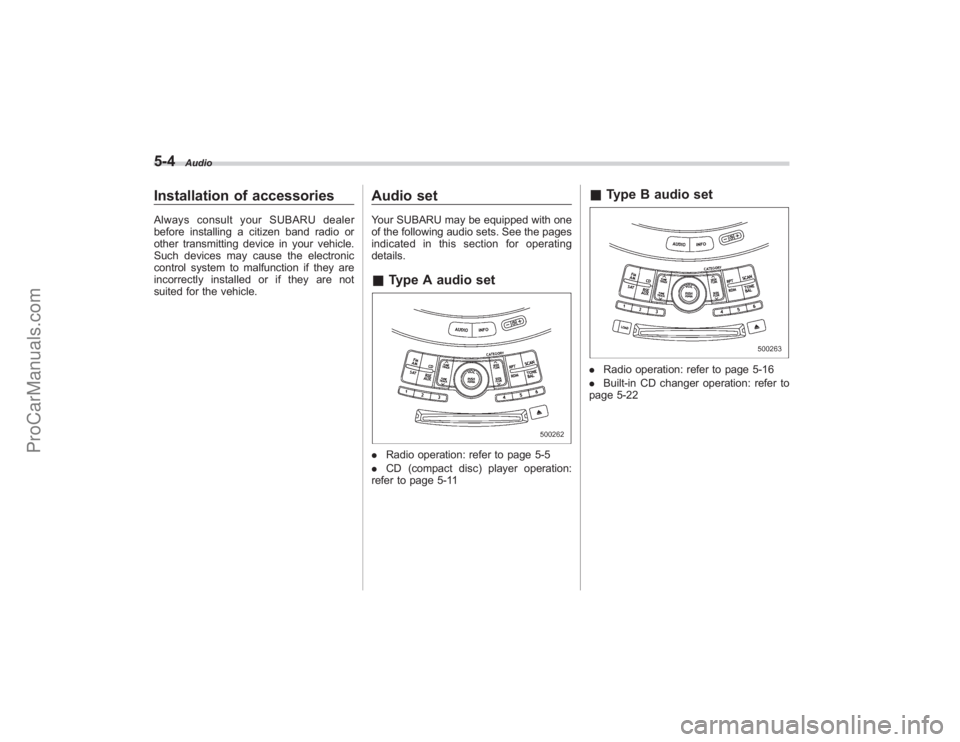
Audio setYour SUBARU may be equipped with one
of the following audio sets. See the pages
indicated in this section for operating
details.&Type A audio set. Radio operation: refer to page 5-5
. CD (compact disc) player operation:
refer to page 5-11
& Type B audio set. Radio operation: refer to page 5-16
. Built-in CD changer operation: refer to
page 5-22
ProCarManuals.com
Page 187 of 409
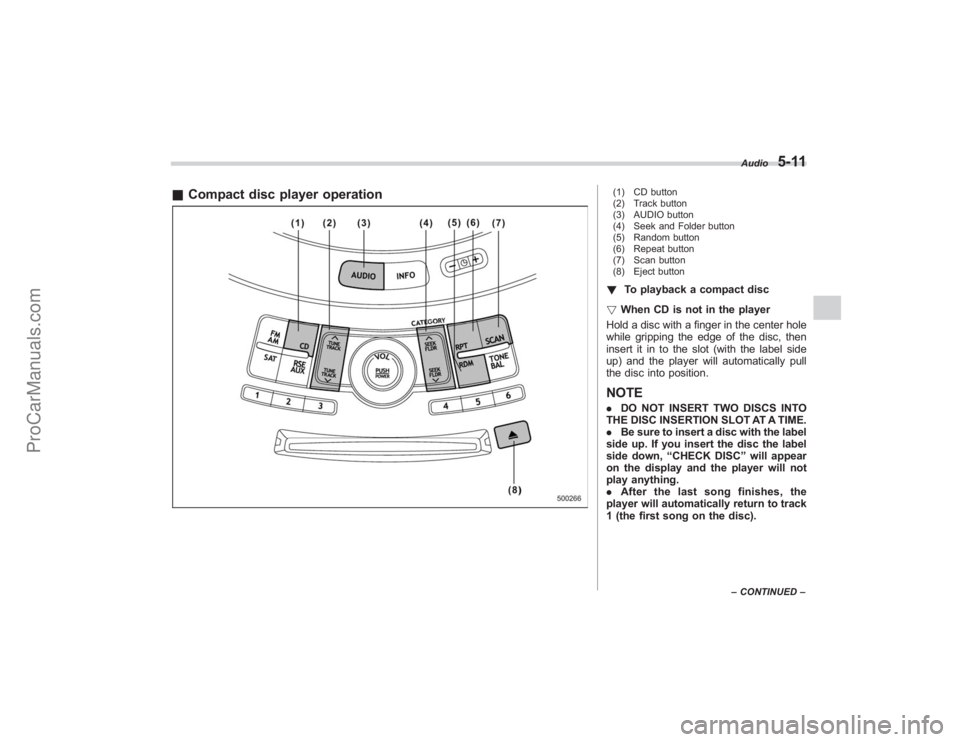
&Compact disc player operation
(1) CD button
(2) Track button
(3) AUDIO button
(4) Seek and Folder button
(5) Random button
(6) Repeat button
(7) Scan button
(8) Eject button! To playback a compact disc
! When CD is not in the player
Hold a disc with a finger in the center hole
while gripping the edge of the disc, then
insert it in to the slot (with the label side
up) and the player will automatically pull
the disc into position.NOTE. DO NOT INSERT TWO DISCS INTO
THE DISC INSERTION SLOT AT A TIME.
. Be sure to insert a disc with the label
side up. If you insert the disc the label
side down, “CHECK DISC ”will appear
on the display and the player will not
play anything.
. After the last song finishes, the
player will automatically return to track
1 (the first song on the disc).
Audio
5-11
– CONTINUED –
ProCarManuals.com
Page 188 of 409
5-12
Audio
.If you insert a disc that cannot be
played by the player, “CHECK DISC ”
will appear on the display and the
player will revert to the previously
selected mode.
. The player is designed to be able to
play music CD-Rs and music CD-RWs,
but it may not be able to play certain
ones.
. CDs (i.e., 8 cm/3 inch CDs) are not
supported, and if inserted, they will be
immediately ejected.
! When CD is in the player
When the “CD”button (1) is pressed, the
player will start playback.NOTEAfter the last song finishes, the player
will automatically return to track 1 (the
first song on the disc).
! To stop playback of a CD
When the “POWER-VOL ”button is
pressed during playback of a CD, the CD
stops playing temporarily. To let the CD
resume playing, press the button again.
! To select a song from its beginning
! Forward direction
Briefly press the “
”side of the TUNE
TRACK button (2) to skip to the beginning of the next track/file (track). Each time this
side of the button is pressed, the indicated
track/file (track) number will increase.
NOTEIn an MP3 folder, skipping past the last
track/file (track) will take you back to
the first track/file (track) in the folder.
!
Backward direction
Briefly press the “
”side of the TUNE
TRACK button (2) to skip to the beginning
of the current track/file (track). Each time
this side of the button is pressed, the
indicated track/file (track) number will
decrease.
NOTEIn an MP3 folder, skipping past the last
track/file (track) will take you back to
the first track/file (track) in the folder.
! Fast-forwarding and fast-reversing
! Fast-forwarding
Press the “
”side of the TUNE TRACK
button (2) continuously to fast-forward the
track/file.
Release the button to stop fast-forwarding.
NOTEIf you fast-forward past the last track/
file (track) on the disc, the player will select the first track/file (track) on the
disc and start playing it.
!
Fast-reversing
Press the “
”side of the TUNE TRACK
button (2) continuously to fast-reverse the
track/file (track).
Release the button to stop fast-reversing.
NOTEIf you fast-reverse to the beginning of
the first track/file (track) on the disc,
the fast-reversing will stop and the
player will start playing the first track/
file (track) on the disc.
! Folder selection (MP3 disc)
Press the “
”side of the SEEK FLDR
button (2) briefly to select the next folder.
Pressing the “”side of the same button
the first time makes the player go back to
the beginning of the currently selected file;
pressing it a second time makes it go back
to the previously selected file.
NOTEOnly MP3 folders are recognized when
an attempt to select the next or pre-
vious folder is made. If no appropriate
folder exists on the disc, pressing the
“
” or “
”side of the SEEK FLDR
button has no effect.
ProCarManuals.com
Page 190 of 409
5-14
Audio
NOTERandom playback will be cancelled if
you perform any of the following steps:
.Press the “RPT ”button
. Press the “SCAN ”button
. Press the “
”button
. Select the radio mode
. Press the “RSE AUX ”button
. Press the “”or “
”side of the
SEEK FLDR button
. Turn off the power of the audio
equipment.
. Turn the ignition switch to the
“ LOCK ”position.
! MP3 disc
Press the “RDM”button (5) during disc
playback to play all of the tracks in the
folder currently being played in random
order. Press the “RDM”button again to
play all of the tracks on the disc in random
order. The display will show “RDM”during
the random mode.
To cancel the random mode, press the
“ RDM ”button during “in-disc ”random
playback. The “RDM”indication will go
off, and the normal playback mode will be
resumed.
NOTE. Each time you briefly press the
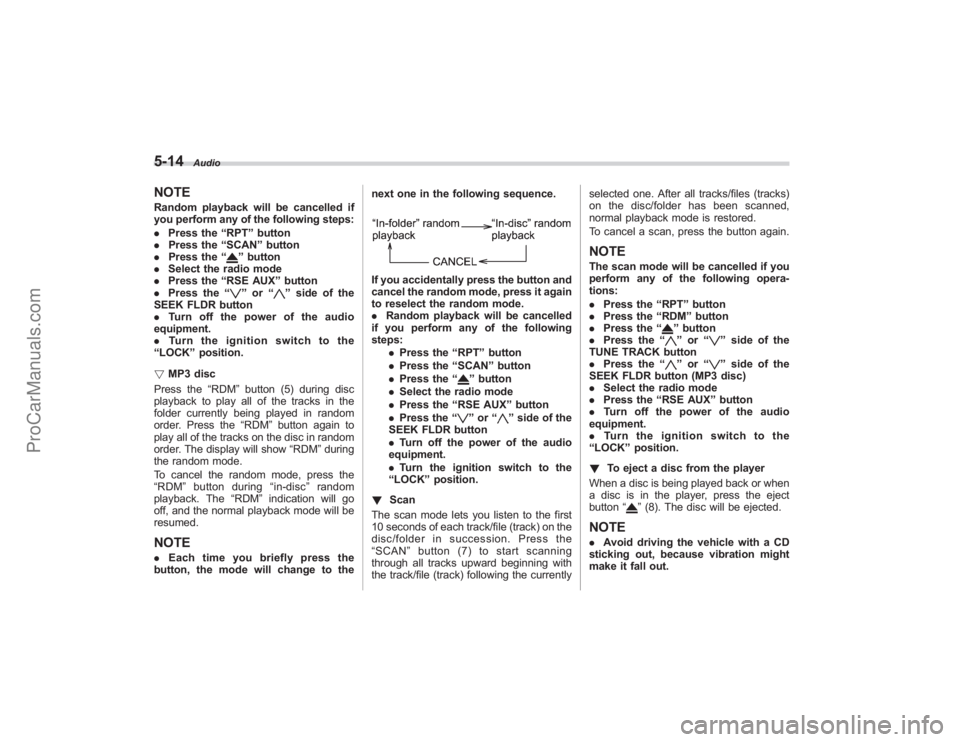
button, the mode will change to the next one in the following sequence.
If you accidentally press the button and
cancel the random mode, press it again
to reselect the random mode.
.
Random playback will be cancelled
if you perform any of the following
steps:
.Press the “RPT ”button
. Press the “SCAN ”button
. Press the “
”button
. Select the radio mode
. Press the “RSE AUX ”button
. Press the “”or “
”side of the
SEEK FLDR button
. Turn off the power of the audio
equipment.
. Turn the ignition switch to the
“ LOCK ”position.
! Scan
The scan mode lets you listen to the first
10 seconds of each track/file (track) on the
disc/folder in succession. Press the
“ SCAN ”button (7) to start scanning
through all tracks upward beginning with
the track/file (track) following the currently selected one. After all tracks/files (tracks)
on the disc/folder has been scanned,
normal playback mode is restored.
To cancel a scan, press the button again.
NOTEThe scan mode will be cancelled if you
perform any of the following opera-
tions:
.
Press the “RPT ”button
. Press the “RDM ”button
. Press the “
”button
. Press the “”or “
”side of the
TUNE TRACK button
. Press the “
”or “
”side of the
SEEK FLDR button (MP3 disc)
. Select the radio mode
. Press the “RSE AUX ”button
. Turn off the power of the audio
equipment.
. Turntheignitionswitchtothe
“ LOCK ”position.
! To eject a disc from the player
When a disc is being played back or when
a disc is in the player, press the eject
button “
”(8). The disc will be ejected.
NOTE. Avoid driving the vehicle with a CD
sticking out, because vibration might
make it fall out.
ProCarManuals.com
Page 198 of 409
5-22
Audio
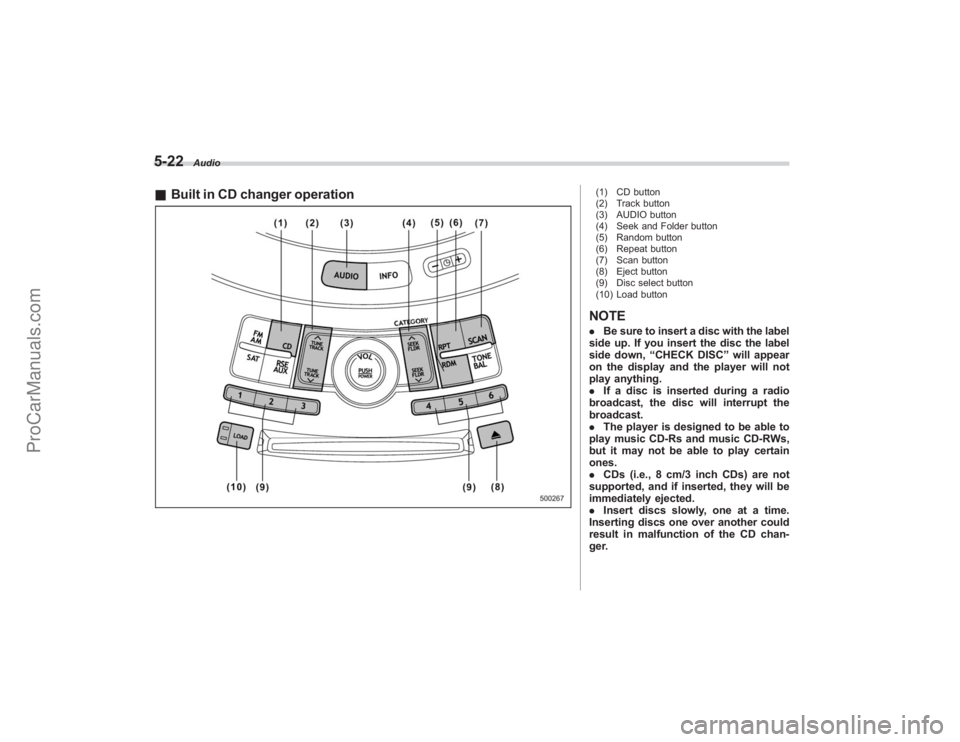
&Built in CD changer operation
(1) CD button
(2) Track button
(3) AUDIO button
(4) Seek and Folder button
(5) Random button
(6) Repeat button
(7) Scan button
(8) Eject button
(9) Disc select button
(10) Load buttonNOTE. Be sure to insert a disc with the label
side up. If you insert the disc the label
side down, “CHECK DISC ”will appear
on the display and the player will not
play anything.
. If a disc is inserted during a radio
broadcast, the disc will interrupt the
broadcast.
. The player is designed to be able to
play music CD-Rs and music CD-RWs,
but it may not be able to play certain
ones.
. CDs (i.e., 8 cm/3 inch CDs) are not
supported, and if inserted, they will be
immediately ejected.
. Insert discs slowly, one at a time.
Inserting discs one over another could
result in malfunction of the CD chan-
ger.
ProCarManuals.com
Page 199 of 409
!How to insert a CD(s)
! Inserting a CD
1. Briefly press the “LOAD”button (10). If
the magazine in the player has an idle
position where you can insert a disc, the
disc number indicator associated with the
idle position will blink.
If no indicator blinks, it means that there is
no idle position in the magazine.
2. After the disc number indicator has
started to flash, insert the disc when
“LOAD” flashes on the display. The disc
will then be automatically drawn in, and
the player will begin to play back the first
track of the disc.
. To insert more discs in succession,
repeat Steps 1 and 2. The magazine will
be loaded with discs in the ascending
order of position number.
If you do not insert any disc in 15 seconds
after you have pressed the “LOAD”button,
the player will begin to play back the first
track of the last disc you have inserted.
. The disc indicator steadily lights up if a
disc is already inserted in the correspond-
ing position of the magazine.
. While the player is in the loading mode,
if you press “FM AM”button, the player will
enter the standby mode. Press the “CD”
button (1) to start playback. !
Inserting a disc in a desired position
1. Briefly press the “LOAD”button (10). If
the magazine in the player has an idle
position where you can insert a disc, the
disc number indicator associated with the
idle position will blink.
The positions in the magazine the indica-
tor of which steadily lights up are already
loaded with discs.
2. Press the disc select button (9) at the
position where you want to insert a disc.
3. Insert the disc when “LOAD”flashes
on the display. The disc will then be
automatically drawn in, and the player will
begin to play the first track on the disc.
. If you wish to insert another disc,
repeat the procedure beginning with step
1.
If you do not insert any disc in 15 seconds
after you have pressed the “LOAD” button,
the player will begin to play back the first
track of the last disc you have inserted.
. While the player is in the loading mode,
if you press “FM AM”button, the player will
enter standby mode. Press the “CD ”
button (1) to start playback.
! Loading all the magazine (Full disc
loading mode)
1. If you continue to press the “LOAD
”button
(10) for more than 1.5 seconds, the
player will produce beep sound and will
enter the full disc loading mode.
2. A “disc number ”indicator will blink,
and “ALL LOAD ”will be on display for a
period of 15 seconds. If a disc is success-
fully loaded during this period, the disc
number indicator will stop blinking and will
steadily light.
3. When the loading of a disc is com-
plete, the next disc number indicator will
blink. Then repeat Step 2.
4. When the magazine is filled with discs
by repeating Steps 2 and 3, the player will
start playback of the discs, beginning with
the one inserted first.
If you fail to insert any disc during each 15
seconds interval, the full disc loading
mode will be canceled, and the player will
start playback of the disc inserted first.
! How to play back a CD or make a
pause
! When there is no CD inserted:
Insert a CD by referring to “How to insert a
CD(s) ”.
When a CD is loaded, the player will start
playback of the CD, beginning with the
first track.
Audio
5-23
– CONTINUED –
ProCarManuals.com
Page 200 of 409
5-24
Audio
!When there are CDs loaded:
Press a desired one of the disc select
buttons (9) the disc number indicator of
which steadily lights up. The player will
then start playback of the selected CD,
beginning with the first track.
If a disc that the player cannot read has
been loaded, “CHECK DISC ”will appear
on the display and the player will not play
anything.
! To select a song from its beginning
! Forward direction
Briefly press the “
”side of the TUNE
TRACK button (2) to skip to the beginning
of the next track/file (track). Each time the
button is pressed, the indicated track/file
(track) number will increase.
NOTEIn an MP3 folder, skipping past the last
track/file (track) will take you back to
the first track/file (track) in the folder.
! Backward direction
Briefly press the “
”side of the TUNE
TRACK button (2) to skip to the beginning
of the current track/file (track). Each time
the button is pressed, the indicated track/
file (track) number will decrease.
NOTEIn an MP3 folder, skipping past the first
track/file (track) will take you to the last
track/file (track) in the folder.
! Fast-forwarding and fast-reversing
! Fast-forwarding
Press the “
”side of the TUNE TRACK
button (2) continuously to fast-forward the
track/file.
Release the button to stop fast-forwarding.
NOTEIf you fast-forward to the end of the last
track/file (track), fast-forwarding will
stop and the player will start playback
beginning with the first track/file
(track).
! Fast-reversing
Press the “
”side of the TUNE TRACK
button (2) continuously to fast-reverse the
track/file.
Release the button to stop fast-reversing.
NOTEIf you fast-reverse to the beginning of
the first track/file (track), fast-reversing
will stop and the player will start play-
back. !
Repeating
! To repeat the currently playing track/
file (track)
To repeat a track/file (track), briefly press
the “RPT ”button (6) while the track/file
(track) is playing. The display will show
“RPT ”, and the track/file (track) will be
repeated.
To cancel the track/file (track) repeat-play
mode, briefly press the “RPT ”button
twice. The “RPT”indication will go off,
and the normal playback mode will be
resumed.
NOTE. Each time you briefly press the
button, the mode will change to the
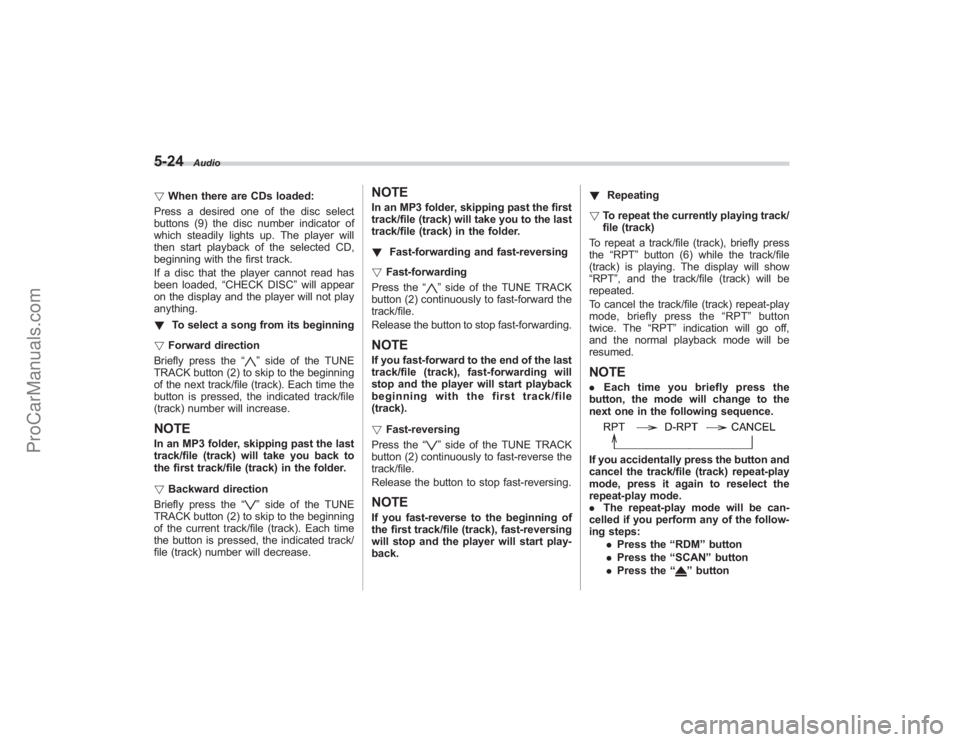
next one in the following sequence.If you accidentally press the button and
cancel the track/file (track) repeat-play
mode, press it again to reselect the
repeat-play mode.
. The repeat-play mode will be can-
celled if you perform any of the follow-
ing steps:
.Press the “RDM ”button
. Press the “SCAN” button
. Press the “
”button
ProCarManuals.com
Page 202 of 409
5-26
Audio
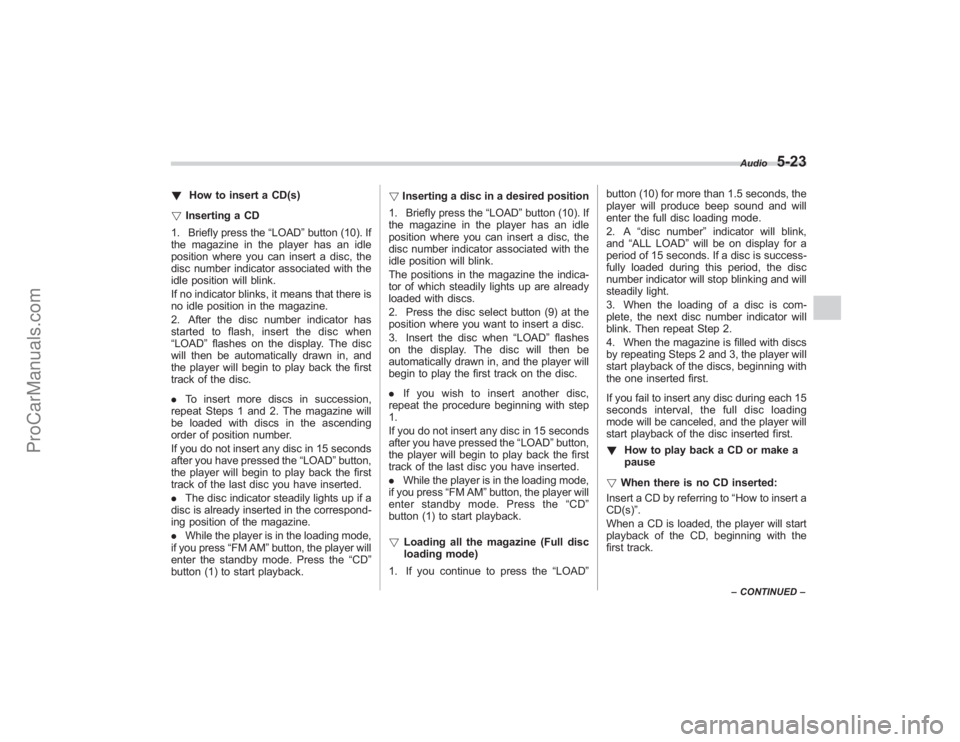
next one in the following sequence.If you accidentally press the button and
cancel the random mode, press it again
to reselect the random mode.
.Random playback will be cancelled
if you perform any of the following
steps:
.Press the “RPT ”button
. Press the “SCAN” button
. Press the “
”button
. Select the radio mode
. Press the “RSE AUX ”button
. Press the “”or “
”side of the
SEEK FLDR button
. Turn off the power of the audio
equipment.
. Turn the ignition switch to the
“ LOCK ”position.
! SCAN
The scan mode lets you listen to the first
10 seconds of each track/file (track) in
succession. Press the “SCAN”button (7)
to start scanning upward beginning with
the track/file (track) following the currently
selected one. When all tracks/files (tracks)
in the disc/folder have been scanned, normal playback will be resumed. To
cancel the scan mode, press the button
again.
NOTEThe scan mode will be cancelled if you
perform any of the following steps:
.
Press the “RPT ”button
. Press the “RDM ”button
. Press the “
”or “
”side of the
TUNE TRACK button
. Press the “
”or “
”side of the
SEEK FLDR button (MP3 disc)
. Press the “
”button
. Press the disc select button
. Select the radio mode
. Press the “RSE AUX ”button
. Turn off the power of the audio
equipment.
. Turn the ignition switch to the
“ LOCK ”position.
! Display selection (MP3 disc)
If you press the “AUDIO”button (3) during
playback, the indication will change to the
next one in the following sequence.
! Page (track/folder title) scroll (MP3
disc)
If, having pressed the “AUDIO”button (3)
to select track title or folder title display,
you press the “AUDIO”button again for
less than 0.5 second, the title will be
scrolled so you can see all of it. You will
see eight characters at a time.NOTEThe display is designed to show titles
for up to three pages (64 characters in
total).
! Folder selection (MP3 disc)
Press the “
”side of the SEEK FLDR
button (4) briefly to select the next folder.
Pressing the “”side of the same button
the first time makes the player go back to
the beginning of the currently selected file;
pressing it a second time makes it go back
to the previously selected file.
NOTEOnly MP3 folders are recognized when
an attempt to select the next or pre-
vious folder is made. If no appropriate
folder exists on the disc, pressing the
“
” or “
”side of the SEEK FLDR
button has no effect.
ProCarManuals.com
Page 203 of 409
!How to unload CDs from the player
! Ejecting a CD from the player
Of the discs loaded, you can select and
remove only one disc.
1. Use the disc select button (9) to select
the disc to be ejected.
2. Briefly press the “
”button (8). The
selected disc will be ejected. The disc
number indicator will flash at this time.
When you remove the ejected disc, the
disc number indicator will go off.
To remove more discs in succession,
repeat Steps 1 and 2.
! Ejecting all discs from the player (All
disc ejection mode)
1. If you continue to press the “
”button
(8), the player will produce beep sound
and will enter the all disc ejection mode.
2. Remove the disc that has been
ejected. The other discs loaded will then
be ejected one after another. If you do not
remove the disc that has been ejected, the
“All disc ejection mode ”will be canceled.
NOTE. Avoid driving the vehicle with a CD
sticking out, because vibration might
make it fall out.
. If you press the “
”button while the player is in all disc ejection mode,
the mode will be cancelled following
ejection of the disc that is currently
being ejected.
.
If you press the “CD ”button while
the player is in all disc ejection mode,
the player will draw in the discs that
have been ejected and play them.
Audio control buttonsThese buttons are located on the spokes
of the steering wheel. They allow the
driver to control audio functions without
taking his/her hands off the steering
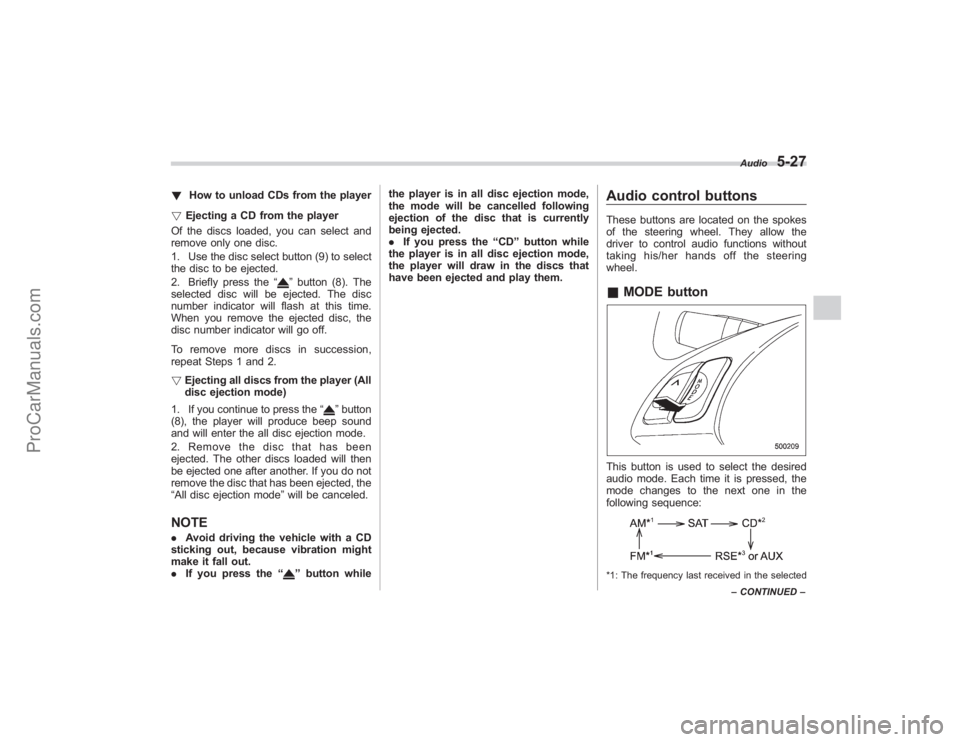
wheel.& MODE buttonThis button is used to select the desired
audio mode. Each time it is pressed, the
mode changes to the next one in the
following sequence:*1: The frequency last received in the selected Audio
5-27
–
CONTINUED –
ProCarManuals.com