battery SUBARU TRIBECA 2008 User Guide
[x] Cancel search | Manufacturer: SUBARU, Model Year: 2008, Model line: TRIBECA, Model: SUBARU TRIBECA 2008Pages: 409, PDF Size: 5.75 MB
Page 123 of 409
Ignition switch
WARNING
.Never turn the ignition switch to
“ LOCK” while the vehicle is
being driven or towed because
that will lock the steering wheel,
preventing steering control. And
when the engine is turned off, it
takes a much greater effort than
usual to steer.
. Before leaving the vehicle, al-
ways remove the key from the
ignition switch for safety and
never allow an unattended child
to remain in the vehicle. Failure
to follow this procedure could
result in injury to a child or
others. Children could operate
the power windows, the moon-
roof or other controls or even
make the vehicle move.
CAUTION
Do not attach a large key holder or
key case to either key. If it banged
against your knees or hands while
you were driving, it could turn the
ignition switch from the “ON ”posi- tion to the
“Acc ”or “LOCK ”posi-
tion, thereby stopping the engine.
Also, if the key is attached to a
keyholder or to a large bunch of
other keys, centrifugal force may act
on it as the vehicle moves, resulting
in unwanted turning of the ignition
switch.
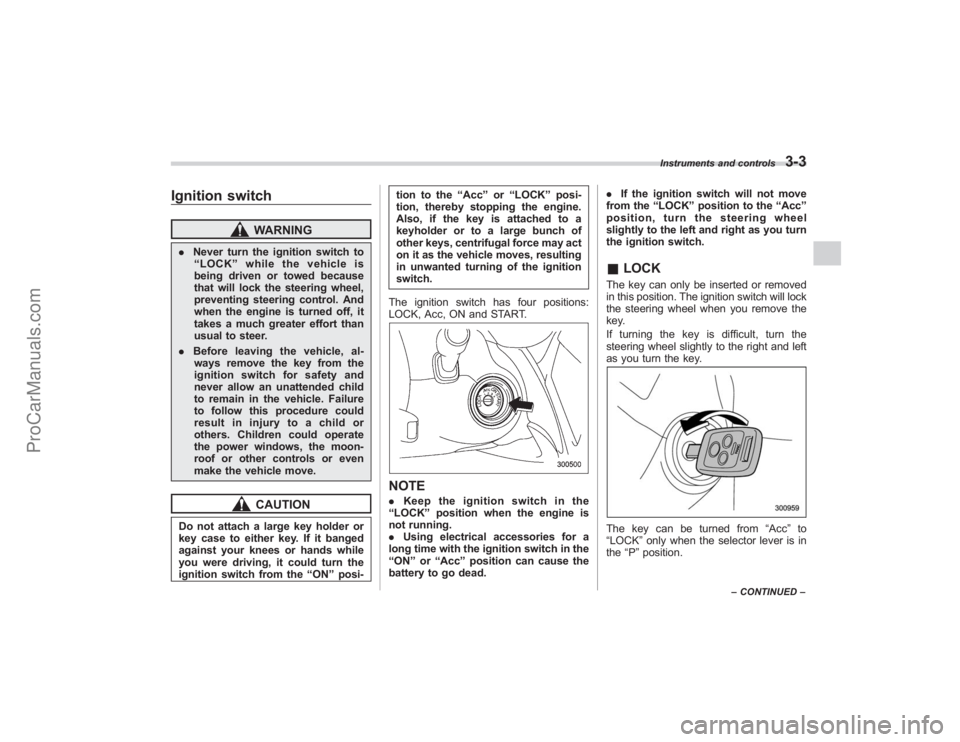
The ignition switch has four positions:
LOCK, Acc, ON and START.
NOTE. Keep the ignition switch in the
“ LOCK ”position when the engine is
not running.
. Using electrical accessories for a
long time with the ignition switch in the
“ ON ”or “Acc ”position can cause the
battery to go dead. .
If the ignition switch will not move
from the “LOCK ”position to the “Acc ”
position, turn the steering wheel
slightly to the left and right as you turn
the ignition switch.
& LOCKThe key can only be inserted or removed
in this position. The ignition switch will lock
the steering wheel when you remove the
key.
If turning the key is difficult, turn the
steering wheel slightly to the right and left
as you turn the key.The key can be turned from “Acc”to
“LOCK ”only when the selector lever is in
the “P ”position.
Instruments and controls
3-3
– CONTINUED –
ProCarManuals.com
Page 127 of 409
The odometer/trip meter will also go off if
you open and close the driver’sdoor
within 10 seconds of illumination of the
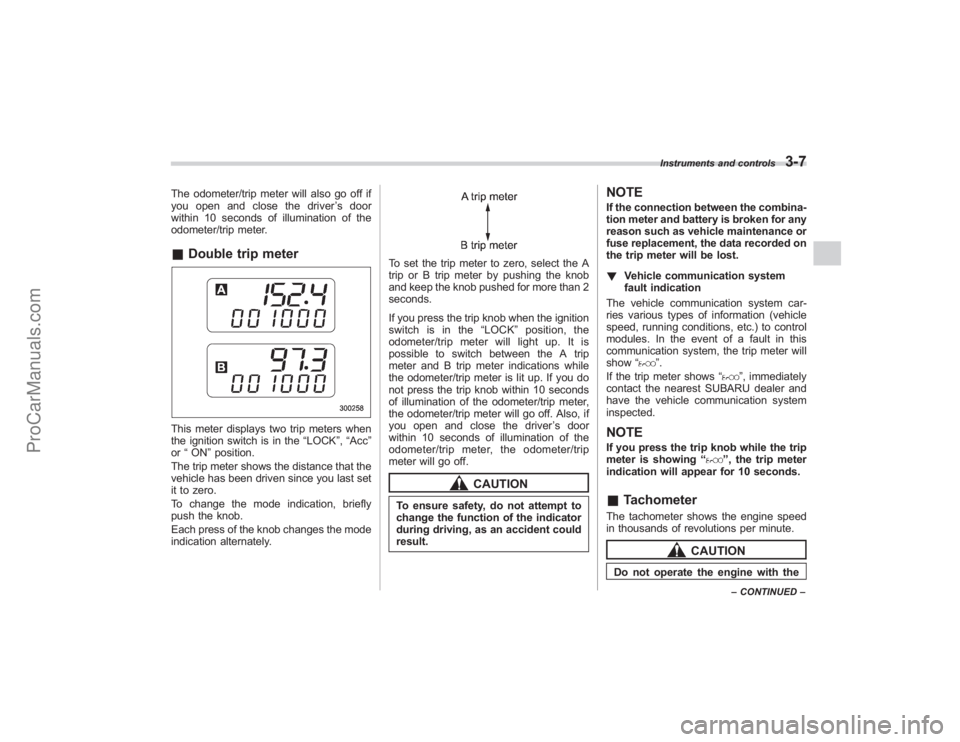
odometer/trip meter.& Double trip meterThis meter displays two trip meters when
the ignition switch is in the “LOCK”,“Acc ”
or “ON ”position.
The trip meter shows the distance that the
vehicle has been driven since you last set
it to zero.
To change the mode indication, briefly
push the knob.
Each press of the knob changes the mode
indication alternately.
To set the trip meter to zero, select the A
trip or B trip meter by pushing the knob
and keep the knob pushed for more than 2
seconds.
If you press the trip knob when the ignition
switch is in the “LOCK ”position, the
odometer/trip meter will light up. It is
possible to switch between the A trip
meter and B trip meter indications while
the odometer/trip meter is lit up. If you do
not press the trip knob within 10 seconds
of illumination of the odometer/trip meter,
the odometer/trip meter will go off. Also, if
you open and close the driver ’sdoor
within 10 seconds of illumination of the
odometer/trip meter, the odometer/trip
meter will go off.
CAUTION
To ensure safety, do not attempt to
change the function of the indicator
during driving, as an accident could
result.
NOTEIf the connection between the combina-
tion meter and battery is broken for any
reason such as vehicle maintenance or
fuse replacement, the data recorded on
the trip meter will be lost.
! Vehicle communication system
fault indication
The vehicle communication system car-
ries various types of information (vehicle
speed, running conditions, etc.) to control
modules. In the event of a fault in this
communication system, the trip meter will
show “
”.
If the trip meter shows “
”, immediately
contact the nearest SUBARU dealer and
have the vehicle communication system
inspected.
NOTEIf you press the trip knob while the trip
meter is showing “
”, the trip meter
indication will appear for 10 seconds.
& TachometerThe tachometer shows the engine speed
in thousands of revolutions per minute.
CAUTION
Do not operate the engine with the
Instruments and controls
3-7
–CONTINUED –
ProCarManuals.com
Page 136 of 409
3-16
Instruments and controls
When the warning light is on, the
ABS function shuts down; however,
the conventional brake system con-
tinues to operate normally.
.The warning light does not come
on when the ignition switch is
turned to the “ON ”position.
. The warning light comes on when
the ignition switch is turned to
the “ON ”position, but it does not
go out even when the vehicle
speed exceeds approximately 8
mph (12 km/h).
. The warning light comes on dur-
ing driving.
If any of these conditions occur,
have the ABS system repaired at
the first available opportunity by
your SUBARU dealer.
The ABS warning light comes on together
with the brake system warning light if the
EBD system becomes faulty. For further
details of the EBD system fault warning,
refer to “Brake system warning light ”.NOTEIf the warning light behavior is as
described in the following, the ABS
system may be considered normal.
.The warning light comes on right after the engine is started but goes out
immediately, remaining off.
.
The warning light remains on after
the engine has been started, but it goes
out when the vehicle speed reaches
approximately 8 mph (12 km/h).
. The warning light comes on during
driving, but it goes out immediately and
remains off.
When driving with an insufficient battery
voltage such as when the engine is jump
started, the ABS warning light may come
on. This is due to the low battery voltage
and does not indicate a malfunction.
When the battery becomes fully charged,
the light will go out.
&
Brake system
warning light
WARNING
. Driving with the brake system
warning light on is dangerous.
This indicates your brake system
may not be working properly. If
the light remains on, have the
brakes inspected by a SUBARU
dealer immediately.
. If at all in doubt about whether
the brakes are operating prop-
erly, do not drive the vehicle. Have your vehicle towed to the
nearest SUBARU dealer for re-
pair.
This light has the following three functions:
! Parking brake warning
The light comes on with the parking brake
applied while the ignition switch is in the
“ ON ”position. It goes out when the
parking brake is fully released.
! Brake fluid level warning
This light comes on when the brake fluid
level has dropped to near the “MIN”level
of the brake fluid reservoir with the ignition
switch in the “ON”position and with the
parking brake fully released.
If the brake system warning light should
come on while driving (with the parking
brake fully released and with the ignition
switch positioned in “ON”), it could be an
indication of leaking of brake fluid or worn
brake pads. If this occurs, immediately
stop the vehicle at the nearest safe place
and check the brake fluid level. If the fluid
level is below the “MIN ”mark in the
reservoir, do not drive the vehicle. Have
the vehicle towed to the nearest SUBARU
dealer for repair.
ProCarManuals.com
Page 146 of 409
3-26
Instruments and controls
display is giving an indication other than
the journey time, the display switches to
the journey time, flashes for 5 seconds,
and returns to its original indication each
time a complete hour has elapsed.NOTEThe journey time is reset when the
ignition switch is turned to the“LOCK ”
position. It is also reset if the ignition
switch is turned to the “LOCK ”or
“ Acc ”position prior to restarting of
the engine.
Light control switch
WARNING
To prevent battery discharge result-
ing from accidentally leaving your
lights on when your vehicle is
parked, the light switch operates
only when the ignition switch is in
the “ON ”position. In any other
position, the vehicle ’s lights will be
out.
If you park your vehicle on a road-
side at night, use the hazard warn-
ing flasher to alert the other drivers.
The light switch operates only when the
ignition switch is in the “ON ”position.
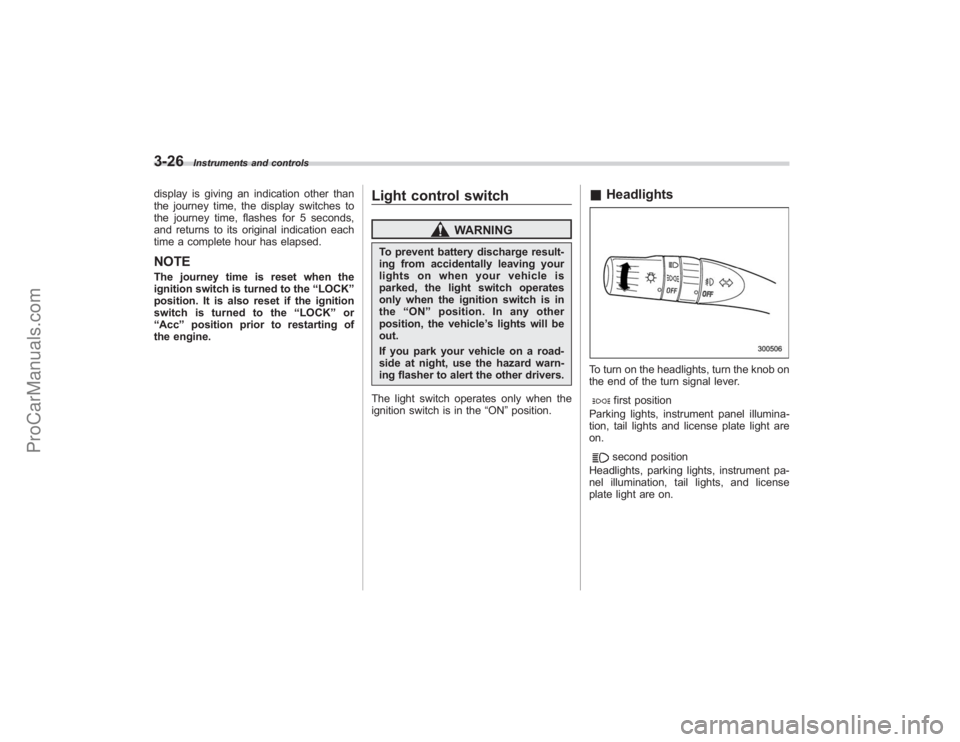
& HeadlightsTo turn on the headlights, turn the knob on
the end of the turn signal lever.
first position
Parking lights, instrument panel illumina-
tion, tail lights and license plate light are
on.second position
Headlights, parking lights, instrument pa-
nel illumination, tail lights, and license
plate light are on.
ProCarManuals.com
Page 152 of 409
3-32
Instruments and controls
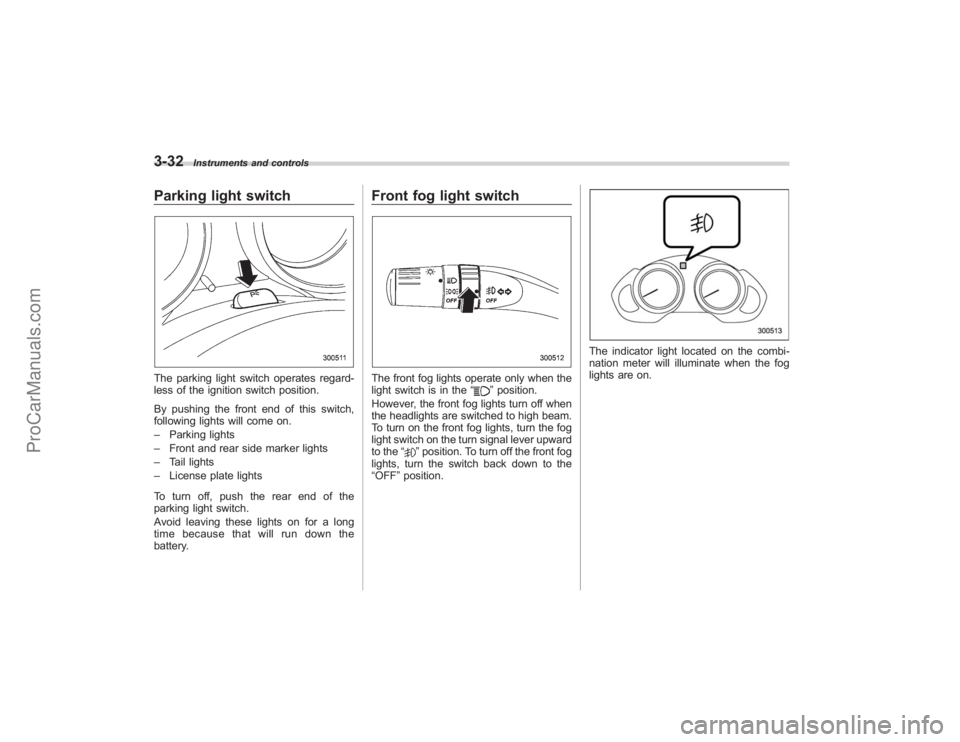
Parking light switchThe parking light switch operates regard-
less of the ignition switch position.
By pushing the front end of this switch,
following lights will come on.
–Parking lights
– Front and rear side marker lights
– Tail lights
– License plate lights
To turn off, push the rear end of the
parking light switch.
Avoid leaving these lights on for a long
time because that will run down the
battery.
Front fog light switchThe front fog lights operate only when the
light switch is in the “
”position.
However, the front fog lights turn off when
the headlights are switched to high beam.
To turn on the front fog lights, turn the fog
light switch on the turn signal lever upward
to the “
”position. To turn off the front fog
lights, turn the switch back down to the
“OFF ”position.
The indicator light located on the combi-
nation meter will illuminate when the fog
lights are on.
ProCarManuals.com
Page 156 of 409
3-36
Instruments and controls
speed is low; shorter when the vehicle
speed is high).
When you subsequently move the selec-
tor lever of the automatic transmission to
the“R ”position, the rear wiper will switch
to continuous operation. When you move
the selector lever from the “R”position to
some other position, the rear wiper will
return to intermittent operation.
! Washer
To wash the rear window while the rear
wiper is operating, turn the knob on the
end of the wiper control lever upward to
the “
”position. The washer fluid sprays
until you release the knob.
To wash the rear window when the rear
wiper is not in use, turn the knob on the
end of the wiper control lever downward to
the “”position. The washer fluid sprays
and the wiper operates until you release
the knob.
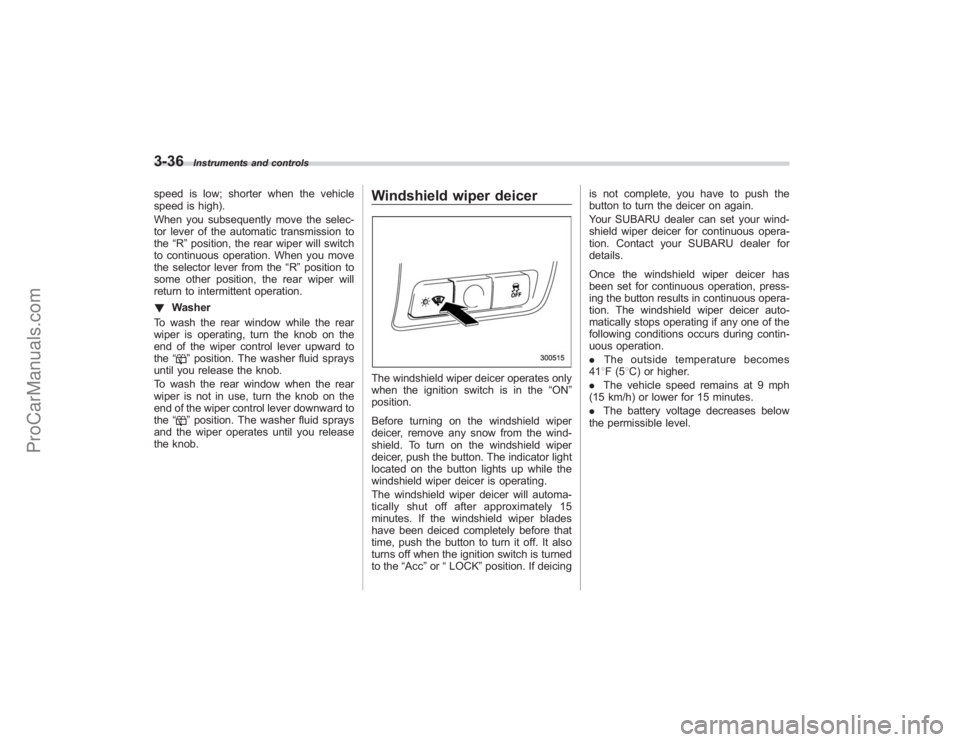
Windshield wiper deicerThe windshield wiper deicer operates only
when the ignition switch is in the “ON”
position.
Before turning on the windshield wiper
deicer, remove any snow from the wind-
shield. To turn on the windshield wiper
deicer, push the button. The indicator light
located on the button lights up while the
windshield wiper deicer is operating.
The windshield wiper deicer will automa-
tically shut off after approximately 15
minutes. If the windshield wiper blades
have been deiced completely before that
time, push the button to turn it off. It also
turns off when the ignition switch is turned
to the “Acc”or “LOCK” position. If deicing is not complete, you have to push the
button to turn the deicer on again.
Your SUBARU dealer can set your wind-
shield wiper deicer for continuous opera-
tion. Contact your SUBARU dealer for
details.
Once the windshield wiper deicer has
been set for continuous operation, press-
ing the button results in continuous opera-
tion. The windshield wiper deicer auto-
matically stops operating if any one of the
following conditions occurs during contin-
uous operation.
.
The outside temperature becomes
41 8F(5 8C) or higher.
. The vehicle speed remains at 9 mph
(15 km/h) or lower for 15 minutes.
. The battery voltage decreases below
the permissible level.
ProCarManuals.com
Page 157 of 409
Rear window defogger but-
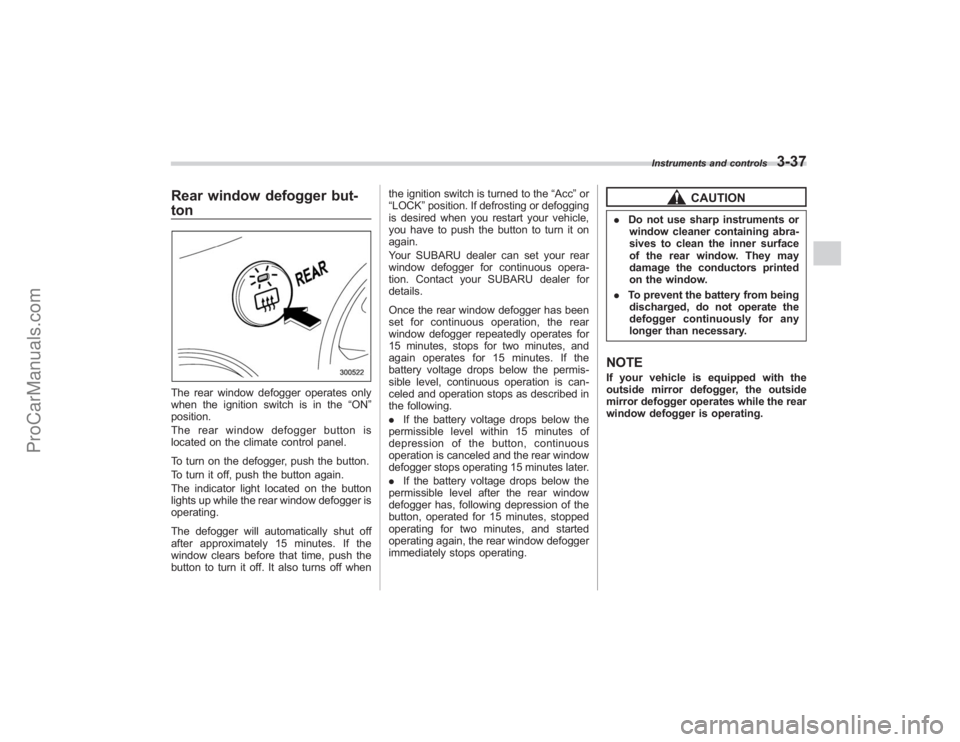
tonThe rear window defogger operates only
when the ignition switch is in the“ON”
position.
The rear window defogger button is
located on the climate control panel.
To turn on the defogger, push the button.
To turn it off, push the button again.
The indicator light located on the button
lights up while the rear window defogger is
operating.
The defogger will automatically shut off
after approximately 15 minutes. If the
window clears before that time, push the
button to turn it off. It also turns off when the ignition switch is turned to the
“Acc ”or
“LOCK” position. If defrosting or defogging
is desired when you restart your vehicle,
you have to push the button to turn it on
again.
Your SUBARU dealer can set your rear
window defogger for continuous opera-
tion. Contact your SUBARU dealer for
details.
Once the rear window defogger has been
set for continuous operation, the rear
window defogger repeatedly operates for
15 minutes, stops for two minutes, and
again operates for 15 minutes. If the
battery voltage drops below the permis-
sible level, continuous operation is can-
celed and operation stops as described in
the following.
. If the battery voltage drops below the
permissible level within 15 minutes of
depression of the button, continuous
operation is canceled and the rear window
defogger stops operating 15 minutes later.
. If the battery voltage drops below the
permissible level after the rear window
defogger has, following depression of the
button, operated for 15 minutes, stopped
operating for two minutes, and started
operating again, the rear window defogger
immediately stops operating.
CAUTION
. Do not use sharp instruments or
window cleaner containing abra-
sives to clean the inner surface
of the rear window. They may
damage the conductors printed
on the window.
. To prevent the battery from being
discharged, do not operate the
defogger continuously for any
longer than necessary.NOTEIf your vehicle is equipped with the
outside mirror defogger, the outside
mirror defogger operates while the rear
window defogger is operating.
Instruments and controls
3-37
ProCarManuals.com
Page 160 of 409
3-40
Instruments and controls
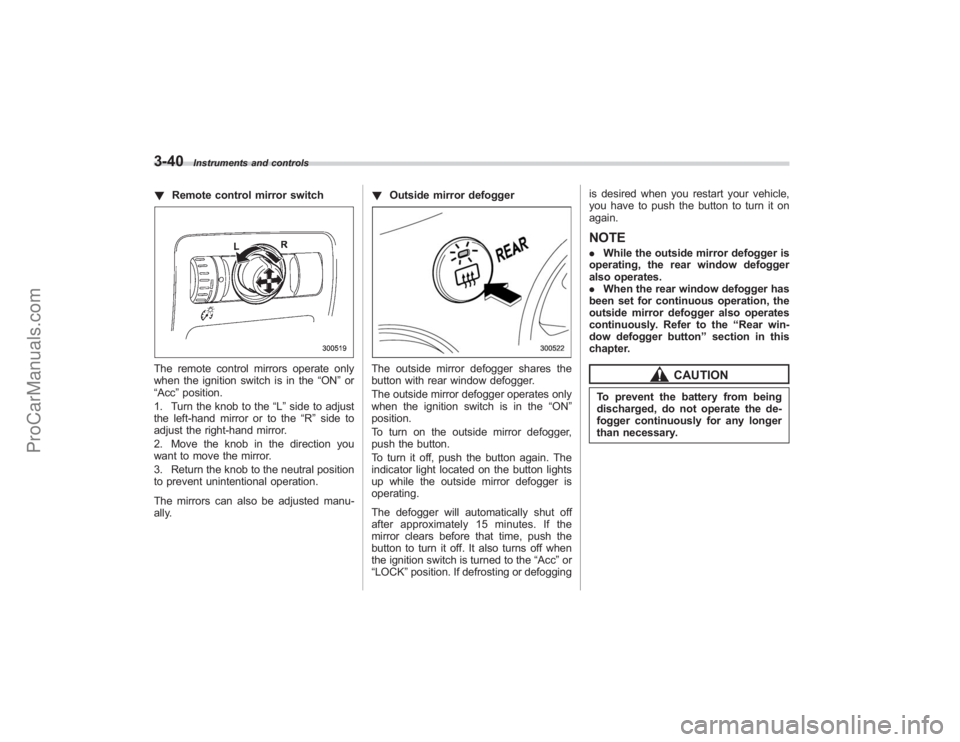
!Remote control mirror switchThe remote control mirrors operate only
when the ignition switch is in the “ON”or
“Acc ”position.
1. Turn the knob to the “L”side to adjust
the left-hand mirror or to the “R”side to
adjust the right-hand mirror.
2. Move the knob in the direction you
want to move the mirror.
3. Return the knob to the neutral position
to prevent unintentional operation.
The mirrors can also be adjusted manu-
ally. !
Outside mirror defogger
The outside mirror defogger shares the
button with rear window defogger.
The outside mirror defogger operates only
when the ignition switch is in the “ON”
position.
To turn on the outside mirror defogger,
push the button.
To turn it off, push the button again. The
indicator light located on the button lights
up while the outside mirror defogger is
operating.
The defogger will automatically shut off
after approximately 15 minutes. If the
mirror clears before that time, push the
button to turn it off. It also turns off when
the ignition switch is turned to the “Acc ”or
“LOCK” position. If defrosting or defogging is desired when you restart your vehicle,
you have to push the button to turn it on
again.
NOTE.
While the outside mirror defogger is
operating, the rear window defogger
also operates.
. When the rear window defogger has
been set for continuous operation, the
outside mirror defogger also operates
continuously. Refer to the “Rear win-
dow defogger button” section in this
chapter.
CAUTION
To prevent the battery from being
discharged, do not operate the de-
fogger continuously for any longer
than necessary.
ProCarManuals.com
Page 184 of 409
5-8
Audio
NOTEWhile you are holding down either side
of the TUNE TRACK button, the tuning
frequency will not stop changing even
if the frequency of a receivable station
is reached.
!Seek tuning
If you press the “
”or “
”side of the
SEEK FLDR button (7), the radio will
automatically search for a receivable
station and stop at the first one it finds.
This function may not be available, how-
ever, when radio signals are weak. In such
a situation, perform manual tuning to
select the desired station.
! Automatic tuning (SCAN)
Press the “SCAN”button (8) to change the
radio to the SCAN mode. In this mode, the
radio scans through the radio band until a
station is found. The radio will stop at the
station for 5 seconds while displaying the
frequency, after which scanning will con-
tinue until the entire band has been
scanned from the low end to the high
end. Press the “SCAN”button again to
cancel the SCAN mode and to stop on any
displayed frequency.
Press the “
”or “
”side of the SEEK
FLDR (7) button again to cancel the scan
mode and to stop on any displayed frequency.
When the
“SCAN”button is pressed for
automatic tuning, stations are scanned in
the direction of low frequencies to high
frequencies only.
Automatic tuning may not function prop-
erly if the station reception is weakened by
distance from the station or proximity to
tall buildings and hills.
! Selecting preset stations
Presetting a station with a preset button
(10) allows you to select that station in a
single operation. Up to six, AM, FM1 and
FM2 stations each may be preset.
! How to preset stations
1. Press the “FM AM”button (2) to select
FM1, FM2, or AM reception.
2. Press the “SCAN”button (8) or tune
the radio manually until the desired station
frequency is displayed.
3. Press one of the preset buttons (10)
for more than 1.5 seconds to store the
frequency. If the button is pressed for less
than 1.5 seconds, the preceding selection
will remain in memory.
NOTE. If the connection between the radio
and battery is broken for any reason
such as vehicle maintenance or radio removal, all stations stored in the
preset buttons are cleared. If this
occurs, it is necessary to reset the
preset buttons.
.
If a cell phone is placed near the
radio, it may cause the radio to emit
noise when it receives calls. This noise
does not indicate a radio fault.
! Satellite radio mode (if equipped)
To receive satellite radio, it is necessary to
install the Subaru genuine satellite recei-
ver (optional part) and to enter into a
contract. For details, please contact your
SUBARU dealer.
! Sirius satellite radio
Sirius satellite radio is a recent innovation
that allows the listener to experience
digital sound quality and to have a greater
variety of channels to choose from (more
than 160 channels with the relevant
subscription).
Use of satellite radio (Sirius) requires a
tuner, antenna and a service contract. For
details, please contact your SUBARU
dealer or visit Sirius Satellite Radio at
www.sirius.com or call 1-888-539-SIRIUS
(7474) for more information. Sirius, the
Sirius dog logo, channel names and logos
are trademarks of SIRIUS Satellite Radio
Inc.
ProCarManuals.com
Page 186 of 409
5-10
Audio
2. Press the“SCAN”button (8) or the
TUNE TRACK button (4) to select the
channel.
3. Press one of the preset buttons (10)
for more than 1.5 seconds to store the
channel. If the button is pressed for less
than 1.5 seconds, the preceding selection
will remain in memory.NOTEIf the connection between the radio and
battery is broken for any reason such
as vehicle maintenance or radio re-
moval, all channels stored in the preset
buttons are cleared. If this occurs, it is
necessary to reset the preset buttons.
! Display selection
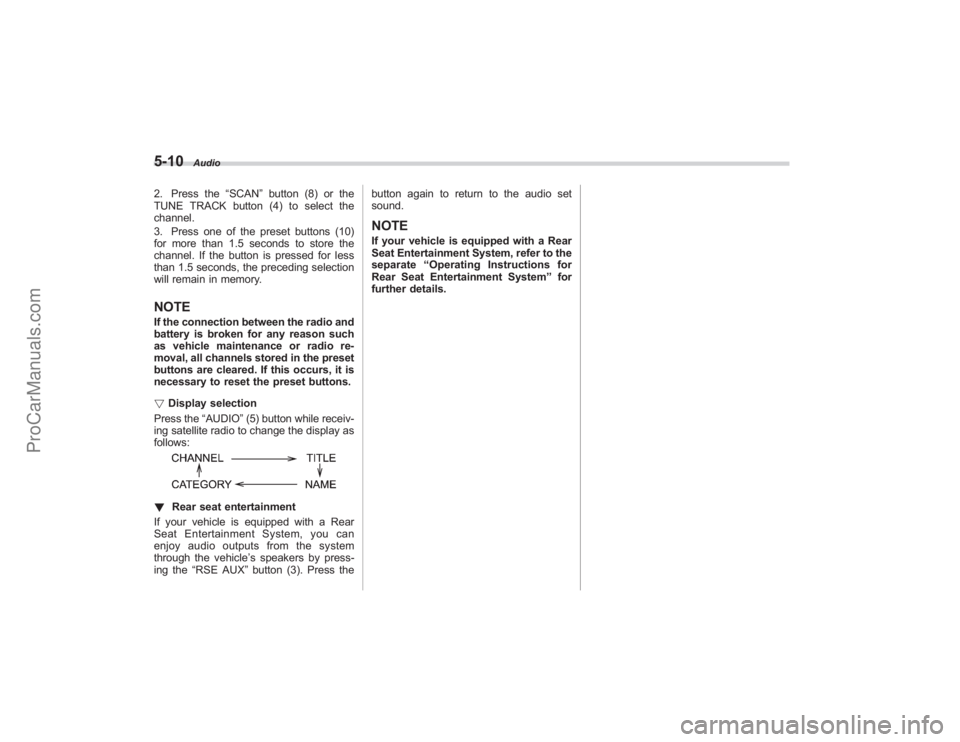
Press the “AUDIO”(5) button while receiv-
ing satellite radio to change the display as
follows:! Rear seat entertainment
If your vehicle is equipped with a Rear
Seat Entertainment System, you can
enjoy audio outputs from the system
through the vehicle ’s speakers by press-
ing the “RSE AUX ”button (3). Press the button again to return to the audio set
sound.
NOTEIf your vehicle is equipped with a Rear
Seat Entertainment System, refer to the
separate
“Operating Instructions for
Rear Seat Entertainment System ”for
further details.
ProCarManuals.com