battery SUBARU TRIBECA 2008 Owner's Manual
[x] Cancel search | Manufacturer: SUBARU, Model Year: 2008, Model line: TRIBECA, Model: SUBARU TRIBECA 2008Pages: 409, PDF Size: 5.75 MB
Page 195 of 409
NOTEWhile you are holding down either side
of the TUNE/TRACK button, the tuning
frequency will not stop changing even
if the frequency of a receivable station
is reached.
!Seek tuning (SEEK)
If you press the “
”or “
”side of the
SEEK FLDR button (7), the radio will
automatically search for a receivable
station and stop at the first one it finds.
This function may not be available, how-
ever, when radio signals are weak. In such
a situation, perform manual tuning to
select the desired station.
! Scan tuning (SCAN)
Press the “SCAN”button (8) to change the
radio to the SCAN mode. In this mode, the
radio scans through the radio band until a
station is found. The radio will stop at the
station for 5 seconds while displaying the
frequency, after which scanning will con-
tinue until the entire band has been
scanned from the low end to the high
end. Press the “SCAN”button again to
cancel the SCAN mode and to stop on any
displayed frequency.
Press the “
”or “
”side of the SEEK
FLDR button (7) again to cancel the scan
mode and to stop on any displayed frequency.
When the
“SCAN”button is pressed for
automatic tuning, stations are scanned in
the direction of low frequencies to high
frequencies only.
Automatic tuning may not function prop-
erly if the station reception is weakened by
distance from the station or proximity to
tall buildings and hills.
! Selecting preset stations
Presetting a station with a preset button
allows you to select that station in a single
operation. Up to six AM, FM1 and FM2
stations each may be preset.
! How to preset stations
1. Press the “FM AM”button (2) to select
FM1, FM2 or AM reception.
2. Press the “SCAN”button (8) or tune
the radio manually until the desired station
frequency is displayed.
3. Press one of the preset buttons for
more than 1.5 seconds to store the
frequency. If the button is pressed for less
than 1.5 seconds, the preceding selection
will remain in memory.
NOTE. If the connection between the radio
and battery is broken for any reason
such as vehicle maintenance or radio removal, all stations stored in the
preset buttons are cleared. If this
occurs, it is necessary to reset the
preset buttons.
.
If a cell phone is placed near the
radio, it may cause the radio to emit
noise when it receives calls. This noise
does not indicate a radio fault.
! Satellite radio mode (if equipped)
To receive satellite radio, it is necessary to
install the Subaru genuine satellite recei-
ver (optional part) and to enter into a
contract. For details, please contact your
SUBARU dealer.
! Sirius satellite radio
Sirius satellite radio is a recent innovation
that allows the listener to experience
digital sound quality and to have a greater
variety of channels to choose from (more
than 160 channels with the relevant
subscription).
Use of satellite radio (Sirius) requires a
tuner, antenna and a service contract. For
details, please contact your SUBARU
dealer or visit Sirius Satellite Radio at
www.sirius.com or call 1-888-539-SIRIUS
(7474) for more information. Sirius, the
Sirius dog logo, channel names and logos
are trademarks of SIRIUS Satellite Radio
Inc.
Audio
5-19
– CONTINUED –
ProCarManuals.com
Page 197 of 409
2. Press the“SCAN”button (8) or the
TUNE TRACK button (4) to select the
channel.
3. Press one of the preset buttons (10)
for more than 1.5 seconds to store the
channel. If the button is pressed for less
than 1.5 seconds, the preceding selection
will remain in memory.NOTEIf the connection between the radio and
battery is broken for any reason such
as vehicle maintenance or radio re-
moval, all channels stored in the preset
buttons are cleared. If this occurs, it is
necessary to reset the preset buttons.
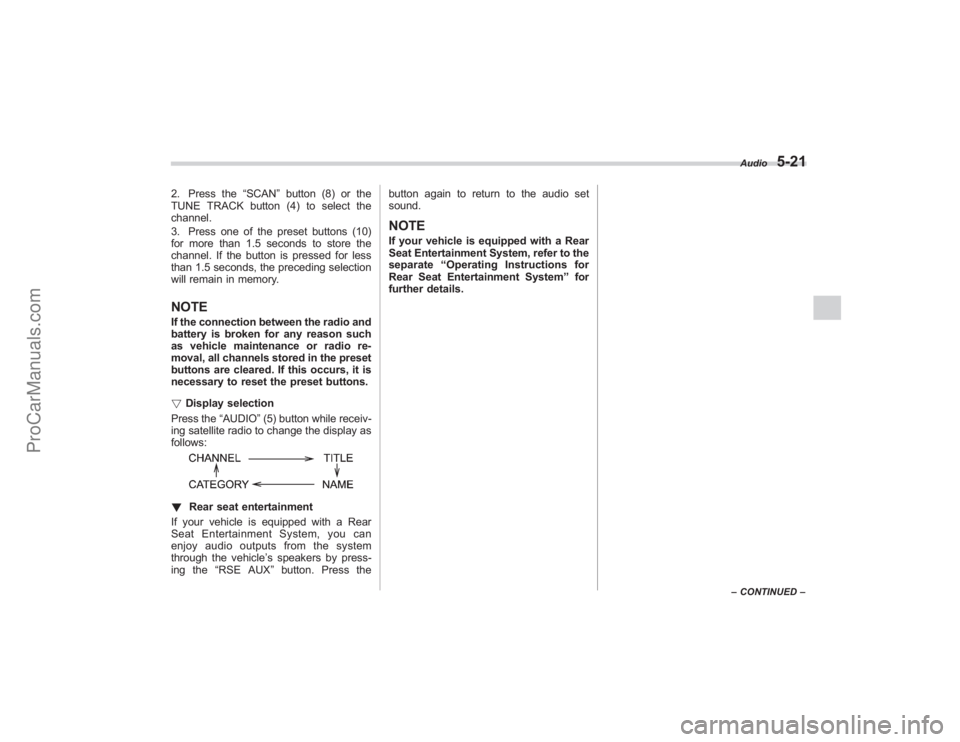
! Display selection
Press the “AUDIO”(5) button while receiv-
ing satellite radio to change the display as
follows:! Rear seat entertainment
If your vehicle is equipped with a Rear
Seat Entertainment System, you can
enjoy audio outputs from the system
through the vehicle ’s speakers by press-
ing the “RSE AUX ”button. Press the button again to return to the audio set
sound.
NOTEIf your vehicle is equipped with a Rear
Seat Entertainment System, refer to the
separate
“Operating Instructions for
Rear Seat Entertainment System ”for
further details.
Audio
5-21
– CONTINUED –
ProCarManuals.com
Page 210 of 409
6-2
Interior equipment
Interior lightWhen leaving your vehicle, make sure the
light is turned off to avoid battery dis-
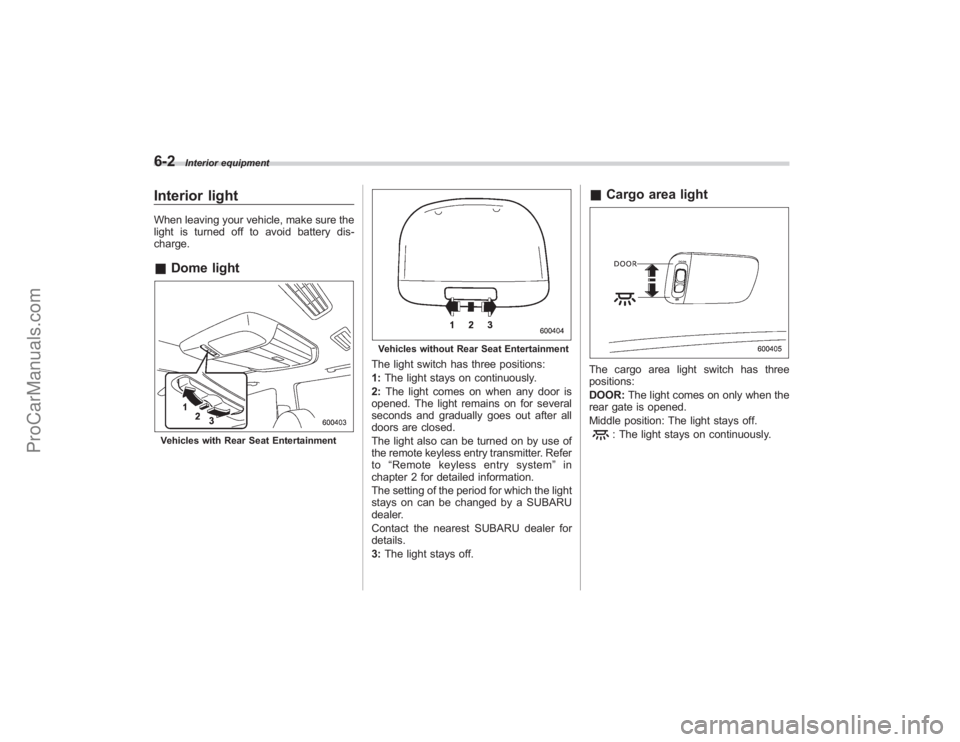
charge.&Dome lightVehicles with Rear Seat Entertainment
Vehicles without Rear Seat EntertainmentThe light switch has three positions:
1:The light stays on continuously.
2: The light comes on when any door is
opened. The light remains on for several
seconds and gradually goes out after all
doors are closed.
The light also can be turned on by use of
the remote keyless entry transmitter. Refer
to “Remote keyless entry system ”in
chapter 2 for detailed information.
The setting of the period for which the light
stays on can be changed by a SUBARU
dealer.
Contact the nearest SUBARU dealer for
details.
3: The light stays off.
& Cargo area lightThe cargo area light switch has three
positions:
DOOR: The light comes on only when the
rear gate is opened.
Middle position: The light stays off.
: The light stays on continuously.
ProCarManuals.com
Page 211 of 409
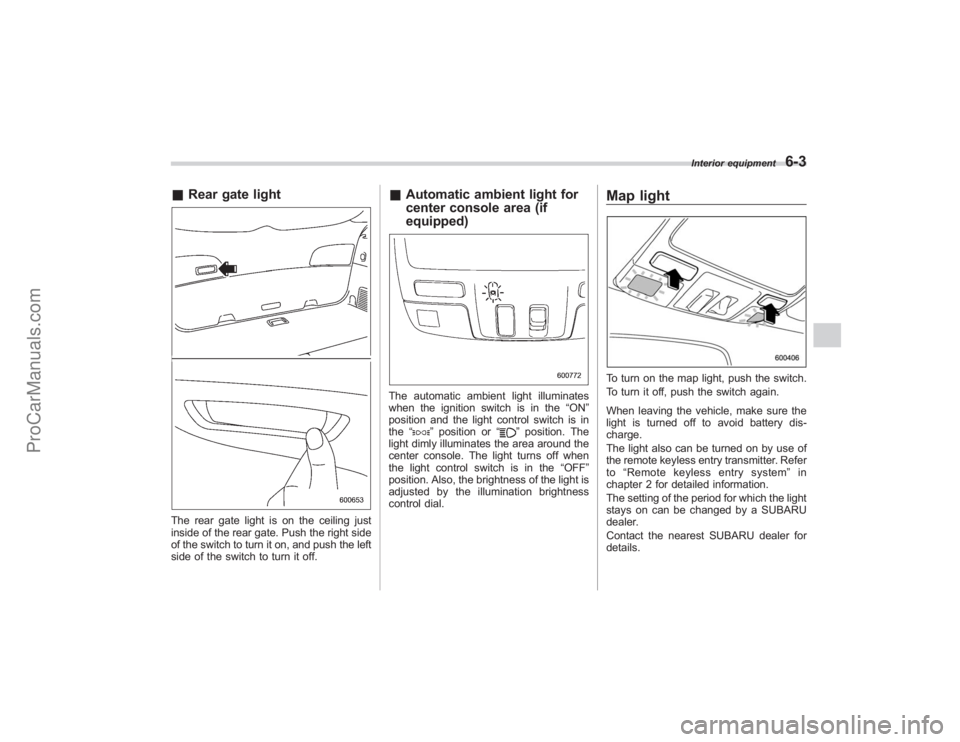
&Rear gate lightThe rear gate light is on the ceiling just
inside of the rear gate. Push the right side
of the switch to turn it on, and push the left
side of the switch to turn it off.
&Automatic ambient light for
center console area (if
equipped)The automatic ambient light illuminates
when the ignition switch is in the “ON”
position and the light control switch is in
the “
”position or “
”position. The
light dimly illuminates the area around the
center console. The light turns off when
the light control switch is in the “OFF”
position. Also, the brightness of the light is
adjusted by the illumination brightness
control dial.
Map lightTo turn on the map light, push the switch.
To turn it off, push the switch again.
When leaving the vehicle, make sure the
light is turned off to avoid battery dis-
charge.
The light also can be turned on by use of
the remote keyless entry transmitter. Refer
to “Remote keyless entry system ”in
chapter 2 for detailed information.
The setting of the period for which the light
stays on can be changed by a SUBARU
dealer.
Contact the nearest SUBARU dealer for
details.
Interior equipment
6-3
ProCarManuals.com
Page 213 of 409
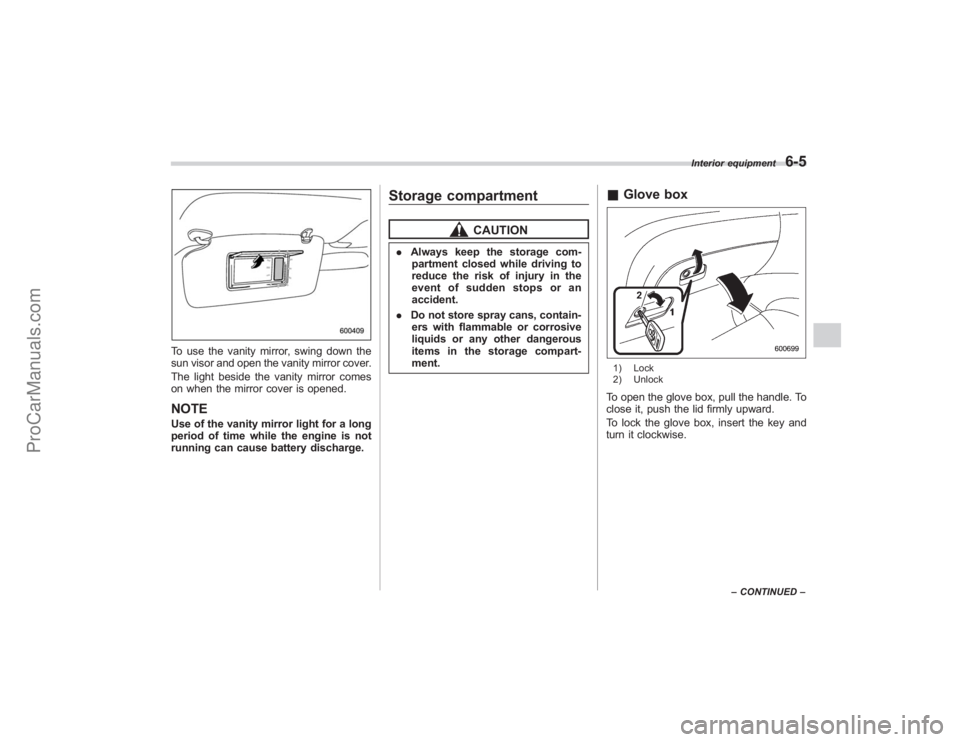
To use the vanity mirror, swing down the
sun visor and open the vanity mirror cover.
The light beside the vanity mirror comes
on when the mirror cover is opened.NOTEUse of the vanity mirror light for a long
period of time while the engine is not
running can cause battery discharge.
Storage compartment
CAUTION
.Always keep the storage com-
partment closed while driving to
reduce the risk of injury in the
event of sudden stops or an
accident.
. Do not store spray cans, contain-
ers with flammable or corrosive
liquids or any other dangerous
items in the storage compart-
ment.
& Glove box1) Lock
2) UnlockTo open the glove box, pull the handle. To
close it, push the lid firmly upward.
To lock the glove box, insert the key and
turn it clockwise.
Interior equipment
6-5
–CONTINUED –
ProCarManuals.com
Page 218 of 409
6-10
Interior equipment
Electrical power (12V DC) from the battery
is available at any of the outlets when the
ignition switch is either in the“Acc”or “ON ”
position.
You can use an in-vehicle use electrical
appliance by connecting it to an outlet.
When both outlets are used at the same
time, the total power consumption of the
electric appliances must be 120W or less.
CAUTION
. Do not attempt to use a cigarette
lighter in the accessory power
outlet.
. Do not place any foreign objects,
especially metal ones such as
coins or aluminum foil, into the
accessory power outlet. That
could cause a short circuit. Al-
ways put the cap on the acces-
sory power outlet when it is not
in use.
. Use only electrical appliances
which are designed for 12V DC
and which consume less than
120W. Overloading the accessory
power outlet can cause a short
circuit. Do not use double adap-
ters or more than one electrical
appliance.
. If the plug on your electric appli- ance is either too loose or too
tight for the accessory power
outlet, this can result in a poor
contact or cause the plug to get
stuck. Only use plugs that fit
properly.
. Use of an electric appliance in the
accessory power outlet for a long
period of time while the engine is
not running can cause battery
discharge.
. Before driving your vehicle, make
sure that the plug and the cord
on your electrical appliance will
not interfere with your shifting
gears and operating the accel-
erator and brake pedals. If they
do, do not use the electrical
appliance while driving.
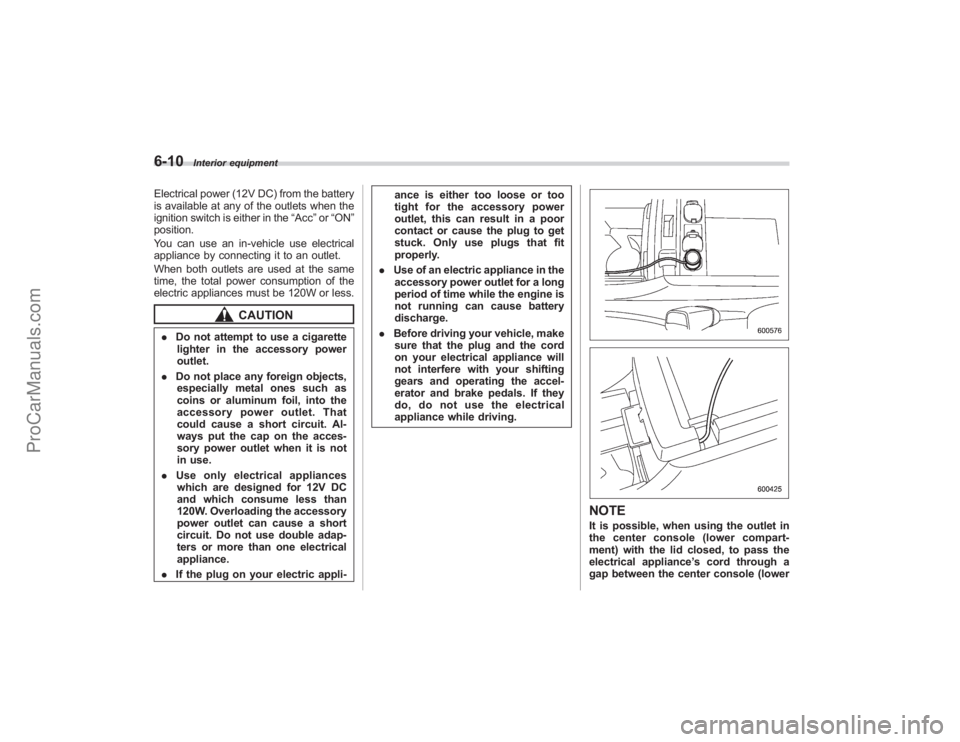
NOTEIt is possible, when using the outlet in
the center console (lower compart-
ment) with the lid closed, to pass the
electrical appliance ’s cord through a
gap between the center console (lower
ProCarManuals.com
Page 225 of 409
garage door opener or other
device. Make sure that people
and objects are out of the way
of the garage door opener or
other device to prevent potential
harm or damage.
. Do not use the HomeLink ®Wire-
less Control System with any
garage door opener that lacks
the safety stop and reverse fea-
ture as required by applicable
safety standards. A garage door
opener which cannot detect an
object, signaling the door to stop
and reverse, does not meet these
safety standards. Using a garage
door opener without these fea-
tures increases risk of serious
injury or death. For more infor-
mation, consult the HomeLink
website at www.homelink.com
or call 1-800-355-3515.
CAUTION
When programming the HomeLink ®
Wireless Control System to operate
a garage door opener or an entrance
gate, unplug the device ’s motor
from the outlet during programming
to prevent motor burnout.
NOTE. After programming your HomeLink ®
Wireless Control System for the de-
sired devices, retain the hand-held
transmitters for further programming
or device testing in the event of a
problem.
. It is recommended that you insert a
new battery in the hand-held transmit-
ter of a device to ensure correct
programming.& Garage door opener pro-
gramming in the U.S.A.
NOTEWhen programming the HomeLink ®
Wireless Control System for a garage
door opener, it is suggested that you
park the vehicle outside the garage.
1. Unplug the motor of the garage door
opener from the outlet.
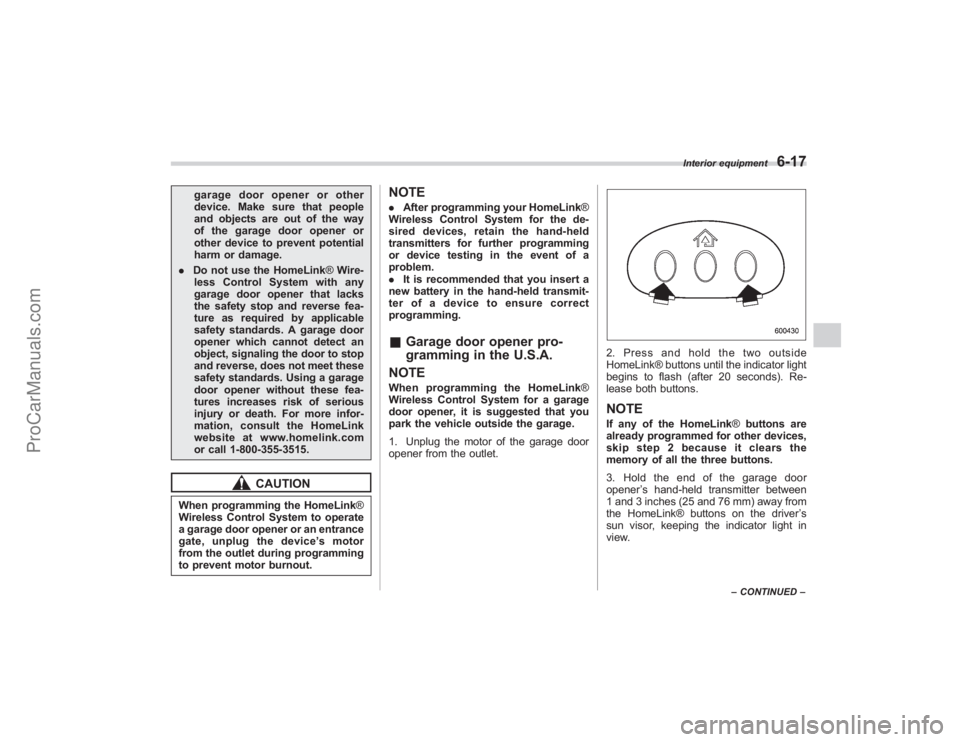
2. Press and hold the two outside
HomeLink® buttons until the indicator light
begins to flash (after 20 seconds). Re-
lease both buttons.NOTEIf any of the HomeLink ®buttons are
already programmed for other devices,
skip step 2 because it clears the
memory of all the three buttons.
3. Hold the end of the garage door
opener ’s hand-held transmitter between
1 and 3 inches (25 and 76 mm) away from
the HomeLink® buttons on the driver ’s
sun visor, keeping the indicator light in
view.
Interior equipment
6-17
– CONTINUED –
ProCarManuals.com
Page 229 of 409
Rear view camera (if
equipped)When the ignition switch is“ON”and the
selector lever is set to “R”, the rear view
camera automatically displays the rear
view image from the vehicle.
WARNING
. Since the rear view camera uses
a wide-angle lens, the image on
the monitor is different from the
actual view in terms of distance.
. Since the range of the image on
the monitor is limited, you should
always check the rear view with
your eyes and move backward at
a slow speed.
. Do not disassemble or modify the
camera, switch or wiring. If
smoke comes out or you smell
a strange odor, stop using the
rear view camera immediately.
Contact your Subaru dealer for
an inspection. Continued use
may result in accident, fire or
electric shock.
CAUTION
. If your vehicle is washed with a
high-pressure washer, do not
allow water to contact the camera
directly. Entry of water in the
camera lens may result in con-
densation, malfunction, fire or
electric shock.
. Since the camera is a precision
device, do not subject it to strong
impacts. Otherwise, malfunction,
fire or electric shock may occur.
. If mud or snow sticks to or is
frozen on the camera, you must
be very careful removing it.
Otherwise, damage done to the
camera may cause a fire or
electric shock. Pour lukewarm
water over the camera to remove
mud or ice.
. Do not put a flame close to the
camera or wiring. Otherwise, da-
mage or fire may occur.
. When replacing the fuse, be sure
to use a fuse with the specified
rating. Use of a fuse with a
different rating may result in a
malfunction.
. If the rear view camera is used for
a long time while the engine is not operated, the battery may
become completely discharged.
NOTE.
Do not wipe the camera with alcohol,
benzine or paint thinner. Otherwise,
discoloration may occur. To remove
contamination, wipe the camera with a
cloth moistened with a diluted neutral
detergent and then wipe it with a dry
cloth.
. When waxing the vehicle, be careful
not to apply the wax to the camera. If it
comes in contact with the camera,
moisten a clean cloth with a diluted
neutral detergent to remove the wax.
. The camera lens has hard coating to
help prevent scratches. However, when
washing the vehicle or cleaning the
camera lens, be careful not to scratch
the camera lens. Do not use a washing
brush directly on the camera lens. The
monitor screen may be adversely af-
fected.
. Strong light shined on the camera
lens may develop white light stripes
around the light source. This is not a
malfunction.
Interior equipment
6-21
– CONTINUED –
ProCarManuals.com
Page 245 of 409
feature ON or OFF each time.
7. To exit the remote transmitter and
feature programming mode, turn the igni-
tion switch to the“LOCK”position, remove
the key from the ignition switch and test
operation of the remote transmitter(s) and
horn confirmation feature.& System maintenance! Changing the remote control bat-
teries
The two 3-volt lithium batteries (model
CR-1220) supplied in your remote control
should last approximately three years,
depending on usage. When the batteries
begin to weaken, you will notice a
decrease in range (distance from the
vehicle that your remote control operates).
Follow the instructions below to change
the remote control batteries.
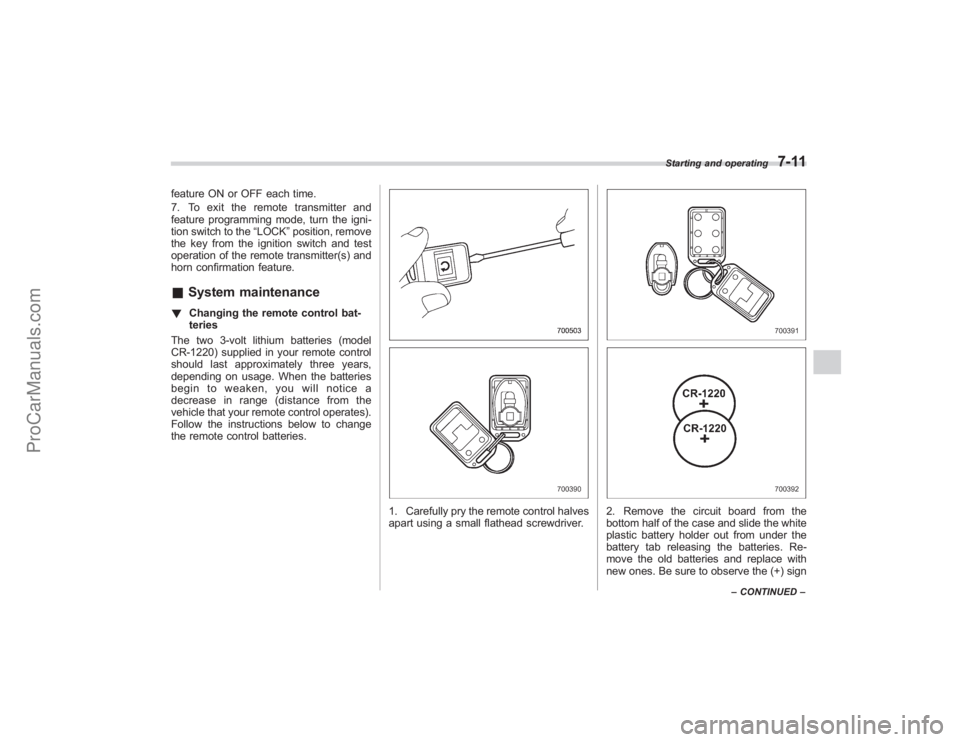
1. Carefully pry the remote control halves
apart using a small flathead screwdriver.
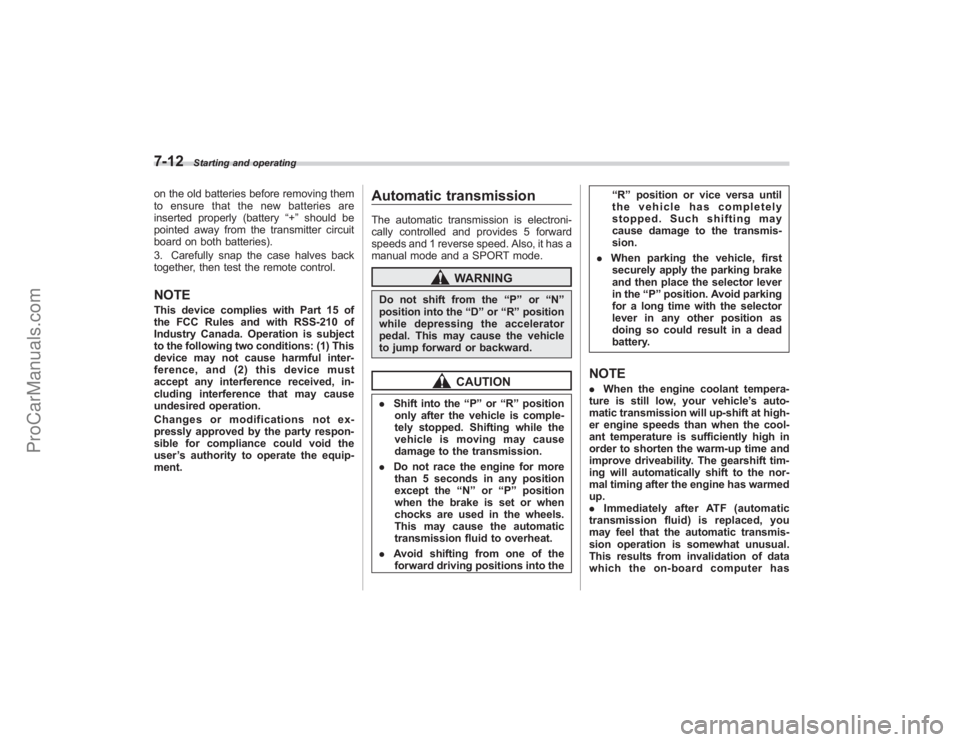
2. Remove the circuit board from the
bottom half of the case and slide the white
plastic battery holder out from under the
battery tab releasing the batteries. Re-
move the old batteries and replace with
new ones. Be sure to observe the (+) sign
Starting and operating
7-11
– CONTINUED –
ProCarManuals.com
Page 246 of 409
7-12
Starting and operating
on the old batteries before removing them
to ensure that the new batteries are
inserted properly (battery“+”should be
pointed away from the transmitter circuit
board on both batteries).
3. Carefully snap the case halves back
together, then test the remote control.NOTEThis device complies with Part 15 of
the FCC Rules and with RSS-210 of
Industry Canada. Operation is subject
to the following two conditions: (1) This
device may not cause harmful inter-
ference, and (2) this device must
accept any interference received, in-
cluding interference that may cause
undesired operation.
Changes or modifications not ex-
pressly approved by the party respon-
sible for compliance could void the
user ’s authority to operate the equip-
ment.
Automatic transmissionThe automatic transmission is electroni-
cally controlled and provides 5 forward
speeds and 1 reverse speed. Also, it has a
manual mode and a SPORT mode.
WARNING
Do not shift from the “P ” or “N ”
position into the “D ” or “R ” position
while depressing the accelerator
pedal. This may cause the vehicle
to jump forward or backward.
CAUTION
. Shift into the “P ” or “R ” position
only after the vehicle is comple-
tely stopped. Shifting while the
vehicle is moving may cause
damage to the transmission.
. Do not race the engine for more
than 5 seconds in any position
except the “N ” or “P ” position
when the brake is set or when
chocks are used in the wheels.
This may cause the automatic
transmission fluid to overheat.
. Avoid shifting from one of the
forward driving positions into the “
R ” position or vice versa until
the vehicle has completely
stopped. Such shifting may
cause damage to the transmis-
sion.
. When parking the vehicle, first
securely apply the parking brake
and then place the selector lever
in the “P ” position. Avoid parking
for a long time with the selector
lever in any other position as
doing so could result in a dead
battery.
NOTE. When the engine coolant tempera-
ture is still low, your vehicle ’s auto-
matic transmission will up-shift at high-
er engine speeds than when the cool-
ant temperature is sufficiently high in
order to shorten the warm-up time and
improve driveability. The gearshift tim-
ing will automatically shift to the nor-
mal timing after the engine has warmed
up.
. Immediately after ATF (automatic
transmission fluid) is replaced, you
may feel that the automatic transmis-
sion operation is somewhat unusual.
This results from invalidation of data
which the on-board computer has
ProCarManuals.com