ECO mode SUBARU TRIBECA 2014 1.G User Guide
[x] Cancel search | Manufacturer: SUBARU, Model Year: 2014, Model line: TRIBECA, Model: SUBARU TRIBECA 2014 1.GPages: 426, PDF Size: 6.37 MB
Page 151 of 426
3-18Instruments and controls
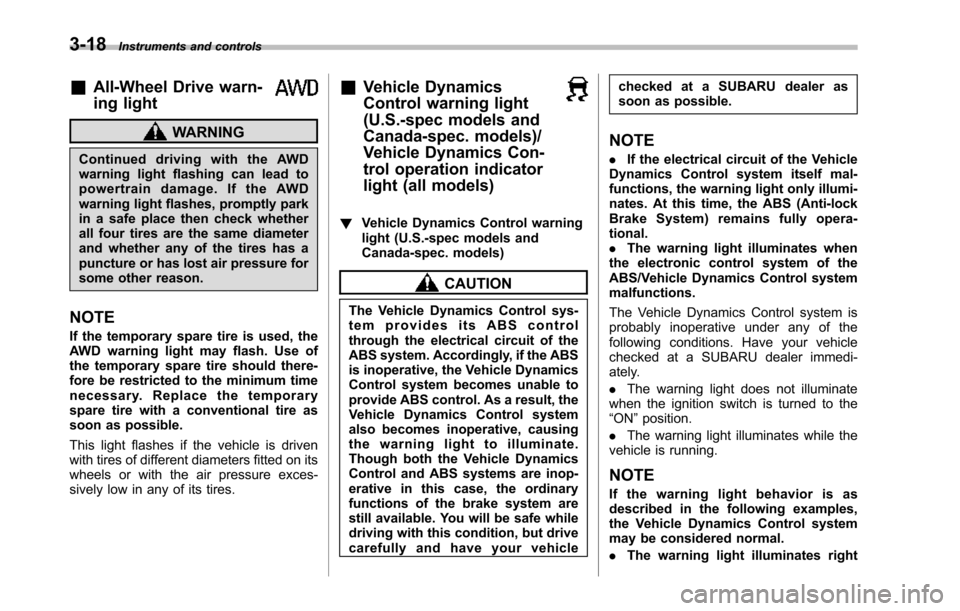
&All-Wheel Drive warn-
ing light
WARNING
Continued driving with the AWDwarning light flashing can lead topowertrain damage. If the AWDwarninglight flashes, promptly parkin a safe place then check whetherall four tires are the same diameterand whether any of the tires has apuncture or has lost air pressure forsome other reason.
NOTE
If the temporary spare tire is used, theAWD warning light may flash. Use ofthe temporary spare tire should there-fore be restricted to the minimum timenecessary. Replace the temporarysparetire with a conventional tire assoon as possible.
This light flashes if the vehicle is drivenwith tires of different diameters fitted on itswheelsor with the air pressure exces-sively low in any of its tires.
&Vehicle Dynamics
Control warning light
(U.S.-spec models and
Canada-spec. models)/
Vehicle Dynamics Con-
trol operation indicator
light (all models)
!Vehicle Dynamics Control warninglight (U.S.-spec models andCanada-spec. models)
CAUTION
The Vehicle Dynamics Control sys-tem provides its ABS controlthrough the electrical circuit of theABS system. Accordingly, if the ABSis inoperative, the Vehicle DynamicsControl system becomes unable toprovide ABS control. As a result, theVehicle Dynamics Control systemalso becomes inoperative, causingthe warning light to illuminate.Though both the Vehicle DynamicsControl and ABS systems are inop-erative in this case, the ordinaryfunctions of the brake system arestill available. You will be safe whiledriving with this condition, but drivecarefully and have your vehicle
checked at a SUBARU dealer assoon as possible.
NOTE
.If the electrical circuit of the VehicleDynamics Control system itself mal-functions, the warning light only illumi-nates. At this time, the ABS (Anti-lockBrake System) remains fully opera-tional..The warning light illuminates whenthe electronic control system of theABS/Vehicle Dynamics Control systemmalfunctions.
The Vehicle Dynamics Control system isprobably inoperative under any of thefollowing conditions. Have your vehiclecheckedat a SUBARU dealer immedi-ately.
.The warning light does not illuminatewhen the ignition switch is turned to the“ON”position.
.The warning light illuminates while thevehicle is running.
NOTE
If the warning light behavior is asdescribed in the following examples,the Vehicle Dynamics Control systemmay be considered normal.
.The warning light illuminates right
Page 152 of 426
after the engine is started but turns offimmediately, remaining off..The warning light illuminates afterthe engine has started and turns offwhile the vehicle is subsequently beingdriven..The warning light illuminates duringdriving, but it turns off immediately andremains off.
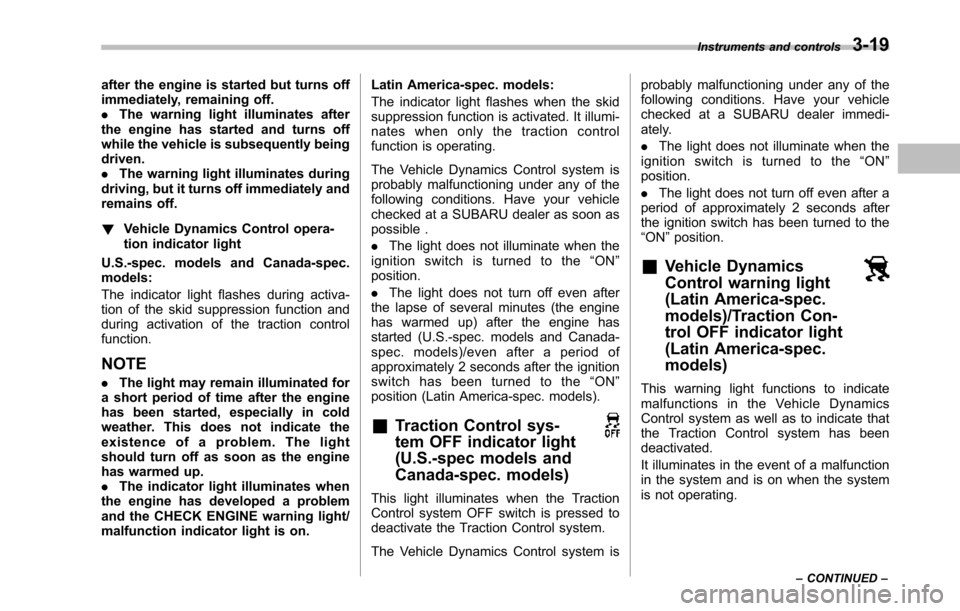
!Vehicle Dynamics Control opera-tion indicator light
U.S.-spec. models and Canada-spec.models:
The indicator light flashes during activa-tion of the skid suppression function andduring activationof the traction controlfunction.
NOTE
.The light may remain illuminated fora short period of time after the enginehas been started, especially in coldweather. This does not indicate theexistence of a problem. The lightshould turn off as soon as the enginehas warmed up..The indicator light illuminates whenthe engine has developed a problemand the CHECK ENGINE warning light/malfunction indicator light is on.
Latin America-spec. models:
The indicator light flashes when the skidsuppression function is activated. It illumi-nates when only the traction controlfunction is operating.
The Vehicle Dynamics Control system isprobably malfunctioning under any of thefollowing conditions. Have your vehiclechecked at a SUBARU dealer as soon aspossible .
.The light does not illuminate when theignition switch is turned to the“ON”position.
.The light does not turn off even afterthe lapse of several minutes (the enginehas warmed up) after the engine hasstarted (U.S.-spec.models and Canada-spec. models)/even after a period ofapproximately 2 seconds after the ignitionswitch has been turned to the“ON”position (Latin America-spec. models).
&Traction Control sys-
tem OFF indicator light
(U.S.-spec models and
Canada-spec. models)
This light illuminates when the TractionControl system OFF switch is pressed todeactivate the Traction Control system.
The Vehicle Dynamics Control system is
probably malfunctioning under any of thefollowing conditions. Have your vehiclechecked at a SUBARU dealer immedi-ately.
.The light does not illuminate when theignition switch is turned to the“ON”position.
.The lightdoes not turn off even after aperiod of approximately 2 seconds afterthe ignition switch has been turned to the“ON”position.
&Vehicle Dynamics
Control warning light
(Latin America-spec.
models)/Traction Con-
trol OFF indicator light
(Latin America-spec.
models)
This warning light functions to indicatemalfunctions in the Vehicle DynamicsControl system as well as to indicate thatthe Traction Control system has beendeactivated.
It illuminates in the event of a malfunctionin the system and is on when the systemis not operating.
Instruments and controls3-19
–CONTINUED–
Page 154 of 426
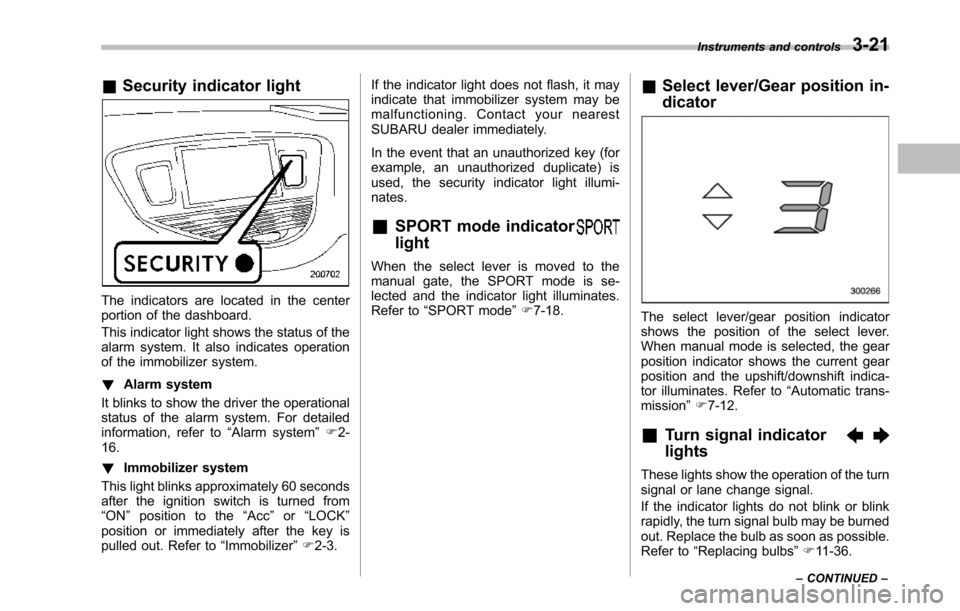
&Security indicator light
The indicators are located in the centerportion of the dashboard.
This indicator light shows the status of thealarm system. It also indicates operationof the immobilizer system.
!Alarm system
It blinks to show the driver the operationalstatus of the alarm system. For detailedinformation, refer to“Alarm system”F2-16.
!Immobilizer system
This light blinks approximately 60 secondsafter the ignition switch is turned from“ON”position to the“Acc”or“LOCK”position or immediately after the key ispulled out. Refer to“Immobilizer”F2-3.
If the indicator light does not flash, it mayindicate that immobilizer system may bemalfunctioning. Contact your nearestSUBARU dealer immediately.
In the event that an unauthorized key (forexample, an unauthorized duplicate) isused, the security indicator light illumi-nates.
&SPORT mode indicator
light
When the select lever is moved to themanual gate, the SPORT mode is se-lected and theindicator light illuminates.Refer to“SPORTmode”F7-18.
&Select lever/Gear position in-
dicator
The select lever/gear position indicatorshows the position of the select lever.When manual mode is selected, the gearposition indicator shows the current gearposition andthe upshift/downshift indica-tor illuminates. Refer to“Automatic trans-mission”F7-12.
&Turn signal indicator
lights
These lights show the operation of the turnsignal or lane change signal.
If the indicator lights do not blink or blinkrapidly, the turn signal bulb may be burnedout. Replace the bulb as soon as possible.Refer to“Replacing bulbs”F11-36.
Instruments and controls3-21
–CONTINUED–
Page 156 of 426
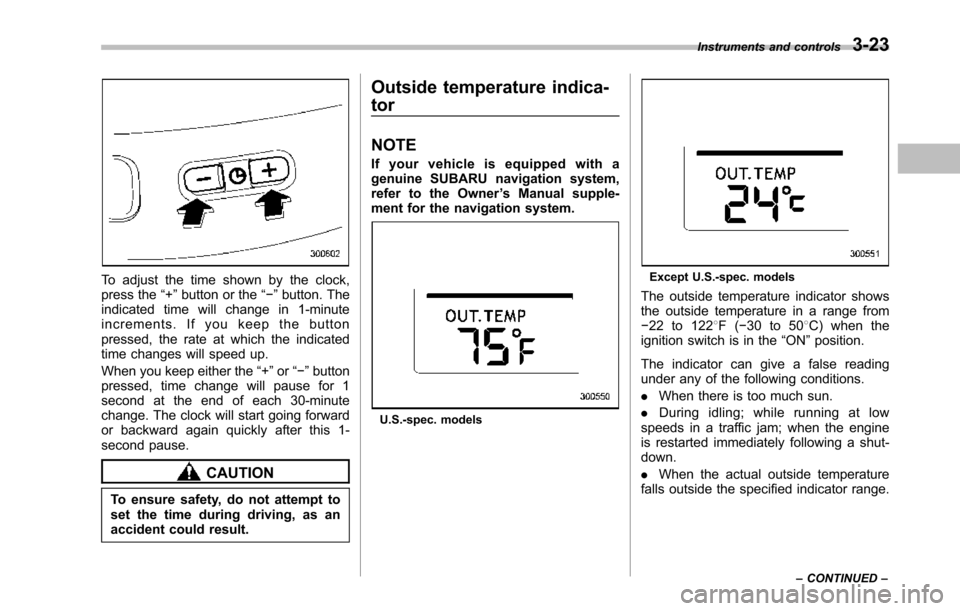
To adjust the time shown by the clock,press the“+”button or the“!”button. Theindicated time will change in 1-minuteincrements. If you keep the buttonpressed, the rate at which the indicatedtime changes will speed up.
When you keepeither the“+”or“!”buttonpressed,time change will pause for 1second at the end of each 30-minutechange. The clock will start going forwardor backward again quickly after this 1-second pause.
CAUTION
To ensure safety, do not attempt toset the time during driving, as anaccident could result.
Outside temperature indica-
tor
NOTE
If your vehicle is equipped with agenuine SUBARU navigation system,refer to the Owner’s Manual supple-ment for the navigation system.
U.S.-spec. models
Except U.S.-spec. models
Theoutside temperature indicator showsthe outside temperature in a range from!22 to 1228F(!30 to 508C) when theignition switch is in the“ON”position.
The indicator can give a false readingunder any of the following conditions.
.When there is too much sun.
.During idling; while running at lowspeeds in a traffic jam; when the engineis restarted immediately following a shut-down.
.When the actual outside temperaturefalls outside the specified indicator range.
Instruments and controls3-23
–CONTINUED–
Page 157 of 426
3-24Instruments and controls
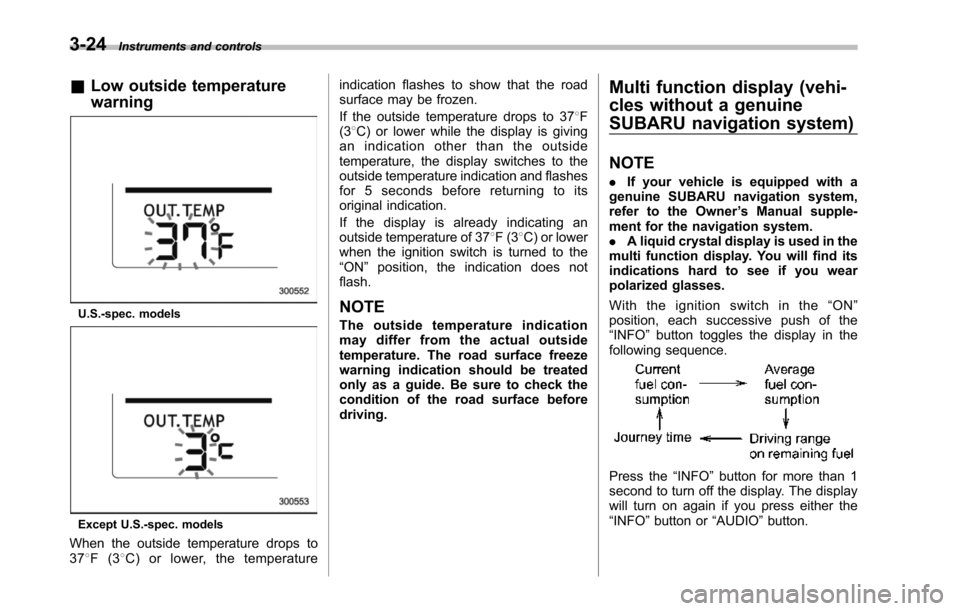
&Low outside temperature
warning
U.S.-spec. models
Except U.S.-spec. models
When the outside temperature drops to378F(38C) or lower, the temperature
indication flashes to show that the roadsurface may be frozen.
If the outside temperature drops to 378F(38C) or lower while the display is givingan indication other than the outsidetemperature, the display switches to theoutside temperature indication and flashesfor 5 seconds before returning to itsoriginal indication.
If the display is already indicating anoutside temperature of 378F(38C) or lowerwhen the ignition switch is turned to the“ON”position, the indication does notflash.
NOTE
The outside temperature indicationmay differ from the actual outsidetemperature.The road surface freezewarning indication should be treatedonly as a guide. Be sure to check thecondition of the road surface beforedriving.
Multi function display (vehi-
cles without a genuine
SUBARU navigation system)
NOTE
.If your vehicle is equipped with agenuine SUBARU navigation system,refer to the Owner’s Manual supple-ment for the navigation system..A liquid crystal display is used in themulti function display. You will find itsindications hard to see if you wearpolarized glasses.
With the ignition switch in the“ON”position, each successive push of the“INFO”button toggles the display in thefollowing sequence.
Press the“INFO”button for more than 1second to turn off the display. The displaywill turn on again if you press either the“INFO”button or“AUDIO”button.
Page 159 of 426
3-26Instruments and controls
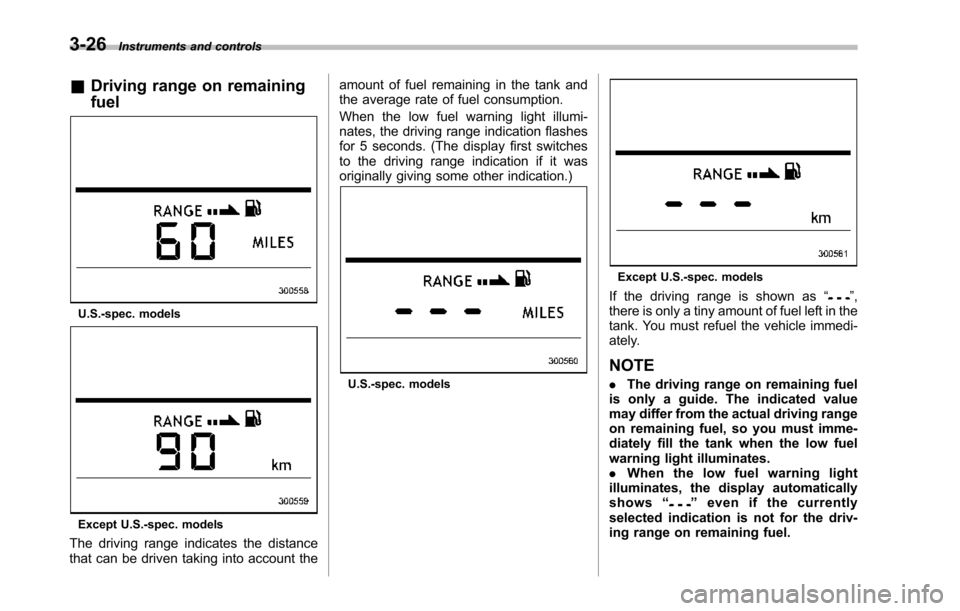
&Driving range on remaining
fuel
U.S.-spec. models
Except U.S.-spec.models
The driving range indicates the distancethat can be driven taking into account the
amount of fuel remaining in the tank andthe average rate of fuel consumption.
When the low fuel warning light illumi-nates, the driving range indication flashesfor 5 seconds. (The display first switchesto the driving range indication if it wasoriginally giving some other indication.)
U.S.-spec. models
Except U.S.-spec. models
If the driving range is shown as“”,there is only a tiny amount of fuel left in thetank. You must refuel the vehicle immedi-ately.
NOTE
.The driving range on remaining fuelis only a guide. The indicated valuemay differ from the actual driving rangeon remaining fuel, so you must imme-diately fill the tank when the low fuelwarning light illuminates..When the low fuel warning lightilluminates, the display automaticallyshows“”even if the currentlyselected indication is not for the driv-ing range on remaining fuel.
Page 169 of 426
3-36Instruments and controls
speed is low; shorter when the vehiclespeed is high).
When you subsequently move the selectlever of the automatic transmission to the“R”position, the rear wiper will switch tocontinuous operation. When you move theselect lever from the“R”position to someother position, the rear wiper will return tointermittent operation.
!Washer
To wash the rear window while the rearwiperis operating, turn the knob on theend of the wiper control lever upward tothe“”position. The washer fluid spraysuntil you release the knob.
To wash the rear window when the rearwiper is not in use, turn the knob on theend of the wiper control lever downward tothe“”position. The washer fluid spraysand the wiper operates until you releasetheknob.
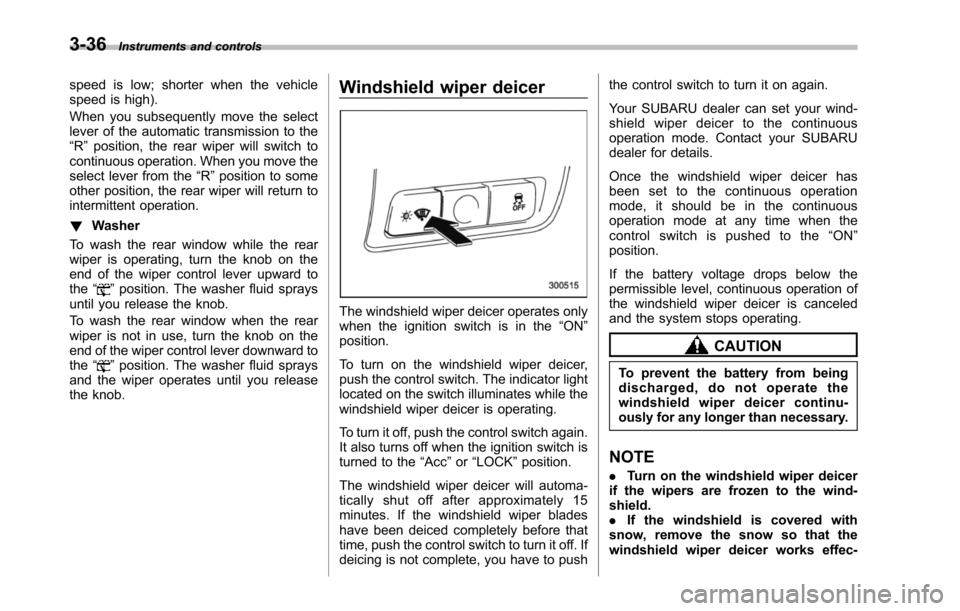
Windshield wiper deicer
The windshield wiper deicer operates onlywhen the ignition switch is in the“ON”position.
To turn on the windshield wiper deicer,push the control switch. The indicator lightlocated on the switch illuminates while thewindshield wiper deicer is operating.
To turn it off, push the control switch again.It also turns off when the ignition switch isturned to the“Acc”or“LOCK”position.
The windshield wiper deicer will automa-tically shut off after approximately 15minutes. If the windshield wiper bladeshave been deiced completely before thattime, push the control switch to turn it off. Ifdeicing is not complete, you have to push
the control switch to turn it on again.
Your SUBARU dealer can set your wind-shield wiper deicer to the continuousoperation mode. Contact your SUBARUdealer for details.
Once the windshield wiper deicer hasbeen set to the continuous operationmode, it should be in the continuousoperation mode at any time when thecontrol switch is pushed to the“ON”position.
If the battery voltage drops below thepermissible level, continuous operation ofthe windshield wiper deicer is canceledand the system stops operating.
CAUTION
To prevent the battery from beingdischarged, do not operate thewindshield wiper deicer continu-ously for any longer than necessary.
NOTE
.Turn on the windshield wiper deicerif the wipers are frozen to the wind-shield..If the windshield is covered withsnow, remove the snow so that thewindshield wiper deicer works effec-
Page 170 of 426
tively..While the windshield wiper deicer isin the continuous operation mode, ifthe vehicle speed remains at 9 mph (15km/h) or less for 15 minutes, the wind-shield wiper deicer automatically stopsoperating.
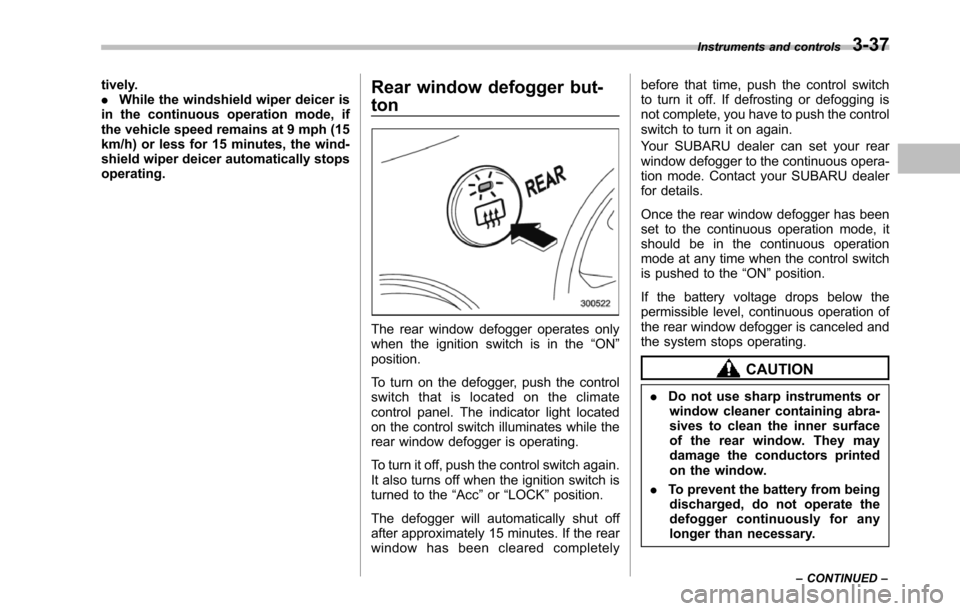
Rear window defogger but-
ton
The rear window defogger operates onlywhen the ignition switch is in the“ON”position.
To turn on the defogger, push the controlswitch that is located on the climatecontrol panel. The indicator light locatedon the control switch illuminates while therear window defogger is operating.
To turn it off, push the control switch again.It also turns off when the ignition switch isturned to the“Acc”or“LOCK”position.
The defogger will automatically shut offafter approximately 15 minutes. If the rearwindow has been cleared completely
before that time, push the control switchto turn it off. If defrosting or defogging isnot complete, you have to push the controlswitch to turn it on again.
Your SUBARU dealer can set your rearwindow defogger to the continuous opera-tion mode. Contact your SUBARU dealerfor details.
Once the rear window defogger has beenset to the continuous operation mode, itshould be in the continuous operationmode at any time when the control switchis pushed to the“ON”position.
If the battery voltage drops below thepermissible level, continuous operation oftherear window defogger is canceled andthe system stops operating.
CAUTION
.Do not use sharp instruments orwindow cleaner containing abra-sives to clean the inner surfaceof the rear window. They maydamage the conductors printedon the window.
.To prevent the battery from beingdischarged, do not operate thedefogger continuously for anylonger than necessary.
Instruments and controls3-37
–CONTINUED–
Page 172 of 426
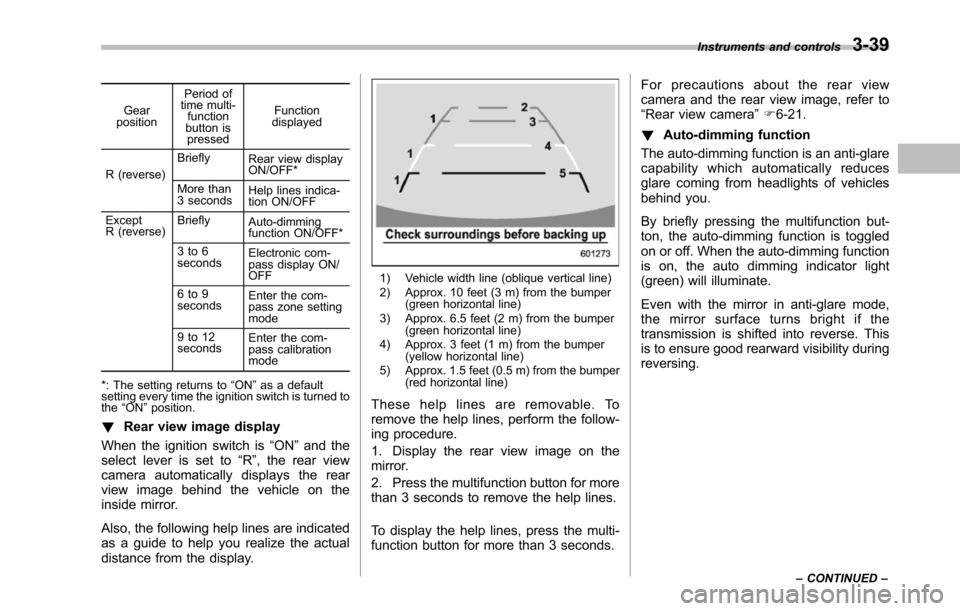
Gearposition
Period oftime multi-functionbutton ispressed
Functiondisplayed
R (reverse)
BrieflyRear view displayON/OFF*
More than3 secondsHelp lines indica-tion ON/OFF
ExceptR (reverse)BrieflyAuto-dimmingfunction ON/OFF*
3 to 6secondsElectronic com-pass display ON/OFF
6 to 9secondsEnterthe com-pass zone settingmode
9 to 12secondsEnter the com-passcalibrationmode
*: The setting returns to“ON”as a defaultsetting every time theignition switch is turned tothe“ON”position.
!Rear view image display
When the ignition switch is“ON”and theselect lever is set to“R”, the rear viewcamera automatically displays the rearview image behind the vehicle on theinside mirror.
Also, the following help lines are indicatedas a guide to help you realize the actualdistance from the display.
1) Vehicle width line (oblique vertical line)2) Approx. 10 feet (3 m) from the bumper(green horizontal line)3) Approx. 6.5 feet (2 m) from the bumper(green horizontal line)4) Approx. 3 feet (1 m) from the bumper(yellow horizontal line)5) Approx. 1.5 feet (0.5 m) from the bumper(red horizontal line)
These help lines are removable. Toremove the help lines, perform the follow-ing procedure.
1. Display the rear view image on themirror.
2. Press the multifunction button for morethan 3 seconds to remove the help lines.
To display the help lines, press the multi-function button for more than 3 seconds.
For precautions about the rear viewcamera and the rear view image, refer to“Rear view camera”F6-21.
!Auto-dimming function
The auto-dimming function is an anti-glarecapability which automatically reducesglare coming from headlights of vehiclesbehind you.
By briefly pressing the multifunction but-ton, the auto-dimming function is toggledon or off. When the auto-dimming functionis on, the auto dimming indicator light(green) will illuminate.
Even with the mirror in anti-glare mode,the mirror surface turns bright if thetransmissionis shifted into reverse. Thisis to ensure good rearward visibility duringreversing.
Instruments and controls3-39
–CONTINUED–
Page 173 of 426
3-40Instruments and controls
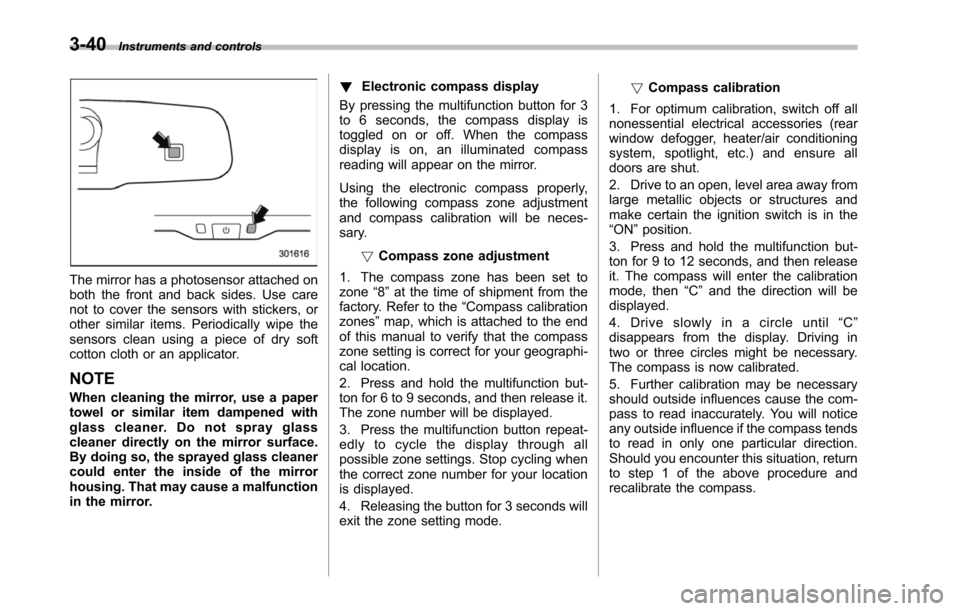
The mirror has a photosensor attached onboththe front and back sides. Use carenot to cover the sensors with stickers, orother similar items. Periodically wipe thesensors clean using a piece of dry softcotton cloth or an applicator.
NOTE
When cleaning the mirror, use a papertowel or similar item dampened withglass cleaner. Do not spray glasscleaner directly on the mirror surface.By doing so, the sprayed glass cleanercould enter the inside of the mirrorhousing. That may cause a malfunctionin the mirror.
!Electronic compass display
By pressing the multifunction button for 3to 6 seconds, the compass display istoggled on or off. When the compassdisplay is on, an illuminated compassreading will appear on the mirror.
Using the electronic compass properly,the following compass zone adjustmentand compass calibration will be neces-sary.
!Compasszone adjustment
1. The compass zone has been set tozone“8”at the time of shipment from thefactory. Refer to the“Compass calibrationzones”map, which is attached to the endof this manual to verify that the compasszone setting is correct for your geographi-cal location.
2. Press and hold the multifunction but-ton for 6 to 9 seconds, and then release it.The zone number will be displayed.
3. Press the multifunction button repeat-edly to cycle the display through allpossible zone settings. Stop cycling whenthe correct zone number for your locationis displayed.
4. Releasing the button for 3 seconds willexitthe zone setting mode.
!Compass calibration
1. For optimum calibration, switch off allnonessential electrical accessories (rearwindow defogger, heater/air conditioningsystem, spotlight, etc.) and ensure alldoors are shut.
2. Drive to an open, level area away fromlarge metallic objects or structures andmake certain the ignition switch is in the“ON”position.
3. Press and hold the multifunction but-ton for 9 to 12 seconds, and then releaseit. The compass will enter the calibrationmode,then“C”and the direction will bedisplayed.
4. Drive slowly in a circle until“C”disappears from the display. Driving intwo or three circles might be necessary.The compass is now calibrated.
5. Further calibration may be necessaryshould outside influences cause the com-pass to read inaccurately. You will noticeany outside influence if the compass tendsto read in only one particular direction.Shouldyou encounter this situation, returnto step 1 of the above procedure andrecalibrate the compass.