air condition SUBARU TRIBECA 2014 1.G User Guide
[x] Cancel search | Manufacturer: SUBARU, Model Year: 2014, Model line: TRIBECA, Model: SUBARU TRIBECA 2014 1.GPages: 426, PDF Size: 6.37 MB
Page 148 of 426
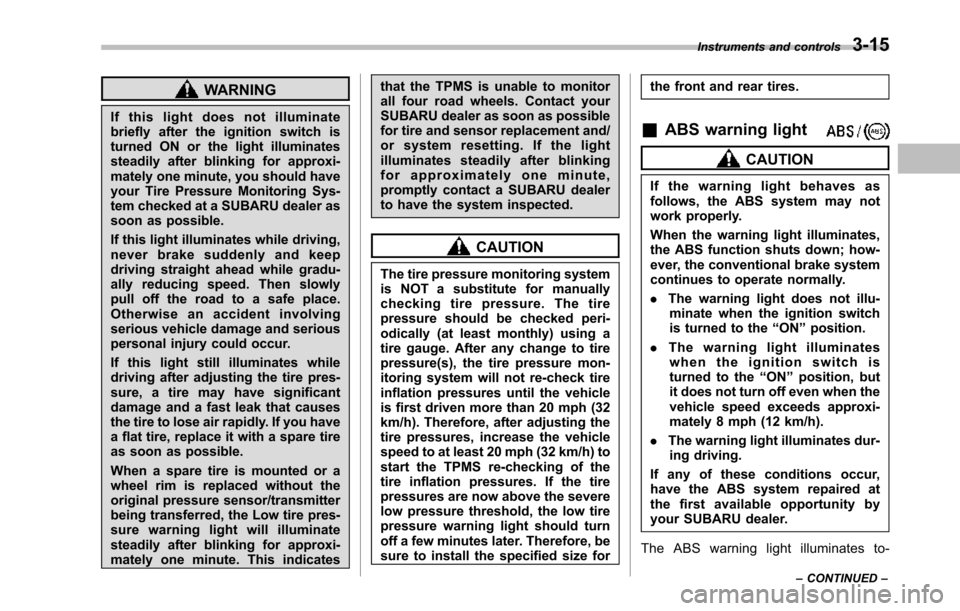
WARNING
If this light does not illuminatebriefly after the ignition switch isturned ON or the light illuminatessteadily after blinking for approxi-mately one minute, you should haveyour Tire Pressure Monitoring Sys-tem checked at a SUBARU dealer assoon as possible.
If this light illuminates while driving,never brake suddenly and keepdriving straight ahead while gradu-ally reducing speed. Then slowlypull off the road to a safe place.Otherwise an accident involvingserious vehicle damage and seriouspersonal injury could occur.
If this light still illuminates whiledriving after adjusting the tire pres-sure, a tire may have significantdamage and a fast leak that causesthe tire to lose air rapidly. If you havea flat tire, replace it with a spare tireas soon as possible.
When a spare tire is mounted or awheel rim is replaced without theoriginal pressure sensor/transmitterbeing transferred, the Low tire pres-sure warning light will illuminatesteadily after blinking for approxi-mately one minute. This indicates
that the TPMS is unable to monitorall four road wheels. Contact yourSUBARU dealer as soon as possiblefor tire and sensor replacement and/or system resetting. If the lightilluminates steadily after blinkingfor approximately one minute,promptly contact a SUBARU dealerto have the system inspected.
CAUTION
The tire pressure monitoring systemis NOT a substitute for manuallychecking tire pressure. The tirepressureshould be checked peri-odically (at least monthly) using atire gauge. After any change to tirepressure(s), the tire pressure mon-itoring system will not re-check tireinflationpressures until the vehicleis first driven more than 20 mph (32km/h). Therefore, after adjusting thetire pressures, increase the vehiclespeed to at least 20 mph (32 km/h) tostart the TPMS re-checking of thetire inflation pressures. If the tirepressures are now above the severelow pressure threshold, the low tirepressure warning light should turnoff a few minutes later. Therefore, besure to install the specified size for
the front and rear tires.
&ABS warning light
CAUTION
If the warning light behaves asfollows, the ABS system may notwork properly.
When the warning light illuminates,the ABS function shuts down; how-ever, the conventional brake systemcontinues to operate normally.
.The warning light does not illu-minate when the ignition switchis turned to the“ON”position.
.The warning light illuminateswhen the ignition switch isturned to the“ON”position, butit does not turn off even when thevehicle speed exceeds approxi-mately 8 mph (12 km/h).
.The warning light illuminates dur-ing driving.
If any of these conditions occur,have the ABS system repaired atthe first available opportunity byyour SUBARU dealer.
The ABS warning light illuminates to-
Instruments and controls3-15
–CONTINUED–
Page 151 of 426
3-18Instruments and controls
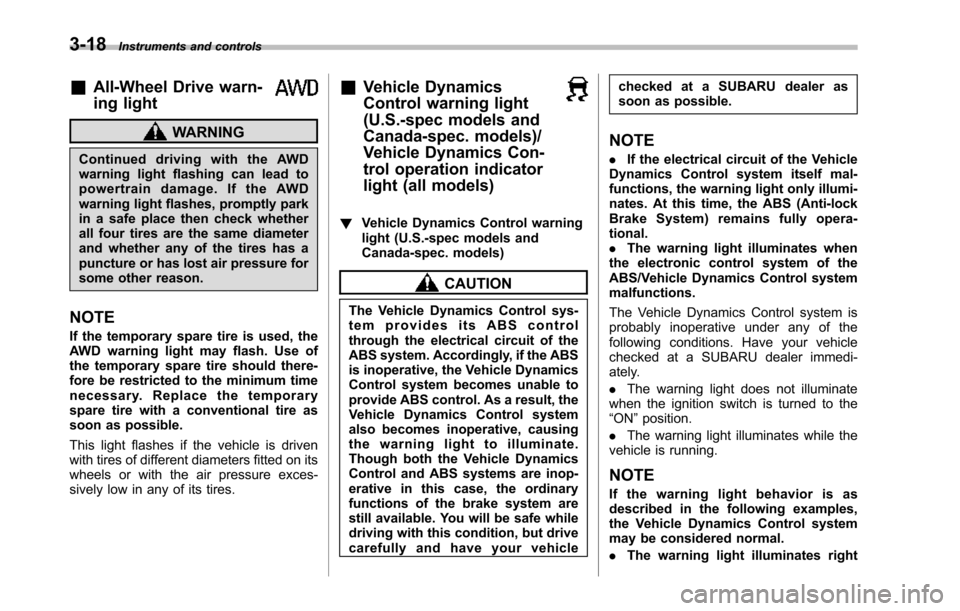
&All-Wheel Drive warn-
ing light
WARNING
Continued driving with the AWDwarning light flashing can lead topowertrain damage. If the AWDwarninglight flashes, promptly parkin a safe place then check whetherall four tires are the same diameterand whether any of the tires has apuncture or has lost air pressure forsome other reason.
NOTE
If the temporary spare tire is used, theAWD warning light may flash. Use ofthe temporary spare tire should there-fore be restricted to the minimum timenecessary. Replace the temporarysparetire with a conventional tire assoon as possible.
This light flashes if the vehicle is drivenwith tires of different diameters fitted on itswheelsor with the air pressure exces-sively low in any of its tires.
&Vehicle Dynamics
Control warning light
(U.S.-spec models and
Canada-spec. models)/
Vehicle Dynamics Con-
trol operation indicator
light (all models)
!Vehicle Dynamics Control warninglight (U.S.-spec models andCanada-spec. models)
CAUTION
The Vehicle Dynamics Control sys-tem provides its ABS controlthrough the electrical circuit of theABS system. Accordingly, if the ABSis inoperative, the Vehicle DynamicsControl system becomes unable toprovide ABS control. As a result, theVehicle Dynamics Control systemalso becomes inoperative, causingthe warning light to illuminate.Though both the Vehicle DynamicsControl and ABS systems are inop-erative in this case, the ordinaryfunctions of the brake system arestill available. You will be safe whiledriving with this condition, but drivecarefully and have your vehicle
checked at a SUBARU dealer assoon as possible.
NOTE
.If the electrical circuit of the VehicleDynamics Control system itself mal-functions, the warning light only illumi-nates. At this time, the ABS (Anti-lockBrake System) remains fully opera-tional..The warning light illuminates whenthe electronic control system of theABS/Vehicle Dynamics Control systemmalfunctions.
The Vehicle Dynamics Control system isprobably inoperative under any of thefollowing conditions. Have your vehiclecheckedat a SUBARU dealer immedi-ately.
.The warning light does not illuminatewhen the ignition switch is turned to the“ON”position.
.The warning light illuminates while thevehicle is running.
NOTE
If the warning light behavior is asdescribed in the following examples,the Vehicle Dynamics Control systemmay be considered normal.
.The warning light illuminates right
Page 162 of 426
&Daytime running light system
WARNING
The brightness of the illumination ofthe high beam headlights is reducedby the daytime running light system.The light switch must always beturned to the“”position when itis dark outside.
The high beam headlights will automati-cally illuminate at reduced brightnesswhen the engine has started, under thefollowing conditions.
.The select lever is in a position otherthan the“P”position.
.The parkingbrake is fully released.
.The light switch is in the“OFF”or“”position.
NOTE
When the light switch is in the“”position,the front side marker lights,parking lights and license plate lightsare also illuminated.
Turn signal lever
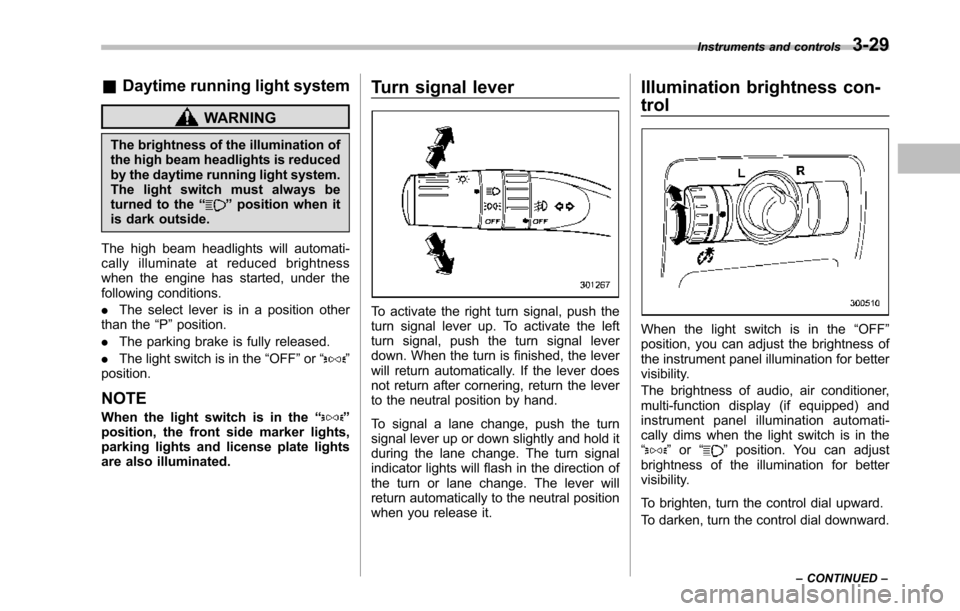
To activate the right turn signal, push theturn signal lever up. To activate the leftturn signal, push the turn signal leverdown. When the turn is finished, the leverwill return automatically. If the lever doesnot return after cornering, return the leverto the neutral position by hand.
To signal a lane change, push the turnsignal lever up or down slightly and hold itduring the lane change. The turn signalindicator lights will flash in the direction ofthe turn or lane change. The lever willreturn automatically to the neutral positionwhen you release it.
Illumination brightness con-
trol
When the light switch is in the“OFF”position, you can adjust the brightness ofthe instrument panel illumination for bettervisibility.
The brightnessof audio, air conditioner,multi-function display (if equipped) andinstrument panel illumination automati-cally dims when the light switch is in the“”or“”position. You can adjustbrightness of the illumination for bettervisibility.
To brighten, turn the control dial upward.
To darken, turn the control dial downward.
Instruments and controls3-29
–CONTINUED–
Page 173 of 426
3-40Instruments and controls
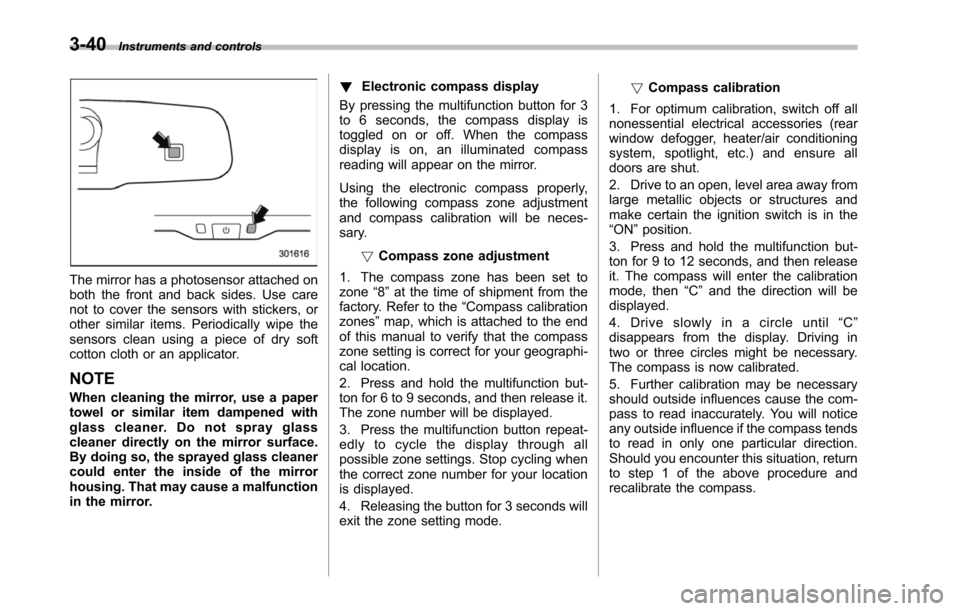
The mirror has a photosensor attached onboththe front and back sides. Use carenot to cover the sensors with stickers, orother similar items. Periodically wipe thesensors clean using a piece of dry softcotton cloth or an applicator.
NOTE
When cleaning the mirror, use a papertowel or similar item dampened withglass cleaner. Do not spray glasscleaner directly on the mirror surface.By doing so, the sprayed glass cleanercould enter the inside of the mirrorhousing. That may cause a malfunctionin the mirror.
!Electronic compass display
By pressing the multifunction button for 3to 6 seconds, the compass display istoggled on or off. When the compassdisplay is on, an illuminated compassreading will appear on the mirror.
Using the electronic compass properly,the following compass zone adjustmentand compass calibration will be neces-sary.
!Compasszone adjustment
1. The compass zone has been set tozone“8”at the time of shipment from thefactory. Refer to the“Compass calibrationzones”map, which is attached to the endof this manual to verify that the compasszone setting is correct for your geographi-cal location.
2. Press and hold the multifunction but-ton for 6 to 9 seconds, and then release it.The zone number will be displayed.
3. Press the multifunction button repeat-edly to cycle the display through allpossible zone settings. Stop cycling whenthe correct zone number for your locationis displayed.
4. Releasing the button for 3 seconds willexitthe zone setting mode.
!Compass calibration
1. For optimum calibration, switch off allnonessential electrical accessories (rearwindow defogger, heater/air conditioningsystem, spotlight, etc.) and ensure alldoors are shut.
2. Drive to an open, level area away fromlarge metallic objects or structures andmake certain the ignition switch is in the“ON”position.
3. Press and hold the multifunction but-ton for 9 to 12 seconds, and then releaseit. The compass will enter the calibrationmode,then“C”and the direction will bedisplayed.
4. Drive slowly in a circle until“C”disappears from the display. Driving intwo or three circles might be necessary.The compass is now calibrated.
5. Further calibration may be necessaryshould outside influences cause the com-pass to read inaccurately. You will noticeany outside influence if the compass tendsto read in only one particular direction.Shouldyou encounter this situation, returnto step 1 of the above procedure andrecalibrate the compass.
Page 174 of 426
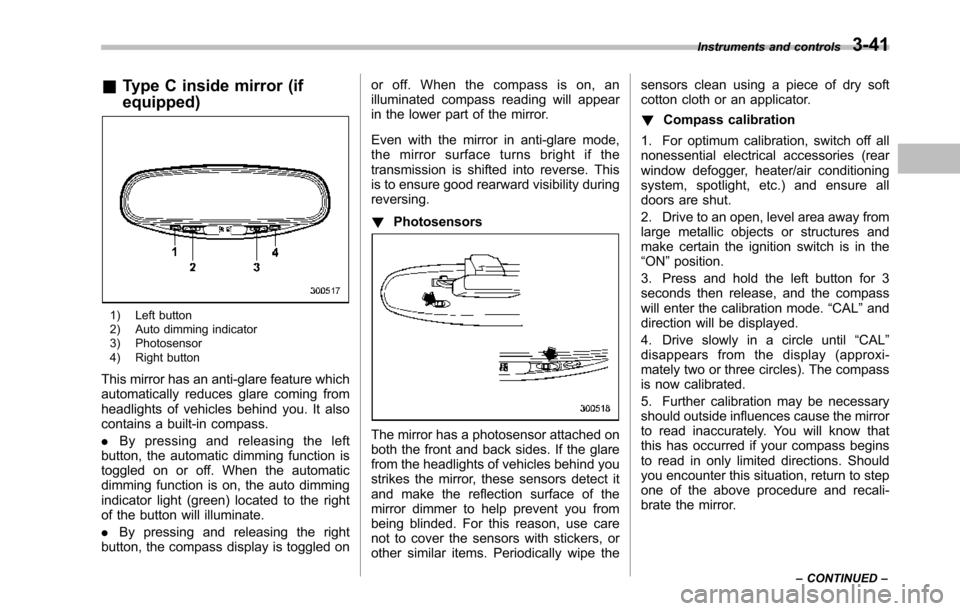
&Type C inside mirror (if
equipped)
1) Left button2) Auto dimming indicator3) Photosensor4) Right button
This mirror has an anti-glare feature whichautomatically reduces glare coming fromheadlights of vehicles behind you. It alsocontains a built-in compass.
.By pressing and releasing the leftbutton, the automatic dimming function istoggled on or off. When the automaticdimming function is on, the auto dimmingindicator light (green) located to the rightof the button will illuminate.
.By pressing and releasing the rightbutton, the compass display is toggled on
or off. When the compass is on, anilluminated compass reading will appearin the lower part of the mirror.
Even with the mirror in anti-glare mode,the mirror surface turns bright if thetransmission is shifted into reverse. Thisis to ensure good rearward visibility duringreversing.
!Photosensors
The mirror has a photosensor attached onboth the front and back sides. If the glarefrom the headlights of vehicles behind youstrikes the mirror, these sensors detect itand make the reflection surface of themirror dimmer to help prevent you frombeing blinded. For this reason, use carenot to cover the sensors with stickers, orother similar items. Periodically wipe the
sensors clean using a piece of dry softcotton cloth or an applicator.
!Compass calibration
1. For optimum calibration, switch off allnonessential electrical accessories (rearwindow defogger, heater/air conditioningsystem, spotlight, etc.) and ensure alldoors are shut.
2. Drive to an open, level area away fromlarge metallic objects or structures andmake certain the ignition switch is in the“ON”position.
3. Press and hold the left button for 3seconds then release, and the compasswill enter the calibration mode.“CAL”anddirection will be displayed.
4. Drive slowly in a circle until“CAL”disappears from the display (approxi-mately two or three circles). The compassis now calibrated.
5. Further calibration may be necessaryshould outside influences cause the mirrorto read inaccurately. You will know thatthis has occurred if your compass beginsto read in only limited directions. Shouldyou encounter this situation, return to stepone of the above procedure and recali-brate the mirror.
Instruments and controls3-41
–CONTINUED–
Page 178 of 426
Ventilator.............................................................. 4-2Airflow................................................................ 4-2Ventilator............................................................ 4-4
Automatic climate control system..................... 4-5Control panel...................................................... 4-5Rear air conditioner............................................. 4-9Temperature sensors........................................... 4-9
Operating tips for heater and airconditioner....................................................... 4-10Cleaning ventilator grille..................................... 4-10Efficient cooling after parking in directsunlight........................................................... 4-10
Lubrication oil circulation in the refrigerantcircuit.............................................................. 4-10Checking air conditioning system before summerseason............................................................ 4-10Cooling and dehumidifying in high humidity andlow temperature weather conditions................. 4-10Air conditioner compressor shut-off when engineis heavily loaded.............................................. 4-11Refrigerant for your climate control system ........ 4-11
Air filtration system........................................... 4-11Replacing the air filter........................................ 4-11
Climate control
4
Page 182 of 426
Automatic climate control
system
NOTE
.Operate the automatic climate con-trol system when the engine is running..The blower fan rotates at a lowspeed when the engine coolant tem-perature is low.
Forefficient defogging or dehumidify-ing in cold weather, press the“A/C”button..The vehicle has a rear air condi-tioner. The fan speed of the rear airconditioner can be adjusted, but otheradjustments (outlet air temperature, airdistribution, etc.)are not possible forthe rear air conditioner. For details,refer to“Rear air conditioner”F4-9.
The automatic climate control systemautomatically controls outlet air tempera-ture, fan speed, airflow distribution, airinlet control, and air conditioner compres-sor operation. It activates when the“AUTO”button is pressed, and is used tomaintain a constant, comfortable climatewithin the passenger compartment.
The temperature can be set within a rangeof 65 to 858F (18 to 328C).
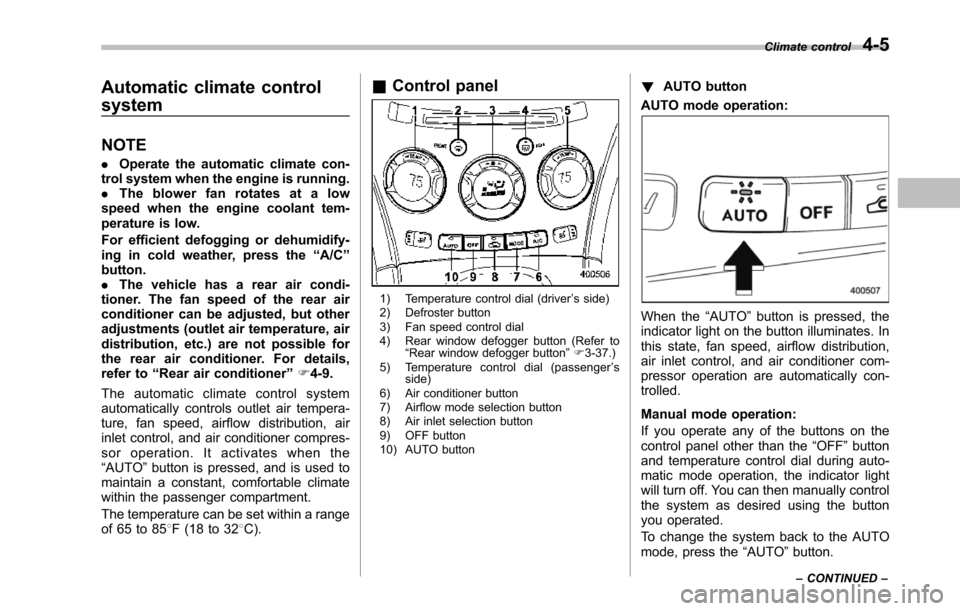
&Control panel
1) Temperature control dial (driver’s side)2) Defroster button3) Fan speed control dial4) Rear window defogger button (Refer to“Rearwindow defogger button”F3-37.)5) Temperature control dial (passenger’sside)6) Air conditioner button7) Airflow mode selection button8) Air inlet selection button9) OFF button10) AUTO button
!AUTO button
AUTO mode operation:
When the“AUTO”button is pressed, theindicator light on the button illuminates. Inthis state, fan speed, airflow distribution,air inlet control, and air conditioner com-pressor operation are automatically con-trolled.
Manual mode operation:
If you operate any of the buttons on thecontrol panel other than the“OFF”buttonand temperature control dial during auto-matic mode operation, the indicator lightwill turn off. You can then manually controlthe system as desired using the buttonyou operated.
To change the system back to the AUTOmode, press the“AUTO”button.
Climate control4-5
–CONTINUED–
Page 183 of 426
4-6Climate control
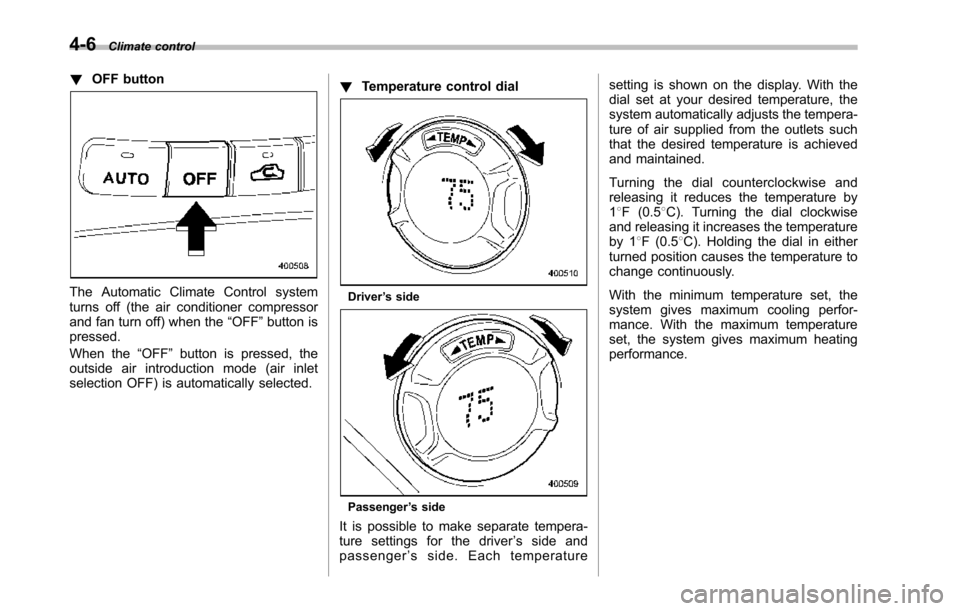
!OFF button
The Automatic Climate Control systemturns off (the air conditioner compressorand fan turn off) when the“OFF”button ispressed.
When the“OFF”button is pressed, theoutside airintroduction mode (air inletselection OFF) is automatically selected.
!Temperature control dial
Driver’s side
Passenger’s side
It is possible to make separate tempera-ture settings for the driver’ssideandpassenger’sside.Eachtemperature
setting is shown on the display. With thedial set at your desired temperature, thesystem automatically adjusts the tempera-ture of air supplied from the outlets suchthat the desired temperature is achievedand maintained.
Turning the dial counterclockwise andreleasing it reduces the temperature by18F (0.58C). Turning the dial clockwiseand releasing it increases the temperatureby 18F (0.58C). Holdingthe dial in eitherturnedposition causes the temperature tochange continuously.
With the minimum temperature set, thesystemgives maximum cooling perfor-mance. With the maximum temperatureset, the system gives maximum heatingperformance.
Page 184 of 426
!–Defroster button
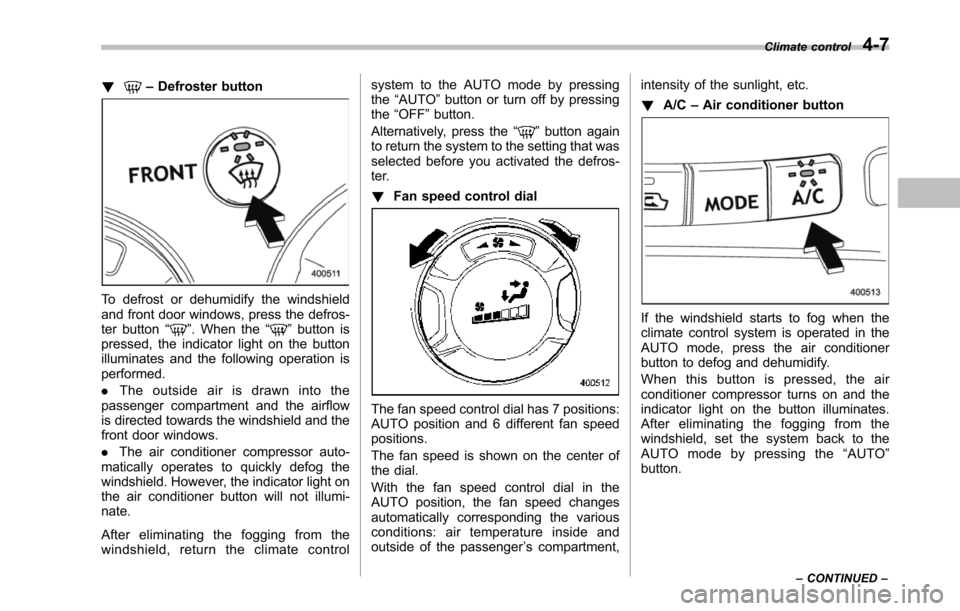
To defrost or dehumidify the windshieldand front door windows, press the defros-ter button“”. When the“”button ispressed, the indicator light on the buttonilluminates and the following operation isperformed.
.The outside air is drawn into thepassenger compartment and the airflowis directed towards the windshield and thefront door windows.
.The air conditioner compressor auto-matically operates to quickly defog thewindshield. However, the indicator light onthe air conditioner button will not illumi-nate.
After eliminating the fogging from thewindshield, return the climate control
system to the AUTO mode by pressingthe“AUTO”button or turn off by pressingthe“OFF”button.
Alternatively, press the“”button againto return the system to the setting that wasselected before you activated the defros-ter.
!Fan speed control dial
The fan speed control dial has 7 positions:AUTO positionand 6 different fan speedpositions.
The fan speed is shown on the center ofthe dial.
With the fan speed control dial in theAUTO position, the fan speed changesautomatically corresponding the variousconditions: air temperature inside andoutside of the passenger’s compartment,
intensity of the sunlight, etc.
!A/C–Air conditioner button
If the windshield starts to fog when theclimate control system is operated in theAUTO mode, press the air conditionerbutton to defog and dehumidify.
When this button is pressed, the airconditioner compressor turns on and theindicator light on the button illuminates.After eliminating the fogging from thewindshield, set the system back to theAUTO mode by pressing the“AUTO”button.
Climate control4-7
–CONTINUED–
Page 185 of 426
4-8Climate control
NOTE
For efficient defogging or dehumidify-ing in cold weather, turn on the airconditioner. However, if the ambienttemperature decreases to approxi-mately 328F(08C), the air conditionercompressor may stop operating.
!Airflow mode selection button
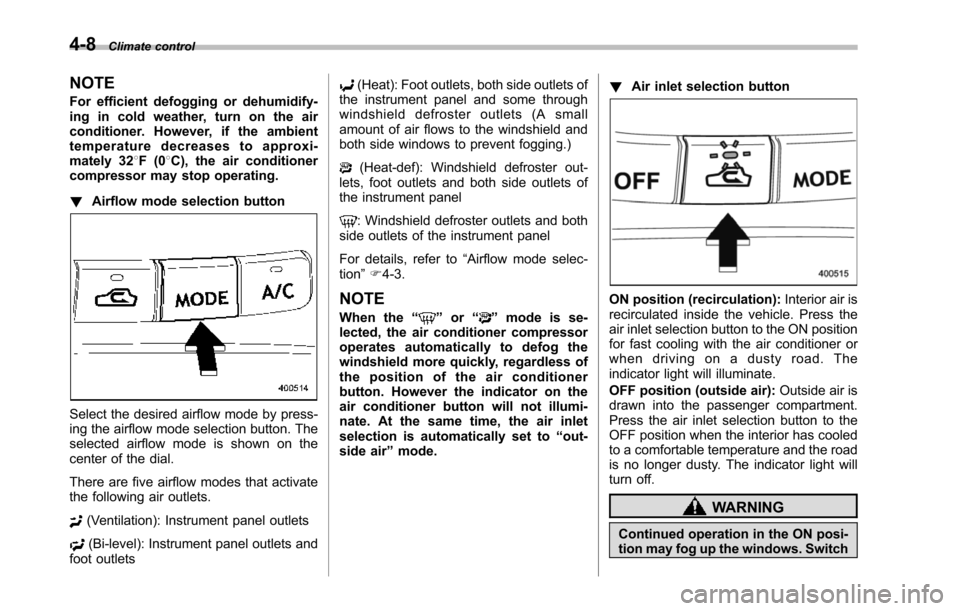
Select the desired airflow mode by press-ing the airflow mode selection button. Theselected airflow mode is shown on thecenter of the dial.
There are five airflow modes that activatethe following air outlets.
(Ventilation): Instrument panel outlets
(Bi-level): Instrument panel outlets andfoot outlets
(Heat): Foot outlets, both side outlets ofthe instrument panel and some throughwindshield defroster outlets (A smallamount of air flows to the windshield andboth side windows to prevent fogging.)
(Heat-def): Windshield defroster out-lets, foot outlets and both side outlets ofthe instrument panel
: Windshield defroster outlets and bothside outletsof the instrument panel
For details, refer to“Airflow mode selec-tion”F4-3.
NOTE
When the“”or“”mode is se-lected, the air conditioner compressoroperates automatically to defog thewindshield more quickly, regardless ofthe position of the air conditionerbutton. However the indicator on theair conditioner button will not illumi-nate. At the same time, the air inletselection is automatically set to“out-side air”mode.
!Air inlet selection button
ON position (recirculation):Interior air isrecirculated inside the vehicle. Press theair inlet selection button to the ON positionfor fast cooling with the air conditioner orwhen driving on a dusty road. Theindicator light will illuminate.
OFF position (outside air):Outside air isdrawninto the passenger compartment.Press the air inlet selection button to theOFF position when the interior has cooledto a comfortable temperature and the roadis no longer dusty. The indicator light willturn off.
WARNING
Continued operation in the ON posi-tion may fog up the windows. Switch