battery SUBARU TRIBECA 2014 1.G User Guide
[x] Cancel search | Manufacturer: SUBARU, Model Year: 2014, Model line: TRIBECA, Model: SUBARU TRIBECA 2014 1.GPages: 426, PDF Size: 6.37 MB
Page 123 of 426
2-18Keys and doors
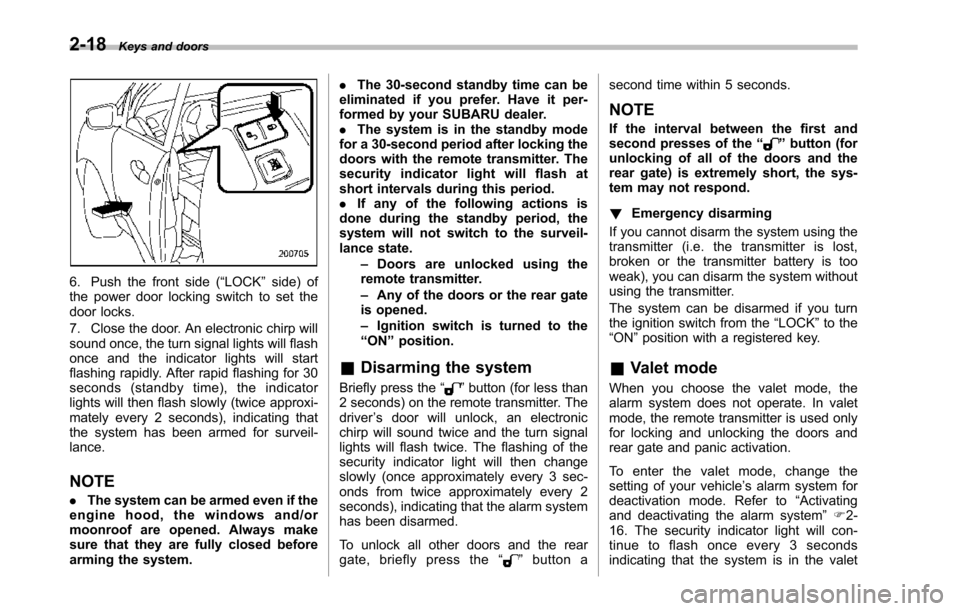
6. Push the front side (“LOCK”side) ofthe power door locking switch to set thedoor locks.
7. Close the door. An electronic chirp willsound once,the turn signal lights will flashonce and the indicator lights will startflashing rapidly. After rapid flashing for 30seconds (standby time), the indicatorlights will then flash slowly (twice approxi-mately every 2 seconds), indicating thatthe system has been armed for surveil-lance.
NOTE
.The system can be armed even if theengine hood, the windows and/ormoonroof are opened. Always makesure that they are fully closed beforearming the system.
.The 30-second standby time can beeliminated if you prefer. Have it per-formed by your SUBARU dealer..The system is in the standby modefor a 30-second period after locking thedoors with the remote transmitter. Thesecurity indicator light will flash atshort intervals during this period..If any of the following actions isdoneduring the standby period, thesystem will not switch to the surveil-lance state.–Doors are unlocked using theremote transmitter.–Any of the doors or the rear gateis opened.–Ignition switch is turned to the“ON”position.
&Disarming the system
Briefly press the“”button (for less than2 seconds) on the remote transmitter. Thedriver’s door will unlock, an electronicchirp will sound twice and the turn signallights willflash twice. The flashing of thesecurity indicator light will then changeslowly (once approximately every 3 sec-onds from twice approximately every 2seconds), indicating that the alarm systemhas been disarmed.
To unlock all other doors and the reargate, briefly press the“”button a
second time within 5 seconds.
NOTE
If the interval between the first andsecond presses of the“”button (forunlocking of all of the doors and therear gate) is extremely short, the sys-tem may not respond.
!Emergency disarming
If you cannot disarm the system using thetransmitter (i.e. the transmitter is lost,broken or the transmitter battery is tooweak), you can disarm the system withoutusing the transmitter.
The system can be disarmed if you turnthe ignition switch from the“LOCK”to the“ON”position with a registered key.
&Valet mode
When you choose the valet mode, thealarm system does not operate. In valetmode, the remote transmitter is used onlyfor locking and unlocking the doors andrear gate and panic activation.
To enter the valet mode, change thesetting of your vehicle’s alarm system fordeactivation mode. Refer to“Activatingand deactivatingthe alarm system”F2-16. The security indicator light will con-tinue to flash once every 3 secondsindicating that the system is in the valet
Page 130 of 426
NOTE
If the rear gate cannot be unlocked dueto a discharged vehicle battery, amalfunction in the door locking/unlock-ing system or other causes, you canunlock it by manually operating therear gate lock release lever. For theprocedure, refer to“Rear gate–if therear gate cannot be unlocked”F9-18.
Moonroof (if equipped)
WARNING
Never let anyone’shands,arms,head or any objects protrude fromthe moonroof. A person could beseriously injured if the vehicle stopssuddenly or turns sharply or if thevehicle is involved in an accident.
To a v o i d s e r i o u s p e r s o n a l i n j u r ycaused by entrapment, always con-form to the following instructionswithoutexception.
.Before closing the moonroof,make sure that no one’s hands,arms, head or other objects willbe accidentally caught in themoonroof.
.Before leaving the vehicle, al-ways remove the key from theignition switch for safety andnever allow an unattended childto remain in the vehicle. Failureto follow this procedure couldresult in injury to a child operat-ingthe moonroof.
.Never try to check the anti-en-trapment function by deliberatelyplacing part of your body in themoonroof.
CAUTION
.Do not sit on the edge of the openmoonroof.
.Do not operate the moonroof iffalling snow or extremely coldconditions have caused it tofreeze shut.
.The anti-entrapment functiondoes not operate when the moon-roof is being tilted down. Be sureto confirm that it is safe to do sobeforetilting the moonroof down.
The moonroofhas both tilting and slidingfunctions.
The moonroof operates only when theignition switch is in the“ON”position.
Keys and doors2-25
–CONTINUED–
Page 136 of 426
Ignition switch
WARNING
.Never turn the ignition switch to“LOCK”while the vehicle isbeing driven or towed becausethat will lock the steering wheel,preventing steering control. Andwhen the engine is turned off, ittakes a much greater effort thanusual to steer.
.Before leaving the vehicle, al-ways removethe key from theignition switch for safety andnever allow an unattended childto remain in the vehicle. Failureto follow this procedure couldresult in injury to a child orothers. Children could operatethe power windows, the moon-roof or other controls or evenmake the vehicle move.
CAUTION
Do not attach a large key holder orkey case to either key. If it bangedagainst your knees or hands whileyou were driving, it could turn theignition switch from the“ON”posi-
tion to the“Acc”or“LOCK”posi-tion, thereby stopping the engine.Also, if the key is attached to akeyholder or to a large bunch ofother keys, centrifugal force may acton it as the vehicle moves, resultingin unwanted turning of the ignitionswitch.
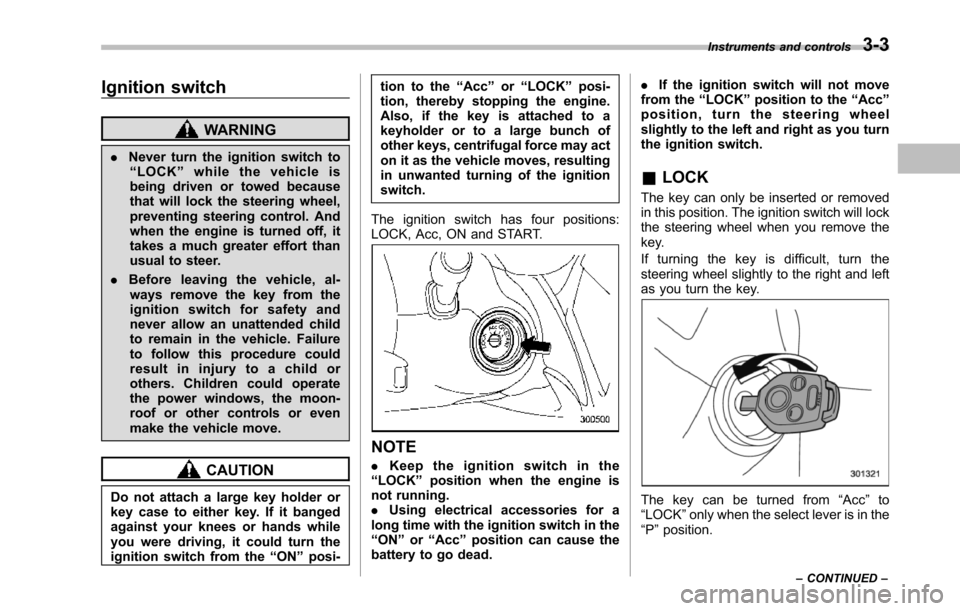
The ignition switch has four positions:LOCK, Acc, ON and START.
NOTE
.Keep the ignition switch in the“LOCK”position when the engine isnot running..Using electrical accessories for along time with the ignition switch in the“ON”or“Acc”position can cause thebattery to go dead.
.If the ignition switch will not movefrom the“LOCK”position to the“Acc”position, turn the steering wheelslightly to the left and right as you turnthe ignition switch.
&LOCK
The key can only be inserted or removedin this position. The ignition switch will lockthe steering wheel when you remove thekey.
If turning the key is difficult, turn thesteering wheel slightly to the right and leftas you turn the key.
The key can be turned from“Acc”to“LOCK”only when the select lever is in the“P”position.
Instruments and controls3-3
–CONTINUED–
Page 140 of 426
The odometer/trip meter will also turn off ifyou open and close the driver’sdoorwithin 10 seconds of illumination of theodometer/trip meter.
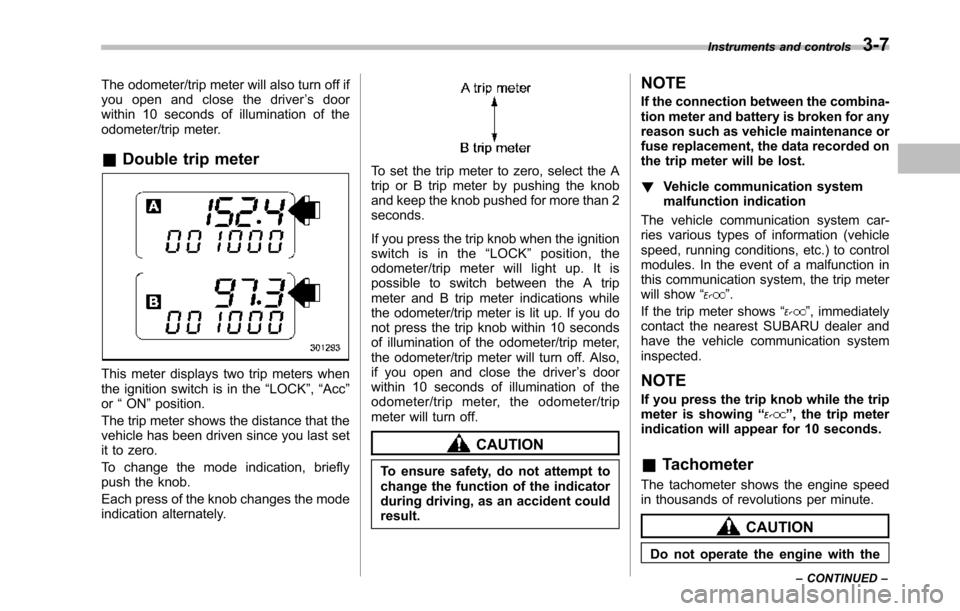
&Double trip meter
This meter displays two trip meters whenthe ignition switch is in the“LOCK”,“Acc”or“ON”position.
The trip metershows the distance that thevehicle has been driven since you last setit to zero.
To change the mode indication, brieflypush the knob.
Each press of the knob changes the modeindication alternately.
To set the trip meter to zero, select the Atrip or B trip meter by pushing the knoband keep the knob pushed for more than 2seconds.
If you press the trip knob when the ignitionswitch is in the“LOCK”position, theodometer/trip meter will light up. It ispossible to switch between the A tripmeter and B trip meter indications whilethe odometer/trip meter is lit up. If you donot press the trip knob within 10 secondsof illumination of the odometer/trip meter,the odometer/trip meter will turn off. Also,if you open and close the driver’s doorwithin 10 seconds of illumination of theodometer/trip meter, the odometer/tripmeter will turn off.
CAUTION
To ensure safety, do not attempt tochange thefunction of the indicatorduring driving, as an accident couldresult.
NOTE
If the connection between the combina-tion meter and battery is broken for anyreason such as vehicle maintenance orfuse replacement, the data recorded onthe trip meter will be lost.
!Vehicle communication systemmalfunction indication
The vehicle communication system car-ries various types of information (vehiclespeed, running conditions, etc.) to controlmodules. In the event of a malfunction inthis communication system, the trip meterwill show“”.
If the trip meter shows“”, immediatelycontact the nearest SUBARU dealer andhavethe vehicle communication systeminspected.
NOTE
If you press the trip knob while the tripmeter is showing“”, the trip meterindication will appear for 10 seconds.
&Tachometer
The tachometer shows the engine speedin thousands of revolutions per minute.
CAUTION
Do not operate the engine with the
Instruments and controls3-7
–CONTINUED–
Page 149 of 426
3-16Instruments and controls
gether with the brake system warning lightif the EBD system becomes malfunction-ing. For further details of the EBD systemmalfunction warning, refer to“Brake sys-tem warning light”F3-16.
NOTE
If the warning light behavior is asdescribed in the following, the ABSsystem may be considered normal.
.The warning light illuminates rightafter the engine is started but turns offimmediately, remaining off..The warning light remains illumi-nated after the engine has been started,but it turns off when the vehicle speedreaches approximately 8 mph (12km/h)..The warning light illuminates duringdriving, but it turns off immediately andremains off.
When driving with an insufficient batteryvoltage such as when the engine is jumpstarted, the ABS warning light may illumi-nate. This is due to the low battery voltageand does not indicate a malfunction.When the battery becomes fully charged,the light will turn off.
&Brake system
warning light
WARNING
.Driving with the brake systemwarning light illuminated is dan-gerous. This indicates your brakesystem may not be workingproperly. If the light remainsilluminated, have the brakes in-spected by a SUBARU dealerimmediately.
.If at all in doubt about whetherthe brakes are operating prop-erly, do not drive the vehicle.Have your vehicle towed to thenearest SUBARU dealer for re-pair.
This light has the following three functions.
!Parking brake warning
The light illuminates with the parkingbrakeapplied while the ignition switch isin the“ON”position. It turns off when theparking brake is fully released.
!Brake fluid level warning
This light illuminateswhen the brake fluidlevel has dropped to near the“MIN”levelof the brake fluid reservoir with the ignitionswitch in the“ON”position and with the
parking brake fully released.
If the brake system warning light shouldilluminate while driving (with the parkingbrake fully released and with the ignitionswitch positioned in“ON”), it could be anindication of leaking of brake fluid or wornbrake pads. If this occurs, immediatelystop the vehicle at the nearest safe placeand check the brake fluid level. If the fluidlevel is below the“MIN”mark in thereservoir, do not drive the vehicle. Havethe vehicle towed to the nearest SUBARUdealer for repair.
!Electronic Brake Force Distribution(EBD) system warning
The brake system warning light alsoilluminates if a malfunction occurs in theEBD system. In that event, it illuminatestogether with the ABS warning light.
The EBD system may be malfunctioning ifthe brakesystem warning light and ABSwarning light illuminate simultaneouslyduring driving.
Even if the EBD system fails, the conven-tional braking system will still function.However, the rear wheels will be moreprone to locking when the brakes areapplied harder than usual and the vehi-cle’s motion may therefore become some-what harder to control.
If the brake system warning light and ABS
Page 160 of 426
&Journey time
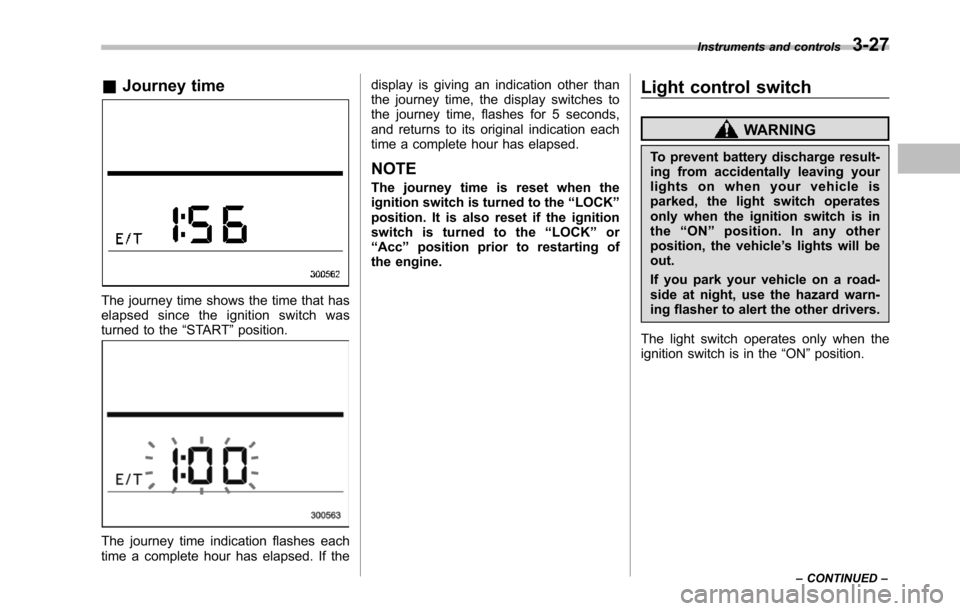
The journey time shows the time that haselapsed since the ignition switch wasturned to the“START”position.
The journey time indication flashes eachtime a complete hour has elapsed. If the
display is giving an indication other thanthe journey time, the display switches tothe journey time, flashes for 5 seconds,and returns to its original indication eachtime a complete hour has elapsed.
NOTE
The journey time is reset when theignition switch is turned to the“LOCK”position. It is also reset if the ignitionswitch is turned to the“LOCK”or“Acc”position prior to restarting ofthe engine.
Light control switch
WARNING
To prevent battery discharge result-ing from accidentally leaving yourlights on when your vehicle isparked, the light switch operatesonly when the ignition switch is inthe“ON”position. In any otherposition, the vehicle’s lights will beout.
If you park your vehicle on a road-side at night, use the hazard warn-ing flasher to alert the other drivers.
The light switch operates only when theignition switch is in the“ON”position.
Instruments and controls3-27
–CONTINUED–
Page 165 of 426
3-32Instruments and controls
Parking light switch
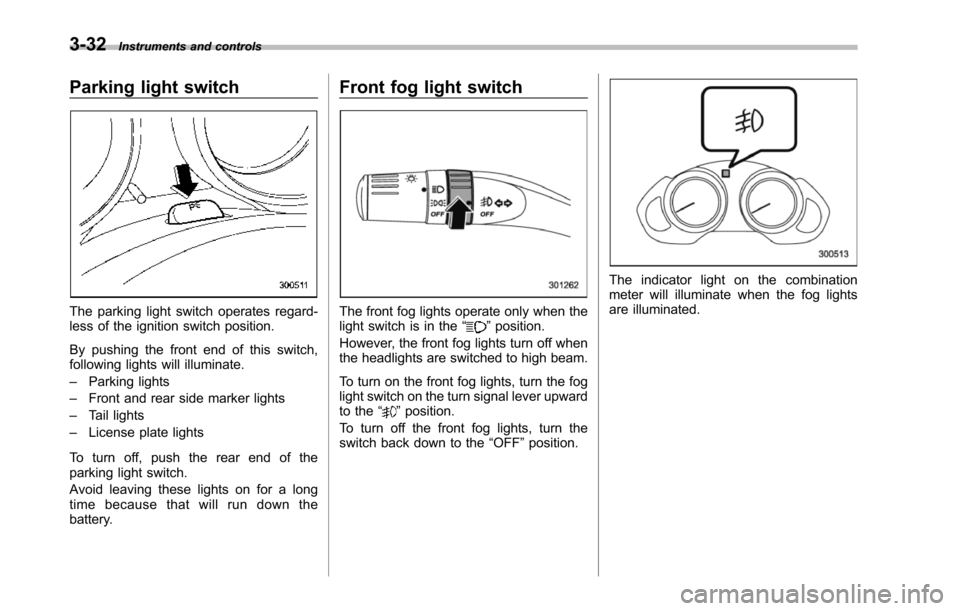
The parking light switch operates regard-less of the ignition switch position.
By pushing the front end of this switch,following lights will illuminate.
–Parking lights
–Front and rear side marker lights
–Tail lights
–License plate lights
To turn off, push the rear end of theparking lightswitch.
Avoid leaving these lights on for a longtime because that will run down thebattery.
Front fog light switch
The front fog lights operate only when thelight switch is in the“”position.
However, the front fog lights turn off whenthe headlights are switched to high beam.
To turn on the front fog lights, turn the foglight switchon the turn signal lever upwardto the“”position.
To turn off the front fog lights, turn theswitch back down to the“OFF”position.
The indicator light on the combinationmeter will illuminate when the fog lightsare illuminated.
Page 169 of 426
3-36Instruments and controls
speed is low; shorter when the vehiclespeed is high).
When you subsequently move the selectlever of the automatic transmission to the“R”position, the rear wiper will switch tocontinuous operation. When you move theselect lever from the“R”position to someother position, the rear wiper will return tointermittent operation.
!Washer
To wash the rear window while the rearwiperis operating, turn the knob on theend of the wiper control lever upward tothe“”position. The washer fluid spraysuntil you release the knob.
To wash the rear window when the rearwiper is not in use, turn the knob on theend of the wiper control lever downward tothe“”position. The washer fluid spraysand the wiper operates until you releasetheknob.
Windshield wiper deicer
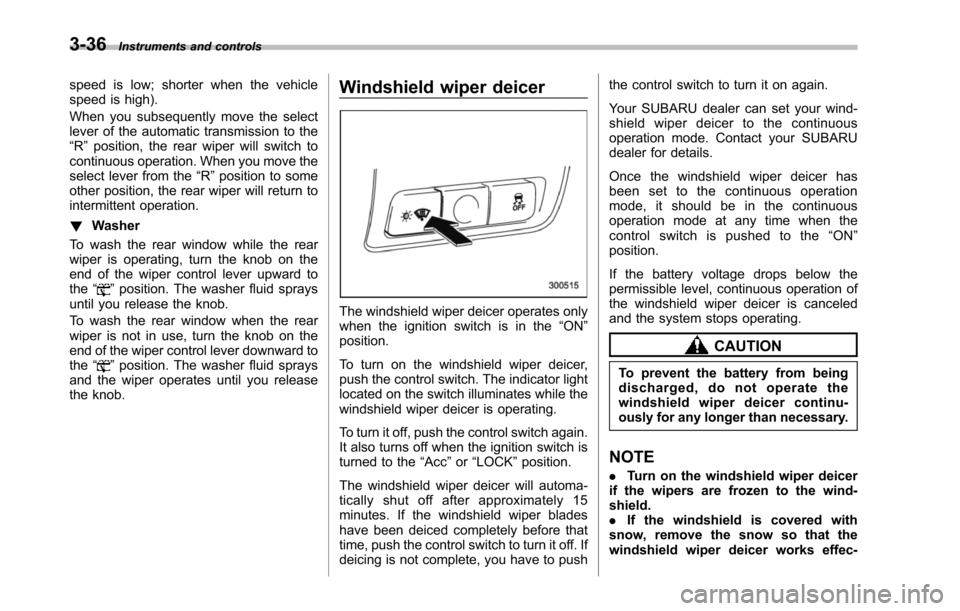
The windshield wiper deicer operates onlywhen the ignition switch is in the“ON”position.
To turn on the windshield wiper deicer,push the control switch. The indicator lightlocated on the switch illuminates while thewindshield wiper deicer is operating.
To turn it off, push the control switch again.It also turns off when the ignition switch isturned to the“Acc”or“LOCK”position.
The windshield wiper deicer will automa-tically shut off after approximately 15minutes. If the windshield wiper bladeshave been deiced completely before thattime, push the control switch to turn it off. Ifdeicing is not complete, you have to push
the control switch to turn it on again.
Your SUBARU dealer can set your wind-shield wiper deicer to the continuousoperation mode. Contact your SUBARUdealer for details.
Once the windshield wiper deicer hasbeen set to the continuous operationmode, it should be in the continuousoperation mode at any time when thecontrol switch is pushed to the“ON”position.
If the battery voltage drops below thepermissible level, continuous operation ofthe windshield wiper deicer is canceledand the system stops operating.
CAUTION
To prevent the battery from beingdischarged, do not operate thewindshield wiper deicer continu-ously for any longer than necessary.
NOTE
.Turn on the windshield wiper deicerif the wipers are frozen to the wind-shield..If the windshield is covered withsnow, remove the snow so that thewindshield wiper deicer works effec-
Page 170 of 426
tively..While the windshield wiper deicer isin the continuous operation mode, ifthe vehicle speed remains at 9 mph (15km/h) or less for 15 minutes, the wind-shield wiper deicer automatically stopsoperating.
Rear window defogger but-
ton
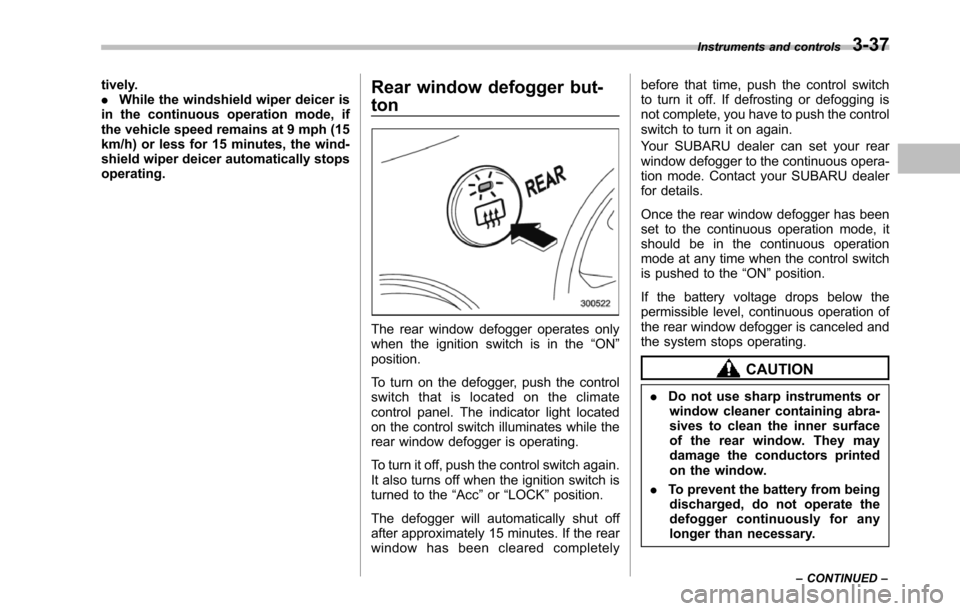
The rear window defogger operates onlywhen the ignition switch is in the“ON”position.
To turn on the defogger, push the controlswitch that is located on the climatecontrol panel. The indicator light locatedon the control switch illuminates while therear window defogger is operating.
To turn it off, push the control switch again.It also turns off when the ignition switch isturned to the“Acc”or“LOCK”position.
The defogger will automatically shut offafter approximately 15 minutes. If the rearwindow has been cleared completely
before that time, push the control switchto turn it off. If defrosting or defogging isnot complete, you have to push the controlswitch to turn it on again.
Your SUBARU dealer can set your rearwindow defogger to the continuous opera-tion mode. Contact your SUBARU dealerfor details.
Once the rear window defogger has beenset to the continuous operation mode, itshould be in the continuous operationmode at any time when the control switchis pushed to the“ON”position.
If the battery voltage drops below thepermissible level, continuous operation oftherear window defogger is canceled andthe system stops operating.
CAUTION
.Do not use sharp instruments orwindow cleaner containing abra-sives to clean the inner surfaceof the rear window. They maydamage the conductors printedon the window.
.To prevent the battery from beingdischarged, do not operate thedefogger continuously for anylonger than necessary.
Instruments and controls3-37
–CONTINUED–
Page 176 of 426
!Outside mirror defogger
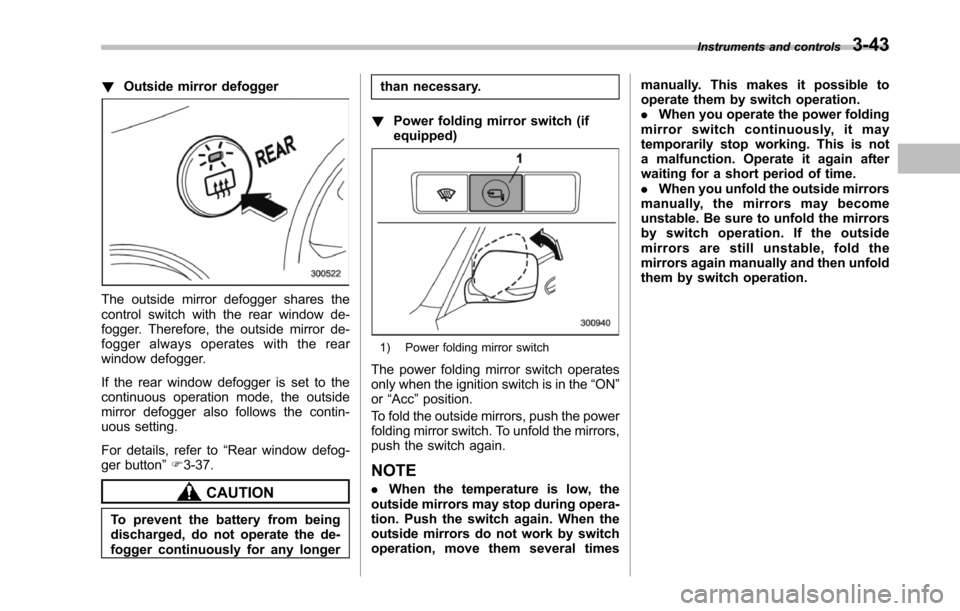
The outside mirror defogger shares thecontrol switch with the rear window de-fogger. Therefore, the outside mirror de-fogger always operates with the rearwindow defogger.
If the rear window defogger is set to thecontinuous operation mode, the outsidemirror defogger also follows the contin-uous setting.
For details, refer to“Rear window defog-ger button”F3-37.
CAUTION
To prevent the battery from beingdischarged, do not operate the de-fogger continuously for any longer
than necessary.
!Power folding mirror switch (ifequipped)
1) Power folding mirror switch
The power folding mirror switch operatesonly when the ignition switch is in the“ON”or“Acc”position.
To fold the outside mirrors, push the powerfolding mirror switch. To unfold the mirrors,push the switch again.
NOTE
.When the temperature is low, theoutside mirrorsmay stop during opera-tion. Push the switch again. When theoutside mirrors do not work by switchoperation, move them several times
manually. This makes it possible tooperate them by switch operation..When you operate the power foldingmirror switch continuously, it maytemporarily stop working. This is nota malfunction. Operate it again afterwaiting for a short period of time..When you unfold the outside mirrorsmanually, the mirrors may becomeunstable. Be sure to unfold the mirrorsby switch operation. If the outsidemirrors are still unstable, fold themirrors again manually and then unfoldthem by switch operation.
Instruments and controls3-43