brake light SUBARU WRX 2016 User Guide
[x] Cancel search | Manufacturer: SUBARU, Model Year: 2016, Model line: WRX, Model: SUBARU WRX 2016Pages: 594, PDF Size: 19.43 MB
Page 153 of 594
Instruments and controls/Warning and indicator lights
! Parking brake apply inhibit warn-
ing
The electronic parking brake indicator light
flashes for 10 seconds and a chirp sound
will be heard if the parking brake switch is
operated when the parking brake cannot
be applied.
! Frequent operation warning
The electronic parking brake indicator light
flashes for 10 seconds and a chirp sound
will be heard if the parking brake switch is
operated too frequently. In this case, the
operation of the parking brake switch is
restricted to protect the electronic parking
brake system.
NOTE Wait until the indicator light turns off.
& Low fuel warning lightThe low fuel warning light illuminates
when the tank is nearly empty, at approxi-
mately 2.6 US gal (10.0 liters, 2.2 Imp gal).
It only operates when the ignition switch is
in the “ ON ” position.
CAUTION
Promptly put fuel in the tank when-
ever the low fuel warning light
illuminates. Engine misfires as a result of an empty tank could cause
damage to the engine.
NOTE This light does not turn off unless the
tank is replenished up to an internal
fuel quantity of approximately 4.5 US
gal (17 liters, 3.7 Imp gal).
& Hill start assist warning
light/Hill start assist
OFF indicator light
(models without electro-
nic parking brake sys-
tem) ! Hill start assist warning light
While the engine is running, if there are
any malfunctions in the Hill start assist
system, the warning light will illuminate.
WARNING
When the Hill start assist warning
light illuminates, have the vehicle
inspected at an authorized SUBARU
dealer. ! Hill start assist OFF indicator light
While the Hill start assist system is
deactivated, the Hill start assist OFF
indicator light illuminates continuously to
inform the driver that the Hill start assist
system is not operational.
& Hill Holder indicator
light (models with elec-
tronic parking brake
system) WARNINGIf the Hill Holder indicator light does
not illuminate even when the Hill
Holder switch is pressed to activate
the Hill Holder function, the electro-
nic parking brake system may be
malfunctioning. Immediately stop
the vehicle in a safe location and
contact your SUBARU dealer.
The light illuminates when the Hill Holder
switch is pressed to activate the Hill
Holder function. For details about the Hill
Holder function, “ Hill Holder function ” F 7-
46.3-24
Page 155 of 594

Instruments and controls/Warning and indicator lights
& Vehicle Dynamics
Control warning light/
Vehicle Dynamics Con-
trol operation indicator
light! Vehicle Dynamics Control warning
light
CAUTIONThe Vehicle Dynamics Control sys-
tem provides its ABS control
through the electrical circuit of the
ABS. Accordingly, if the ABS is
inoperative, the Vehicle Dynamics
Control system becomes unable to
provide ABS control. As a result, the
Vehicle Dynamics Control system
also becomes inoperative, causing
the warning light to illuminate.
Though both the Vehicle Dynamics
Control and ABS are inoperative in
this case, the ordinary functions of
the brake system are still available.
You will be safe while driving with
this condition, but drive carefully
and have your vehicle checked at a
SUBARU dealer as soon as possi-
ble. NOTE . If the electrical circuit of the Vehicle
Dynamics Control system itself mal-
functions, the warning light only illumi-
nates. At this time, the ABS (Anti-lock
Brake System) remains fully opera-
tional.
. The warning light illuminates when
the electronic control system of the
ABS/Vehicle Dynamics Control system
malfunctions.
The Vehicle Dynamics Control system is
probably inoperative under any of the
following conditions. Have your vehicle
checked at a SUBARU dealer immedi-
ately.
. The warning light does not illuminate
when the ignition switch is turned to the
“ ON ” position.
. The warning light illuminates while the
vehicle is running.
NOTE If the warning light behavior is as
described in the following examples,
the Vehicle Dynamics Control system
may be considered normal.
. The warning light illuminates when
the ignition switch is turned to the
“ ON ” position and turns off approxi-
mately 2 seconds after the engine has
started. . The warning light illuminates right
after the engine is started but turns off
immediately, remaining off.
. The warning light illuminates after
the engine has started and turns off
while the vehicle is subsequently being
driven.
. The warning light illuminates during
driving, but it turns off immediately and
remains off.
. The warning light illuminates when
the engine has stalled and continues to
illuminate after the engine has been
restarted. However, it will turn off once
the vehicle starts moving.
! Vehicle Dynamics Control opera-
tion indicator light
The indicator light flashes during activa-
tion of the skid suppression function and
during activation of the traction control
function.
NOTE . The light may remain illuminated for
a short period of time after the engine
has been started, especially in cold
weather. This does not indicate the
existence of a problem. The light
should turn off as soon as the engine
has warmed up.
. The indicator light illuminates when
the engine has developed a problem3-26
Page 161 of 594

Instruments and controls/Warning and indicator lights
Inside warning
chime Outside warning
chime Operation indicator
on push-button igni-
tion switch Status Action
Long beep
(continuous) —— Select lever position warning:
The driver ’ s door was opened while the
push-button ignition switch is in a posi-
tion other than “ OFF ” and the select
lever is in a position other than the “ P ”
position. Shift the select lever to the “ P ” position,
switch the push-button ignition switch to
“ OFF ” and exit the vehicle.
Ding —— The battery of the access key is low. Replace the battery of the access key.
Ding — Flashes in green (15
seconds max.) Steering lock warning:
The engine start procedure was per-
formed, but the steering is still locked. While turning the steering wheel right
and left lightly, depress the brake pedal
and press the push-button ignition
switch.
Ding — Flashes in orange System malfunction warning:
A malfunction was detected in the power
system or steering lock. Contact a SUBARU dealer immediately
and have the vehicle inspected.
NOTE An electronic chirp will sound while the select lever is in the “ R ” position. In this case, the select lever position warning chime
will not sound.3-32
Page 226 of 594
& Daytime running light system WARNINGThe brightness of the illumination of
the high beam headlights is reduced
by the daytime running light system.
The light switch must always be
turned to the “
” position when it
is dark outside.
The high beam headlights will automati-
cally illuminate at reduced brightness
when the following conditions are fulfilled.
. The engine is running.
. The parking brake is fully released.
. The light control switch is in the
“ AUTO ” (if equipped), “
” or off position.
. For CVT models, the select lever is in a
position other than the “ P ” position.
NOTE . When the light switch is in the “ ”
position, the instrument panel illumina-
tion, front side marker lights, tail lights
and license plate lights are also illumi-
nated.
. For models with the auto on/off
headlights, while the light control
switch is in the “ AUTO ” position and
the system is activated to the auto-on
mode depending on the ambient light level, the high beam headlights that
have illuminated at reduced brightness
turn off, and the low beam headlights
turn on alternatively. At this time, the
instrument panel illumination, front
side marker lights, tail lights and
license plate lights are also illuminated.
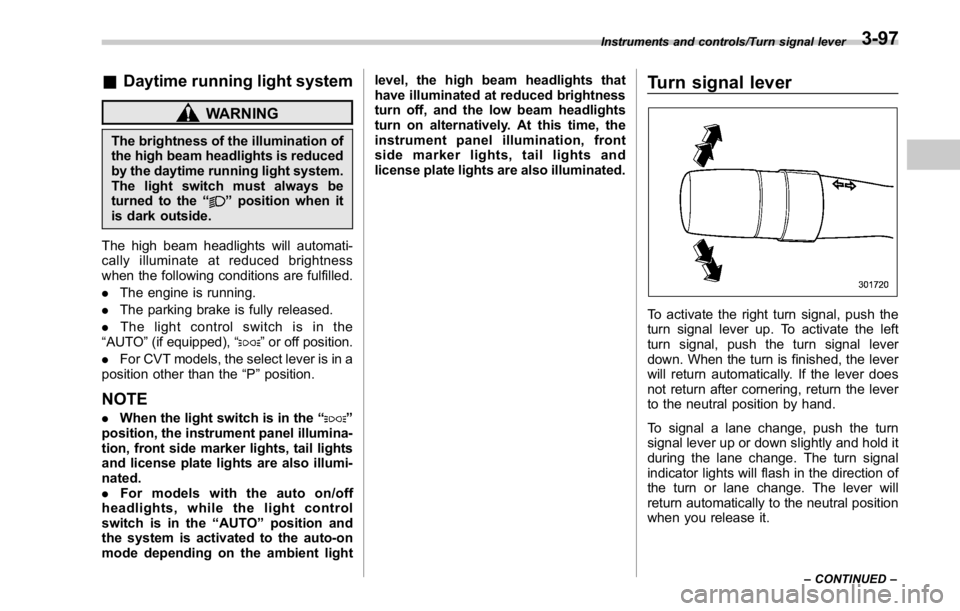
Turn signal lever
To activate the right turn signal, push the
turn signal lever up. To activate the left
turn signal, push the turn signal lever
down. When the turn is finished, the lever
will return automatically. If the lever does
not return after cornering, return the lever
to the neutral position by hand.
To signal a lane change, push the turn
signal lever up or down slightly and hold it
during the lane change. The turn signal
indicator lights will flash in the direction of
the turn or lane change. The lever will
return automatically to the neutral position
when you release it. Instruments and controls/Turn signal lever
– CONTINUED –3-97
Page 380 of 594
appliance that can be connected
is 120W. Do not use an appliance
which exceeds the indicated wat-
tage for each outlet.
When using appliances con-
nected to two or more outlets
simultaneously, the total power
consumed by them must not
exceed 120W. Overloading the
accessory power outlet can
cause a short circuit. Do not use
double adapters or more than
one electrical appliance.
. If the plug on your electric appli-
ance is either too loose or too
tight for the accessory power
outlet, this can result in a poor
contact or cause the plug to get
stuck. Only use plugs that fit
properly.
. Use of an electric appliance in the
accessory power outlet for a long
period of time while the engine is
not running can cause battery
discharge.
. Before driving your vehicle, make
sure that the plug and the cord
on your electrical appliance will
not interfere with your shifting
gears and operating the accel-
erator and brake pedals. If they do, do not use the electrical
appliance while driving.
& Use with a cigarette lighter (if
equipped) To use the accessory power outlet as a
cigarette lighter socket, purchase the
cigarette lighter plug, which is an optional
accessory. A cigarette lighter plug is
available from your SUBARU dealer.
The cigarette lighter operates only when
the ignition switch is in the “ ON ” or “ ACC ”
position.
To use the cigarette lighter, push in the
knob and wait a few moments. It will
automatically spring up when ready for
use.
WARNING
To avoid being burned, never grasp
the lighter by the end with the
heating element. Doing so could
result in injury and could also
damage the heating element.
CAUTION
. Do not hold the lighter pushed in,
because it will overheat. . The electrical power socket is
originally designed to use a gen-
uine SUBARU cigarette lighter
plug. Do not use a non-genuine
cigarette lighter plug in the sock-
et. Doing so may cause a short-
circuit and overheating, resulting
in a fire.
. If the socket is ever used for a
plug-in accessory such as a cell
phone, that may damage the
portion of the socket ’ s internal
mechanism that causes a cigar-
ette lighter plug to “ pop out ”
after its lighter element is heated.
Therefore, do not place a cigar-
ette lighter plug in a socket that
has been used, even once, to
power a plug-in accessory. Doing
so may cause the plug to stick
and overheat, creating a potential
fire hazard.Interior equipment/Accessory power outlets
6-9
Page 391 of 594

Starting and operating
ABS (Anti-lock Brake System) .......................... 7-36ABS self-check. .................................................. 7-36
ABS warning light .............................................. 7-37
Electronic Brake Force Distribution (EBD)
system ............................................................. 7-37Steps to take if EBD system malfunctions ........... 7-37
Vehicle Dynamics Control system .................... 7-38Vehicle Dynamics Control system monitor .......... 7-40
Vehicle Dynamics Control OFF switch ................. 7-40
Tire pressure monitoring system (TPMS)
(U.S.-spec. models) ......................................... 7-42
Parking your vehicle .......................................... 7-44Parking brake (models without electronic parking
brake system) .................................................. 7-44
Electronic parking brake (models with electronic
parking brake system) ...................................... 7-44
Parking tips ....................................................... 7-48
Hill start assist system (models without
electronic parking brake system) .................. 7-49 To activate/deactivate the Hill start assist
system ............................................................ 7-51
Hill start assist warning light/Hill start assist OFF
indicator light .................................................. 7-52
Cruise control .................................................... 7-52To set cruise control .......................................... 7-53
To temporarily cancel the cruise control ............. 7-54
To turn off the cruise control .............................. 7-54
To change the cruising speed ............................ 7-54
Cruise control indicator ..................................... 7-55
Cruise control set indicator ................................ 7-55
BSD/RCTA (if equipped) .................................... 7-56System features ................................................. 7-56
System operation ............................................... 7-57
BSD/RCTA approach indicator light/warning
buzzer ............................................................. 7-59
BSD/RCTA warning indicator .............................. 7-60
BSD/RCTA OFF switch ....................................... 7-61
Certification for the BSD/RCTA ........................... 7-62
Handling of radar sensors .................................. 7-63
Page 399 of 594

Starting and operating/Starting and stopping the engine (models without push – button start system)
. When starting the engine, be sure
to sit in the driver ’ s seat (except
when using the remote engine
start system).
NOTE . Avoid rapid racing and rapid accel-
eration immediately after the engine
has started.
. For a short time after the engine has
started, the engine speed is kept high.
When the warm-up is completed, the
engine speed lowers automatically.
. On rare occasions, it may be difficult
to start the engine depending on the
fuel and the usage condition (repeated
driving of a distance in which the
engine has not warmed up sufficiently).
In such a case, it is recommended that
you change to a different brand of fuel.
. On rare occasions, transient knock-
ing may be heard from the engine when
the accelerator is operated rapidly
such as a rapid start-up and a rapid
acceleration. This is not a malfunction.
. The engine starts more easily when
the headlights, air conditioner and rear
window defogger are turned off.
. After the engine starts, the engine
speed will be kept high until the engine
has warmed up sufficiently. ! MT models
1. Apply the parking brake.
2. Turn off unnecessary lights and ac-
cessories.
3. Depress the clutch pedal to the floor
and shift the shift lever into neutral. Hold
the clutch pedal to the floor while starting
the engine.
The starter motor will only operate when
the clutch pedal is depressed fully to the
floor.
4. Turn the ignition switch to the “ ON ”
position and check the operation of the
warning and indicator lights. Refer to
“ Warning and indicator lights ” F 3-13.
5. Turn the ignition switch to the “ START ”
position without depressing the accelera-
tor pedal. Release the key immediately
after the engine has started.
If the engine does not start, try the
following.
(1) Turn the ignition switch to the
“ LOCK ” position and wait for at least
10 seconds. After checking that the
parking brake is firmly set, turn the
ignition switch to the “ START ” position
while depressing the accelerator pedal
slightly (approximately a quarter of the
full stroke). Release the accelerator
pedal as soon as the engine starts.
(2) If this fails to start the engine, turn the ignition switch back to the “ LOCK ”
position and wait for at least 10
seconds. Then fully depress the accel-
erator pedal and turn the ignition
switch to the “ START ” position. If the
engine starts, quickly release the
accelerator pedal.
(3) If this fails to start the engine, turn
the ignition switch again to the “ LOCK ”
position. After waiting for 10 seconds
or longer, turn the ignition switch to the
“ START ” position without depressing
the accelerator pedal.
(4) If the engine still refuses to start,
contact your nearest SUBARU dealer
for assistance.
6. Confirm that all warning and indicator
lights have turned off after the engine has
started. The fuel injection system auto-
matically lowers the idle speed as the
engine warms up.
! CVT models
1. Apply the parking brake.
2. Turn off unnecessary lights and ac-
cessories.
3. Shift the select lever to the “ P ” or
“ N ”
position
(preferably the “ P ” position).
The starter motor will only operate when
the select lever is at the “ P ” or “ N ” position.
4. Turn the ignition switch to the “ ON ”7-10
Page 400 of 594
position and check the operation of the
warning and indicator lights. Refer to
“ Warning and indicator lights ” F 3-13.
5. Turn the ignition switch to the “ START ”
position without depressing the accelera-
tor pedal. Release the key immediately
after the engine has started.
If the engine does not start, try the
following.
(1) Turn the ignition switch to the
“ LOCK ” position and wait for at least
10 seconds. After checking that the
parking brake is firmly set, turn the
ignition switch to the “ START ” position
while depressing the accelerator pedal
slightly (approximately a quarter of the
full stroke). Release the accelerator
pedal as soon as the engine starts.
(2) If this fails to start the engine, turn
the ignition switch back to the “ LOCK ”
position and wait for at least 10
seconds. Then fully depress the accel-
erator pedal and turn the ignition
switch to the “ START ” position. If the
engine starts, quickly release the
accelerator pedal.
(3) If this fails to start the engine, turn
the ignition switch again to the “ LOCK ”
position. After waiting for 10 seconds
or longer, turn the ignition switch to the
“ START ” position without depressing
the accelerator pedal. (4) If the engine still refuses to start,
contact your nearest SUBARU dealer
for assistance.
6. Confirm that all warning and indicator
lights have turned off after the engine has
started. The fuel injection system auto-
matically lowers the idle speed as the
engine warms up.
While the engine is warming up, make
sure that the select lever is at the “ P ” or
“ N ” position and that the parking brake is
applied.
CAUTIONIf you restart the engine while the
vehicle is moving, shift the select
lever into the “ N ” position. Do not
attempt to place the select lever of a
moving vehicle into the “ P ” posi-
tion.
& Stopping the engine The ignition switch should be turned off
only when the vehicle is stopped and the
engine is idling.
WARNING
Do not stop the engine when the
vehicle is moving. This will cause
loss of power to the power steering and the brake booster, making steer-
ing and braking more difficult. It
could also result in accidental acti-
vation of the “ LOCK ” position on the
ignition switch, causing the steering
wheel to lock.Starting and operating/Starting and stopping the engine (models without push – button start system)
7-11
Page 401 of 594
Starting and operating/Starting and stopping engine (models with push – button start system)
Starting and stopping engine
(models with push-button
start system) & Safety precautionsRefer to “ Safety precautions ” F 2-10.
& Operating range for push-
button start systemRefer to “ Operating range for push-button
start system ” F 3-6.
& Starting engine
WARNING. There are some general precau-
tions when starting the engine.
Carefully read the precautions
described in “ General precau-
tions when starting engine ” F 7-
9.
. If the indicator on the push-
button ignition switch flashes in
green after the engine has
started, never drive the vehicle.
The steering is still locked, and it
may result in an accident. CAUTION. When the operation indicator on
the push-button ignition switch is
flashing in orange, there may be
a malfunction with the vehicle.
Contact a SUBARU dealer imme-
diately.
. If the indicator on the push-
button ignition switch is flashing
in green after the engine has
started, it means that the steering
is still locked. Depress the brake
pedal while moving the steering
wheel to the right and left, and
press the push-button ignition
switch.
. Do not continue pushing the
push-button ignition switch for
more than 10 seconds. Doing so
could cause a malfunction. If the
engine does not start, stop push-
ing the push-button ignition
switch and turn off the engine.
Wait 10 seconds, and then push
the push-button ignition switch
to start the engine.
NOTE
. When the push-button ignition
switch is pressed while depressing the clutch pedal (MT models) or the
brake pedal (CVT models), the engine
starter operates for a maximum of 10
seconds and after starting the engine,
the starter stops automatically.
. When the push-button ignition
switch is pressed while depressing
the clutch pedal (MT models) or the
brake pedal (CVT models), the engine
can be started regardless of the status
of the push-button ignition switch.
. If the security indicator light illumi-
nates when you attempt to start the
engine but the engine does not start,
press the push-button ignition switch
to switch the power to “ OFF ” and then
try to start the engine again.
. If the engine does not start, press
the push-button ignition switch without
depressing the clutch pedal (MT mod-
els) or the brake pedal (CVT models) to
switch the power to “ OFF ” . Then, while
depressing the clutch pedal (MT mod-
els) or the brake pedal (CVT models)
more forcefully, press the push-button
ignition switch.
. The engine start procedures may
not function depending on the radio
wave conditions around the vehicle. In
such a case, refer to “ Starting engine ”
F 9-17.
. If the vehicle battery is discharged,
the steering cannot be unlocked.7-12
Page 408 of 594
as necessary; this helps to maintain a safe
speed and to extend brake pad life.
In this way, the engine provides a braking
effect. Remember, if you “ ride ” (over use)
the brakes while descending a hill, they
may overheat and not work properly.
The engine may, on rare occasions, knock
when the vehicle rapidly accelerates or
rapidly pulls away from a standstill. This
phenomenon is not an indication of a
problem in your vehicle. Driver ’ s Control Center Dif-
ferential (C.DIFF/DCCD) (STI) WARNINGAlways use the utmost care when
driving. Being overconfident be-
cause you are driving a vehicle with
a driver ’ s control center differential
could easily lead to a serious acci-
dent.
CAUTION
. All the indicators will flash in the
event that the driver ’ s control
center differential has a malfunc- tion. Have the vehicle inspected
by your SUBARU dealer.
. If a malfunction occurs in the
vehicle (for example, when the
rear differential oil temperature
warning light illuminates), all of
the indicators may disappear and
the setting value for the initial
limited slip differential (LSD) tor-
que of the driver ’ s control center
differential (C.DIFF/DCCD) may
be cancelled. However, it does
not indicate a malfunction of the
C.DIFF/DCCD itself.
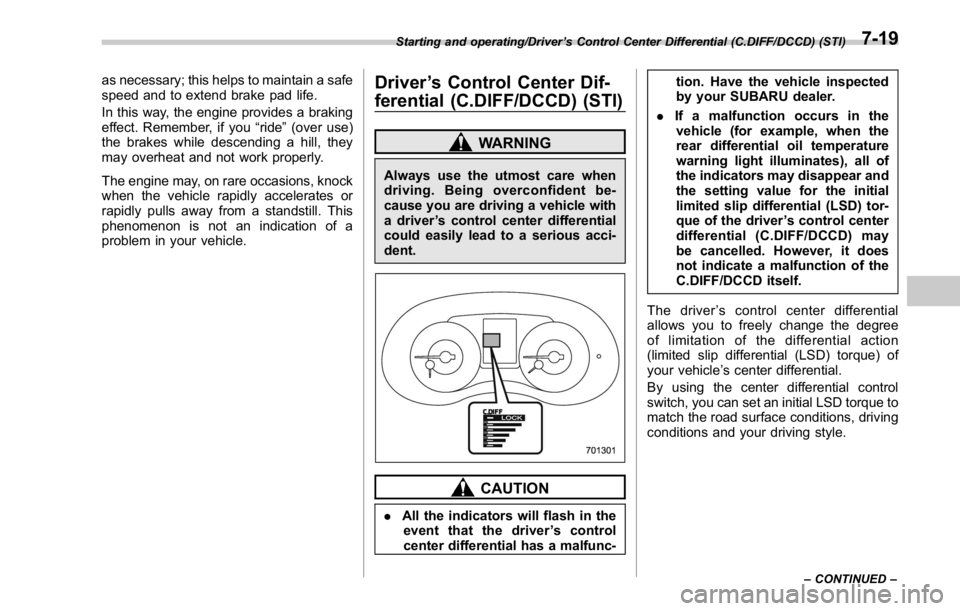
The driver ’ s control center differential
allows you to freely change the degree
of limitation of the differential action
(limited slip differential (LSD) torque) of
your vehicle ’ s center differential.
By using the center differential control
switch, you can set an initial LSD torque to
match the road surface conditions, driving
conditions and your driving style.Starting and operating/Driver ’ s Control Center Differential (C.DIFF/DCCD) (STI)
– CONTINUED –7-19