cooling SUBARU WRX 2016 Owners Manual
[x] Cancel search | Manufacturer: SUBARU, Model Year: 2016, Model line: WRX, Model: SUBARU WRX 2016Pages: 594, PDF Size: 19.43 MB
Page 244 of 594

Ventilator control ................................................. 4-2Center and side ventilators .................................. 4-2
Climate control panel .......................................... 4-3Type A ................................................................ 4-3
Type B ................................................................ 4-4
Automatic climate control operation ................. 4-5Sensors .............................................................. 4-5
Manual climate control operation ...................... 4-6Airflow mode selection ........................................ 4-6
Temperature control ............................................ 4-7
Fan speed control ............................................... 4-8
Air conditioner control ........................................ 4-8
Air inlet selection ................................................ 4-8
Defrosting ............................................................ 4-9Type A ................................................................ 4-9
Type B ................................................................ 4-9 Operating tips for heater and air
conditioner ........................................................ 4-9Cleaning ventilation grille ..................................... 4-9
Efficient cooling after parking in direct
sunlight ........................................................... 4-10
Lubrication oil circulation in the refrigerant
circuit .............................................................. 4-10
Checking air conditioning system before summer
season ............................................................ 4-10
Cooling and dehumidifying in high humidity and
low temperature weather conditions ................. 4-10
Air conditioner compressor shut-off when engine
is heavily loaded .............................................. 4-10
Refrigerant for your climate control system ... ..... 4-10
Air filtration system ........................................... 4-11Replacing an air filter ......................................... 4-11Climate control 4
Page 248 of 594

Automatic climate control
operation When this mode is selected, the fan
speed, airflow distribution, air-inlet control,
and air conditioner compressor operation
are automatically controlled. To activate
this mode, perform the following.
NOTE . Operate the automatic climate con-
trol system when the engine is running.
. Even when cooling is not necessary,
setting the temperature much lower
than the current outlet air temperature
turns on the air conditioner compres-
sor automatically and the “ A/C ” indi-
cator on the control panel illuminates. 1. Depress the “ AUTO ” button. The
indicator “ FULL AUTO ” on the display
illuminates.
2. Set the preferred temperature using
the temperature control dial.
NOTE . The controllable temperature range
may vary depending on the regional
specifications of the vehicle.
. If you operate any of the buttons on
the control panel other than the “ OFF ”
button, rear window defogger button
and temperature control dial(s) during
FULL AUTO mode operation, the
“ FULL ” indicator on the control panel
will turn off and the “ AUTO ” indicator
will remain illuminated. You can then
manually control the system as desired
using the button you operated. To
change the system back to the FULL
AUTO mode, press the “ AUTO ” button.
. When the climate control system
turns off, the air inlet is fixed to the
outside air mode.
To turn off the climate control system,
press the “ OFF ” button. & Sensors
1) Interior air temperature sensor
2) Solar sensor
The automatic climate control system
employs several sensors. These sensors
are delicate. If they are not treatedClimate control/Automatic climate control operation
– CONTINUED –4-5
Page 250 of 594

both side windows to prevent fogging.)
(Heat-def): Windshield defroster outlets,
foot outlets and both side outlets of the
instrument panel (Refer to “ Defrosting ”
F 4-9.)
(Defrost): Windshield defroster outlets and both side outlets of the instrument
panel (Refer to “ Defrosting ” F 4-9.)
NOTE When the “ ” or “ ” mode is se-
lected, the air conditioner compressor
operates automatically regardless of
the position of the air conditioner
button to defrost the windshield more
quickly. However the indicator on the
air conditioner button will not illumi-
nate. At the same time, the air inlet
selection is automatically set to the
outside air mode. After defrosting the
windshield by pressing the defroster
button “
” , pressing the button again
returns the system to the setting that
had been selected before the defroster
was activated.
& Temperature control Turn the temperature control dial to set the
preferred interior temperature. With the
dial set to your preferred temperature, the
system automatically adjusts the tempera-
ture of air supplied from the outlets so that
the preferred temperature is achieved and
maintained.
If the dial is turned fully counterclockwise,
the system provides maximum cooling
performance. If the dial is turned fully
clockwise, the system provides maximum heating performance.
NOTE The controllable temperature range
may vary depending on the regional
specifications of the vehicle.
! “ DUAL ” mode (type B)
a) Front passenger ’ s side temperature
b) Driver ’ s side temperature
You can change the setting of the driver ’ s
side and front passenger ’ s side tempera-
ture independently by selecting the
“ DUAL ” mode.
You can select the “ DUAL ” mode by
performing either of the following proce-
dures.
. Press the “ DUAL ” buttonClimate control/Manual climate control operation
– CONTINUED –4-7
Page 251 of 594
Climate control/Manual climate control operation
. Turn the passenger ’ s side temperature
control dial
The “ DUAL ” mode can be canceled by
pressing the “ DUAL ” button.
When the “ DUAL ” mode is selected:
Turn the driver ’ ssidedialtosetthe
driver ’ s side temperature. Turn the front
passenger ’ ssidedialtosetthefront
passenger ’ s side temperature.
When the “ DUAL ” mode is canceled:
Set the desired temperature by turning the
driver ’ s side dial.
When the “ DUAL ” mode is canceled, only
the driver ’ s side temperature is displayed.
& Fan speed controlThe fan operates only when the ignition
switch is in the “ ON ” position. Select the
preferred fan speed by turning the fan
speed control dial.
& Air conditioner controlThe air conditioner operates only when
the engine is running.
Press the air conditioner button while the
fan is in operation to turn on the air
conditioner. When the air conditioner is
on, the “ A/C ” indicator light illuminates.
To turn off the air conditioner, press the button again.
NOTE For efficient defogging or dehumidify-
ing in cold weather, turn on the air
conditioner. However, if the ambient
temperature decreases to approxi-
mately 32 8 F(0 8 C), the air conditioner
compressor will stop operating.
& Air inlet selection Select the air inlet by pressing the air inlet
selection button.
ON position (recirculation): Interior air is
recirculated inside the vehicle. Press the
air inlet selection button to the ON position
for fast cooling with the air conditioner or
when driving on a dusty road.
OFF position (outside air): Outside air is
drawn into the passenger compartment.
Press the air inlet selection button to the
OFF position when the interior has cooled
to a comfortable temperature and the road
is no longer dusty.
WARNING
Continued operation in the ON posi-
tion may fog up the windows. Switch
to the OFF position as soon as the
outside conditions are no longer dusty.
NOTE When the battery is disconnected or
the battery voltage drops, the air inlet
selection operation indicator light may
blink. This does not indicate a malfunc-
tion. However, if the indicator light
blinks every time you start the engine,
a malfunction may occur in the elec-
trical circuit. Have the vehicle in-
spected at the nearest SUBARU dealer.4-8
Page 252 of 594
Defrosting & Type A Select the “ ” mode by pressing the
defroster button, or select the “
” mode
by turning the airflow mode selection dial
to defrost or to dehumidify the windshield
and front door windows.
& Type B Select the “ ” mode by pressing the
defroster button, or select the “
” mode
by pressing the airflow mode selection
button to defrost or to dehumidify the
windshield and front door windows. NOTE When the “ ” or “ ” mode is se-
lected, the air conditioner compressor
operates automatically regardless of
the position of the air conditioner
button to defrost the windshield more
quickly. However the indicator on the
air conditioner button will not illumi-
nate. At the same time, the air inlet
selection is automatically set to the
outside air mode. After defrosting the
windshield by pressing the defroster
button “
” , pressing the button again
returns the system to the setting that
had been selected before the defroster
was activated. Operating tips for heater and
air conditioner & Cleaning ventilation grille
1) Front ventilation inlet grille
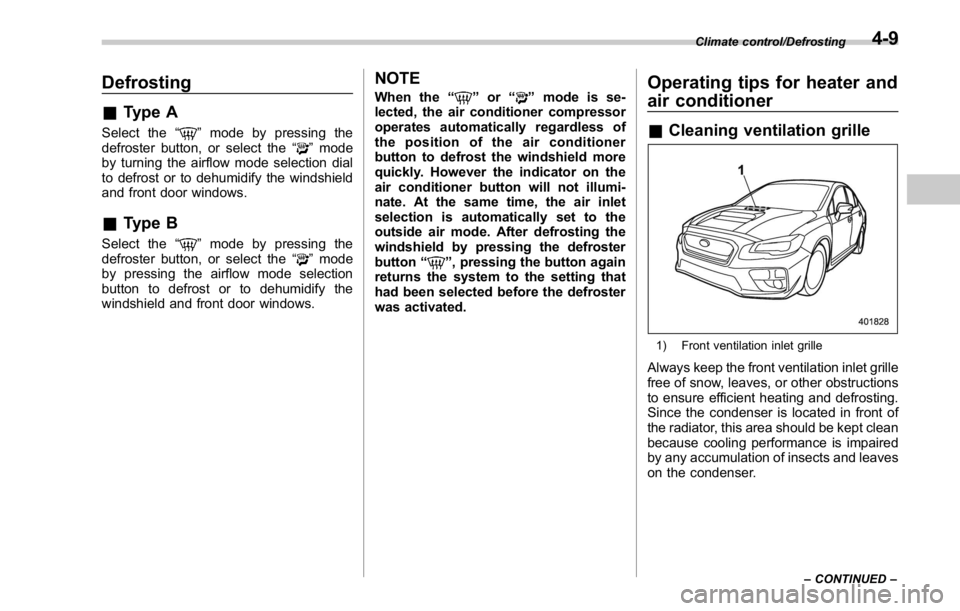
Always keep the front ventilation inlet grille
free of snow, leaves, or other obstructions
to ensure efficient heating and defrosting.
Since the condenser is located in front of
the radiator, this area should be kept clean
because cooling performance is impaired
by any accumulation of insects and leaves
on the condenser. Climate control/Defrosting
– CONTINUED –4-9
Page 253 of 594
Climate control/Operating tips for heater and air conditioner
& Efficient cooling after parking
in direct sunlightAfter parking in direct sunlight, drive with
the windows open for a few minutes to
allow outside air to circulate into the
heated interior. This results in quicker
cooling by the air conditioner. Keep the
windows closed during the operation of
the air conditioner for maximum cooling
efficiency.
& Lubrication oil circulation in
the refrigerant circuitOperate the air conditioner compressor at
a low engine speed (at idle or low driving
speeds) a few minutes each month during
the off-season to circulate its oil.
& Checking air conditioning
system before summer sea-
sonCheck the air conditioner unit for refriger-
ant leaks, hose conditions, and proper
operation each spring. Have the air con-
ditioning system checked by your
SUBARU dealer. & Cooling and dehumidifying in
high humidity and low tem-
perature weather conditions Under certain weather conditions (high
relative humidity, low temperatures, etc.) a
small amount of water vapor emission
from the air outlets may be noticed. This
condition is normal and does not indicate
any problem with the air conditioning
system.
& Air conditioner compressor
shut-off when engine is
heavily loaded To improve acceleration and gas mileage,
the air conditioner compressor is designed
to temporarily shut off during air condi-
tioner operation whenever the accelerator
is fully depressed such as during rapid
acceleration or when driving up a steep
incline. & Refrigerant for your climate
control system
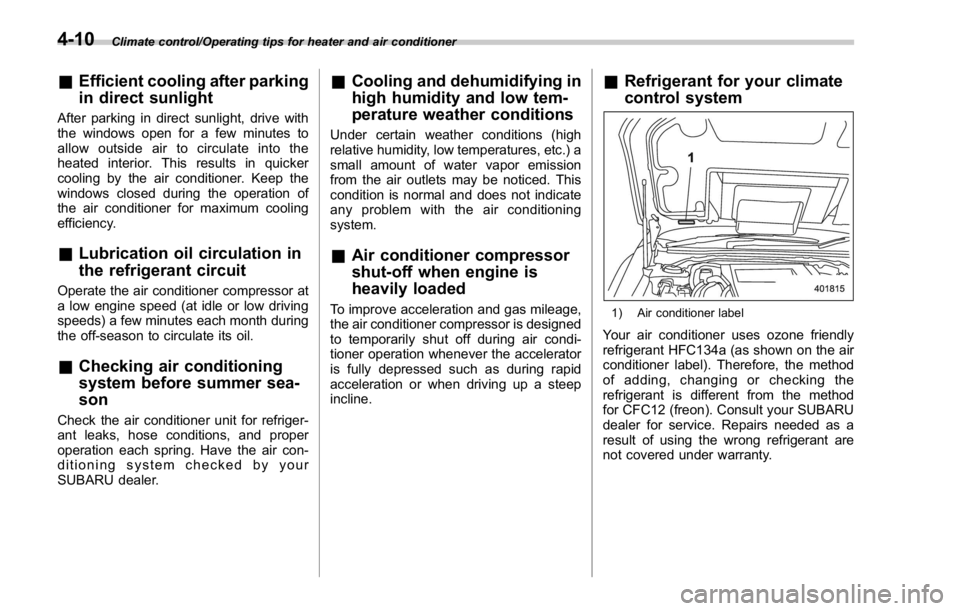
1) Air conditioner label
Your air conditioner uses ozone friendly
refrigerant HFC134a (as shown on the air
conditioner label). Therefore, the method
of adding, changing or checking the
refrigerant is different from the method
for CFC12 (freon). Consult your SUBARU
dealer for service. Repairs needed as a
result of using the wrong refrigerant are
not covered under warranty.4-10
Page 390 of 594

Fuel ...................................................................... 7-3Fuel requirements ............................................... 7-3
Fuel filler lid and cap ........................................... 7-5
State emission testing (U.S. only) ...................... 7-7
Preparing to drive ............................................... 7-8
Starting and stopping the engine (models
without push-button start system) .................. 7-9Starting engine .................................................... 7-9
Stopping the engine ........................................... 7-11
Starting and stopping engine (models with
push-button start system) .............................. 7-12Safety precautions ............................................. 7-12
Operating range for push-button start
system ............................................................. 7-12
Starting engine ................................................... 7-12
Stopping engine ................................................. 7-14
When access key does not operate properly ....... 7-14
Remote engine start system (dealer
option) .............................................................. 7-14Models with “ keyless access with push-button
start system ” ................................................... 7-15
Entering the vehicle while it is running via remote
start ................................................................. 7-16
Entering the vehicle following remote engine start
shutdown ......................................................... 7-16
Pre-heating or pre-cooling the interior of the
vehicle ............................................................. 7-16
System maintenance .......................................... 7-16
Manual transmission .......................................... 7-17
Shifting speeds .................................................. 7-18
Driving tips ........................................................ 7-18 Driver ’ s Control Center Differential (C.DIFF/
DCCD) (STI) ..................................................... 7-19To change mode of driver ’ s control center
differential ....................................................... 7-20
Auto mode ........................................................ 7-20
Manual mode ..................................................... 7-21
Temporary release ............................................. 7-23
Continuously variable transmission ................. 7-23Select lever ....................................................... 7-24
Selection of manual mode .................................. 7-26
Shift lock function ............................................. 7-27
Driving tips ........................................................ 7-28
SI-DRIVE (STI) .................................................... 7-29Intelligent (I) mode ............................................. 7-29
Sport (S) mode .................................................. 7-30
Sport Sharp (S#) mode. ...................................... 7-30
SI-DRIVE selector .............................................. 7-30
SI-DRIVE (except STI: CVT models) ................. 7-31Intelligent (I) mode ............................................. 7-31
Sport (S) mode .................................................. 7-31
Sport Sharp (S#) mode. ...................................... 7-32
SI-DRIVE switches ............................................. 7-32
Limited slip differential (LSD) (STI) .................. 7-33
Power steering ................................................... 7-33
STI .................................................................... 7-33
Except STI ......................................................... 7-34
Braking ............................................................... 7-35
Braking tips ....................................................... 7-35
Brake system .................................................... 7-35
Disc brake pad wear warning indicators ............. 7-36Starting and operating
7
Page 405 of 594

Starting and operating/Remote engine start system (dealer option)
! Stopping the engine
Press and hold the lock button to stop the
engine with remote engine start system.
! Automatic engine shutdown
The remote engine start system will
automatically shut down or will not start
the engine under the following conditions.
. The total run-time has exceeded 20
minutes.
. Any door is opened.
. The select lever is moved to any
position other than “ P ” .
. The engine hood is opened.
. Thepush-buttonignitionswitchis
pressed.
. The brake pedal is depressed.
. The engine speed is 3,000 rpm or
more.
The time setting until the engine auto-
matically stops can be changed. To
change it, please contact your SUBARU
dealer. Note that some settings may
violate state, provincial, or local laws and
regulations. Check the laws in your area to
determine which setting is permitted. & Entering the vehicle while it
is running via remote start 1. Unlock the vehicle doors using the
keyless access function. If the vehicle ’ s
doors are unlocked manually using the
key, the vehicle ’ s alarm system will trigger
(if the alarm system is armed prior to
activating the remote engine start system)
and the engine will turn off. Perform either
of the following procedures to disarm the
alarm system. Refer to “ Alarm system ”
F 2-25.
. Switch the ignition to the “ ACC ” or
“ ON ” state by pressing the push-button
ignition switch once or twice, respec-
tively.
. Press any button on the access key/
transmitter.
2. Enter the vehicle.
3. The engine will shut down when any
door is opened.
4. Press the push-button ignition switch
while depressing the brake pedal to restart
the engine.
& Entering the vehicle follow-
ing remote engine start shut-
down
An alarm trigger may occur if the vehicle is
opened by the remote keyless entry
transmitter within a few seconds immedi- ately following remote engine start shut-
down.
& Pre-heating or pre-cooling
the interior of the vehicle Before exiting the vehicle, set the tem-
perature controls to the desired setting
and operation. After the system starts the
engine, the heater or air conditioning will
activate and heat or cool the interior to
your setting.
& System maintenance For models with “ keyless access with
push-button start system ” :
Perform the procedure described in “ Re-
placing battery of access key ” F 11-50.7-16
Page 413 of 594
Starting and operating/Continuously variable transmission
by inertia with the select lever set
in a forward position or move the
vehicle forward by inertia with
the select lever set in the reverse
position. Doing so may result in
an unexpected accident or mal-
function.
. Do not shift from the “ D ” position
into the “ R ” position or vice
versa until the vehicle has com-
pletely stopped. Such shifting
may cause damage to the trans-
mission.
. When parking the vehicle, first
securely apply the parking brake
and then place the select lever in
the “ P ” position. Do not park for
a long time with the select lever
in any other position as doing so
could result in a dead battery.
NOTE . When the engine coolant tempera-
ture is still low, the transmission will
upshift to higher engine speeds than
when the coolant temperature is suffi-
ciently high in order to shorten the
warm-up time and improve driveability.
The gearshift timing will automatically
shift to the normal timing after the
engine has warmed up. . Immediately after transmission fluid
is replaced, you may feel that the
transmission operation is somewhat
unusual. This results from invalidation
of data which the on-board computer
has collected and stored in memory to
allow the transmission to shift at the
most appropriate times for the current
condition of your vehicle. Optimized
shifting will be restored as the vehicle
continues to be driven for a while.
. When driving a CVT model under
continuous heavy load conditions such
as when climbing a long, steep hill, the
engine speed or the vehicle speed may
automatically be reduced. This is not a
malfunction. This phenomenon results
from the engine control function main-
taining the cooling performance of the
vehicle. The engine and vehicle speed
will return to a normal speed when the
engine is able to maintain the optimum
cooling performance after the heavy
load decreases. Driving under a heavy
load must be performed with extreme
care.
. The continuously variable transmis-
sion is a chain type system that
provides superior transmission effi-
ciency for maximum fuel economy. At
times, depending on varying driving
conditions, a chain operating noise
may be heard that is characteristic of this type of system.
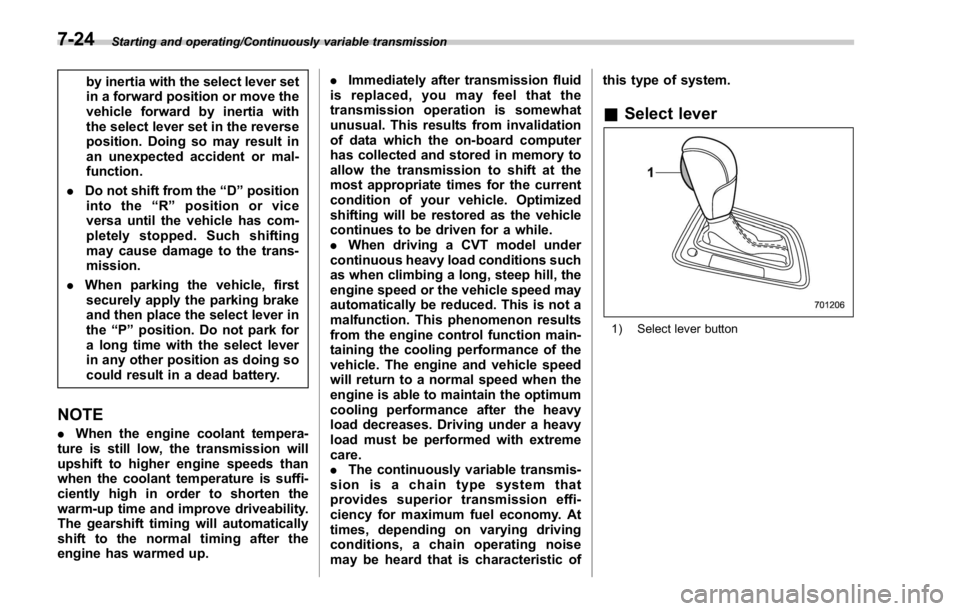
& Select lever
1) Select lever button7-24
Page 474 of 594
Jump starting WARNING. Battery fluid is SULFURIC ACID.
Do not let it come in contact with
the eyes, skin, clothing or the
vehicle.
If battery fluid gets on you,
thoroughly flush the exposed
area with water immediately. Get
medical help if the fluid has
entered your eyes.
If battery fluid is accidentally
swallowed, immediately drink a
large amount of milk or water,
and obtain immediate medical
help.
Keep everyone including chil-
dren away from the battery.
. The gas generated by a battery
explodes if a flame or spark is
brought near it. Do not smoke or
light a match while jump starting.
. Never attempt jump starting if the
discharged battery is frozen. It
could cause the battery to burst
or explode.
. Whenever working on or around
a battery, always wear suitable eye protectors, and remove metal
objects such as rings, bands or
other metal jewelry.
. Be sure the jumper cables and
clamps on them do not have
loose or missing insulation.
Do not jump start unless cables
in suitable condition are avail-
able.
. A running engine can be danger-
ous. Keep your fingers, hands,
clothing, hair and tools away
from the cooling fan, belts and
any other moving engine parts.
Removing rings, watches and
ties is advisable.
. Jump starting is dangerous if it
done incorrectly. If you are un-
sure about the proper procedure
for jump starting, consult a com-
petent mechanic.
When your vehicle does not start due to a
run down (discharged) battery, the vehicle
may be jump started by connecting your
battery to another battery (called the
booster battery) with jumper cables. & How to jump start 1. Make sure the booster battery is 12
volts and the negative terminal is
grounded.
2. If the booster battery is in another
vehicle, do not let the two vehicles touch.
3. Turn off all unnecessary lights and
accessories.
4. Connect the jumper cables exactly in
the sequence illustrated. In case of emergency/Jump starting
– CONTINUED –9-9