display SUBARU WRX 2018 Owners Manual
[x] Cancel search | Manufacturer: SUBARU, Model Year: 2018, Model line: WRX, Model: SUBARU WRX 2018Pages: 578, PDF Size: 33.21 MB
Page 371 of 578
(384,1)
北米Model "A1700BE-B" EDITED: 2017/ 10/ 11
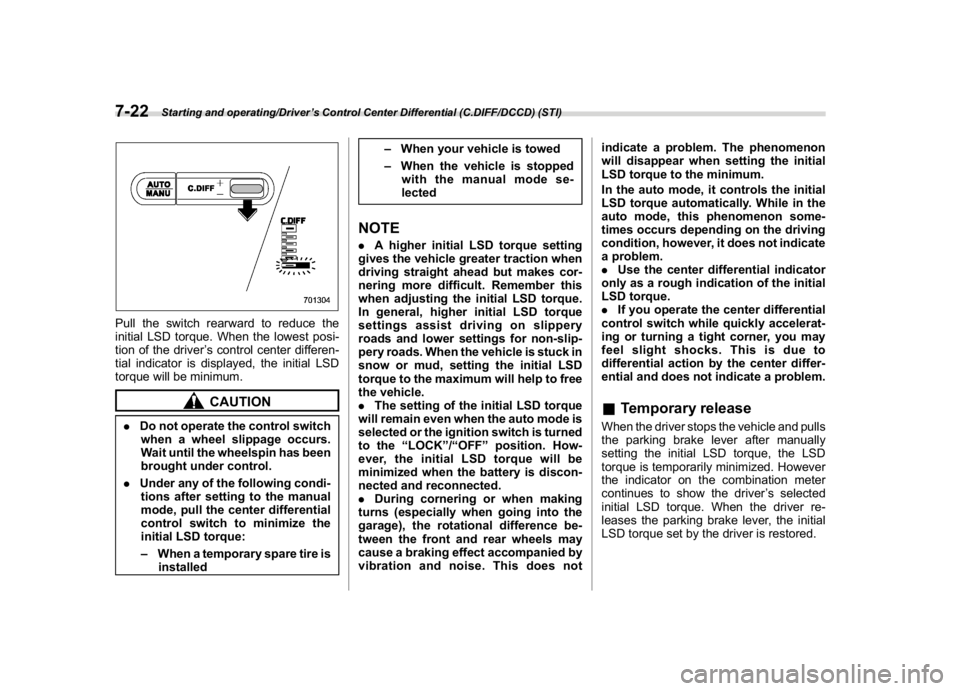
Pull the switch rearward to reduce the
initial LSD torque. When the lowest posi-
tion of the driver’s control center differen-
tial indicator is displayed, the initial LSD
torque will be minimum.
CAUTION
.Do not operate the control switch
when a wheel slippage occurs.
Wait until the wheelspin has been
brought under control.
.Under any of the following condi-
tions after setting to the manual
mode, pull the center differential
control switch to minimize the
initial LSD torque:
–When a temporary spare tire is
installed–When your vehicle is towed
–When the vehicle is stopped
with the manual mode se-
lected
NOTE.A higher initial LSD torque setting
gives the vehicle greater traction when
driving straight ahead but makes cor-
nering more difficult. Remember this
when adjusting the initial LSD torque.
In general, higher initial LSD torque
settings assist driving on slippery
roads and lower settings for non-slip-
pery roads. When the vehicle is stuck in
snow or mud, setting the initial LSD
torque to the maximum will help to free
the vehicle.
.The setting of the initial LSD torque
will remain even when the auto mode is
selected or the ignition switch is turned
to the“LOCK”/“OFF”position. How-
ever, the initial LSD torque will be
minimized when the battery is discon-
nected and reconnected.
.During cornering or when making
turns (especially when going into the
garage), the rotational difference be-
tween the front and rear wheels may
cause a braking effect accompanied by
vibration and noise. This does notindicate a problem. The phenomenon
will disappear when setting the initial
LSD torque to the minimum.
In the auto mode, it controls the initial
LSD torque automatically. While in the
auto mode, this phenomenon some-
times occurs depending on the driving
condition, however, it does not indicate
a problem.
.Use the center differential indicator
only as a rough indication of the initial
LSD torque.
.If you operate the center differential
control switch while quickly accelerat-
ing or turning a tight corner, you may
feel slight shocks. This is due to
differential action by the center differ-
ential and does not indicate a problem.
&Temporary releaseWhen the driver stops the vehicle and pulls
the parking brake lever after manually
setting the initial LSD torque, the LSD
torque is temporarily minimized. However
the indicator on the combination meter
continues to show the driver’s selected
initial LSD torque. When the driver re-
leases the parking brake lever, the initial
LSD torque set by the driver is restored.
Starting and operating/Driver’s Control Center Differential (C.DIFF/DCCD) (STI)
7-22
Page 379 of 578
(392,1)
北米Model "A1700BE-B" EDITED: 2017/ 10/ 11
!Except STI
When you select the Sport Sharp (S#)
mode with the select lever in the“D”
position, the transmission gear ratio will
shift from variable speed to eight-speed.
The select lever/gear position indicator
display will change from“D”to the gear
position.
When selecting Sport Sharp (S#) mode,
the following controls will be applied.
.Uphill control
Prevents unnecessary shift-up/shift-down
during ascent.
.Cornering control
While turning, if there is a large centrifugal
force, shift-up will not occur: during re-
acceleration.
.Braking control
At the beginning of corners etc., heavy
application of the brake pedal will cause
automatic downshift and gently re-accel-
erate.
.Sudden acceleration return control
During acceleration, if acceleration pedal
is returned suddenly (for example, at
corners etc.), shift-up will not be applied.
&SI-DRIVE switch
NOTE.The next time you turn on the engine,
the following SI-DRIVE mode will be
selected.
–Intelligent (I) mode if you have
turned off the engine in the Intelli-
gent (I) mode
–Sport (S) mode if you have turned
off the engine in the Sport (S) mode
or Sport Sharp (S#) mode
.If the CHECK ENGINE warning light/
malfunction indicator light illuminates
during engine operation, the SI-DRIVE
mode changes to the Sport (S) mode. In
this case, it is not possible to change to
the Sport Sharp (S#) mode or Intelligent
(I) mode.
.If the engine coolant temperature
becomes so high that the engine could
overheat, it is not possible to change to
the Sport Sharp (S#) mode. While the
vehicle is in the Sport Sharp (S#) mode,
it changes to the Sport (S) mode when
the engine coolant temperature in-
creases.
.If any of the SI-DRIVE indicators
blink, the SI-DRIVE system may be
malfunctioning. Contact your SUBARU
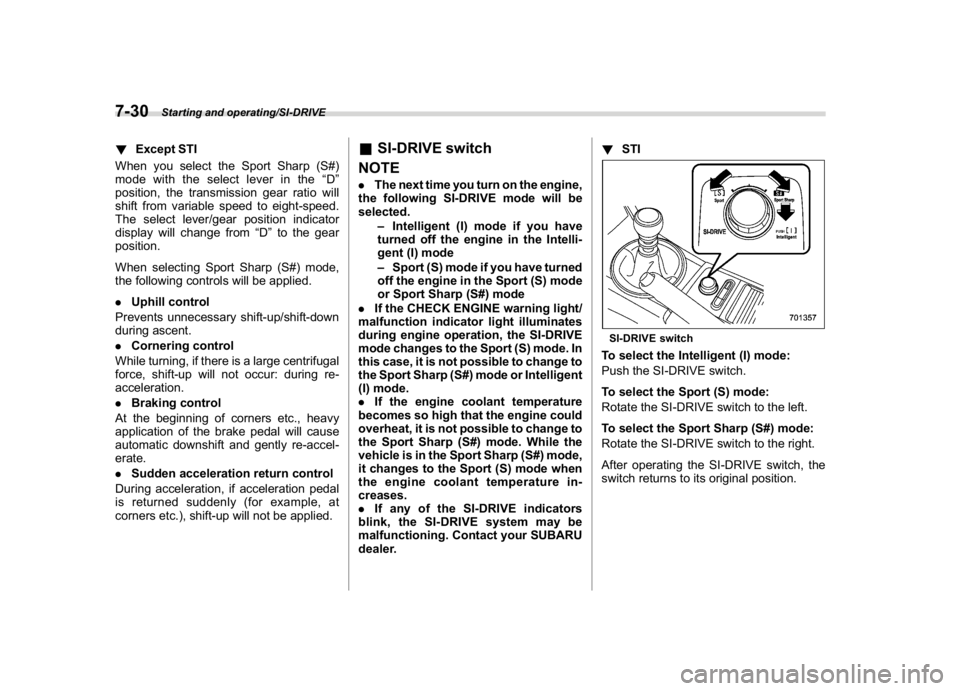
dealer.!STI
SI-DRIVE switchTo select the Intelligent (I) mode:
Push the SI-DRIVE switch.
To select the Sport (S) mode:
Rotate the SI-DRIVE switch to the left.
To select the Sport Sharp (S#) mode:
Rotate the SI-DRIVE switch to the right.
After operating the SI-DRIVE switch, the
switch returns to its original position.
Starting and operating/SI-DRIVE
7-30
Page 398 of 578
(411,1)
北米Model "A1700BE-B" EDITED: 2017/ 10/ 11
electronic parking brake indicator light is
off.
–Depress the accelerator pedal with
the driver’s seatbelt fastened and with
the doors closed.
–Press the electronic parking brake
switch with the brake pedal depressed.
.Under certain conditions, including a
malfunction of the Auto Vehicle Hold, a
warning buzzer will sound and a warning
message will appear on the combination
meter display (color LCD). All warning
messages should be strictly observed.
.On a steep slope, the vehicle cannot be
kept stopped by the Auto Vehicle Hold
function. In such a case, depress and hold
the brake pedal.
.When stopping on a steep slope with
the Auto Vehicle Hold function activated,
the electronic parking brake may automa-
tically be applied after stopping, then the
electronic parking brake indicator light
may flash. In such a case, depress and
hold the brake pedal while stopped.
Otherwise, the vehicle may move. When
getting out of the vehicle, stop the vehicle
on a flat surface, then apply the electronic
parking brake.
.If the Auto Vehicle Hold ON indicator
light does not illuminates even after
pressing the Auto Vehicle Hold switch with
the operating conditions met, the functionmay have a malfunction. Contact your
SUBARU dealer for an inspection.
.You may hear a sound while the Auto
Vehicle Hold function is keeping your
vehicle stopped. This is normal, and does
not represent a malfunction.
.While the vehicle is kept stopped by the
Auto Vehicle Hold function, the brake
pedal may feel stiff. However, this is not a
malfunction.
.When using the Auto Vehicle Hold
function, depress the brake pedal firmly.
Otherwise, the Auto Vehicle Hold may not
operate.
.When the Auto Vehicle Hold switch is
pressed and held for more than 30
seconds, the Auto Vehicle Hold ON in-
dicator light will turn off and further opera-
tion of the switch will be ignored. To make
the switch usable again, turn the ignition
switch to the“LOCK”/“OFF”position and
then turn it to the“ON”position.
Hill start assist system
WARNING
.The Hill start assist system is a
device only for helping the driver
to START the vehicle on an uphill
grade. To prevent accidents
when the vehicle is parked on a
slope, be sure to firmly set the
parking brake. When setting the
parking brake, make sure that the
vehicle remains stationary when
the clutch pedal (MT models) and
brake pedal (both MT and CVT
models) are released.
.Do not turn the ignition switch to
the“LOCK”/“OFF”position while
the Hill start assist system is
operating. The Hill start assist
system will be deactivated, caus-
ing an accident.NOTEFor models with the electronic parking
brake system:
.The Hill start assist system will
activate when the Auto Vehicle Hold
function is deactivated.
.The Hill start assist system will
–CONTINUED–
Starting and operating/Hill start assist system
7-49
7
Page 410 of 578
(423,1)
北米Model "A1700BE-B" EDITED: 2017/ 10/ 11
tected.
The indicator light will flash to warn the
driver of dangers under the following
conditions.
.While the indicator light is illuminating, if
the turn signal lever is operated toward the
side in which this light turned on
.When reversing the vehicle while the
system detects a vehicle approaching
from either side
!BSD/RCTA approach indicator
light dimming function
When the headlights are on, the bright-
ness of the BSD/RCTA approach indicator
light will be reduced.NOTE.You may have difficulty seeing the
BSD/RCTA approach indicator light
under the following conditions.
–When sunlight shines directly on
it
–When the headlight beams from a
vehicle traveling behind shines di-
rectly on it
.While the illumination brightness
control dial is in the fully upward
position, even if the headlights are
turned on, the brightness of the BSD/
RCTA approach indicator light will not
be reduced. For details about theillumination brightness control dial,
refer to“Illumination brightness con-
trol”F3-71.
!BSD/RCTA approach warning buz-
zer (only when reversing)
A warning buzzer sounds along with
flashing of the BSD/RCTA approach in-
dicator light to warn the driver of dangers.
You can change the setting of the warning
buzzer volume by operating the combina-
tion meter display (color LCD). For details,
refer to“BSD/RCTA”F3-43.
!Safety tips regarding the BSD/RCTA
approach indicator light/warning
buzzer
.In the following cases, operation of the
BSD/RCTA approach indicator light and
the warning buzzer may be delayed or the
system may fail to issue these warnings.
–When a vehicle moves to the neigh-
boring lane from a lane next to the
neighboring lane
–When you are driving on a steep
incline or on repeated sharp uphill and
downhill grades
–When you are going beyond a pass
–When both your vehicle and a
vehicle driving on a neighboring lane
are driving on the far side of each lane.
–When several narrowly-spaced ve-hicles are approaching in a row
–In low radius bends (tight bends or
when making turns at an intersection)
–When there is a difference in height
between your lane and the neighboring
lane
–Immediately after the BSD/RCTA is
activated by pressing the BSD/RCTA
OFF switch
–Immediately after the shift lever/
select lever is shifted to the“R”position
–When extremely heavy cargo is
loaded in the trunk
.During reversing, operation of the BSD/
RCTA approach indicator light and the
warning buzzer may be delayed or the
system may fail to issue these warnings
under the following conditions.
–When backing out of an angled
parking space
–When a large-sized vehicle is
parked next to your vehicle (That
vehicle prevents the propagation of
radar waves.)
–When reversing on sloped roads
–When reversing at a high speed
–CONTINUED–
Starting and operating/BSD/RCTA
7-61
7
Page 411 of 578
(424,1)
北米Model "A1700BE-B" EDITED: 2017/ 10/ 11
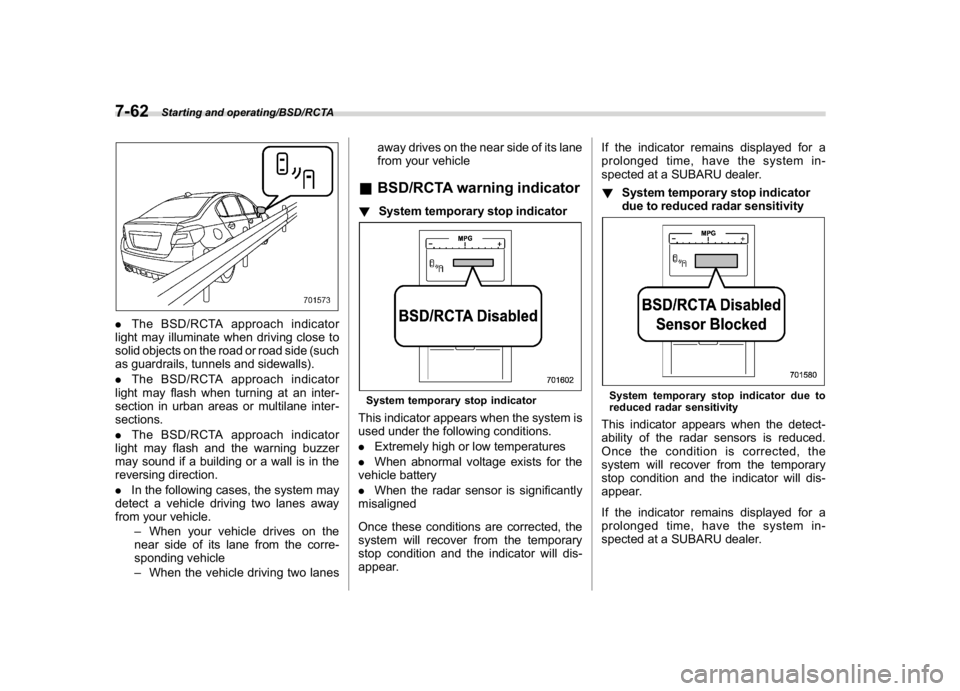
.The BSD/RCTA approach indicator
light may illuminate when driving close to
solid objects on the road or road side (such
as guardrails, tunnels and sidewalls).
.The BSD/RCTA approach indicator
light may flash when turning at an inter-
section in urban areas or multilane inter-
sections.
.The BSD/RCTA approach indicator
light may flash and the warning buzzer
may sound if a building or a wall is in the
reversing direction.
.In the following cases, the system may
detect a vehicle driving two lanes away
from your vehicle.
–When your vehicle drives on the
near side of its lane from the corre-
sponding vehicle
–When the vehicle driving two lanesaway drives on the near side of its lane
from your vehicle
&BSD/RCTA warning indicator!System temporary stop indicatorSystem temporary stop indicatorThis indicator appears when the system is
used under the following conditions.
.Extremely high or low temperatures
.When abnormal voltage exists for the
vehicle battery
.When the radar sensor is significantly
misaligned
Once these conditions are corrected, the
system will recover from the temporary
stop condition and the indicator will dis-
appear.If the indicator remains displayed for a
prolonged time, have the system in-
spected at a SUBARU dealer.
!System temporary stop indicator
due to reduced radar sensitivity
System temporary stop indicator due to
reduced radar sensitivityThis indicator appears when the detect-
ability of the radar sensors is reduced.
Once the condition is corrected, the
system will recover from the temporary
stop condition and the indicator will dis-
appear.
If the indicator remains displayed for a
prolonged time, have the system in-
spected at a SUBARU dealer.
Starting and operating/BSD/RCTA
7-62
Page 412 of 578
(425,1)
北米Model "A1700BE-B" EDITED: 2017/ 10/ 11
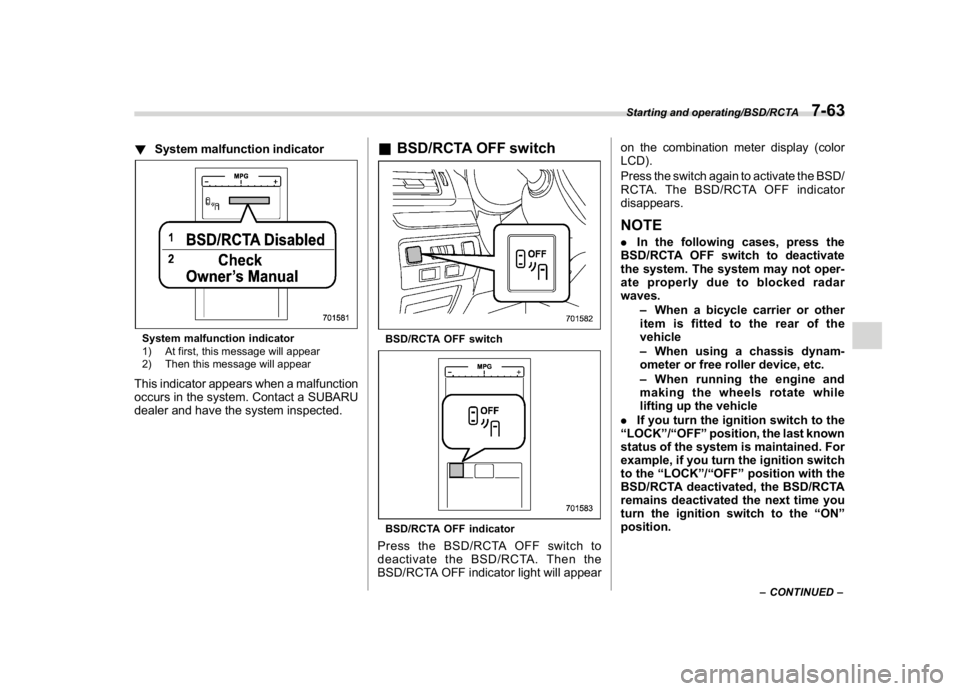
!System malfunction indicatorSystem malfunction indicator
1) At first, this message will appear
2) Then this message will appearThis indicator appears when a malfunction
occurs in the system. Contact a SUBARU
dealer and have the system inspected.
&BSD/RCTA OFF switchBSD/RCTA OFF switchBSD/RCTA OFF indicatorPress the BSD/RCTA OFF switch to
deactivate the BSD/RCTA. Then the
BSD/RCTA OFF indicator light will appearon the combination meter display (color
LCD).
Press the switch again to activate the BSD/
RCTA. The BSD/RCTA OFF indicator
disappears.
NOTE.In the following cases, press the
BSD/RCTA OFF switch to deactivate
the system. The system may not oper-
ate properly due to blocked radar
waves.
–When a bicycle carrier or other
item is fitted to the rear of the
vehicle
–When using a chassis dynam-
ometer or free roller device, etc.
–When running the engine and
making the wheels rotate while
lifting up the vehicle
.If you turn the ignition switch to the
“LOCK”/“OFF”position, the last known
status of the system is maintained. For
example, if you turn the ignition switch
to the“LOCK”/“OFF”position with the
BSD/RCTA deactivated, the BSD/RCTA
remains deactivated the next time you
turn the ignition switch to the“ON”
position.
–CONTINUED–
Starting and operating/BSD/RCTA
7-63
7
Page 419 of 578
(432,1)
北米Model "A1700BE-B" EDITED: 2017/ 10/ 11
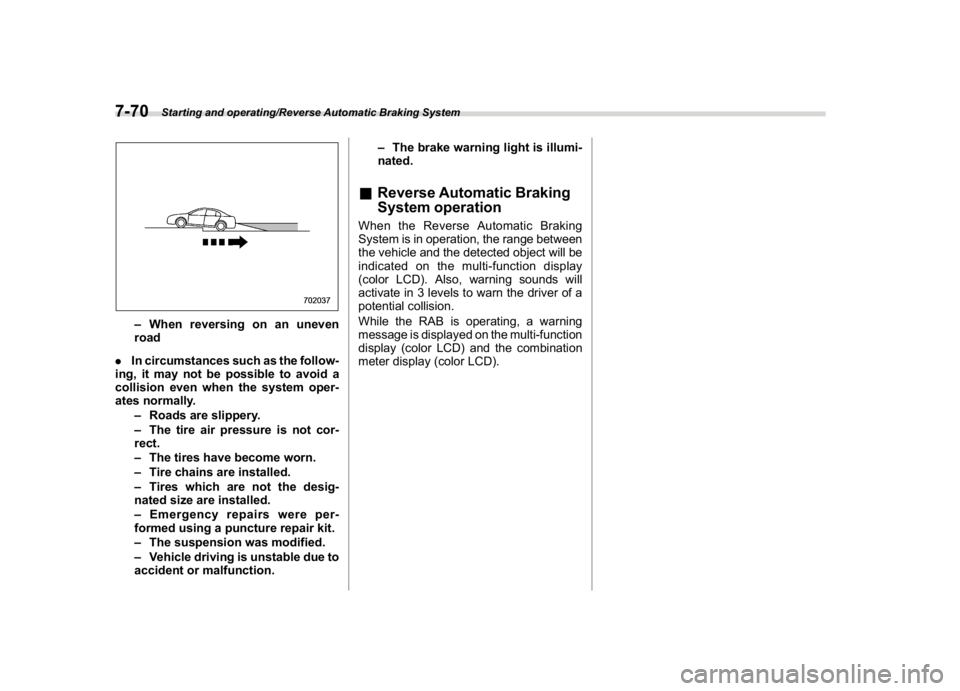
–When reversing on an uneven
road
.In circumstances such as the follow-
ing, it may not be possible to avoid a
collision even when the system oper-
ates normally.
–Roads are slippery.
–The tire air pressure is not cor-
rect.
–The tires have become worn.
–Tire chains are installed.
–Tires which are not the desig-
nated size are installed.
–Emergency repairs were per-
formed using a puncture repair kit.
–The suspension was modified.
–Vehicle driving is unstable due to
accident or malfunction.–The brake warning light is illumi-
nated.
&Reverse Automatic Braking
System operationWhen the Reverse Automatic Braking
System is in operation, the range between
the vehicle and the detected object will be
indicated on the multi-function display
(color LCD). Also, warning sounds will
activate in 3 levels to warn the driver of a
potential collision.
While the RAB is operating, a warning
message is displayed on the multi-function
display (color LCD) and the combination
meter display (color LCD).
Starting and operating/Reverse Automatic Braking System
7-70
Page 421 of 578
(434,1)
北米Model "A1700BE-B" EDITED: 2017/ 10/ 11
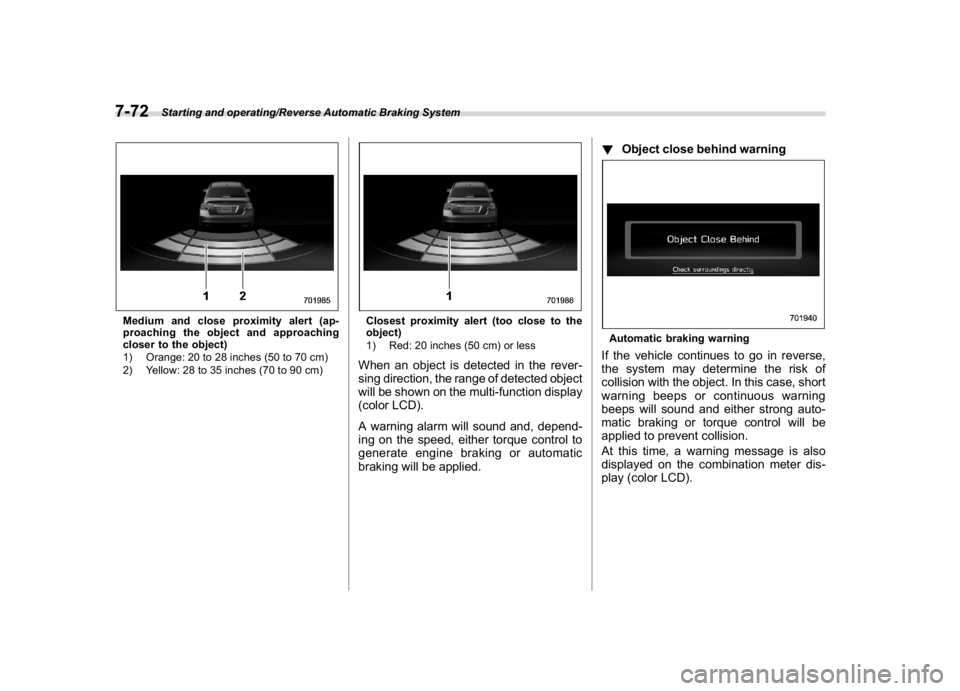
Medium and close proximity alert (ap-
proaching the object and approaching
closer to the object)
1) Orange: 20 to 28 inches (50 to 70 cm)
2) Yellow: 28 to 35 inches (70 to 90 cm)
Closest proximity alert (too close to the
object)
1) Red: 20 inches (50 cm) or lessWhen an object is detected in the rever-
sing direction, the range of detected object
will be shown on the multi-function display
(color LCD).
A warning alarm will sound and, depend-
ing on the speed, either torque control to
generate engine braking or automatic
braking will be applied.!Object close behind warning
Automatic braking warningIf the vehicle continues to go in reverse,
the system may determine the risk of
collision with the object. In this case, short
warning beeps or continuous warning
beeps will sound and either strong auto-
matic braking or torque control will be
applied to prevent collision.
At this time, a warning message is also
displayed on the combination meter dis-
play (color LCD).
Starting and operating/Reverse Automatic Braking System
7-72
Page 422 of 578
(435,1)
北米Model "A1700BE-B" EDITED: 2017/ 10/ 11
!When the vehicle is being stopped
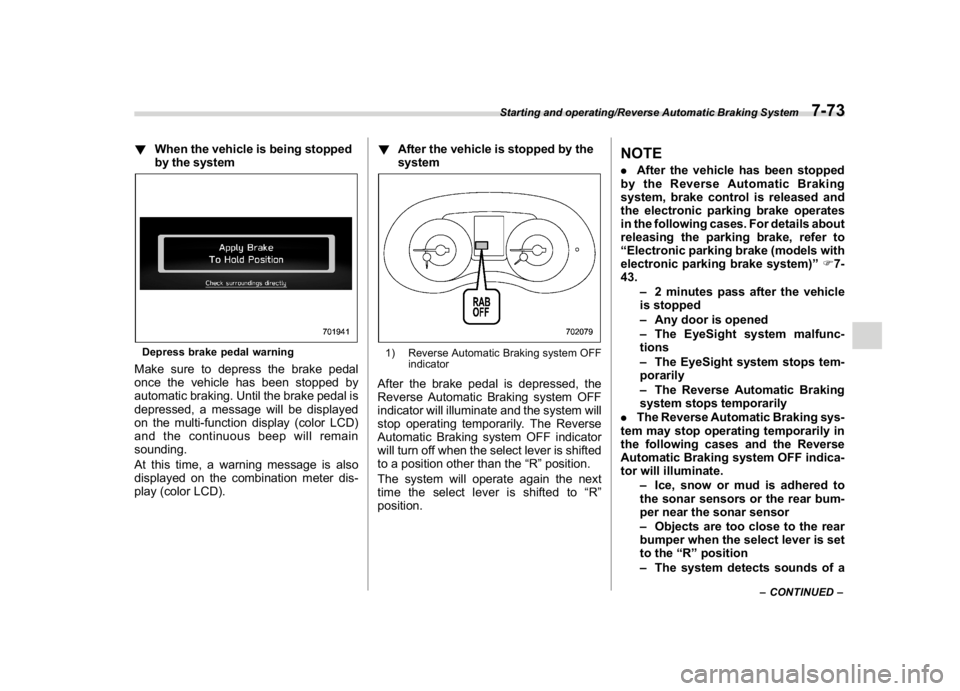
by the systemDepress brake pedal warningMake sure to depress the brake pedal
once the vehicle has been stopped by
automatic braking. Until the brake pedal is
depressed, a message will be displayed
on the multi-function display (color LCD)
and the continuous beep will remain
sounding.
At this time, a warning message is also
displayed on the combination meter dis-
play (color LCD).!After the vehicle is stopped by the
system
1) Reverse Automatic Braking system OFF
indicatorAfter the brake pedal is depressed, the
Reverse Automatic Braking system OFF
indicator will illuminate and the system will
stop operating temporarily. The Reverse
Automatic Braking system OFF indicator
will turn off when the select lever is shifted
to a position other than the“R”position.
The system will operate again the next
time the select lever is shifted to“R”
position.
NOTE.After the vehicle has been stopped
by the Reverse Automatic Braking
system, brake control is released and
the electronic parking brake operates
in the following cases. For details about
releasing the parking brake, refer to
“Electronic parking brake (models with
electronic parking brake system)”F7-
43.
–2 minutes pass after the vehicle
is stopped
–Any door is opened
–The EyeSight system malfunc-
tions
–The EyeSight system stops tem-
porarily
–The Reverse Automatic Braking
system stops temporarily
.The Reverse Automatic Braking sys-
tem may stop operating temporarily in
the following cases and the Reverse
Automatic Braking system OFF indica-
tor will illuminate.
–Ice, snow or mud is adhered to
the sonar sensors or the rear bum-
per near the sonar sensor
–Objects are too close to the rear
bumper when the select lever is set
to the“R”position
–The system detects sounds of a
–CONTINUED–
Starting and operating/Reverse Automatic Braking System
7-73
7
Page 423 of 578
(436,1)
北米Model "A1700BE-B" EDITED: 2017/ 10/ 11
similar frequency to the RAB sonar.
&Canceling the Reverse Auto-
matic Braking system opera-
tionThe Reverse Automatic Braking system
can be temporarily cancelled by any of the
following operations.
.depressing the brake pedal
*
.depressing the accelerator pedal
*
.depressing and holding the accelerator
pedal (in this case, limited acceleration will
be canceled and the vehicle will continue
reversing.)
.shifting the select lever to a position
other than the“R”position
*: while the vehicle is stopped by the
automatic brakingNOTEThe system will be cancelled if the
object is no longer detected.
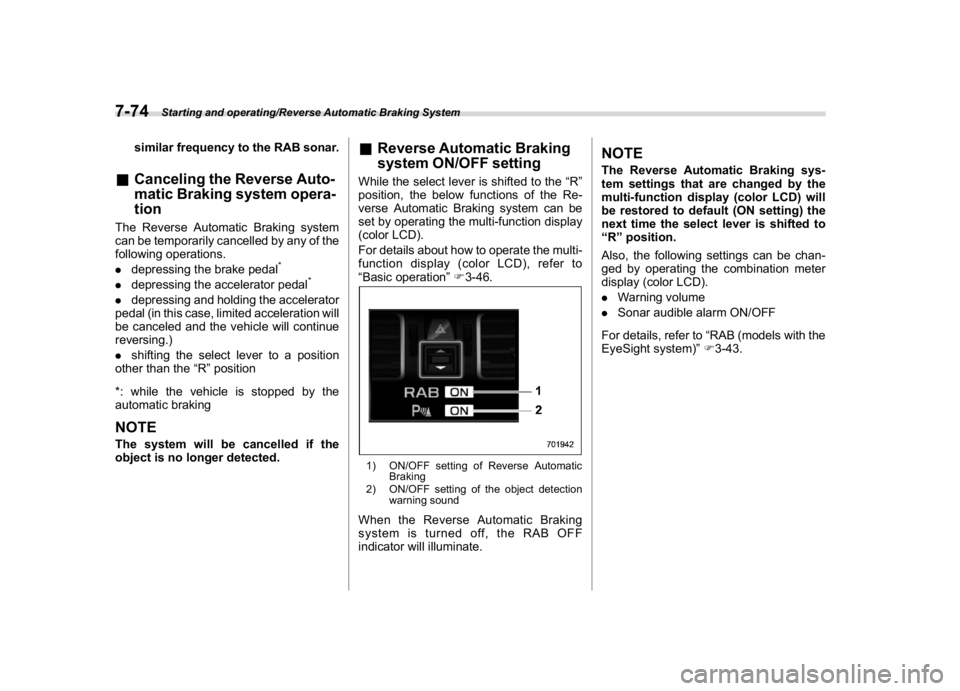
&Reverse Automatic Braking
system ON/OFF settingWhile the select lever is shifted to the“R”
position, the below functions of the Re-
verse Automatic Braking system can be
set by operating the multi-function display
(color LCD).
For details about how to operate the multi-
function display (color LCD), refer to
“Basic operation”F3-46.1) ON/OFF setting of Reverse Automatic
Braking
2) ON/OFF setting of the object detection
warning soundWhen the Reverse Automatic Braking
system is turned off, the RAB OFF
indicator will illuminate.
NOTEThe Reverse Automatic Braking sys-
tem settings that are changed by the
multi-function display (color LCD) will
be restored to default (ON setting) the
next time the select lever is shifted to
“R”position.
Also, the following settings can be chan-
ged by operating the combination meter
display (color LCD).
.Warning volume
.Sonar audible alarm ON/OFF
For details, refer to“RAB (models with the
EyeSight system)”F3-43.
Starting and operating/Reverse Automatic Braking System
7-74