change time SUBARU WRX 2018 User Guide
[x] Cancel search | Manufacturer: SUBARU, Model Year: 2018, Model line: WRX, Model: SUBARU WRX 2018Pages: 578, PDF Size: 33.21 MB
Page 117 of 578
(120,1)
北米Model "A1700BE-B" EDITED: 2017/ 10/ 11
NOTEIf the interval between the first and
second presses of the unlock/disarm
button (for unlocking of all of the doors)
is extremely short, the system may not
respond.&Opening the trunk lidThe trunk lid opens when the“
”button
is pressed continuously for at least 2
seconds. An electronic chirp will sound
twice and the turn signal lights will flash
twice.
NOTEYou can disable the“
”button on the
access key fob/transmitter. Contact
your SUBARU dealer to change the
setting.
&Vehicle finder functionUse this function to find your vehicle
parked among many vehicles in a large
parking lot. Provided you are within 30 feet
(10 meters) of the vehicle, pressing the
lock/arm button three times in a 5-second
period will cause your vehicle’s horn to
sound once and its hazard warning
flashers to flash three times.
NOTEIf the interval between presses is too
short when you press the lock/arm
button three times, the system may
not respond to the signals from the
access key fob/remote transmitter.&Sounding a panic alarmTo activate the alarm, press the“PANIC”
button once.
The horn will sound and the hazard
warning flashers will flash.
To deactivate the panic alarm, press any
button on the access key fob/remote
transmitter. Unless a button on the access
key fob/remote transmitter is pressed, the
alarm will be deactivated after approxi-
mately 30 seconds.&Selecting audible signal op-
eration (models without
“keyless access with push-
button start system”)Using an electronic chirp, the system will
give you an audible signal when the doors
lock and unlock. If desired, you may turn
the audible signal off.
Perform the following steps to deactivate
the audible signal. You can also use thesame steps to restore the function.
1. Sit in the driver’s seat and shut all
doors and the trunk.
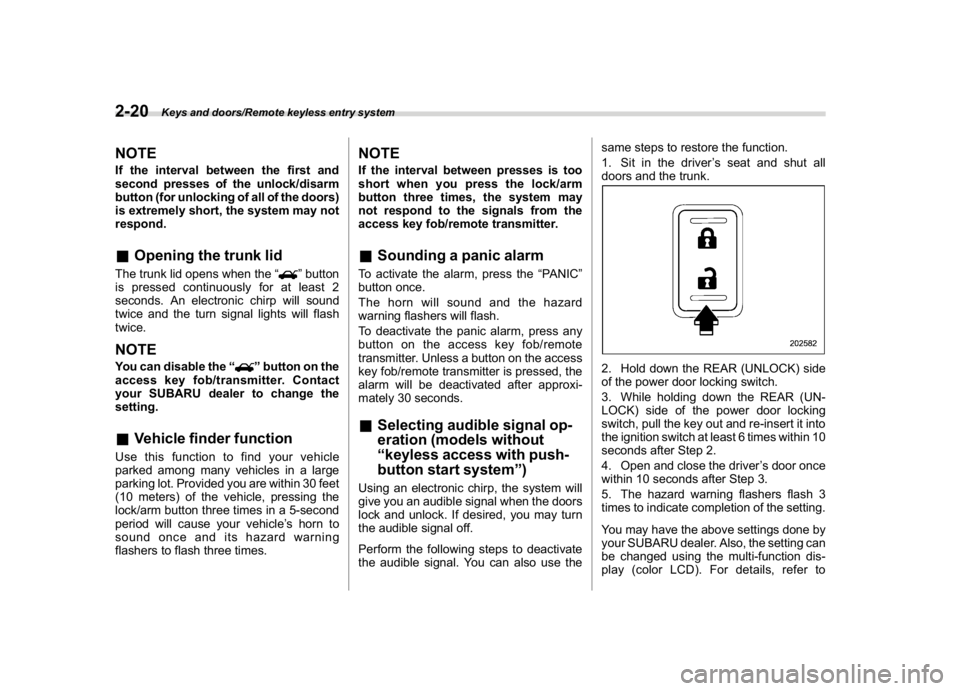
2. Hold down the REAR (UNLOCK) side
of the power door locking switch.
3. While holding down the REAR (UN-
LOCK) side of the power door locking
switch, pull the key out and re-insert it into
the ignition switch at least 6 times within 10
seconds after Step 2.
4. Open and close the driver’s door once
within 10 seconds after Step 3.
5. The hazard warning flashers flash 3
times to indicate completion of the setting.
You may have the above settings done by
your SUBARU dealer. Also, the setting can
be changed using the multi-function dis-
play (color LCD). For details, refer to
Keys and doors/Remote keyless entry system
2-20
Page 121 of 578
(124,1)
北米Model "A1700BE-B" EDITED: 2017/ 10/ 11
!Mexico-spec. models
&Alarm systemThe alarm system helps to protect your
vehicle and valuables from theft. The horn
sounds and the hazard warning flashers
flash if someone attempts to break into
your vehicle.
For models with“keyless access with
push-button start system”:
You can arm or disarm the system with the
keyless access function or access key fob.
The system will not be activated when the
push-button ignition switch is in the“ACC”
or“ON”position.For models without“keyless access
with push-button start system”:
You can arm or disarm the system with the
remote transmitter.
The system will not be activated when the
key is inserted into the ignition switch.
Your vehicle’s alarm system has been set
for activation at the time of shipment from
the factory. You can set the system for
deactivation yourself or have it done by
your SUBARU dealer.
!System operation
The alarm system will give the following
alarms when triggered.
.The vehicle’s horn will sound for 30
seconds.
.The hazard warning flashers will flash
for 30 seconds.
If any of the doors, trunk lid or engine hood
remains open after the 30-second period,
the horn will continue to sound for a
maximum of 3 minutes. If the door, trunk
lid or engine hood is closed while the horn
is sounding, the horn will stop sounding
with a delay of up to 30 seconds.
The alarm is triggered by:
.Opening any of the doors or the trunk lid
.Opening the engine hood.
.Physical impact to the vehicle, such asforced entry (only models with shock
sensors (dealer option))
NOTEYou can set the alarm system to trigger
the illumination of the following interior
lights.
.Map lights (for models with moon-
roof)
.Dome light (illuminates only when
the dome light switch is in the“DOOR”
position)
The notifications regarding the map
lights (for models with moonroof) and
dome light are deactivated as the
factory setting. A SUBARU dealer can
activate the system. Contact your
SUBARU dealer for details.
!Activating and deactivating the
alarm system
To change the setting of your vehicle’s
alarm system for activation or deactiva-
tion, do the following.
1. Disarm the alarm system. Refer to
“Disarming the system”F2-28.
2. Sit in the driver’s seat and shut all
doors and the trunk lid.
3. Turn the ignition switch to the“ON”
position.
4. Hold down the REAR (UNLOCK) side
Keys and doors/Anti-theft system
2-24
Page 122 of 578
(125,1)
北米Model "A1700BE-B" EDITED: 2017/ 10/ 11
of the driver’s power door locking switch,
open the driver’s door within the following
1 second, and wait 10 seconds without
releasing the switch. The setting will then
be changed as follows.
If the system was previously activated:
The odometer/trip meter screen displays
“AL OF”and the horn sounds twice,
indicating that the system is now deacti-
vated.
If the system was previously deacti-
vated:
The odometer/trip meter screen displays
“AL ON”and the horn sounds once,
indicating that the system is now activated.NOTEYou may have the above setting change
done by your SUBARU dealer.
!If you have accidentally triggered
the alarm system
!To stop the alarm
Perform any of the following operations.
.Press any button on the access key fob/
remote transmitter.
.Turn the ignition switch to the“ON”
position (models without“keyless access
with push-button start system”).
.Turn the push-button ignition to the“ACC”position (models with“keyless
access with push-button start system”).
NOTEOnly registered keys will stop the
alarm. If the key is not registered, the
alarm will not stop.
!Arming the systemNOTE.You can arm the system even if the
engine hood, the windows and/or
moonroof are open. Always make sure
that they are fully closed before arming
the system.
.When arming the system, if any of
the doors or the trunk lid is not fully
closed, an electronic chirp sounds five
times, the hazard warning flashers
flash five times to alert you that the
doors (or the trunk lid) are not properly
closed. When you close the door, doors
will automatically lock and the system
will automatically arm in 30 seconds.
.The 30-second standby time can be
eliminated if you prefer. Have it per-
formed by your SUBARU dealer.
.If you open the trunk using the
remote transmitter’s“
”button in
the surveillance state (or the standby
state), the system will be temporarily
placed in a standby state. The systemwill go back to the surveillance state in
30 seconds upon locking the trunk.
.The system is in the standby state
for a 30-second period before arming
the system. The security indicator light
will flash at short intervals during this
period.
.If any of the following actions is
done during the standby period, the
system will not switch to the surveil-
lance state.
–Doors are unlocked using the
access key fob/remote transmitter.
–Doors are unlocked using the
keyless access function (models
with“keyless access with push-
button start system”).
–Any door is opened.
–The ignition switch is turned to
the“ON”position (models without
“keyless access with push-button
start system”).
–Push-buttonignitionswitchis
turned to the“ACC”position (mod-
els with“keyless access with push-
button start system”).
–CONTINUED–
Keys and doors/Anti-theft system
2-25
2
Page 125 of 578
(128,1)
北米Model "A1700BE-B" EDITED: 2017/ 10/ 11
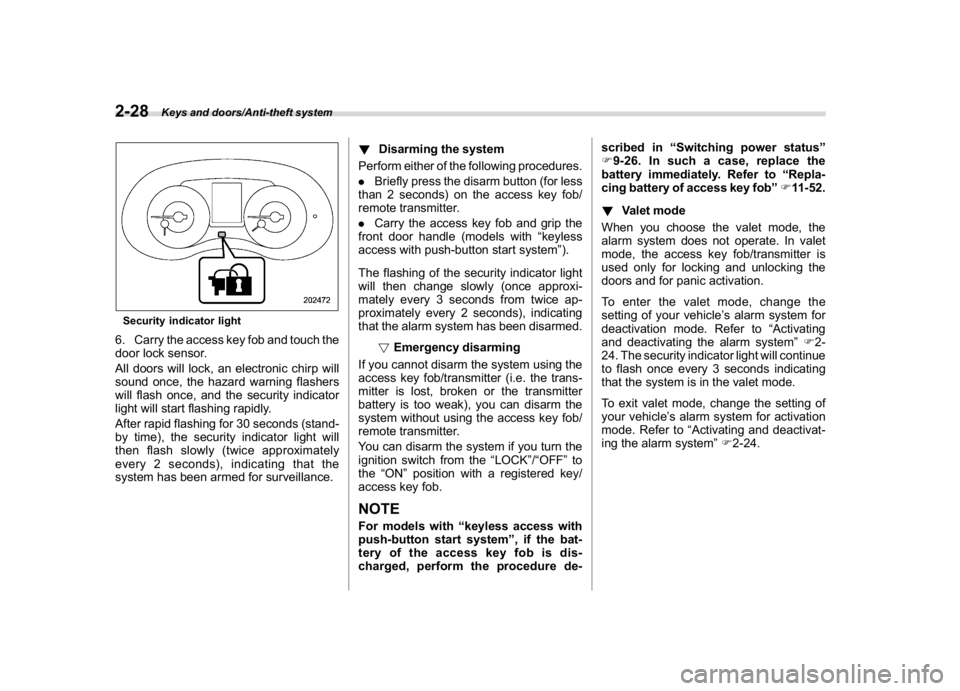
Security indicator light6. Carry the access key fob and touch the
door lock sensor.
All doors will lock, an electronic chirp will
sound once, the hazard warning flashers
will flash once, and the security indicator
light will start flashing rapidly.
After rapid flashing for 30 seconds (stand-
by time), the security indicator light will
then flash slowly (twice approximately
every 2 seconds), indicating that the
system has been armed for surveillance.!Disarming the system
Perform either of the following procedures.
.Briefly press the disarm button (for less
than 2 seconds) on the access key fob/
remote transmitter.
.Carry the access key fob and grip the
front door handle (models with“keyless
access with push-button start system”).
The flashing of the security indicator light
will then change slowly (once approxi-
mately every 3 seconds from twice ap-
proximately every 2 seconds), indicating
that the alarm system has been disarmed.
!Emergency disarming
If you cannot disarm the system using the
access key fob/transmitter (i.e. the trans-
mitter is lost, broken or the transmitter
battery is too weak), you can disarm the
system without using the access key fob/
remote transmitter.
You can disarm the system if you turn the
ignition switch from the“LOCK”/“OFF”to
the“ON”position with a registered key/
access key fob.
NOTEFor models with“keyless access with
push-button start system”, if the bat-
tery of the access key fob is dis-
charged, perform the procedure de-scribed in“Switching power status”
F9-26. In such a case, replace the
battery immediately. Refer to“Repla-
cing battery of access key fob”F11-52.
!Valet mode
When you choose the valet mode, the
alarm system does not operate. In valet
mode, the access key fob/transmitter is
used only for locking and unlocking the
doors and for panic activation.
To enter the valet mode, change the
setting of your vehicle’s alarm system for
deactivation mode. Refer to“Activating
and deactivating the alarm system”F2-
24. The security indicator light will continue
to flash once every 3 seconds indicating
that the system is in the valet mode.
To exit valet mode, change the setting of
your vehicle’s alarm system for activation
mode. Refer to“Activating and deactivat-
ing the alarm system”F2-24.
Keys and doors/Anti-theft system
2-28
Page 139 of 578
(144,1)
北米Model "A1700BE-B" EDITED: 2017/ 10/ 11
High Beam Assist indicator light (green)
(if equipped).......................................................3-35
High Beam Assist warning indicator (yellow)
(if equipped).......................................................3-35
Cruise control indicator........................................3-35
Cruise control set indicator...................................3-35
Automatic headlight beam leveler warning light
(models with LED headlights)..............................3-35
Front fog light indicator light (if equipped) ............3-35
Headlight indicator light........................................3-35
Driver’s control center differential auto indicator
(STI)...................................................................3-36
Driver’s control center differential indicator and
warning (STI)......................................................3-36
REV indicator light (STI)........................................3-37
Steering Responsive Headlight warning indicator/
Steering Responsive Headlight OFF indicator
(if equipped).......................................................3-37
BSD/RCTA warning indicator (if equipped).............3-37
BSD/RCTA OFF indicator (if equipped)..................3-37
RAB warning indicator (if equipped)......................3-37
RAB OFF indicator light (if equipped)....................3-37
Combination meter display (colorLCD).............3-38
Basic operation.....................................................3-39
Welcome screen (opening animation) and
Good-bye screen (ending animation)...................3-39
Warning screen.....................................................3-39
Basic screens.......................................................3-40
Warning indication................................................3-41
Menu screens.......................................................3-41
Multi-function display (colorLCD)......................3-44
Welcome screen...................................................3-45
Self-check screen.................................................3-45
Interruption screen...............................................3-46
Basic operation....................................................3-46
Basic screens.......................................................3-47
Setting screen......................................................3-52
How to get the source code using the open
source...............................................................3-63
Light control switch.............................................3-63
Headlights............................................................3-64
High/low beam change (dimmer) ...........................3-65
Headlight flasher..................................................3-68
Daytime running light system...............................3-69
Steering Responsive Headlight (SRH)
(if equipped).......................................................3-69
To turn on/off the SRH..........................................3-69
Turn signallever...................................................3-70
One-touch lane changer........................................3-70
Illumination brightness control...........................3-71
Automatic dimming function.................................3-71
Auto dimmer cancel function................................3-71
Headlight beam leveler (ifequipped)..................3-71
Automatic headlight beam leveler
(models with LED headlights)............................3-71
Fog light switch (ifequipped)..............................3-72
Wiper and washer.................................................3-72
Windshield wiper and washer switches.................3-74
Instruments and controls
Page 172 of 578
(177,1)
北米Model "A1700BE-B" EDITED: 2017/ 10/ 11
using the manual mode with the Sport
Sharp (S#) mode selected, the upshift/
downshift indicators will be on.&Turn signal indicator
lightsThese lights show the operation of the turn
signal or lane change signal.
If the indicator lights do not blink or blink
rapidly, the turn signal bulb may be burned
out. Replace the bulb as soon as possible.
Refer to“Replacing bulbs”F11-44.&High beam indicator
lightThis light shows that the headlights are in
the high beam mode.
This indicator light also illuminates when
the headlight flasher is operated.&High Beam Assist indi-
cator light (green) (if
equipped)This light illuminates when the High Beam
Assist function is activated. For details
about the High Beam Assist function, refer
to“High beam assist function (models with
the EyeSight system)”F3-65.
&High Beam Assist
warning indicator
(yellow) (if equipped)This warning indicator appears when the
High Beam Assist function malfunctions.
When this warning indicator appears, have
your vehicle inspected by your SUBARU
dealer.&Cruise control indicatorThis indicator appears when the cruise
control main button is pressed to activate
the cruise control function. For details,
refer to“To set cruise control”F7-54.
If this light blinks, do not use the cruise
control. In addition, if it blinks frequently,
contact your SUBARU dealer for an
inspection.
CAUTION
If the CHECK ENGINE warning light/
malfunction indicator light illumi-
nates, the cruise control indicator
flashes at the same time. At this
time, avoid driving at high speed and
have your vehicle inspected at a
SUBARU dealer as soon as possi-
ble.
&Cruise control set indi-
catorThis indicator appears when vehicle speed
has been set to use the cruise control
function. Refer to“To set cruise control”
F7-54.&Automatic headlight
beam leveler warning
light (models with LED
headlights)This light illuminates when the automatic
headlight beam leveler does not operate
normally.
If this light illuminates while driving or does
not turn off approximately 3 seconds after
turning the ignition switch to the“ON”
position, have your vehicle inspected at
your SUBARU dealer.&Front fog light indicator
light (if equipped)This indicator light illuminates while the
front fog lights are illuminated.&Headlight indicator
lightThis indicator light illuminates under the
following conditions.
–CONTINUED–
Instruments and controls/Warning and indicator lights
3-35
3
Page 177 of 578
(182,1)
北米Model "A1700BE-B" EDITED: 2017/ 10/ 11
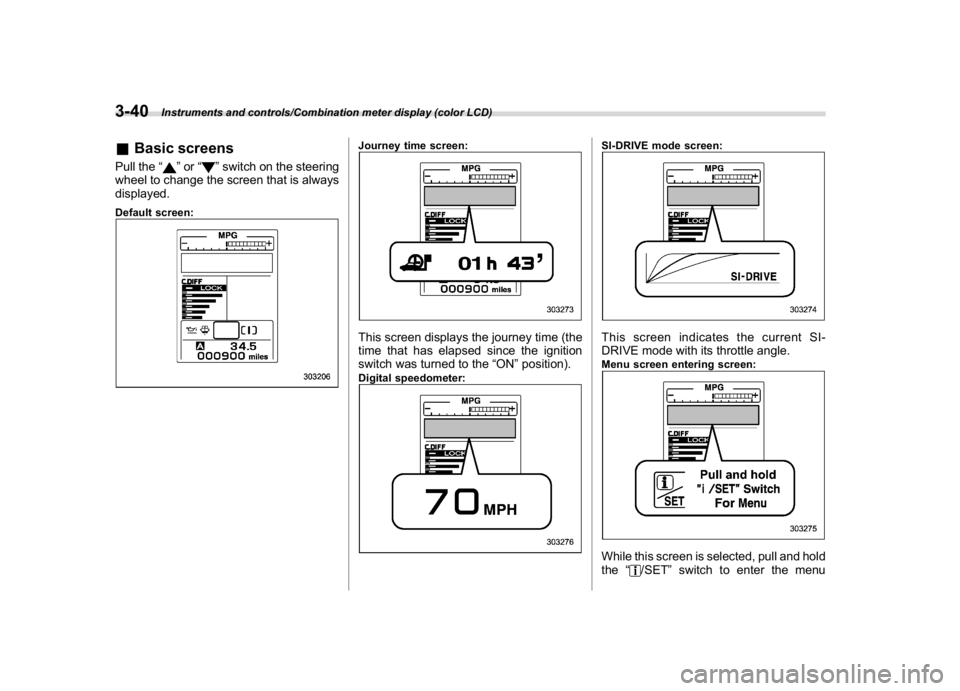
&Basic screensPull the“
”or“
”switch on the steering
wheel to change the screen that is always
displayed.
Default screen:
Journey time screen:This screen displays the journey time (the
time that has elapsed since the ignition
switch was turned to the“ON”position).Digital speedometer:
SI-DRIVE mode screen:This screen indicates the current SI-
DRIVE mode with its throttle angle.Menu screen entering screen:While this screen is selected, pull and hold
the“
/SET”switch to enter the menu
Instruments and controls/Combination meter display (color LCD)
3-40
Page 183 of 578
(188,1)
北米Model "A1700BE-B" EDITED: 2017/ 10/ 11
nance notifications, it turns yellow.
If there is a notification, the message will
be displayed. Take the appropriate actions
based on the message indicated.NOTE.You can set the self-check screen to
on or off. The default setting is off. For
details, refer to“On/Off setting”F3-59.
.After performing the maintenance,
change the setting of the correspond-
ing maintenance item. For details, refer
to“Maintenance settings”F3-59.
.The maintenance notification screen
will be displayed under either of the
following conditions.
–The period of time remaining until
the registered notification date is 15
days or less.
–The total driving distance remain-
ing until the registered notification
distance is approximately 311 miles
(500 km) or less.
.The maintenance notification screen
will be displayed until either of the
following conditions is satisfied.
–The period of time passed after
the registered notification date is 15
days or more.
–The total distance driven after the
registered notification distance is
approximately 311 miles (500 km) ormore.
&Interruption screenUseful messages, such as reminder in-
formation, vehicle information, warning
information, etc. may interrupt the current
screen and appear on the display accom-
panied by a beep. Take proper action
according to the message.The warning screen will return to the
original screen after a few seconds.
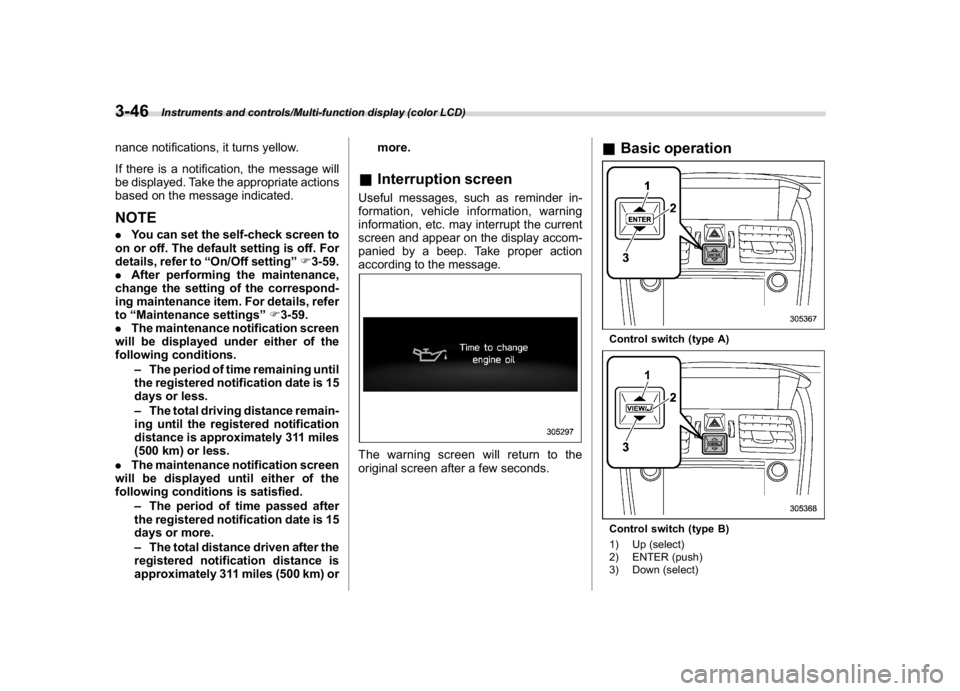
&Basic operationControl switch (type A)Control switch (type B)
1) Up (select)
2) ENTER (push)
3) Down (select)
Instruments and controls/Multi-function display (color LCD)
3-46
Page 192 of 578
(197,1)
北米Model "A1700BE-B" EDITED: 2017/ 10/ 11
!Date and time settings
If a birthday or anniversary is approaching,
a message will be displayed when turning
the ignition switch to the“ON”position. You
can set this function to on or off. For
details, refer to“Bypass screen setting”
F3-58.
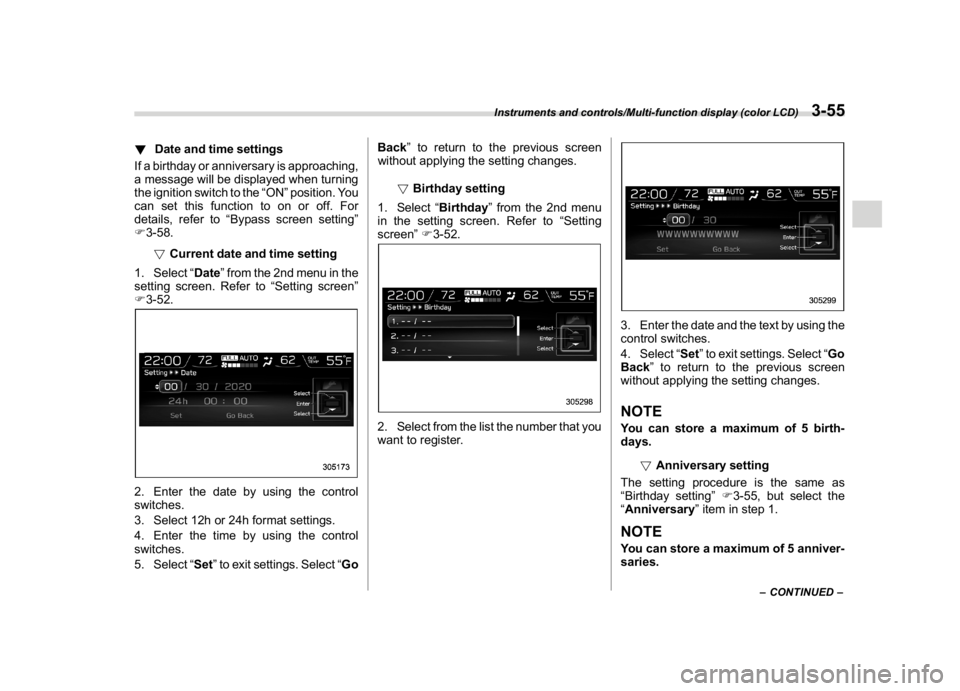
!Current date and time setting
1. Select“Date”from the 2nd menu in the
setting screen. Refer to“Setting screen”
F3-52.2. Enter the date by using the control
switches.
3. Select 12h or 24h format settings.
4. Enter the time by using the control
switches.
5. Select“Set”to exit settings. Select“GoBack”to return to the previous screen
without applying the setting changes.
!Birthday setting
1. Select“Birthday”from the 2nd menu
in the setting screen. Refer to“Setting
screen”F3-52.
2. Select from the list the number that you
want to register.
3. Enter the date and the text by using the
control switches.
4. Select“Set”to exit settings. Select“Go
Back”to return to the previous screen
without applying the setting changes.NOTEYou can store a maximum of 5 birth-
days.
!Anniversary setting
The setting procedure is the same as
“Birthday setting”F3-55, but select the
“Anniversary”item in step 1.NOTEYou can store a maximum of 5 anniver-
saries.
–CONTINUED–
Instruments and controls/Multi-function display (color LCD)
3-55
3
Page 193 of 578
(198,1)
北米Model "A1700BE-B" EDITED: 2017/ 10/ 11
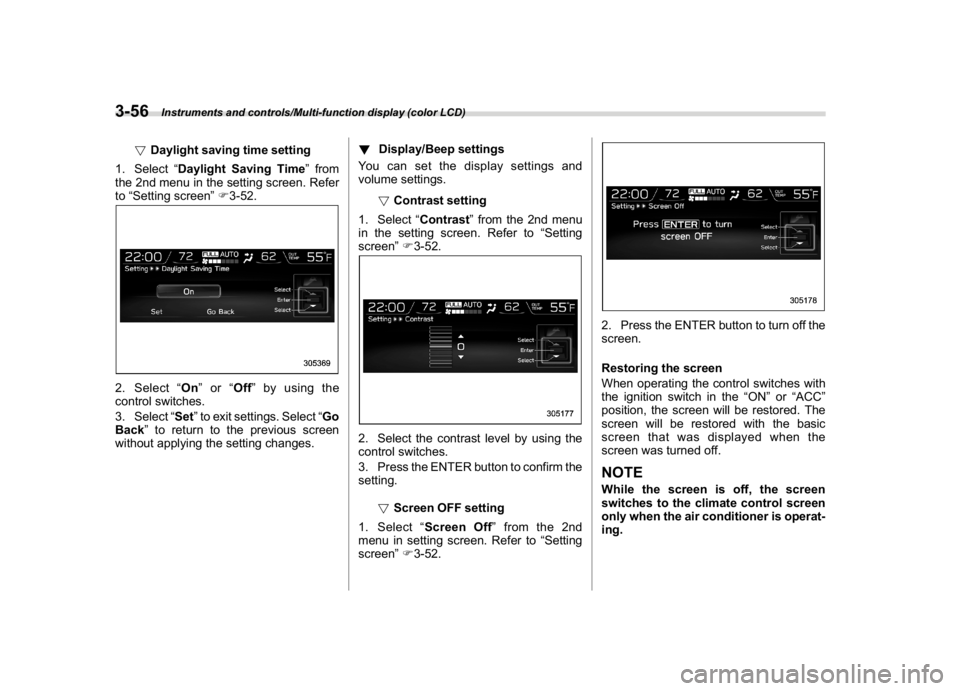
!Daylight saving time setting
1. Select“Daylight Saving Time”from
the 2nd menu in the setting screen. Refer
to“Setting screen”F3-52.
2. Select“On”or“Off”by using the
control switches.
3. Select“Set”to exit settings. Select“Go
Back”to return to the previous screen
without applying the setting changes.!Display/Beep settings
You can set the display settings and
volume settings.
!Contrast setting
1. Select“Contrast”from the 2nd menu
in the setting screen. Refer to“Setting
screen”F3-52.
2. Select the contrast level by using the
control switches.
3. Press the ENTER button to confirm the
setting.
!Screen OFF setting
1. Select“Screen Off”from the 2nd
menu in setting screen. Refer to“Setting
screen”F3-52.
2. Press the ENTER button to turn off the
screen.
Restoring the screen
When operating the control switches with
the ignition switch in the“ON”or“ACC”
position, the screen will be restored. The
screen will be restored with the basic
screen that was displayed when the
screen was turned off.NOTEWhile the screen is off, the screen
switches to the climate control screen
only when the air conditioner is operat-
ing.
Instruments and controls/Multi-function display (color LCD)
3-56