change time SUBARU WRX 2018 Owner's Manual
[x] Cancel search | Manufacturer: SUBARU, Model Year: 2018, Model line: WRX, Model: SUBARU WRX 2018Pages: 578, PDF Size: 33.21 MB
Page 196 of 578
(201,1)
北米Model "A1700BE-B" EDITED: 2017/ 10/ 11
!Maintenance settings
You can set maintenance reminders.
!Engine oil setting
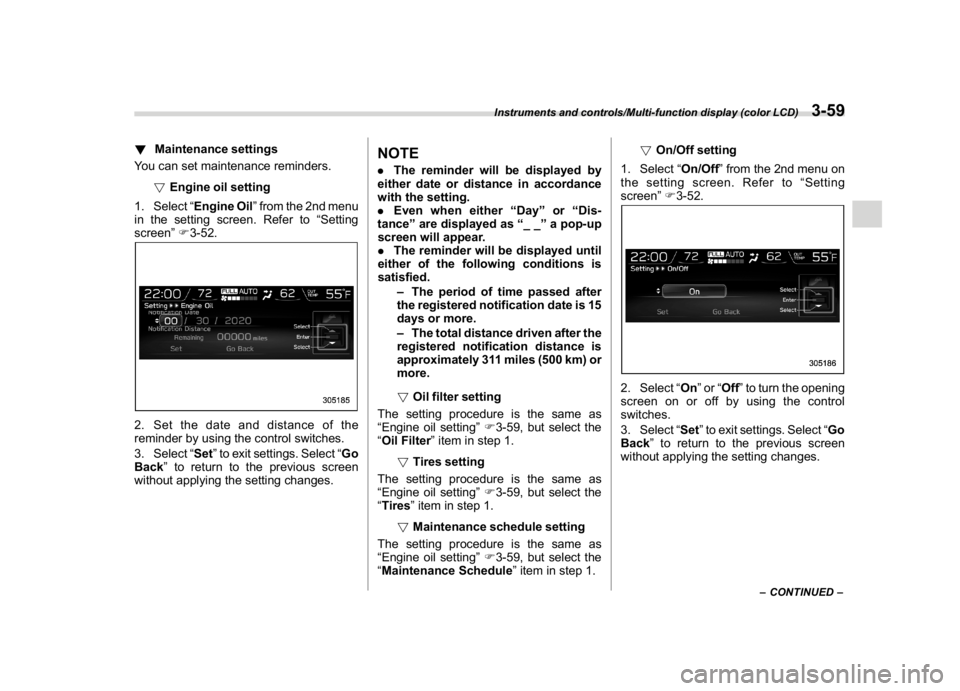
1. Select“Engine Oil”from the 2nd menu
in the setting screen. Refer to“Setting
screen”F3-52.2. Set the date and distance of the
reminder by using the control switches.
3. Select“Set”to exit settings. Select“Go
Back”to return to the previous screen
without applying the setting changes.
NOTE.The reminder will be displayed by
either date or distance in accordance
with the setting.
.Even when either“Day”or“Dis-
tance”are displayed as“__”a pop-up
screen will appear.
.The reminder will be displayed until
either of the following conditions is
satisfied.
–The period of time passed after
the registered notification date is 15
days or more.
–The total distance driven after the
registered notification distance is
approximately 311 miles (500 km) or
more.
!Oil filter setting
The setting procedure is the same as
“Engine oil setting”F3-59, but select the
“Oil Filter”item in step 1.
!Tires setting
The setting procedure is the same as
“Engine oil setting”F3-59, but select the
“Tires”item in step 1.
!Maintenance schedule setting
The setting procedure is the same as
“Engine oil setting”F3-59, but select the
“Maintenance Schedule”item in step 1.!On/Off setting
1. Select“On/Off”from the 2nd menu on
the setting screen. Refer to“Setting
screen”F3-52.
2. Select“On”or“Off”to turn the opening
screen on or off by using the control
switches.
3. Select“Set”to exit settings. Select“Go
Back”to return to the previous screen
without applying the setting changes.
–CONTINUED–
Instruments and controls/Multi-function display (color LCD)
3-59
3
Page 199 of 578
(204,1)
北米Model "A1700BE-B" EDITED: 2017/ 10/ 11
“Auto Light Sensor”item in step 1.
!Keyless Access setting
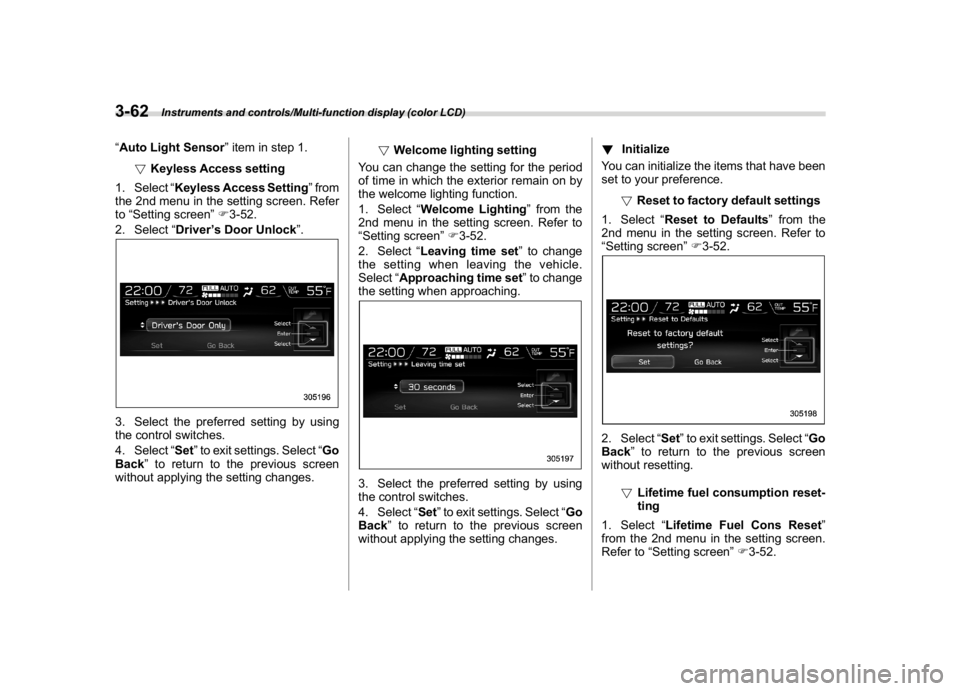
1. Select“Keyless Access Setting”from
the 2nd menu in the setting screen. Refer
to“Setting screen”F3-52.
2. Select“Driver’s Door Unlock”.3. Select the preferred setting by using
the control switches.
4. Select“Set”to exit settings. Select“Go
Back”to return to the previous screen
without applying the setting changes.!Welcome lighting setting
You can change the setting for the period
of time in which the exterior remain on by
the welcome lighting function.
1. Select“Welcome Lighting”from the
2nd menu in the setting screen. Refer to
“Setting screen”F3-52.
2. Select“Leaving time set”to change
the setting when leaving the vehicle.
Select“Approaching time set”to change
the setting when approaching.
3. Select the preferred setting by using
the control switches.
4. Select“Set”to exit settings. Select“Go
Back”to return to the previous screen
without applying the setting changes.!Initialize
You can initialize the items that have been
set to your preference.
!Reset to factory default settings
1. Select“Reset to Defaults”from the
2nd menu in the setting screen. Refer to
“Setting screen”F3-52.
2. Select“Set”to exit settings. Select“Go
Back”to return to the previous screen
without resetting.
!Lifetime fuel consumption reset-
ting
1. Select“Lifetime Fuel Cons Reset”
from the 2nd menu in the setting screen.
Refer to“Setting screen”F3-52.
Instruments and controls/Multi-function display (color LCD)
3-62
Page 201 of 578
(206,1)
北米Model "A1700BE-B" EDITED: 2017/ 10/ 11
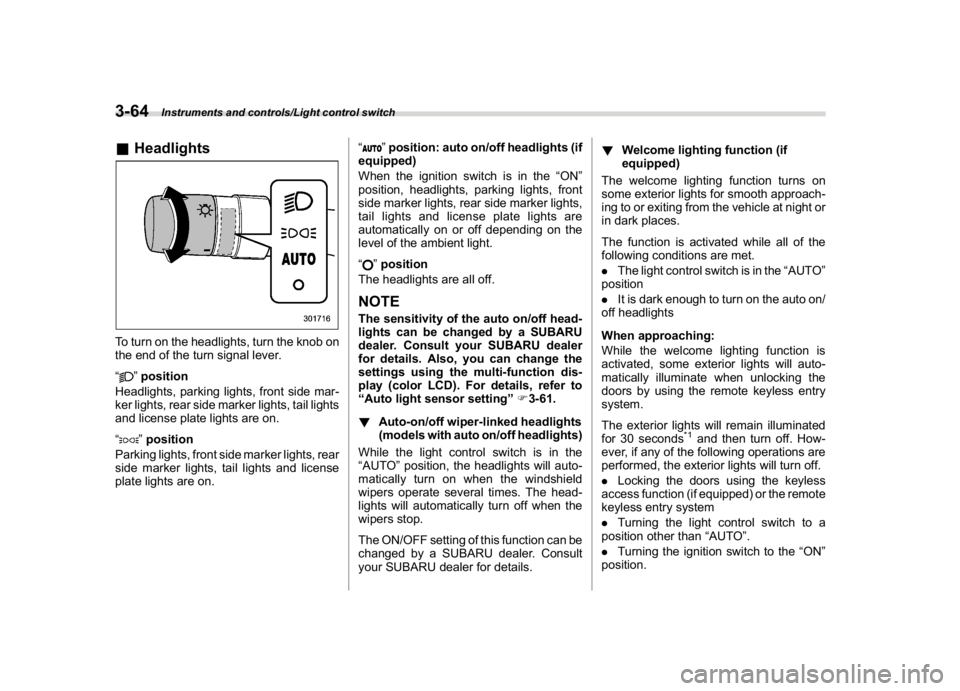
&HeadlightsTo turn on the headlights, turn the knob on
the end of the turn signal lever.
“
”position
Headlights, parking lights, front side mar-
ker lights, rear side marker lights, tail lights
and license plate lights are on.
“”position
Parking lights, front side marker lights, rear
side marker lights, tail lights and license
plate lights are on.“
”position: auto on/off headlights (if
equipped)
When the ignition switch is in the“ON”
position, headlights, parking lights, front
side marker lights, rear side marker lights,
tail lights and license plate lights are
automatically on or off depending on the
level of the ambient light.
“”position
The headlights are all off.
NOTEThe sensitivity of the auto on/off head-
lights can be changed by a SUBARU
dealer. Consult your SUBARU dealer
for details. Also, you can change the
settings using the multi-function dis-
play (color LCD). For details, refer to
“Auto light sensor setting”F3-61.
!Auto-on/off wiper-linked headlights
(models with auto on/off headlights)
While the light control switch is in the
“AUTO”position, the headlights will auto-
matically turn on when the windshield
wipers operate several times. The head-
lights will automatically turn off when the
wipers stop.
The ON/OFF setting of this function can be
changed by a SUBARU dealer. Consult
your SUBARU dealer for details.!Welcome lighting function (if
equipped)
The welcome lighting function turns on
some exterior lights for smooth approach-
ing to or exiting from the vehicle at night or
in dark places.
The function is activated while all of the
following conditions are met.
.The light control switch is in the“AUTO”
position
.It is dark enough to turn on the auto on/
off headlights
When approaching:
While the welcome lighting function is
activated, some exterior lights will auto-
matically illuminate when unlocking the
doors by using the remote keyless entry
system.
The exterior lights will remain illuminated
for 30 seconds
*1and then turn off. How-
ever, if any of the following operations are
performed, the exterior lights will turn off.
.Locking the doors using the keyless
access function (if equipped) or the remote
keyless entry system
.Turning the light control switch to a
position other than“AUTO”.
.Turning the ignition switch to the“ON”
position.
Instruments and controls/Light control switch
3-64
Page 202 of 578
(207,1)
北米Model "A1700BE-B" EDITED: 2017/ 10/ 11
When exiting:
While the welcome lighting function is
activated, some exterior lights will remain
illuminated even when either of the follow-
ing operations is performed.
.Turning the push-button ignition switch
to the“OFF”status (models with“keyless
access with push-button start system”)
.Pulling out the key from the ignition
switch (models without“keyless access
with push-button start system”)
The exterior lights will turn off under any of
the following conditions.
.3 minutes have passed since the
exterior lights were illuminated by the
welcome lighting function.
.30 seconds have passed since the door
was opened and closed.
*1
.The light control switch is turned to a
position other than“AUTO”.
.The locking procedures using the key-
less access function (if equipped) or the
remote keyless entry system is performed
twice. When performing the unlocking
procedure after performing the locking
procedure, perform the locking procedure
twice again.*1: The setting for the period of time in which the
exterior lights remain on by the welcome lighting
function can be changed by a SUBARU dealer.Contact your SUBARU dealer for details.
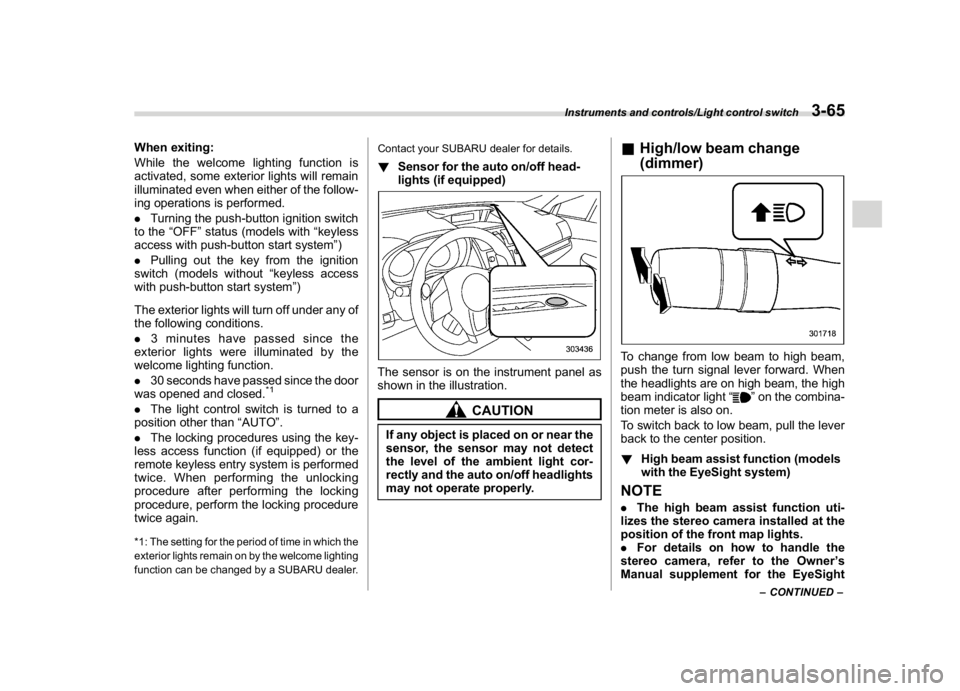
!Sensor for the auto on/off head-
lights (if equipped)The sensor is on the instrument panel as
shown in the illustration.
CAUTION
If any object is placed on or near the
sensor, the sensor may not detect
the level of the ambient light cor-
rectly and the auto on/off headlights
may not operate properly.
&High/low beam change
(dimmer)To change from low beam to high beam,
push the turn signal lever forward. When
the headlights are on high beam, the high
beam indicator light“
”on the combina-
tion meter is also on.
To switch back to low beam, pull the lever
back to the center position.
!High beam assist function (models
with the EyeSight system)
NOTE.The high beam assist function uti-
lizes the stereo camera installed at the
position of the front map lights.
.For details on how to handle the
stereo camera, refer to the Owner’s
Manual supplement for the EyeSight
–CONTINUED–
Instruments and controls/Light control switch
3-65
3
Page 203 of 578
(208,1)
北米Model "A1700BE-B" EDITED: 2017/ 10/ 11
system.
The high beam assist function automati-
cally changes the headlight from high
beam to low beam (or vice versa).
When all of the following conditions are
met, the headlight will change to high
beam.
.The vehicle speed increases to or
above 20 mph (32 km/h).
.There is no preceding or oncoming
vehicle.
.The forward area of the vehicle is dark.
.The road does not have a sharp curve.
When any of the following conditions is
met, the headlight will change to low beam.
.The vehicle speed decreases to or
below 10 mph (16 km/h).
.The forward area of the vehicle is
bright.
.There is a preceding or oncoming
vehicle.
.The EyeSight system is malfunctioning
or is temporarily stopped.NOTEThe factory setting (default setting) for
this function is set as“operational”.
This setting can be changed to OFF
(non-operation) at SUBARU dealers.
For more details, contact a SUBARUdealer.
!How to use the high beam assist
function
The high beam assist function will be
activated when all the following conditions
are met.
.The light control switch is in the“AUTO”
position and the low beam headlights are
on automatically.
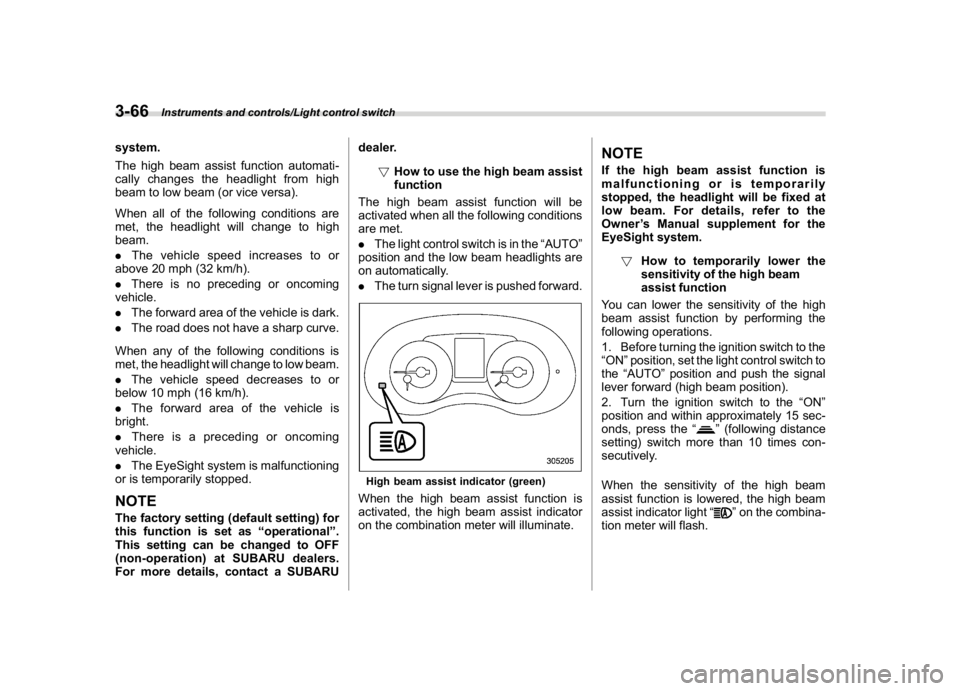
.The turn signal lever is pushed forward.
High beam assist indicator (green)When the high beam assist function is
activated, the high beam assist indicator
on the combination meter will illuminate.
NOTEIf the high beam assist function is
malfunctioning or is temporarily
stopped, the headlight will be fixed at
low beam. For details, refer to the
Owner’s Manual supplement for the
EyeSight system.
!How to temporarily lower the
sensitivity of the high beam
assist function
You can lower the sensitivity of the high
beam assist function by performing the
following operations.
1. Before turning the ignition switch to the
“ON”position, set the light control switch to
the“AUTO”position and push the signal
lever forward (high beam position).
2. Turn the ignition switch to the“ON”
position and within approximately 15 sec-
onds, press the“
”(following distance
setting) switch more than 10 times con-
secutively.
When the sensitivity of the high beam
assist function is lowered, the high beam
assist indicator light“
”on the combina-
tion meter will flash.
Instruments and controls/Light control switch
3-66
Page 204 of 578
(209,1)
北米Model "A1700BE-B" EDITED: 2017/ 10/ 11
NOTE.You cannot lower the sensitivity of
the high beam assist function in the
following conditions.
–Cruise control or Adaptive Cruise
Control is in operation
–The EyeSight warning indicator
(yellow) is illuminated
.The sensitivity of the high beam
assist function returns to normal level
the next time the ignition switch is
turned to the“LOCK”/“OFF”position
and the engine is restarted.
!How to change the headlight
mode manually
Change to the low beam:
Return the turn signal lever to the center
position to turn off the high beam assist
function. Then the high beam assist
indicator will turn off.
Change to the high beam:
Turn the light control switch to the“
”
position to change the headlight mode to
the high beam.
At this time, the high beam assist function
will turn off, the high beam assist indicator
will turn off and the high beam indicator
light will turn on.
NOTEAfter manually selecting the high beam
mode:
.If you want to turn on the high beam
assist function, return the light control
switch to the“AUTO”position.
.Turn the light control switch to the
“
”position to turn on the instrument
panel illumination, parking lights, front
side marker lights, rear side marker
lights, tail lights and license plate
lights.
!Tips for the high beam assist
function
.The high beam assist function recog-
nizes the condition surrounding the vehicle
based on the brightness of illumination
ahead of your vehicle, etc. Therefore, the
headlight mode may switch in some
situations that do not match to the driver’s
sense.
.A bicycle or cargo cycle may not be
detected.
.Under the following situations, the high
beam assist function may not work prop-
erly. As a result, the glare of the high beam
may disturb the oncoming vehicle or
vehicle ahead. Also, the low beam mode
may continue although there are no
oncoming vehicles and vehicles ahead.In the such cases, change the headlight
mode manually.
–In bad weather (fog, snow, sand
storm, heavy rain, etc.)
–When the windshield glass is dirty,
fogged, cracked or damaged
–Whenthestereocameraisde-
formed or the stereo camera lenses
are dirty
–If there are lights similar to the
headlights or the tail lights in the
surrounding area
–When an oncoming vehicle or ve-
hicle ahead is driven without its head-
lights and tail lights on
–If the headlights of an oncoming
vehicle or the tail lights of a vehicle
ahead are dirty or discolored, or if the
light beams are not aimed correctly
–When a rapid change of brightness
continues while driving
–When driving on a road with many
ups and downs, uneven surfaces or
curves
–When there are some objects that
reflect light strongly, such as a road
sign or a mirror in vehicle ahead
–When the rear part of the vehicle
ahead, such as a container, reflects
light strongly
–When the headlights of your vehicle
are damaged or dirty
–CONTINUED–
Instruments and controls/Light control switch
3-67
3
Page 207 of 578
(212,1)
北米Model "A1700BE-B" EDITED: 2017/ 10/ 11
NOTEWhen you turn the ignition switch to the
“ON”position, the SRH OFF indicator
will illuminate and turn off after several
seconds.
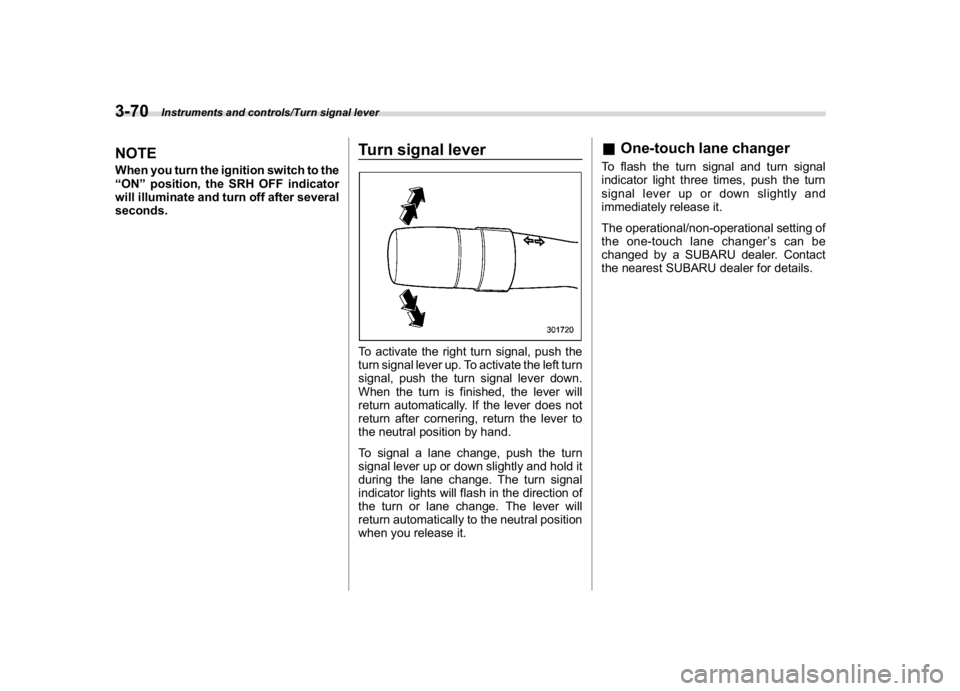
Turn signal leverTo activate the right turn signal, push the
turn signal lever up. To activate the left turn
signal, push the turn signal lever down.
When the turn is finished, the lever will
return automatically. If the lever does not
return after cornering, return the lever to
the neutral position by hand.
To signal a lane change, push the turn
signal lever up or down slightly and hold it
during the lane change. The turn signal
indicator lights will flash in the direction of
the turn or lane change. The lever will
return automatically to the neutral position
when you release it.
&One-touch lane changerTo flash the turn signal and turn signal
indicator light three times, push the turn
signal lever up or down slightly and
immediately release it.
The operational/non-operational setting of
the one-touch lane changer’scanbe
changed by a SUBARU dealer. Contact
the nearest SUBARU dealer for details.
Instruments and controls/Turn signal lever
3-70
Page 216 of 578
(221,1)
北米Model "A1700BE-B" EDITED: 2017/ 10/ 11
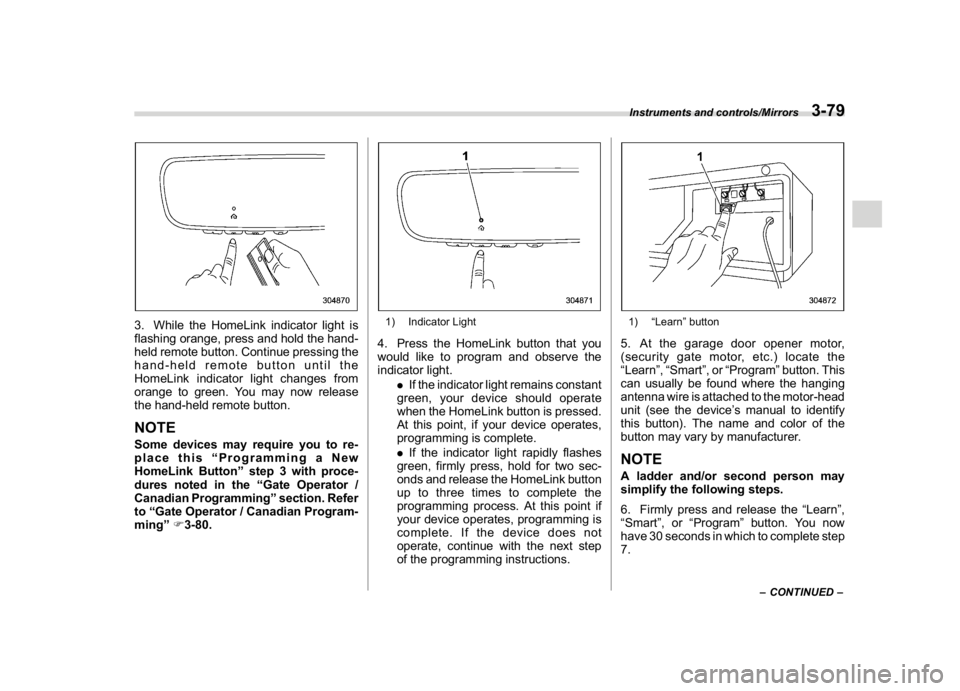
3. While the HomeLink indicator light is
flashing orange, press and hold the hand-
held remote button. Continue pressing the
hand-held remote button until the
HomeLink indicator light changes from
orange to green. You may now release
the hand-held remote button.NOTESome devices may require you to re-
place this“Programming a New
HomeLink Button”step 3 with proce-
dures noted in the“Gate Operator /
Canadian Programming”section. Refer
to“Gate Operator / Canadian Program-
ming”F3-80.
1) Indicator Light4. Press the HomeLink button that you
would like to program and observe the
indicator light.
.If the indicator light remains constant
green, your device should operate
when the HomeLink button is pressed.
At this point, if your device operates,
programming is complete.
.If the indicator light rapidly flashes
green, firmly press, hold for two sec-
onds and release the HomeLink button
up to three times to complete the
programming process. At this point if
your device operates, programming is
complete. If the device does not
operate, continue with the next step
of the programming instructions.
1)“Learn”button5. At the garage door opener motor,
(security gate motor, etc.) locate the
“Learn”,“Smart”,or“Program”button. This
can usually be found where the hanging
antenna wire is attached to the motor-head
unit (see the device’s manual to identify
this button). The name and color of the
button may vary by manufacturer.NOTEA ladder and/or second person may
simplify the following steps.
6. Firmly press and release the“Learn”,
“Smart”,or“Program”button. You now
have 30 seconds in which to complete step
7.
–CONTINUED–
Instruments and controls/Mirrors
3-79
3
Page 217 of 578
(222,1)
北米Model "A1700BE-B" EDITED: 2017/ 10/ 11
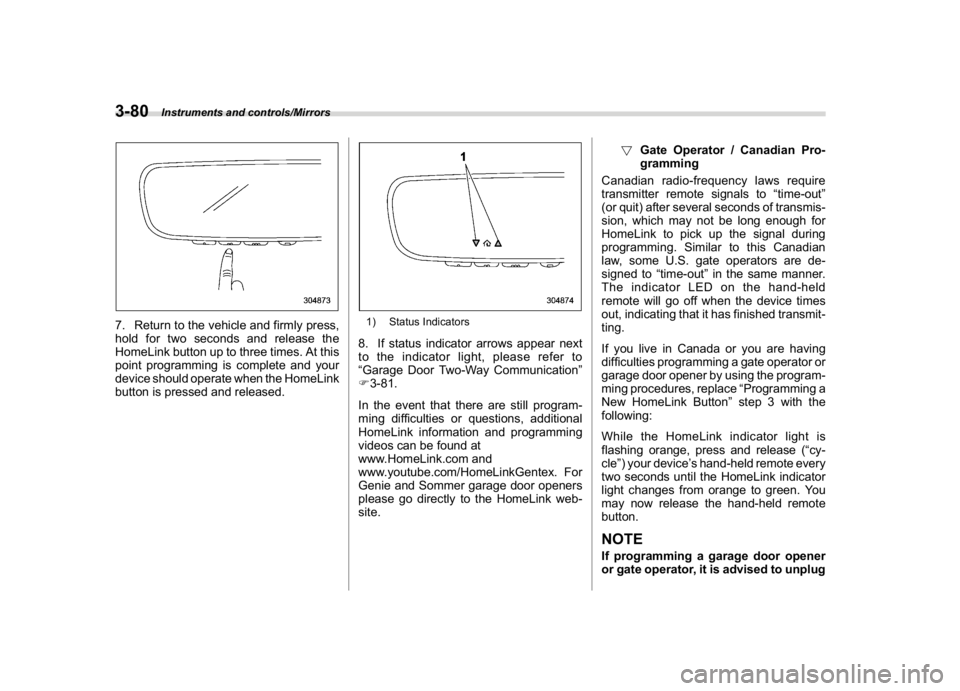
7. Return to the vehicle and firmly press,
hold for two seconds and release the
HomeLink button up to three times. At this
point programming is complete and your
device should operate when the HomeLink
button is pressed and released.
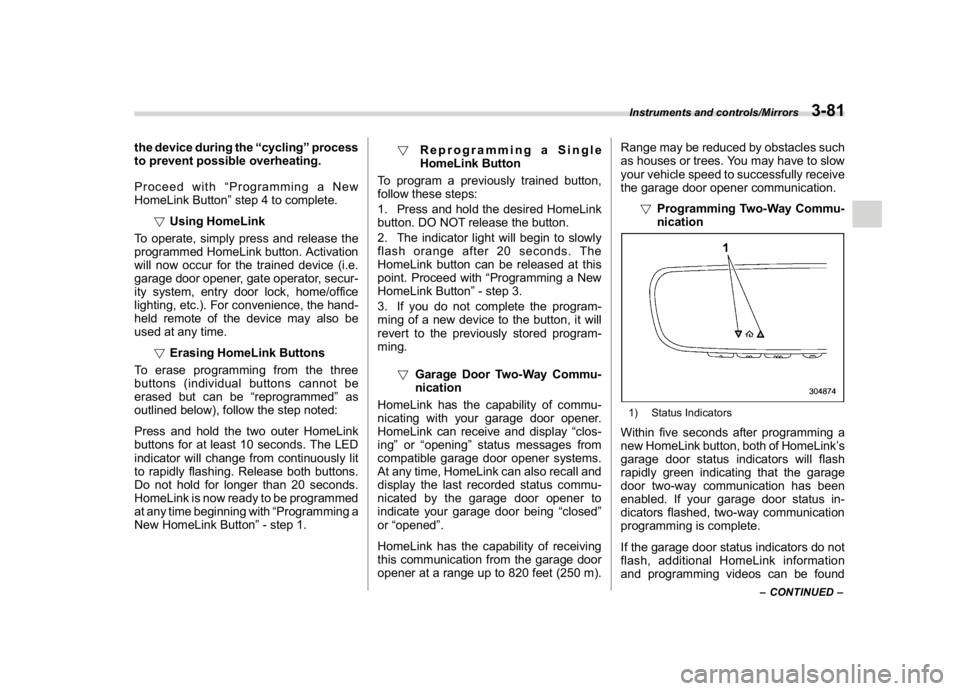
1) Status Indicators8. If status indicator arrows appear next
to the indicator light, please refer to
“Garage Door Two-Way Communication”
F3-81.
In the event that there are still program-
ming difficulties or questions, additional
HomeLink information and programming
videos can be found at
www.HomeLink.com and
www.youtube.com/HomeLinkGentex. For
Genie and Sommer garage door openers
please go directly to the HomeLink web-
site.!Gate Operator / Canadian Pro-
gramming
Canadian radio-frequency laws require
transmitter remote signals to“time-out”
(or quit) after several seconds of transmis-
sion, which may not be long enough for
HomeLink to pick up the signal during
programming. Similar to this Canadian
law, some U.S. gate operators are de-
signed to“time-out”in the same manner.
The indicator LED on the hand-held
remote will go off when the device times
out, indicating that it has finished transmit-
ting.
If you live in Canada or you are having
difficulties programming a gate operator or
garage door opener by using the program-
ming procedures, replace“Programming a
New HomeLink Button”step 3 with the
following:
While the HomeLink indicator light is
flashing orange, press and release (“cy-
cle”) your device’s hand-held remote every
two seconds until the HomeLink indicator
light changes from orange to green. You
may now release the hand-held remote
button.
NOTEIf programming a garage door opener
or gate operator, it is advised to unplug
Instruments and controls/Mirrors
3-80
Page 218 of 578
(223,1)
北米Model "A1700BE-B" EDITED: 2017/ 10/ 11
the device during the“cycling”process
to prevent possible overheating.
Proceed with“Programming a New
HomeLink Button”step 4 to complete.
!Using HomeLink
To operate, simply press and release the
programmed HomeLink button. Activation
will now occur for the trained device (i.e.
garage door opener, gate operator, secur-
ity system, entry door lock, home/office
lighting, etc.). For convenience, the hand-
held remote of the device may also be
used at any time.
!Erasing HomeLink Buttons
To erase programming from the three
buttons (individual buttons cannot be
erased but can be“reprogrammed”as
outlined below), follow the step noted:
Press and hold the two outer HomeLink
buttons for at least 10 seconds. The LED
indicator will change from continuously lit
to rapidly flashing. Release both buttons.
Do not hold for longer than 20 seconds.
HomeLink is now ready to be programmed
at any time beginning with“Programming a
New HomeLink Button”- step 1.!Reprogramming a Single
HomeLink Button
To program a previously trained button,
follow these steps:
1. Press and hold the desired HomeLink
button. DO NOT release the button.
2. The indicator light will begin to slowly
flash orange after 20 seconds. The
HomeLink button can be released at this
point. Proceed with“Programming a New
HomeLink Button”- step 3.
3. If you do not complete the program-
ming of a new device to the button, it will
revert to the previously stored program-
ming.
!Garage Door Two-Way Commu-
nication
HomeLink has the capability of commu-
nicating with your garage door opener.
HomeLink can receive and display“clos-
ing”or“opening”status messages from
compatible garage door opener systems.
At any time, HomeLink can also recall and
display the last recorded status commu-
nicated by the garage door opener to
indicate your garage door being“closed”
or“opened”.
HomeLink has the capability of receiving
this communication from the garage door
opener at a range up to 820 feet (250 m).Range may be reduced by obstacles such
as houses or trees. You may have to slow
your vehicle speed to successfully receive
the garage door opener communication.
!Programming Two-Way Commu-
nication
1) Status IndicatorsWithin five seconds after programming a
new HomeLink button, both of HomeLink’s
garage door status indicators will flash
rapidly green indicating that the garage
door two-way communication has been
enabled. If your garage door status in-
dicators flashed, two-way communication
programming is complete.
If the garage door status indicators do not
flash, additional HomeLink information
and programming videos can be found
–CONTINUED–
Instruments and controls/Mirrors
3-81
3