mirror SUBARU WRX 2018 Owner's Manual
[x] Cancel search | Manufacturer: SUBARU, Model Year: 2018, Model line: WRX, Model: SUBARU WRX 2018Pages: 578, PDF Size: 33.21 MB
Page 328 of 578
(339,1)
北米Model "A1700BE-B" EDITED: 2017/ 10/ 11
Interior lights...........................................................6-2
Dome light............................................................. 6-2
Map lights.............................................................. 6-2
OFF delay timer..................................................... 6-3
Sun visors...............................................................6-3
Sun visor extension plate
(models with the EyeSight system)....................... 6-4
Vanity mirror with light........................................... 6-4
Storage compartment.............................................6-5
Glove box.............................................................. 6-5
Center console...................................................... 6-5
Cup holders.............................................................6-6
Front passenger’s cup holder................................. 6-6
Rear passenger’s cup holder.................................. 6-7
Bottle holders..........................................................6-8
Accessory power outlets........................................6-8
Use with a cigarette lighter (if equipped) ................ 6-9
Ashtray (if equipped)............................................6-10
Floor mat (if equipped)..........................................6-11
Coat hook...............................................................6-11
Under-floor storage compartment.......................6-12
Rear view camera.................................................6-13
How to use the rear view camera..........................6-14
Viewing range on the screen.................................6-15
Help line...............................................................6-16
Display adjustment...............................................6-18
Front View Monitor(if equipped).........................6-19
How to access the Front View Monitor..................6-19
How to cancel the Front View Monitor...................6-20
Range of image on screen....................................6-20
Guiding line..........................................................6-21
Handling of camera..............................................6-21
Interior equipment
6
Page 331 of 578
(342,1)
北米Model "A1700BE-B" EDITED: 2017/ 10/ 11
&Sun visor extension plate
(models with the EyeSight
system)With the sun visor positioned over the side
window, you can use the sun visor exten-
sion plate to prevent glare through the gap
between the sun visor and center pillar. To
use the extension plate, pull it toward the
rear of the vehicle. When you have
finished using it, stow it by pushing it
toward the front of the vehicle.
CAUTION
Do not pull out the extension plate
with the sun visor positioned over
the windshield. The extension plate
would obstruct your view of the rear
view mirror.
&Vanity mirror with light
CAUTION
Keep the vanity mirror cover closed
while the vehicle is being driven to
avoid being temporarily blinded by
the glare of bright light.To use the vanity mirror, swing down the
sun visor and open the vanity mirror cover.
The light beside the vanity mirror illumi-
nates when the mirror cover is opened.NOTEDo not use the vanity mirror light for a
long period of time while the engine is
not running. Doing so can cause bat-
tery discharge.
Interior equipment/Sun visors
6-4
Page 340 of 578
(351,1)
北米Model "A1700BE-B" EDITED: 2017/ 10/ 11
Rear view cameraA rear view camera is attached to the trunk
lid. When the ignition switch is“ON”and
the shift lever (MT models) or select lever
(CVT models) is set to“R”, the rear view
camera automatically displays the rear
view image behind the vehicle on the
monitor of the navigation system or the
audio display.
WARNING
.Since the rear view camera uses a
wide-angle lens, the image on the
monitor is different from the
actual view in terms of distance.
.Since the range and field of view
of the image on the monitor islimited, you should always check
the rear view and the surrounding
area with your eyes and mirrors,
and move backward at a slow
speed. Moving backward only by
checking the rear view image
from the camera could cause an
accident.
.Do not disassemble or modify the
camera, switch or wiring. If
smoke comes out or you smell a
strange odor, stop using the rear
view camera immediately. Con-
tact your SUBARU dealer for an
inspection. Continued use may
result in accident, fire or electric
shock.
CAUTION
.When washing your vehicle with
a high-pressure washer, do not
allow water to contact the camera
directly. Entry of water into the
camera lens may result in con-
densation, malfunction, fire or
electric shock.
.Since the camera is a precision
device, do not subject it to strong
impacts. Otherwise, malfunction,
fire or electric shock may occur..If mud or snow sticks to or is
frozen on the camera, you must
be very careful when removing it.
Otherwise, damage to the camera
maycauseafireorelectric
shock. Pour water or lukewarm
water over the camera to remove
mud and ice, and wipe it with a
soft, dry cloth.
.Do not put a flame close to the
camera or wiring. Otherwise, da-
mage or fire may occur.
.When replacing the fuse, be sure
to use a fuse with the specified
rating. Use of a fuse with a
different rating may result in a
malfunction.
.Do not use the rear view camera
for a long time while the engine is
not operating. Otherwise, the ve-
hicle battery may become com-
pletely discharged.
NOTE.Do not wipe the camera with alcohol,
benzine or paint thinner. Otherwise,
discoloration may occur. To remove
contamination, wipe the camera with a
cloth moistened with a diluted neutral
detergent and then wipe it with a soft,
dry cloth.
–CONTINUED–
Interior equipment/Rear view camera
6-13
6
Page 341 of 578
(352,1)
北米Model "A1700BE-B" EDITED: 2017/ 10/ 11
.When waxing the vehicle, be careful
not to apply the wax to the camera. If it
comes in contact with the camera,
moisten a clean cloth with a diluted
neutral detergent to remove the wax.
.The camera lens has a hard coating
to help prevent scratches. However,
when washing the vehicle or cleaning
the camera lens, be careful not to
scratch the camera lens. Do not use a
washing brush directly on the camera
lens. The image quality of the rear view
camera may deteriorate.
.Strong light shined on the camera
lens may develop vertical lines around
the light source. This is not a malfunc-
tion.
.Under fluorescent light, the display
may flicker. However, this is not a
malfunction.
.The image of the rear view camera
may be slightly different from the actual
color of the objects.
&How to use the rear view
cameraWhen the shift lever (MT models) or select
lever (CVT models) is set to“R”, the rear
view camera automatically displays the
rear view image from the vehicle. When
the lever is set to other positions, the
image before setting to“R”is displayed.
1. Set the ignition switch to“ON”.
2. Set the shift lever (MT models) or
select lever (CVT models) to“R”.NOTE.The image of the rear view camera
has priority over other screen displays.
Therefore, while the rear view camera is
in operation, the operations of other
screens are disabled. To operate other
screens, set the shift lever or select
lever to a position other than“R”.
.The image of the rear view camera is
horizontally reversed as is the case
with the vehicle rear view mirror or the
side view mirror.
.It may be difficult to see the image of
the rear view camera in the following
cases. This is not a malfunction of the
camera.
–The vehicle is in a dark place (at
night, in a tunnel, etc.).
–The vehicle is in an extremely hotor cold place.
–An object (such as raindrops,
snow, dirt, etc.) that disturbs the
view of the rear view camera sticks
to the lens of the camera.
–Strong light shined directly on
the camera lens (occasionally, there
are vertical lines on the screen).
!Rear view image cancel delay func-
tion
The rear view image cancel delay function
will keep the rear view image displayed
after shifting the shift lever/select lever out
of the“R”position before the screen
returns to the previous screen.
Interior equipment/Rear view camera
6-14
Page 346 of 578
(357,1)
北米Model "A1700BE-B" EDITED: 2017/ 10/ 11
Front View Monitor (if
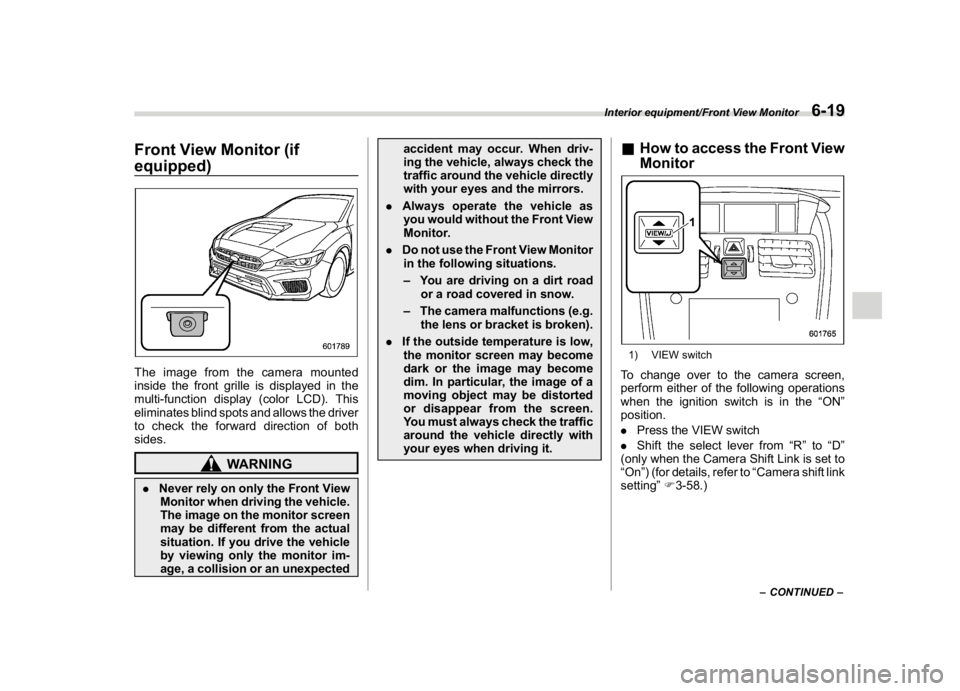
equipped)The image from the camera mounted
inside the front grille is displayed in the
multi-function display (color LCD). This
eliminates blind spots and allows the driver
to check the forward direction of both
sides.
WARNING
.Never rely on only the Front View
Monitor when driving the vehicle.
The image on the monitor screen
may be different from the actual
situation. If you drive the vehicle
by viewing only the monitor im-
age, a collision or an unexpectedaccident may occur. When driv-
ing the vehicle, always check the
traffic around the vehicle directly
with your eyes and the mirrors.
.Always operate the vehicle as
you would without the Front View
Monitor.
.Do not use the Front View Monitor
in the following situations.
–You are driving on a dirt road
or a road covered in snow.
–The camera malfunctions (e.g.
the lens or bracket is broken).
.If the outside temperature is low,
the monitor screen may become
dark or the image may become
dim. In particular, the image of a
moving object may be distorted
or disappear from the screen.
You must always check the traffic
around the vehicle directly with
your eyes when driving it.
&How to access the Front View
Monitor1) VIEW switchTo change over to the camera screen,
perform either of the following operations
when the ignition switch is in the“ON”
position.
.Press the VIEW switch
.Shift the select lever from“R”to“D”
(only when the Camera Shift Link is set to
“On”) (for details, refer to“Camera shift link
setting”F3-58.)
–CONTINUED–
Interior equipment/Front View Monitor
6-19
6
Page 357 of 578
(370,1)
北米Model "A1700BE-B" EDITED: 2017/ 10/ 11
served, there are no stored diagnostic
trouble codes, and the OBDII readiness
monitors are all complete.
.A vehicle fails the OBDII inspection if
the“CHECK ENGINE”warning light is not
properly operating (light is illuminated or is
not working due to faulty LED [Light
Emitting Diode]) or there is one or more
diagnostic trouble codes stored in the
vehicle’s computer.
.A state emission inspection may reject
(not pass or fail) a vehicle if the number of
OBDII system readiness monitors“NOT
READY”is greater than one. If the
vehicle’s battery has been recently re-
placed or disconnected, the OBDII system
inspection may indicate that the vehicle is
not ready for the emission test. Under this
condition, the vehicle driver should be
instructed to drive his/her vehicle for a
few days to reset the readiness monitors
and return for an emission re-inspection.
.Owners of rejected or failing vehicles
should contact their SUBARU Dealer for
service.
Some states still use dynamometers in
their emission inspection program. A
dynamometer is a treadmill or roller-like
testing device that allows your vehicle’s
wheels to turn while the vehicle remains in
one place. Prior to your vehicle being puton a dynamometer, tell your emission
inspector not to place your SUBARU
AWD vehicle on a two-wheel dynam-
ometer.Otherwise, serious transmis-
sion damage will result.
The U.S. Environmental Protection
Agency (EPA) and states using two-wheel
dynamometers in their emission testing
program have EXEMPTED SUBARU
AWD vehicles from the portion of the
testing program that involves a two-wheel
dynamometer. There are some states that
use four-wheel dynamometers in their
testing program. When properly used, this
equipment should not damage a SUBARU
AWD vehicle.
Under no circumstances should the rear
wheels be jacked off the ground, nor
should the driveshaft be disconnected in
an attempt to bypass AWD for state
emission testing. An AWD vehicles must
be tested using an AWD dynamometer
with all 4 wheels driven and loaded.
Preparing to driveYou should perform the following checks
and adjustments every day before you
start driving.
1. Check that all windows, mirrors, and
lights are clean and unobstructed.
2. Check the appearance and condition
of the tires. Also check tires for proper
inflation.
3. Look under the vehicle for any sign of
leaks, and check that no small animal is
under the vehicle.
4. Check that no small animal enters the
engine compartment.
5. Check that the hood and trunk lid are
fully closed.
6. Check the adjustment of the seat.
7. Check the adjustment of the inside and
outside mirrors.
8. Fasten your seatbelt. Check that your
passengers have fastened their seatbelts.
9. Check the operation of the warning
and indicator lights when the ignition
switch is turned to the“ON”position.
10. Check the gauges, indicator and warn-
ing lights after starting the engine.
Starting and operating/Preparing to drive
7-8
Page 406 of 578
(419,1)
北米Model "A1700BE-B" EDITED: 2017/ 10/ 11
BSD/RCTA (if equipped)The BSD/RCTA consists of rear radar with
Blind Spot Detection and Rear Cross
Traffic Alert.
These functions enable the system to
detect objects or vehicles to the rear,
drawing attention to the driver when
changing a lane or when driving in reverse.
WARNING
The driver is responsible for driving
safely. Always be sure to check the
surroundings with your eyes when
changing lanes or reversing the
vehicle.
The system is designed to assist the
driver in changing lanes or rever-
sing safely by monitoring the rear
and side areas of the vehicle. How-
ever, you cannot rely on this system
alone in assuring the safety during a
lane change or reversing. Overcon-
fidence in this system could result in
an accident and lead to serious
injury or death. Since the system
operation has various limitations,
the flashing or illumination of the
BSD/RCTA approach indicator light
may be delayed or it may not operate
at all even when a vehicle is presentin a neighboring lane or approach-
ing from either side.
The driver is responsible for paying
attention to the rear and side areas
of the vehicle.
&System featuresBSD/RCTA consists of the following func-
tions.
.To detect a vehicle in a blind spot on an
adjacent lane or a vehicle approaching at
high speed while driving the vehicle (Blind
Spot Detection)
.To detect a vehicle approaching from
the right or left while reversing the vehicle
(Rear Cross Traffic Alert)
The system uses radar sensors for the
following features.NOTEThe BSD/RCTA radar sensor has been
certified by the radio wave related laws
of the U.S. and Canada. When driving in
other countries, certification of the
country where the vehicle is driven
must be obtained. For certification in
the U.S. and Canada, refer to“Certifica-
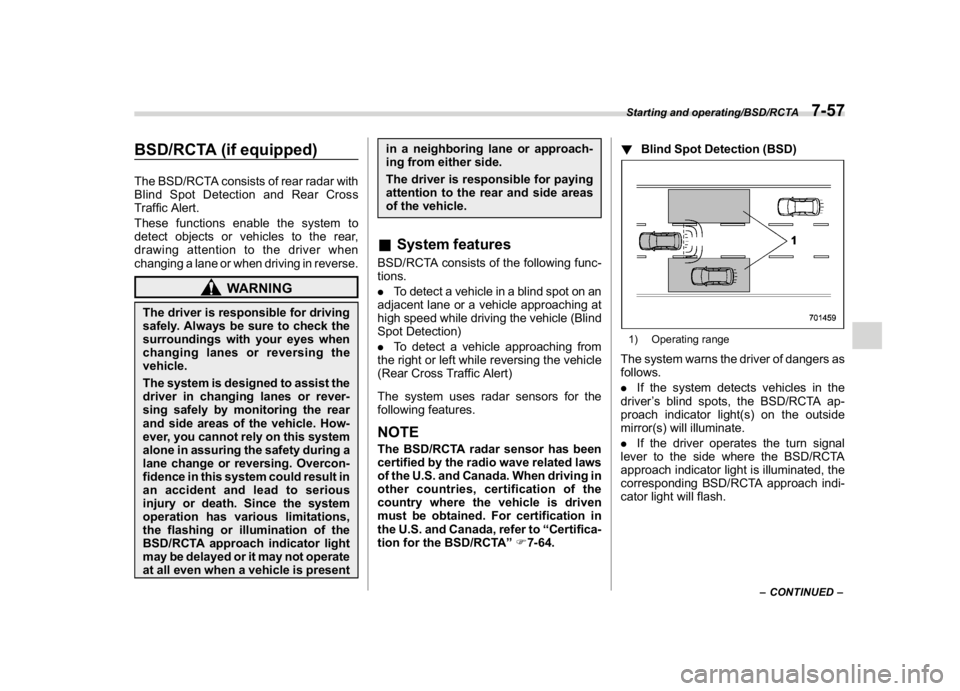
tion for the BSD/RCTA”F7-64.!Blind Spot Detection (BSD)
1) Operating rangeThe system warns the driver of dangers as
follows.
.If the system detects vehicles in the
driver’s blind spots, the BSD/RCTA ap-
proach indicator light(s) on the outside
mirror(s) will illuminate.
.If the driver operates the turn signal
lever to the side where the BSD/RCTA
approach indicator light is illuminated, the
corresponding BSD/RCTA approach indi-
cator light will flash.
–CONTINUED–
Starting and operating/BSD/RCTA
7-57
7
Page 407 of 578
(420,1)
北米Model "A1700BE-B" EDITED: 2017/ 10/ 11
!Lane Change Assist (LCA)1) Operating rangeThe system warns the driver of dangers as
follows.
.If the system detects vehicles ap-
proaching at high speeds in the neighbor-
ing lanes, the BSD/RCTA approach indi-
cator light(s) on the outside mirror(s) will
illuminate.
.If the driver operates the turn signal
lever to the side where the BSD/RCTA
approach indicator light is illuminated, the
corresponding BSD/RCTA approach indi-
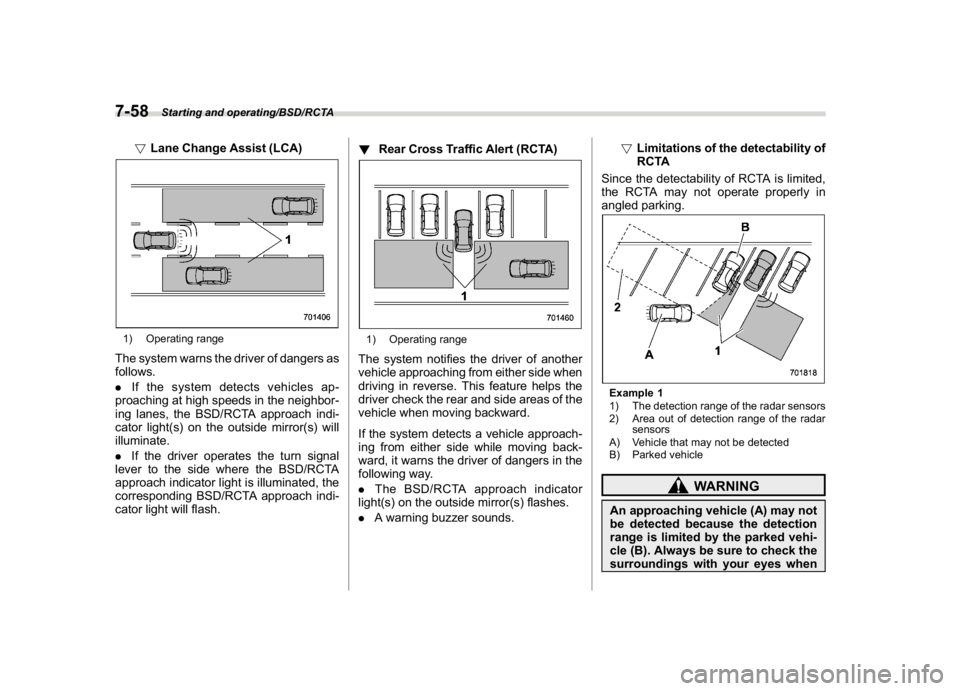
cator light will flash.!Rear Cross Traffic Alert (RCTA)
1) Operating rangeThe system notifies the driver of another
vehicle approaching from either side when
driving in reverse. This feature helps the
driver check the rear and side areas of the
vehicle when moving backward.
If the system detects a vehicle approach-
ing from either side while moving back-
ward, it warns the driver of dangers in the
following way.
.The BSD/RCTA approach indicator
light(s) on the outside mirror(s) flashes.
.A warning buzzer sounds.!Limitations of the detectability of
RCTA
Since the detectability of RCTA is limited,
the RCTA may not operate properly in
angled parking.
Example 1
1) The detection range of the radar sensors
2) Area out of detection range of the radar
sensors
A) Vehicle that may not be detected
B) Parked vehicle
WARNING
An approaching vehicle (A) may not
be detected because the detection
range is limited by the parked vehi-
cle (B). Always be sure to check the
surroundings with your eyes when
Starting and operating/BSD/RCTA
7-58
Page 409 of 578
(422,1)
北米Model "A1700BE-B" EDITED: 2017/ 10/ 11
rected, and the BSD/RCTA warning
indicator will disappear. However, if
the BSD/RCTA warning indicator
appears for a prolonged period of
time, have the system inspected at a
SUBARU dealer as soon as possible.
.The detectability of the radar sen-
sors is restricted. The BSD/RCTA de-
tection may be impaired and the system
may not operate properly under the
following conditions.
–When the rear bumper around the
radar sensors is distorted
–When ice, snow or mud adheres
to the rear bumper surface around
the radar sensors
–When stickers, etc. are affixed on
the areas of the radar sensors on
the rear bumper
–During adverse weather condi-
tions such as rain, snow or fog
–When driving on wet roads such
as snow-covered roads and through
puddles
.The radar sensors may not detect or
may have difficulty detecting the fol-
lowing vehicles and objects.
–Small motorcycles, bicycles, pe-
destrians, stationary objects on the
road or road side and etc.
–Vehicles with body shapes thatthe radar may not reflect (vehicles
with lower body height such as
sports cars or a trailer with no
cargo)
–Vehicles that are not approaching
your vehicle even though they are in
the detection area (either on a
neighboring lane to the rear or be-
side your vehicle when reversing)
(The system determines the pre-
sence of approaching vehicles
based on data detected by the radar
sensors.)
–Vehicles traveling at significantly
different speeds
–Vehicles driving in parallel at al-
most the same speed as your vehi-
cle for a prolonged time
–Oncoming vehicles
–Vehicles in a lane beyond the
neighboring lane
–Vehicles travelling at a signifi-
cantly lower speed that you are
trying to overtake
.On a road with extremely narrow
lanes, the system may detect vehicles
driving in a lane next to the neighboring
lane.
&BSD/RCTA approach indica-
tor light/warning buzzerWhile the BSD/RCTA is active, the follow-
ing item(s) will operate to alert the driver:
.The BSD/RCTA approach indicator
light (when there are vehicles in the
neighboring lanes).
.The BSD/RCTA approach indicator
light and warning buzzer (when a vehicle
is approaching from the left or right side
while reversing)
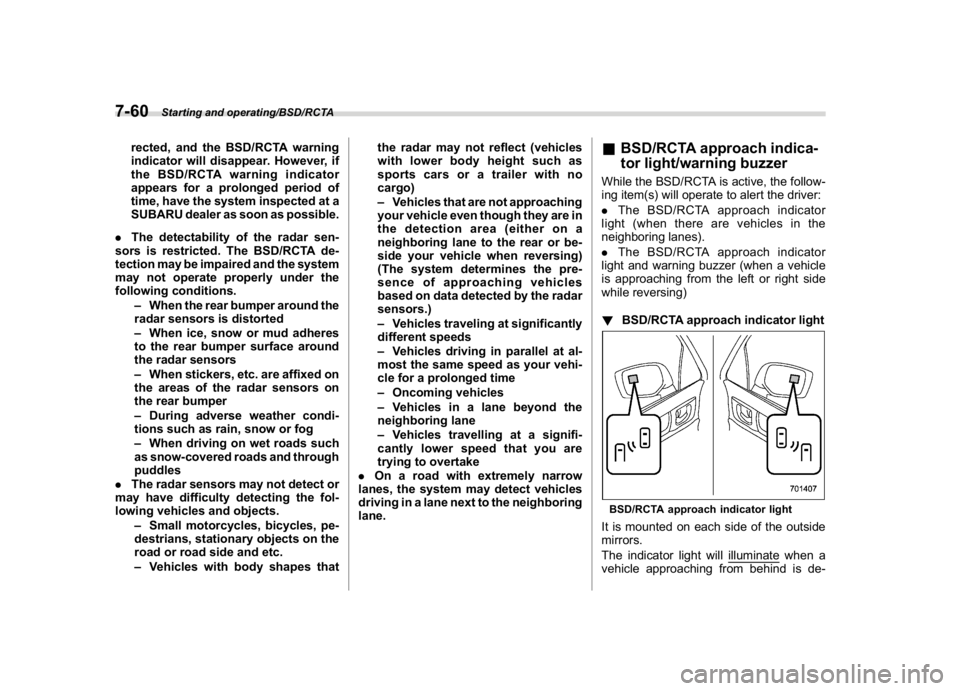
!BSD/RCTA approach indicator lightBSD/RCTA approach indicator lightIt is mounted on each side of the outside
mirrors.
The indicator light will illuminate when a
vehicle approaching from behind is de-
Starting and operating/BSD/RCTA
7-60
Page 546 of 578
(569,1)
北米Model "A1700BE-B" EDITED: 2017/ 10/ 11
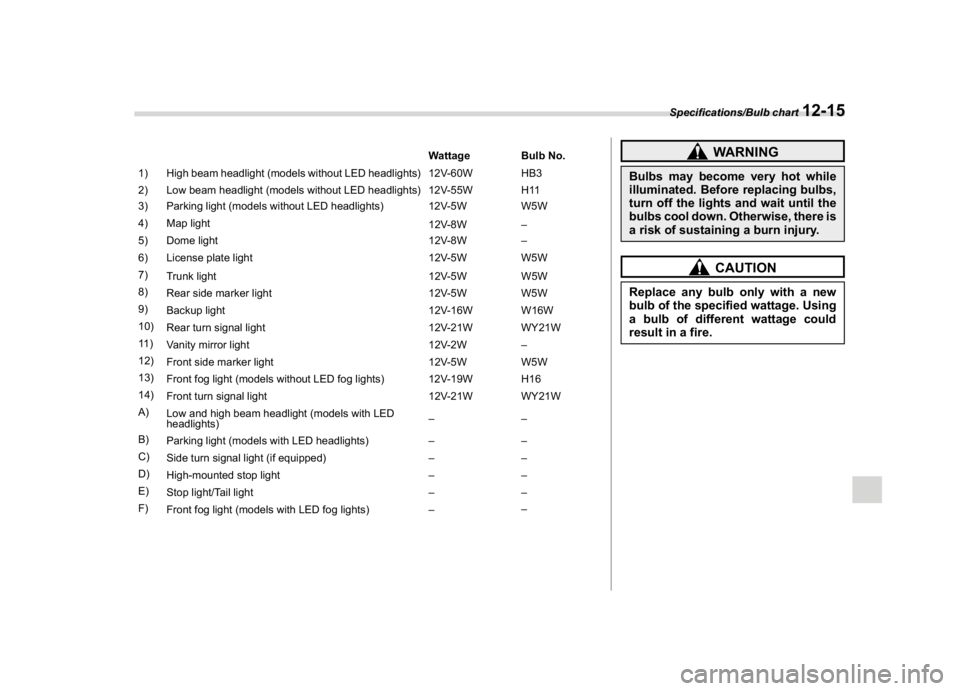
Wattage Bulb No.
1) High beam headlight (models without LED headlights) 12V-60W HB3
2) Low beam headlight (models without LED headlights) 12V-55W H11
3) Parking light (models without LED headlights) 12V-5W W5W
4) Map light
12V-8W–
5) Dome light 12V-8W–
6) License plate light 12V-5W W5W
7)
Trunk light 12V-5W W5W
8)
Rear side marker light 12V-5W W5W
9)
Backup light 12V-16W W16W
10)
Rear turn signal light 12V-21W WY21W
11 )
Vanity mirror light 12V-2W–
12)
Front side marker light 12V-5W W5W
13)
Front fog light (models without LED fog lights) 12V-19W H16
14)
Front turn signal light 12V-21W WY21W
A)
Low and high beam headlight (models with LED
headlights)––
B)
Parking light (models with LED headlights)––
C)
Side turn signal light (if equipped)––
D)
High-mounted stop light––
E)
Stop light/Tail light––
F)
Front fog light (models with LED fog lights)––
WARNING
Bulbs may become very hot while
illuminated. Before replacing bulbs,
turn off the lights and wait until the
bulbs cool down. Otherwise, there is
a risk of sustaining a burn injury.
CAUTION
Replace any bulb only with a new
bulb of the specified wattage. Using
a bulb of different wattage could
result in a fire.
Specifications/Bulb chart
12-15
12