security SUZUKI CELERIO 2017 User Guide
[x] Cancel search | Manufacturer: SUZUKI, Model Year: 2017, Model line: CELERIO, Model: SUZUKI CELERIO 2017Pages: 201, PDF Size: 5.82 MB
Page 129 of 201
5-33
OTHER CONTROLS AND EQUIPMENT
76MH1-74E
76MH1-74E
Selection of phone (Select Phone) Follow the instructions below to select a phone to be paired with from the registeredphones. 1) Press the Bluetooth® setup button (4). The Bluetooth® setup menu will be dis-played. 2) Turn the TUNE FOLDER PUSH SOUND knob (1) to select “Setup Blue-tooth”, and press the knob (1) to deter- mine the selection. 3) Turn the TUNE FOLDER PUSHSOUND knob (1) to select “List Phone”, and press the knob (1) to determine the selection.4) Turn the TUNE FOLDER PUSH SOUND knob (1) to select a phone to be paired with, and press the knob (1)to determine the selection. 5) Turn the TUNE FOLDER PUSH SOUND knob (1) to select “Select”, andpress the knob (1) to determine the selection.
NOTE: • When selecting “Go Back”, the previous menu will be displayed.• The Bluetooth® ready audio device will be disconnected when the phone is selected.
List of phones (List Phones) Follow the instructions below to display the names of the registered phones insequence. 1) Press the Bluetooth® setup button (4). The Bluetooth® setup menu will be dis-played. 2) Turn the TUNE FOLDER PUSH SOUND knob (1) to select “Setup Blue-tooth”, and press the knob (1) to deter- mine the selection. 3) Turn the TUNE FOLDER PUSHSOUND knob (1) to select “List Phone”, and press the knob (1) to determine the selection.The names of the registered phones are displayed in sequence.
NOTE: When selecting “Go Back”, the previous menu will be displayed.
Passkey setting (Set Passkey) Follow the instructions below to set thesecurity number (Passkey). 1) Press the Bluetooth® setup button (4). The Bluetooth® setup menu will be dis-played. 2) Turn the TUNE FOLDER PUSH SOUND knob (1) to select “Setup Blue-tooth”, and press the knob (1) to deter- mine the selection. 3) Turn the TUNE FOLDER PUSHSOUND knob (1) to select “Passkey”, and press the knob (1) to determine the selection.
4) Turn the TUNE FOLDER PUSH SOUND knob (1) to select “New Pass- key”, and press the knob (1) to deter-mine the selection. 5) Press or turn the TUNE FOLDER PUSH SOUND knob (1) to select “Con-firm”. 6) Turn the TUNE FOLDER PUSH SOUND knob (1) to select a number forthe first digit, and press the knob (1) to determine the selection. Select and determine numbers for the second,third and fourth digits in order in the same manner. When not entering up to the eighth digit, enter blanks for thesuccessive digits. 7) Turn the TUNE FOLDER PUSH SOUND knob (1) to determine thepasskey setting.
NOTE: When selecting “Go Back”, the previous menu will be displayed.
118
Page 132 of 201
5-36
OTHER CONTROLS AND EQUIPMENT
76MH1-74E
76MH1-74E
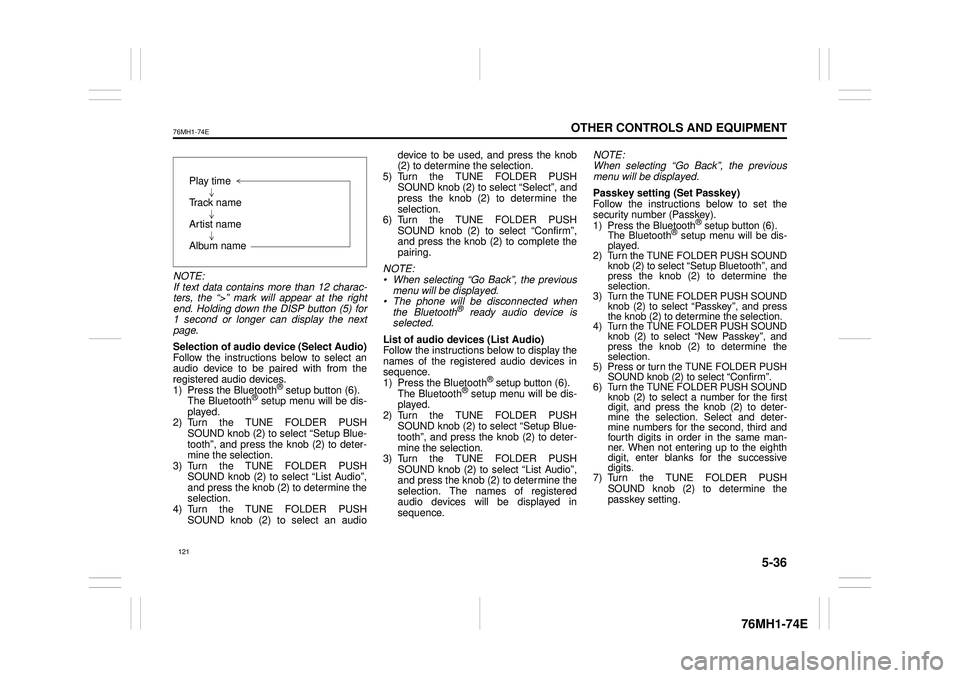
NOTE: If text data contains more than 12 charac- ters, the “>” mark will appear at the rightend. Holding down the DISP button (5) for 1 second or longer can display the next page.
Selection of audio device (Select Audio) Follow the instructions below to select anaudio device to be paired with from the registered audio devices. 1) Press the Bluetooth® setup button (6). The Bluetooth® setup menu will be dis- played. 2) Turn the TUNE FOLDER PUSHSOUND knob (2) to select “Setup Blue- tooth”, and press the knob (2) to deter- mine the selection.3) Turn the TUNE FOLDER PUSH SOUND knob (2) to select “List Audio”, and press the knob (2) to determine theselection. 4) Turn the TUNE FOLDER PUSH SOUND knob (2) to select an audio
device to be used, and press the knob (2) to determine the selection. 5) Turn the TUNE FOLDER PUSHSOUND knob (2) to select “Select”, and press the knob (2) to determine the selection.6) Turn the TUNE FOLDER PUSH SOUND knob (2) to select “Confirm”, and press the knob (2) to complete thepairing.
NOTE: • When selecting “Go Back”, the previous menu will be displayed. • The phone will be disconnected whenthe Bluetooth® ready audio device is selected.
List of audio devices (List Audio) Follow the instructions below to display the names of the registered audio devices insequence. 1) Press the Bluetooth® setup button (6). The Bluetooth® setup menu will be dis-played. 2) Turn the TUNE FOLDER PUSH SOUND knob (2) to select “Setup Blue-tooth”, and press the knob (2) to deter- mine the selection. 3) Turn the TUNE FOLDER PUSHSOUND knob (2) to select “List Audio”, and press the knob (2) to determine the selection. The na mes of registered audio devices will be displayed in sequence.
NOTE: When selecting “Go Back”, the previous menu will be displayed.
Passkey setting (Set Passkey) Follow the instructions below to set thesecurity number (Passkey).1) Press the Bluetooth® setup button (6). The Bluetooth® setup menu will be dis- played. 2) Turn the TUNE FOLDER PUSH SOUND knob (2) to select
Page 134 of 201
5-38
OTHER CONTROLS AND EQUIPMENT
76MH1-74E
76MH1-74E
Selecting the radio station (FM1, FM2, AM mode) To select the next pr eset station, press “ ” of the switch (4) only for a moment. To select the previous preset station, press “ ” of the switch (4) only for amoment. To scan a higher frequency radio station, press “ ” of the switch (4) for 1 secondor longer. To scan a lower frequency radio station, press “ ” of the switch (4) for 1 secondor longer.
Selecting the track (CD, USB (iPod®), Bluetooth® audio mode) To skip to the next track, press “ ” of the switch (4) only for a moment. To skip to the previous track, press “ ” of the switch (4) twice only for a moment. When the switch (4) is pushed downonce only for a moment, the track cur- rently being played will start from the beginning again.
Fast forwarding/Rewinding a track To fast forward, press “ ” of the switch(4) for 1 second or longer. To fast rewind, press “ ” of the switch (4) for 1 second or longer.
Anti-Theft Feature
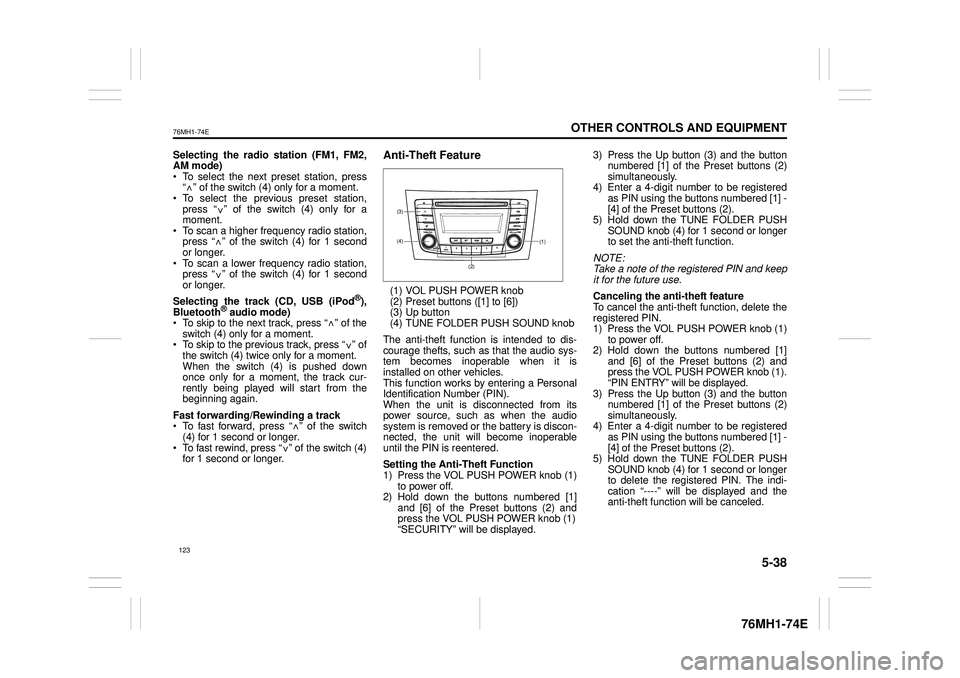
(1) VOL PUSH POWER knob(2) Preset buttons ([1] to [6])(3) Up button (4) TUNE FOLDER PUSH SOUND knob
The anti-theft function is intended to dis- courage thefts, such as that the audio sys- tem becomes inoperable when it isinstalled on other vehicles. This function works by entering a Personal Identification Number (PIN).When the unit is disconnected from its power source, such as when the audio system is removed or the battery is discon-nected, the unit will become inoperable until the PIN is reentered.
Setting the Anti-Theft Function 1) Press the VOL PUSH POWER knob (1) to power off.2) Hold down the buttons numbered [1] and [6] of the Preset buttons (2) and press the VOL PUSH POWER knob (1)“SECURITY” will be displayed.
3) Press the Up button (3) and the button numbered [1] of the Preset buttons (2) simultaneously.4) Enter a 4-digit number to be registered as PIN using the buttons numbered [1] - [4] of the Preset buttons (2).5) Hold down the TUNE FOLDER PUSH SOUND knob (4) for 1 second or longer to set the anti-theft function.
NOTE: Take a note of the registered PIN and keepit for the future use.
Canceling the anti -theft feature To cancel the anti-theft function, delete the registered PIN. 1) Press the VOL PUSH POWER knob (1)to power off. 2) Hold down the buttons numbered [1] and [6] of the Preset buttons (2) andpress the VOL PUSH POWER knob (1). “PIN ENTRY” will be displayed. 3) Press the Up button (3) and the buttonnumbered [1] of the Preset buttons (2) simultaneously. 4) Enter a 4-digit number to be registeredas PIN using the buttons numbered [1] - [4] of the Preset buttons (2). 5) Hold down the TUNE FOLDER PUSHSOUND knob (4) for 1 second or longer to delete the registered PIN. The indi- cation “----” will be displayed and theanti-theft function will be canceled.
<
<
<
<
<
<
<
<
(1)(4)
(3)
(2)
123
Page 135 of 201
5-39
OTHER CONTROLS AND EQUIPMENT
76MH1-74E
76MH1-74E
NOTE: To change your PIN, first delete your cur- rent PIN, then set a new one.
Confirming the Personal Identification Number (PIN)When the main power source is discon- nected such as when the battery is replaced, etc, it is required to enter the PINto make the unit operable again. 1) Set the ignition switch to the “ACC” position. “SECURITY” will be displayed. 2) Press the Up button (3) and the button numbered [1] of the Preset buttons (2)simultaneously. 3) Enter a 4-digit number to be registered as PIN using the buttons numbered [1] -[4] of the Preset buttons (2). 4) Hold down TUNE FOLDER PUSH SOUND knob (4) for 1 second or lon-ger. When the PIN same as registered is entered, the power of the audio systemwill be turned off automatically and it will become operable again.
NOTE: If an incorrect PIN is entered, “ERROR” and the total number of incorrect entryattempts will be displayed. If an incorrect PIN is entered 10 times, “HELP” will be displayed and the audiosystem will become inoperable.
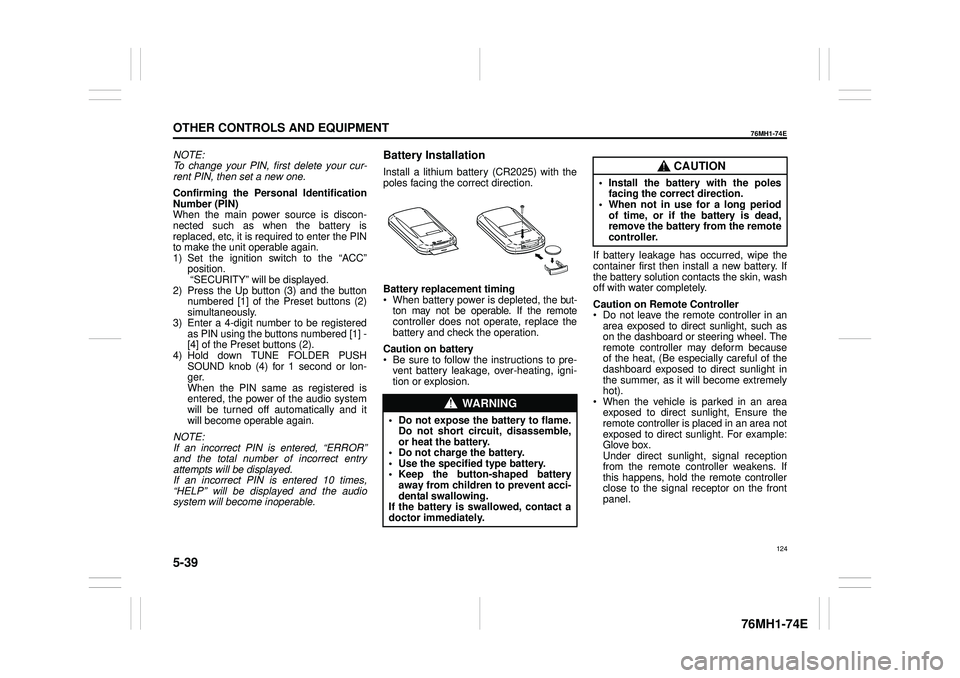
Battery Installation
Install a lithium battery (CR2025) with the poles facing the correct direction.
Battery replacement timing When battery power is depleted, the but-ton may not be operable. If the remote controller does not operate, replace the battery and check the operation.
Caution on battery Be sure to follow the instructions to pre- vent battery leakage, over-heating, igni- tion or explosion.
If battery leakage has occurred, wipe the container first then install a new battery. If the battery solution contacts the skin, wash off with water completely.
Caution on Remote Controller Do not leave the remote controller in anarea exposed to direct sunlight, such as on the dashboard or steering wheel. The remote controller may deform becauseof the heat, (Be especially careful of the dashboard exposed to direct sunlight in the summer, as it will become extremelyhot). When the vehicle is parked in an area exposed to direct sunlight, Ensure theremote controller is placed in an area not exposed to direct sunlight. For example: Glove box.Under direct sunlight , signal reception from the remote controller weakens. If this happens, hold the remote controllerclose to the signal receptor on the front panel.
WA R N I N G
• Do not expose the battery to flame. Do not short circuit, disassemble,or heat the battery. • Do not charge the battery. • Use the specified type battery.• Keep the button-shaped battery away from children to prevent acci- dental swallowing.If the battery is swallowed, contact a doctor immediately.
CAUTION
• Install the battery with the poles facing the correct direction.• When not in use for a long period of time, or if the battery is dead, remove the battery from the remotecontroller.
124
Page 142 of 201
5-46
OTHER CONTROLS AND EQUIPMENT
76MH1-74E
76MH1-74E
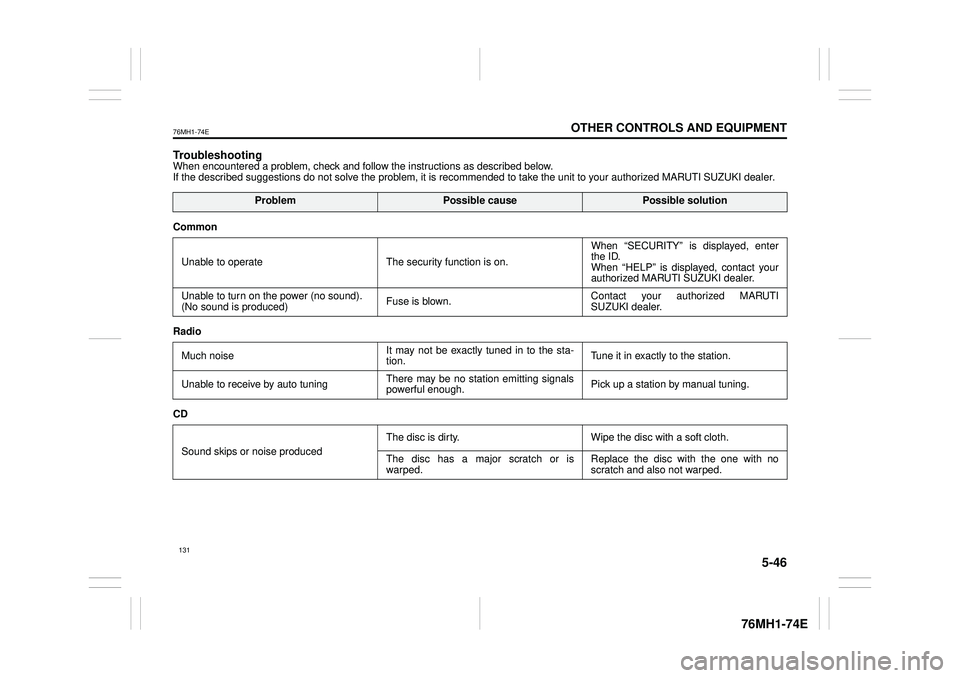
TroubleshootingWhen encountered a problem, check and follow the instructions as described below. If the described suggestions do not solve the problem, it is recommended to take the unit to your authorized MARUTI SUZUKI dealer.
ProblemPossible causePossible solution
Common
Unable to operate The security function is on.
When “SECURITY” is displayed, enter the ID. When “HELP” is displayed, contact yourauthorized MARUTI SUZUKI dealer.
Unable to turn on the power (no sound). (No sound is produced) Fuse is blown.Contact your authorized MARUTI SUZUKI dealer.
Radio
Much noise It may not be exactly tuned in to the sta- tion. Tune it in exactly to the station.
Unable to receive by auto tuning There may be no station emitting signals powerful enough. Pick up a station by manual tuning.
CD
Sound skips or noise produced
The disc is dirty. Wipe the disc with a soft cloth.
The disc has a major scratch or is warped. Replace the disc with the one with no scratch and also not warped.
131