light SUZUKI ERTIGA 2013 1.G Owner's Guide
[x] Cancel search | Manufacturer: SUZUKI, Model Year: 2013, Model line: ERTIGA, Model: SUZUKI ERTIGA 2013 1.GPages: 207, PDF Size: 5.14 MB
Page 77 of 207
Downloaded from www.Manualslib.com manuals search engine 3-4
OPERATING YOUR VEHICLE
60MK0-14E
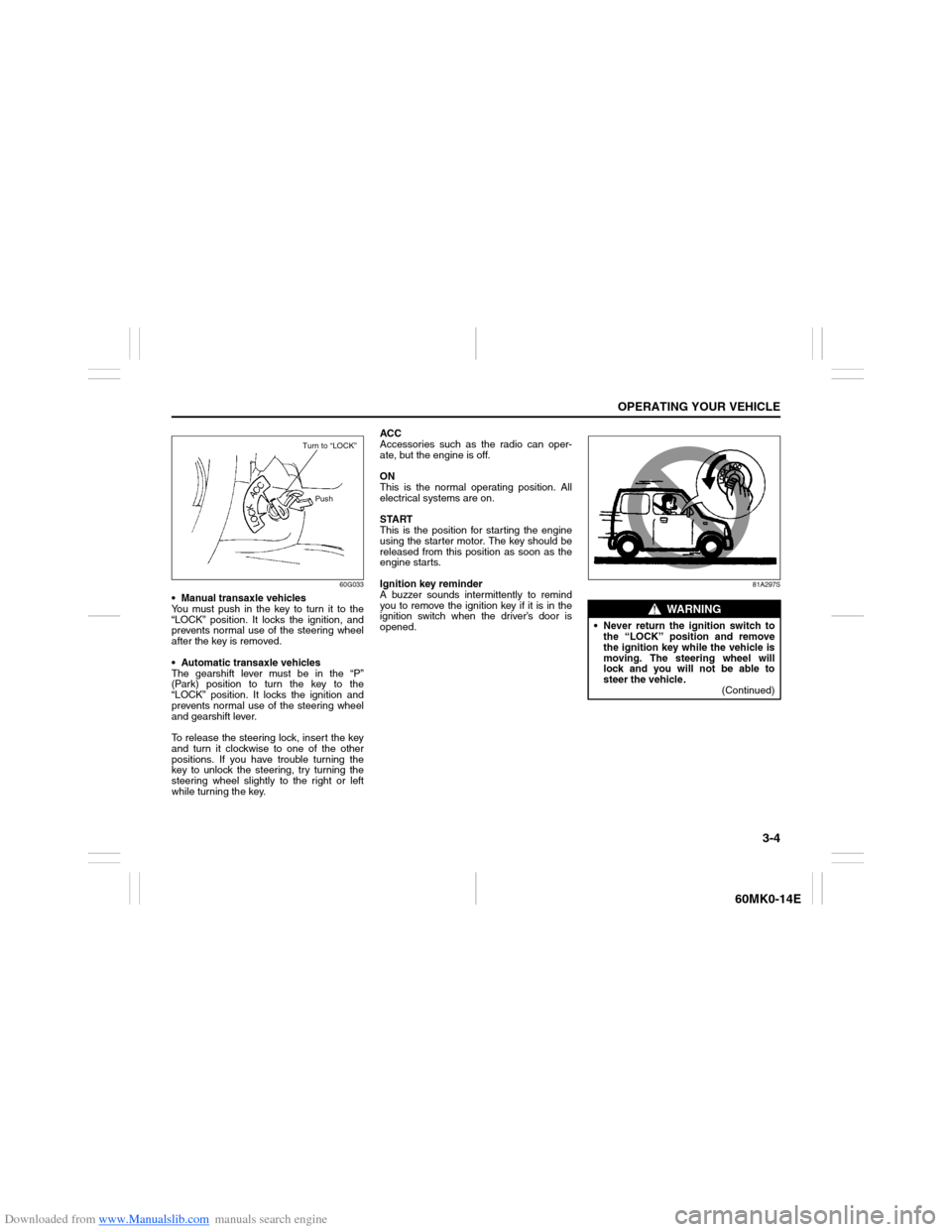
60G033
Manual transaxle vehicles
You must push in the key to turn it to the
“LOCK” position. It locks the ignition, and
prevents normal use of the steering wheel
after the key is removed.
Automatic transaxle vehicles
The gearshift lever must be in the “P”
(Park) position to turn the key to the
“LOCK” position. It locks the ignition and
prevents normal use of the steering wheel
and gearshift lever.
To release the steering lock, insert the key
and turn it clockwise to one of the other
positions. If you have trouble turning the
key to unlock the steering, try turning the
steering wheel slightly to the right or left
while turning the key.ACC
Accessories such as the radio can oper-
ate, but the engine is off.
ON
This is the normal operating position. All
electrical systems are on.
START
This is the position for starting the engine
using the starter motor. The key should be
released from this position as soon as the
engine starts.
Ignition key reminder
A buzzer sounds intermittently to remind
you to remove the ignition key if it is in the
ignition switch when the driver’s door is
opened.
81A297S
Turn to “LOCK”
Push
WARNING
Never return the ignition switch to
the “LOCK” position and remove
the ignition key while the vehicle is
moving. The steering wheel will
lock and you will not be able to
steer the vehicle.
(Continued)
Page 78 of 207
Downloaded from www.Manualslib.com manuals search engine 3-5OPERATING YOUR VEHICLE
60MK0-14E
Parking Brake Lever
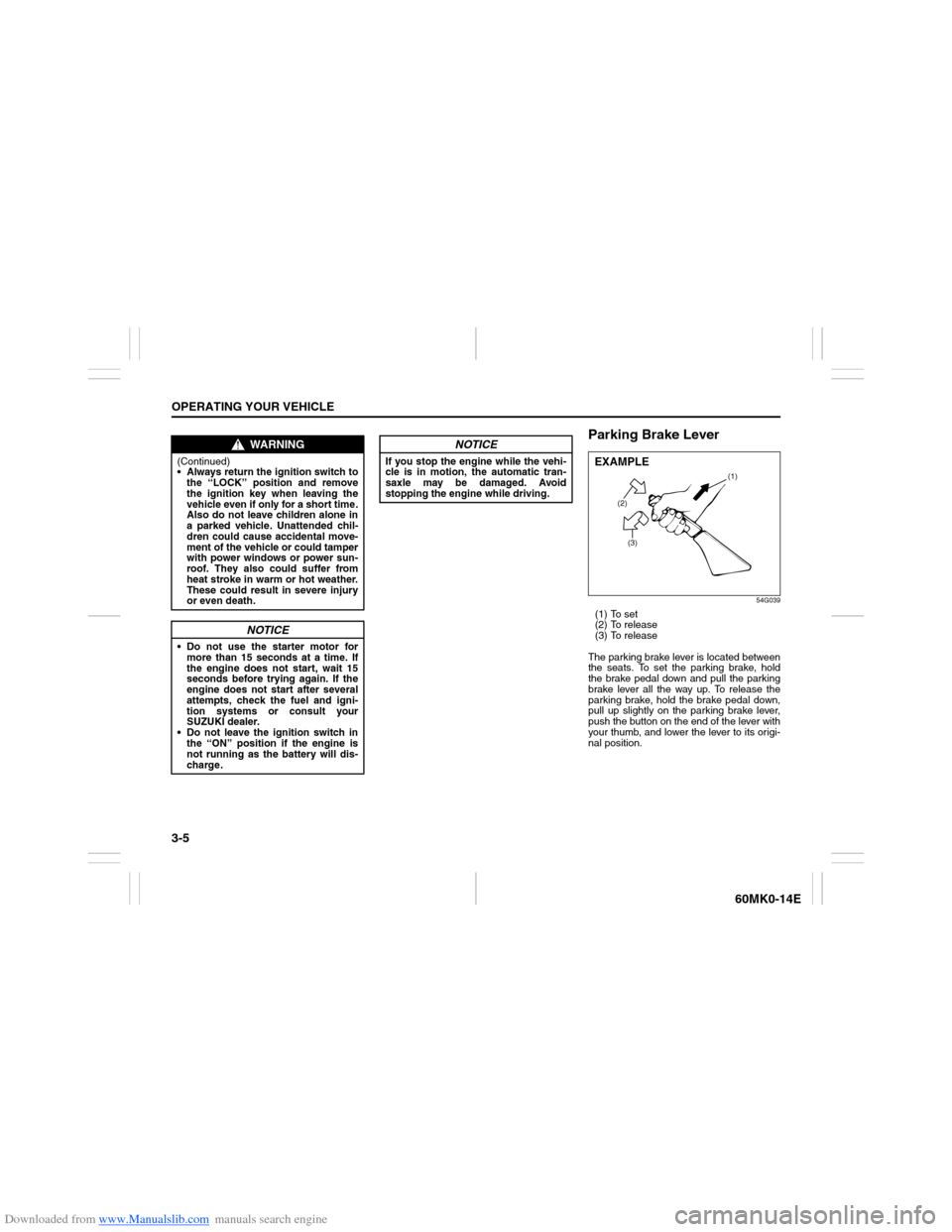
54G039
(1) To set
(2) To release
(3) To release
The parking brake lever is located between
the seats. To set the parking brake, hold
the brake pedal down and pull the parking
brake lever all the way up. To release the
parking brake, hold the brake pedal down,
pull up slightly on the parking brake lever,
push the button on the end of the lever with
your thumb, and lower the lever to its origi-
nal position.
WARNING
(Continued)
Always return the ignition switch to
the “LOCK” position and remove
the ignition key when leaving the
vehicle even if only for a short time.
Also do not leave children alone in
a parked vehicle. Unattended chil-
dren could cause accidental move-
ment of the vehicle or could tamper
with power windows or power sun-
roof. They also could suffer from
heat stroke in warm or hot weather.
These could result in severe injury
or even death.
NOTICE
Do not use the starter motor for
more than 15 seconds at a time. If
the engine does not start, wait 15
seconds before trying again. If the
engine does not start after several
attempts, check the fuel and igni-
tion systems or consult your
SUZUKI dealer.
Do not leave the ignition switch in
the “ON” position if the engine is
not running as the battery will dis-
charge.
NOTICE
If you stop the engine while the vehi-
cle is in motion, the automatic tran-
saxle may be damaged. Avoid
stopping the engine while driving.
(2)
(3)(1)
EXAMPLE
Page 79 of 207
Downloaded from www.Manualslib.com manuals search engine 3-6
OPERATING YOUR VEHICLE
60MK0-14E
For automatic transaxle vehicles, always
set the parking brake before moving the
gearshift lever to the “P” (PARK) position. If
you park on an incline and shift into “P”
before setting the parking brake, the
weight of the vehicle may make it difficult to
shift out of “P” when you are ready to drive
the vehicle.
When preparing to drive the vehicle, move
the gearshift lever out of the “P” position
before releasing the parking brake.Parking Brake Reminder Buzzer
A buzzer sounds intermittently to remind
you to release the parking brake if you
start the vehicle without releasing the park-
ing brake. Make sure that the parking
brake is fully released and the brake sys-
tem warning light turns off.
WARNING
Never drive your vehicle with the
parking brake on: rear brake effec-
tiveness can be reduced from over-
heating, brake life may be
shortened, or permanent brake
damage may result.
If the parking brake does not hold
the vehicle securely or does not
fully release, have your vehicle
inspected immediately by an autho-
rized SUZUKI dealer.
WARNING
Always set the parking brake fully
before leaving your vehicle or it may
move, causing injury or damage.
When parking, make sure the gear-
shift lever for manual transaxle vehi-
cles is in 1st gear or “R” (Reverse)
and the gearshift lever for automatic
transaxle vehicles is in “P” (Park).
Remember, even though the tran-
saxle is in gear, you must set the
parking brake fully.
WARNING
When parking the vehicle in
extremely cold weather, the following
procedure should be used:
1) Set the parking brake.
2) Manual transaxle - turn off the
engine, then shift into reverse or
first gear.
Automatic transaxle - shift into
“P” (Park) and turn off the engine.
3) Get out of the vehicle and put
chocks under the wheels.
4) Release the parking brake.
When you return to your vehicle,
you must remember to first set the
parking brake, then remove the
wheel chocks.
Page 86 of 207
Downloaded from www.Manualslib.com manuals search engine 3-13OPERATING YOUR VEHICLE
60MK0-14E
Power-Assisted Brakes Your vehicle has power-assisted brakes. If
power assistance is lost due to a stalled
engine or other failures, the system is still
fully operational on reserve power and you
can bring the vehicle to a complete stop by
pressing the brake pedal once and holding
it down. The reserve power is partly used
up when you depress the brake pedal and
reduces each time the pedal is pressed.
Apply smooth and even pressure to the
pedal. Do not pump the pedal.
Brake Assist System (if equipped)When you slam the brakes on, the brake
assist system judges as an emergency
stop and provides more powerful braking
for a driver who cannot hold down the
brake pedal firmly.
NOTE:
If you quickly and forcefully depress the
brakes, you may hear a clicking sound in
the brake pedal. This is normal and indi-
cates that the brake assist system is acti-
vated properly.Anti-Lock Brake System (ABS)
(if equipped)ABS will help you avoid skidding by elec-
tronically controlling braking pressure. It
will also help you maintain steering control
when braking on slippery surfaces or when
braking hard.
The ABS works automatically, so you do
not need any special braking technique.
Just push the brake pedal down without
pumping. The ABS will operate whenever it
senses that the wheels are locking up. Youmay feel the brake pedal moves a little
while the ABS is operating.
NOTE:
The ABS will not work if vehicle speed is
under about 10 km/h (6mph).
WARNING
If water gets into the brake drums,
brake performance may become poor
and unpredictable. After driving
through water or washing the under-
side of the vehicle, test the brakes
while driving at a slow speed to see if
they have maintained their normal
effectiveness. If the brakes are less
effective than normal, dry them by
repeatedly applying the brakes while
driving slowly until the brakes have
regained their normal effectiveness.
WARNING
Even without reserve power in the
brake system, you can still stop the
vehicle by pressing the brake pedal
harder than normally required. How-
ever, the stopping distance may be
longer.
WARNING
On some types of loose surfaces
(such as gravel, snow-covered
roads, etc.) the stopping distance
required for an ABS-equipped vehi-
cle may be slightly greater than for
a comparable vehicle with a con-
ventional brake system. With a
conventional brake system, skid-
ding tires are able to “plow” the
gravel or snow layer, shortening
the stopping distance. ABS mini-
mizes this resistance effect. Allow
for extra stopping distance when
driving on loose surfaces.
On regular paved roads, some driv-
ers may be able to obtain slightly
shorter stopping distances with
conventional brake systems than
with ABS.
(Continued)
Page 87 of 207
Downloaded from www.Manualslib.com manuals search engine 3-14
OPERATING YOUR VEHICLE
60MK0-14E
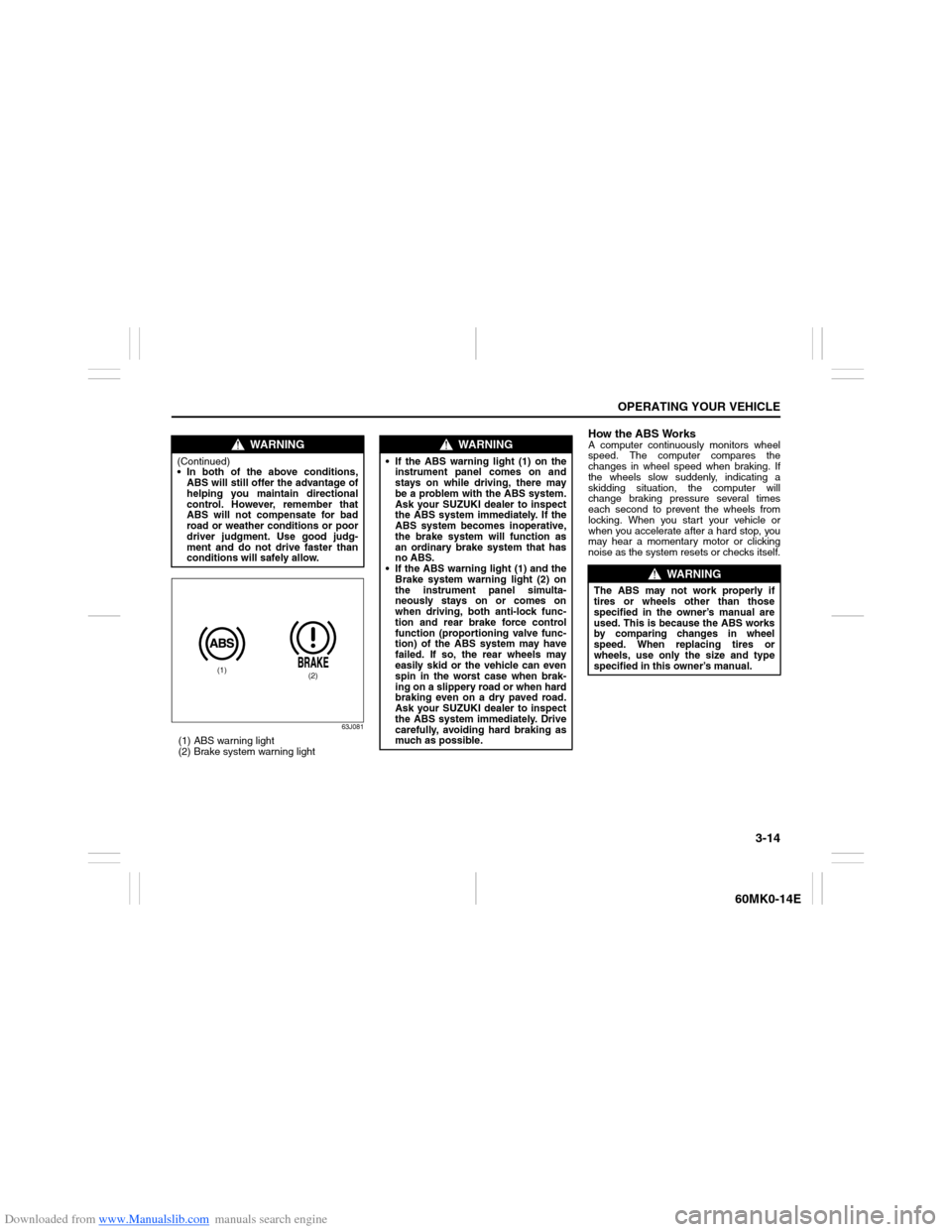
63J081
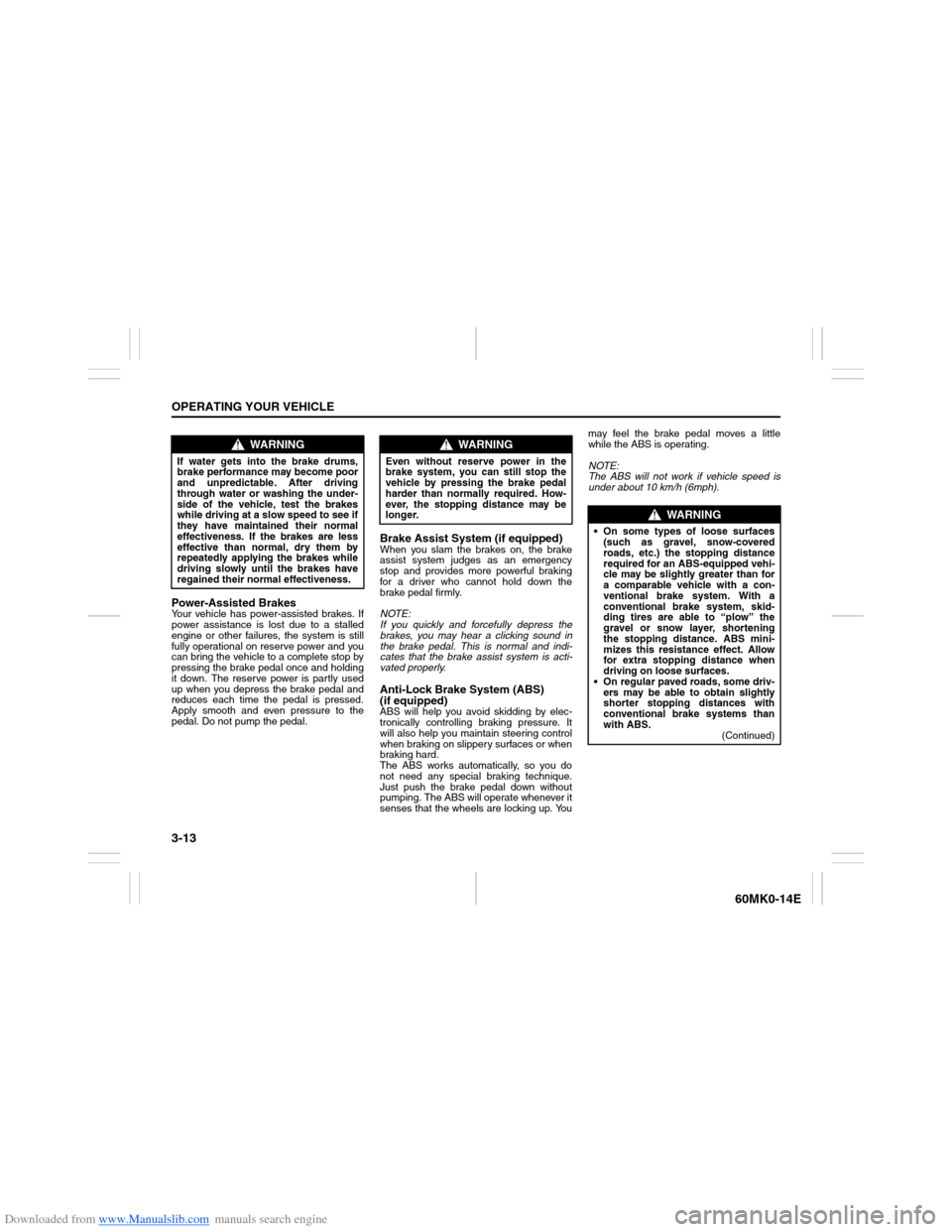
(1) ABS warning light
(2) Brake system warning light
How the ABS WorksA computer continuously monitors wheel
speed. The computer compares the
changes in wheel speed when braking. If
the wheels slow suddenly, indicating a
skidding situation, the computer will
change braking pressure several times
each second to prevent the wheels from
locking. When you start your vehicle or
when you accelerate after a hard stop, you
may hear a momentary motor or clicking
noise as the system resets or checks itself.
WARNING
(Continued)
In both of the above conditions,
ABS will still offer the advantage of
helping you maintain directional
control. However, remember that
ABS will not compensate for bad
road or weather conditions or poor
driver judgment. Use good judg-
ment and do not drive faster than
conditions will safely allow.
(1)
(2)
WARNING
If the ABS warning light (1) on the
instrument panel comes on and
stays on while driving, there may
be a problem with the ABS system.
Ask your SUZUKI dealer to inspect
the ABS system immediately. If the
ABS system becomes inoperative,
the brake system will function as
an ordinary brake system that has
no ABS.
If the ABS warning light (1) and the
Brake system warning light (2) on
the instrument panel simulta-
neously stays on or comes on
when driving, both anti-lock func-
tion and rear brake force control
function (proportioning valve func-
tion) of the ABS system may have
failed. If so, the rear wheels may
easily skid or the vehicle can even
spin in the worst case when brak-
ing on a slippery road or when hard
braking even on a dry paved road.
Ask your SUZUKI dealer to inspect
the ABS system immediately. Drive
carefully, avoiding hard braking as
much as possible.
WARNING
The ABS may not work properly if
tires or wheels other than those
specified in the owner’s manual are
used. This is because the ABS works
by comparing changes in wheel
speed. When replacing tires or
wheels, use only the size and type
specified in this owner’s manual.
Page 91 of 207
Downloaded from www.Manualslib.com manuals search engine 4-2
DRIVING TIPS
60MK0-14E
54G584S
Improving Fuel EconomyThe following instructions will help you
improve fuel economy.
Avoid excessive idling
If you are to wait for more than a minute
while you are parked, stop the engine and
start it again later. When warming up a
cold engine, allow the engine to idle until
the temperature gauge pointer comes up
to the “C” position (if the idling is not pro-
hibited). In this position, the engine is suffi-
ciently warm for starting off.
Avoid “fast” starts
Fast starts away from lights or stop signs
will consume fuel unnecessarily and
shorten engine life. Start off slowly.
Avoid unnecessary stops
Avoid unnecessary deceleration and stop-
ping. Try to maintain a slow, steady speed
whenever possible. Slowing down and then
accelerating again uses more fuel.
Keep a steady cruising speed
Keep as constant a speed as road and traf-
fic conditions will permit.
NOTICE
To avoid damaging catalyst or other
vehicle damage:
Maintain the engine in the proper
operating condition.
In the event of an engine malfunc-
tion, particularly one involving
engine misfiring or other apparent
loss of performance, have the vehi-
cle serviced promptly.
Do not turn off the engine or inter-
rupt the ignition when the transaxle
is in gear and the vehicle is in
motion.
Do not try to start the engine by
pushing or towing the vehicle, or
coasting down a hill.
Do not idle the engine with any
spark plug wires disconnected or
removed, such as during diagnos-
tic testing.
Do not idle the vehicle for pro-
longed periods if idling seems
rough or there are other malfunc-
tions.
Do not allow the fuel tank to get
near the empty level.
Avoid driving your vehicle at exces-
sively high engine speed in or
around the red zone of the tachom-
eter (if equipped).
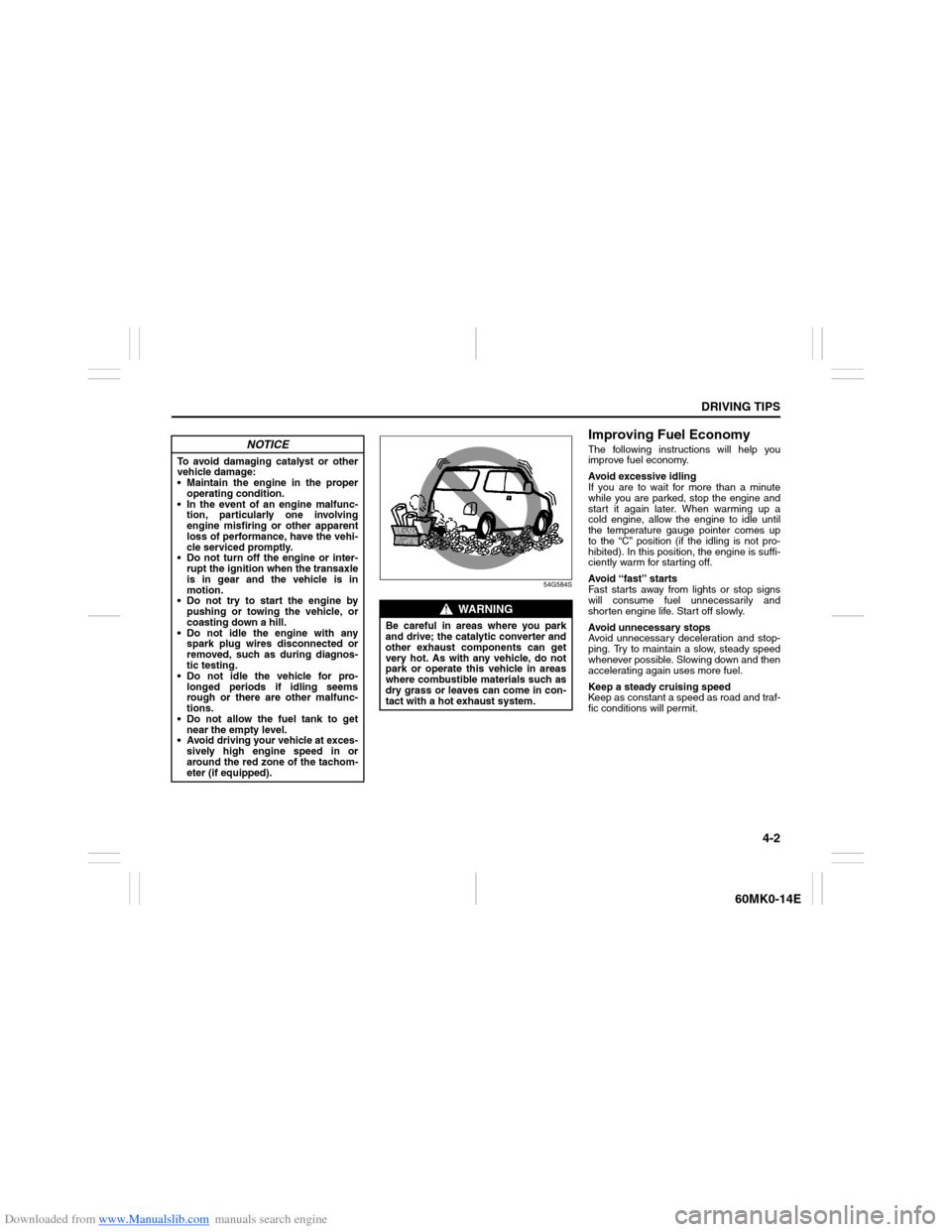
WARNING
Be careful in areas where you park
and drive; the catalytic converter and
other exhaust components can get
very hot. As with any vehicle, do not
park or operate this vehicle in areas
where combustible materials such as
dry grass or leaves can come in con-
tact with a hot exhaust system.
Page 95 of 207
Downloaded from www.Manualslib.com manuals search engine OTHER CONTROLS AND EQUIPMENT
5
60MK0-14E
60G407
OTHER CONTROLS AND EQUIPMENTAir Conditioning System .................................................... 5-1
Radio Antenna ..................................................................... 5-6
Audio System (if equipped) ................................................ 5-7
Fuel Filler Cap ..................................................................... 5-37
Engine Hood ........................................................................ 5-38
Sun Visor ............................................................................. 5-39
Interior Light Switch ........................................................... 5-40
Accessory Socket ............................................................... 5-41
Universal Serial Bus (USB) Socket (if equipped) ............. 5-42
Assist Grips ......................................................................... 5-42
Glove Box ............................................................................ 5-42
Cup Holder and Storage Area ............................................ 5-43
Front Seat Back Pocket (if equipped) ............................... 5-44
Armrest (if equipped) .......................................................... 5-44
Footrest (if equipped) ......................................................... 5-45
Floor Mats (if equipped) ..................................................... 5-45
Luggage Box ....................................................................... 5-46
Frame Hooks ....................................................................... 5-46
Page 98 of 207
Downloaded from www.Manualslib.com manuals search engine 5-3OTHER CONTROLS AND EQUIPMENT
60MK0-14E
Overhead rear air conditioning system
(if equipped)
60MH028
To turn on the overhead rear air condition-
ing system, set the blower speed selector
of the air conditioning system to a position
other than “OFF” and set the rear blower
switch (2) to a position other than “OFF”.
Move the knob (1) vertically or horizontally
to adjust the direction of airflow as desired.
If you need cold air to come out, turn on
the temperature selector with air condition-
ing switch. Refer to “Temperature selector
with air conditioning switch” in this section.
During operation of the air conditioner, you
may notice slight changes in engine
speed. These changes are normal, the
system is designed so that the compressor
turns on or off to maintain the desired tem-
perature. Less operation of the compres-
sor results in better fuel economy.
Description of Controls
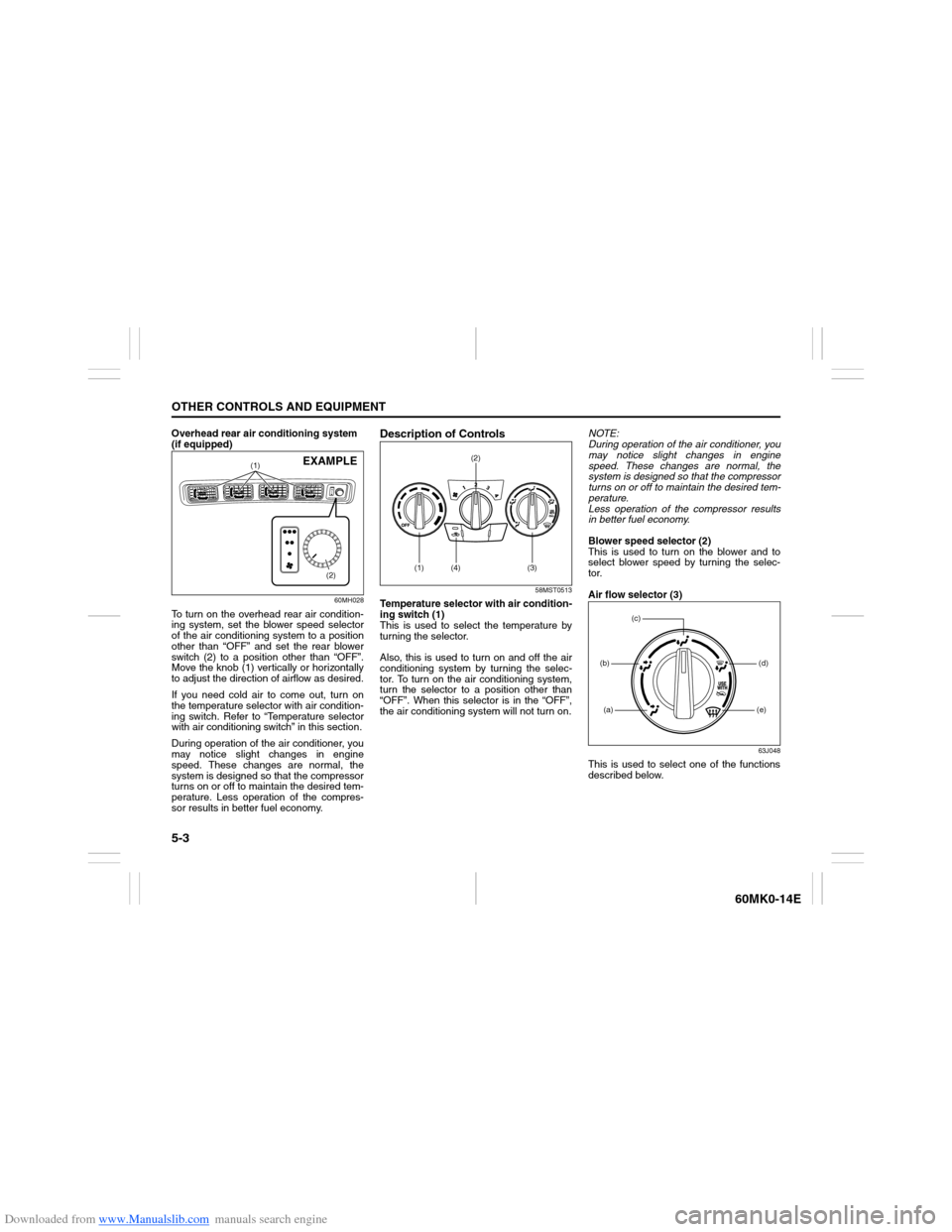
58MST0513
Temperature selector with air condition-
ing switch (1)
This is used to select the temperature by
turning the selector.
Also, this is used to turn on and off the air
conditioning system by turning the selec-
tor. To turn on the air conditioning system,
turn the selector to a position other than
“OFF”. When this selector is in the “OFF”,
the air conditioning system will not turn on.NOTE:
During operation of the air conditioner, you
may notice slight changes in engine
speed. These changes are normal, the
system is designed so that the compressor
turns on or off to maintain the desired tem-
perature.
Less operation of the compressor results
in better fuel economy.
Blower speed selector (2)
This is used to turn on the blower and to
select blower speed by turning the selec-
tor.
Air flow selector (3)
63J048
This is used to select one of the functions
described below.
(1)
(2)
EXAMPLE
(1) (4)(2)
(3)
(a)(b)
(e)(d)
(c)
Page 99 of 207
Downloaded from www.Manualslib.com manuals search engine 5-4
OTHER CONTROLS AND EQUIPMENT
60MK0-14E
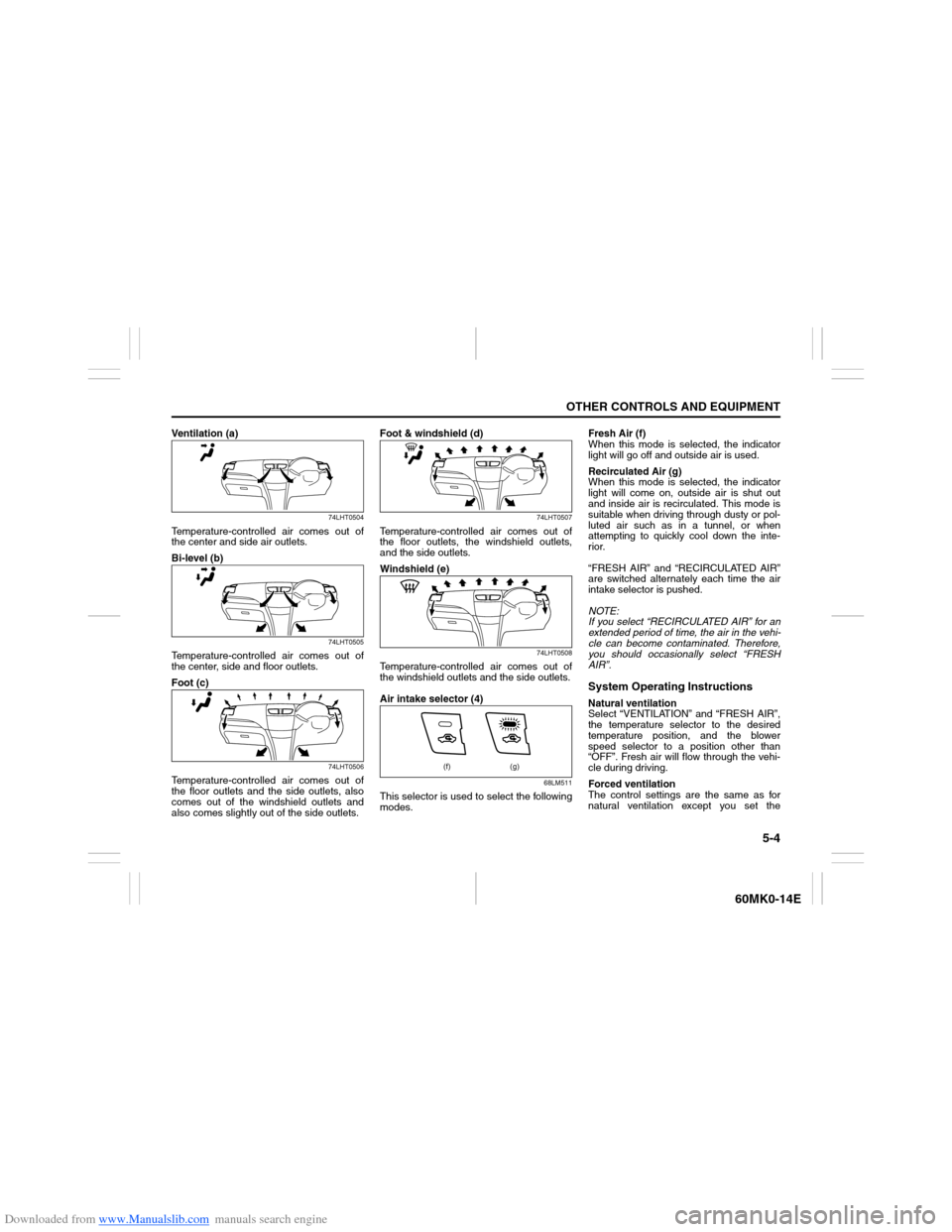
Ventilation (a)
74LHT0504
Temperature-controlled air comes out of
the center and side air outlets.
Bi-level (b)
74LHT0505
Temperature-controlled air comes out of
the center, side and floor outlets.
Foot (c)
74LHT0506
Temperature-controlled air comes out of
the floor outlets and the side outlets, also
comes out of the windshield outlets and
also comes slightly out of the side outlets.Foot & windshield (d)
74LHT0507
Temperature-controlled air comes out of
the floor outlets, the windshield outlets,
and the side outlets.
Windshield (e)
74LHT0508
Temperature-controlled air comes out of
the windshield outlets and the side outlets.
Air intake selector (4)
68LM511
This selector is used to select the following
modes.Fresh Air (f)
When this mode is selected, the indicator
light will go off and outside air is used.
Recirculated Air (g)
When this mode is selected, the indicator
light will come on, outside air is shut out
and inside air is recirculated. This mode is
suitable when driving through dusty or pol-
luted air such as in a tunnel, or when
attempting to quickly cool down the inte-
rior.
“FRESH AIR” and “RECIRCULATED AIR”
are switched alternately each time the air
intake selector is pushed.
NOTE:
If you select “RECIRCULATED AIR” for an
extended period of time, the air in the vehi-
cle can become contaminated. Therefore,
you should occasionally select “FRESH
AIR”.
System Operating InstructionsNatural ventilation
Select “VENTILATION” and “FRESH AIR”,
the temperature selector to the desired
temperature position, and the blower
speed selector to a position other than
“OFF”. Fresh air will flow through the vehi-
cle during driving.
Forced ventilation
The control settings are the same as for
natural ventilation except you set the
(f) (g)
Page 105 of 207
Downloaded from www.Manualslib.com manuals search engine 5-10
OTHER CONTROLS AND EQUIPMENT
60MK0-14E
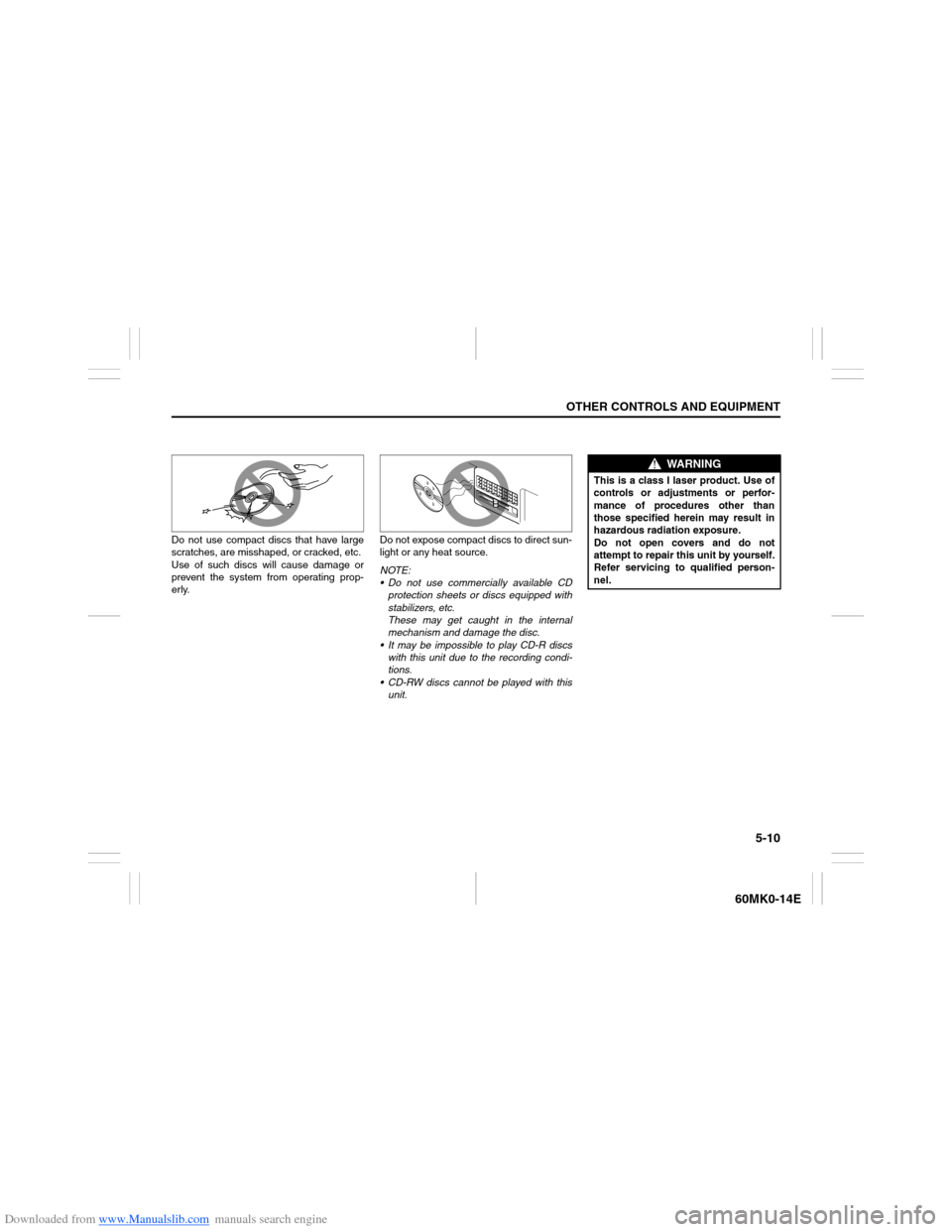
Do not use compact discs that have large
scratches, are misshaped, or cracked, etc.
Use of such discs will cause damage or
prevent the system from operating prop-
erly.Do not expose compact discs to direct sun-
light or any heat source.
NOTE:
Do not use commercially available CD
protection sheets or discs equipped with
stabilizers, etc.
These may get caught in the internal
mechanism and damage the disc.
It may be impossible to play CD-R discs
with this unit due to the recording condi-
tions.
CD-RW discs cannot be played with this
unit.
WARNING
This is a class I laser product. Use of
controls or adjustments or perfor-
mance of procedures other than
those specified herein may result in
hazardous radiation exposure.
Do not open covers and do not
attempt to repair this unit by yourself.
Refer servicing to qualified person-
nel.