light SUZUKI ERTIGA 2013 1.G Service Manual
[x] Cancel search | Manufacturer: SUZUKI, Model Year: 2013, Model line: ERTIGA, Model: SUZUKI ERTIGA 2013 1.GPages: 207, PDF Size: 5.14 MB
Page 112 of 207
Downloaded from www.Manualslib.com manuals search engine 5-17OTHER CONTROLS AND EQUIPMENT
60MK0-14E
Selecting a track
Press the Up button (4) to listen to the
next track.
Press the Down button (5) twice to lis-
ten to the previous track.
When the Down button (5) is pressed
once, the track currently being played
will start from the beginning again.
Fast forwarding/Rewinding a track
Hold down the Up button (4) to fast for-
ward the track.
Hold down the Down button (5) to fast
rewind the track.
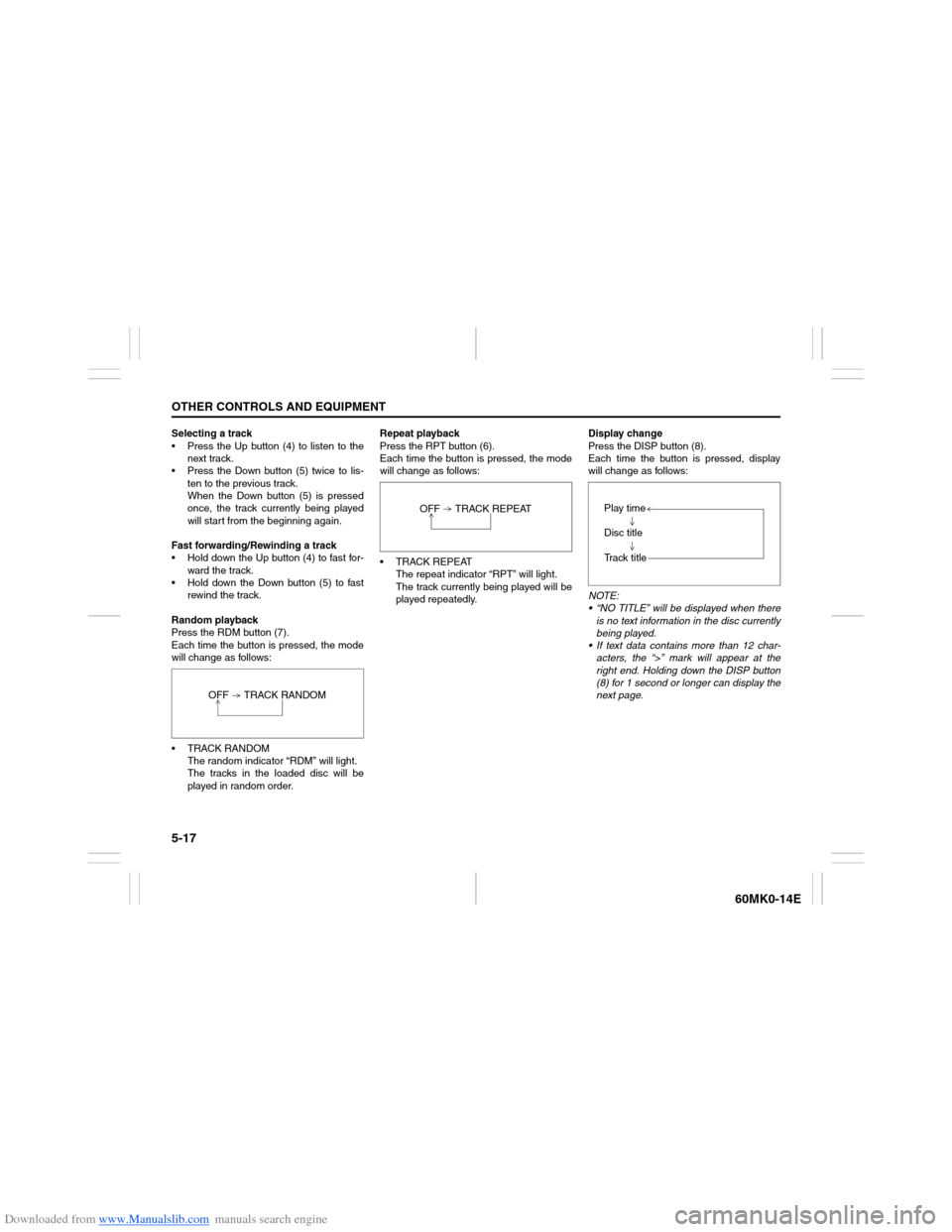
Random playback
Press the RDM button (7).
Each time the button is pressed, the mode
will change as follows:
TRACK RANDOM
The random indicator “RDM” will light.
The tracks in the loaded disc will be
played in random order.Repeat playback
Press the RPT button (6).
Each time the button is pressed, the mode
will change as follows:
TRACK REPEAT
The repeat indicator “RPT” will light.
The track currently being played will be
played repeatedly.Display change
Press the DISP button (8).
Each time the button is pressed, display
will change as follows:
NOTE:
“NO TITLE” will be displayed when there
is no text information in the disc currently
being played.
If text data contains more than 12 char-
acters, the “>” mark will appear at the
right end. Holding down the DISP button
(8) for 1 second or longer can display the
next page. OFF TRACK RANDOM
OFF TRACK REPEAT
Play time
Disc title
Track title
Page 114 of 207
Downloaded from www.Manualslib.com manuals search engine 5-19OTHER CONTROLS AND EQUIPMENT
60MK0-14E
Selecting a folder
Turn the TUNE FOLDER PUSH SOUND
knob (1) to select a folder.
Selecting a track
Press the Up button (2) to listen to the
next track.
Press the Down button (3) twice to lis-
ten to the previous track.
When the Down button (3) is pressed
once, the track currently being played
will start from the beginning again.
Fast forwarding/Rewinding a track
Hold down the Up button (2) to fast for-
ward the track.
Hold down the Down button (3) to fast
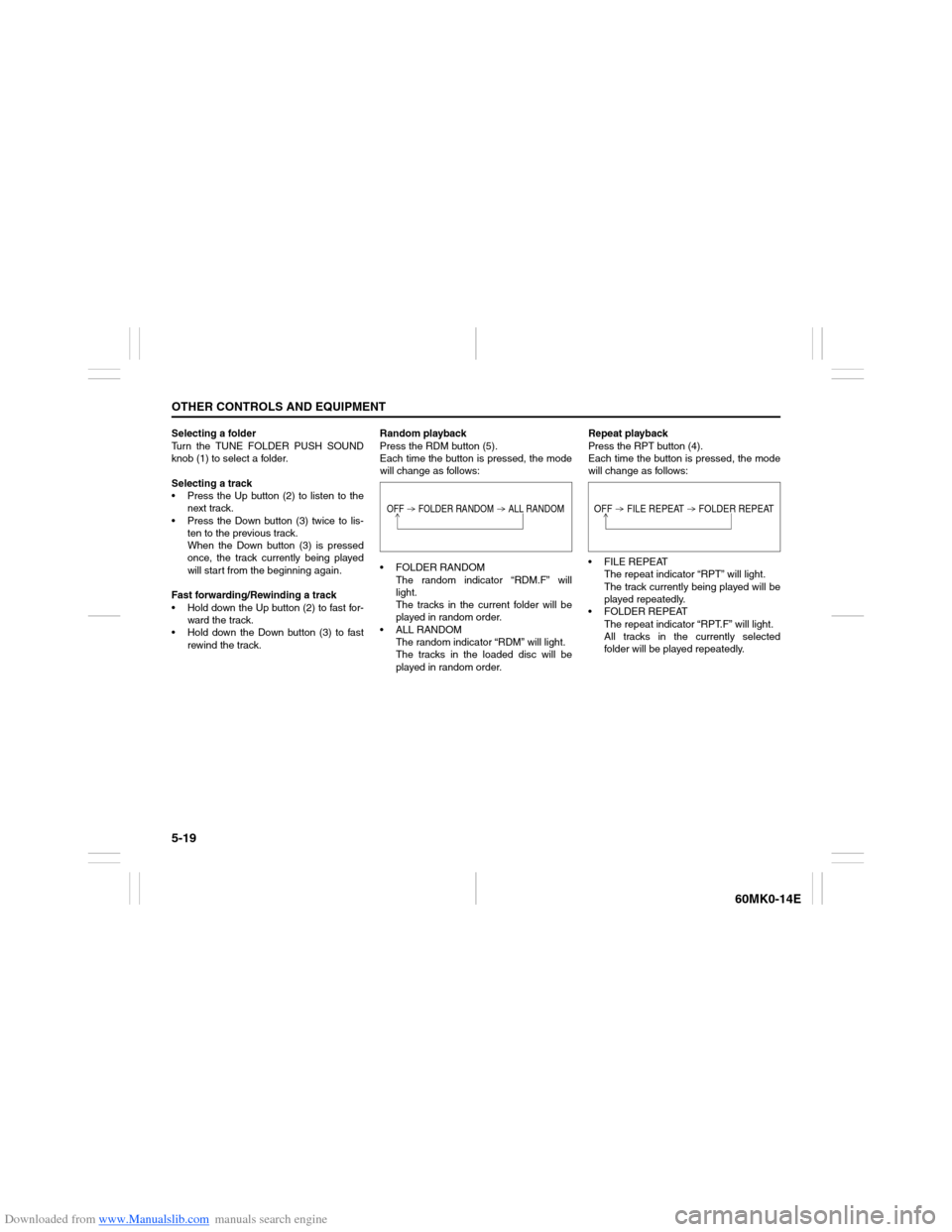
rewind the track.Random playback
Press the RDM button (5).
Each time the button is pressed, the mode
will change as follows:
FOLDER RANDOM
The random indicator “RDM.F” will
light.
The tracks in the current folder will be
played in random order.
ALL RANDOM
The random indicator “RDM” will light.
The tracks in the loaded disc will be
played in random order.Repeat playback
Press the RPT button (4).
Each time the button is pressed, the mode
will change as follows:
FILE REPEAT
The repeat indicator “RPT” will light.
The track currently being played will be
played repeatedly.
FOLDER REPEAT
The repeat indicator “RPT.F” will light.
All tracks in the currently selected
folder will be played repeatedly.
OFF FOLDER RANDOM ALL RANDOM
OFF FILE REPEAT FOLDER REPEAT
Page 119 of 207
Downloaded from www.Manualslib.com manuals search engine 5-24
OTHER CONTROLS AND EQUIPMENT
60MK0-14E
Selecting a USB device mode
Press the USB button (1).
Selecting a folder
Turn the TUNE FOLDER PUSH SOUND
knob (2) to select the desired folder.
Selecting a track
Press the Up button (3) to listen to the
next track.
Press the Down button (4) twice to lis-
ten to the previous track.
When the Down button (4) is pressed
once, the track currently being played
will start from the beginning again.
Fast forwarding/Rewinding a track
Hold down the Up button (3) to fast for-
ward the track.
Hold down the Down button (4) to fast
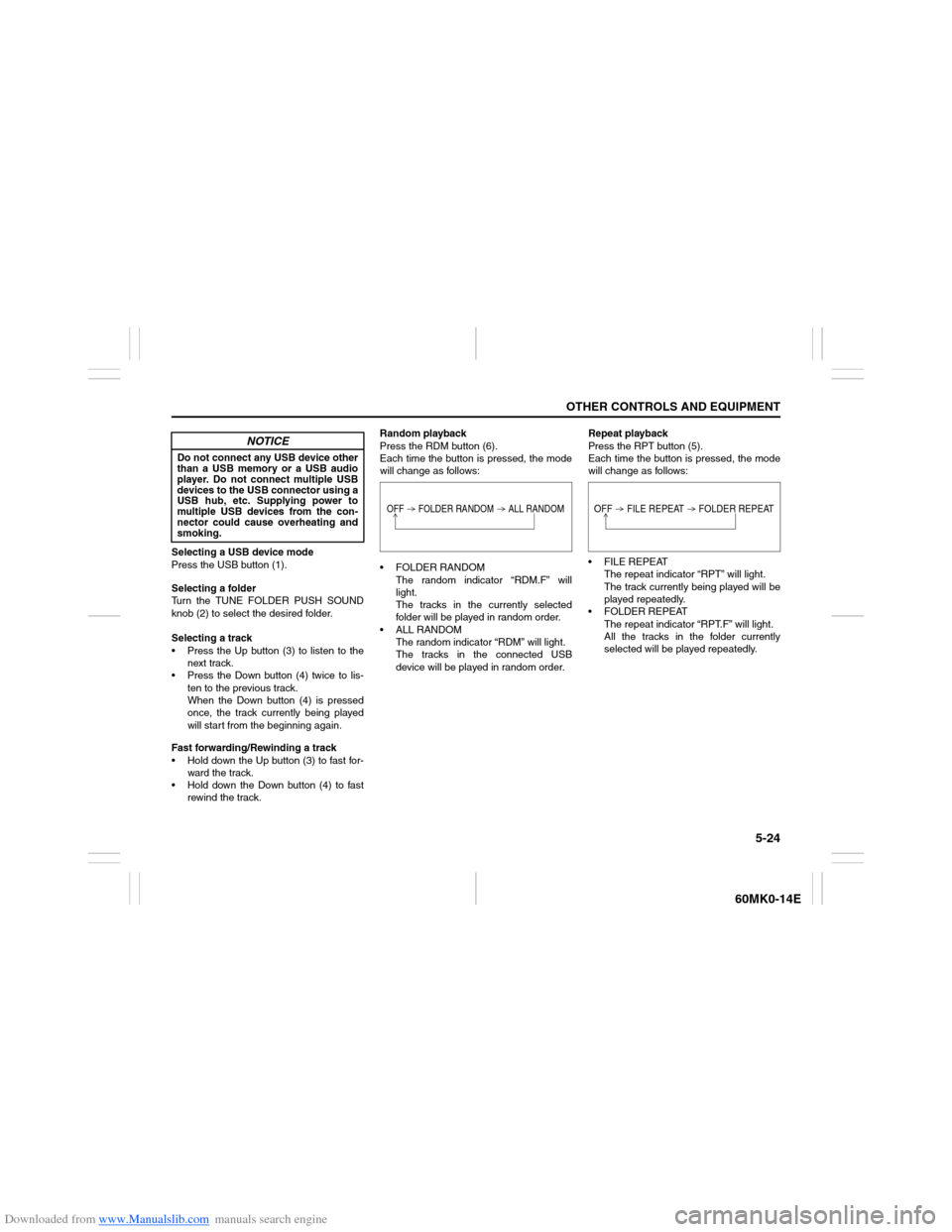
rewind the track.Random playback
Press the RDM button (6).
Each time the button is pressed, the mode
will change as follows:
FOLDER RANDOM
The random indicator “RDM.F” will
light.
The tracks in the currently selected
folder will be played in random order.
ALL RANDOM
The random indicator “RDM” will light.
The tracks in the connected USB
device will be played in random order.Repeat playback
Press the RPT button (5).
Each time the button is pressed, the mode
will change as follows:
FILE REPEAT
The repeat indicator “RPT” will light.
The track currently being played will be
played repeatedly.
FOLDER REPEAT
The repeat indicator “RPT.F” will light.
All the tracks in the folder currently
selected will be played repeatedly.
NOTICE
Do not connect any USB device other
than a USB memory or a USB audio
player. Do not connect multiple USB
devices to the USB connector using a
USB hub, etc. Supplying power to
multiple USB devices from the con-
nector could cause overheating and
smoking.
OFF FOLDER RANDOM ALL RANDOM
OFF FILE REPEAT FOLDER REPEAT
Page 122 of 207
Downloaded from www.Manualslib.com manuals search engine 5-27OTHER CONTROLS AND EQUIPMENT
60MK0-14E
Selecting an iPod
® mode
Press the USB button (1).
Selecting a track
Press the Up button (3) to listen to the
next track.
Press the Down button (4) twice to lis-
ten to the previous track.
When the Down button (4) is pressed
once, the track currently being played
will start from the beginning again.
Fast forwarding/Rewinding a track
Hold down the Up button (3) to fast for-
ward the track.
Hold down the Down button (4) to fast
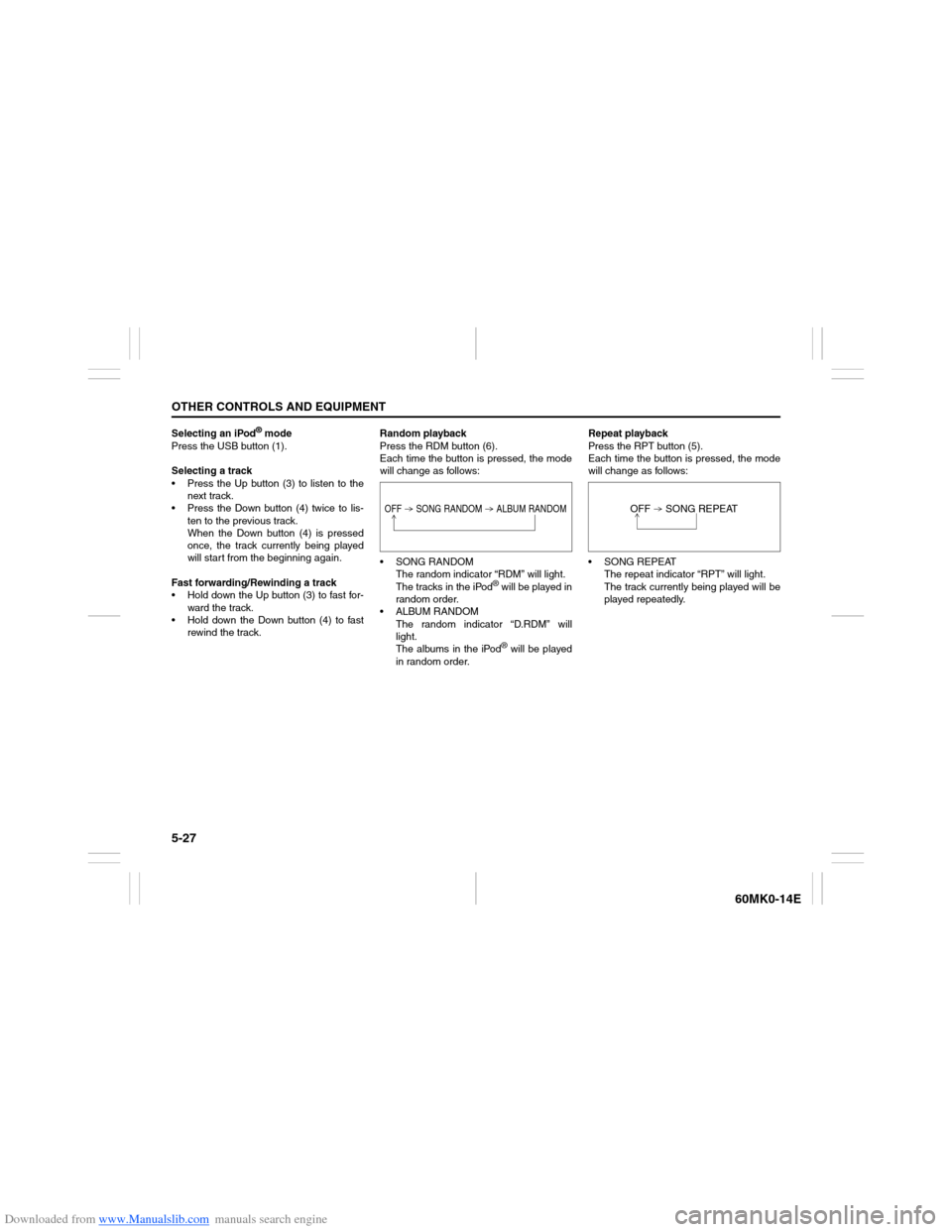
rewind the track.Random playback
Press the RDM button (6).
Each time the button is pressed, the mode
will change as follows:
SONG RANDOM
The random indicator “RDM” will light.
The tracks in the iPod
® will be played in
random order.
ALBUM RANDOM
The random indicator “D.RDM” will
light.
The albums in the iPod® will be played
in random order.Repeat playback
Press the RPT button (5).
Each time the button is pressed, the mode
will change as follows:
SONG REPEAT
The repeat indicator “RPT” will light.
The track currently being played will be
played repeatedly.
OFF SONG RANDOM ALBUM RANDOM
OFF SONG REPEAT
Page 134 of 207
Downloaded from www.Manualslib.com manuals search engine 5-39OTHER CONTROLS AND EQUIPMENT
60MK0-14E
60MH032
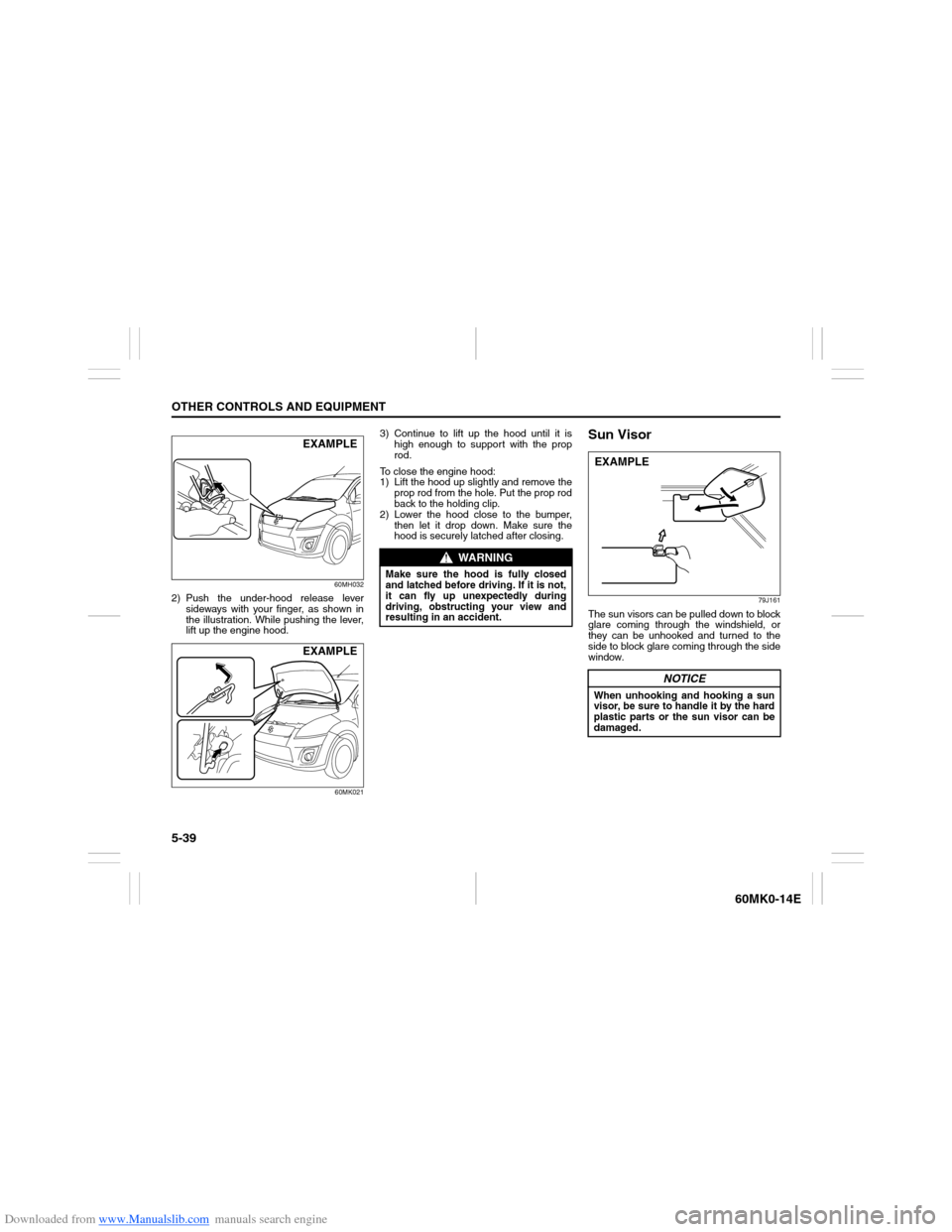
2) Push the under-hood release lever
sideways with your finger, as shown in
the illustration. While pushing the lever,
lift up the engine hood.
60MK021
3) Continue to lift up the hood until it is
high enough to support with the prop
rod.
To close the engine hood:
1) Lift the hood up slightly and remove the
prop rod from the hole. Put the prop rod
back to the holding clip.
2) Lower the hood close to the bumper,
then let it drop down. Make sure the
hood is securely latched after closing.
Sun Visor
79J161
The sun visors can be pulled down to block
glare coming through the windshield, or
they can be unhooked and turned to the
side to block glare coming through the side
window.
EXAMPLEEXAMPLE
WARNING
Make sure the hood is fully closed
and latched before driving. If it is not,
it can fly up unexpectedly during
driving, obstructing your view and
resulting in an accident.
NOTICE
When unhooking and hooking a sun
visor, be sure to handle it by the hard
plastic parts or the sun visor can be
damaged.EXAMPLE
Page 135 of 207
Downloaded from www.Manualslib.com manuals search engine 5-40
OTHER CONTROLS AND EQUIPMENT
60MK0-14E
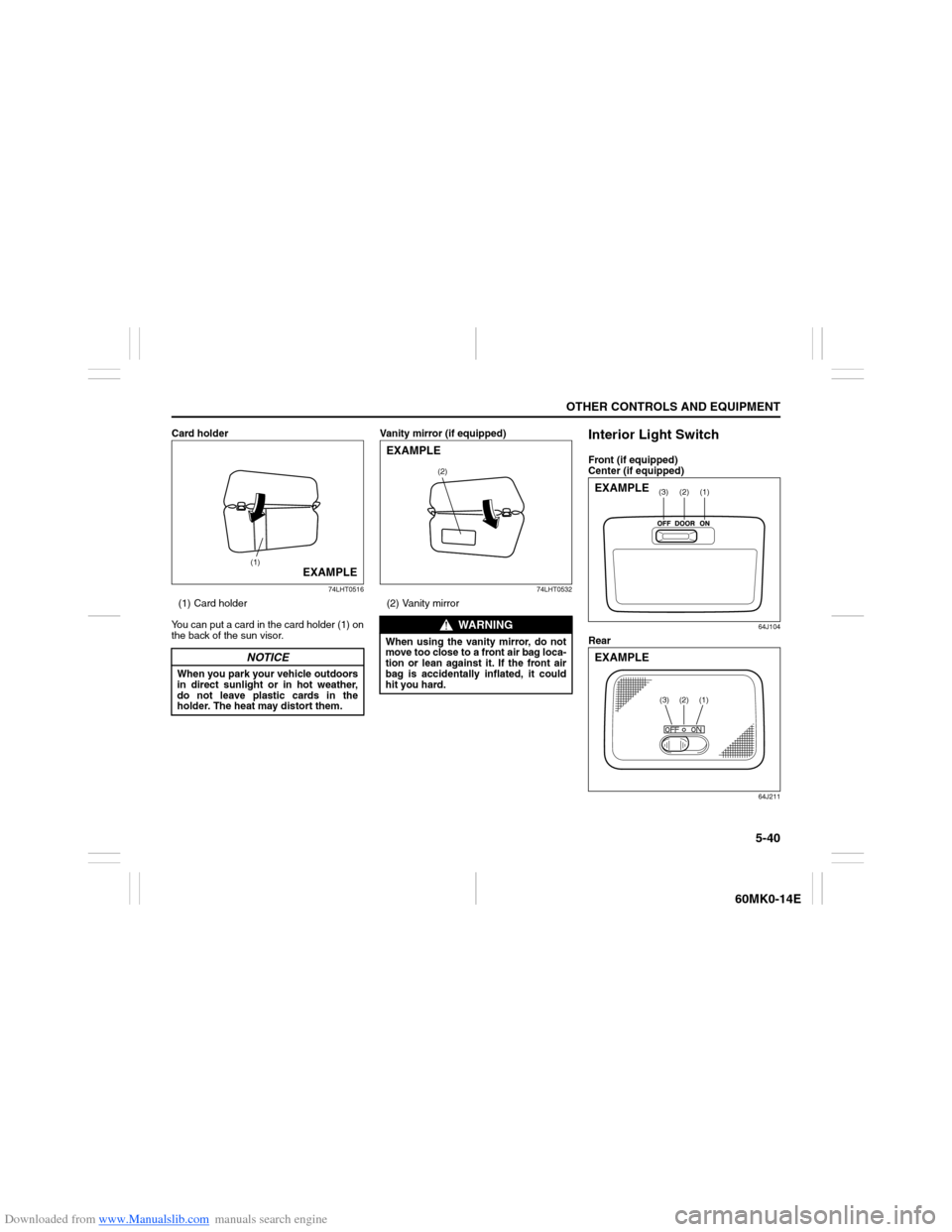
Card holder
74LHT0516
(1) Card holder
You can put a card in the card holder (1) on
the back of the sun visor.Vanity mirror (if equipped)
74LHT0532
(2) Vanity mirror
Interior Light SwitchFront (if equipped)
Center (if equipped)
64J104
Rear
64J211
NOTICE
When you park your vehicle outdoors
in direct sunlight or in hot weather,
do not leave plastic cards in the
holder. The heat may distort them.
(1)
EXAMPLE
WARNING
When using the vanity mirror, do not
move too close to a front air bag loca-
tion or lean against it. If the front air
bag is accidentally inflated, it could
hit you hard.
(2)
EXAMPLE
(1)
(2)
(3)
EXAMPLE
(3)
(2)
(1)
EXAMPLE
Page 136 of 207
Downloaded from www.Manualslib.com manuals search engine 5-41OTHER CONTROLS AND EQUIPMENT
60MK0-14E
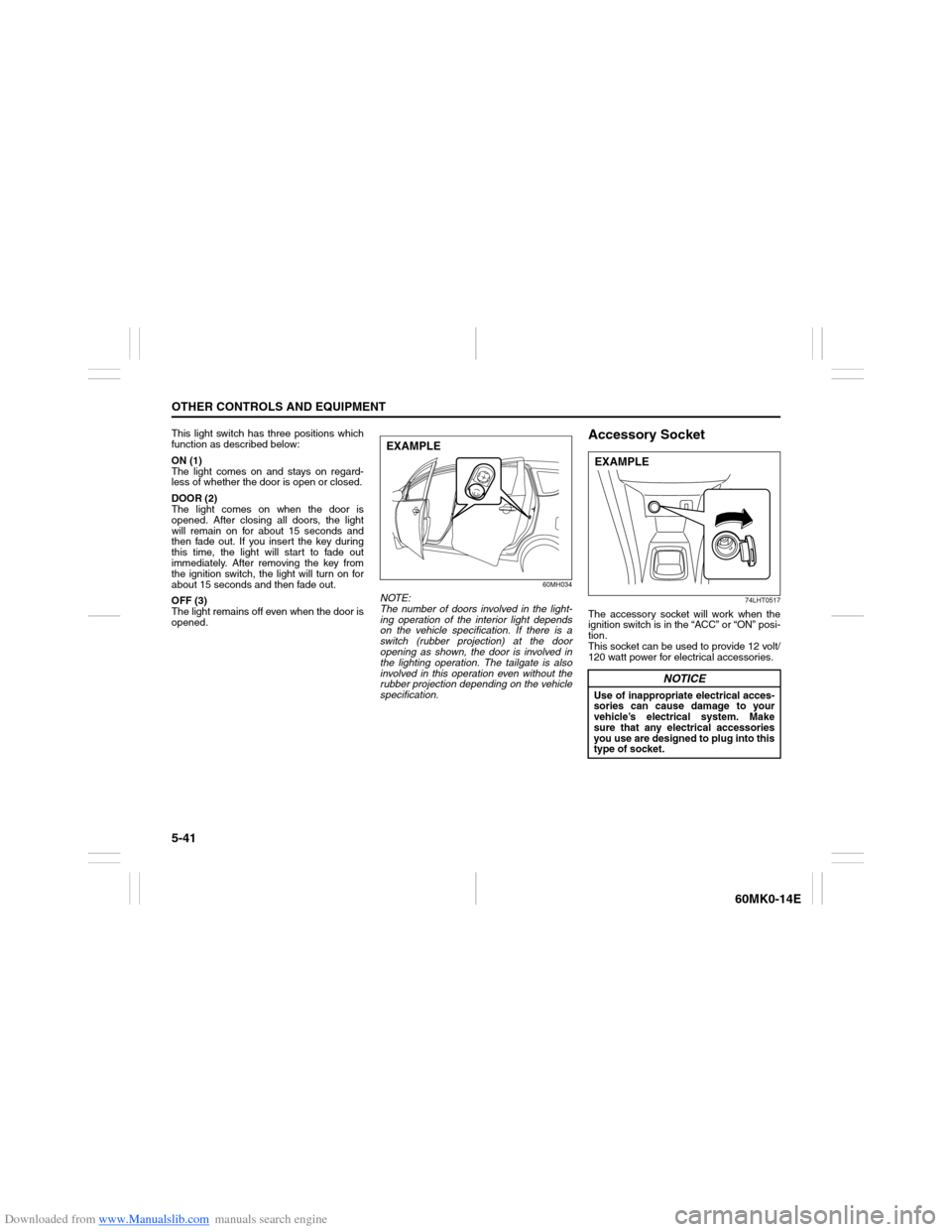
This light switch has three positions which
function as described below:
ON (1)
The light comes on and stays on regard-
less of whether the door is open or closed.
DOOR (2)
The light comes on when the door is
opened. After closing all doors, the light
will remain on for about 15 seconds and
then fade out. If you insert the key during
this time, the light will start to fade out
immediately. After removing the key from
the ignition switch, the light will turn on for
about 15 seconds and then fade out.
OFF (3)
The light remains off even when the door is
opened.
60MH034
NOTE:
The number of doors involved in the light-
ing operation of the interior light depends
on the vehicle specification. If there is a
switch (rubber projection) at the door
opening as shown, the door is involved in
the lighting operation. The tailgate is also
involved in this operation even without the
rubber projection depending on the vehicle
specification.
Accessory Socket
74LHT0517
The accessory socket will work when the
ignition switch is in the “ACC” or “ON” posi-
tion.
This socket can be used to provide 12 volt/
120 watt power for electrical accessories.
EXAMPLE
NOTICE
Use of inappropriate electrical acces-
sories can cause damage to your
vehicle’s electrical system. Make
sure that any electrical accessories
you use are designed to plug into this
type of socket.EXAMPLE
Page 139 of 207
Downloaded from www.Manualslib.com manuals search engine 5-44
OTHER CONTROLS AND EQUIPMENT
60MK0-14E
Front Seat Back Pocket
(if equipped)
60MH078
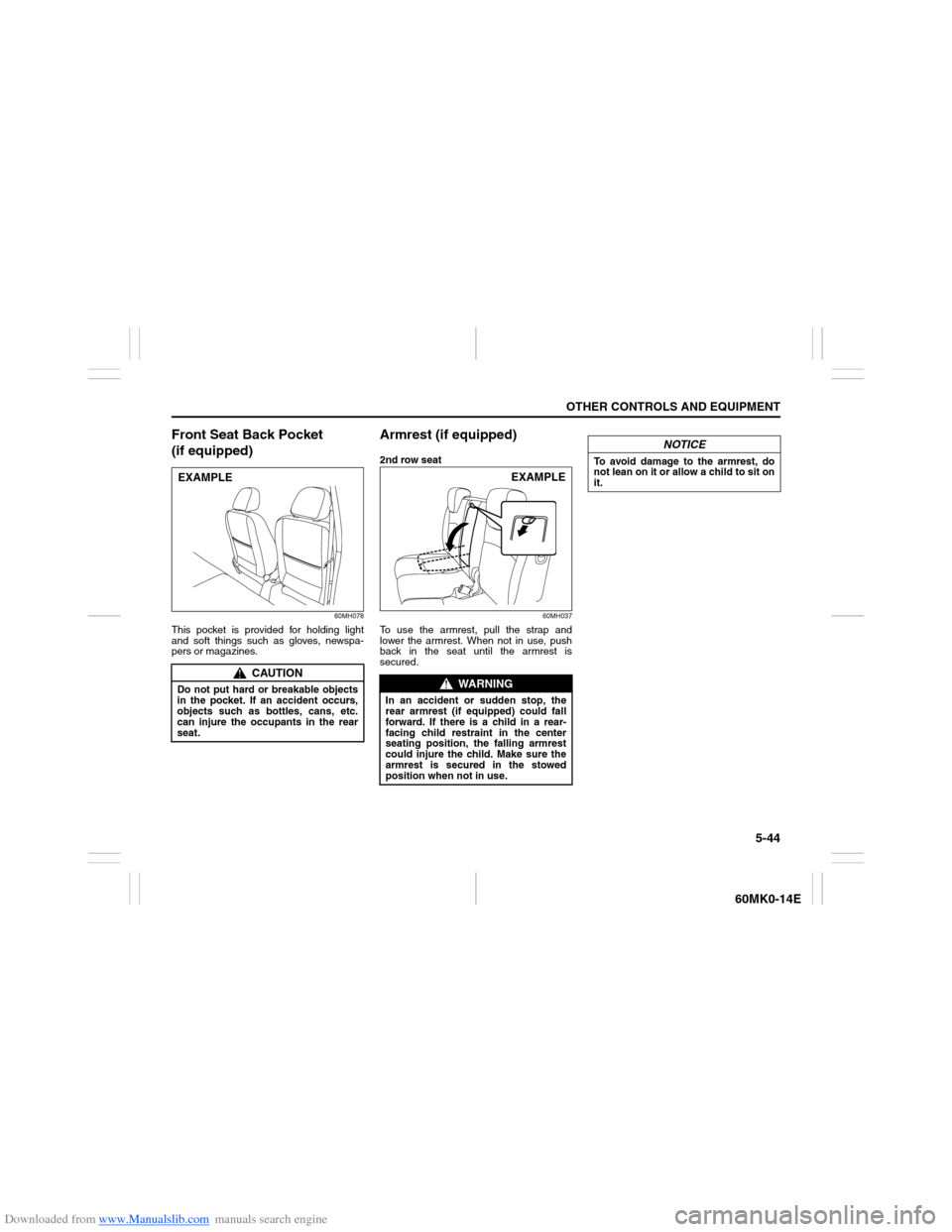
This pocket is provided for holding light
and soft things such as gloves, newspa-
pers or magazines.
Armrest (if equipped)2nd row seat
60MH037
To use the armrest, pull the strap and
lower the armrest. When not in use, push
back in the seat until the armrest is
secured.
CAUTION
Do not put hard or breakable objects
in the pocket. If an accident occurs,
objects such as bottles, cans, etc.
can injure the occupants in the rear
seat.EXAMPLE
WARNING
In an accident or sudden stop, the
rear armrest (if equipped) could fall
forward. If there is a child in a rear-
facing child restraint in the center
seating position, the falling armrest
could injure the child. Make sure the
armrest is secured in the stowed
position when not in use.
EXAMPLE
NOTICE
To avoid damage to the armrest, do
not lean on it or allow a child to sit on
it.
Page 145 of 207
Downloaded from www.Manualslib.com manuals search engine INSPECTION AND MAINTENANCE
7
60MK0-14E
60G410
INSPECTION AND MAINTENANCEMaintenance Schedule ....................................................... 7-2
Periodic Maintenance Schedule ........................................ 7-2
Maintenance Recommended under Severe
Driving Conditions .............................................................. 7-5
Drive Belt ............................................................................. 7-7
Engine Oil and Filter ........................................................... 7-7
Engine Coolant .................................................................... 7-11
Air Cleaner ........................................................................... 7-13
Spark Plugs ......................................................................... 7-13
Gear Oil ................................................................................ 7-15
Clutch Pedal ........................................................................ 7-16
Automatic Transaxle (AT) Fluid ......................................... 7-16
Brakes .................................................................................. 7-17
Steering ................................................................................ 7-19
Tires ...................................................................................... 7-20
Battery .................................................................................. 7-22
Fuses .................................................................................... 7-23
Headlight Aiming ................................................................. 7-26
Bulb Replacement ............................................................... 7-26
Wiper Blades ....................................................................... 7-31
Windshield Washer Fluid ................................................... 7-35
Air Conditioning System .................................................... 7-35
Page 163 of 207
Downloaded from www.Manualslib.com manuals search engine 7-18
INSPECTION AND MAINTENANCE
60MK0-14E
NOTE:
With disc brakes, the fluid level can be
expected to gradually fall as the brake
pads wear.Brake PedalCheck if the brake pedal stops at the regu-
lar height without “spongy” feeling when
you depress it. If not, have the brake sys-
tem inspected by your SUZUKI dealer. If
you doubt the brake pedal for the regular
height, check it as follows:
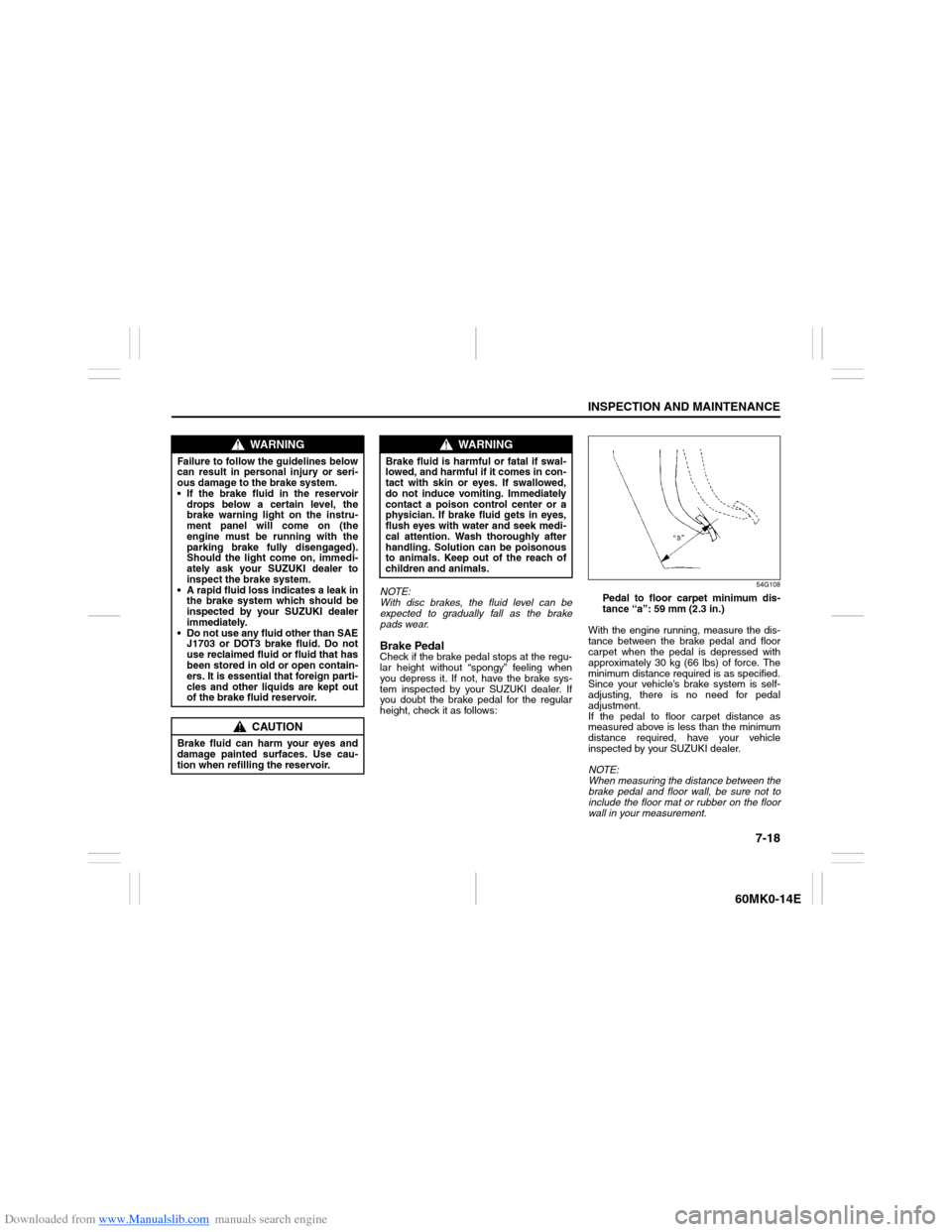
54G108
Pedal to floor carpet minimum dis-
tance “a”: 59 mm (2.3 in.)
With the engine running, measure the dis-
tance between the brake pedal and floor
carpet when the pedal is depressed with
approximately 30 kg (66 lbs) of force. The
minimum distance required is as specified.
Since your vehicle’s brake system is self-
adjusting, there is no need for pedal
adjustment.
If the pedal to floor carpet distance as
measured above is less than the minimum
distance required, have your vehicle
inspected by your SUZUKI dealer.
NOTE:
When measuring the distance between the
brake pedal and floor wall, be sure not to
include the floor mat or rubber on the floor
wall in your measurement.
WARNING
Failure to follow the guidelines below
can result in personal injury or seri-
ous damage to the brake system.
If the brake fluid in the reservoir
drops below a certain level, the
brake warning light on the instru-
ment panel will come on (the
engine must be running with the
parking brake fully disengaged).
Should the light come on, immedi-
ately ask your SUZUKI dealer to
inspect the brake system.
A rapid fluid loss indicates a leak in
the brake system which should be
inspected by your SUZUKI dealer
immediately.
Do not use any fluid other than SAE
J1703 or DOT3 brake fluid. Do not
use reclaimed fluid or fluid that has
been stored in old or open contain-
ers. It is essential that foreign parti-
cles and other liquids are kept out
of the brake fluid reservoir.
CAUTION
Brake fluid can harm your eyes and
damage painted surfaces. Use cau-
tion when refilling the reservoir.
WARNING
Brake fluid is harmful or fatal if swal-
lowed, and harmful if it comes in con-
tact with skin or eyes. If swallowed,
do not induce vomiting. Immediately
contact a poison control center or a
physician. If brake fluid gets in eyes,
flush eyes with water and seek medi-
cal attention. Wash thoroughly after
handling. Solution can be poisonous
to animals. Keep out of the reach of
children and animals.