wheel SUZUKI FORENZA 2008 1.G User Guide
[x] Cancel search | Manufacturer: SUZUKI, Model Year: 2008, Model line: FORENZA, Model: SUZUKI FORENZA 2008 1.GPages: 226, PDF Size: 5.25 MB
Page 79 of 226
3-3INSTRUMENT PANEL
85Z04-03E
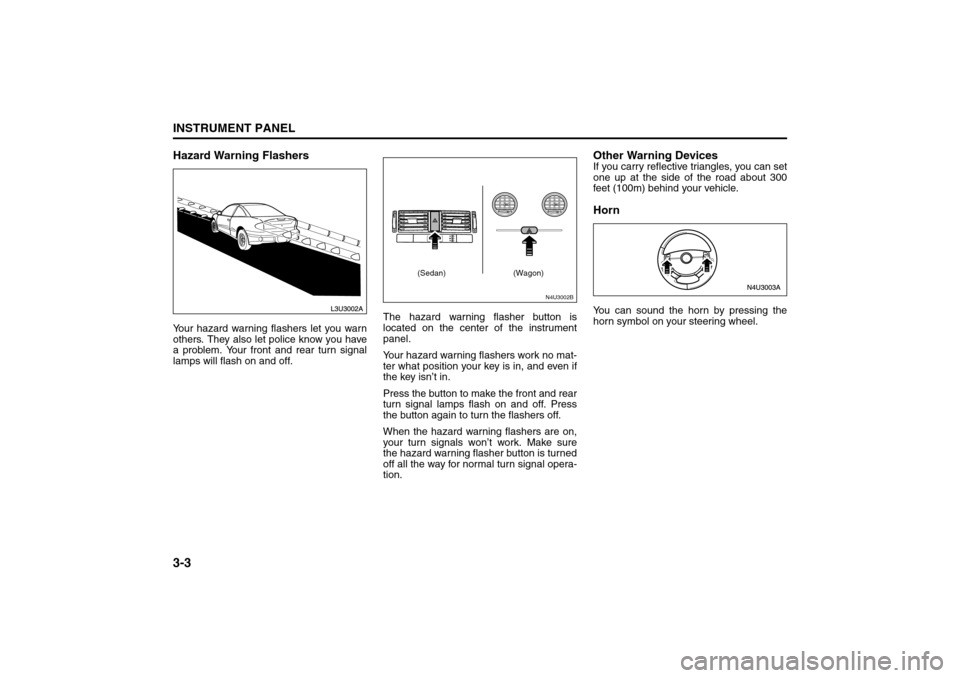
Hazard Warning FlashersYour hazard warning flashers let you warn
others. They also let police know you have
a problem. Your front and rear turn signal
lamps will flash on and off.The hazard warning flasher button is
located on the center of the instrument
panel.
Your hazard warning flashers work no mat-
ter what position your key is in, and even if
the key isn’t in.
Press the button to make the front and rear
turn signal lamps flash on and off. Press
the button again to turn the flashers off.
When the hazard warning flashers are on,
your turn signals won’t work. Make sure
the hazard warning flasher button is turned
off all the way for normal turn signal opera-
tion.
Other Warning DevicesIf you carry reflective triangles, you can set
one up at the side of the road about 300
feet (100m) behind your vehicle.HornYou can sound the horn by pressing the
horn symbol on your steering wheel.
N4U3002B
(Sedan) (Wagon)
Instrument Panel Overview:
Page 80 of 226
3-4
INSTRUMENT PANEL
85Z04-03E
Tilt WheelYour vehicle has a tilt wheel which allows
you to adjust the steering wheel before you
drive. You can raise it to the highest level to
give your legs more room when you exit
and enter the vehicle.
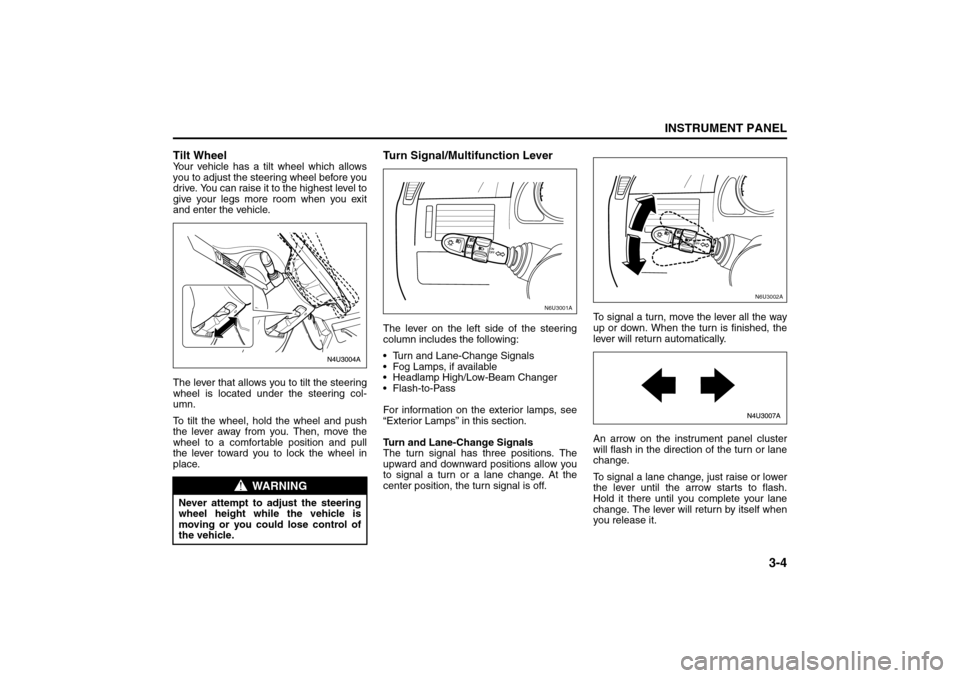
The lever that allows you to tilt the steering
wheel is located under the steering col-
umn.
To tilt the wheel, hold the wheel and push
the lever away from you. Then, move the
wheel to a comfortable position and pull
the lever toward you to lock the wheel in
place.
Turn Signal/Multifunction LeverThe lever on the left side of the steering
column includes the following:
Turn and Lane-Change Signals
Fog Lamps, if available
Headlamp High/Low-Beam Changer
Flash-to-Pass
For information on the exterior lamps, see
“Exterior Lamps” in this section.
Turn and Lane-Change Signals
The turn signal has three positions. The
upward and downward positions allow you
to signal a turn or a lane change. At the
center position, the turn signal is off.To signal a turn, move the lever all the way
up or down. When the turn is finished, the
lever will return automatically.
An arrow on the instrument panel cluster
will flash in the direction of the turn or lane
change.
To signal a lane change, just raise or lower
the lever until the arrow starts to flash.
Hold it there until you complete your lane
change. The lever will return by itself when
you release it.
WARNING
Never attempt to adjust the steering
wheel height while the vehicle is
moving or you could lose control of
the vehicle.
N6U3001A
N6U3002A
Instrument Panel Overview:
Page 81 of 226
3-5INSTRUMENT PANEL
85Z04-03E
As you signal a turn or a lane change, if
the arrows flash rapidly, a signal bulb may
be burned out and other drivers won’t see
your turn signal.
If a bulb is burned out, replace it to help
avoid an accident. If the arrows don’t go on
at all when you signal a turn, check for
burned-out bulbs and then check the fuse.
See “Fuses and Circuit Breakers” in sec-
tion 5.
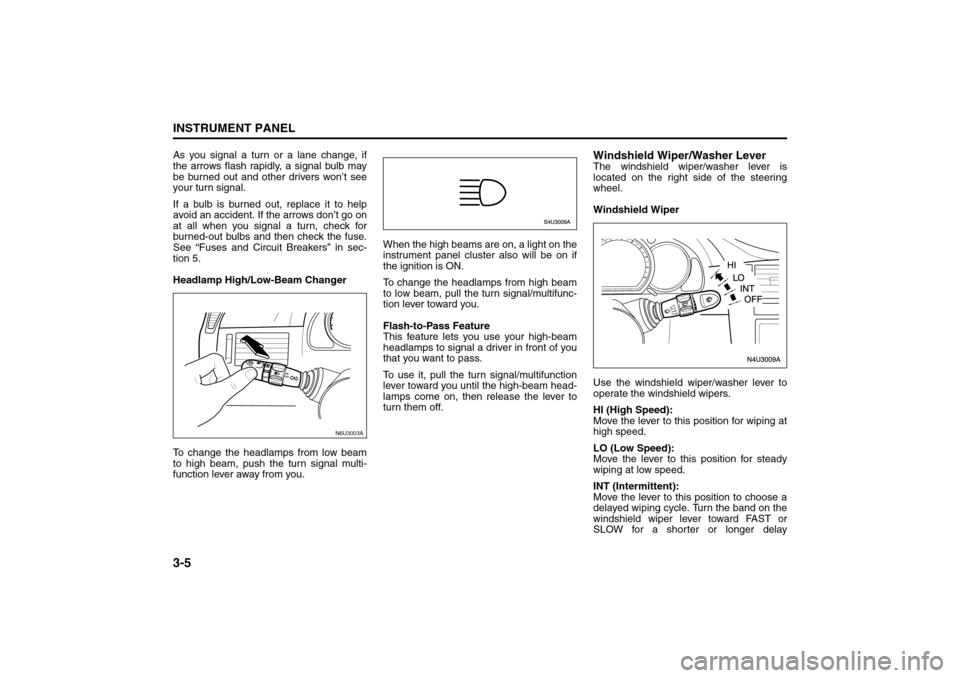
Headlamp High/Low-Beam Changer
To change the headlamps from low beam
to high beam, push the turn signal multi-
function lever away from you.When the high beams are on, a light on the
instrument panel cluster also will be on if
the ignition is ON.
To change the headlamps from high beam
to low beam, pull the turn signal/multifunc-
tion lever toward you.
Flash-to-Pass Feature
This feature lets you use your high-beam
headlamps to signal a driver in front of you
that you want to pass.
To use it, pull the turn signal/multifunction
lever toward you until the high-beam head-
lamps come on, then release the lever to
turn them off.
Windshield Wiper/Washer LeverThe windshield wiper/washer lever is
located on the right side of the steering
wheel.
Windshield Wiper
Use the windshield wiper/washer lever to
operate the windshield wipers.
HI (High Speed):
Move the lever to this position for wiping at
high speed.
LO (Low Speed):
Move the lever to this position for steady
wiping at low speed.
INT (Intermittent):
Move the lever to this position to choose a
delayed wiping cycle. Turn the band on the
windshield wiper lever toward FAST or
SLOW for a shorter or longer delay
N6U3003A
Instrument Panel Overview:
Page 83 of 226
3-7INSTRUMENT PANEL
85Z04-03E
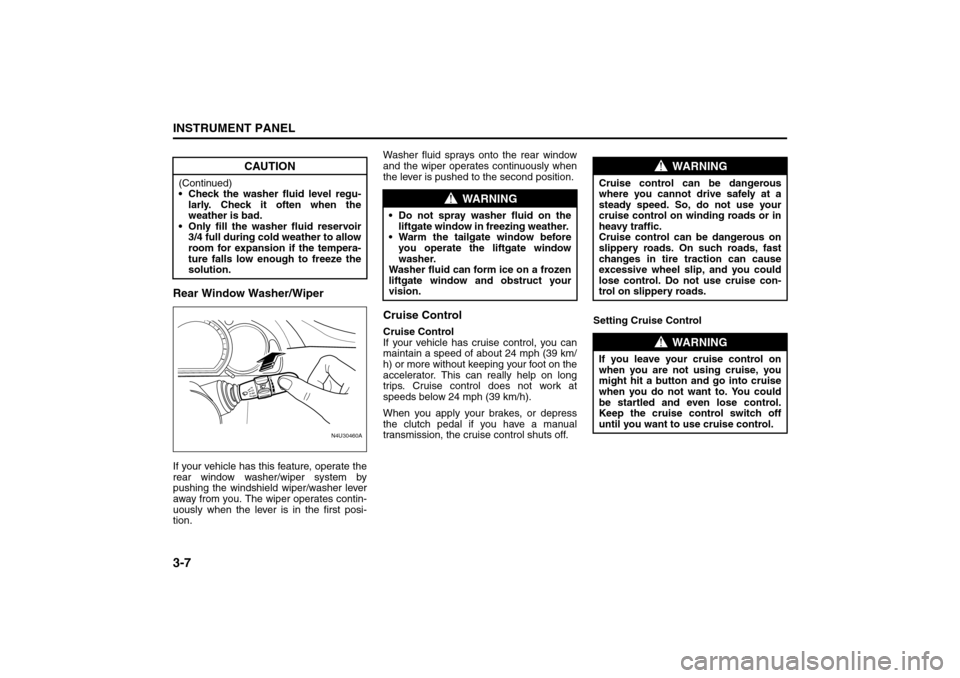
Rear Window Washer/WiperIf your vehicle has this feature, operate the
rear window washer/wiper system by
pushing the windshield wiper/washer lever
away from you. The wiper operates contin-
uously when the lever is in the first posi-
tion.Washer fluid sprays onto the rear window
and the wiper operates continuously when
the lever is pushed to the second position.
Cruise ControlCruise Control
If your vehicle has cruise control, you can
maintain a speed of about 24 mph (39 km/
h) or more without keeping your foot on the
accelerator. This can really help on long
trips. Cruise control does not work at
speeds below 24 mph (39 km/h).
When you apply your brakes, or depress
the clutch pedal if you have a manual
transmission, the cruise control shuts off.Setting Cruise Control
CAUTION
(Continued)
Check the washer fluid level regu-
larly. Check it often when the
weather is bad.
Only fill the washer fluid reservoir
3/4 full during cold weather to allow
room for expansion if the tempera-
ture falls low enough to freeze the
solution.
N4U30460A
FASTSLOW
WARNING
Do not spray washer fluid on the
liftgate window in freezing weather.
Warm the tailgate window before
you operate the liftgate window
washer.
Washer fluid can form ice on a frozen
liftgate window and obstruct your
vision.
WARNING
Cruise control can be dangerous
where you cannot drive safely at a
steady speed. So, do not use your
cruise control on winding roads or in
heavy traffic.
Cruise control can be dangerous on
slippery roads. On such roads, fast
changes in tire traction can cause
excessive wheel slip, and you could
lose control. Do not use cruise con-
trol on slippery roads.
WARNING
If you leave your cruise control on
when you are not using cruise, you
might hit a button and go into cruise
when you do not want to. You could
be startled and even lose control.
Keep the cruise control switch off
until you want to use cruise control.
Instrument Panel Overview:
Page 84 of 226
3-8
INSTRUMENT PANEL
85Z04-03E
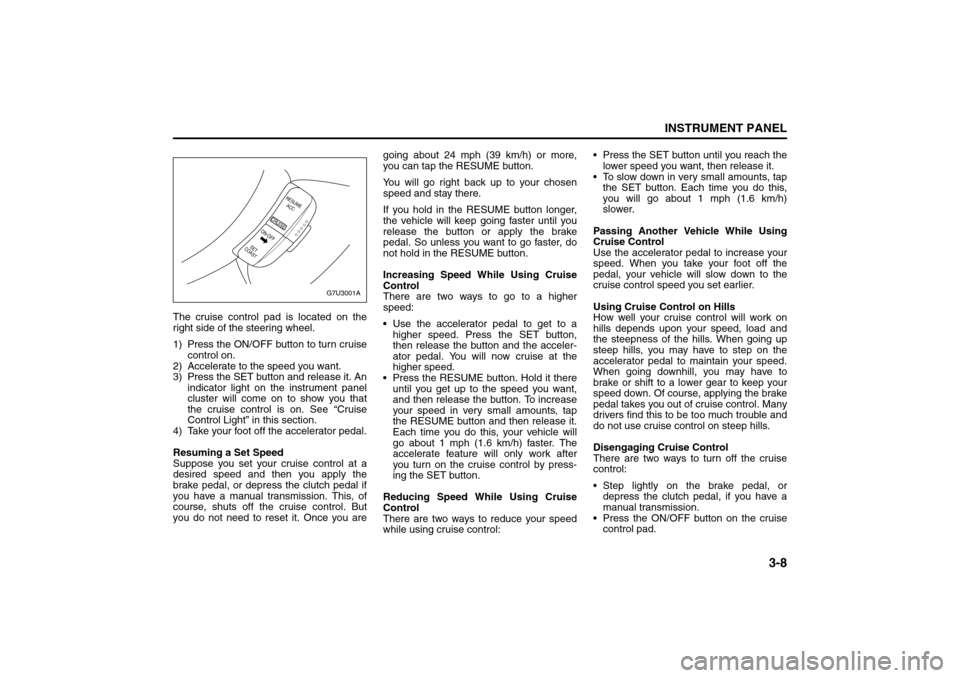
The cruise control pad is located on the
right side of the steering wheel.
1) Press the ON/OFF button to turn cruise
control on.
2) Accelerate to the speed you want.
3) Press the SET button and release it. An
indicator light on the instrument panel
cluster will come on to show you that
the cruise control is on. See “Cruise
Control Light” in this section.
4) Take your foot off the accelerator pedal.
Resuming a Set Speed
Suppose you set your cruise control at a
desired speed and then you apply the
brake pedal, or depress the clutch pedal if
you have a manual transmission. This, of
course, shuts off the cruise control. But
you do not need to reset it. Once you aregoing about 24 mph (39 km/h) or more,
you can tap the RESUME button.
You will go right back up to your chosen
speed and stay there.
If you hold in the RESUME button longer,
the vehicle will keep going faster until you
release the button or apply the brake
pedal. So unless you want to go faster, do
not hold in the RESUME button.
Increasing Speed While Using Cruise
Control
There are two ways to go to a higher
speed:
Use the accelerator pedal to get to a
higher speed. Press the SET button,
then release the button and the acceler-
ator pedal. You will now cruise at the
higher speed.
Press the RESUME button. Hold it there
until you get up to the speed you want,
and then release the button. To increase
your speed in very small amounts, tap
the RESUME button and then release it.
Each time you do this, your vehicle will
go about 1 mph (1.6 km/h) faster. The
accelerate feature will only work after
you turn on the cruise control by press-
ing the SET button.
Reducing Speed While Using Cruise
Control
There are two ways to reduce your speed
while using cruise control: Press the SET button until you reach the
lower speed you want, then release it.
To slow down in very small amounts, tap
the SET button. Each time you do this,
you will go about 1 mph (1.6 km/h)
slower.
Passing Another Vehicle While Using
Cruise Control
Use the accelerator pedal to increase your
speed. When you take your foot off the
pedal, your vehicle will slow down to the
cruise control speed you set earlier.
Using Cruise Control on Hills
How well your cruise control will work on
hills depends upon your speed, load and
the steepness of the hills. When going up
steep hills, you may have to step on the
accelerator pedal to maintain your speed.
When going downhill, you may have to
brake or shift to a lower gear to keep your
speed down. Of course, applying the brake
pedal takes you out of cruise control. Many
drivers find this to be too much trouble and
do not use cruise control on steep hills.
Disengaging Cruise Control
There are two ways to turn off the cruise
control:
Step lightly on the brake pedal, or
depress the clutch pedal, if you have a
manual transmission.
Press the ON/OFF button on the cruise
control pad.
G7U3001A
RESUME
ACC
CRUISE
SET
COASTON-OFF
Instrument Panel Overview:
Page 86 of 226
3-10
INSTRUMENT PANEL
85Z04-03E
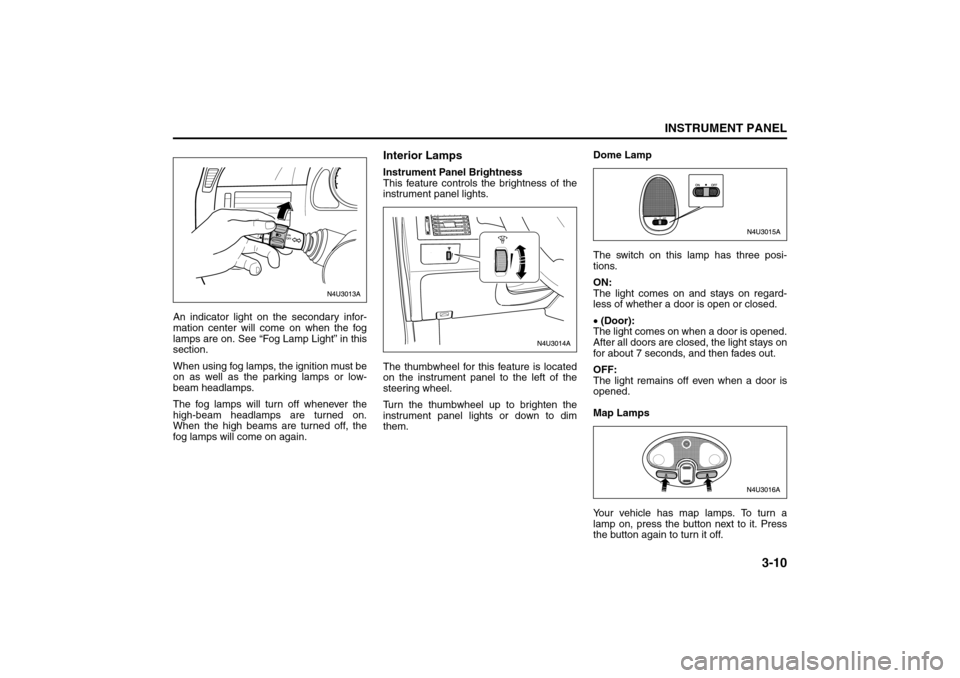
An indicator light on the secondary infor-
mation center will come on when the fog
lamps are on. See “Fog Lamp Light” in this
section.
When using fog lamps, the ignition must be
on as well as the parking lamps or low-
beam headlamps.
The fog lamps will turn off whenever the
high-beam headlamps are turned on.
When the high beams are turned off, the
fog lamps will come on again.
Interior LampsInstrument Panel Brightness
This feature controls the brightness of the
instrument panel lights.
The thumbwheel for this feature is located
on the instrument panel to the left of the
steering wheel.
Turn the thumbwheel up to brighten the
instrument panel lights or down to dim
them. Dome Lamp
The switch on this lamp has three posi-
tions.
ON:
The light comes on and stays on regard-
less of whether a door is open or closed.
• (Door):
The light comes on when a door is opened.
After all doors are closed, the light stays on
for about 7 seconds, and then fades out.
OFF:
The light remains off even when a door is
opened.
Map Lamps
Your vehicle has map lamps. To turn a
lamp on, press the button next to it. Press
the button again to turn it off.
Instrument Panel Overview:
Page 93 of 226
3-17INSTRUMENT PANEL
85Z04-03E
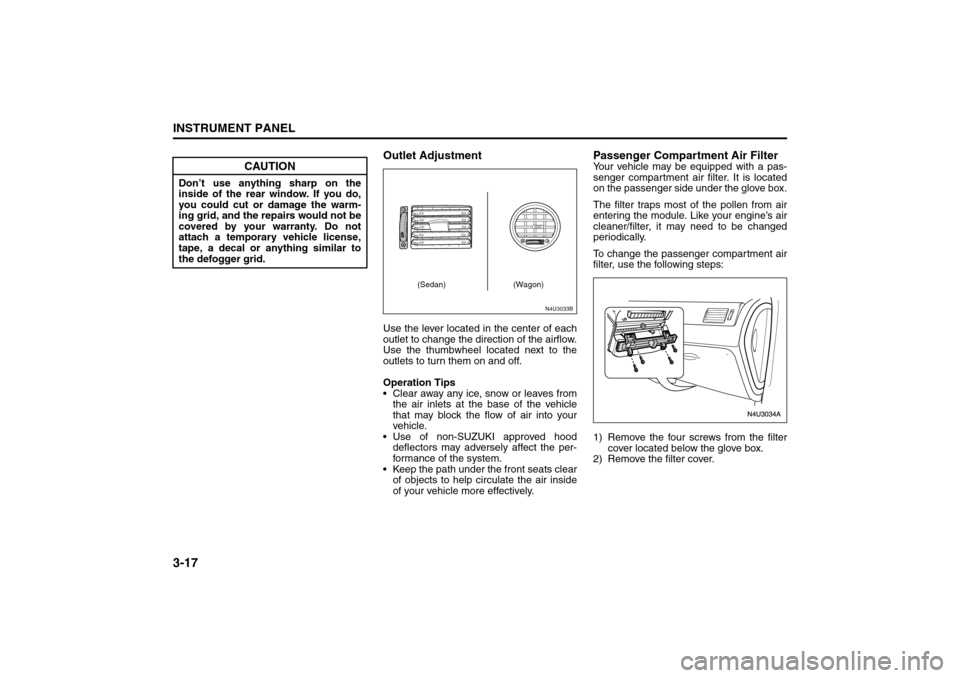
Outlet AdjustmentUse the lever located in the center of each
outlet to change the direction of the airflow.
Use the thumbwheel located next to the
outlets to turn them on and off.
Operation Tips
Clear away any ice, snow or leaves from
the air inlets at the base of the vehicle
that may block the flow of air into your
vehicle.
Use of non-SUZUKI approved hood
deflectors may adversely affect the per-
formance of the system.
Keep the path under the front seats clear
of objects to help circulate the air inside
of your vehicle more effectively.
Passenger Compartment Air FilterYour vehicle may be equipped with a pas-
senger compartment air filter. It is located
on the passenger side under the glove box.
The filter traps most of the pollen from air
entering the module. Like your engine’s air
cleaner/filter, it may need to be changed
periodically.
To change the passenger compartment air
filter, use the following steps:
1) Remove the four screws from the filter
cover located below the glove box.
2) Remove the filter cover.
CAUTION
Don’t use anything sharp on the
inside of the rear window. If you do,
you could cut or damage the warm-
ing grid, and the repairs would not be
covered by your warranty. Do not
attach a temporary vehicle license,
tape, a decal or anything similar to
the defogger grid.
N4U3033B
(Sedan) (Wagon)
Climate Controls:
Page 103 of 226
3-27INSTRUMENT PANEL
85Z04-03E
tire pressure monitoring system is func-
tioning properly.
Your vehicle has also been equipped with
a TPMS malfunction indictor to indicate
when the system is not operating properly.
The TPMS malfunction indicator is com-
bined with the low tire pressure telltale.
When the system detects a malfunction,
the telltale will flash for approximately one
minute and then remain continuously illu-
minated. This sequence will continue upon
subsequent vehicle start-ups as long as
the malfunction exists.In this situation, please have the system
inspected by an authorized service facility.
If you replace one or more tires and the
TPMS warning light goes off during driv-
ing, there is no problem. However, if the
warning light does not go off, or if it flashes
again when the vehicle is driven, have the
vehicle inspected by an authorized service
facility.
WARNING
Each tire, including the spare (if pro-
vided), should be checked monthly
when cold and inflated to the inflation
pressure recommended by the vehi-
cle manufacturer on the vehicle plac-
ard or tire inflation pressure label and
this manual. (If your vehicle has tires
of a different size than the size indi-
cated on the vehicle label or tire infla-
tion pressure label, you should
determine the proper tire inflation
pressure for those tires.)
As an added safety feature, your
vehicle has been equipped with a tire
pressure monitoring system (TPMS)
that illuminates a low tire pressure
telltale when one or more of your
tires is significantly under-inflated.
Accordingly, when the low tire pres-
sure telltale illuminates, you should
stop and check your tires as soon as
possible and inflate them to the
proper pressure. Driving on a signifi-
cantly under-inflated tire causes the
tire to overheat and can lead to tire
failure.
Under-inflation also reduces fuel effi-
ciency and tire tread life and may
affect the vehicle’s handling and
stopping ability.
(Continued)
WARNING
(Continued)
Please note that the TPMS is not a
substitute for proper tire mainte-
nance, and it is the driver’s responsi-
bility to maintain correct tire
pressure, even if under-inflation has
not reached the level to trigger illumi-
nation of the TPMS low tire pressure
telltale.
WARNING
If the tire pressure monitoring system
warning light does not illuminate
when the ignition key is turned to the
“ON” position, have the system
inspected by an authorized service
facility. If the warning light flashes
while driving, check to see whether
the warning light goes off after a few
minutes of driving.
WARNING
When the malfunction indicator is
illuminated, the system may not be
able to detect or signal low tire pres-
sure as intended. TPMS malfunctions
may occur for a variety of reasons,
including the installation of replace-
ment or alternate tires or wheels on
the vehicle that prevent the TPMS
from functioning properly. Always
check the TPMS malfunction telltale
after replacing one or more tires or
wheels on your vehicle to ensure that
the replacement or alternate tires and
wheels allow the TPMS to continue to
function properly.
Audio System:
Page 112 of 226
3-36
INSTRUMENT PANEL
85Z04-03E
AUX Mod e
Press this button to listen to the audio con-
tents from other devices; Walkman, Porta-
ble CD Player, Portable MP3 Player, i-pod,
XM receiver, etc.
1) Connect the output port of the device to
the aux jack of the head unit with an
aux connector.
2) Turn the device on.
3) Press this button.
If you want to control the volume level, use
the volume buttons of the head unit or the
device.
Using the Auxiliary Input Jack
Your radio system has an auxiliary input
jack located on the lower right side of the
faceplate. This is not an audio output; do
not plug a headphone set into the front
auxiliary input jack. You can however, con-
nect an external audio device such as an
iPod, laptop computer, MP3 player, CD
changer, or cassette tape player, etc. to the
auxiliary input jack for use as another
source for audio listening.
The auxiliary input jack will also accept cell
phone connectors. Plug the cell phone
connector into the auxiliary input jack to
hear the other side of a cell phone’s con-
versation through the vehicle sound sys-
tem.
Drivers are encouraged to set up their por-
table audio player while the vehicle isparked. See Defensive Driving for more
information on driver distraction.
To use a portable audio player, connect a
3.5 mm (1/8 inch) cable to the radio’s front
auxiliary input jack. When a device is con-
nected, press the radio CD/AUX button as
needed to begin playing audio from the
device over the car speakers.
CD/AUX (CD/Auxiliary) button (9):
Press this button once to play a CD while a
portable audio device is playing. Press this
button a second time and the system will
begin playing audio from the connected
portable audio player. Once in this mode,
“Auxinput” will appear on the display. If the
auxiliary jack does not detect the presence
of an output jack, the aux mode will be pre-
vented from coming up.
Power/Volume knob (1):
Turn this knob clockwise or counterclock-
wise to increase or decrease the volume of
the portable player. You may need to make
additional volume adjustments from the
portable device if the volume does not go
loud or soft enough.
STEERING WHEEL REMOTE OPER-
ATION (if equipped in the vehicle)Power Button
Press this button to turn the system on and
off. Press this button for a short time to
MUTE the sound. Press the button again
to cancel MUTE.
Volume Up Button
Press this button to increase the volume
level.
Volume Down Button
Press this button to decrease the volume
level.
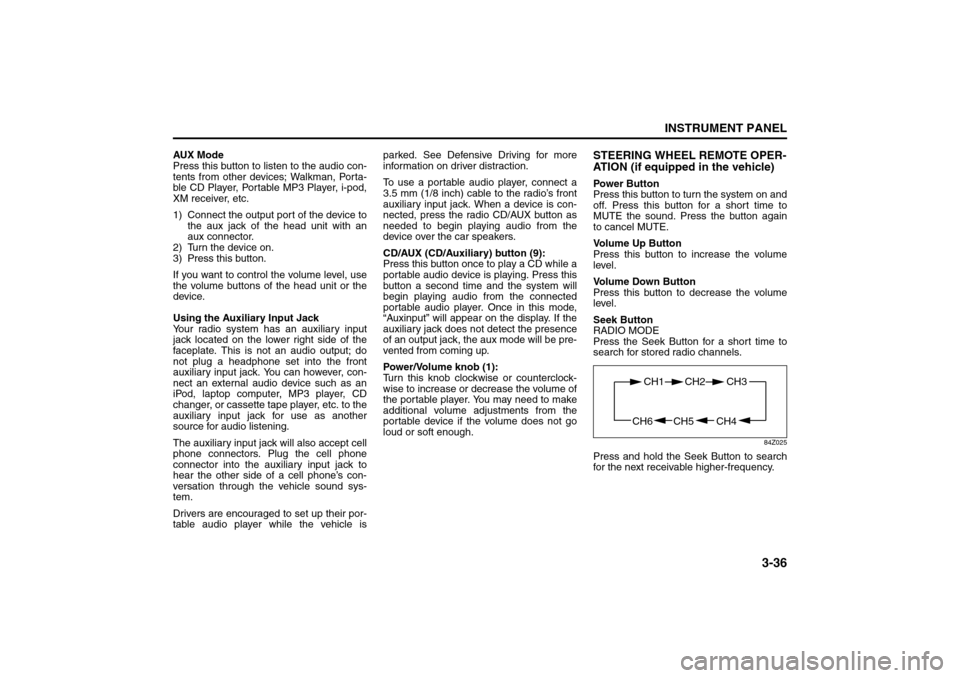
Seek Button
RADIO MODE
Press the Seek Button for a short time to
search for stored radio channels.
84Z025
Press and hold the Seek Button to search
for the next receivable higher-frequency.
CH4 CH5
CH1 CH2
CH6
CH3
Page 120 of 226
3-44
INSTRUMENT PANEL
85Z04-03E
STEERING WHEEL REMOTE OPER-
ATION (if equipped in the vehicle)Power Button
Press this button to turn the system on and
off. Press this button for a short time to
MUTE the sound. To cancel MUTE, press
this button again.
Volume Up Button
Press this button to increase the volume
level.
Volume Down Button
Press this button to decrease the volume
level.
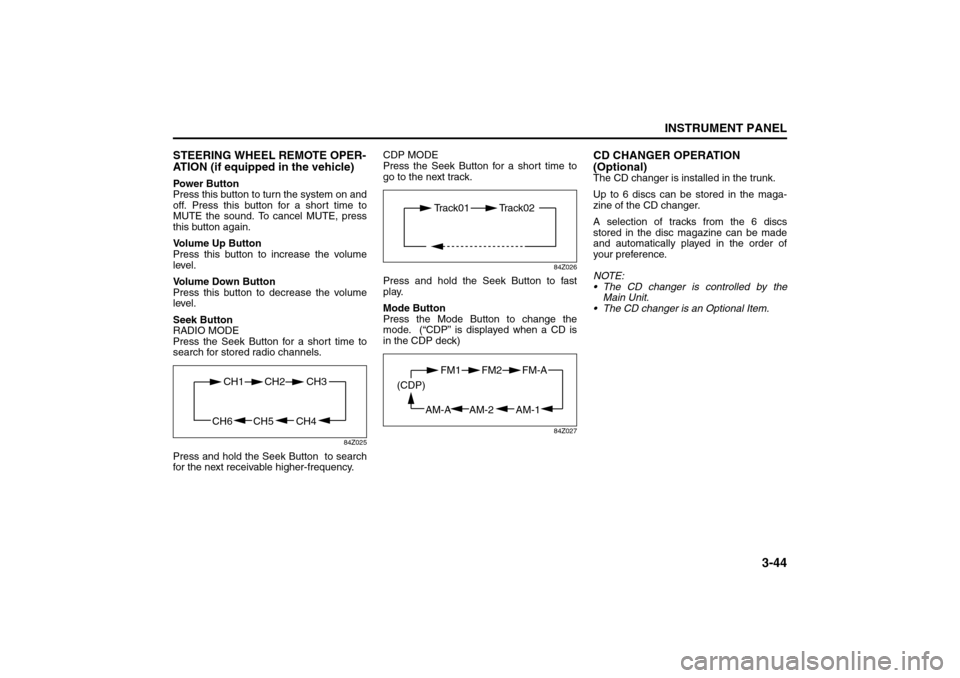
Seek Button
RADIO MODE
Press the Seek Button for a short time to
search for stored radio channels.
84Z025
Press and hold the Seek Button to search
for the next receivable higher-frequency.CDP MODE
Press the Seek Button for a short time to
go to the next track.
84Z026
Press and hold the Seek Button to fast
play.
Mode Button
Press the Mode Button to change the
mode. (“CDP” is displayed when a CD is
in the CDP deck)
84Z027
CD CHANGER OPERATION
(Optional)The CD changer is installed in the trunk.
Up to 6 discs can be stored in the maga-
zine of the CD changer.
A selection of tracks from the 6 discs
stored in the disc magazine can be made
and automatically played in the order of
your preference.
NOTE:
The CD changer is controlled by the
Main Unit.
The CD changer is an Optional Item.
CH4 CH5
CH1 CH2
CH6
CH3
Track01 Track02
AM-1 AM-2
FM1 FM2
AM-A (CDP)
FM-A