Controls SUZUKI GRAND VITARA 2006 Owners Manual
[x] Cancel search | Manufacturer: SUZUKI, Model Year: 2006, Model line: GRAND VITARA, Model: SUZUKI GRAND VITARA 2006Pages: 337, PDF Size: 6.21 MB
Page 9 of 337
79K21-03E
TABLE OF CONTENTSCalifornia Proposition 65 Warning
WARNING
Engine exhaust, some of its constitu-
ents, and certain product compo-
nents contain or emit chemicals
known to the State of California to
cause cancer and birth defects or
other reproductive harm.
FUEL RECOMMENDATION
1
BEFORE DRIVING
2
OPERATING YOUR VEHICLE
3
DRIVING TIPS
4
OTHER CONTROLS AND EQUIPMENT
5
VEHICLE LOADING AND TOWING
6
INSPECTION AND MAINTENANCE
7
EMERGENCY SERVICE
8
APPEARANCE CARE
9
GENERAL INFORMATION
10
FUSES AND PROTECTED CIRCUITS
11
SPECIFICATIONS
12
INDEX
13
Page 12 of 337
ILLUSTRATED TABLE OF CONTENTS
79K21-03E
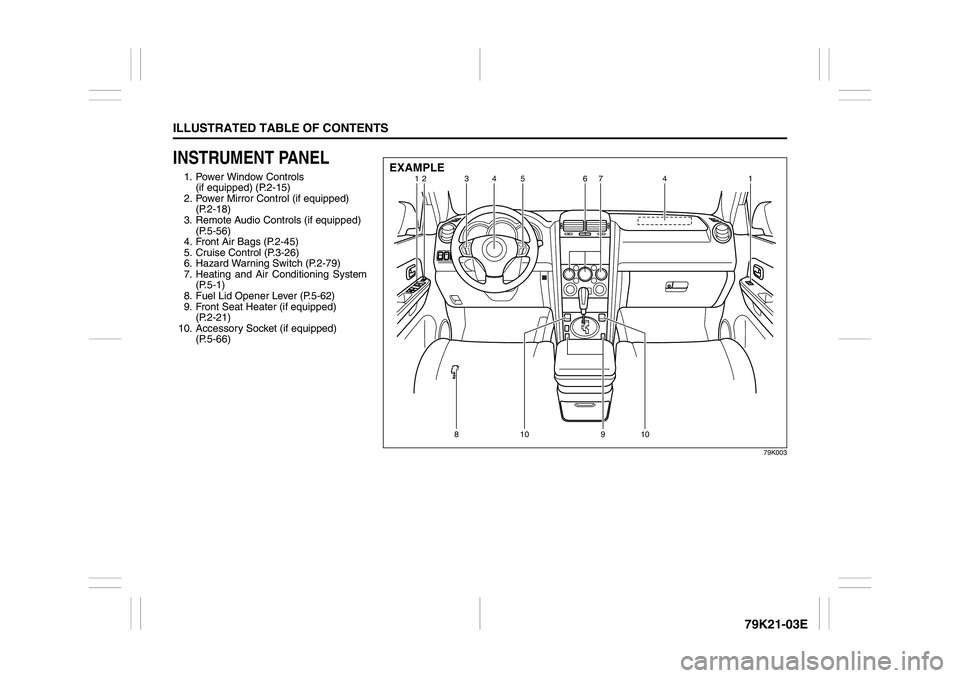
INSTRUMENT PANEL1. Power Window Controls
(if equipped) (P.2-15)
2. Power Mirror Control (if equipped)
(P.2-18)
3. Remote Audio Controls (if equipped)
(P.5-56)
4. Front Air Bags (P.2-45)
5. Cruise Control (P.3-26)
6. Hazard Warning Switch (P.2-79)
7. Heating and Air Conditioning System
(P.5-1)
8. Fuel Lid Opener Lever (P.5-62)
9. Front Seat Heater (if equipped)
(P.2-21)
10. Accessory Socket (if equipped)
(P.5-66)
79K003
12 3 4 67
41
8 9 11 12
12 3
35 467
41
810 910
EXAMPLE
Page 32 of 337
2-15BEFORE DRIVING
79K21-03E
Theft Deterrent Light
78K013
This light will blink with the ignition switch
in the “OFF” or “ACC” position. The blink-
ing light is intended to deter theft by lead-
ing others to believe that the vehicle is
equipped with a security system.
WindowsPower Window Controls
(if equipped)Driver’s side
79K010
The power windows can only be operated
when the ignition switch is in the “ON” posi-
tion.
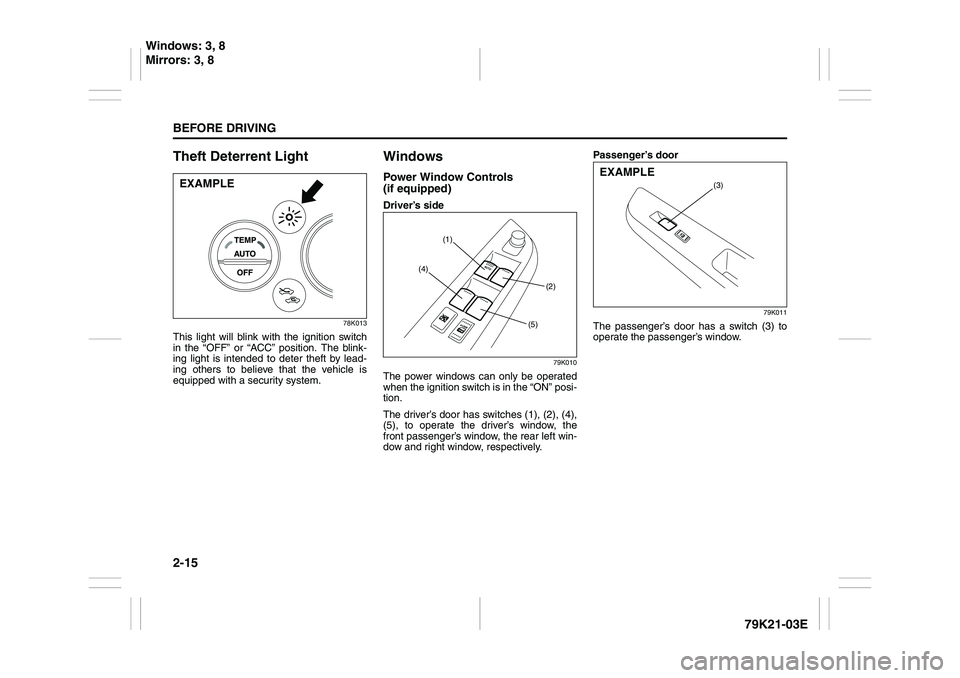
The driver’s door has switches (1), (2), (4),
(5), to operate the driver’s window, the
front passenger’s window, the rear left win-
dow and right window, respectively.Passenger’s door
79K011
The passenger’s door has a switch (3) to
operate the passenger’s window.
EXAMPLE
(1)
(2) (4)
(5)
(3)
EXAMPLE
Windows: 3, 8
Mirrors: 3, 8
Page 92 of 337
2-75BEFORE DRIVING
79K21-03E
Lighting Control Lever
65D61179K014
52D183
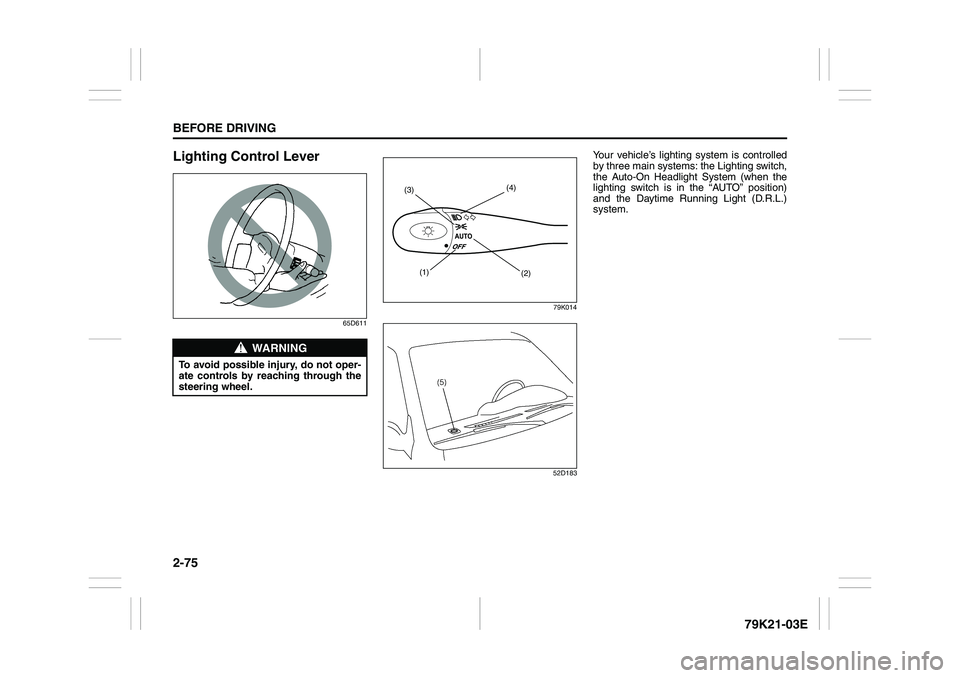
Your vehicle’s lighting system is controlled
by three main systems: the Lighting switch,
the Auto-On Headlight System (when the
lighting switch is in the “AUTO” position)
and the Daytime Running Light (D.R.L.)
system.
WARNING
To avoid possible injury, do not oper-
ate controls by reaching through the
steering wheel.
(1)
(2) (3)(4)
Page 95 of 337
2-78
BEFORE DRIVING
79K21-03E
Daytime Running Light (D.R.L.)
SystemThe headlights light, but are dimmer than
the low beam, when the following three
conditions are all met. Also, the D.R.L. indi-
cator light on the instrument panel comes
on.
Conditions for D.R.L. system operation:
1) The engine is running.
2) The parking brake is released.
3) The headlights are off, or the lighting
switch in the “AUTO” position and it is
light around the light sensor.
NOTE:
Be sure to turn the headlights on at night
or at any time of the day when driving or
weather conditions require the headlights
to operate at full brightness and the tail-
lights to be on.
Lights “On” reminder
A buzzer sounds to remind you to turn off
the lights if they are left on when the igni-
tion key is removed and the driver’s door is
opened.
NOTE:
The warning and indicator message and
the illumination indicator light will be shown
on the information display when this
reminder is activated.
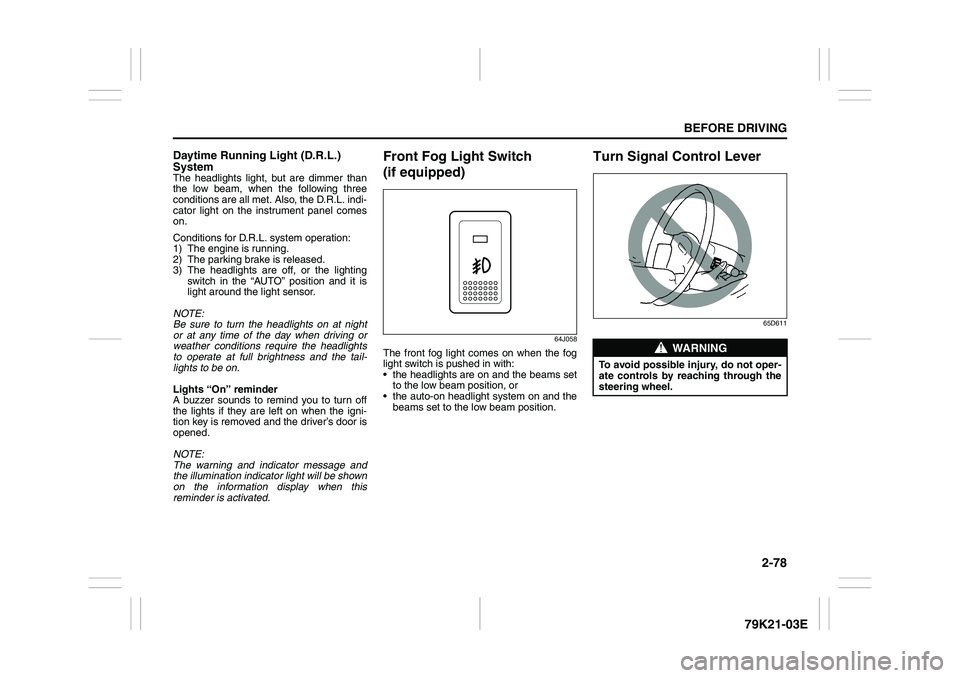
Front Fog Light Switch
(if equipped)
64J058
The front fog light comes on when the fog
light switch is pushed in with:
the headlights are on and the beams set
to the low beam position, or
the auto-on headlight system on and the
beams set to the low beam position.
Turn Signal Control Lever
65D611
WARNING
To avoid possible injury, do not oper-
ate controls by reaching through the
steering wheel.
Page 96 of 337
2-79BEFORE DRIVING
79K21-03E
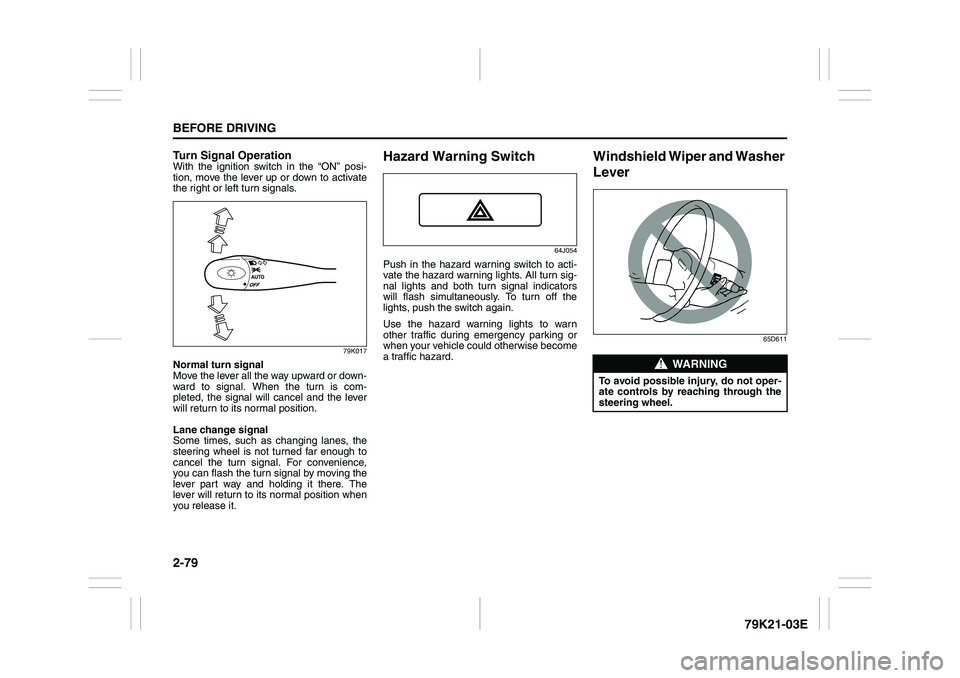
Turn Signal OperationWith the ignition switch in the “ON” posi-
tion, move the lever up or down to activate
the right or left turn signals.
79K017
Normal turn signal
Move the lever all the way upward or down-
ward to signal. When the turn is com-
pleted, the signal will cancel and the lever
will return to its normal position.
Lane change signal
Some times, such as changing lanes, the
steering wheel is not turned far enough to
cancel the turn signal. For convenience,
you can flash the turn signal by moving the
lever part way and holding it there. The
lever will return to its normal position when
you release it.
Hazard Warning Switch
64J054
Push in the hazard warning switch to acti-
vate the hazard warning lights. All turn sig-
nal lights and both turn signal indicators
will flash simultaneously. To turn off the
lights, push the switch again.
Use the hazard warning lights to warn
other traffic during emergency parking or
when your vehicle could otherwise become
a traffic hazard.
Windshield Wiper and Washer
Lever
65D611
WARNING
To avoid possible injury, do not oper-
ate controls by reaching through the
steering wheel.
Page 104 of 337
3-3OPERATING YOUR VEHICLE
79K21-03E
Ignition Switch
65D611
Vehicle Without Keyless Start Sys-
tem
60B041
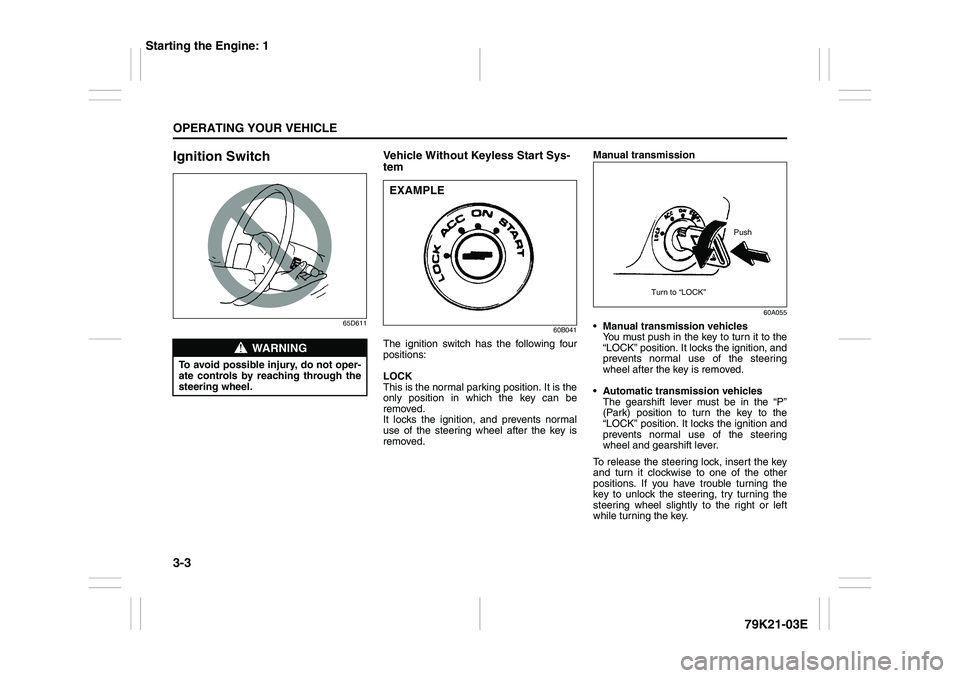
The ignition switch has the following four
positions:
LOCK
This is the normal parking position. It is the
only position in which the key can be
removed.
It locks the ignition, and prevents normal
use of the steering wheel after the key is
removed.Manual transmission
60A055
Manual transmission vehicles
You must push in the key to turn it to the
“LOCK” position. It locks the ignition, and
prevents normal use of the steering
wheel after the key is removed.
Automatic transmission vehicles
The gearshift lever must be in the “P”
(Park) position to turn the key to the
“LOCK” position. It locks the ignition and
prevents normal use of the steering
wheel and gearshift lever.
To release the steering lock, insert the key
and turn it clockwise to one of the other
positions. If you have trouble turning the
key to unlock the steering, try turning the
steering wheel slightly to the right or left
while turning the key.
WARNING
To avoid possible injury, do not oper-
ate controls by reaching through the
steering wheel.
EXAMPLE
Push
Turn to “LOCK”
Starting the Engine: 1
Page 109 of 337
3-8
OPERATING YOUR VEHICLE
79K21-03E
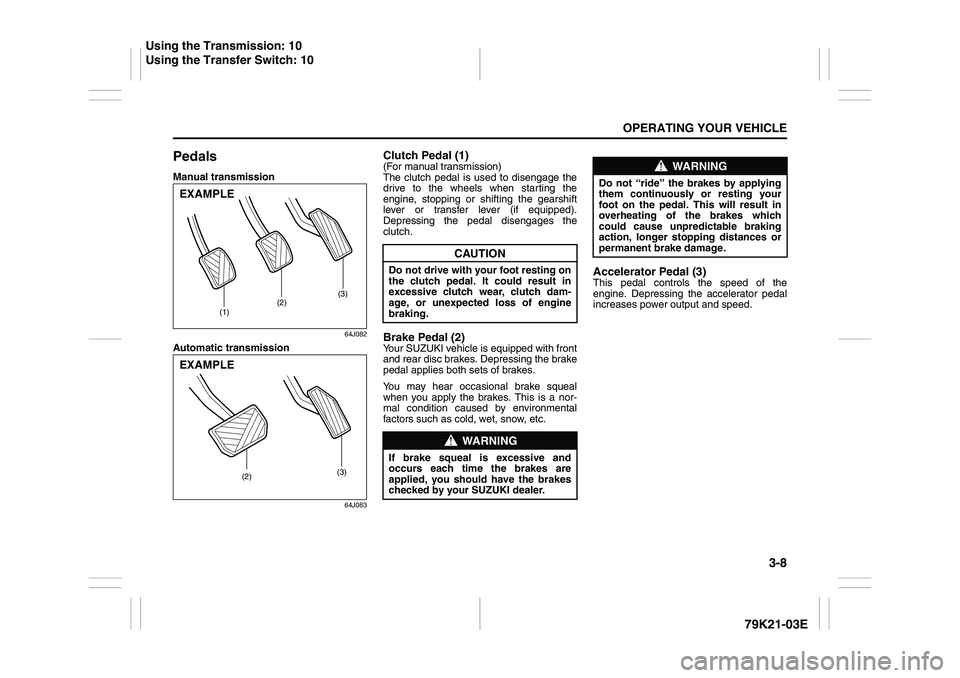
PedalsManual transmission
64J082
Automatic transmission
64J083
Clutch Pedal (1)(For manual transmission)
The clutch pedal is used to disengage the
drive to the wheels when starting the
engine, stopping or shifting the gearshift
lever or transfer lever (if equipped).
Depressing the pedal disengages the
clutch.Brake Pedal (2)Your SUZUKI vehicle is equipped with front
and rear disc brakes. Depressing the brake
pedal applies both sets of brakes.
You may hear occasional brake squeal
when you apply the brakes. This is a nor-
mal condition caused by environmental
factors such as cold, wet, snow, etc.
Accelerator Pedal (3)This pedal controls the speed of the
engine. Depressing the accelerator pedal
increases power output and speed.
(1)(2)(3)
EXAMPLE
(2)(3)
EXAMPLE
CAUTION
Do not drive with your foot resting on
the clutch pedal. It could result in
excessive clutch wear, clutch dam-
age, or unexpected loss of engine
braking.
WARNING
If brake squeal is excessive and
occurs each time the brakes are
applied, you should have the brakes
checked by your SUZUKI dealer.
WARNING
Do not “ride” the brakes by applying
them continuously or resting your
foot on the pedal. This will result in
overheating of the brakes which
could cause unpredictable braking
action, longer stopping distances or
permanent brake damage.
Using the Transmission: 10
Using the Transfer Switch: 10
Page 127 of 337
3-26
OPERATING YOUR VEHICLE
79K21-03E
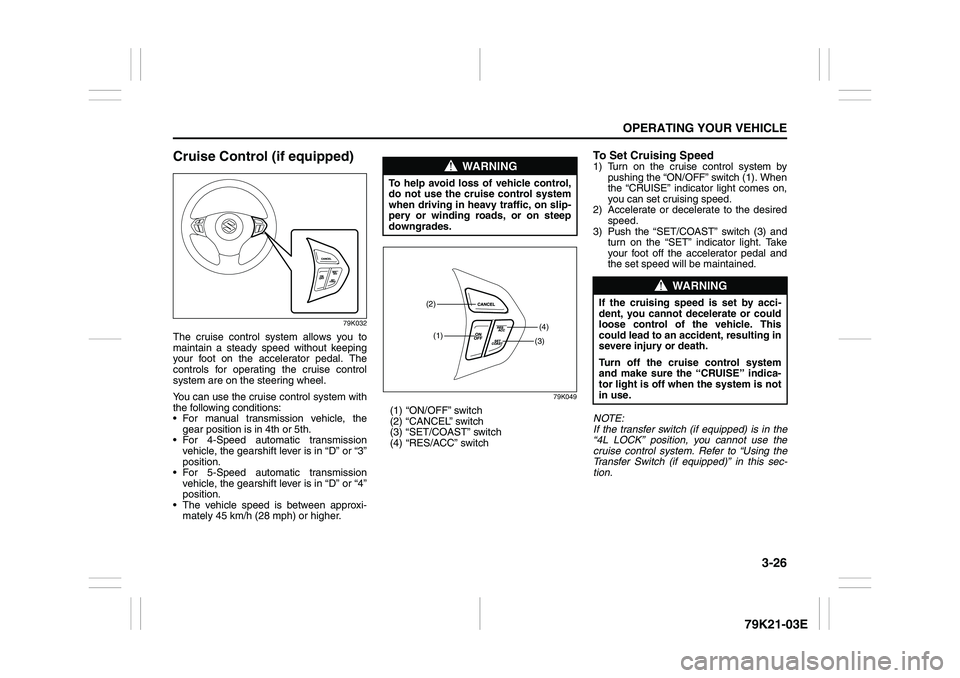
Cruise Control (if equipped)
79K032
The cruise control system allows you to
maintain a steady speed without keeping
your foot on the accelerator pedal. The
controls for operating the cruise control
system are on the steering wheel.
You can use the cruise control system with
the following conditions:
For manual transmission vehicle, the
gear position is in 4th or 5th.
For 4-Speed automatic transmission
vehicle, the gearshift lever is in “D” or “3”
position.
For 5-Speed automatic transmission
vehicle, the gearshift lever is in “D” or “4”
position.
The vehicle speed is between approxi-
mately 45 km/h (28 mph) or higher.
79K049
(1) “ON/OFF” switch
(2) “CANCEL” switch
(3) “SET/COAST” switch
(4) “RES/ACC” switch
To Set Cruising Speed1) Turn on the cruise control system by
pushing the “ON/OFF” switch (1). When
the “CRUISE” indicator light comes on,
you can set cruising speed.
2) Accelerate or decelerate to the desired
speed.
3) Push the “SET/COAST” switch (3) and
turn on the “SET” indicator light. Take
your foot off the accelerator pedal and
the set speed will be maintained.
NOTE:
If the transfer switch (if equipped) is in the
“4L LOCK” position, you cannot use the
cruise control system. Refer to “Using the
Transfer Switch (if equipped)” in this sec-
tion.
WARNING
To help avoid loss of vehicle control,
do not use the cruise control system
when driving in heavy traffic, on slip-
pery or winding roads, or on steep
downgrades.
(1)(4)(2)
(3)
WARNING
If the cruising speed is set by acci-
dent, you cannot decelerate or could
loose control of the vehicle. This
could lead to an accident, resulting in
severe injury or death.
Turn off the cruise control system
and make sure the “CRUISE” indica-
tor light is off when the system is not
in use.
Page 132 of 337
3-31OPERATING YOUR VEHICLE
79K21-03E
How the ABS WorksA computer continuously monitors wheel
speed. The computer compares the
changes in wheel speed when braking. If
the wheels slow suddenly, indicating a
skidding situation, the computer will
change braking pressure several times
each second to prevent the wheels from
locking. When you start your vehicle or
when you accelerate after a hard stop, you
may hear a momentary motor or clicking
sound as the system resets or checks
itself.
Electronic Stability Program
(ESP
®)
ESP
® is a registered trademark of Daimler
AG.
The Electronic Stability Program (ESP
®)
helps to control the vehicle during corner-
ing if front wheels or rear wheels skid. It
also assists you in maintaining traction
while accelerating on loose or slippery
road surfaces. It does this by regulating the
engine’s output, and by selectively apply-
ing the brakes. In addition, ESP
® helps to
avoid skidding by controlling braking pres-
sure.The ESP
® has the following three systems:
Stability Control SystemThe vehicle stability control system helps
provide integrated control of systems such
as anti-lock brakes, traction control, engine
control, etc. This system automatically
controls the brakes and engine to help pre-
vent the vehicle from skidding when cor-
nering on a slippery road surface or when
turning the steering wheel abruptly.Traction Control SystemThe traction control system automatically
helps prevent the spinning of wheels when
the vehicle is started or accelerated on
slippery road surfaces. The system oper-
ates only if it senses that some of the
wheels are spinning or beginning to lose
traction. When this happens, the system
operates the front or rear brakes and
reduces engine power to limit wheel spin.
NOTE:
You may hear a clicking sound in the
engine compartment for a few seconds
when you start the engine or just after the
vehicle begins to move. This means that
the above systems are in the self-check
mode. This sound does not indicate a mal-
function.
WARNING
The ABS may not work properly if
tires or wheels other than those
specified in the owner’s manual are
used. This is because the ABS works
by comparing changes in wheel
speed. When replacing tires or
wheels, use only the size and type
specified in this owner’s manual.
WARNING
The ESP
® cannot enhance the vehi-
cle’s driving stability in all situations
and does not control your vehicle’s
entire braking system. The ESP
® can-
not prevent accidents, including
those resulting from excessive speed
in turns, or hydroplaning. Only a safe
and attentive driver can prevent acci-
dents. The capabilities of an ESP
®-
equipped vehicle must never be used
as a substitute for careful driving.