instrument panel SUZUKI GRAND VITARA 2007 3.G Owner's Manual
[x] Cancel search | Manufacturer: SUZUKI, Model Year: 2007, Model line: GRAND VITARA, Model: SUZUKI GRAND VITARA 2007 3.GPages: 211, PDF Size: 3.21 MB
Page 78 of 211
Downloaded from www.Manualslib.com manuals search engine 4-16 INSTRUMENT PANEL
66J21-03E
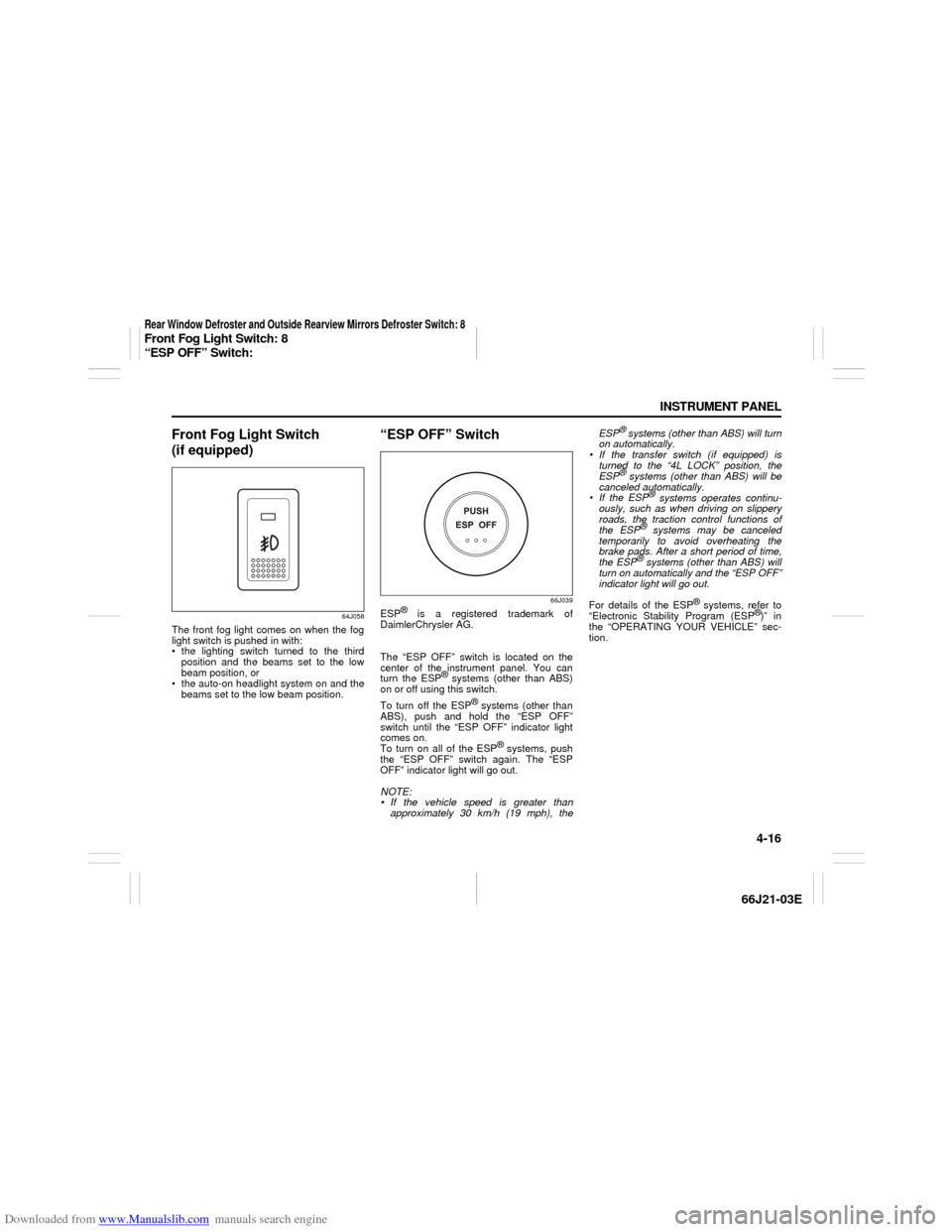
Front Fog Light Switch
(if equipped)
64J058
The front fog light comes on when the fog
light switch is pushed in with:
the lighting switch turned to the third
position and the beams set to the low
beam position, or
the auto-on headlight system on and the
beams set to the low beam position.
“ESP OFF” Switch
66J039
ESP
® is a registered trademark of
DaimlerChrysler AG.
The “ESP OFF” switch is located on the
center of the instrument panel. You can
turn the ESP
® systems (other than ABS)
on or off using this switch.
To turn off the ESP
® systems (other than
ABS), push and hold the “ESP OFF”
switch until the “ESP OFF” indicator light
comes on.
To turn on all of the ESP
® systems, push
the “ESP OFF” switch again. The “ESP
OFF” indicator light will go out.
NOTE:
If the vehicle speed is greater than
approximately 30 km/h (19 mph), theESP
® systems (other than ABS) will turn
on automatically.
If the transfer switch (if equipped) is
turned to the “4L LOCK” position, the
ESP® systems (other than ABS) will be
canceled automatically.
If the ESP
® systems operates continu-
ously, such as when driving on slippery
roads, the traction control functions of
the ESP
® systems may be canceled
temporarily to avoid overheating the
brake pads. After a short period of time,
the ESP® systems (other than ABS) will
turn on automatically and the “ESP OFF”
indicator light will go out.
For details of the ESP
® systems, refer to
“Electronic Stability Program (ESP
®)” in
the “OPERATING YOUR VEHICLE” sec-
tion.
Rear Window Defroster and Outside Rearview Mirrors Defroster Switch: 8Front Fog Light Switch: 8
“ESP OFF” Switch:
Page 79 of 211
Downloaded from www.Manualslib.com manuals search engine 4-17 INSTRUMENT PANEL
66J21-03E
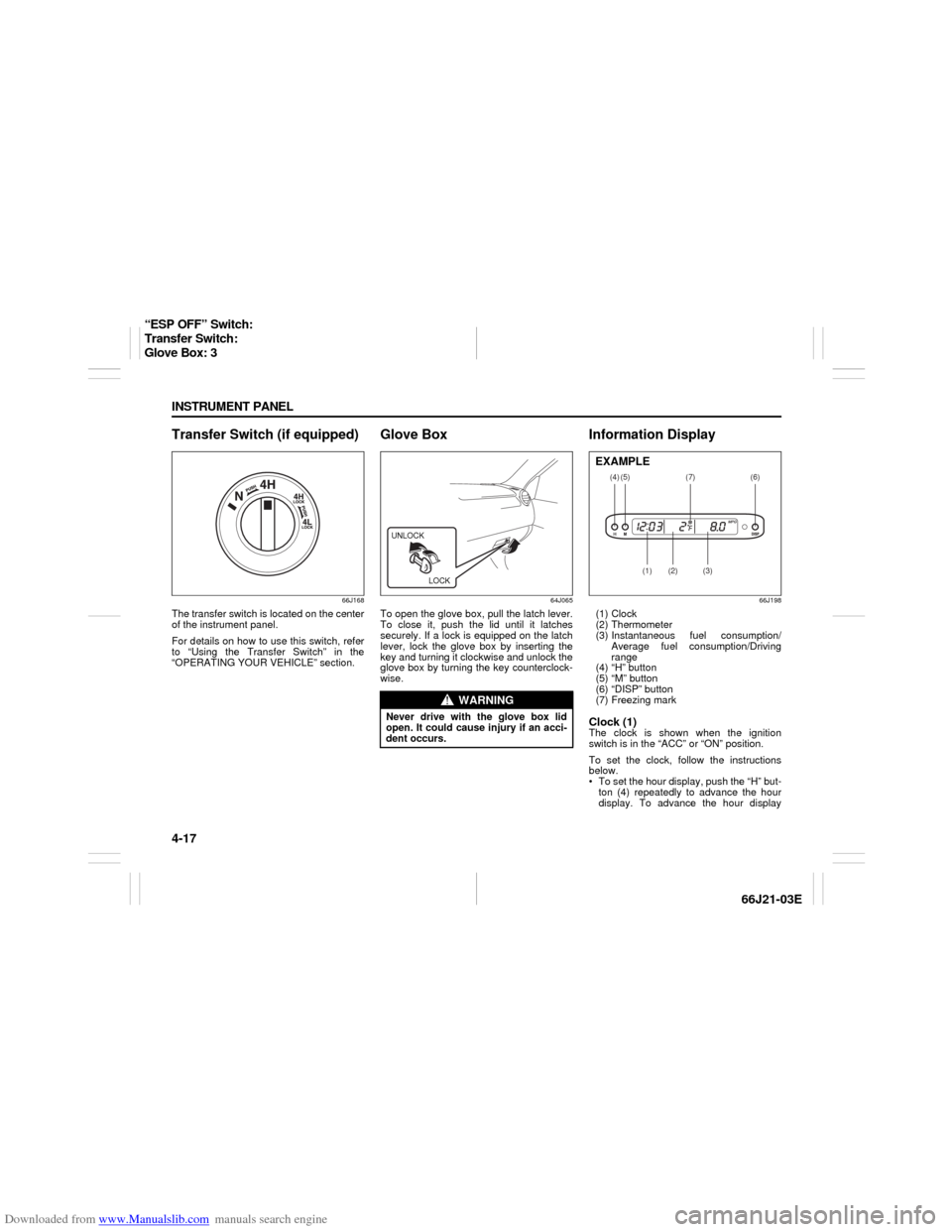
Transfer Switch (if equipped)
66J168
The transfer switch is located on the center
of the instrument panel.
For details on how to use this switch, refer
to “Using the Transfer Switch” in the
“OPERATING YOUR VEHICLE” section.
Glove Box
64J065
To open the glove box, pull the latch lever.
To close it, push the lid until it latches
securely. If a lock is equipped on the latch
lever, lock the glove box by inserting the
key and turning it clockwise and unlock the
glove box by turning the key counterclock-
wise.
Information Display
66J198
(1) Clock
(2) Thermometer
(3) Instantaneous fuel consumption/
Average fuel consumption/Driving
range
(4) “H” button
(5) “M” button
(6) “DISP” button
(7) Freezing markClock (1)The clock is shown when the ignition
switch is in the “ACC” or “ON” position.
To set the clock, follow the instructions
below.
To set the hour display, push the “H” but-
ton (4) repeatedly to advance the hour
display. To advance the hour display
WARNING
Never drive with the glove box lid
open. It could cause injury if an acci-
dent occurs.UNLOCK
LOCK
(4)
(2)
(1)
(3)
(5)
(6)
(7)
EXAMPLE
“ESP OFF” Switch:
Transfer Switch:
Glove Box: 3
Page 80 of 211
Downloaded from www.Manualslib.com manuals search engine 4-18 INSTRUMENT PANEL
66J21-03E
quickly, hold in the “H” button (4) for
about 1 second and continue holding.
To set the minute display, push the “M”
button (5) repeatedly to advance the
minute display. To advance the minute
display quickly, hold in the “M” button (5)
for about 1 second and continue holding.Thermometer (2)The thermometer shows the outside tem-
perature when the ignition switch is in the
“ON” position.
If the outside temperature nears freezing,
the mark (7) will come on when the display
shows the outside temperature.
NOTE:
The thermometer will not indicate the
actual outside temperature when driving at
low speed, or when stopped.
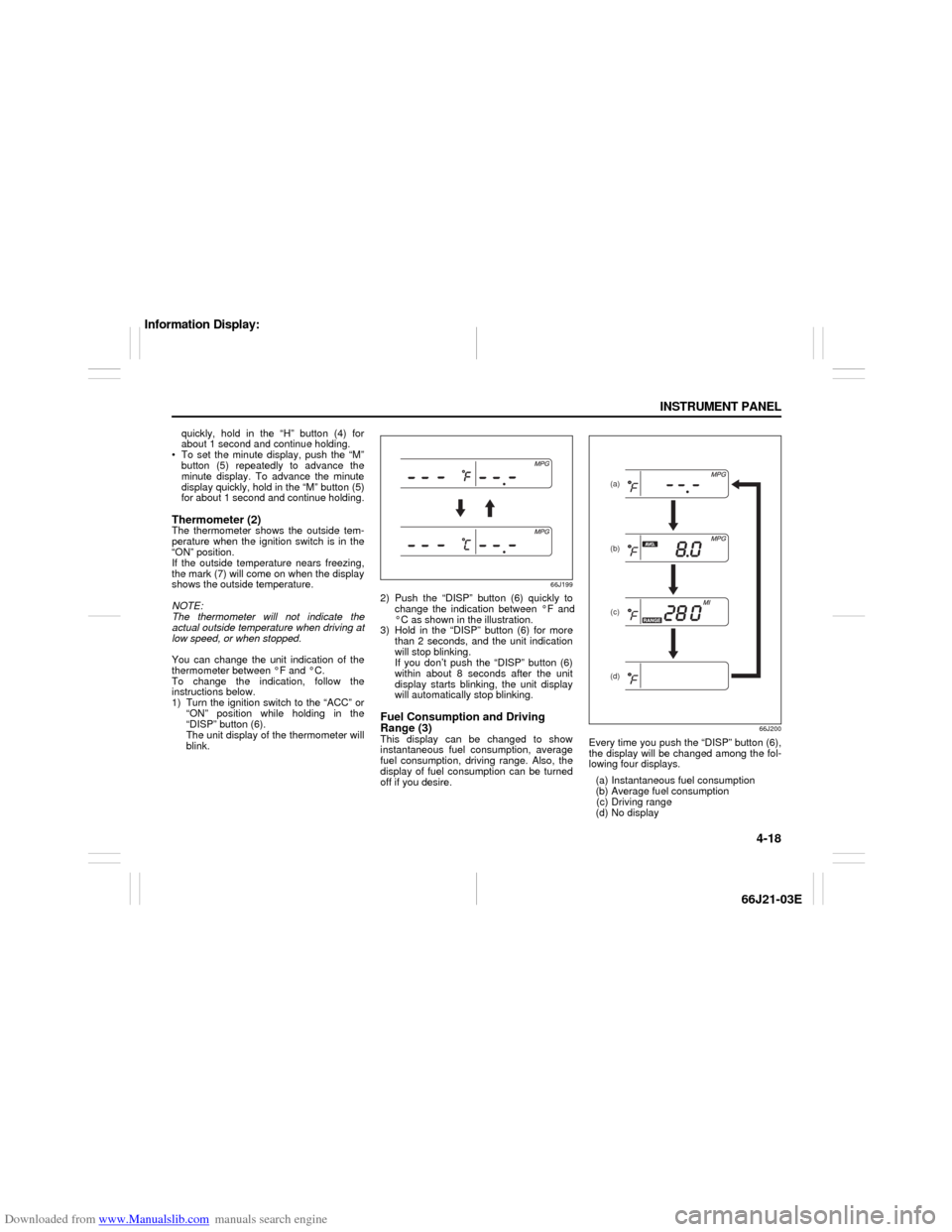
You can change the unit indication of the
thermometer between °F and °C.
To change the indication, follow the
instructions below.
1) Turn the ignition switch to the “ACC” or
“ON” position while holding in the
“DISP” button (6).
The unit display of the thermometer will
blink.
66J199
2) Push the “DISP” button (6) quickly to
change the indication between °F and
°C as shown in the illustration.
3) Hold in the “DISP” button (6) for more
than 2 seconds, and the unit indication
will stop blinking.
If you don’t push the “DISP” button (6)
within about 8 seconds after the unit
display starts blinking, the unit display
will automatically stop blinking.Fuel Consumption and Driving
Range (3)This display can be changed to show
instantaneous fuel consumption, average
fuel consumption, driving range. Also, the
display of fuel consumption can be turned
off if you desire.
66J200
Every time you push the “DISP” button (6),
the display will be changed among the fol-
lowing four displays.
(a) Instantaneous fuel consumption
(b) Average fuel consumption
(c) Driving range
(d) No display
(a)
(b)
(c)(d)
Information Display:
Page 81 of 211
Downloaded from www.Manualslib.com manuals search engine 4-19 INSTRUMENT PANEL
66J21-03E
Instantaneous fuel consumption (a)
If you selected instantaneous fuel con-
sumption the last time you drove the vehi-
cle, the display indicates “--.-” when the
ignition switch is turned to the “ACC” or
“ON” position. Unless the vehicle is mov-
ing, the display will indicate “--.-”.
Average fuel consumption (b)
If you selected average fuel consumption
the last time you drove the vehicle, the dis-
play shows the last value of average fuel
consumption when the ignition switch is
turned to the “ACC” or “ON” position.
Unless you reset the value of average fuel
consumption, the display will show the
value of average fuel consumption which
includes average fuel consumption during
previous driving.
To reset the value of average fuel con-
sumption, hold in the “DISP” button (6) for
more than 2 seconds when the display
shows an average fuel consumption value.
The display will indicate “--.-” and then will
show a new average fuel consumption
value after driving for a short time.
Driving range (c)
If you selected driving range the last time
you drove the vehicle, the display shows “-
-.-” for a few seconds and then shows the
current driving range when the ignition
switch is turned to the “ON” position.
The driving range shown in the display is
the approximate distance you can driveuntil the fuel gauge indicates “E” based a
current driving conditions.
When the remaining fuel in fuel tank
reaches a low level, the display “--.-” will
appear.
If the low fuel warning light comes on, fill
the fuel tank immediately regardless of the
value of driving range shown in the dis-
play.
As the driving range after refueling is cal-
culated based on the last driving condition,
the value is different each time you refuel.
NOTE:
When you reconnect the negative (–)
terminal to the battery, the value of driv-
ing range will be shown after driving for a
while.
For new vehicle with low mileage, the
driving range may not be shown
promptly in the display when beginning
to drive. The driving range will be shown
after a while.
NOTE:
The values of fuel consumption and driving
range shown in the display are affected by
conditions such as the following;
road condition
surrounding traffic condition
driving condition
vehicle condition
when the malfunction indicator light
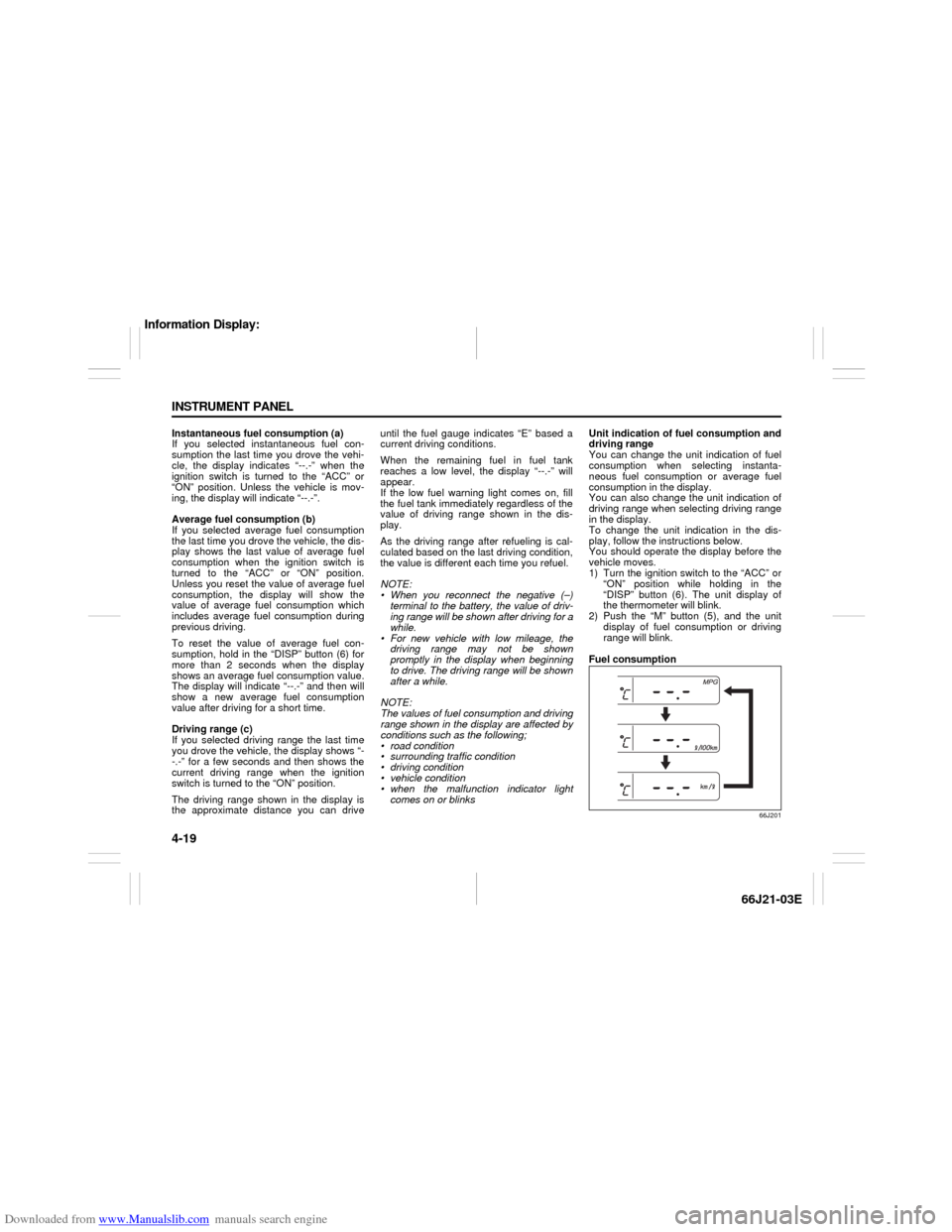
comes on or blinksUnit indication of fuel consumption and
driving range
You can change the unit indication of fuel
consumption when selecting instanta-
neous fuel consumption or average fuel
consumption in the display.
You can also change the unit indication of
driving range when selecting driving range
in the display.
To change the unit indication in the dis-
play, follow the instructions below.
You should operate the display before the
vehicle moves.
1) Turn the ignition switch to the “ACC” or
“ON” position while holding in the
“DISP” button (6). The unit display of
the thermometer will blink.
2) Push the “M” button (5), and the unit
display of fuel consumption or driving
range will blink.
Fuel consumption
66J201
Information Display:
Page 82 of 211
Downloaded from www.Manualslib.com manuals search engine 4-20 INSTRUMENT PANEL
66J21-03E
Driving range
66J202
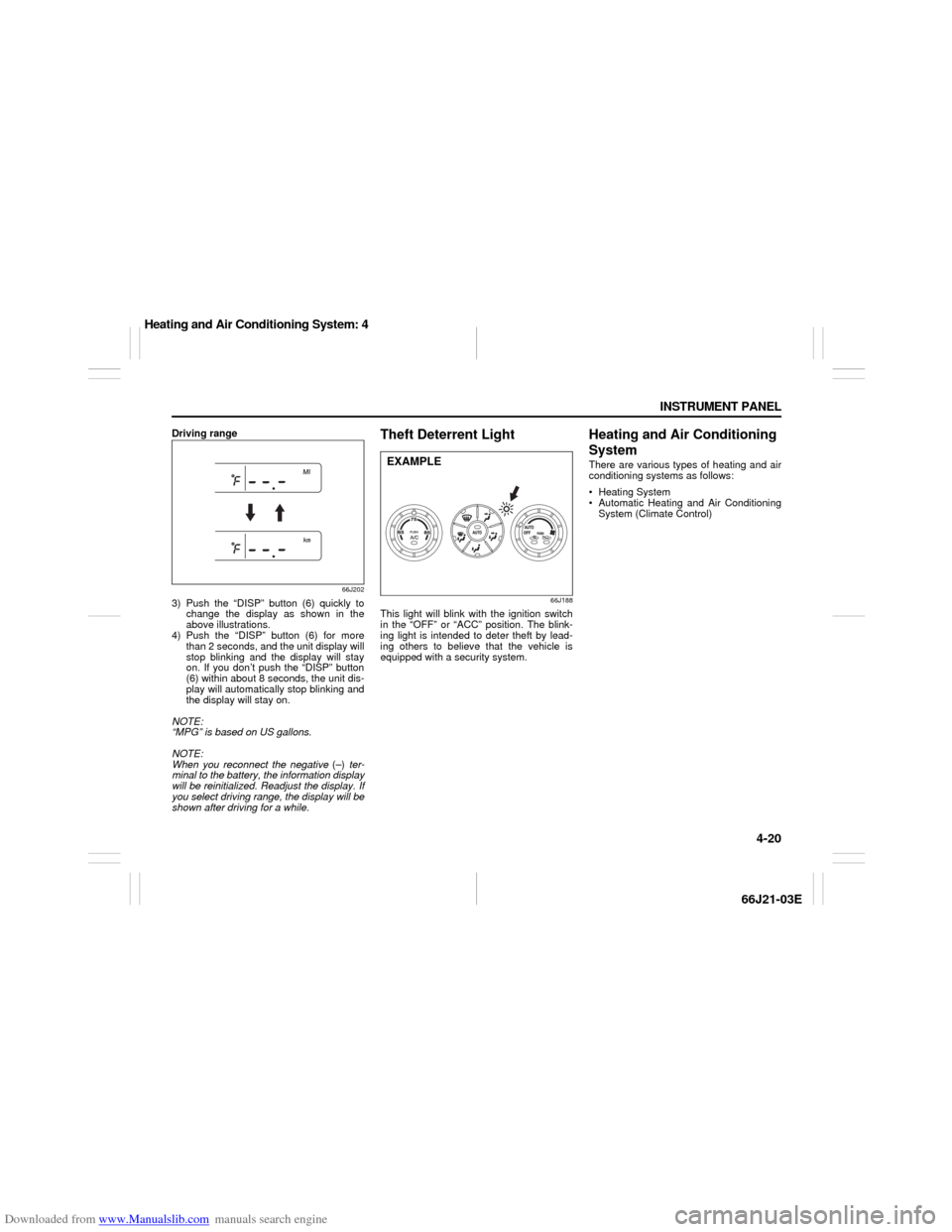
3) Push the “DISP” button (6) quickly to
change the display as shown in the
above illustrations.
4) Push the “DISP” button (6) for more
than 2 seconds, and the unit display will
stop blinking and the display will stay
on. If you don’t push the “DISP” button
(6) within about 8 seconds, the unit dis-
play will automatically stop blinking and
the display will stay on.
NOTE:
“MPG” is based on US gallons.
NOTE:
When you reconnect the negative (–) ter-
minal to the battery, the information display
will be reinitialized. Readjust the display. If
you select driving range, the display will be
shown after driving for a while.
Theft Deterrent Light
66J188
This light will blink with the ignition switch
in the “OFF” or “ACC” position. The blink-
ing light is intended to deter theft by lead-
ing others to believe that the vehicle is
equipped with a security system.
Heating and Air Conditioning
SystemThere are various types of heating and air
conditioning systems as follows:
Heating System
Automatic Heating and Air Conditioning
System (Climate Control)
EXAMPLE
Heating and Air Conditioning System: 4
Page 83 of 211
Downloaded from www.Manualslib.com manuals search engine 4-21 INSTRUMENT PANEL
66J21-03E
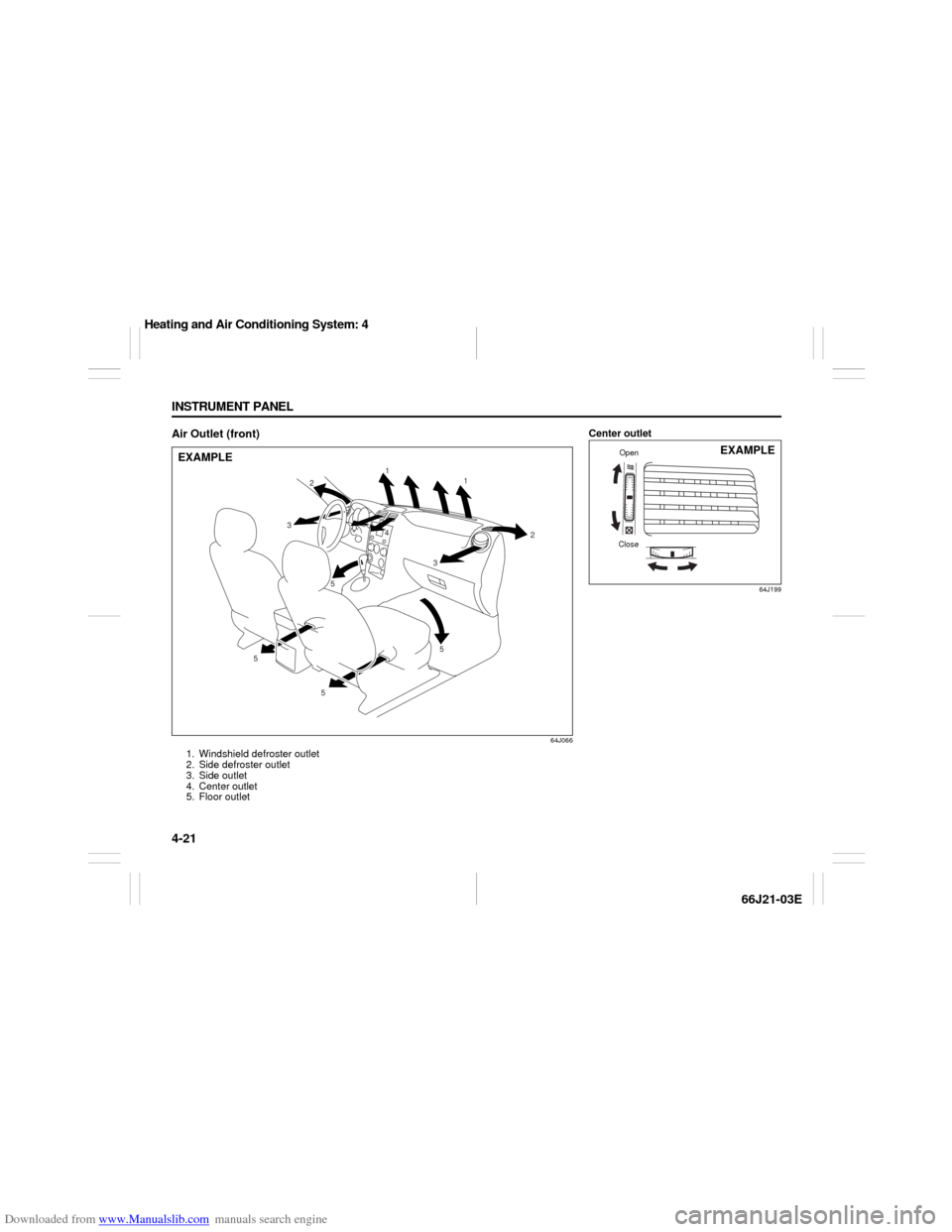
Air Outlet (front)
64J066
1. Windshield defroster outlet
2. Side defroster outlet
3. Side outlet
4. Center outlet
5. Floor outlet
1
1
2
2
3 3
5 5
5 54
EXAMPLE
Center outlet
64J199
CloseOpen
EXAMPLE
Heating and Air Conditioning System: 4
Page 84 of 211
Downloaded from www.Manualslib.com manuals search engine 4-22 INSTRUMENT PANEL
66J21-03E
Side outlet
63J045
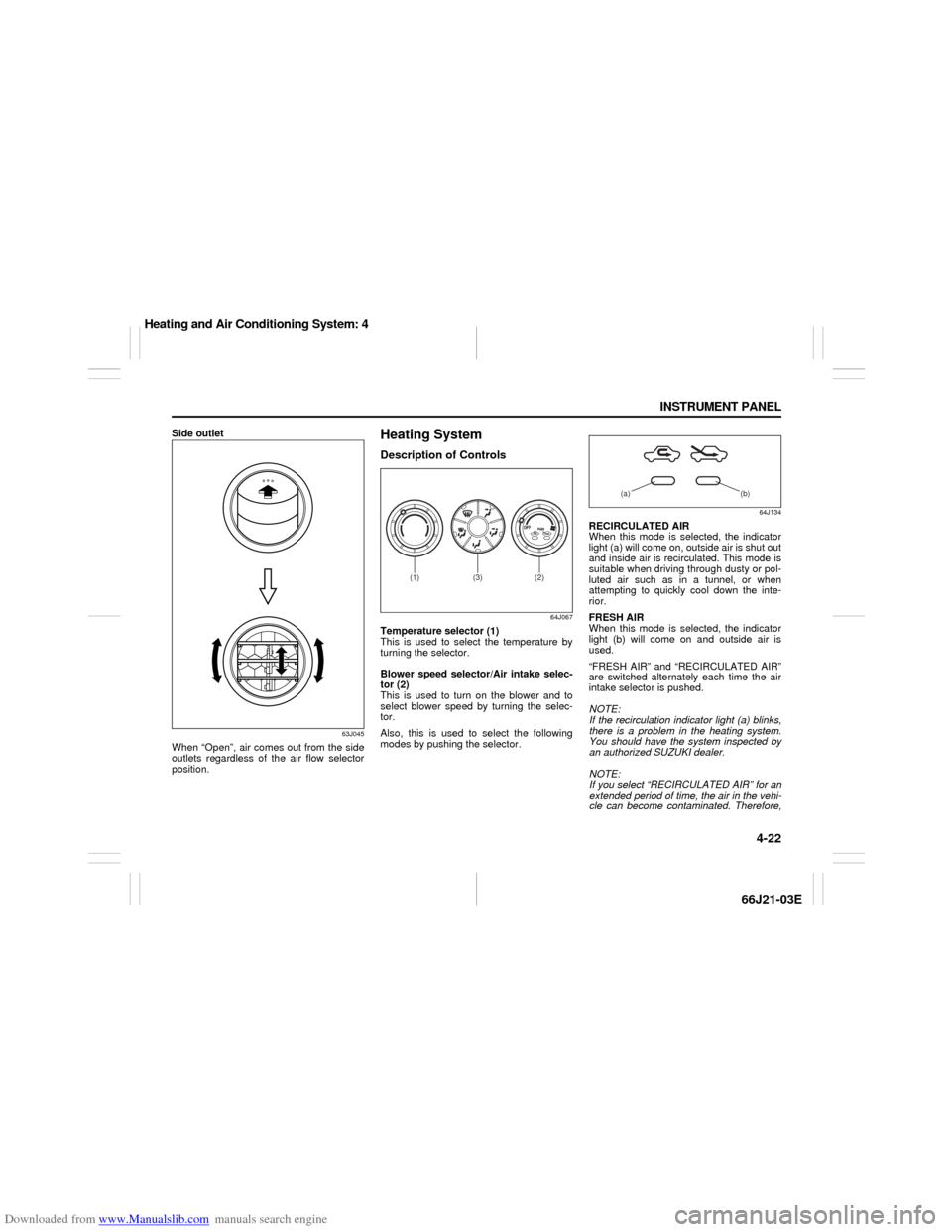
When “Open”, air comes out from the side
outlets regardless of the air flow selector
position.
Heating SystemDescription of Controls
64J067
Temperature selector (1)
This is used to select the temperature by
turning the selector.
Blower speed selector/Air intake selec-
tor (2)
This is used to turn on the blower and to
select blower speed by turning the selec-
tor.
Also, this is used to select the following
modes by pushing the selector.
64J134
RECIRCULATED AIR
When this mode is selected, the indicator
light (a) will come on, outside air is shut out
and inside air is recirculated. This mode is
suitable when driving through dusty or pol-
luted air such as in a tunnel, or when
attempting to quickly cool down the inte-
rior.
FRESH AIR
When this mode is selected, the indicator
light (b) will come on and outside air is
used.
“FRESH AIR” and “RECIRCULATED AIR”
are switched alternately each time the air
intake selector is pushed.
NOTE:
If the recirculation indicator light (a) blinks,
there is a problem in the heating system.
You should have the system inspected by
an authorized SUZUKI dealer.
NOTE:
If you select “RECIRCULATED AIR” for an
extended period of time, the air in the vehi-
cle can become contaminated. Therefore,
(2)
(1)
(3)
(a) (b)
Heating and Air Conditioning System: 4
Page 85 of 211
Downloaded from www.Manualslib.com manuals search engine 4-23 INSTRUMENT PANEL
66J21-03E
you should occasionally select “FRESH
AIR”.
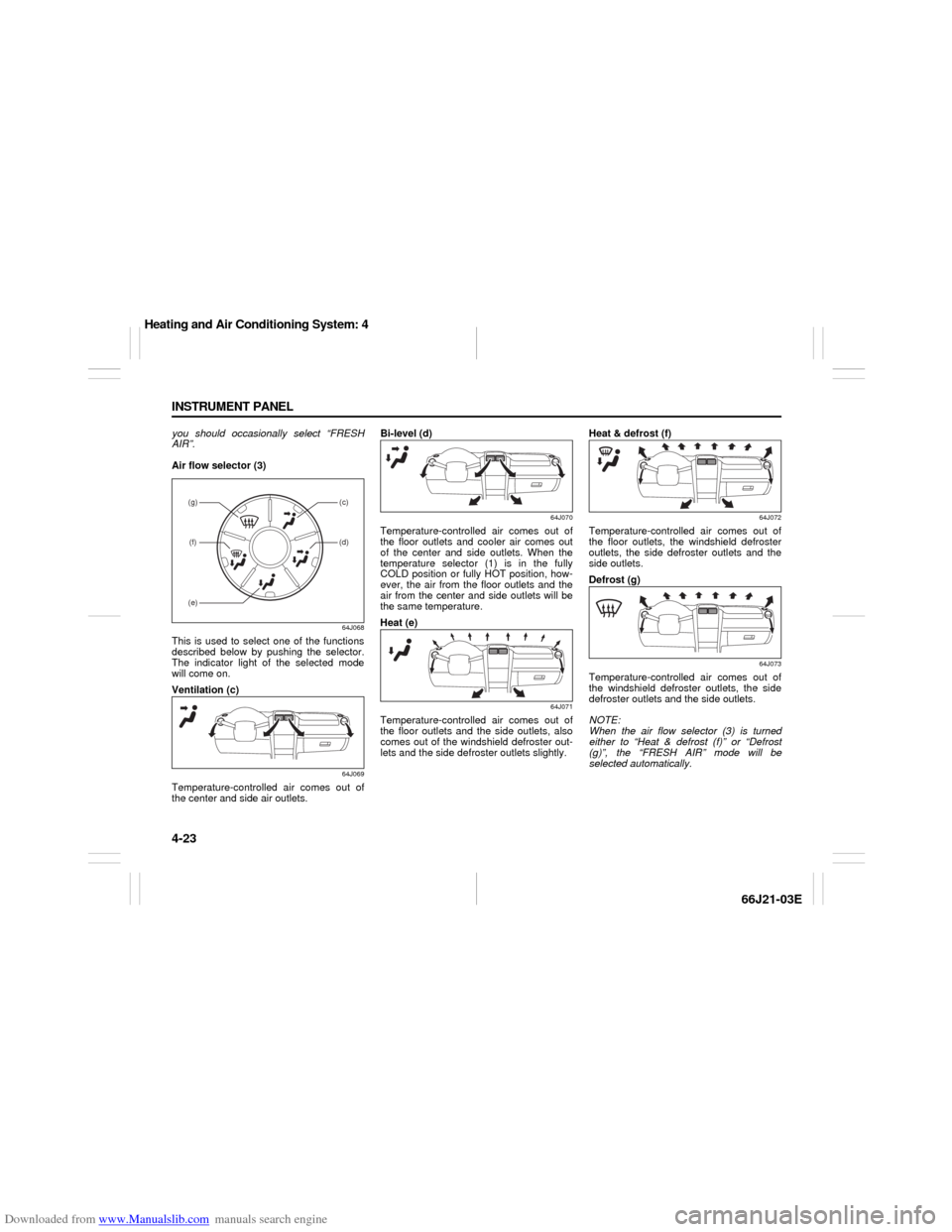
Air flow selector (3)
64J068
This is used to select one of the functions
described below by pushing the selector.
The indicator light of the selected mode
will come on.
Ventilation (c)
64J069
Temperature-controlled air comes out of
the center and side air outlets.Bi-level (d)
64J070
Temperature-controlled air comes out of
the floor outlets and cooler air comes out
of the center and side outlets. When the
temperature selector (1) is in the fully
COLD position or fully HOT position, how-
ever, the air from the floor outlets and the
air from the center and side outlets will be
the same temperature.
Heat (e)
64J071
Temperature-controlled air comes out of
the floor outlets and the side outlets, also
comes out of the windshield defroster out-
lets and the side defroster outlets slightly.Heat & defrost (f)
64J072
Temperature-controlled air comes out of
the floor outlets, the windshield defroster
outlets, the side defroster outlets and the
side outlets.
Defrost (g)
64J073
Temperature-controlled air comes out of
the windshield defroster outlets, the side
defroster outlets and the side outlets.
NOTE:
When the air flow selector (3) is turned
either to “Heat & defrost (f)” or “Defrost
(g)”, the “FRESH AIR” mode will be
selected automatically.
(g)(f)
(c)(d)
(e)
Heating and Air Conditioning System: 4
Page 86 of 211
Downloaded from www.Manualslib.com manuals search engine 4-24 INSTRUMENT PANEL
66J21-03E
System Operating InstructionsNatural ventilation
Select “VENTILATION” and “FRESH AIR”,
the temperature selector to the desired
temperature position, and the blower
speed selector to “OFF”. Fresh air will flow
through the vehicle during driving.
Forced ventilation
The control settings are the same as for
natural ventilation except you set the
blower speed selector to a position other
than “OFF”.
Normal heating (using outside air)
Select “HEAT” and “FRESH AIR”, the tem-
perature selector to the desired tempera-
ture position and the blower speed selector
to the desired blower speed position. Set-
ting the blower speed selector to a higher
blower speed position increases heating
efficiency.
Quick heating (using recirculated air)
The control settings are the same as for
normal heating except you select “RECIR-
CULATED AIR”. If you use this heating
method for an extended period of time, the
air in the vehicle can become contami-
nated and the windows can become misty.
Therefore, use this method only for quick
heating and change to the normal heating
method as soon as possible.
Head cooled/Feet warmed heating
Select “BI-LEVEL” and “FRESH AIR”, the
temperature selector to the desired tem-perature position, and the blower speed
selector to the desired blower speed posi-
tion. Unless the temperature selector is in
the fully COLD position or fully HOT posi-
tion, the air that comes out of the center
and side outlets will be cooler than the air
that comes out of the floor outlets.
Defrosting/Feet warmed heating
Select “HEAT & DEFROST” and “FRESH
AIR”, the temperature selector to the
desired temperature position, and the
blower speed selector to HIGH. When the
windshield has become clear, set the
blower speed selector to the desired
blower speed position.
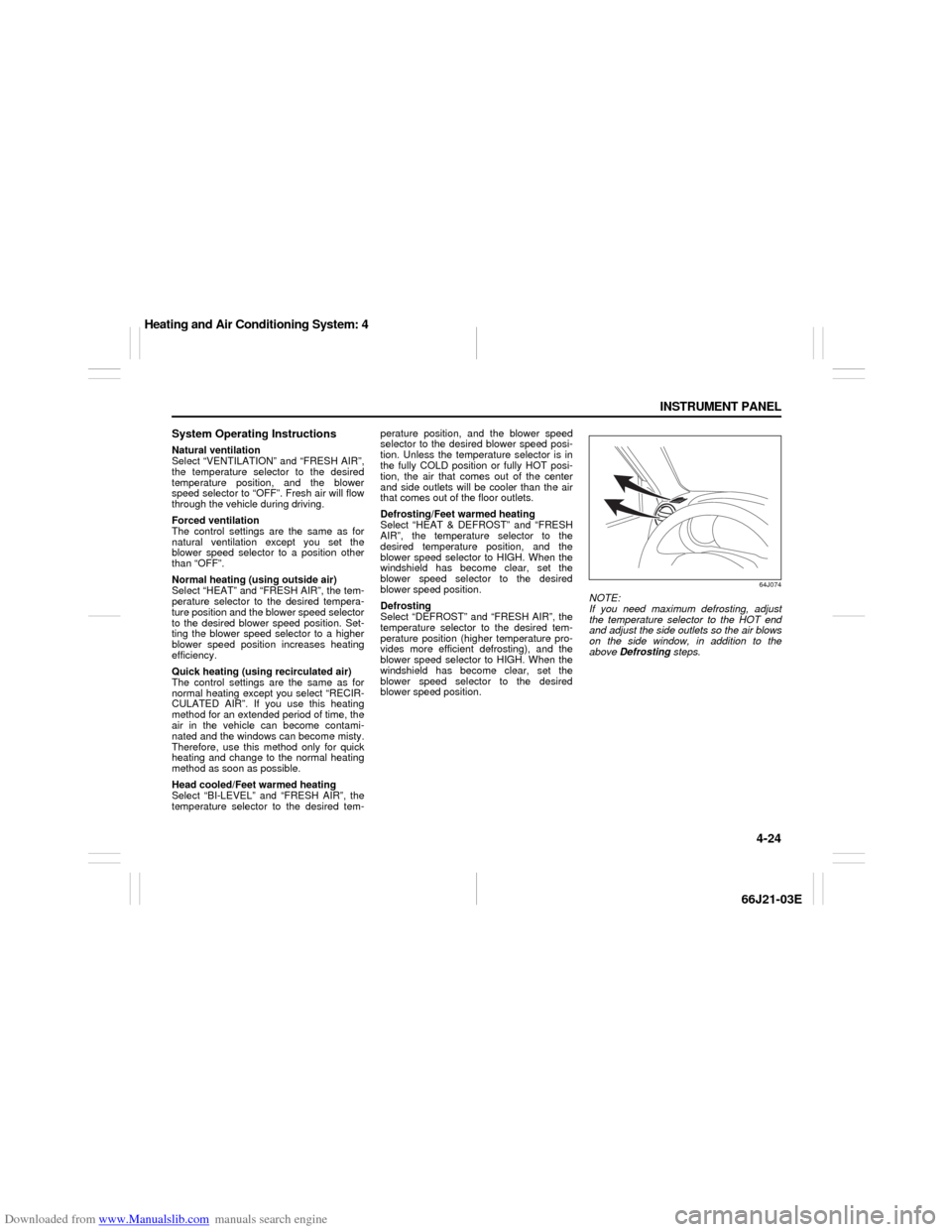
Defrosting
Select “DEFROST” and “FRESH AIR”, the
temperature selector to the desired tem-
perature position (higher temperature pro-
vides more efficient defrosting), and the
blower speed selector to HIGH. When the
windshield has become clear, set the
blower speed selector to the desired
blower speed position.
64J074
NOTE:
If you need maximum defrosting, adjust
the temperature selector to the HOT end
and adjust the side outlets so the air blows
on the side window, in addition to the
above Defrosting steps.
Heating and Air Conditioning System: 4
Page 87 of 211
Downloaded from www.Manualslib.com manuals search engine 4-25 INSTRUMENT PANEL
66J21-03E
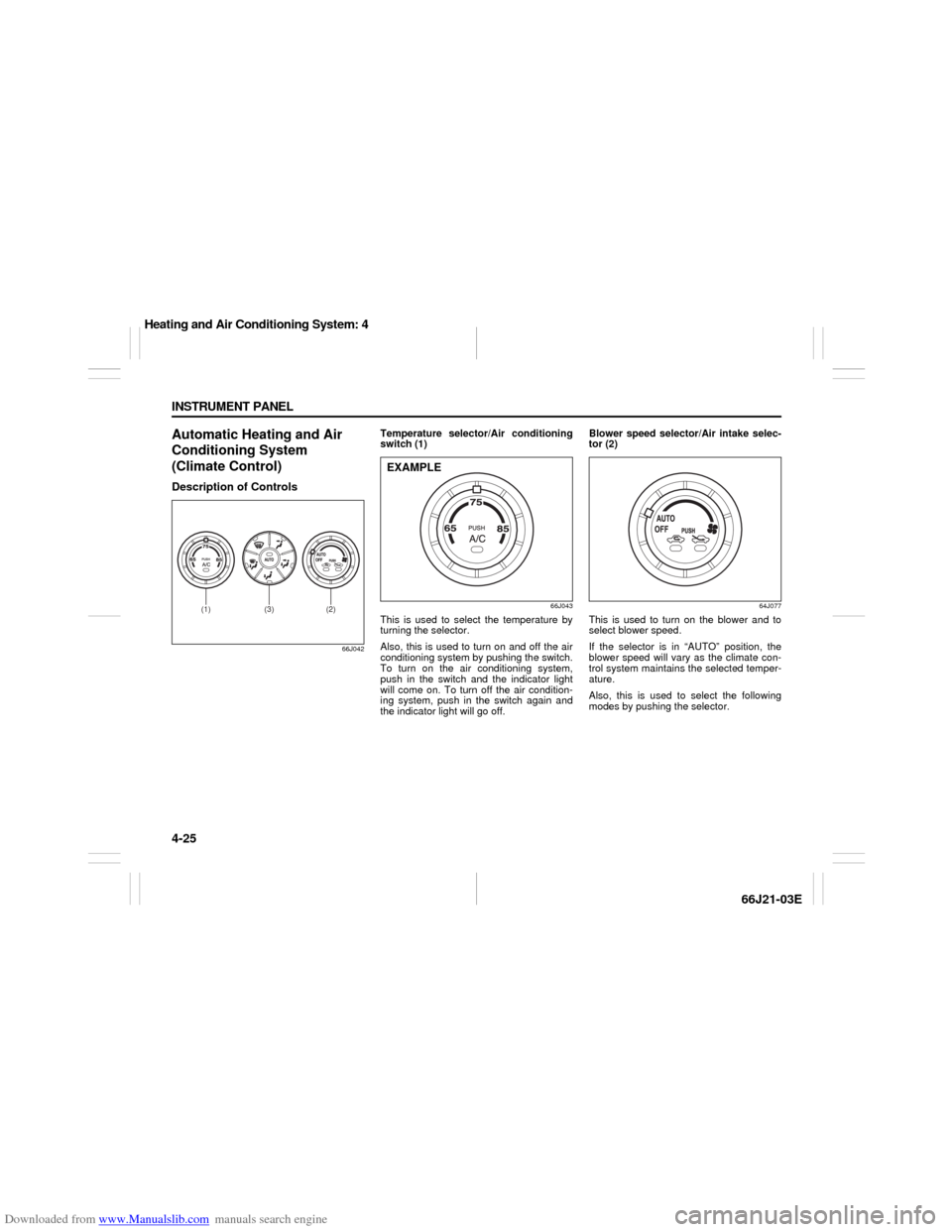
Automatic Heating and Air
Conditioning System
(Climate Control)Description of Controls
66J042
Temperature selector/Air conditioning
switch (1)
66J043
This is used to select the temperature by
turning the selector.
Also, this is used to turn on and off the air
conditioning system by pushing the switch.
To turn on the air conditioning system,
push in the switch and the indicator light
will come on. To turn off the air condition-
ing system, push in the switch again and
the indicator light will go off. Blower speed selector/Air intake selec-
tor (2)
64J077
This is used to turn on the blower and to
select blower speed.
If the selector is in “AUTO” position, the
blower speed will vary as the climate con-
trol system maintains the selected temper-
ature.
Also, this is used to select the following
modes by pushing the selector.
(2)
(1)
(3)
EXAMPLE
Heating and Air Conditioning System: 4