Sound SUZUKI GRAND VITARA 2013 User Guide
[x] Cancel search | Manufacturer: SUZUKI, Model Year: 2013, Model line: GRAND VITARA, Model: SUZUKI GRAND VITARA 2013Pages: 337, PDF Size: 6.21 MB
Page 78 of 337
2-61BEFORE DRIVING
79K21-03E
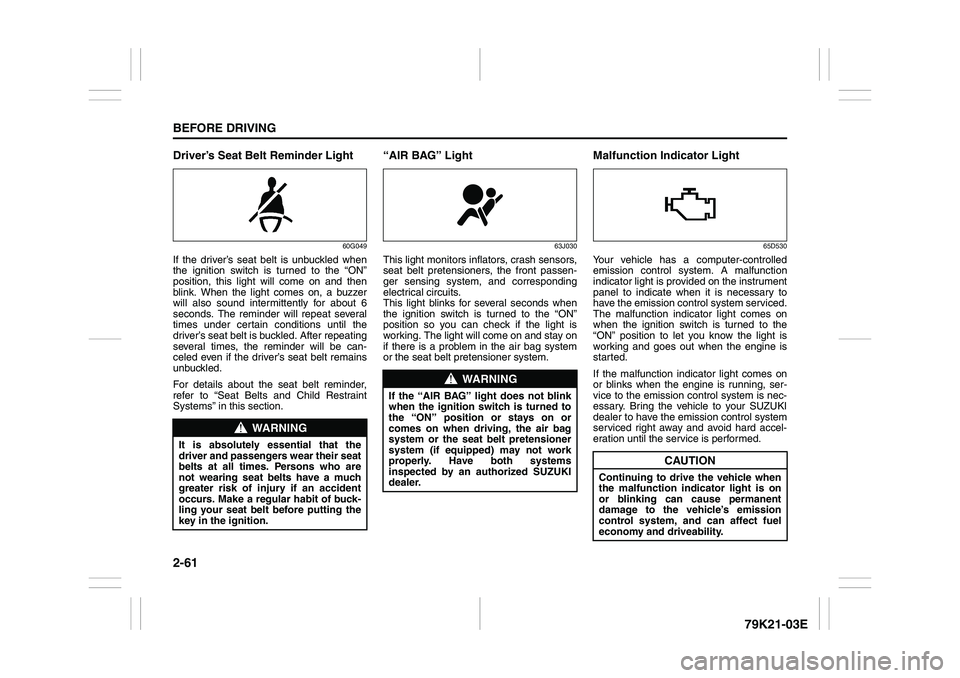
Driver’s Seat Belt Reminder Light
60G049
If the driver’s seat belt is unbuckled when
the ignition switch is turned to the “ON”
position, this light will come on and then
blink. When the light comes on, a buzzer
will also sound intermittently for about 6
seconds. The reminder will repeat several
times under certain conditions until the
driver’s seat belt is buckled. After repeating
several times, the reminder will be can-
celed even if the driver’s seat belt remains
unbuckled.
For details about the seat belt reminder,
refer to “Seat Belts and Child Restraint
Systems” in this section.
“AIR BAG” Light
63J030
This light monitors inflators, crash sensors,
seat belt pretensioners, the front passen-
ger sensing system, and corresponding
electrical circuits.
This light blinks for several seconds when
the ignition switch is turned to the “ON”
position so you can check if the light is
working. The light will come on and stay on
if there is a problem in the air bag system
or the seat belt pretensioner system.
Malfunction Indicator Light
65D530
Your vehicle has a computer-controlled
emission control system. A malfunction
indicator light is provided on the instrument
panel to indicate when it is necessary to
have the emission control system serviced.
The malfunction indicator light comes on
when the ignition switch is turned to the
“ON” position to let you know the light is
working and goes out when the engine is
started.
If the malfunction indicator light comes on
or blinks when the engine is running, ser-
vice to the emission control system is nec-
essary. Bring the vehicle to your SUZUKI
dealer to have the emission control system
serviced right away and avoid hard accel-
eration until the service is performed.
WARNING
It is absolutely essential that the
driver and passengers wear their seat
belts at all times. Persons who are
not wearing seat belts have a much
greater risk of injury if an accident
occurs. Make a regular habit of buck-
ling your seat belt before putting the
key in the ignition.
WARNING
If the “AIR BAG” light does not blink
when the ignition switch is turned to
the “ON” position or stays on or
comes on when driving, the air bag
system or the seat belt pretensioner
system (if equipped) may not work
properly. Have both systems
inspected by an authorized SUZUKI
dealer.
CAUTION
Continuing to drive the vehicle when
the malfunction indicator light is on
or blinking can cause permanent
damage to the vehicle’s emission
control system, and can affect fuel
economy and driveability.
Page 89 of 337
2-72
BEFORE DRIVING
79K21-03E
Distance units
You can change the units odo/trip meter
distance is displayed in.
NOTE:
When you change the units odo/trip meter
distance is displayed in, the trip meter will
be reset automatically.
Fuel economy units
You can change the units that fuel con-
sumption is displayed in.
Language
You can change the language of the infor-
mation display.
Avg. fuel economy reset
You can change when the value of average
fuel consumption is reset.
Temperature units
You can change the units that temperature
is displayed in.
NOTE:
When you change the units that tempera-
ture is displayed in, the air conditioning
system temperature display units will be
changed automatically.
Default setting
If you select “YES” and push the MODE/
ILL knob (2), all settings will be reinitial-
ized.
Warning and Indicator MessagesThe display shows the warning and indica-
tor messages to let you know about certain
vehicle problems.
A tone may also sound to alert you.
If warning and indicator messages appear
on the display, follow the messages.
Master warning indicator
78K049
When the display shows warning and indi-
cator messages, the master warning indi-
cator may also come on or blink.
NOTE:
When the problem that causes a mes-
sage to appear is corrected, the mes-
sage will disappear.
If a message is displayed, and other
problems requiring a message occur, the
message for each of the problems will be
alternately displayed about every 5 sec-
onds.
When you push and hold the MODE/ILL
knob for about 2 seconds while a mes-
sage is displayed, the message will dis-
appear temporarily. If the problem that
caused the message is not corrected,the message will appear again after 5
seconds.
Page 90 of 337
2-73BEFORE DRIVING
79K21-03E
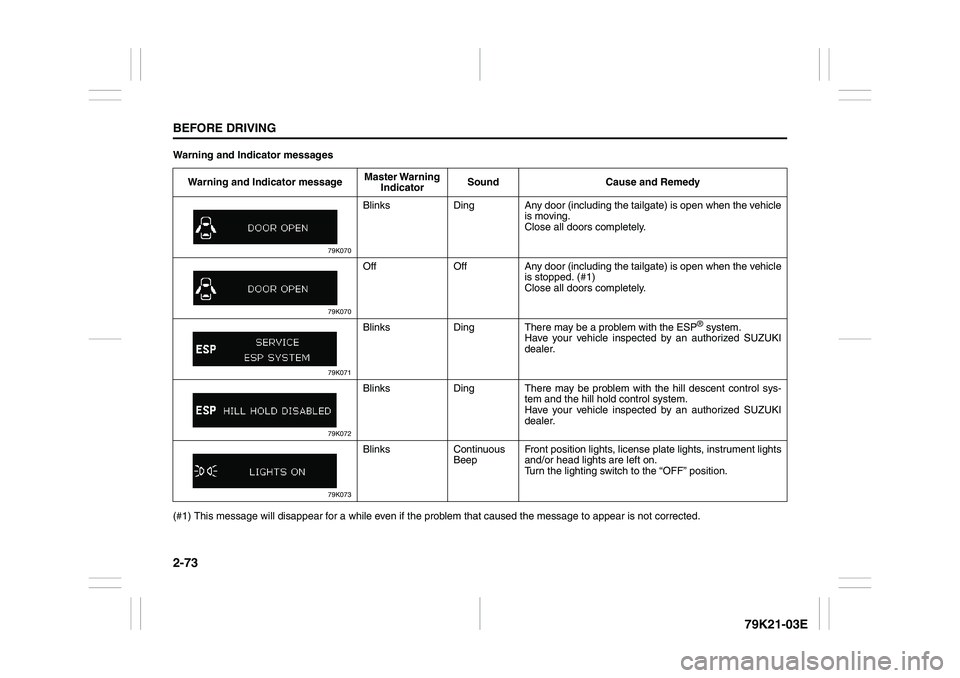
Warning and Indicator messages
(#1) This message will disappear for a while even if the problem that caused the message to appear is not corrected.Warning and Indicator messageMaster Warning
IndicatorSound Cause and Remedy
79K070
Blinks Ding Any door (including the tailgate) is open when the vehicle
is moving.
Close all doors completely.
79K070
Off Off Any door (including the tailgate) is open when the vehicle
is stopped. (#1)
Close all doors completely.
79K071
Blinks Ding There may be a problem with the ESP
® system.
Have your vehicle inspected by an authorized SUZUKI
dealer.
79K072
Blinks Ding There may be problem with the hill descent control sys-
tem and the hill hold control system.
Have your vehicle inspected by an authorized SUZUKI
dealer.
79K073
Blinks Continuous
BeepFront position lights, license plate lights, instrument lights
and/or head lights are left on.
Turn the lighting switch to the “OFF” position.
Page 91 of 337
2-74
BEFORE DRIVING
79K21-03E
(#1) This message will disappear for a while even if the problem that caused the message to appear is not corrected.
NOTE:
When you operate the transfer switch (if equipped), the information display may show messages other than those in the above chart.
Refer to “Using the Transfer Switch” in the “OPERATING YOUR VEHICLE” section for details.
When you operate the ESP OFF switch (if equipped), the information display may show messages other than those in the above chart.
Refer to “Electronic Stability Program (ESP
®)” in the “OPERATING YOUR VEHICLE” section for details. Warning and Indicator messageMaster Warning
IndicatorSound Cause and Remedy
79K074
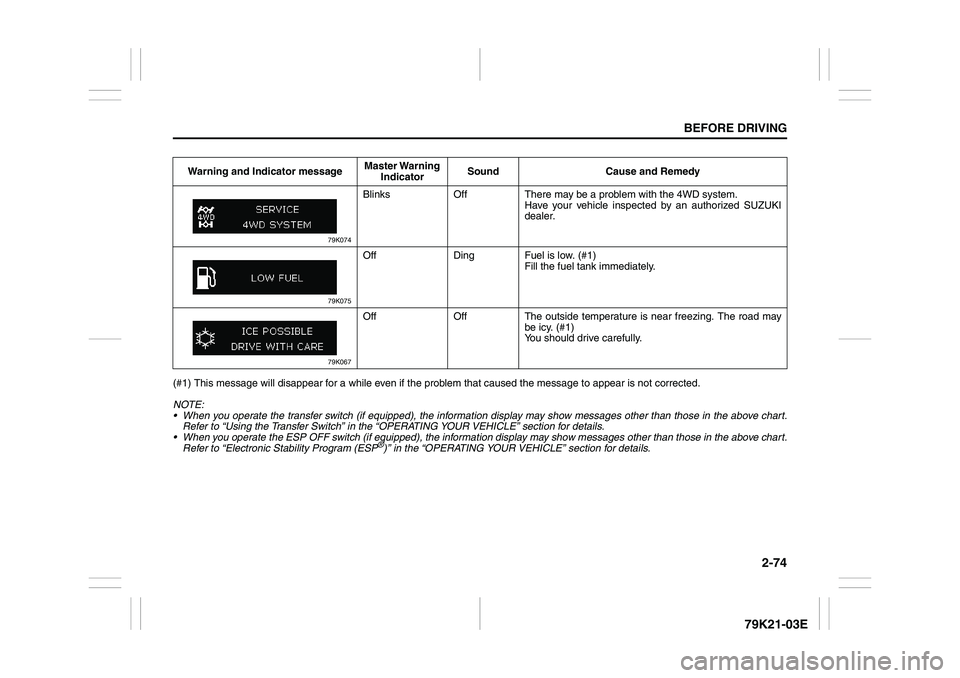
Blinks Off There may be a problem with the 4WD system.
Have your vehicle inspected by an authorized SUZUKI
dealer.
79K075
Off Ding Fuel is low. (#1)
Fill the fuel tank immediately.
79K067
Off Off The outside temperature is near freezing. The road may
be icy. (#1)
You should drive carefully.
Page 95 of 337
2-78
BEFORE DRIVING
79K21-03E
Daytime Running Light (D.R.L.)
SystemThe headlights light, but are dimmer than
the low beam, when the following three
conditions are all met. Also, the D.R.L. indi-
cator light on the instrument panel comes
on.
Conditions for D.R.L. system operation:
1) The engine is running.
2) The parking brake is released.
3) The headlights are off, or the lighting
switch in the “AUTO” position and it is
light around the light sensor.
NOTE:
Be sure to turn the headlights on at night
or at any time of the day when driving or
weather conditions require the headlights
to operate at full brightness and the tail-
lights to be on.
Lights “On” reminder
A buzzer sounds to remind you to turn off
the lights if they are left on when the igni-
tion key is removed and the driver’s door is
opened.
NOTE:
The warning and indicator message and
the illumination indicator light will be shown
on the information display when this
reminder is activated.
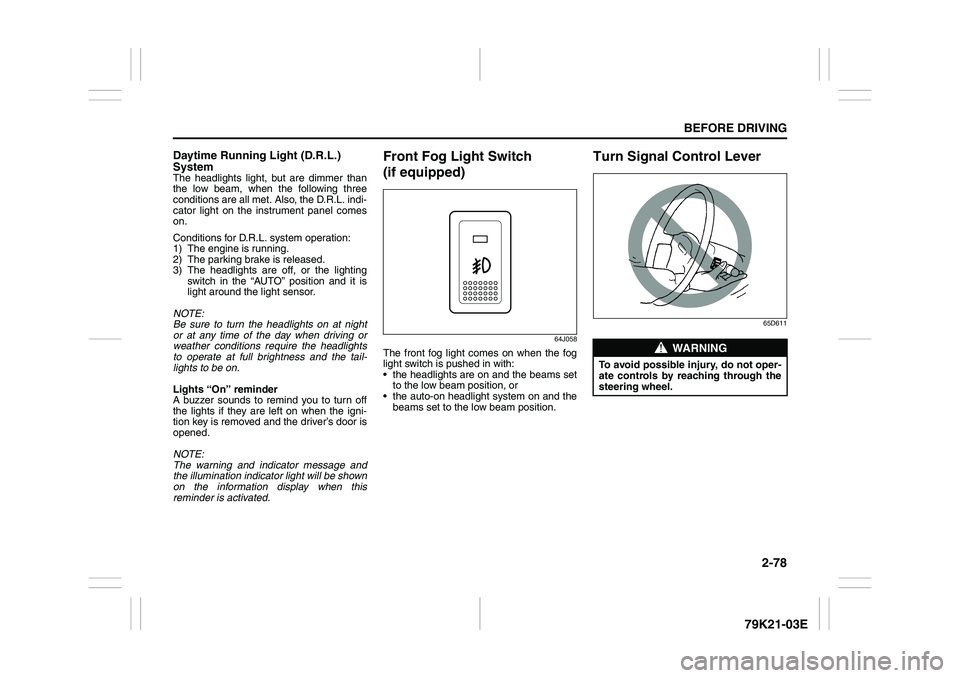
Front Fog Light Switch
(if equipped)
64J058
The front fog light comes on when the fog
light switch is pushed in with:
the headlights are on and the beams set
to the low beam position, or
the auto-on headlight system on and the
beams set to the low beam position.
Turn Signal Control Lever
65D611
WARNING
To avoid possible injury, do not oper-
ate controls by reaching through the
steering wheel.
Page 99 of 337
2-82
BEFORE DRIVING
79K21-03E
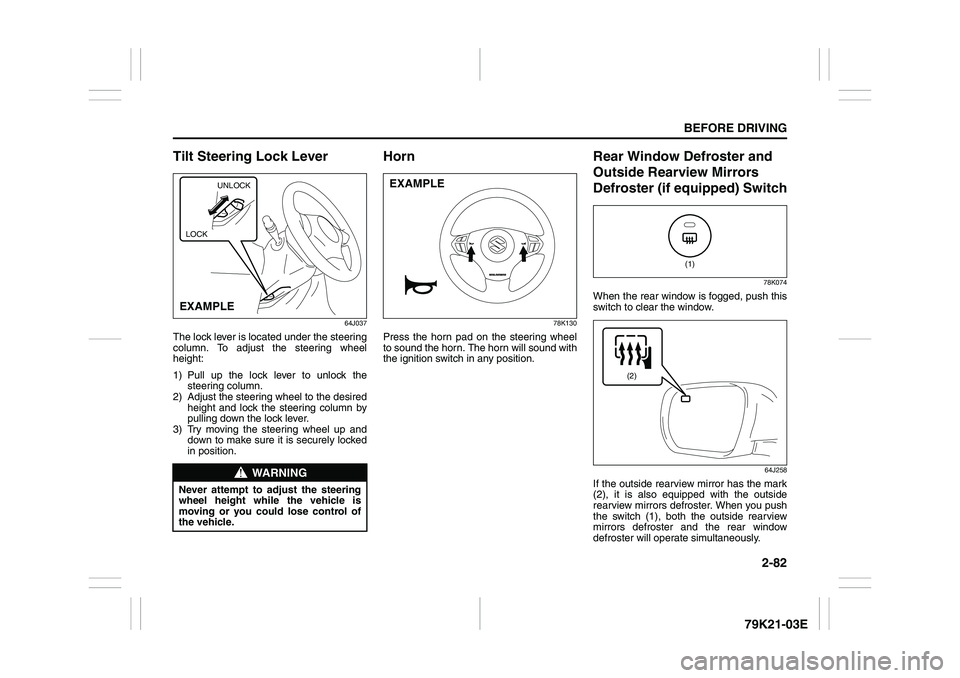
Tilt Steering Lock Lever
64J037
The lock lever is located under the steering
column. To adjust the steering wheel
height:
1) Pull up the lock lever to unlock the
steering column.
2) Adjust the steering wheel to the desired
height and lock the steering column by
pulling down the lock lever.
3) Try moving the steering wheel up and
down to make sure it is securely locked
in position.
Horn
78K130
Press the horn pad on the steering wheel
to sound the horn. The horn will sound with
the ignition switch in any position.
Rear Window Defroster and
Outside Rearview Mirrors
Defroster (if equipped) Switch
78K074
When the rear window is fogged, push this
switch to clear the window.
64J258
If the outside rearview mirror has the mark
(2), it is also equipped with the outside
rearview mirrors defroster. When you push
the switch (1), both the outside rearview
mirrors defroster and the rear window
defroster will operate simultaneously.
WARNING
Never attempt to adjust the steering
wheel height while the vehicle is
moving or you could lose control of
the vehicle.
UNLOCK
EXAMPLELOCK
EXAMPLE
(1)
(2)
Page 105 of 337
3-4
OPERATING YOUR VEHICLE
79K21-03E
ACC
Accessories such as the radio can oper-
ate, but the engine is off.
ON
This is the normal operating position. All
electrical systems are on.
START
This is the position for starting the engine
using the starter motor. The key should be
released from this position as soon as the
engine starts.
Ignition key reminder
A buzzer sounds intermittently to remind
you to remove the ignition key if it is in the
ignition switch when the driver’s door is
opened.
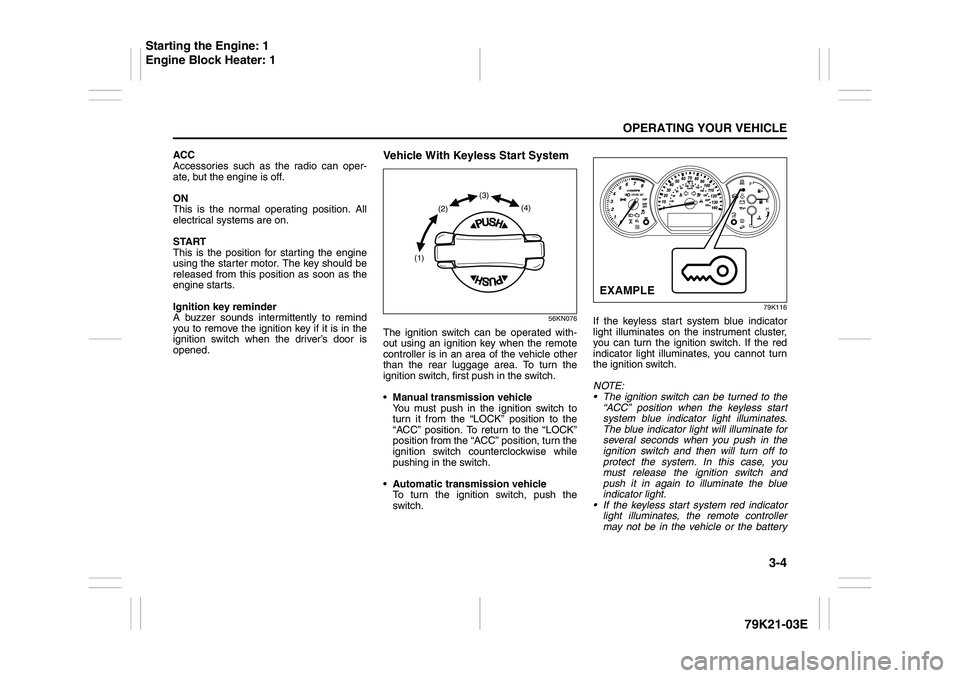
Vehicle With Keyless Start System
56KN076
The ignition switch can be operated with-
out using an ignition key when the remote
controller is in an area of the vehicle other
than the rear luggage area. To turn the
ignition switch, first push in the switch.
Manual transmission vehicle
You must push in the ignition switch to
turn it from the “LOCK” position to the
“ACC” position. To return to the “LOCK”
position from the “ACC” position, turn the
ignition switch counterclockwise while
pushing in the switch.
Automatic transmission vehicle
To turn the ignition switch, push the
switch.
79K116
If the keyless start system blue indicator
light illuminates on the instrument cluster,
you can turn the ignition switch. If the red
indicator light illuminates, you cannot turn
the ignition switch.
NOTE:
The ignition switch can be turned to the
“ACC” position when the keyless start
system blue indicator light illuminates.
The blue indicator light will illuminate for
several seconds when you push in the
ignition switch and then will turn off to
protect the system. In this case, you
must release the ignition switch and
push it in again to illuminate the blue
indicator light.
If the keyless start system red indicator
light illuminates, the remote controller
may not be in the vehicle or the battery
(1)(2)(3)
(4)
EXAMPLE
Starting the Engine: 1
Engine Block Heater: 1
Page 107 of 337
3-6
OPERATING YOUR VEHICLE
79K21-03E
ON (3)
This is the normal operating position. All
electrical systems are on.
START (4)
This is the position for starting the engine
using the starter motor. The switch should
be released from this position as soon as
the engine starts.
Ignition switch reminder
(When using the keyless start system)
A buzzer sounds intermittently to remind
you to return the ignition switch to the
“LOCK” position if it is in the “ACC” position
when the driver’s door is opened.You can also turn the ignition switch by
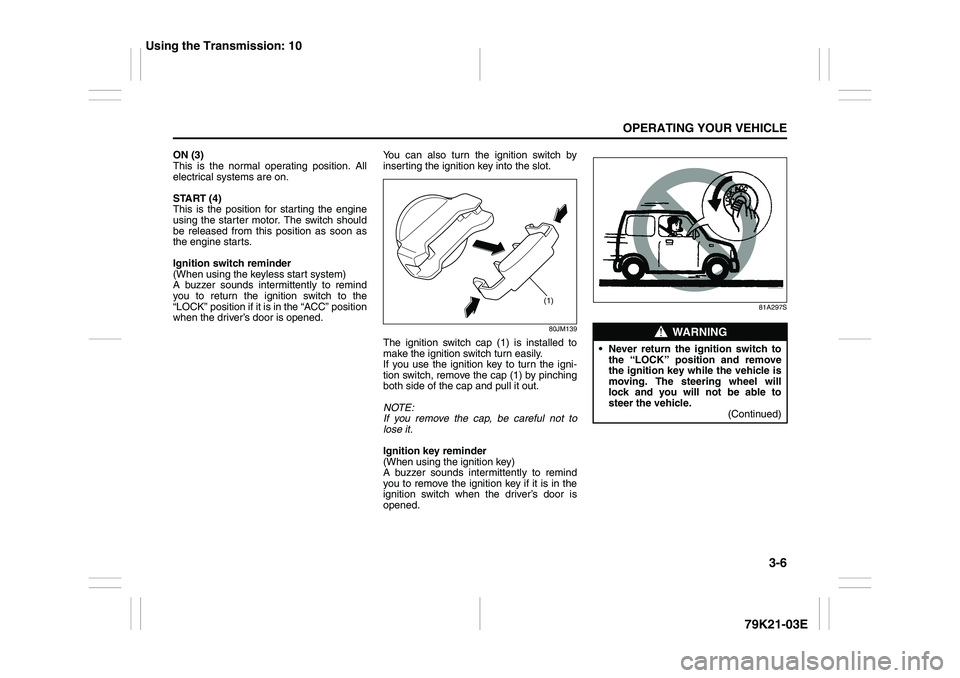
inserting the ignition key into the slot.
80JM139
The ignition switch cap (1) is installed to
make the ignition switch turn easily.
If you use the ignition key to turn the igni-
tion switch, remove the cap (1) by pinching
both side of the cap and pull it out.
NOTE:
If you remove the cap, be careful not to
lose it.
Ignition key reminder
(When using the ignition key)
A buzzer sounds intermittently to remind
you to remove the ignition key if it is in the
ignition switch when the driver’s door is
opened.
81A297S
(1)
WARNING
Never return the ignition switch to
the “LOCK” position and remove
the ignition key while the vehicle is
moving. The steering wheel will
lock and you will not be able to
steer the vehicle.
(Continued)
Using the Transmission: 10
Page 112 of 337
3-11OPERATING YOUR VEHICLE
79K21-03E
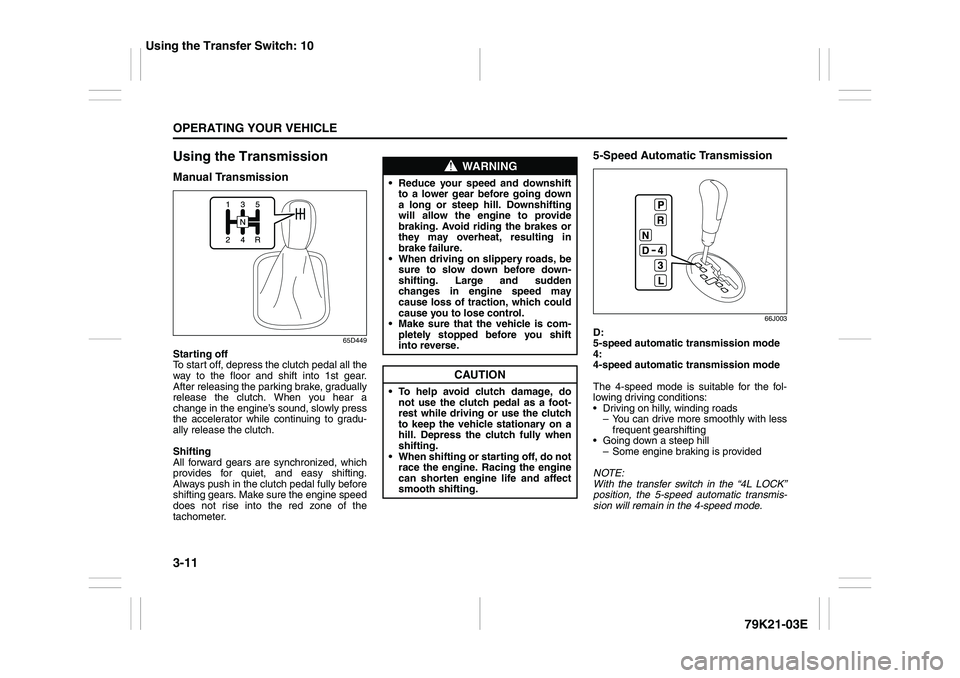
Using the TransmissionManual Transmission
65D449
Starting off
To start off, depress the clutch pedal all the
way to the floor and shift into 1st gear.
After releasing the parking brake, gradually
release the clutch. When you hear a
change in the engine’s sound, slowly press
the accelerator while continuing to gradu-
ally release the clutch.
Shifting
All forward gears are synchronized, which
provides for quiet, and easy shifting.
Always push in the clutch pedal fully before
shifting gears. Make sure the engine speed
does not rise into the red zone of the
tachometer.
5-Speed Automatic Transmission
66J003
D:
5-speed automatic transmission mode
4:
4-speed automatic transmission mode
The 4-speed mode is suitable for the fol-
lowing driving conditions:
Driving on hilly, winding roads
– You can drive more smoothly with less
frequent gearshifting
Going down a steep hill
– Some engine braking is provided
NOTE:
With the transfer switch in the “4L LOCK”
position, the 5-speed automatic transmis-
sion will remain in the 4-speed mode.
WARNING
Reduce your speed and downshift
to a lower gear before going down
a long or steep hill. Downshifting
will allow the engine to provide
braking. Avoid riding the brakes or
they may overheat, resulting in
brake failure.
When driving on slippery roads, be
sure to slow down before down-
shifting. Large and sudden
changes in engine speed may
cause loss of traction, which could
cause you to lose control.
Make sure that the vehicle is com-
pletely stopped before you shift
into reverse.
CAUTION
To help avoid clutch damage, do
not use the clutch pedal as a foot-
rest while driving or use the clutch
to keep the vehicle stationary on a
hill. Depress the clutch fully when
shifting.
When shifting or starting off, do not
race the engine. Racing the engine
can shorten engine life and affect
smooth shifting.
Using the Transfer Switch: 10
Page 118 of 337
3-17OPERATING YOUR VEHICLE
79K21-03E
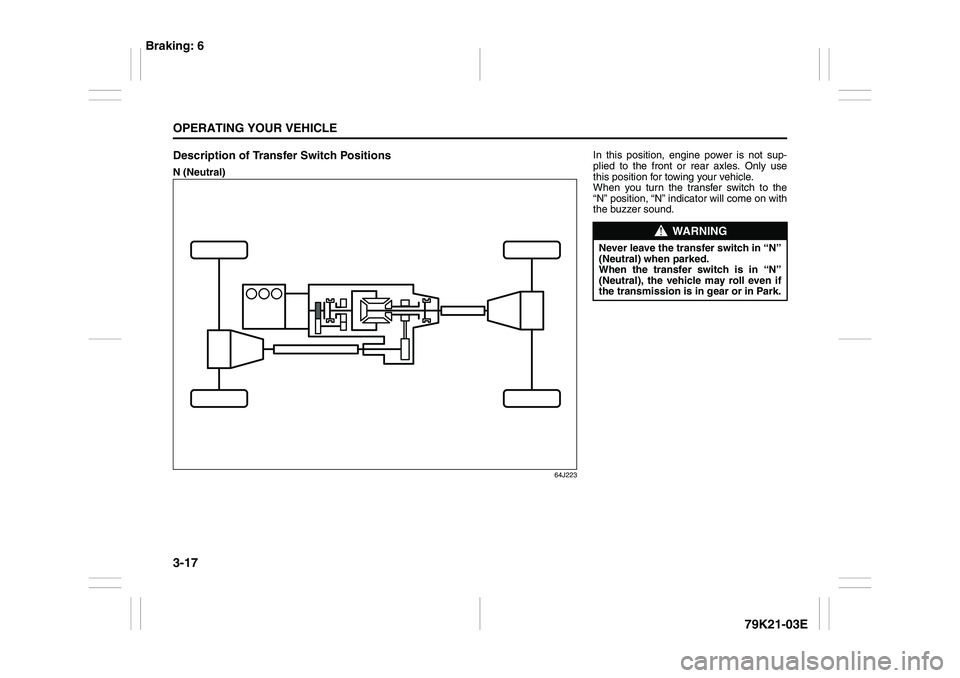
Description of Transfer Switch PositionsN (Neutral)
64J223
In this position, engine power is not sup-
plied to the front or rear axles. Only use
this position for towing your vehicle.
When you turn the transfer switch to the
“N” position, “N” indicator will come on with
the buzzer sound.
WARNING
Never leave the transfer switch in “N”
(Neutral) when parked.
When the transfer switch is in “N”
(Neutral), the vehicle may roll even if
the transmission is in gear or in Park.
Braking: 6