lights SUZUKI GRAND VITARA 2014 Owner's Manual
[x] Cancel search | Manufacturer: SUZUKI, Model Year: 2014, Model line: GRAND VITARA, Model: SUZUKI GRAND VITARA 2014Pages: 337, PDF Size: 6.21 MB
Page 135 of 337
3-34
OPERATING YOUR VEHICLE
79K21-03E
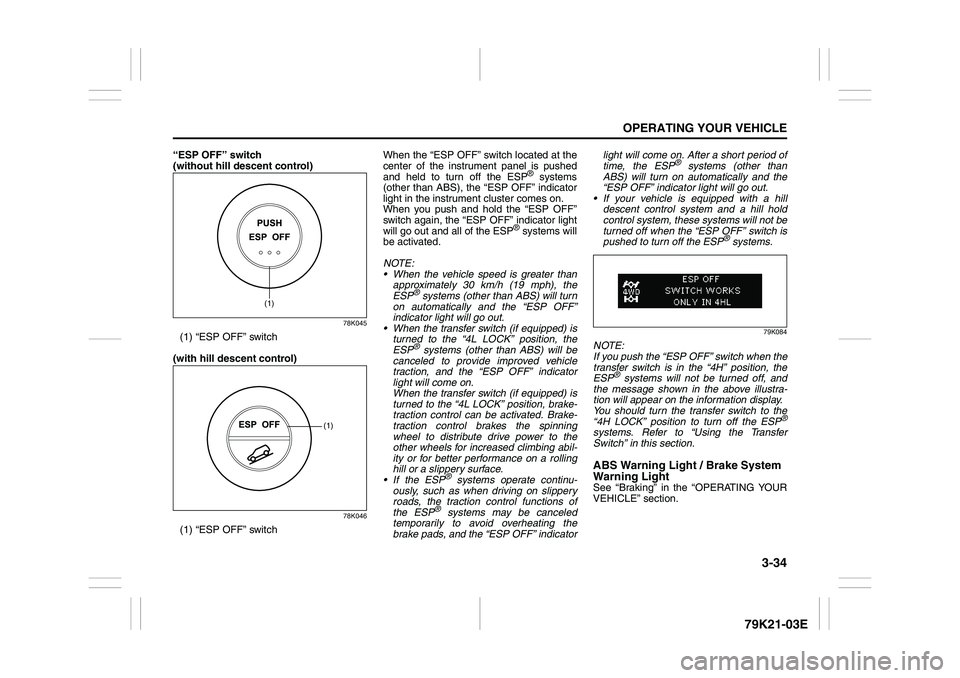
“ESP OFF” switch
(without hill descent control)
78K045
(1) “ESP OFF” switch
(with hill descent control)
78K046
(1) “ESP OFF” switchWhen the “ESP OFF” switch located at the
center of the instrument panel is pushed
and held to turn off the ESP
® systems
(other than ABS), the “ESP OFF” indicator
light in the instrument cluster comes on.
When you push and hold the “ESP OFF”
switch again, the “ESP OFF” indicator light
will go out and all of the ESP
® systems will
be activated.
NOTE:
When the vehicle speed is greater than
approximately 30 km/h (19 mph), the
ESP
® systems (other than ABS) will turn
on automatically and the “ESP OFF”
indicator light will go out.
When the transfer switch (if equipped) is
turned to the “4L LOCK” position, the
ESP® systems (other than ABS) will be
canceled to provide improved vehicle
traction, and the “ESP OFF” indicator
light will come on.
When the transfer switch (if equipped) is
turned to the “4L LOCK” position, brake-
traction control can be activated. Brake-
traction control brakes the spinning
wheel to distribute drive power to the
other wheels for increased climbing abil-
ity or for better performance on a rolling
hill or a slippery surface.
If the ESP
® systems operate continu-
ously, such as when driving on slippery
roads, the traction control functions of
the ESP
® systems may be canceled
temporarily to avoid overheating the
brake pads, and the “ESP OFF” indicatorlight will come on. After a short period of
time, the ESP
® systems (other than
ABS) will turn on automatically and the
“ESP OFF” indicator light will go out.
If your vehicle is equipped with a hill
descent control system and a hill hold
control system, these systems will not be
turned off when the “ESP OFF” switch is
pushed to turn off the ESP
® systems.
79K084
NOTE:
If you push the “ESP OFF” switch when the
transfer switch is in the “4H” position, the
ESP
® systems will not be turned off, and
the message shown in the above illustra-
tion will appear on the information display.
You should turn the transfer switch to the
“4H LOCK” position to turn off the ESP
®
systems. Refer to “Using the Transfer
Switch” in this section.ABS Warning Light / Brake System
Warning LightSee “Braking” in the “OPERATING YOUR
VEHICLE” section.
(1)
(1)
Page 136 of 337
3-35OPERATING YOUR VEHICLE
79K21-03E
Hill descent control System
(if equipped)The hill descent control system is designed
to reduce the driver’s workload when going
down steep, rough and/or slippery hills
where the vehicle cannot decelerate
enough by engine braking alone. The hill
descent control system helps to control
vehicle speed by automatically engaging
the vehicle’s brakes, as needed, so you
can concentrate on steering the vehicle.Hill descent control switch
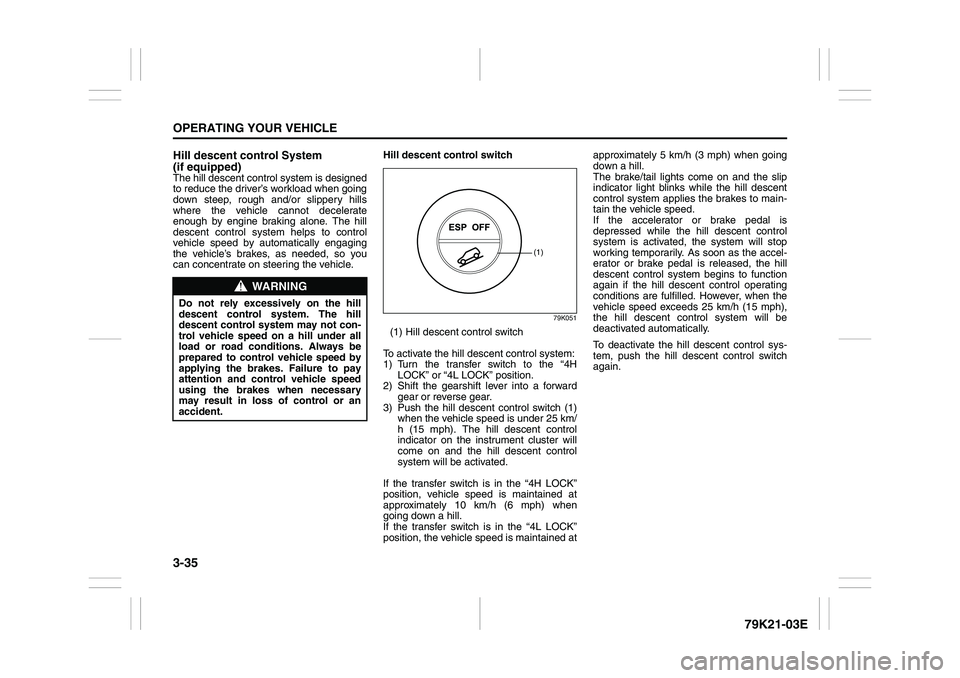
79K051
(1) Hill descent control switch
To activate the hill descent control system:
1) Turn the transfer switch to the “4H
LOCK” or “4L LOCK” position.
2) Shift the gearshift lever into a forward
gear or reverse gear.
3) Push the hill descent control switch (1)
when the vehicle speed is under 25 km/
h (15 mph). The hill descent control
indicator on the instrument cluster will
come on and the hill descent control
system will be activated.
If the transfer switch is in the “4H LOCK”
position, vehicle speed is maintained at
approximately 10 km/h (6 mph) when
going down a hill.
If the transfer switch is in the “4L LOCK”
position, the vehicle speed is maintained atapproximately 5 km/h (3 mph) when going
down a hill.
The brake/tail lights come on and the slip
indicator light blinks while the hill descent
control system applies the brakes to main-
tain the vehicle speed.
If the accelerator or brake pedal is
depressed while the hill descent control
system is activated, the system will stop
working temporarily. As soon as the accel-
erator or brake pedal is released, the hill
descent control system begins to function
again if the hill descent control operating
conditions are fulfilled. However, when the
vehicle speed exceeds 25 km/h (15 mph),
the hill descent control system will be
deactivated automatically.
To deactivate the hill descent control sys-
tem, push the hill descent control switch
again.
WARNING
Do not rely excessively on the hill
descent control system. The hill
descent control system may not con-
trol vehicle speed on a hill under all
load or road conditions. Always be
prepared to control vehicle speed by
applying the brakes. Failure to pay
attention and control vehicle speed
using the brakes when necessary
may result in loss of control or an
accident.
(1)
Page 146 of 337
4-3DRIVING TIPS
79K21-03E
54G584S
Improving Fuel EconomyThe following instructions will help you
improve fuel economy.
Avoid excessive idling
If you are to wait for more than a minute
while you are parked, stop the engine and
start it again later. When warming up a
cold engine, allow the engine to idle until
the temperature gauge pointer comes up
to the “C” position. In this position, the
engine is sufficiently warm for starting off.
Avoid “jackrabbit” starts
Fast starts away from lights or stop signs
will consume fuel unnecessarily and
shorten engine life. Start off slowly.
Avoid unnecessary stops
Avoid unnecessary deceleration and stop-
ping. Try to maintain a slow, steady speed
whenever possible. Slowing down and then
accelerating again uses more fuel.
Keep a steady cruising speed
Keep as constant a speed as road and traf-
fic conditions will permit.
CAUTION
To minimize the possibility of catalyst
or other vehicle damage:
Maintain the engine in the proper
operating condition.
In the event of an engine malfunc-
tion, particularly one involving
engine misfire or other apparent
loss of performance, have the vehi-
cle serviced promptly.
Do not shut off the engine or inter-
rupt the ignition when the transmis-
sion is in gear and the vehicle is in
motion.
Do not try to start the engine by
pushing or towing the vehicle or
coasting down a hill.
Do not idle the engine with any
spark plug wires disconnected or
removed, such as during diagnos-
tic testing.
Do not idle the vehicle for pro-
longed periods if idling seems
rough or there are other malfunc-
tions.
Do not allow the fuel tank to get
near the empty level.
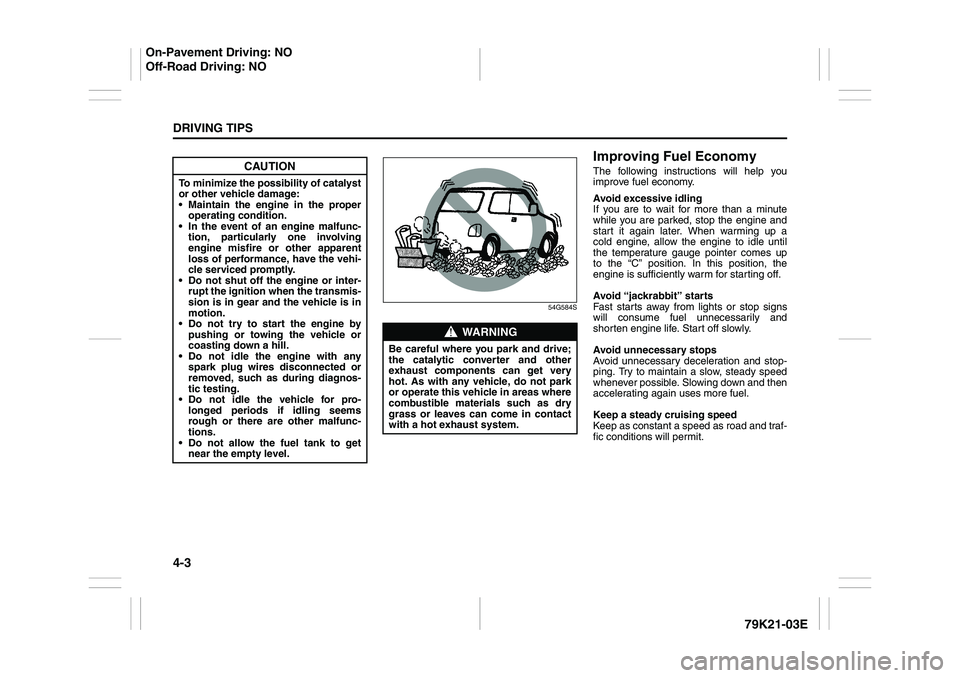
WARNING
Be careful where you park and drive;
the catalytic converter and other
exhaust components can get very
hot. As with any vehicle, do not park
or operate this vehicle in areas where
combustible materials such as dry
grass or leaves can come in contact
with a hot exhaust system.
On-Pavement Driving: NO
Off-Road Driving: NO
Page 170 of 337
5-17OTHER CONTROLS AND EQUIPMENT
79K21-03E
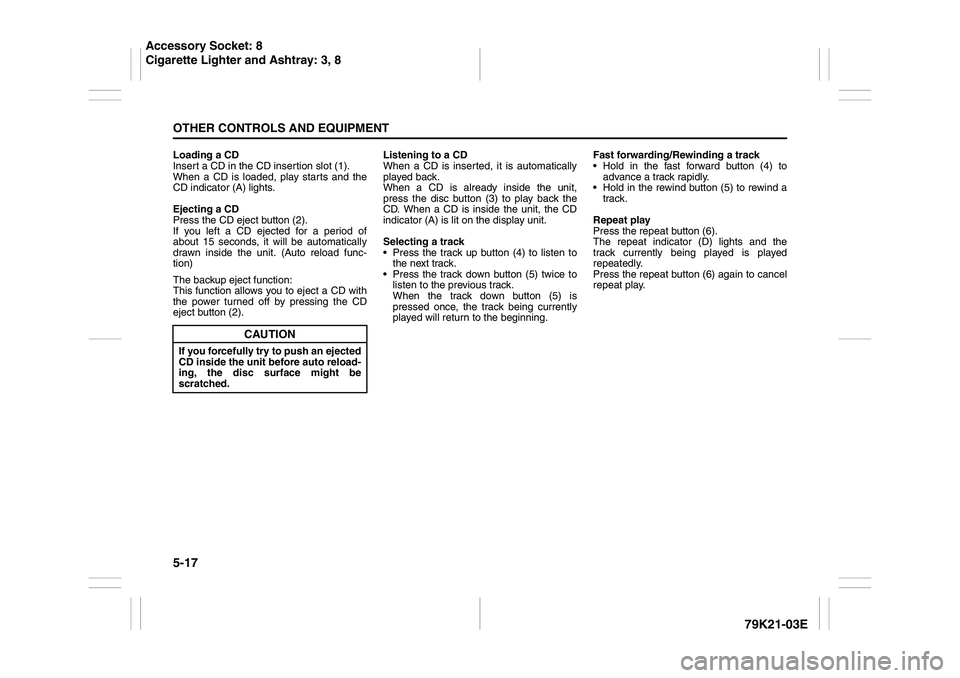
Loading a CD
Insert a CD in the CD insertion slot (1).
When a CD is loaded, play starts and the
CD indicator (A) lights.
Ejecting a CD
Press the CD eject button (2).
If you left a CD ejected for a period of
about 15 seconds, it will be automatically
drawn inside the unit. (Auto reload func-
tion)
The backup eject function:
This function allows you to eject a CD with
the power turned off by pressing the CD
eject button (2).Listening to a CD
When a CD is inserted, it is automatically
played back.
When a CD is already inside the unit,
press the disc button (3) to play back the
CD. When a CD is inside the unit, the CD
indicator (A) is lit on the display unit.
Selecting a track
Press the track up button (4) to listen to
the next track.
Press the track down button (5) twice to
listen to the previous track.
When the track down button (5) is
pressed once, the track being currently
played will return to the beginning.Fast forwarding/Rewinding a track
Hold in the fast forward button (4) to
advance a track rapidly.
Hold in the rewind button (5) to rewind a
track.
Repeat play
Press the repeat button (6).
The repeat indicator (D) lights and the
track currently being played is played
repeatedly.
Press the repeat button (6) again to cancel
repeat play.
CAUTION
If you forcefully try to push an ejected
CD inside the unit before auto reload-
ing, the disc surface might be
scratched.
Accessory Socket: 8
Cigarette Lighter and Ashtray: 3, 8
Page 173 of 337
5-20
OTHER CONTROLS AND EQUIPMENT
79K21-03E
Ejecting all the CDs
Press the CD eject button (4) for 2 seconds
or longer. All the CDs will be ejected from
the unit in a sequential manner.
Please prepare a location where
removed CDs can be stored.
If you leave the ejected CD without
removing it, it will be drawn into the unit
automatically after about 15 seconds.
(Auto reload function)
The buck up eject mechanism:
This function allows you to eject the CD
loaded in the unit with the unit turned off
only by pressing the CD eject button (4).Listening to a CD
1) When a CD is inserted, it is automati-
cally played back.
When a CD is already inside the unit,
press the disc button (5) to play back
the CD. When a CD is inside the unit,
the CD indicator (A) is lit on the display
unit.
2) If you want to play another CD, select it
with the disc select buttons (2).
Play starts from the point on the disc
that the unit played last (Last position
memory).
Selecting a track
Press the track up button (6) to listen to
the next track.
Press the track down button (7) twice to
listen to the previous track.
When the track down button (7) is
pressed once, the track being currently
played will return to the beginning.
Fast forwarding/Rewinding a track
Hold in the fast forward button (6) to
advance a track rapidly.
Hold in the rewind button (7) to rewind a
track.Repeat play
Press the repeat button (8).
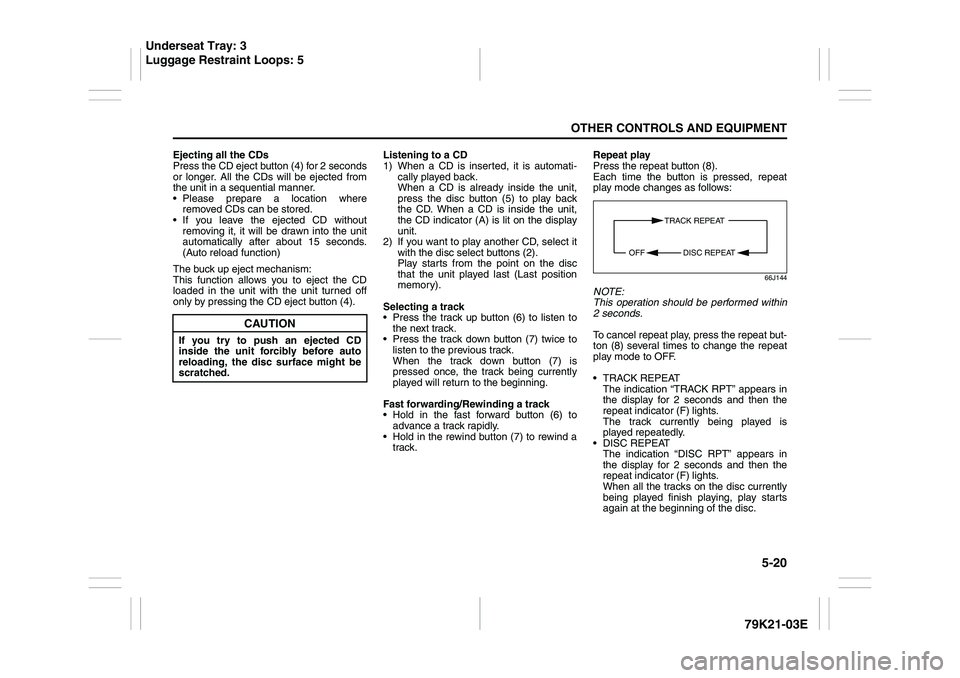
Each time the button is pressed, repeat
play mode changes as follows:
66J144
NOTE:
This operation should be performed within
2 seconds.
To cancel repeat play, press the repeat but-
ton (8) several times to change the repeat
play mode to OFF.
TRACK REPEAT
The indication “TRACK RPT” appears in
the display for 2 seconds and then the
repeat indicator (F) lights.
The track currently being played is
played repeatedly.
DISC REPEAT
The indication “DISC RPT” appears in
the display for 2 seconds and then the
repeat indicator (F) lights.
When all the tracks on the disc currently
being played finish playing, play starts
again at the beginning of the disc.
CAUTION
If you try to push an ejected CD
inside the unit forcibly before auto
reloading, the disc surface might be
scratched.
TRACK REPEAT
DISC REPEAT OFF
Underseat Tray: 3
Luggage Restraint Loops: 5
Page 177 of 337
5-24
OTHER CONTROLS AND EQUIPMENT
79K21-03E
NOTE:
This operation should be performed within
2 seconds.
To cancel repeat play, press the repeat but-
ton (2) several times to change the repeat
play mode to OFF.
TRACK REPEAT
The indication “TRACK RPT” appears in
the display for 2 seconds and then the
repeat indicator (D) lights.
The track currently being played is
played repeatedly.
FOLDER REPEAT
The indication “FOLDER RPT” appears
in the display for 2 seconds and then the
repeat indicator (D) lights.
All the tracks in the folder currently being
played are played repeatedly.
DISC REPEAT
The indication “DISC RPT” appears in
the display for 2 seconds and then the
repeat indicator (D) lights.
When all the tracks on the disc currently
being played finish playing, play starts
again at the beginning of the disc.Selecting a track
Press the track up button (3) to listen to
the next track.
Press the track down button (4) twice to
listen to the previous track.
When the track down button (4) is
pressed once, the track currently being
played will start again at the beginning.
Fast forwarding/Rewinding a track
Hold in the fast forward button (3) to
advance a track rapidly.
Hold in the rewind button (4) to rewind a
track.Displaying CD titles
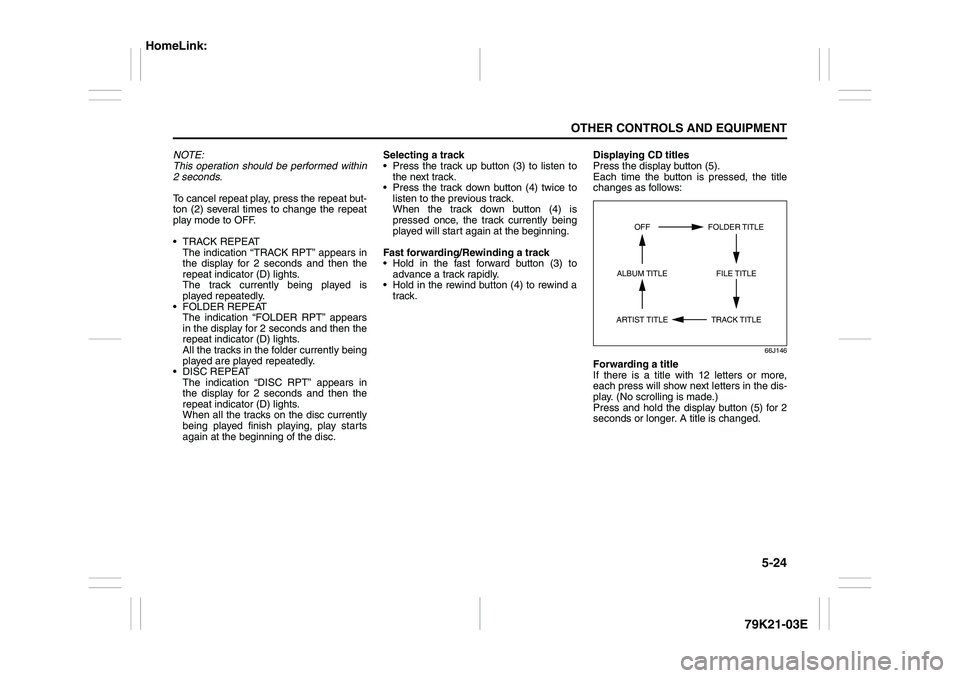
Press the display button (5).
Each time the button is pressed, the title
changes as follows:
66J146
Forwarding a title
If there is a title with 12 letters or more,
each press will show next letters in the dis-
play. (No scrolling is made.)
Press and hold the display button (5) for 2
seconds or longer. A title is changed.
TRACK TITLE FOLDER TITLE
ARTIST TITLEOFF
FILE TITLE ALBUM TITLE
HomeLink:
Page 179 of 337
5-26
OTHER CONTROLS AND EQUIPMENT
79K21-03E
XM MODE
Selecting a band
Press the XM button (1).
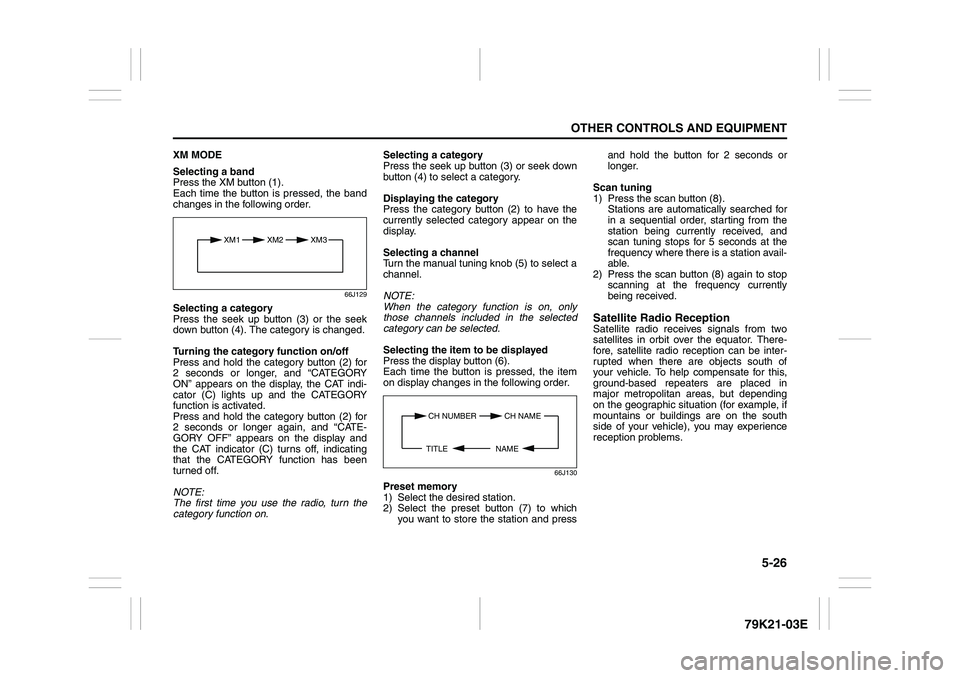
Each time the button is pressed, the band
changes in the following order.
66J129
Selecting a category
Press the seek up button (3) or the seek
down button (4). The category is changed.
Turning the category function on/off
Press and hold the category button (2) for
2 seconds or longer, and “CATEGORY
ON” appears on the display, the CAT indi-
cator (C) lights up and the CATEGORY
function is activated.
Press and hold the category button (2) for
2 seconds or longer again, and “CATE-
GORY OFF” appears on the display and
the CAT indicator (C) turns off, indicating
that the CATEGORY function has been
turned off.
NOTE:
The first time you use the radio, turn the
category function on.Selecting a category
Press the seek up button (3) or seek down
button (4) to select a category.
Displaying the category
Press the category button (2) to have the
currently selected category appear on the
display.
Selecting a channel
Turn the manual tuning knob (5) to select a
channel.
NOTE:
When the category function is on, only
those channels included in the selected
category can be selected.
Selecting the item to be displayed
Press the display button (6).
Each time the button is pressed, the item
on display changes in the following order.
66J130
Preset memory
1) Select the desired station.
2) Select the preset button (7) to which
you want to store the station and pressand hold the button for 2 seconds or
longer.
Scan tuning
1) Press the scan button (8).
Stations are automatically searched for
in a sequential order, starting from the
station being currently received, and
scan tuning stops for 5 seconds at the
frequency where there is a station avail-
able.
2) Press the scan button (8) again to stop
scanning at the frequency currently
being received.
Satellite Radio ReceptionSatellite radio receives signals from two
satellites in orbit over the equator. There-
fore, satellite radio reception can be inter-
rupted when there are objects south of
your vehicle. To help compensate for this,
ground-based repeaters are placed in
major metropolitan areas, but depending
on the geographic situation (for example, if
mountains or buildings are on the south
side of your vehicle), you may experience
reception problems.
XM1 XM2
XM3
CH NUMBER CH NAME
NAME TITLE
Page 183 of 337
5-30
OTHER CONTROLS AND EQUIPMENT
79K21-03E
TRACK REPEAT
The indication “TRACK RPT” appears in
the display for 2 seconds and then the
repeat indicator (E) lights.
The track being currently played is
played repeatedly.
DISC REPEAT
The indication “DISC RPT” appears in
the display for 2 seconds and then the
repeat indicator (E) lights.
When all the tracks on a disc being cur-
rently played finish playing, play starts
again at the beginning of the disc.
Remote Audio Controls
(if equipped)
79K052
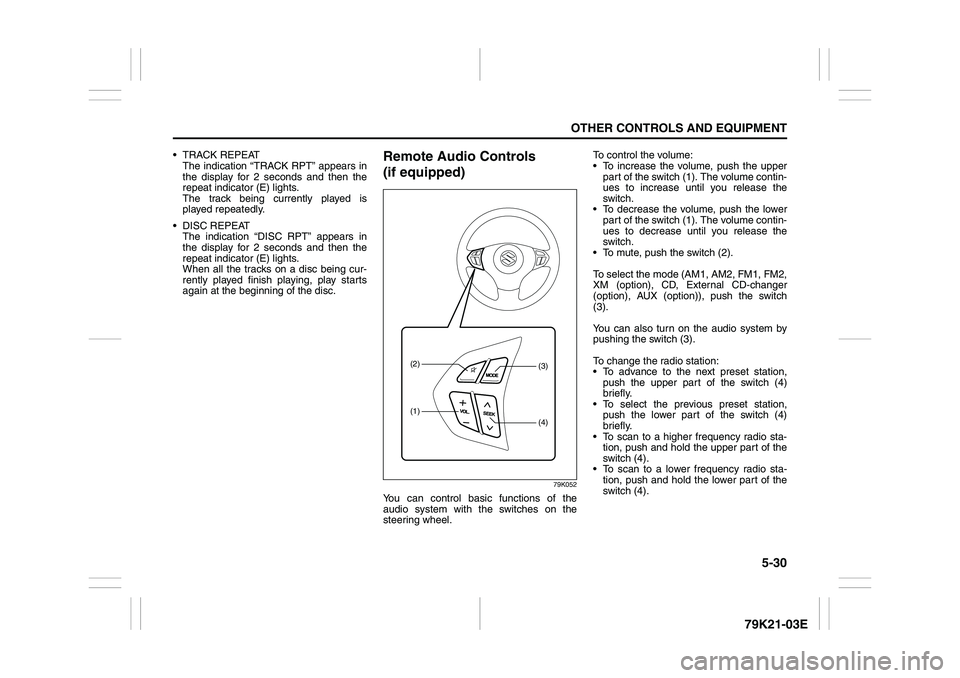
You can control basic functions of the
audio system with the switches on the
steering wheel.To control the volume:
To increase the volume, push the upper
part of the switch (1). The volume contin-
ues to increase until you release the
switch.
To decrease the volume, push the lower
part of the switch (1). The volume contin-
ues to decrease until you release the
switch.
To mute, push the switch (2).
To select the mode (AM1, AM2, FM1, FM2,
XM (option), CD, External CD-changer
(option), AUX (option)), push the switch
(3).
You can also turn on the audio system by
pushing the switch (3).
To change the radio station:
To advance to the next preset station,
push the upper part of the switch (4)
briefly.
To select the previous preset station,
push the lower part of the switch (4)
briefly.
To scan to a higher frequency radio sta-
tion, push and hold the upper part of the
switch (4).
To scan to a lower frequency radio sta-
tion, push and hold the lower part of the
switch (4).
(1)(2)
(4)(3)
Page 197 of 337
5-44
OTHER CONTROLS AND EQUIPMENT
79K21-03E
Loading a CD
Insert a CD in the CD insertion slot (1).
When a CD is loaded, play starts and the
CD indicator (A) lights.
Ejecting a CD
Press the CD eject button (2).
If you left a CD ejected for a period of
about 15 seconds, it will be automatically
drawn inside the unit. (Auto reload func-
tion)
The backup eject function:
This function allows you to eject a CD with
the power turned off by pressing the CD
eject button (2).Listening to a CD
When a CD is inserted, it is automatically
played back.
When a CD is already inside the unit,
press the disc button (3) to play back the
CD. When a CD is inside the unit, the CD
indicator (A) is lit on the display unit.
Selecting a track
Press the track up button (4) to listen to
the next track.
Press the track down button (5) twice to
listen to the previous track.
When the track down button (5) is
pressed once, the track being currently
played will return to the beginning.
Fast forwarding/Rewinding a track
Hold in the fast forward button (4) to
advance a track rapidly.
Hold in the rewind button (5) to rewind a
track.Repeat play
Press the repeat button (6).
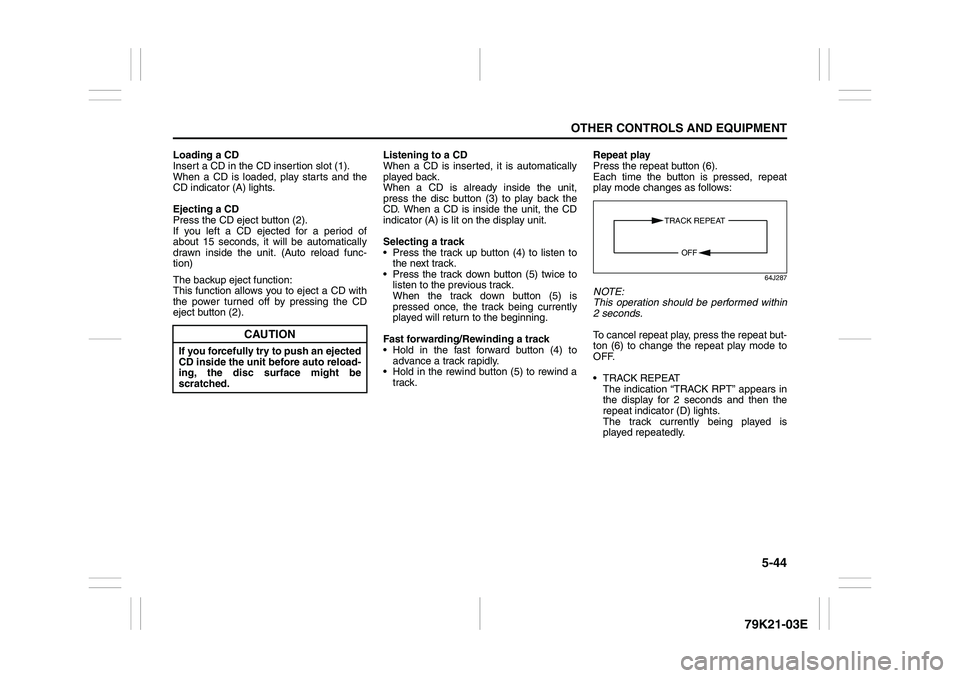
Each time the button is pressed, repeat
play mode changes as follows:
64J287
NOTE:
This operation should be performed within
2 seconds.
To cancel repeat play, press the repeat but-
ton (6) to change the repeat play mode to
OFF.
TRACK REPEAT
The indication “TRACK RPT” appears in
the display for 2 seconds and then the
repeat indicator (D) lights.
The track currently being played is
played repeatedly.
CAUTION
If you forcefully try to push an ejected
CD inside the unit before auto reload-
ing, the disc surface might be
scratched.
TRACK REPEAT
OFF
Page 201 of 337
5-48
OTHER CONTROLS AND EQUIPMENT
79K21-03E
NOTE:
This operation should be performed within
2 seconds.
To cancel repeat play, press the repeat but-
ton (2) several times to change the repeat
play mode to OFF.
TRACK REPEAT
The indication “TRACK RPT” appears in
the display for 2 seconds and then the
repeat indicator (D) lights.
The track currently being played is
played repeatedly.
FOLDER REPEAT
The indication “FOLDER RPT” appears
in the display for 2 seconds and then the
repeat indicator (D) lights.
All the tracks in the folder currently being
played are played repeatedly.Selecting a track
Press the track up button (3) to listen to
the next track.
Press the track down button (4) twice to
listen to the previous track.
When the track down button (4) is
pressed once, the track currently being
played will start again at the beginning.
Fast forwarding/Rewinding a track
Hold in the fast forward button (3) to
advance a track rapidly.
Hold in the rewind button (4) to rewind a
track.Displaying CD titles
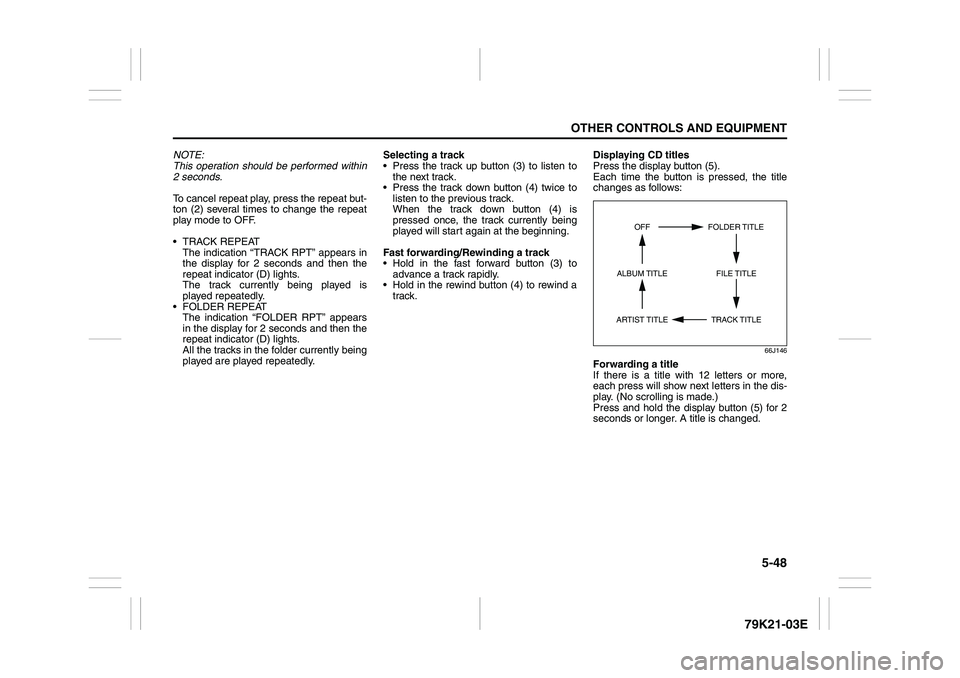
Press the display button (5).
Each time the button is pressed, the title
changes as follows:
66J146
Forwarding a title
If there is a title with 12 letters or more,
each press will show next letters in the dis-
play. (No scrolling is made.)
Press and hold the display button (5) for 2
seconds or longer. A title is changed.
TRACK TITLE FOLDER TITLE
ARTIST TITLEOFF
FILE TITLE ALBUM TITLE