clutch SUZUKI GRAND VITARA 2015 User Guide
[x] Cancel search | Manufacturer: SUZUKI, Model Year: 2015, Model line: GRAND VITARA, Model: SUZUKI GRAND VITARA 2015Pages: 482, PDF Size: 21 MB
Page 160 of 482
3-20
OPERATING YOUR VEHICLE
54P00-01E
61MS2A005
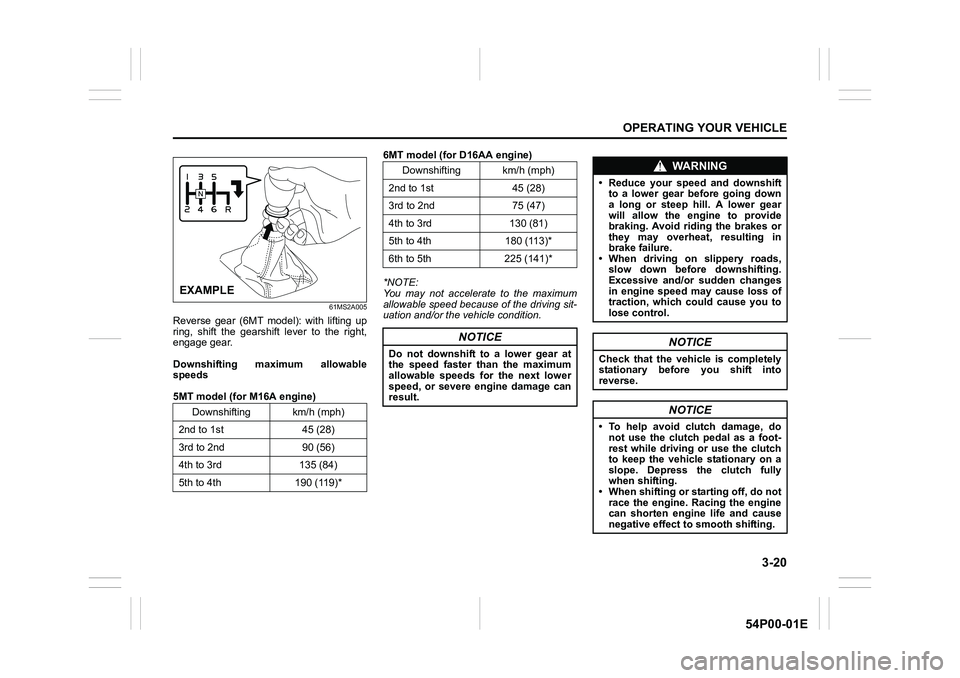
Reverse gear (6MT model): with lifting up
ring, shift the gearshift lever to the right,
engage gear.
Downshifting maximum allowable
speeds
5MT model (for M16A engine)6MT model (for D16AA engine)
*NOTE:
You may not accelerate to the maximum
allowable speed because of the driving sit-
uation and/or the vehicle condition.
Downshifting km/h (mph)
2nd to 1st 45 (28)
3rd to 2nd 90 (56)
4th to 3rd 135 (84)
5th to 4th 190 (119)*
EXAMPLE
Downshifting km/h (mph)
2nd to 1st 45 (28)
3rd to 2nd 75 (47)
4th to 3rd 130 (81)
5th to 4th 180 (113)*
6th to 5th 225 (141)*
NOTICE
Do not downshift to a lower gear at
the speed faster than the maximum
allowable speeds for the next lower
speed, or severe engine damage can
result.
WA R N I N G
• Reduce your speed and downshift
to a lower gear before going down
a long or steep hill. A lower gear
will allow the engine to provide
braking. Avoid riding the brakes or
they may overheat, resulting in
brake failure.
• When driving on slippery roads,
slow down before downshifting.
Excessive and/or sudden changes
in engine speed may cause loss of
traction, which could cause you to
lose control.
NOTICE
Check that the vehicle is completely
stationary before you shift into
reverse.
NOTICE
• To help avoid clutch damage, do
not use the clutch pedal as a foot-
rest while driving or use the clutch
to keep the vehicle stationary on a
slope. Depress the clutch fully
when shifting.
• When shifting or starting off, do not
race the engine. Racing the engine
can shorten engine life and cause
negative effect to smooth shifting.
Page 161 of 482
3-21
OPERATING YOUR VEHICLE
54P00-01E
Gearshift indicator
61MM0A133
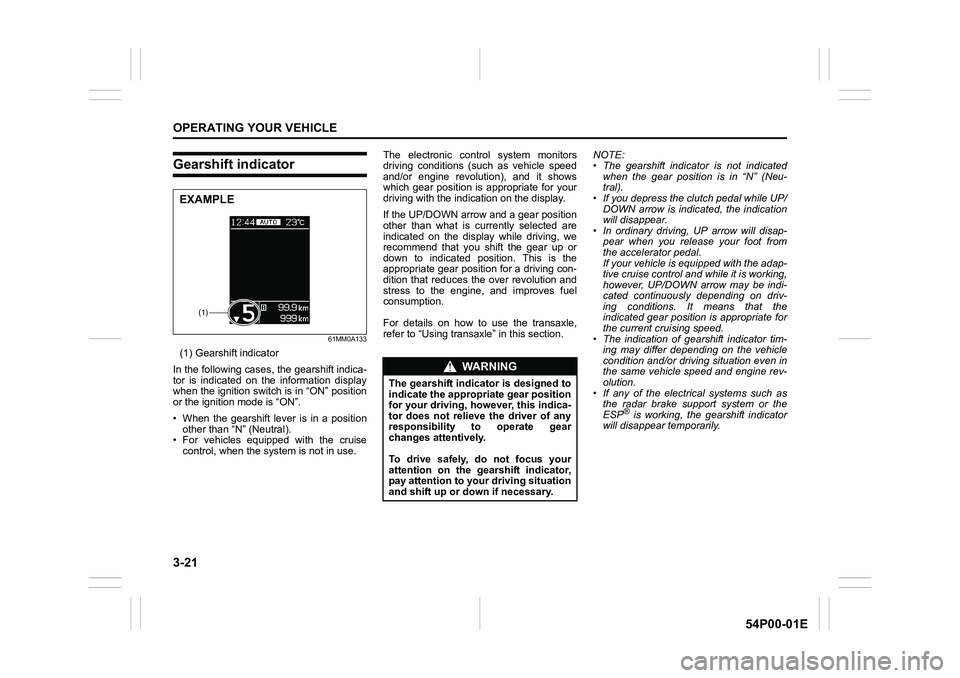
(1) Gearshift indicator
In the following cases, the gearshift indica-
tor is indicated on the information display
when the ignition switch is in “ON” position
or the ignition mode is “ON”.
• When the gearshift lever is in a position
other than “N” (Neutral).
• For vehicles equipped with the cruise
control, when the system is not in use.The electronic control system monitors
driving conditions (such as vehicle speed
and/or engine revolution), and it shows
which gear position is appropriate for your
driving with the indication on the display.
If the UP/DOWN arrow and a gear position
other than what is currently selected are
indicated on the display while driving, we
recommend that you shift the gear up or
down to indicated position. This is the
appropriate gear position for a driving con-
dition that reduces the over revolution and
stress to the engine, and improves fuel
consumption.
For details on how to use the transaxle,
refer to “Using transaxle” in this section.NOTE:
• The gearshift indicator is not indicated
when the gear position is in “N” (Neu-
tral).
• If you depress the clutch pedal while UP/
DOWN arrow is indicated, the indication
will disappear.
• In ordinary driving, UP arrow will disap-
pear when you release your foot from
the accelerator pedal.
If your vehicle is equipped with the adap-
tive cruise control and while it is working,
however, UP/DOWN arrow may be indi-
cated continuously depending on driv-
ing conditions. It means that the
indicated gear position is appropriate for
the current cruising speed.
• The indication of gearshift indicator tim-
ing may differ depending on the vehicle
condition and/or driving situation even in
the same vehicle speed and engine rev-
olution.
• If any of the electrical systems such as
the radar brake support system or the
ESP
® is working, the gearshift indicator
will disappear temporarily.
(1)
EXAMPLE
WA R N I N G
The gearshift indicator is designed to
indicate the appropriate gear position
for your driving, however, this indica-
tor does not relieve the driver of any
responsibility to operate gear
changes attentively.
To drive safely, do not focus your
attention on the gearshift indicator,
pay attention to your driving situation
and shift up or down if necessary.
Page 170 of 482
3-30
OPERATING YOUR VEHICLE
54P00-01E
Automatically stopping engine
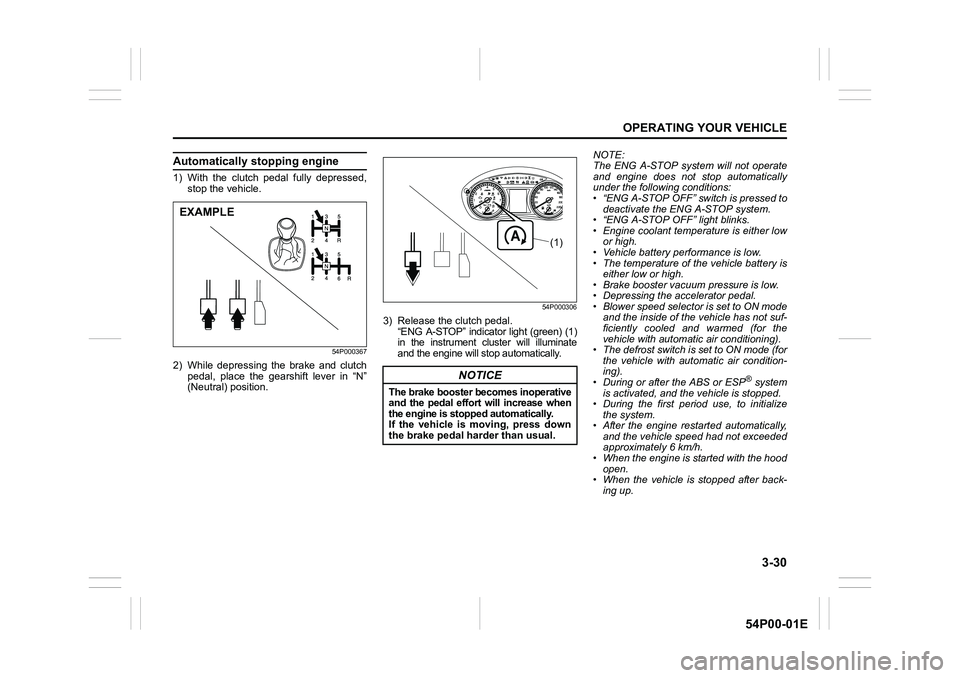
1) With the clutch pedal fully depressed,
stop the vehicle.
54P000367
2) While depressing the brake and clutch
pedal, place the gearshift lever in “N”
(Neutral) position.
54P000306
3) Release the clutch pedal.
“ENG A-STOP” indicator light (green) (1)
in the instrument cluster will illuminate
and the engine will stop automatically.NOTE:
The ENG A-STOP system will not operate
and engine does not stop automatically
under the following conditions:
• “ENG A-STOP OFF” switch is pressed to
deactivate the ENG A-STOP system.
• “ENG A-STOP OFF” light blinks.
• Engine coolant temperature is either low
or high.
• Vehicle battery performance is low.
• The temperature of the vehicle battery is
either low or high.
• Brake booster vacuum pressure is low.
• Depressing the accelerator pedal.
• Blower speed selector is set to ON mode
and the inside of the vehicle has not suf-
ficiently cooled and warmed (for the
vehicle with automatic air conditioning).
• The defrost switch is set to ON mode (for
the vehicle with automatic air condition-
ing).
• During or after the ABS or ESP
® system
is activated, and the vehicle is stopped.
• During the first period use, to initialize
the system.
• After the engine restarted automatically,
and the vehicle speed had not exceeded
approximately 6 km/h.
• When the engine is started with the hood
open.
• When the vehicle is stopped after back-
ing up.
EXAMPLE
NOTICE
The brake booster becomes inoperative
and the pedal effort will increase when
the engine is stopped automatically.
If the vehicle is moving, press down
the brake pedal harder than usual.
(1)
Page 171 of 482
3-31
OPERATING YOUR VEHICLE
54P00-01E
Automatically restarting the engine
54P000307
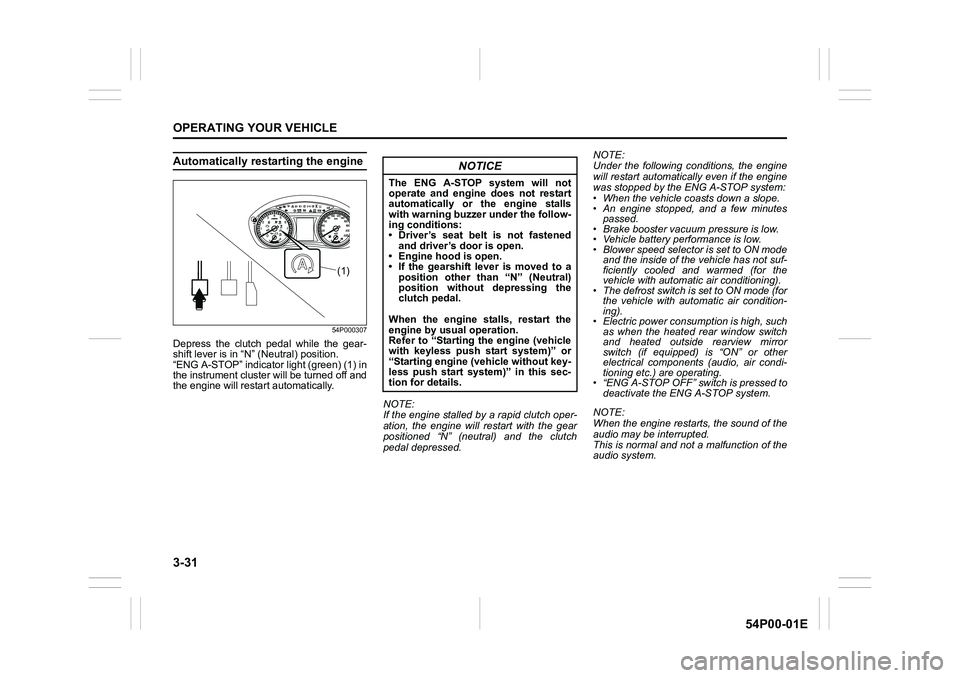
Depress the clutch pedal while the gear-
shift lever is in “N” (Neutral) position.
“ENG A-STOP” indicator light (green) (1) in
the instrument cluster will be turned off and
the engine will restart automatically.
NOTE:
If the engine stalled by a rapid clutch oper-
ation, the engine will restart with the gear
positioned “N” (neutral) and the clutch
pedal depressed.NOTE:
Under the following conditions, the engine
will restart automatically even if the engine
was stopped by the ENG A-STOP system:
• When the vehicle coasts down a slope.
• An engine stopped, and a few minutes
passed.
• Brake booster vacuum pressure is low.
• Vehicle battery performance is low.
• Blower speed selector is set to ON mode
and the inside of the vehicle has not suf-
ficiently cooled and warmed (for the
vehicle with automatic air conditioning).
• The defrost switch is set to ON mode (for
the vehicle with automatic air condition-
ing).
• Electric power consumption is high, such
as when the heated rear window switch
and heated outside rearview mirror
switch (if equipped) is “ON” or other
electrical components (audio, air condi-
tioning etc.) are operating.
• “ENG A-STOP OFF” switch is pressed to
deactivate the ENG A-STOP system.
NOTE:
When the engine restarts, the sound of the
audio may be interrupted.
This is normal and not a malfunction of the
audio system.
(1)
NOTICE
The ENG A-STOP system will not
operate and engine does not restart
automatically or the engine stalls
with warning buzzer under the follow-
ing conditions:
• Driver’s seat belt is not fastened
and driver’s door is open.
• Engine hood is open.
• If the gearshift lever is moved to a
position other than “N” (Neutral)
position without depressing the
clutch pedal.
When the engine stalls, restart the
engine by usual operation.
Refer to “Starting the engine (vehicle
with keyless push start system)” or
“Starting engine (vehicle without key-
less push start system)” in this sec-
tion for details.
Page 178 of 482
3-38
OPERATING YOUR VEHICLE
54P00-01E
NOTE:
• You can adjust the set speed by 1 km/h
(or 1 mph) by pushing “RES +” switch (4)
or “SET –” switch (5) quickly.
• You can adjust the set speed by 5 km/h
(or 5 mph) by pushing and holding “RES
+” switch (4) or “SET –” switch (5).
• While deceleration control or following
control is activated, the vehicle is not
accelerated even though resetting to
higher cruising speed by continuous
pushing “RES +” switch (4) is operated.
However, if the vehicle ahead disap-
pears, the vehicle is accelerated auto-
matically to the set speed.Cancelling adaptive cruise control
“SET” indicator (8) will disappear and the
adaptive cruise control system will be can-
celed temporarily under the following con-
ditions:
• When “CANCEL” switch (3) is pushed
• When brake pedal is depressed
• When clutch pedal is continuously
depressed
• When vehicle speed falls below about 40
km/h (25 mph)
• When a vehicle skids and ESP
® is acti-
vated
• When radar sensor cover is covered in
snow, water or dirt
• When engine speed is too high or too
low
• When gear position is changed to “N”
(Neutral)
• When gear position is changed to 1st or
2nd
• When driver’s door is open
• When driver’s seat belt is unfastened
• When parking brake is applied
• When “LIMIT” switch is pressed
• When ESP
® OFF switch is pressedTo resume the previously set speed, push
“RES +” switch (4) and show “SET” indica-
tor (8). The vehicle speed must be above
about 40 km/h (25 mph) when the vehicle
is not under the above conditions.
To turn off the adaptive cruise control sys-
tem, push “CRUISE” switch (2) and check
that the cruise indicator (7) disappears.
Also, if any warning indication or message
related to the adaptive cruise control sys-
tem is displayed on the instrument cluster,
the adaptive cruise control system will be
turned off.
NOTE:
If you turn off the adaptive cruise control
system, the previously set speed in the
memory is cleared. Reset your cruising
speed again.
Page 184 of 482
3-44
OPERATING YOUR VEHICLE
54P00-01E
Changing cruising speed
Using the accelerator pedal
To reset at a faster cruising speed, acceler-
ate to the desired speed using the accelera-
tor pedal and push “SET –” switch (4). The
new speed will be maintained.
Using the brake pedal
To reset at a slower cruising speed, decel-
erate to the desired speed using the brake
pedal and push “SET –” switch (4). The
new speed will be maintained.
NOTE:
When the brake pedal is depressed, the
set indicator (6) goes off until the cruising
speed is reset.
Using “RES +” switch or “SET –” switch
To reset at a faster cruising speed, press
repeatedly or hold push “RES +” switch
(3). Vehicle speed will steadily increase.
When you release the switch, the new
speed will be maintained.
To reset at a slower cruising speed, press
repeatedly or hold push “SET –” switch
(4) until the vehicle has slowed to the
desired speed, and then release the
switch. The new speed will be maintained.NOTE:
You can adjust the set speed by approxi-
mately 1.6 km/h (1.0 mph) by pushing
“RES +” switch (3) or “SET –” switch (4)
quickly.
Cancelling cruise control
“SET” indicator (5) will disappear and the
cruise control will be canceled temporarily
with the following conditions:
• Push “CANCEL” switch (2).
• Depress the brake pedal.
• Depress the clutch pedal.
• The vehicle speed falls more than about
20 percent from the set speed.
• Any time the vehicle speed falls below
40 km/h (25 mph).
• When the vehicle skids and ESP
® is
activated.
To resume the previously set speed, push
“RES +” switch (3) and turn on the set indi-
cator (6). The vehicle speed must be
above 40 km/h (25 mph) when the vehicle
is not under the above conditions.
To turn off the cruise control system, push
“CRUISE” switch (1) and check that the
cruise indicator (5) is off.
Also, if the malfunction indicator light in the
instrument cluster comes on or blinks, the
cruise control system will be turned off.NOTE:
If you turn off the cruise control system, the
previously set speed in the memory is
cleared. Reset your cruising speed again.
Page 191 of 482
3-51
OPERATING YOUR VEHICLE
54P00-01E
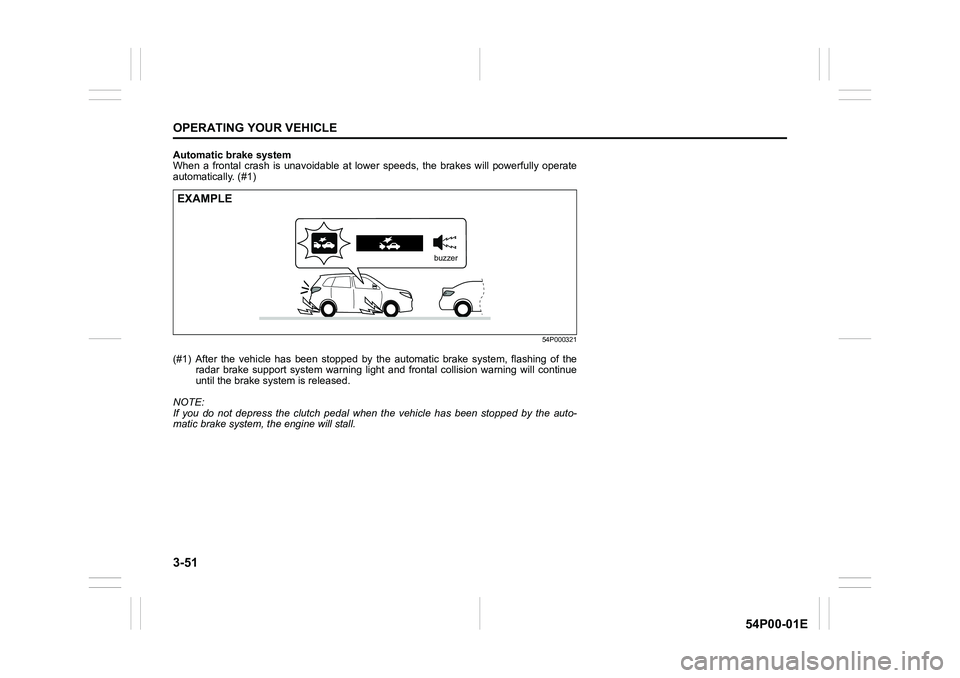
Automatic brake system
When a frontal crash is unavoidable at lower speeds, the brakes will powerfully operate
automatically. (#1)
54P000321
(#1) After the vehicle has been stopped by the automatic brake system, flashing of the
radar brake support system warning light and frontal collision warning will continue
until the brake system is released.
NOTE:
If you do not depress the clutch pedal when the vehicle has been stopped by the auto-
matic brake system, the engine will stall.
EXAMPLE
buzzer
Page 222 of 482
3-82
OPERATING YOUR VEHICLE
54P00-01E
NOTE:
If any of the following conditions occur,
there may be a problem with the hill
descent control system or the ESP
® sys-
tem. Have your vehicle inspected by an
authorized SUZUKI dealer.
• The hill descent control indicator does
not come on or blink when you push the
hill descent control switch.
• The hill descent control indicator stays
on when driving without pushing the hill
descent control switch.
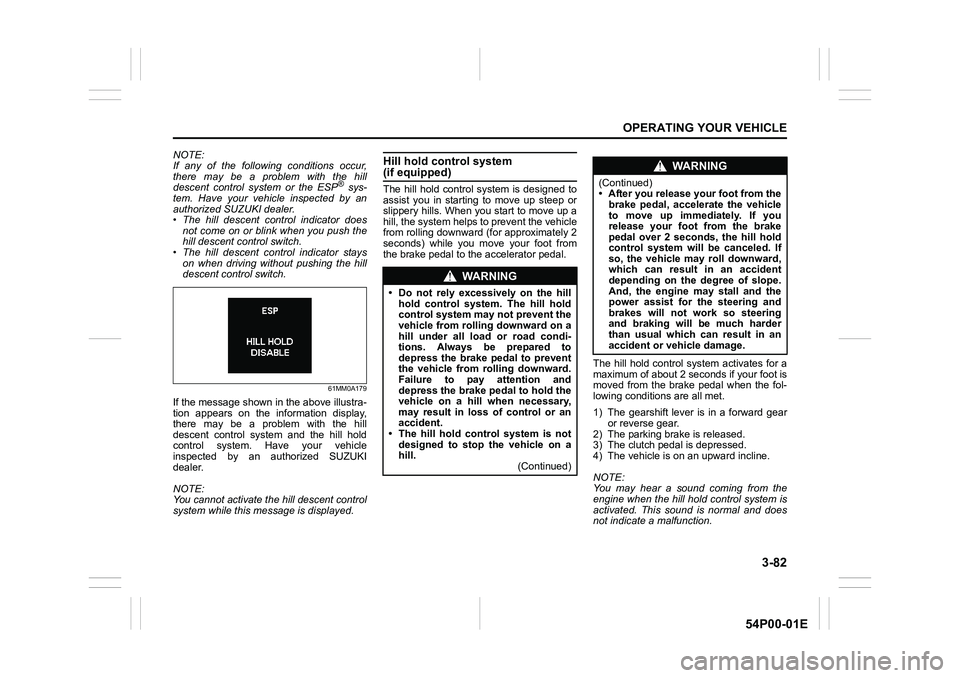
61MM0A179
If the message shown in the above illustra-
tion appears on the information display,
there may be a problem with the hill
descent control system and the hill hold
control system. Have your vehicle
inspected by an authorized SUZUKI
dealer.
NOTE:
You cannot activate the hill descent control
system while this message is displayed.
Hill hold control system (if equipped)
The hill hold control system is designed to
assist you in starting to move up steep or
slippery hills. When you start to move up a
hill, the system helps to prevent the vehicle
from rolling downward (for approximately 2
seconds) while you move your foot from
the brake pedal to the accelerator pedal.
The hill hold control system activates for a
maximum of about 2 seconds if your foot is
moved from the brake pedal when the fol-
lowing conditions are all met.
1) The gearshift lever is in a forward gear
or reverse gear.
2) The parking brake is released.
3) The clutch pedal is depressed.
4) The vehicle is on an upward incline.
NOTE:
You may hear a sound coming from the
engine when the hill hold control system is
activated. This sound is normal and does
not indicate a malfunction.
WA R N I N G
• Do not rely excessively on the hill
hold control system. The hill hold
control system may not prevent the
vehicle from rolling downward on a
hill under all load or road condi-
tions. Always be prepared to
depress the brake pedal to prevent
the vehicle from rolling downward.
Failure to pay attention and
depress the brake pedal to hold the
vehicle on a hill when necessary,
may result in loss of control or an
accident.
• The hill hold control system is not
designed to stop the vehicle on a
hill.
(Continued)
WA R N I N G
(Continued)
• After you release your foot from the
brake pedal, accelerate the vehicle
to move up immediately. If you
release your foot from the brake
pedal over 2 seconds, the hill hold
control system will be canceled. If
so, the vehicle may roll downward,
which can result in an accident
depending on the degree of slope.
And, the engine may stall and the
power assist for the steering and
brakes will not work so steering
and braking will be much harder
than usual which can result in an
accident or vehicle damage.
Page 337 of 482
6-5
VEHICLE LOADING AND TOWING
54P00-01E
60A186
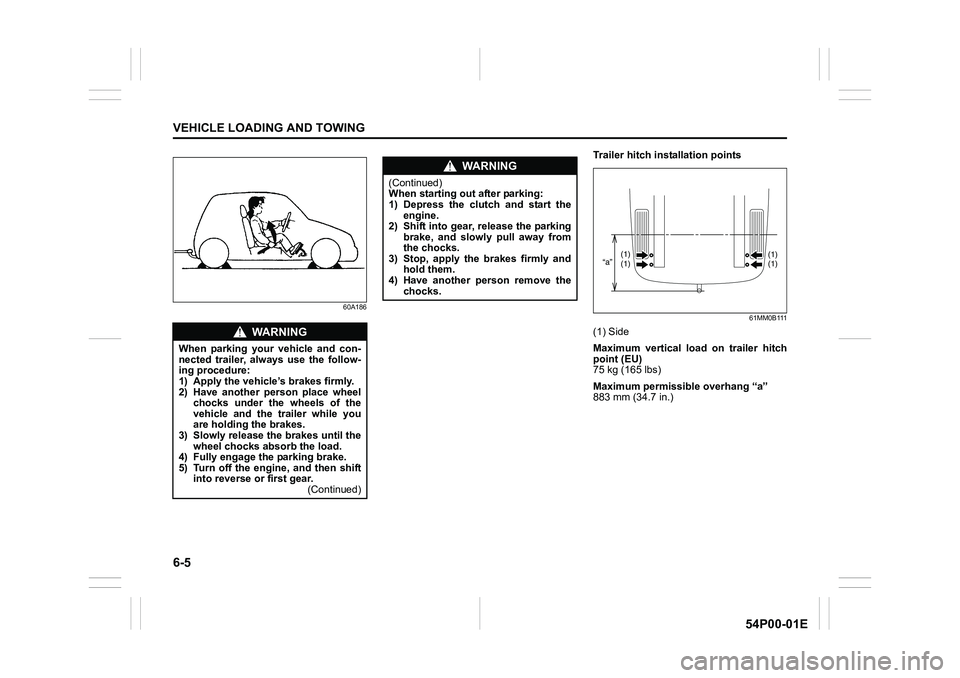
Trailer hitch installation points
61MM0B111
(1) Side
Maximum vertical load on trailer hitch
point (EU)
75 kg (165 lbs)
Maximum permissible overhang “a”
883 mm (34.7 in.)WA R N I N G
When parking your vehicle and con-
nected trailer, always use the follow-
ing procedure:
1) Apply the vehicle’s brakes firmly.
2) Have another person place wheel
chocks under the wheels of the
vehicle and the trailer while you
are holding the brakes.
3) Slowly release the brakes until the
wheel chocks absorb the load.
4) Fully engage the parking brake.
5) Turn off the engine, and then shift
into reverse or first gear.
(Continued)
WA R N I N G
(Continued)
When starting out after parking:
1) Depress the clutch and start the
engine.
2) Shift into gear, release the parking
brake, and slowly pull away from
the chocks.
3) Stop, apply the brakes firmly and
hold them.
4) Have another person remove the
chocks.
“a”(1)(1)(1) (1)
Page 338 of 482
INSPECTION AND MAINTENANCE
7
54P00-01E
60G410
INSPECTION AND MAINTENANCE
Maintenance schedule ........................................................ 7-2
Drive belt .............................................................................. 7-20
Engine oil and filter ............................................................. 7-20
Engine coolant .................................................................... 7-26
Air cleaner ............................................................................ 7-28
Spark plugs .......................................................................... 7-29
Gear oil ................................................................................. 7-30
Clutch pedal ......................................................................... 7-32
Fuel filter (diesel engine) .................................................... 7-33
Brakes .................................................................................. 7-33
Steering ................................................................................ 7-35
Tires ...................................................................................... 7-36
Battery .................................................................................. 7-39
Fuses .................................................................................... 7-41
Headlight aiming ................................................................. 7-44
Bulb replacement ................................................................ 7-45
Wiper blades ........................................................................ 7-55
Windshield washer fluid ..................................................... 7-59
Air conditioning system ..................................................... 7-59