light SUZUKI GRAND VITARA 2017 Owners Manual
[x] Cancel search | Manufacturer: SUZUKI, Model Year: 2017, Model line: GRAND VITARA, Model: SUZUKI GRAND VITARA 2017Pages: 482, PDF Size: 21 MB
Page 180 of 482
3-40
OPERATING YOUR VEHICLE
54P00-01E
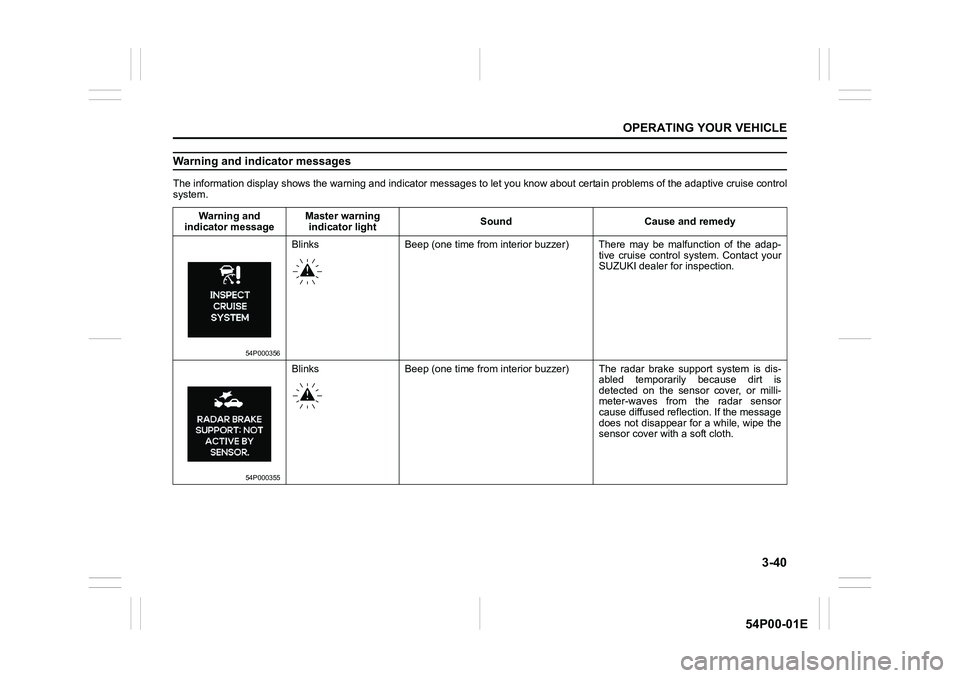
Warning and indicator messages
The information display shows the warning and indicator messages to let you know about certain problems of the adaptive cruise control
system.
Warning and
indicator messageMaster warning
indicator lightSound Cause and remedy
54P000356
Blinks Beep (one time from interior buzzer) There may be malfunction of the adap-
tive cruise control system. Contact your
SUZUKI dealer for inspection.
54P000355
Blinks Beep (one time from interior buzzer) The radar brake support system is dis-
abled temporarily because dirt is
detected on the sensor cover, or milli-
meter-waves from the radar sensor
cause diffused reflection. If the message
does not disappear for a while, wipe the
sensor cover with a soft cloth.
Page 181 of 482
3-41
OPERATING YOUR VEHICLE
54P00-01E
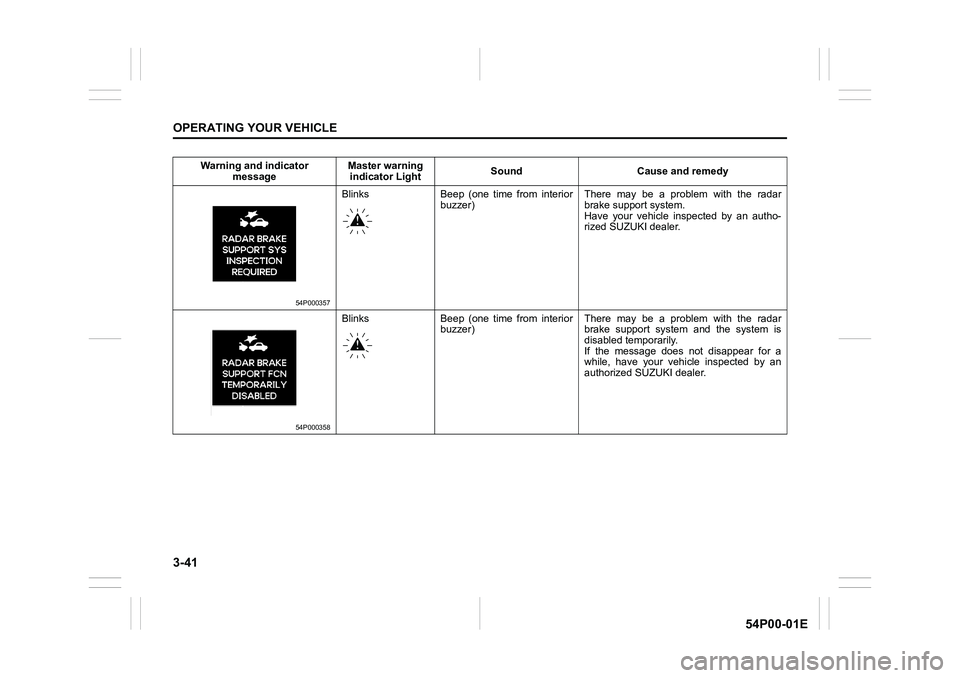
Warning and indicator
messageMaster warning
indicator LightSound Cause and remedy
54P000357
Blinks Beep (one time from interior
buzzer)There may be a problem with the radar
brake support system.
Have your vehicle inspected by an autho-
rized SUZUKI dealer.
54P000358
Blinks Beep (one time from interior
buzzer)There may be a problem with the radar
brake support system and the system is
disabled temporarily.
If the message does not disappear for a
while, have your vehicle inspected by an
authorized SUZUKI dealer.
Page 184 of 482
3-44
OPERATING YOUR VEHICLE
54P00-01E
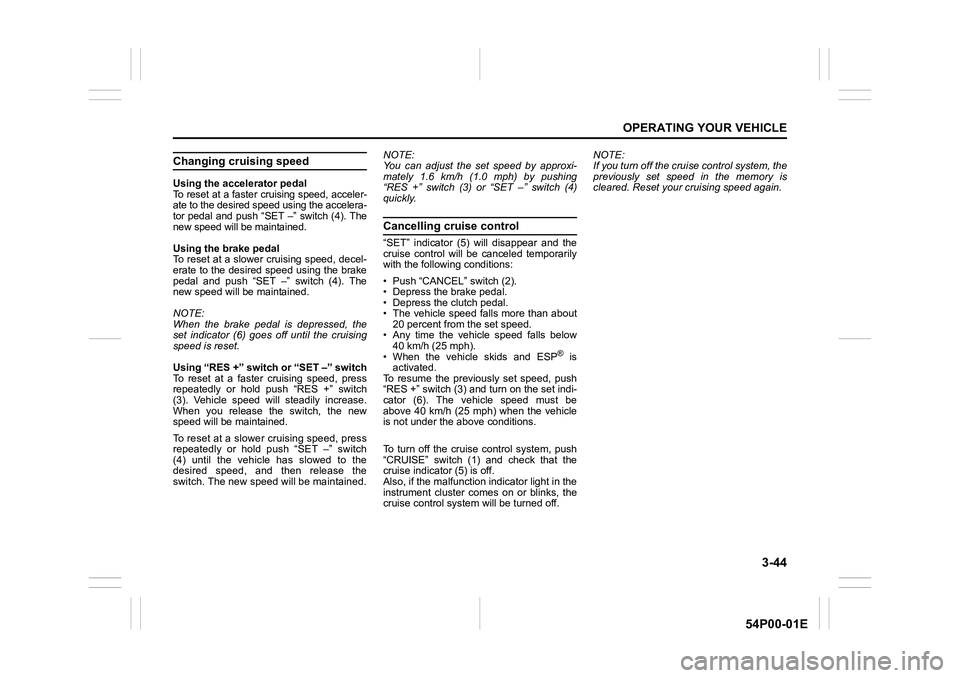
Changing cruising speed
Using the accelerator pedal
To reset at a faster cruising speed, acceler-
ate to the desired speed using the accelera-
tor pedal and push “SET –” switch (4). The
new speed will be maintained.
Using the brake pedal
To reset at a slower cruising speed, decel-
erate to the desired speed using the brake
pedal and push “SET –” switch (4). The
new speed will be maintained.
NOTE:
When the brake pedal is depressed, the
set indicator (6) goes off until the cruising
speed is reset.
Using “RES +” switch or “SET –” switch
To reset at a faster cruising speed, press
repeatedly or hold push “RES +” switch
(3). Vehicle speed will steadily increase.
When you release the switch, the new
speed will be maintained.
To reset at a slower cruising speed, press
repeatedly or hold push “SET –” switch
(4) until the vehicle has slowed to the
desired speed, and then release the
switch. The new speed will be maintained.NOTE:
You can adjust the set speed by approxi-
mately 1.6 km/h (1.0 mph) by pushing
“RES +” switch (3) or “SET –” switch (4)
quickly.
Cancelling cruise control
“SET” indicator (5) will disappear and the
cruise control will be canceled temporarily
with the following conditions:
• Push “CANCEL” switch (2).
• Depress the brake pedal.
• Depress the clutch pedal.
• The vehicle speed falls more than about
20 percent from the set speed.
• Any time the vehicle speed falls below
40 km/h (25 mph).
• When the vehicle skids and ESP
® is
activated.
To resume the previously set speed, push
“RES +” switch (3) and turn on the set indi-
cator (6). The vehicle speed must be
above 40 km/h (25 mph) when the vehicle
is not under the above conditions.
To turn off the cruise control system, push
“CRUISE” switch (1) and check that the
cruise indicator (5) is off.
Also, if the malfunction indicator light in the
instrument cluster comes on or blinks, the
cruise control system will be turned off.NOTE:
If you turn off the cruise control system, the
previously set speed in the memory is
cleared. Reset your cruising speed again.
Page 189 of 482
3-49
OPERATING YOUR VEHICLE
54P00-01E
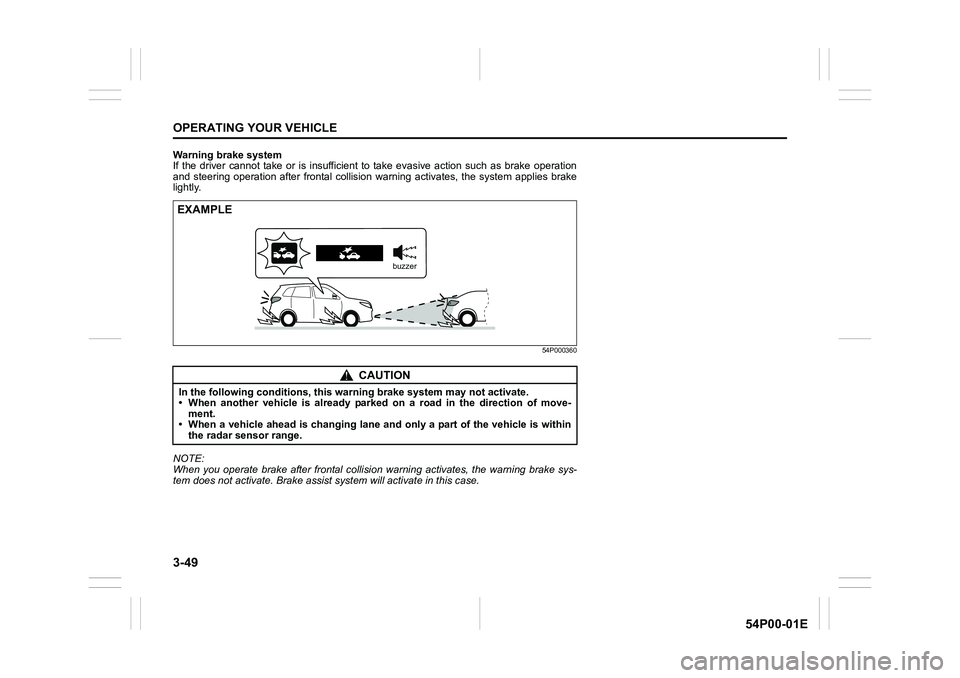
Warning brake system
If the driver cannot take or is insufficient to take evasive action such as brake operation
and steering operation after frontal collision warning activates, the system applies brake
lightly.
54P000360
NOTE:
When you operate brake after frontal collision warning activates, the warning brake sys-
tem does not activate. Brake assist system will activate in this case.
CAUTION
In the following conditions, this warning brake system may not activate.
• When another vehicle is already parked on a road in the direction of move-
ment.
• When a vehicle ahead is changing lane and only a part of the vehicle is within
the radar sensor range.
EXAMPLE
buzzer
Page 191 of 482
3-51
OPERATING YOUR VEHICLE
54P00-01E
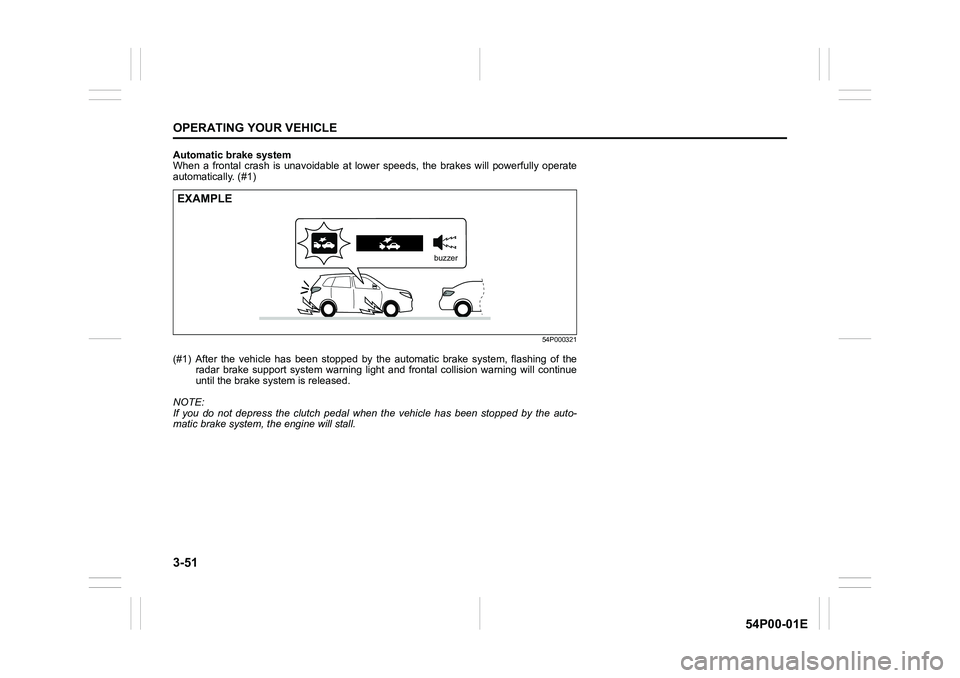
Automatic brake system
When a frontal crash is unavoidable at lower speeds, the brakes will powerfully operate
automatically. (#1)
54P000321
(#1) After the vehicle has been stopped by the automatic brake system, flashing of the
radar brake support system warning light and frontal collision warning will continue
until the brake system is released.
NOTE:
If you do not depress the clutch pedal when the vehicle has been stopped by the auto-
matic brake system, the engine will stall.
EXAMPLE
buzzer
Page 192 of 482
3-52
OPERATING YOUR VEHICLE
54P00-01E
Situations where radar will not acti-vate properly
Under the following situations, there is a
high possibility that the system will not acti-
vate.
• When the engine is off (except when the
engine is automatically stopped by the
ENG A-STOP system)
• When the gearshift lever is in the reverse
gear
• When facing an oncoming vehicle
• When the following switches are pushed
and the system is turned off:
– Radar brake support OFF switch
– ESP
® OFF switch
• When the system is temporarily stopped
or malfunctioning, some of the following
indicator and messages will come on:
– The radar brake support system warn-
ing light
– “RADAR BRAKE SUPPORT SYS
INSPECTION REQUIRED” message
– “RADAR BRAKE SUPPORT FCN
TEMPORARILY DISABLED” message
– “RADAR BRAKE SUPPORT: NOT
ACTIVE BY SENSOR.” message
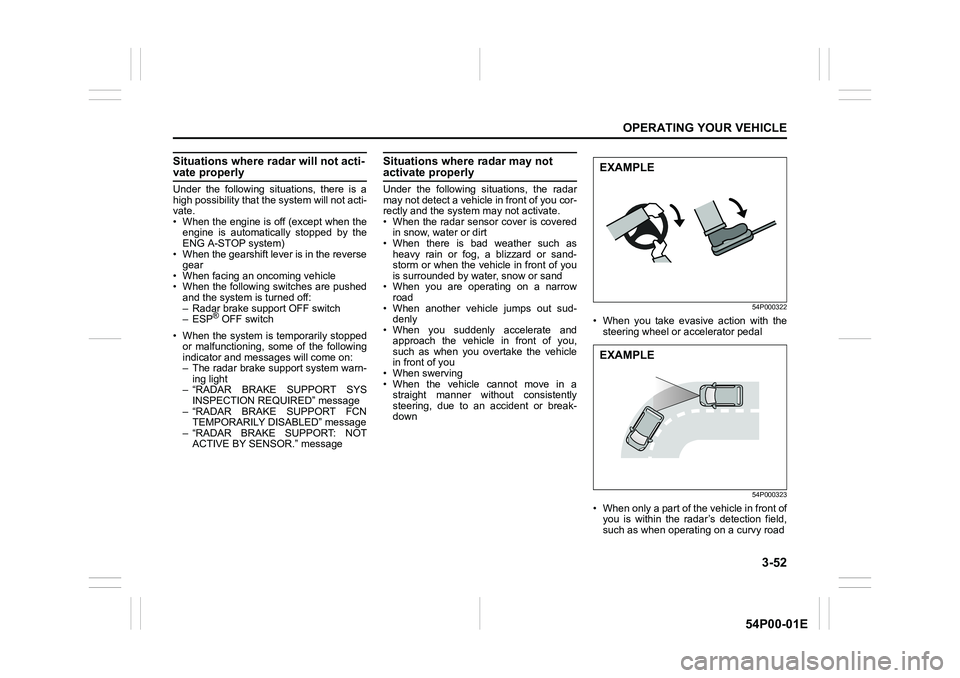
Situations where radar may not activate properly
Under the following situations, the radar
may not detect a vehicle in front of you cor-
rectly and the system may not activate.
• When the radar sensor cover is covered
in snow, water or dirt
• When there is bad weather such as
heavy rain or fog, a blizzard or sand-
storm or when the vehicle in front of you
is surrounded by water, snow or sand
• When you are operating on a narrow
road
• When another vehicle jumps out sud-
denly
• When you suddenly accelerate and
approach the vehicle in front of you,
such as when you overtake the vehicle
in front of you
• When swerving
• When the vehicle cannot move in a
straight manner without consistently
steering, due to an accident or break-
down
54P000322
• When you take evasive action with the
steering wheel or accelerator pedal
54P000323
• When only a part of the vehicle in front of
you is within the radar’s detection field,
such as when operating on a curvy road
EXAMPLE
EXAMPLE
Page 195 of 482
3-55
OPERATING YOUR VEHICLE
54P00-01E
54P000331
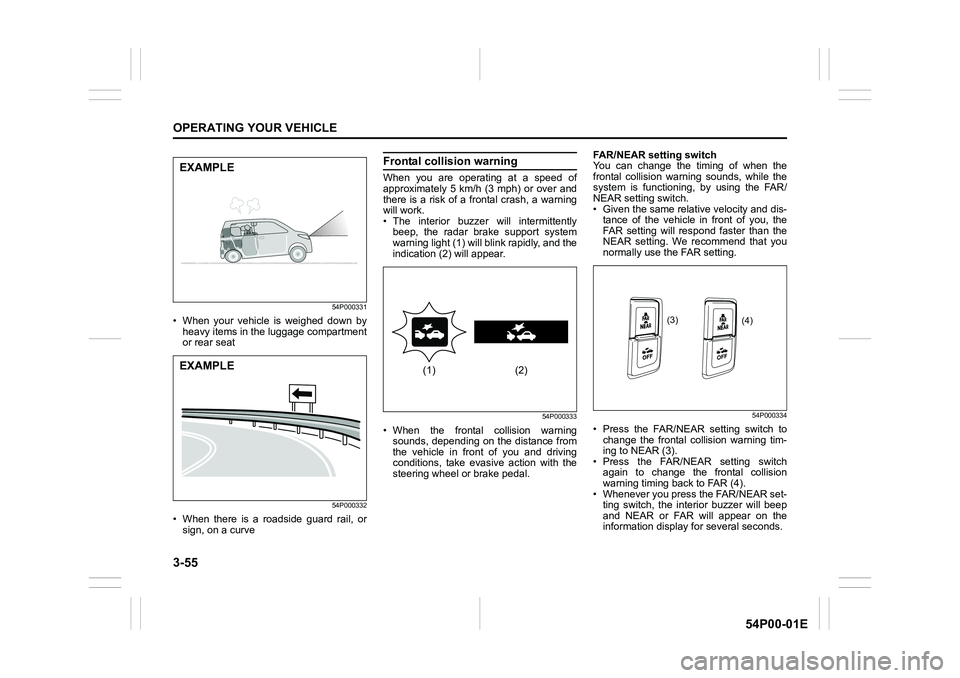
• When your vehicle is weighed down by
heavy items in the luggage compartment
or rear seat
54P000332
• When there is a roadside guard rail, or
sign, on a curve
Frontal collision warning
When you are operating at a speed of
approximately 5 km/h (3 mph) or over and
there is a risk of a frontal crash, a warning
will work.
• The interior buzzer will intermittently
beep, the radar brake support system
warning light (1) will blink rapidly, and the
indication (2) will appear.
54P000333
• When the frontal collision warning
sounds, depending on the distance from
the vehicle in front of you and driving
conditions, take evasive action with the
steering wheel or brake pedal.FAR/NEAR setting switch
You can change the timing of when the
frontal collision warning sounds, while the
system is functioning, by using the FAR/
NEAR setting switch.
• Given the same relative velocity and dis-
tance of the vehicle in front of you, the
FAR setting will respond faster than the
NEAR setting. We recommend that you
normally use the FAR setting.
54P000334
• Press the FAR/NEAR setting switch to
change the frontal collision warning tim-
ing to NEAR (3).
• Press the FAR/NEAR setting switch
again to change the frontal collision
warning timing back to FAR (4).
• Whenever you press the FAR/NEAR set-
ting switch, the interior buzzer will beep
and NEAR or FAR will appear on the
information display for several seconds.
EXAMPLE
EXAMPLE(1) (2)
(3)
(4)
Page 196 of 482
3-56
OPERATING YOUR VEHICLE
54P00-01E
NOTE:
Even if you switch the frontal collision
warning timing, the warning brake system,
brake assist system and automatic brake
system timing will not change.
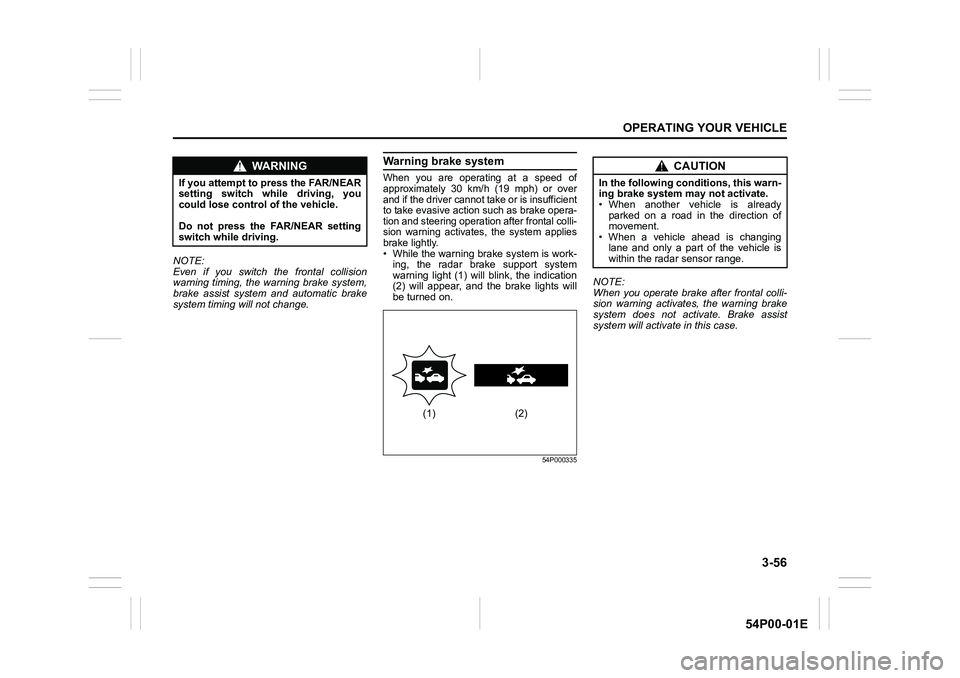
Warning brake system
When you are operating at a speed of
approximately 30 km/h (19 mph) or over
and if the driver cannot take or is insufficient
to take evasive action such as brake opera-
tion and steering operation after frontal colli-
sion warning activates, the system applies
brake lightly.
• While the warning brake system is work-
ing, the radar brake support system
warning light (1) will blink, the indication
(2) will appear, and the brake lights will
be turned on.
54P000335
NOTE:
When you operate brake after frontal colli-
sion warning activates, the warning brake
system does not activate. Brake assist
system will activate in this case.
WA R N I N G
If you attempt to press the FAR/NEAR
setting switch while driving, you
could lose control of the vehicle.
Do not press the FAR/NEAR setting
switch while driving.
(1) (2)
CAUTION
In the following conditions, this warn-
ing brake system may not activate.
• When another vehicle is already
parked on a road in the direction of
movement.
• When a vehicle ahead is changing
lane and only a part of the vehicle is
within the radar sensor range.
Page 197 of 482
3-57
OPERATING YOUR VEHICLE
54P00-01E
Brake assist system
When you are operating at a speed of
approximately 5 km/h (3 mph) or over and
there is a high probability of a frontal crash,
the brake assist system provides more
powerful braking when you slam down on
the brake pedal.
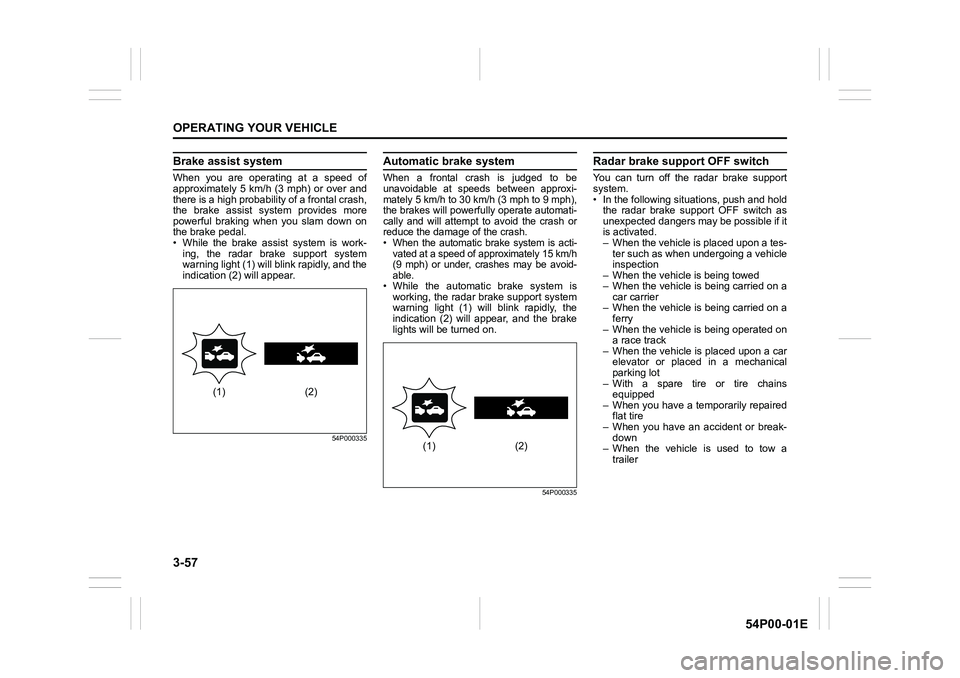
• While the brake assist system is work-
ing, the radar brake support system
warning light (1) will blink rapidly, and the
indication (2) will appear.
54P000335
Automatic brake system
When a frontal crash is judged to be
unavoidable at speeds between approxi-
mately 5 km/h to 30 km/h (3 mph to 9 mph),
the brakes will powerfully operate automati-
cally and will attempt to avoid the crash or
reduce the damage of the crash.
• When the automatic brake system is acti-
vated at a speed of approximately 15 km/h
(9 mph) or under, crashes may be avoid-
able.
• While the automatic brake system is
working, the radar brake support system
warning light (1) will blink rapidly, the
indication (2) will appear, and the brake
lights will be turned on.
54P000335
Radar brake support OFF switch
You can turn off the radar brake support
system.
• In the following situations, push and hold
the radar brake support OFF switch as
unexpected dangers may be possible if it
is activated.
– When the vehicle is placed upon a tes-
ter such as when undergoing a vehicle
inspection
– When the vehicle is being towed
– When the vehicle is being carried on a
car carrier
– When the vehicle is being carried on a
ferry
– When the vehicle is being operated on
a race track
– When the vehicle is placed upon a car
elevator or placed in a mechanical
parking lot
– With a spare tire or tire chains
equipped
– When you have a temporarily repaired
flat tire
– When you have an accident or break-
down
– When the vehicle is used to tow a
trailer
(1) (2)
(1) (2)
Page 198 of 482
3-58
OPERATING YOUR VEHICLE
54P00-01E
• In the following situations, the radar sen-
sor might not function properly. Turn it off
and have it inspected by an authorized
SUZUKI dealer.
– When there is a minor crash and the
radar sensor is damaged or hindered
– When the warning brake system and
automatic brake system are activated
more than necessary
54P000337
54P000336
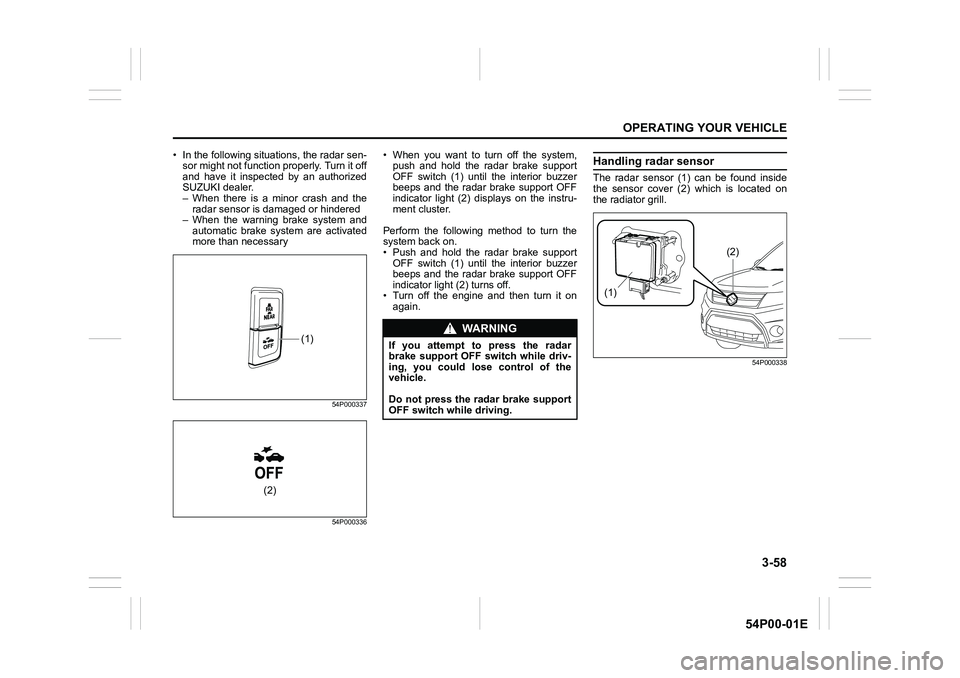
• When you want to turn off the system,
push and hold the radar brake support
OFF switch (1) until the interior buzzer
beeps and the radar brake support OFF
indicator light (2) displays on the instru-
ment cluster.
Perform the following method to turn the
system back on.
• Push and hold the radar brake support
OFF switch (1) until the interior buzzer
beeps and the radar brake support OFF
indicator light (2) turns off.
• Turn off the engine and then turn it on
again.Handling radar sensor
The radar sensor (1) can be found inside
the sensor cover (2) which is located on
the radiator grill.
54P000338
(1)
(2)
WA R N I N G
If you attempt to press the radar
brake support OFF switch while driv-
ing, you could lose control of the
vehicle.
Do not press the radar brake support
OFF switch while driving.
(1)
(2)