light SUZUKI GRAND VITARA 2017 Owners Manual
[x] Cancel search | Manufacturer: SUZUKI, Model Year: 2017, Model line: GRAND VITARA, Model: SUZUKI GRAND VITARA 2017Pages: 482, PDF Size: 21 MB
Page 199 of 482
3-59
OPERATING YOUR VEHICLE
54P00-01E
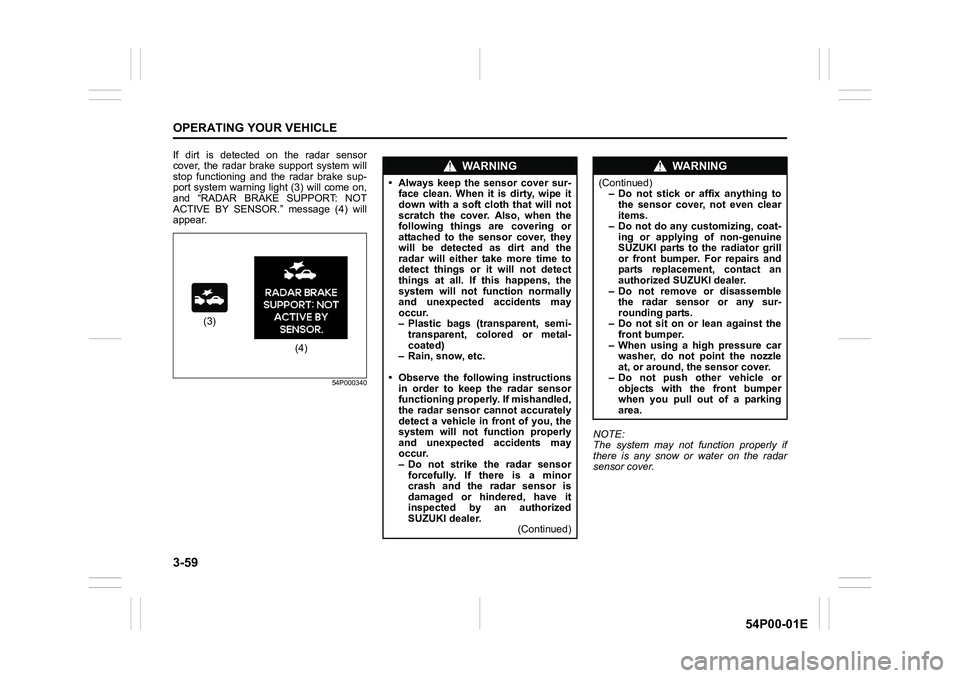
If dirt is detected on the radar sensor
cover, the radar brake support system will
stop functioning and the radar brake sup-
port system warning light (3) will come on,
and “RADAR BRAKE SUPPORT: NOT
ACTIVE BY SENSOR.” message (4) will
appear.
54P000340
NOTE:
The system may not function properly if
there is any snow or water on the radar
sensor cover.
(3)
(4)
WA R N I N G
• Always keep the sensor cover sur-
face clean. When it is dirty, wipe it
down with a soft cloth that will not
scratch the cover. Also, when the
following things are covering or
attached to the sensor cover, they
will be detected as dirt and the
radar will either take more time to
detect things or it will not detect
things at all. If this happens, the
system will not function normally
and unexpected accidents may
occur.
– Plastic bags (transparent, semi-
transparent, colored or metal-
coated)
– Rain, snow, etc.
• Observe the following instructions
in order to keep the radar sensor
functioning properly. If mishandled,
the radar sensor cannot accurately
detect a vehicle in front of you, the
system will not function properly
and unexpected accidents may
occur.
– Do not strike the radar sensor
forcefully. If there is a minor
crash and the radar sensor is
damaged or hindered, have it
inspected by an authorized
SUZUKI dealer.
(Continued)
WA R N I N G
(Continued)
– Do not stick or affix anything to
the sensor cover, not even clear
items.
– Do not do any customizing, coat-
ing or applying of non-genuine
SUZUKI parts to the radiator grill
or front bumper. For repairs and
parts replacement, contact an
authorized SUZUKI dealer.
– Do not remove or disassemble
the radar sensor or any sur-
rounding parts.
– Do not sit on or lean against the
front bumper.
– When using a high pressure car
washer, do not point the nozzle
at, or around, the sensor cover.
– Do not push other vehicle or
objects with the front bumper
when you pull out of a parking
area.
Page 200 of 482
3-60
OPERATING YOUR VEHICLE
54P00-01E
When dirt is detected on the sensor
cover
If the message (4) does not disappear,
perform the following procedure.
1) Find a safe place to park and change
the ignition switch to “LOCK” position or
the ignition mode to “LOCK” (OFF) by
pressing the engine switch.
2) Clean the sensor cover with a soft
cloth.
3) Change the ignition switch to “ON”
position or the ignition mode to “ON” by
pressing the engine switch.
4) Check that the message (4) appears for
about 3 seconds and then disappears.
• If you clean the sensor cover and drive
the vehicle, but the message (4) appears
again, there might be another problem.
Contact an authorized SUZUKI dealer
for further assistance.NOTE:
In the following situations, the radar brake
support system warning light (3) may come
on, the message (4) may appear and the
radar brake support system may be deacti-
vated automatically, even if there is no dirt
on the sensor cover.
• In a tunnel
• A road where there are concrete walls
on both sides
• A road where there are metal fences on
one side
• Around overpasses or grade separated
crossings
• When there is bad weather such as
heavy rain or snow
• A road where there are puddles
In these situations, the radar brake support
system is stop functioning temporarily,
because millimeter-waves emanating from
the radar sensor cause diffused reflection
and a position of the vehicle in front of you
cannot be detected correctly.
If you drive the vehicle for about 2 minutes
after the above situations have improved,
these indicator and message will turn off
and the radar brake support system will
turn back on.
Page 201 of 482
3-61
OPERATING YOUR VEHICLE
54P00-01E
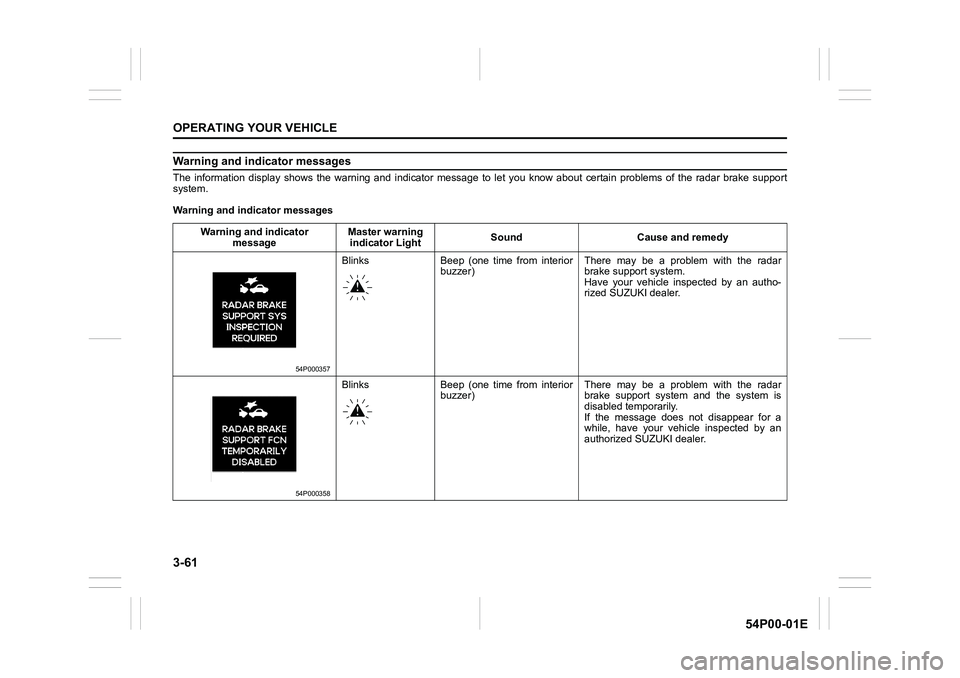
Warning and indicator messages
The information display shows the warning and indicator message to let you know about certain problems of the radar brake support
system.
Warning and indicator messages
Warning and indicator
messageMaster warning
indicator LightSound Cause and remedy
54P000357
Blinks Beep (one time from interior
buzzer)There may be a problem with the radar
brake support system.
Have your vehicle inspected by an autho-
rized SUZUKI dealer.
54P000358
Blinks Beep (one time from interior
buzzer)There may be a problem with the radar
brake support system and the system is
disabled temporarily.
If the message does not disappear for a
while, have your vehicle inspected by an
authorized SUZUKI dealer.
Page 202 of 482
3-62
OPERATING YOUR VEHICLE
54P00-01E
Warning and indicator
messageMaster warning
indicator lightSound Cause and remedy
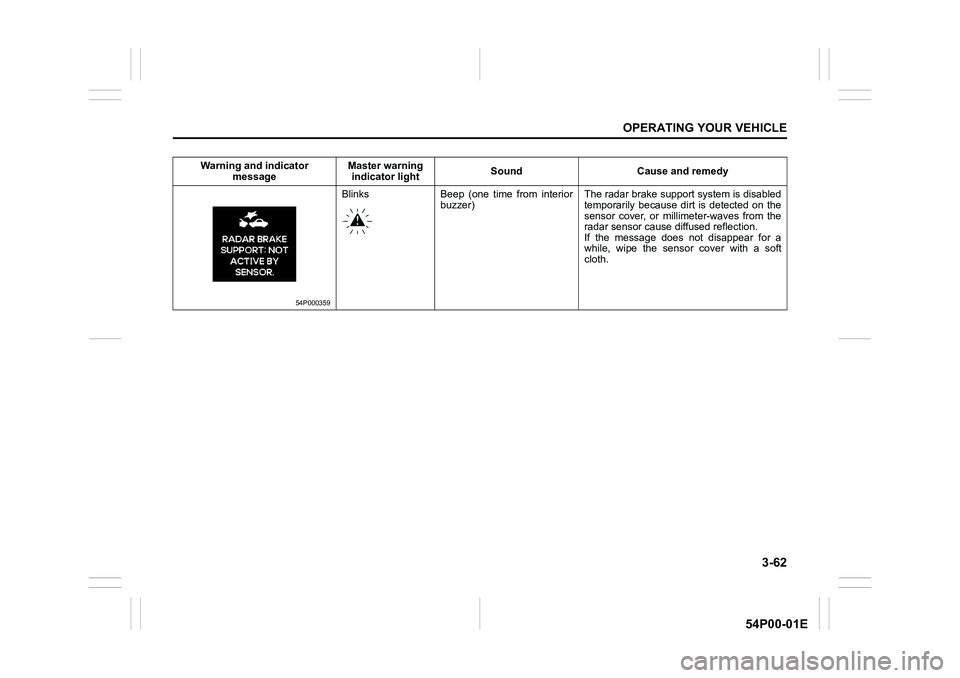
54P000359
Blinks Beep (one time from interior
buzzer)The radar brake support system is disabled
temporarily because dirt is detected on the
sensor cover, or millimeter-waves from the
radar sensor cause diffused reflection.
If the message does not disappear for a
while, wipe the sensor cover with a soft
cloth.
Page 203 of 482
3-63
OPERATING YOUR VEHICLE
54P00-01E
Emergency stop signal (ESS) (if equipped)
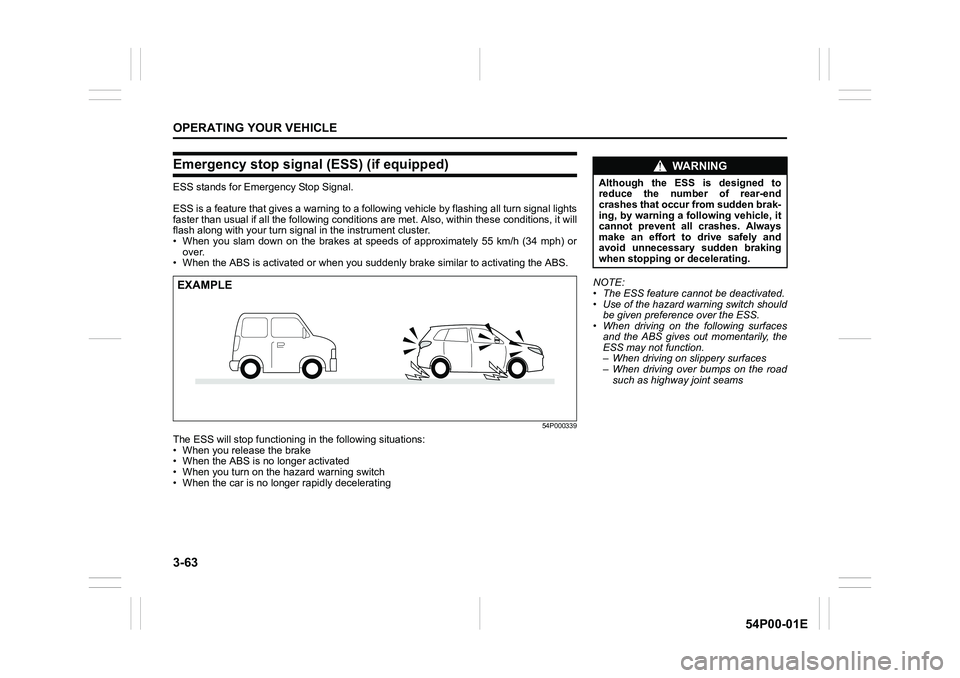
ESS stands for Emergency Stop Signal.
ESS is a feature that gives a warning to a following vehicle by flashing all turn signal lights
faster than usual if all the following conditions are met. Also, within these conditions, it will
flash along with your turn signal in the instrument cluster.
• When you slam down on the brakes at speeds of approximately 55 km/h (34 mph) or
over.
• When the ABS is activated or when you suddenly brake similar to activating the ABS.
54P000339
The ESS will stop functioning in the following situations:
• When you release the brake
• When the ABS is no longer activated
• When you turn on the hazard warning switch
• When the car is no longer rapidly decelerating
EXAMPLENOTE:
• The ESS feature cannot be deactivated.
• Use of the hazard warning switch should
be given preference over the ESS.
• When driving on the following surfaces
and the ABS gives out momentarily, the
ESS may not function.
– When driving on slippery surfaces
– When driving over bumps on the road
such as highway joint seams
WA R N I N G
Although the ESS is designed to
reduce the number of rear-end
crashes that occur from sudden brak-
ing, by warning a following vehicle, it
cannot prevent all crashes. Always
make an effort to drive safely and
avoid unnecessary sudden braking
when stopping or decelerating.
Page 207 of 482
3-67
OPERATING YOUR VEHICLE
54P00-01E
NOTE:
• Thin poles or obstacles lower than the
sensors may become undetectable as
the vehicle moves closer to them even if
they have been detected from longer
distances.
• The system may calculate the distance
to a road sign or similar obstacle to be
shorter than the actual distance.
WA R N I N G
• Under the following conditions, the
parking sensor system may not
work normally because the sensors
cannot detect obstacles correctly.
– Sensors are covered with mud,
ice or other materials. (Such
materials must be removed for
normal operation.)
– Sensors are wet from water
splashes or heavy rain.
– Sensors are covered by a hand,
sticker, accessory, etc.
– There is an accessory or other
object attached within the sen-
sor’s sensing area.
– Items such as tow hooks, com-
mercially available corner poles,
radio antenna, etc. are installed
on the bumper.
– The height of the bumper is
changed due to alteration to the
suspension or other causes.
– The sensor areas are extremely
hot from direct sunlight or cold
due to freezing weather.
– The vehicle is on a rough sur-
face, slope, gravel road or grass
field.
– The vehicle is at a steep angle.
(Continued)
WA R N I N G
(Continued)
– Sensors have intercepted ultra-
sonic noise from another vehi-
cle’s horn, engine, air braking
system (large vehicles), or park-
ing sensor.
– Obstacles are too close to the
sensors.
– Sensors are at an angle to a
highly reflective object such as
glass. (Ultrasonic waves are not
reflected back from the obstacle.)
• Sensors may not be able to cor-
rectly detect the following types of
obstacles:
– Objects made of a thin material
such as wire netting and ropes
– Square-shaped curbstones or
other objects with sharp edges
– Tall objects with a large upper
part such as a road sign
– Low-profile objects such as curb-
stones
– Sound-absorbing objects such
as cotton and snow
Page 208 of 482
3-68
OPERATING YOUR VEHICLE
54P00-01E
How to use parking sensor
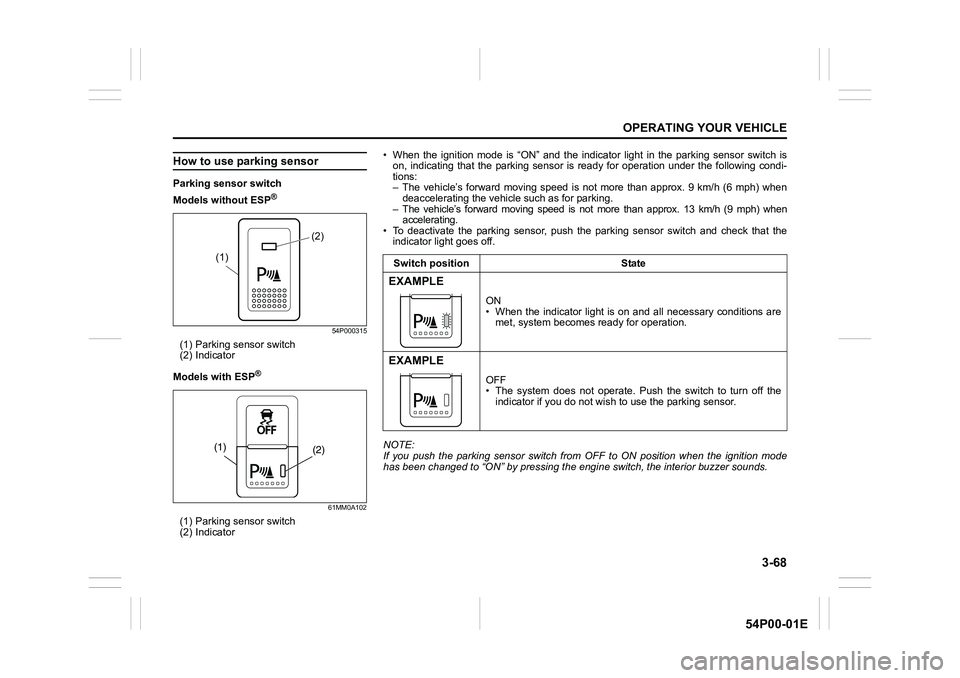
Parking sensor switch
Models without ESP
®
54P000315
(1) Parking sensor switch
(2) Indicator
Models with ESP
®
61MM0A102
(1) Parking sensor switch
(2) Indicator
(2)
(1)
(2) (1)
• When the ignition mode is “ON” and the indicator light in the parking sensor switch is
on, indicating that the parking sensor is ready for operation under the following condi-
tions:
– The vehicle’s forward moving speed is not more than approx. 9 km/h (6 mph) when
deaccelerating the vehicle such as for parking.
– The vehicle’s forward moving speed is not more than approx. 13 km/h (9 mph) when
accelerating.
• To deactivate the parking sensor, push the parking sensor switch and check that the
indicator light goes off.
NOTE:
If you push the parking sensor switch from OFF to ON position when the ignition mode
has been changed to “ON” by pressing the engine switch, the interior buzzer sounds.Switch position State
EXAMPLE
ON
• When the indicator light is on and all necessary conditions are
met, system becomes ready for operation.
EXAMPLE
OFF
• The system does not operate. Push the switch to turn off the
indicator if you do not wish to use the parking sensor.
Page 211 of 482
3-71
OPERATING YOUR VEHICLE
54P00-01E
Rearview camera
(if equipped)
When the gearshift lever is shifted to “R”
position while the ignition switch is in “ON”
position or the ignition mode is “ON”, the
rearview camera system automatically
shows the view behind the vehicle on the
display.
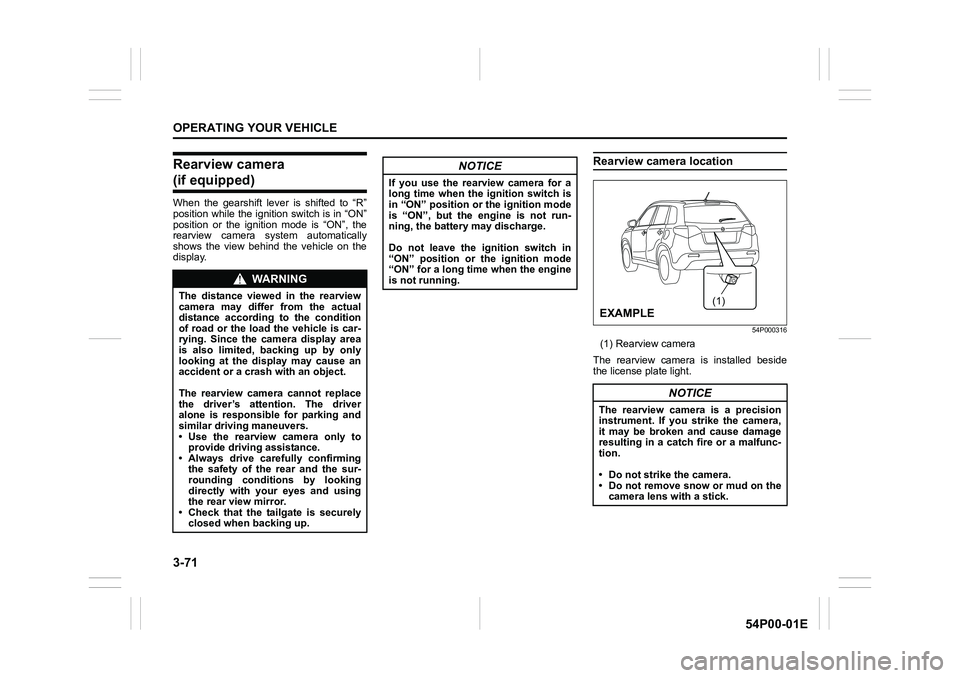
Rearview camera location
54P000316
(1) Rearview camera
The rearview camera is installed beside
the license plate light.
WA R N I N G
The distance viewed in the rearview
camera may differ from the actual
distance according to the condition
of road or the load the vehicle is car-
rying. Since the camera display area
is also limited, backing up by only
looking at the display may cause an
accident or a crash with an object.
The rearview camera cannot replace
the driver’s attention. The driver
alone is responsible for parking and
similar driving maneuvers.
• Use the rearview camera only to
provide driving assistance.
• Always drive carefully confirming
the safety of the rear and the sur-
rounding conditions by looking
directly with your eyes and using
the rear view mirror.
• Check that the tailgate is securely
closed when backing up.
NOTICE
If you use the rearview camera for a
long time when the ignition switch is
in “ON” position or the ignition mode
is “ON”, but the engine is not run-
ning, the battery may discharge.
Do not leave the ignition switch in
“ON” position or the ignition mode
“ON” for a long time when the engine
is not running.
NOTICE
The rearview camera is a precision
instrument. If you strike the camera,
it may be broken and cause damage
resulting in a catch fire or a malfunc-
tion.
• Do not strike the camera.
• Do not remove snow or mud on the
camera lens with a stick.
(1)
EXAMPLE
Page 213 of 482
3-73
OPERATING YOUR VEHICLE
54P00-01E
NOTE:
• Images shown on the display from the
rearview camera are reversed images
(mirror images).
• The colors of objects on the rearview
camera may differ from the actual object
colors.
• The rearview camera display may be dif-
ficult to see under the following condi-
tions, but this is not a system
malfunction.
– In dark areas, on a rainy day or at
night.
– When the temperature around the lens
is too high/low, or the camera is wet
such as on a rainy day or during peri-
ods of high humidity (dew condensa-
tion may occur on the camera lens).
– When a foreign object such as mud or
a drop of water is stuck around the
camera lens.
– When strong light directly enters the
camera (vertical lines may be seen on
the display).
– Under fluorescent light. (The display
may flicker.)
– When the outside temperature is low
(the image on the display may be
darkened).
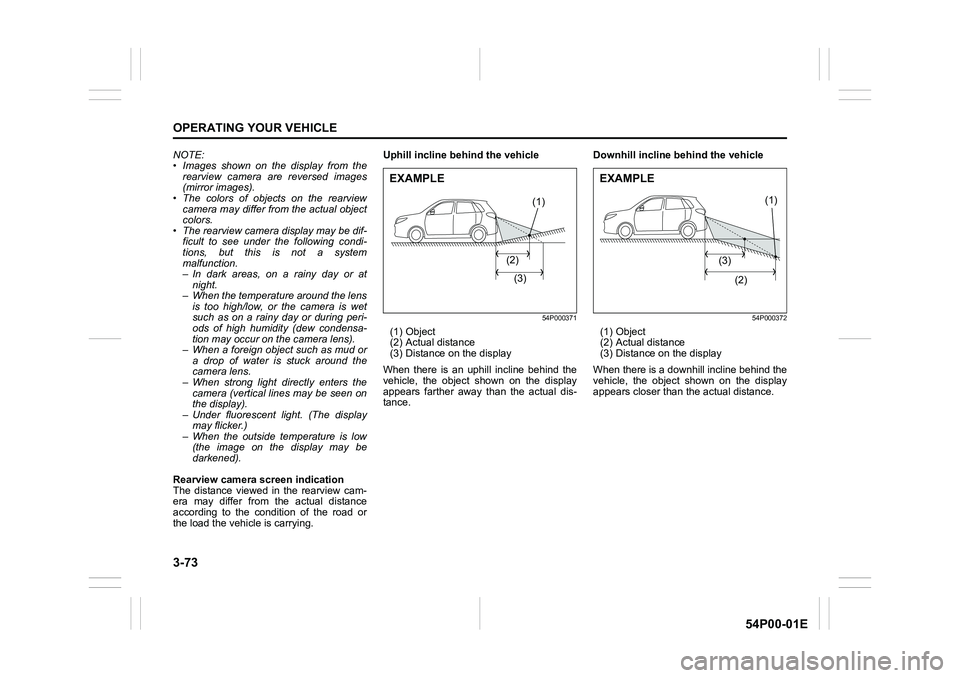
Rearview camera screen indication
The distance viewed in the rearview cam-
era may differ from the actual distance
according to the condition of the road or
the load the vehicle is carrying.Uphill incline behind the vehicle
54P000371
(1) Object
(2) Actual distance
(3) Distance on the display
When there is an uphill incline behind the
vehicle, the object shown on the display
appears farther away than the actual dis-
tance.Downhill incline behind the vehicle
54P000372
(1) Object
(2) Actual distance
(3) Distance on the display
When there is a downhill incline behind the
vehicle, the object shown on the display
appears closer than the actual distance.
(1)
(2)
(3)
EXAMPLE
(1)
(3)
(2)
EXAMPLE
Page 214 of 482
3-74
OPERATING YOUR VEHICLE
54P00-01E
If the rear view from the rearview cam-
era is not shown or there is a poor
image
• If the rear view from the rearview camera
is not shown.
– Check that the ignition switch is in
“ON” position or the ignition mode is
“ON”.
– Check that the gearshift lever is
shifted to “R” position.
• If the image from the rearview camera is
poor.
– Check that the camera lens is not dirty.
– Check that light from the sun or the
beam of the headlights from the vehi-
cle behind is not shining directly into
the lens.
If the rearview camera system is still not
working properly after checking the above,
have the system inspected by an autho-
rized SUZUKI dealer as soon as possible.Braking
60G165S
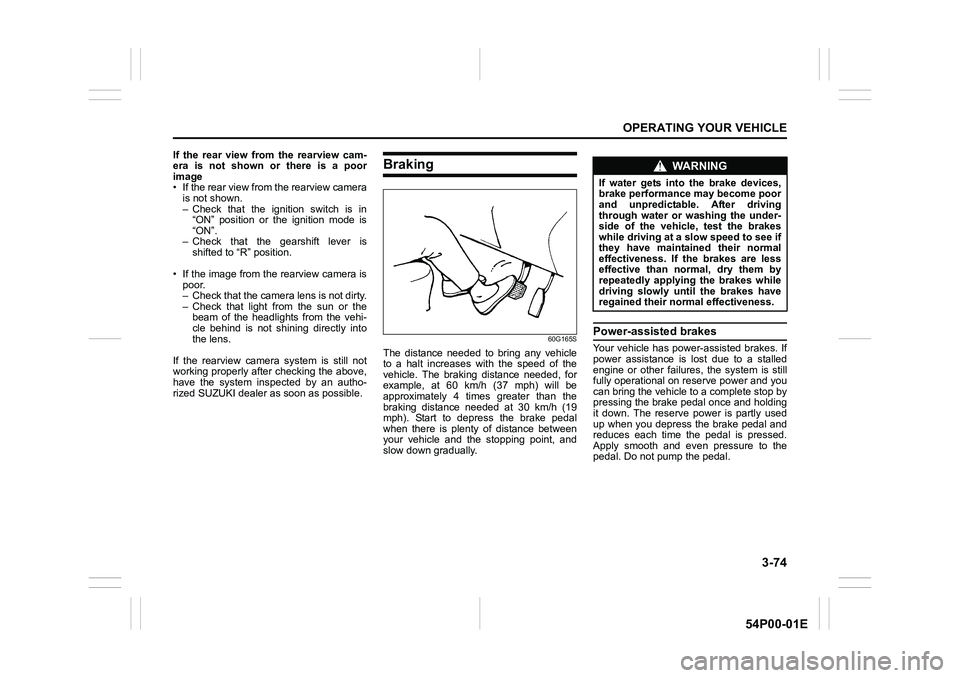
The distance needed to bring any vehicle
to a halt increases with the speed of the
vehicle. The braking distance needed, for
example, at 60 km/h (37 mph) will be
approximately 4 times greater than the
braking distance needed at 30 km/h (19
mph). Start to depress the brake pedal
when there is plenty of distance between
your vehicle and the stopping point, and
slow down gradually.
Power-assisted brakes
Your vehicle has power-assisted brakes. If
power assistance is lost due to a stalled
engine or other failures, the system is still
fully operational on reserve power and you
can bring the vehicle to a complete stop by
pressing the brake pedal once and holding
it down. The reserve power is partly used
up when you depress the brake pedal and
reduces each time the pedal is pressed.
Apply smooth and even pressure to the
pedal. Do not pump the pedal.
WA R N I N G
If water gets into the brake devices,
brake performance may become poor
and unpredictable. After driving
through water or washing the under-
side of the vehicle, test the brakes
while driving at a slow speed to see if
they have maintained their normal
effectiveness. If the brakes are less
effective than normal, dry them by
repeatedly applying the brakes while
driving slowly until the brakes have
regained their normal effectiveness.