display SUZUKI GRAND VITARA 2017 Workshop Manual
[x] Cancel search | Manufacturer: SUZUKI, Model Year: 2017, Model line: GRAND VITARA, Model: SUZUKI GRAND VITARA 2017Pages: 482, PDF Size: 21 MB
Page 204 of 482
3-64
OPERATING YOUR VEHICLE
54P00-01E
Parking sensors (if equipped)
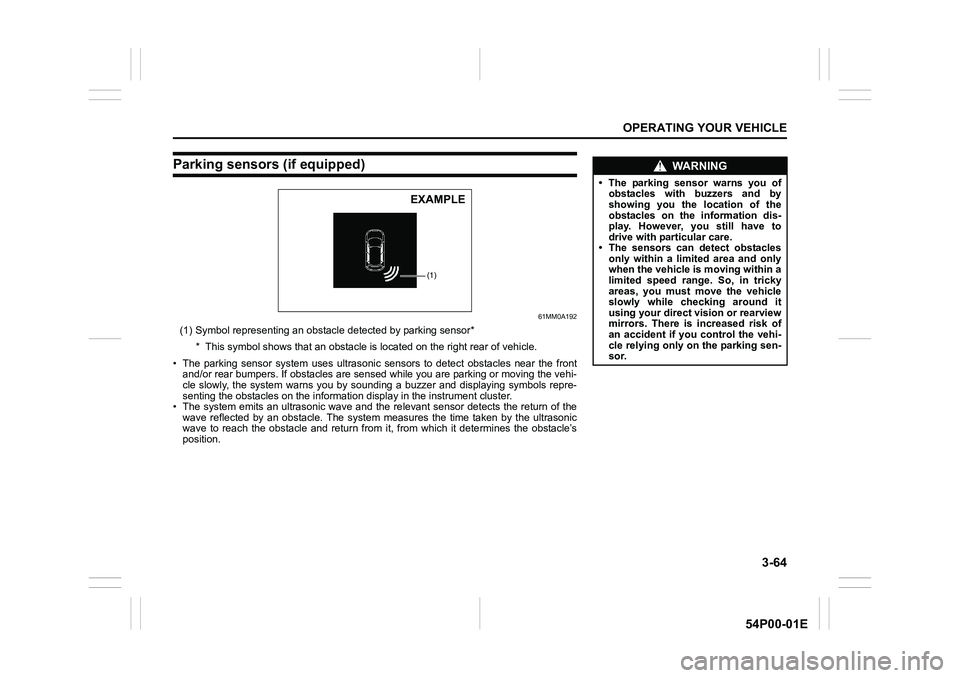
61MM0A192
(1) Symbol representing an obstacle detected by parking sensor*
* This symbol shows that an obstacle is located on the right rear of vehicle.
• The parking sensor system uses ultrasonic sensors to detect obstacles near the front
and/or rear bumpers. If obstacles are sensed while you are parking or moving the vehi-
cle slowly, the system warns you by sounding a buzzer and displaying symbols repre-
senting the obstacles on the information display in the instrument cluster.
• The system emits an ultrasonic wave and the relevant sensor detects the return of the
wave reflected by an obstacle. The system measures the time taken by the ultrasonic
wave to reach the obstacle and return from it, from which it determines the obstacle’s
position.
(1)
EXAMPLE
WA R N I N G
• The parking sensor warns you of
obstacles with buzzers and by
showing you the location of the
obstacles on the information dis-
play. However, you still have to
drive with particular care.
• The sensors can detect obstacles
only within a limited area and only
when the vehicle is moving within a
limited speed range. So, in tricky
areas, you must move the vehicle
slowly while checking around it
using your direct vision or rearview
mirrors. There is increased risk of
an accident if you control the vehi-
cle relying only on the parking sen-
sor.
Page 209 of 482
3-69
OPERATING YOUR VEHICLE
54P00-01E
Obstacle indication by parking sen-sor
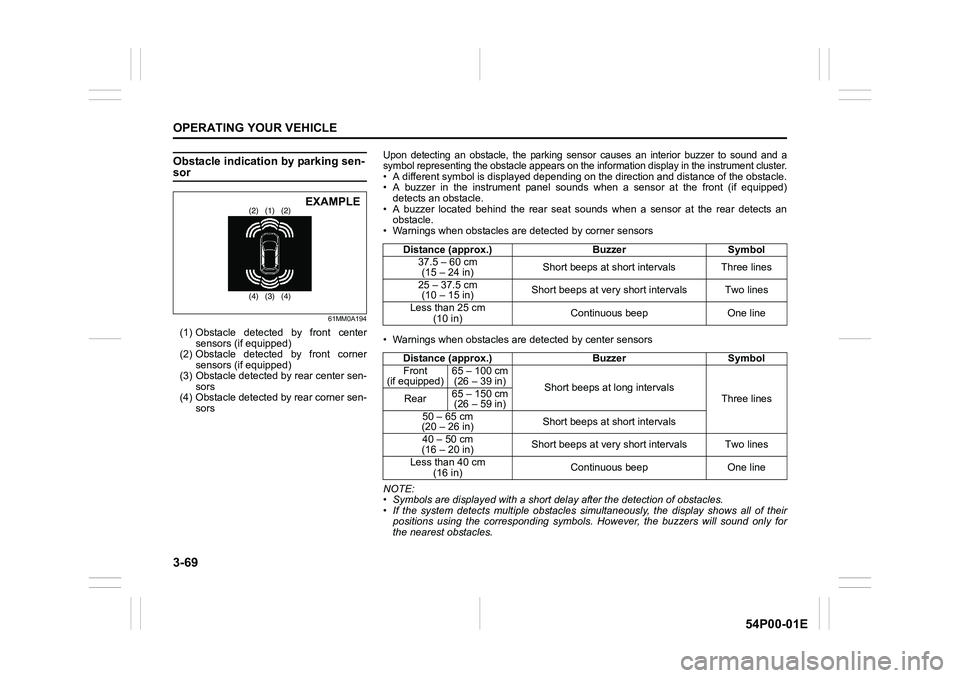
61MM0A194
(1) Obstacle detected by front center
sensors (if equipped)
(2) Obstacle detected by front corner
sensors (if equipped)
(3) Obstacle detected by rear center sen-
sors
(4) Obstacle detected by rear corner sen-
sors
(1) (2) (2)
(3) (4) (4)EXAMPLE
Upon detecting an obstacle, the parking sensor causes an interior buzzer to sound and a
symbol representing the obstacle appears on the information display in the instrument cluster.
• A different symbol is displayed depending on the direction and distance of the obstacle.
• A buzzer in the instrument panel sounds when a sensor at the front (if equipped)
detects an obstacle.
• A buzzer located behind the rear seat sounds when a sensor at the rear detects an
obstacle.
• Warnings when obstacles are detected by corner sensors
• Warnings when obstacles are detected by center sensors
NOTE:
• Symbols are displayed with a short delay after the detection of obstacles.
• If the system detects multiple obstacles simultaneously, the display shows all of their
positions using the corresponding symbols. However, the buzzers will sound only for
the nearest obstacles.Distance (approx.) Buzzer Symbol
37.5 – 60 cm
(15 – 24 in)Short beeps at short intervals Three lines
25 – 37.5 cm
(10 – 15 in)Short beeps at very short intervals Two lines
Less than 25 cm
(10 in)Continuous beep One line
Distance (approx.) Buzzer Symbol
Front
(if equipped)65 – 100 cm
(26 – 39 in)
Short beeps at long intervals
Three lines Rear65 – 150 cm
(26 – 59 in)
50 – 65 cm
(20 – 26 in)Short beeps at short intervals
40 – 50 cm
(16 – 20 in)Short beeps at very short intervals Two lines
Less than 40 cm
(16 in)Continuous beep One line
Page 210 of 482
3-70
OPERATING YOUR VEHICLE
54P00-01E
Set sensors
You can select either the normal or trailer
mode of the parking sensor via the infor-
mation display. Refer to “Information dis-
play” in “BEFORE DRIVING” section.
Normal mode
All sensors operate. Use this mode under
normal conditions.
Trailer mode
The rear corner and rear center sensors
are inhibited from operating. Use this
mode when towing a trailer.
NOTICE
Check that the normal mode is
selected with the parking sensor
when steering the vehicle into a
garage. If the parking sensor is left in
the trailer mode, the rear corner and
rear center sensors are not function-
ing.
Warning and indicator messages
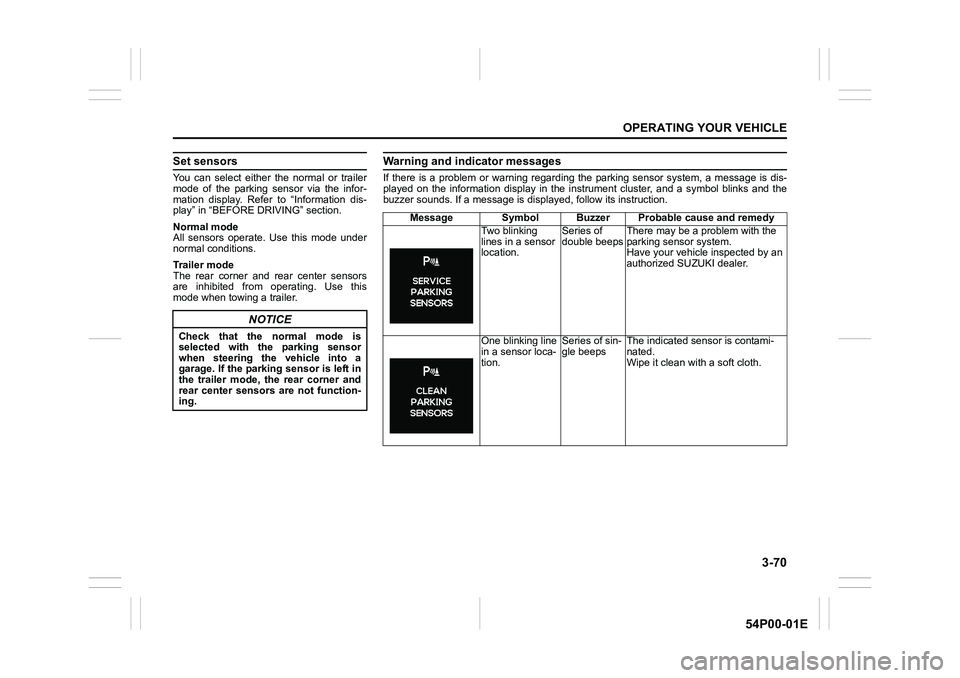
If there is a problem or warning regarding the parking sensor system, a message is dis-
played on the information display in the instrument cluster, and a symbol blinks and the
buzzer sounds. If a message is displayed, follow its instruction.
Message Symbol Buzzer Probable cause and remedy
Two blinking
lines in a sensor
location.Series of
double beepsThere may be a problem with the
parking sensor system.
Have your vehicle inspected by an
authorized SUZUKI dealer.
One blinking line
in a sensor loca-
tion.Series of sin-
gle beepsThe indicated sensor is contami-
nated.
Wipe it clean with a soft cloth.
Page 211 of 482
3-71
OPERATING YOUR VEHICLE
54P00-01E
Rearview camera
(if equipped)
When the gearshift lever is shifted to “R”
position while the ignition switch is in “ON”
position or the ignition mode is “ON”, the
rearview camera system automatically
shows the view behind the vehicle on the
display.
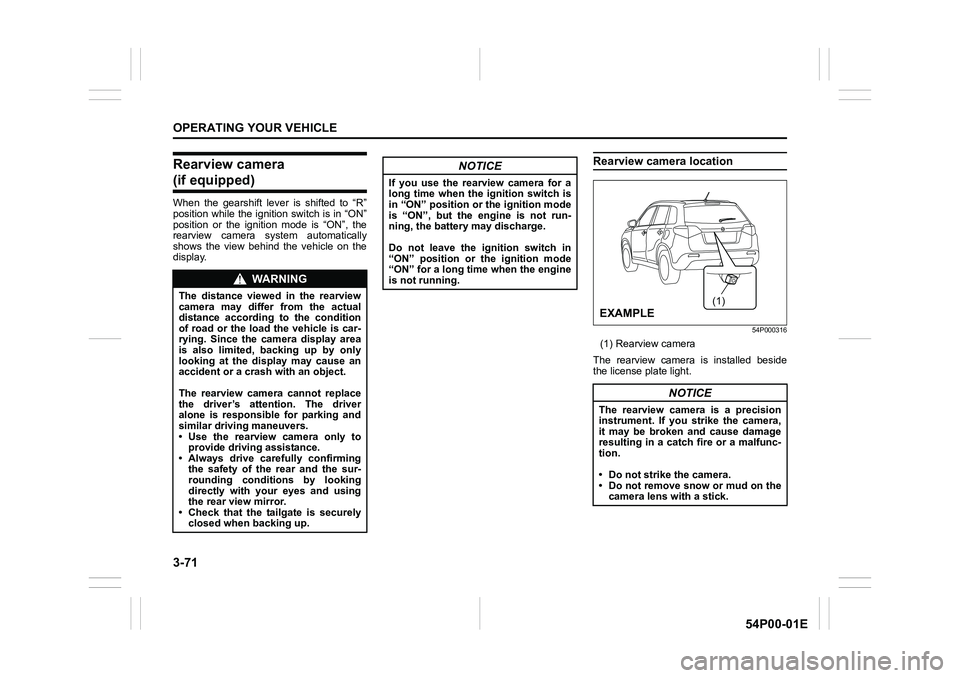
Rearview camera location
54P000316
(1) Rearview camera
The rearview camera is installed beside
the license plate light.
WA R N I N G
The distance viewed in the rearview
camera may differ from the actual
distance according to the condition
of road or the load the vehicle is car-
rying. Since the camera display area
is also limited, backing up by only
looking at the display may cause an
accident or a crash with an object.
The rearview camera cannot replace
the driver’s attention. The driver
alone is responsible for parking and
similar driving maneuvers.
• Use the rearview camera only to
provide driving assistance.
• Always drive carefully confirming
the safety of the rear and the sur-
rounding conditions by looking
directly with your eyes and using
the rear view mirror.
• Check that the tailgate is securely
closed when backing up.
NOTICE
If you use the rearview camera for a
long time when the ignition switch is
in “ON” position or the ignition mode
is “ON”, but the engine is not run-
ning, the battery may discharge.
Do not leave the ignition switch in
“ON” position or the ignition mode
“ON” for a long time when the engine
is not running.
NOTICE
The rearview camera is a precision
instrument. If you strike the camera,
it may be broken and cause damage
resulting in a catch fire or a malfunc-
tion.
• Do not strike the camera.
• Do not remove snow or mud on the
camera lens with a stick.
(1)
EXAMPLE
Page 212 of 482
3-72
OPERATING YOUR VEHICLE
54P00-01E
NOTE:
If body wax gets on the camera lens, wipe
off the wax with a clean cloth dampened
with mild detergent diluted with water, and
then wipe the lens with a dry cloth.
How to use rearview camera
1) Turn the ignition switch to “ON” position
or press the engine switch to change
the ignition mode to “ON”.
2) Shift the gearshift lever in “R” position.
• The display automatically shows the
view behind the vehicle.
• When the gearshift lever is shifted
from “R” to another gearshift lever
position, the display returns to the
previous display.
NOTE:
The rearview camera display has first pri-
ority in any display mode. However, the
rearview camera display does not show
the rear view while the system is initializ-
ing.
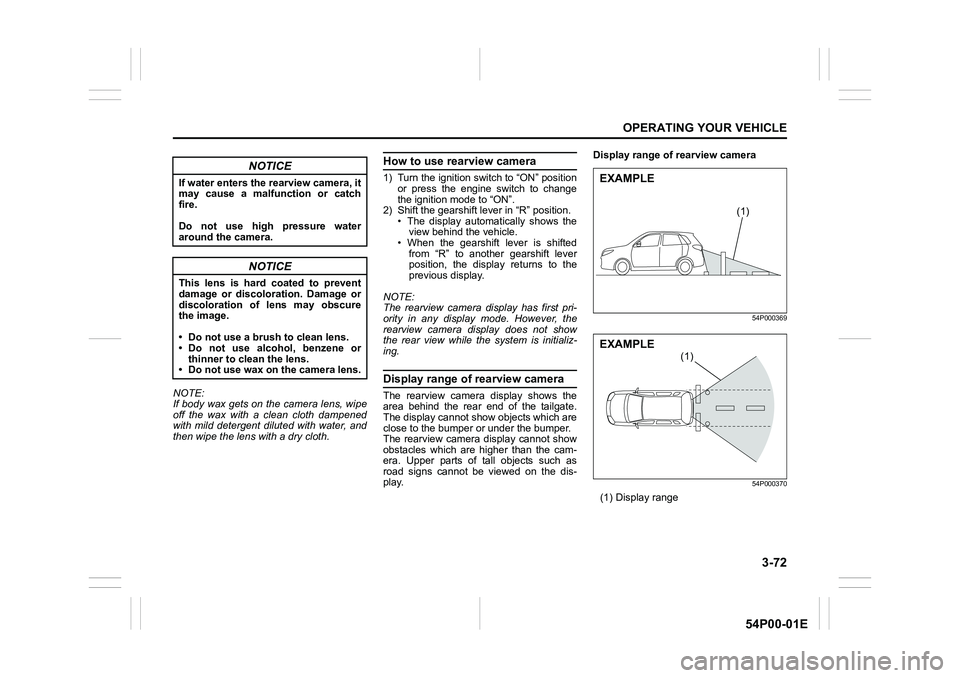
Display range of rearview camera
The rearview camera display shows the
area behind the rear end of the tailgate.
The display cannot show objects which are
close to the bumper or under the bumper.
The rearview camera display cannot show
obstacles which are higher than the cam-
era. Upper parts of tall objects such as
road signs cannot be viewed on the dis-
play.Display range of rearview camera
54P000369
54P000370
(1) Display range
NOTICE
If water enters the rearview camera, it
may cause a malfunction or catch
fire.
Do not use high pressure water
around the camera.
NOTICE
This lens is hard coated to prevent
damage or discoloration. Damage or
discoloration of lens may obscure
the image.
• Do not use a brush to clean lens.
• Do not use alcohol, benzene or
thinner to clean the lens.
• Do not use wax on the camera lens.
(1)
EXAMPLE
(1)
EXAMPLE
Page 213 of 482
3-73
OPERATING YOUR VEHICLE
54P00-01E
NOTE:
• Images shown on the display from the
rearview camera are reversed images
(mirror images).
• The colors of objects on the rearview
camera may differ from the actual object
colors.
• The rearview camera display may be dif-
ficult to see under the following condi-
tions, but this is not a system
malfunction.
– In dark areas, on a rainy day or at
night.
– When the temperature around the lens
is too high/low, or the camera is wet
such as on a rainy day or during peri-
ods of high humidity (dew condensa-
tion may occur on the camera lens).
– When a foreign object such as mud or
a drop of water is stuck around the
camera lens.
– When strong light directly enters the
camera (vertical lines may be seen on
the display).
– Under fluorescent light. (The display
may flicker.)
– When the outside temperature is low
(the image on the display may be
darkened).
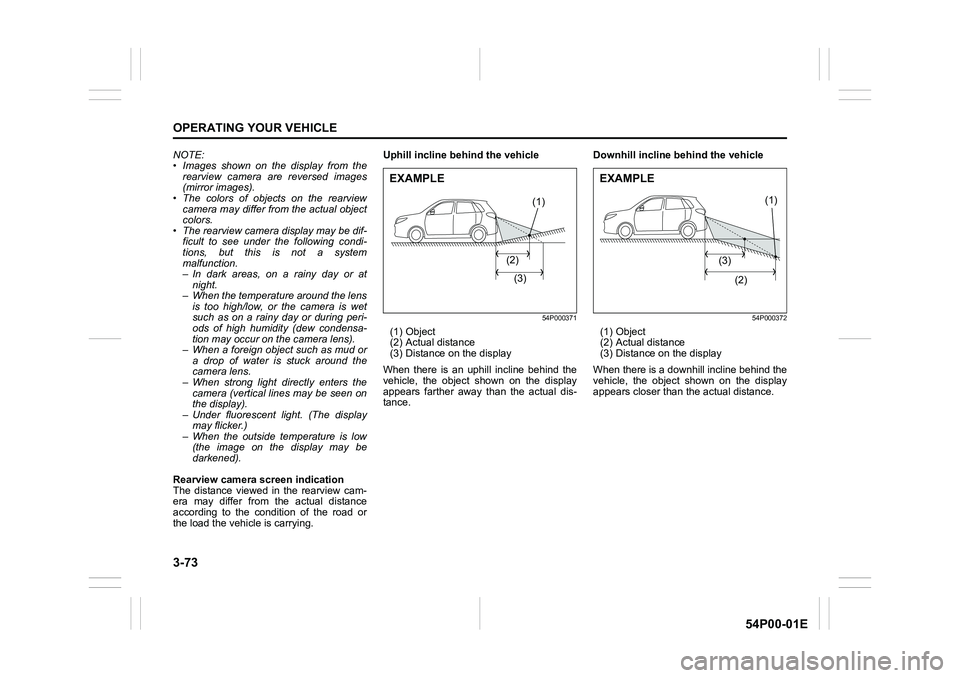
Rearview camera screen indication
The distance viewed in the rearview cam-
era may differ from the actual distance
according to the condition of the road or
the load the vehicle is carrying.Uphill incline behind the vehicle
54P000371
(1) Object
(2) Actual distance
(3) Distance on the display
When there is an uphill incline behind the
vehicle, the object shown on the display
appears farther away than the actual dis-
tance.Downhill incline behind the vehicle
54P000372
(1) Object
(2) Actual distance
(3) Distance on the display
When there is a downhill incline behind the
vehicle, the object shown on the display
appears closer than the actual distance.
(1)
(2)
(3)
EXAMPLE
(1)
(3)
(2)
EXAMPLE
Page 219 of 482
3-79
OPERATING YOUR VEHICLE
54P00-01E
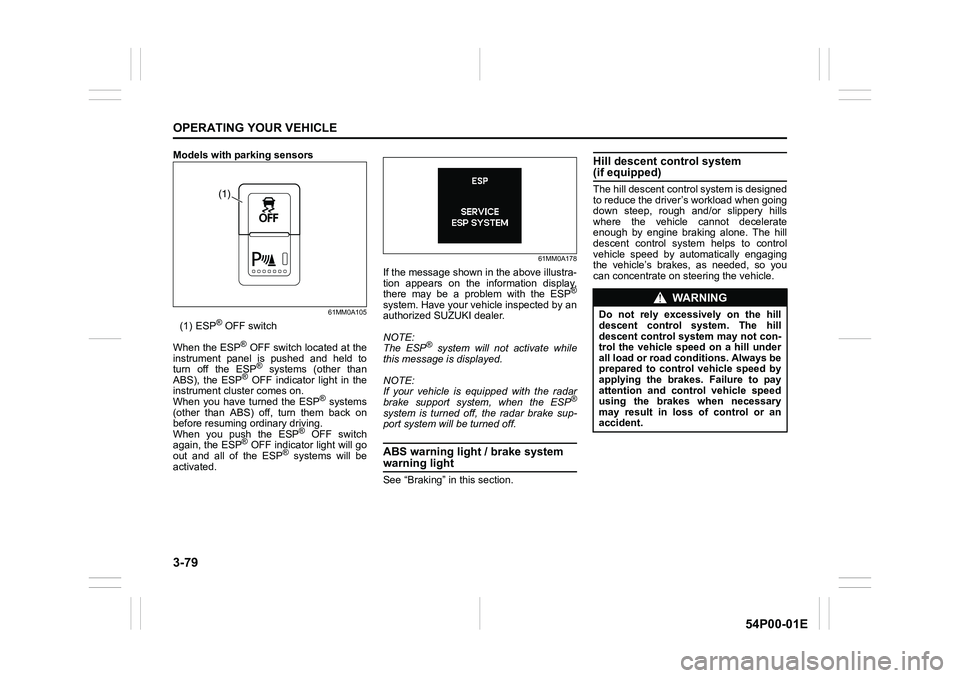
Models with parking sensors
61MM0A105
(1) ESP® OFF switch
When the ESP
® OFF switch located at the
instrument panel is pushed and held to
turn off the ESP
® systems (other than
ABS), the ESP® OFF indicator light in the
instrument cluster comes on.
When you have turned the ESP
® systems
(other than ABS) off, turn them back on
before resuming ordinary driving.
When you push the ESP
® OFF switch
again, the ESP® OFF indicator light will go
out and all of the ESP® systems will be
activated.
61MM0A178
If the message shown in the above illustra-
tion appears on the information display,
there may be a problem with the ESP
®
system. Have your vehicle inspected by an
authorized SUZUKI dealer.
NOTE:
The ESP
® system will not activate while
this message is displayed.
NOTE:
If your vehicle is equipped with the radar
brake support system, when the ESP
®
system is turned off, the radar brake sup-
port system will be turned off.
ABS warning light / brake system
warning light
See “Braking” in this section.
Hill descent control system (if equipped)
The hill descent control system is designed
to reduce the driver’s workload when going
down steep, rough and/or slippery hills
where the vehicle cannot decelerate
enough by engine braking alone. The hill
descent control system helps to control
vehicle speed by automatically engaging
the vehicle’s brakes, as needed, so you
can concentrate on steering the vehicle.(1)
WA R N I N G
Do not rely excessively on the hill
descent control system. The hill
descent control system may not con-
trol the vehicle speed on a hill under
all load or road conditions. Always be
prepared to control vehicle speed by
applying the brakes. Failure to pay
attention and control vehicle speed
using the brakes when necessary
may result in loss of control or an
accident.
Page 222 of 482
3-82
OPERATING YOUR VEHICLE
54P00-01E
NOTE:
If any of the following conditions occur,
there may be a problem with the hill
descent control system or the ESP
® sys-
tem. Have your vehicle inspected by an
authorized SUZUKI dealer.
• The hill descent control indicator does
not come on or blink when you push the
hill descent control switch.
• The hill descent control indicator stays
on when driving without pushing the hill
descent control switch.
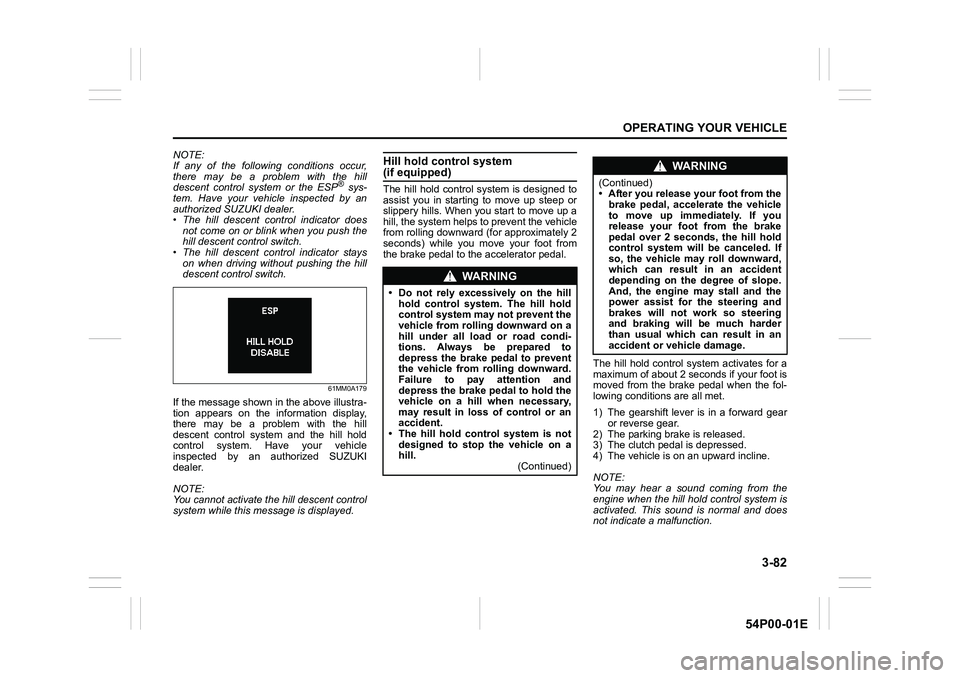
61MM0A179
If the message shown in the above illustra-
tion appears on the information display,
there may be a problem with the hill
descent control system and the hill hold
control system. Have your vehicle
inspected by an authorized SUZUKI
dealer.
NOTE:
You cannot activate the hill descent control
system while this message is displayed.
Hill hold control system (if equipped)
The hill hold control system is designed to
assist you in starting to move up steep or
slippery hills. When you start to move up a
hill, the system helps to prevent the vehicle
from rolling downward (for approximately 2
seconds) while you move your foot from
the brake pedal to the accelerator pedal.
The hill hold control system activates for a
maximum of about 2 seconds if your foot is
moved from the brake pedal when the fol-
lowing conditions are all met.
1) The gearshift lever is in a forward gear
or reverse gear.
2) The parking brake is released.
3) The clutch pedal is depressed.
4) The vehicle is on an upward incline.
NOTE:
You may hear a sound coming from the
engine when the hill hold control system is
activated. This sound is normal and does
not indicate a malfunction.
WA R N I N G
• Do not rely excessively on the hill
hold control system. The hill hold
control system may not prevent the
vehicle from rolling downward on a
hill under all load or road condi-
tions. Always be prepared to
depress the brake pedal to prevent
the vehicle from rolling downward.
Failure to pay attention and
depress the brake pedal to hold the
vehicle on a hill when necessary,
may result in loss of control or an
accident.
• The hill hold control system is not
designed to stop the vehicle on a
hill.
(Continued)
WA R N I N G
(Continued)
• After you release your foot from the
brake pedal, accelerate the vehicle
to move up immediately. If you
release your foot from the brake
pedal over 2 seconds, the hill hold
control system will be canceled. If
so, the vehicle may roll downward,
which can result in an accident
depending on the degree of slope.
And, the engine may stall and the
power assist for the steering and
brakes will not work so steering
and braking will be much harder
than usual which can result in an
accident or vehicle damage.
Page 223 of 482
3-83
OPERATING YOUR VEHICLE
54P00-01E
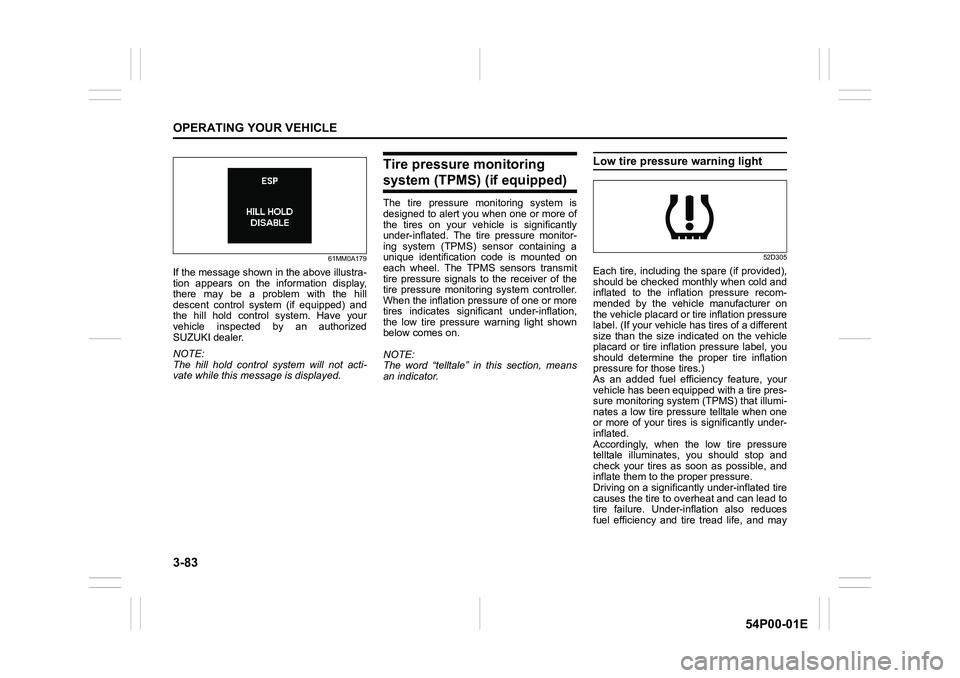
61MM0A179
If the message shown in the above illustra-
tion appears on the information display,
there may be a problem with the hill
descent control system (if equipped) and
the hill hold control system. Have your
vehicle inspected by an authorized
SUZUKI dealer.
NOTE:
The hill hold control system will not acti-
vate while this message is displayed.
Tire pressure monitoring
system (TPMS) (if equipped)
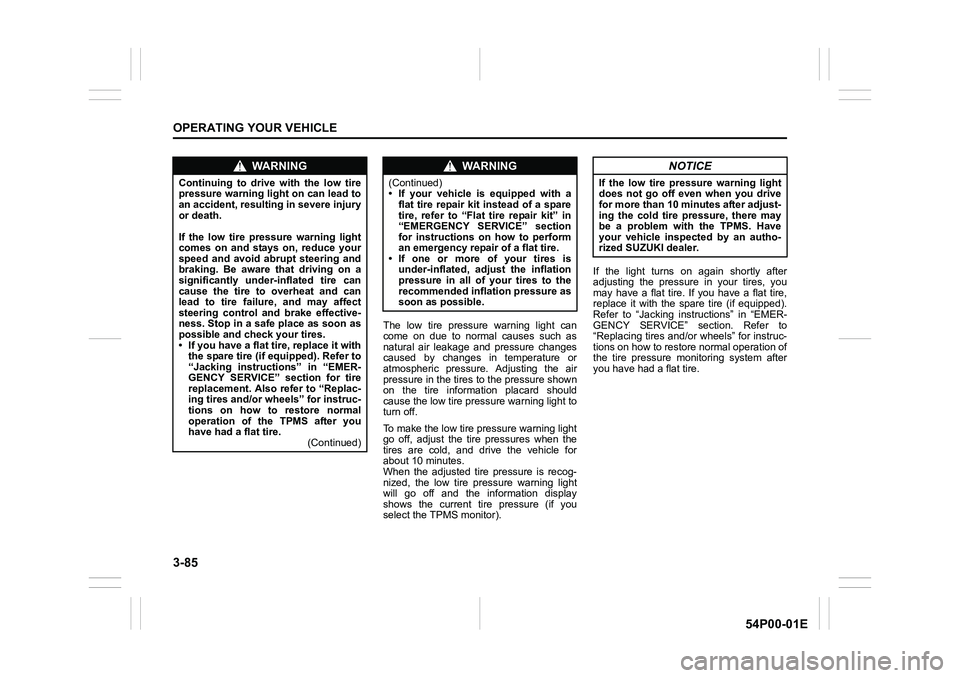
The tire pressure monitoring system is
designed to alert you when one or more of
the tires on your vehicle is significantly
under-inflated. The tire pressure monitor-
ing system (TPMS) sensor containing a
unique identification code is mounted on
each wheel. The TPMS sensors transmit
tire pressure signals to the receiver of the
tire pressure monitoring system controller.
When the inflation pressure of one or more
tires indicates significant under-inflation,
the low tire pressure warning light shown
below comes on.
NOTE:
The word “telltale” in this section, means
an indicator.
Low tire pressure warning light
52D305
Each tire, including the spare (if provided),
should be checked monthly when cold and
inflated to the inflation pressure recom-
mended by the vehicle manufacturer on
the vehicle placard or tire inflation pressure
label. (If your vehicle has tires of a different
size than the size indicated on the vehicle
placard or tire inflation pressure label, you
should determine the proper tire inflation
pressure for those tires.)
As an added fuel efficiency feature, your
vehicle has been equipped with a tire pres-
sure monitoring system (TPMS) that illumi-
nates a low tire pressure telltale when one
or more of your tires is significantly under-
inflated.
Accordingly, when the low tire pressure
telltale illuminates, you should stop and
check your tires as soon as possible, and
inflate them to the proper pressure.
Driving on a significantly under-inflated tire
causes the tire to overheat and can lead to
tire failure. Under-inflation also reduces
fuel efficiency and tire tread life, and may
Page 225 of 482
3-85
OPERATING YOUR VEHICLE
54P00-01E
The low tire pressure warning light can
come on due to normal causes such as
natural air leakage and pressure changes
caused by changes in temperature or
atmospheric pressure. Adjusting the air
pressure in the tires to the pressure shown
on the tire information placard should
cause the low tire pressure warning light to
turn off.
To make the low tire pressure warning light
go off, adjust the tire pressures when the
tires are cold, and drive the vehicle for
about 10 minutes.
When the adjusted tire pressure is recog-
nized, the low tire pressure warning light
will go off and the information display
shows the current tire pressure (if you
select the TPMS monitor).If the light turns on again shortly after
adjusting the pressure in your tires, you
may have a flat tire. If you have a flat tire,
replace it with the spare tire (if equipped).
Refer to “Jacking instructions” in “EMER-
GENCY SERVICE” section. Refer to
“Replacing tires and/or wheels” for instruc-
tions on how to restore normal operation of
the tire pressure monitoring system after
you have had a flat tire.
WA R N I N G
Continuing to drive with the low tire
pressure warning light on can lead to
an accident, resulting in severe injury
or death.
If the low tire pressure warning light
comes on and stays on, reduce your
speed and avoid abrupt steering and
braking. Be aware that driving on a
significantly under-inflated tire can
cause the tire to overheat and can
lead to tire failure, and may affect
steering control and brake effective-
ness. Stop in a safe place as soon as
possible and check your tires.
• If you have a flat tire, replace it with
the spare tire (if equipped). Refer to
“Jacking instructions” in “EMER-
GENCY SERVICE” section for tire
replacement. Also refer to “Replac-
ing tires and/or wheels” for instruc-
tions on how to restore normal
operation of the TPMS after you
have had a flat tire.
(Continued)
WA R N I N G
(Continued)
• If your vehicle is equipped with a
flat tire repair kit instead of a spare
tire, refer to “Flat tire repair kit” in
“EMERGENCY SERVICE” section
for instructions on how to perform
an emergency repair of a flat tire.
• If one or more of your tires is
under-inflated, adjust the inflation
pressure in all of your tires to the
recommended inflation pressure as
soon as possible.
NOTICE
If the low tire pressure warning light
does not go off even when you drive
for more than 10 minutes after adjust-
ing the cold tire pressure, there may
be a problem with the TPMS. Have
your vehicle inspected by an autho-
rized SUZUKI dealer.