display SUZUKI GRAND VITARA 2017 Repair Manual
[x] Cancel search | Manufacturer: SUZUKI, Model Year: 2017, Model line: GRAND VITARA, Model: SUZUKI GRAND VITARA 2017Pages: 482, PDF Size: 21 MB
Page 226 of 482
3-86
OPERATING YOUR VEHICLE
54P00-01E
61MM0A198
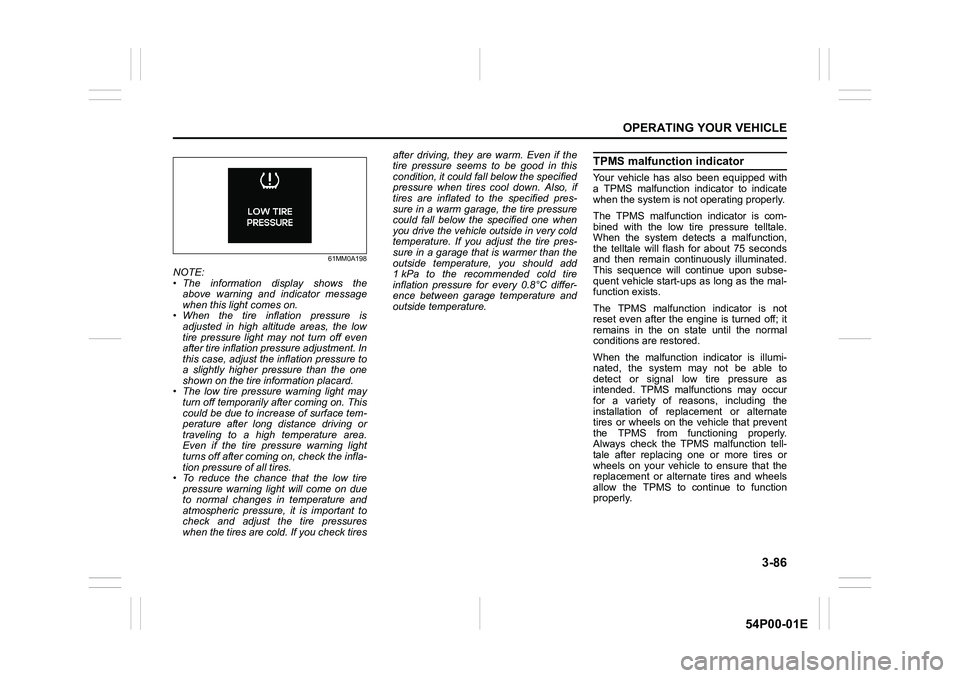
NOTE:
• The information display shows the
above warning and indicator message
when this light comes on.
• When the tire inflation pressure is
adjusted in high altitude areas, the low
tire pressure light may not turn off even
after tire inflation pressure adjustment. In
this case, adjust the inflation pressure to
a slightly higher pressure than the one
shown on the tire information placard.
• The low tire pressure warning light may
turn off temporarily after coming on. This
could be due to increase of surface tem-
perature after long distance driving or
traveling to a high temperature area.
Even if the tire pressure warning light
turns off after coming on, check the infla-
tion pressure of all tires.
• To reduce the chance that the low tire
pressure warning light will come on due
to normal changes in temperature and
atmospheric pressure, it is important to
check and adjust the tire pressures
when the tires are cold. If you check tiresafter driving, they are warm. Even if the
tire pressure seems to be good in this
condition, it could fall below the specified
pressure when tires cool down. Also, if
tires are inflated to the specified pres-
sure in a warm garage, the tire pressure
could fall below the specified one when
you drive the vehicle outside in very cold
temperature. If you adjust the tire pres-
sure in a garage that is warmer than the
outside temperature, you should add
1 kPa to the recommended cold tire
inflation pressure for every 0.8°C differ-
ence between garage temperature and
outside temperature.
TPMS malfunction indicator
Your vehicle has also been equipped with
a TPMS malfunction indicator to indicate
when the system is not operating properly.
The TPMS malfunction indicator is com-
bined with the low tire pressure telltale.
When the system detects a malfunction,
the telltale will flash for about 75 seconds
and then remain continuously illuminated.
This sequence will continue upon subse-
quent vehicle start-ups as long as the mal-
function exists.
The TPMS malfunction indicator is not
reset even after the engine is turned off; it
remains in the on state until the normal
conditions are restored.
When the malfunction indicator is illumi-
nated, the system may not be able to
detect or signal low tire pressure as
intended. TPMS malfunctions may occur
for a variety of reasons, including the
installation of replacement or alternate
tires or wheels on the vehicle that prevent
the TPMS from functioning properly.
Always check the TPMS malfunction tell-
tale after replacing one or more tires or
wheels on your vehicle to ensure that the
replacement or alternate tires and wheels
allow the TPMS to continue to function
properly.
Page 227 of 482
3-87
OPERATING YOUR VEHICLE
54P00-01E
61MM0A199
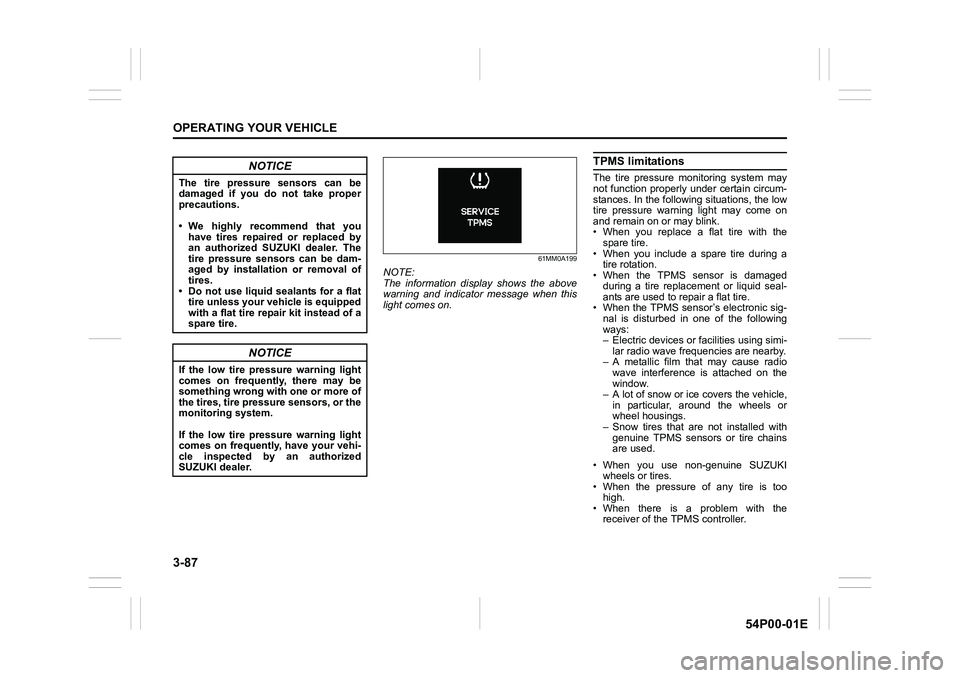
NOTE:
The information display shows the above
warning and indicator message when this
light comes on.
TPMS limitations
The tire pressure monitoring system may
not function properly under certain circum-
stances. In the following situations, the low
tire pressure warning light may come on
and remain on or may blink.
• When you replace a flat tire with the
spare tire.
• When you include a spare tire during a
tire rotation.
• When the TPMS sensor is damaged
during a tire replacement or liquid seal-
ants are used to repair a flat tire.
• When the TPMS sensor’s electronic sig-
nal is disturbed in one of the following
ways:
– Electric devices or facilities using simi-
lar radio wave frequencies are nearby.
– A metallic film that may cause radio
wave interference is attached on the
window.
– A lot of snow or ice covers the vehicle,
in particular, around the wheels or
wheel housings.
– Snow tires that are not installed with
genuine TPMS sensors or tire chains
are used.
• When you use non-genuine SUZUKI
wheels or tires.
• When the pressure of any tire is too
high.
• When there is a problem with the
receiver of the TPMS controller.NOTICE
The tire pressure sensors can be
damaged if you do not take proper
precautions.
• We highly recommend that you
have tires repaired or replaced by
an authorized SUZUKI dealer. The
tire pressure sensors can be dam-
aged by installation or removal of
tires.
• Do not use liquid sealants for a flat
tire unless your vehicle is equipped
with a flat tire repair kit instead of a
spare tire.
NOTICE
If the low tire pressure warning light
comes on frequently, there may be
something wrong with one or more of
the tires, tire pressure sensors, or the
monitoring system.
If the low tire pressure warning light
comes on frequently, have your vehi-
cle inspected by an authorized
SUZUKI dealer.
Page 228 of 482
3-88
OPERATING YOUR VEHICLE
54P00-01E
TPMS setting
• You can check the current tire inflation
pressure on the information display.
• You can set one of the initial value of tire
pressure below that is indicated on the
tire information label.
– Comfort Mode
–Eco Mode
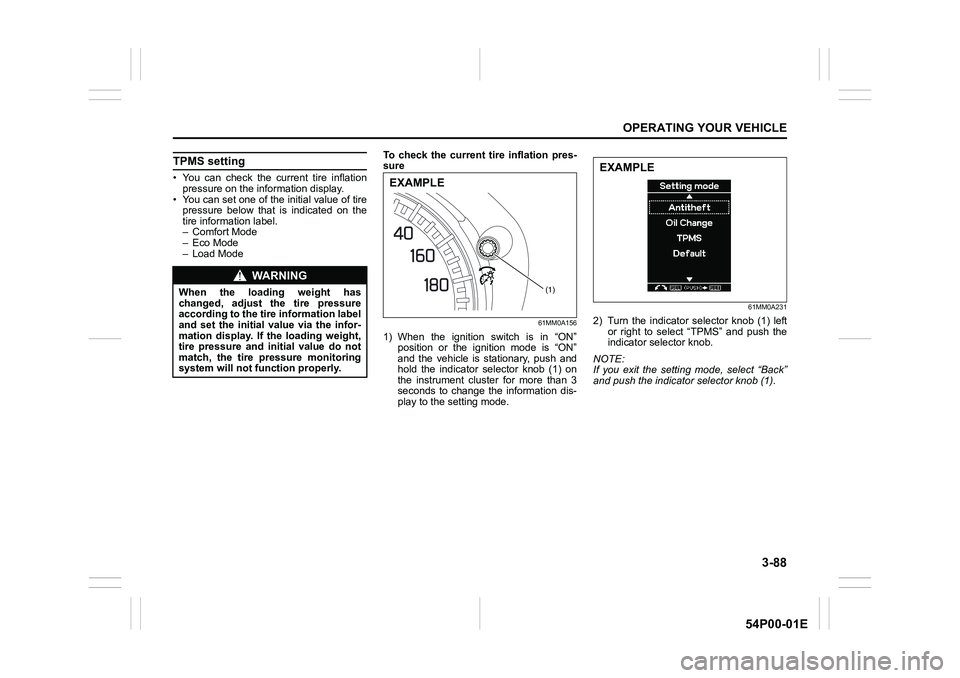
– Load ModeTo check the current tire inflation pres-
sure
61MM0A156
1) When the ignition switch is in “ON”
position or the ignition mode is “ON”
and the vehicle is stationary, push and
hold the indicator selector knob (1) on
the instrument cluster for more than 3
seconds to change the information dis-
play to the setting mode.
61MM0A231
2) Turn the indicator selector knob (1) left
or right to select “TPMS” and push the
indicator selector knob.
NOTE:
If you exit the setting mode, select “Back”
and push the indicator selector knob (1).
WA R N I N G
When the loading weight has
changed, adjust the tire pressure
according to the tire information label
and set the initial value via the infor-
mation display. If the loading weight,
tire pressure and initial value do not
match, the tire pressure monitoring
system will not function properly.(1)
EXAMPLE
EXAMPLE
Page 229 of 482
3-89
OPERATING YOUR VEHICLE
54P00-01E
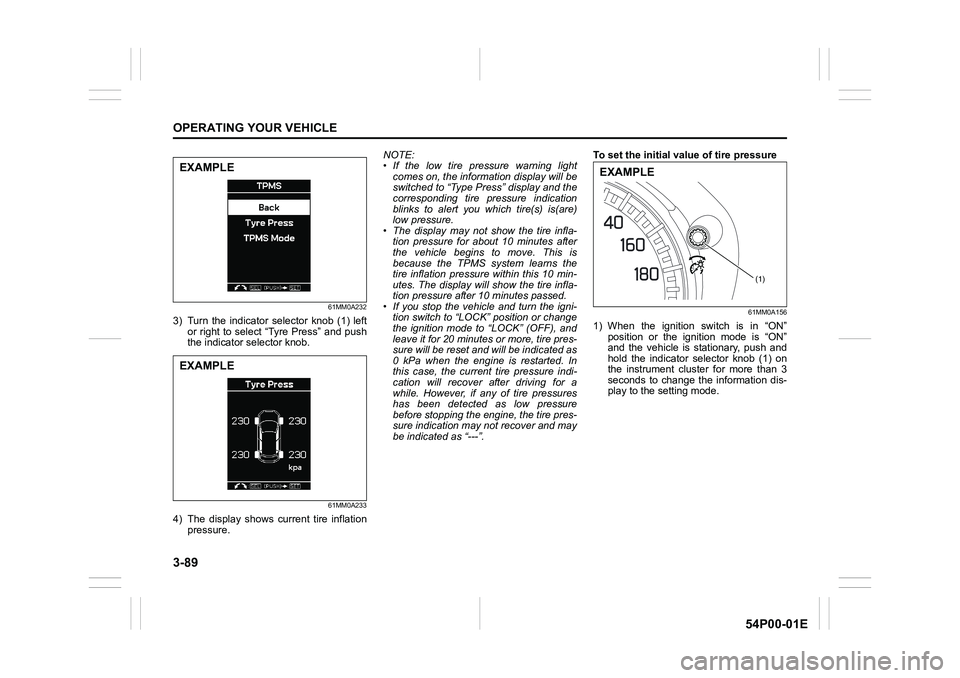
61MM0A232
3) Turn the indicator selector knob (1) left
or right to select “Tyre Press” and push
the indicator selector knob.
61MM0A233
4) The display shows current tire inflation
pressure.NOTE:
• If the low tire pressure warning light
comes on, the information display will be
switched to “Type Press” display and the
corresponding tire pressure indication
blinks to alert you which tire(s) is(are)
low pressure.
• The display may not show the tire infla-
tion pressure for about 10 minutes after
the vehicle begins to move. This is
because the TPMS system learns the
tire inflation pressure within this 10 min-
utes. The display will show the tire infla-
tion pressure after 10 minutes passed.
• If you stop the vehicle and turn the igni-
tion switch to “LOCK” position or change
the ignition mode to “LOCK” (OFF), and
leave it for 20 minutes or more, tire pres-
sure will be reset and will be indicated as
0 kPa when the engine is restarted. In
this case, the current tire pressure indi-
cation will recover after driving for a
while. However, if any of tire pressures
has been detected as low pressure
before stopping the engine, the tire pres-
sure indication may not recover and may
be indicated as “---”.To set the initial value of tire pressure
61MM0A156
1) When the ignition switch is in “ON”
position or the ignition mode is “ON”
and the vehicle is stationary, push and
hold the indicator selector knob (1) on
the instrument cluster for more than 3
seconds to change the information dis-
play to the setting mode.
EXAMPLE
EXAMPLE
(1)
EXAMPLE
Page 230 of 482
3-90
OPERATING YOUR VEHICLE
54P00-01E
61MM0A231
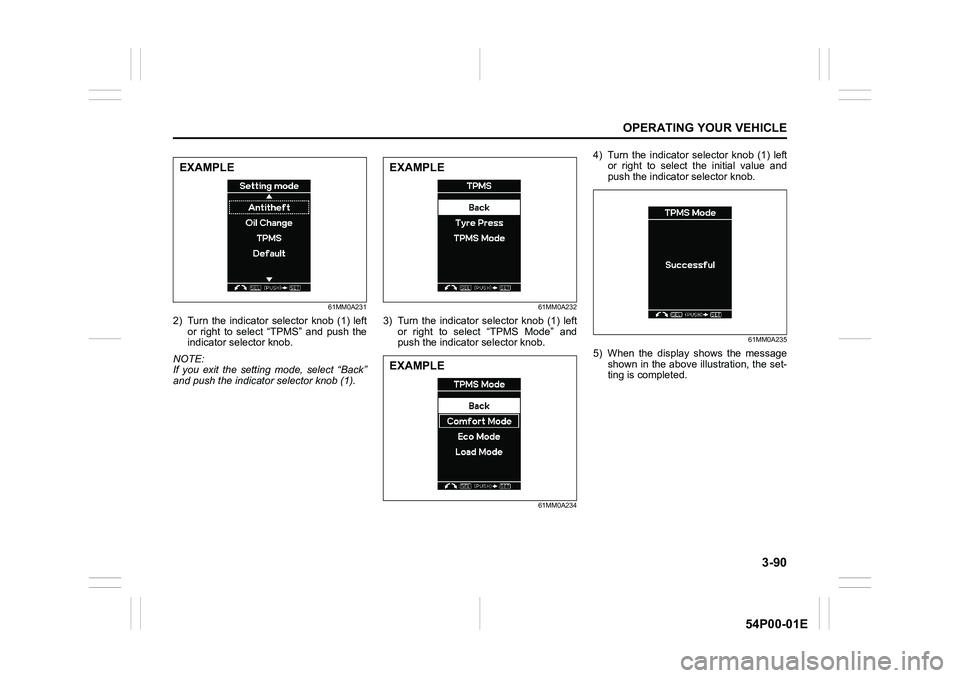
2) Turn the indicator selector knob (1) left
or right to select “TPMS” and push the
indicator selector knob.
NOTE:
If you exit the setting mode, select “Back”
and push the indicator selector knob (1).
61MM0A232
3) Turn the indicator selector knob (1) left
or right to select “TPMS Mode” and
push the indicator selector knob.
61MM0A234
4) Turn the indicator selector knob (1) left
or right to select the initial value and
push the indicator selector knob.
61MM0A235
5) When the display shows the message
shown in the above illustration, the set-
ting is completed.
EXAMPLEEXAMPLE
EXAMPLE
Page 248 of 482
5-6
OTHER CONTROLS AND EQUIPMENT
54P00-01E
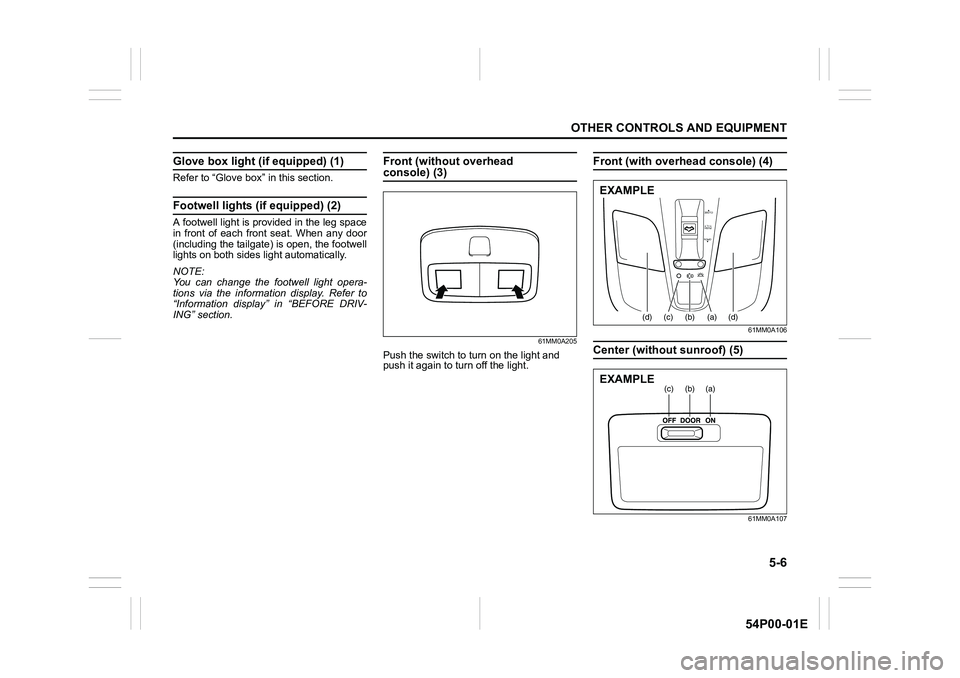
Glove box light (if equipped) (1)
Refer to “Glove box” in this section.
Footwell lights (if equipped) (2)
A footwell light is provided in the leg space
in front of each front seat. When any door
(including the tailgate) is open, the footwell
lights on both sides light automatically.
NOTE:
You can change the footwell light opera-
tions via the information display. Refer to
“Information display” in “BEFORE DRIV-
ING” section.
Front (without overhead console) (3)
61MM0A205
Push the switch to turn on the light and
push it again to turn off the light.
Front (with overhead console) (4)
61MM0A106
Center (without sunroof) (5)
61MM0A107
OPEN
PUSH
TILT
CLOSE
(d)(c)(b) (a)(d)
EXAMPLE
(a)(b)(c)EXAMPLE
Page 257 of 482
5-15
OTHER CONTROLS AND EQUIPMENT
54P00-01E
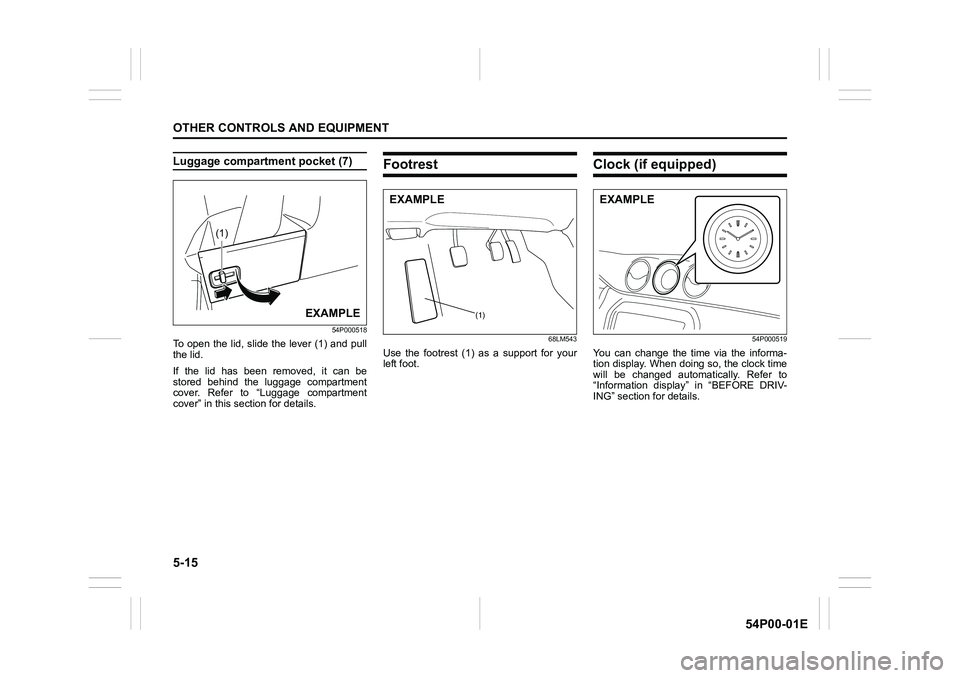
Luggage compartment pocket (7)
54P000518
To open the lid, slide the lever (1) and pull
the lid.
If the lid has been removed, it can be
stored behind the luggage compartment
cover. Refer to “Luggage compartment
cover” in this section for details.
Footrest
68LM543
Use the footrest (1) as a support for your
left foot.
Clock (if equipped)
54P000519
You can change the time via the informa-
tion display. When doing so, the clock time
will be changed automatically. Refer to
“Information display” in “BEFORE DRIV-
ING” section for details.
(1)
EXAMPLE(1)
EXAMPLEEXAMPLE
Page 274 of 482
5-32
OTHER CONTROLS AND EQUIPMENT
54P00-01E
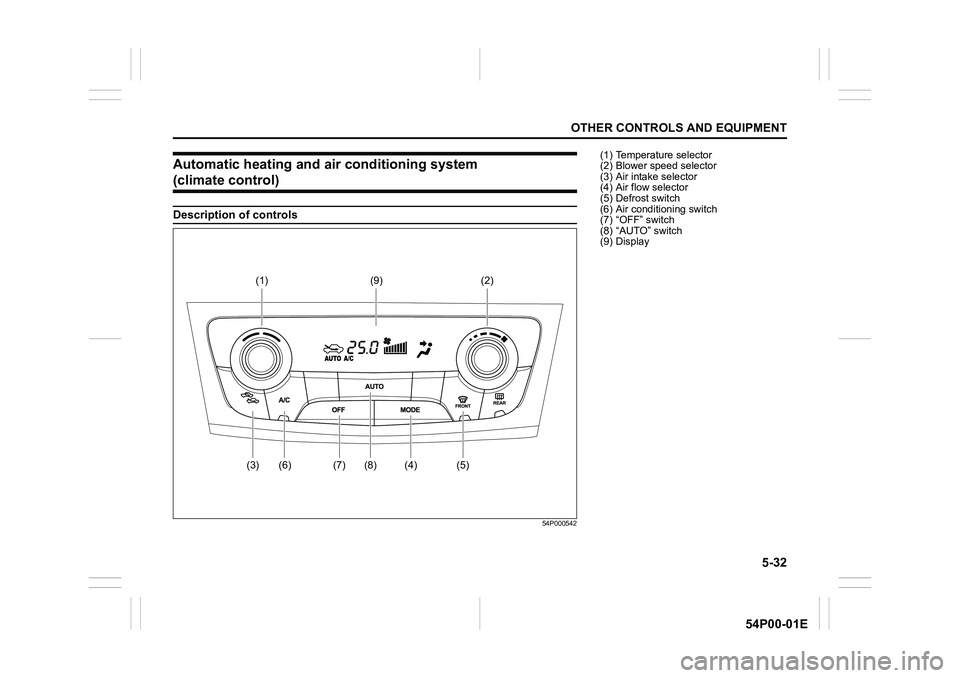
Automatic heating and air conditioning system
(climate control)
Description of controls
54P000542
(2) (1)
(4) (5) (3) (7) (8)(9)
(6)
(1) Temperature selector
(2) Blower speed selector
(3) Air intake selector
(4) Air flow selector
(5) Defrost switch
(6) Air conditioning switch
(7) “OFF” switch
(8) “AUTO” switch
(9) Display
Page 275 of 482
5-33
OTHER CONTROLS AND EQUIPMENT
54P00-01E
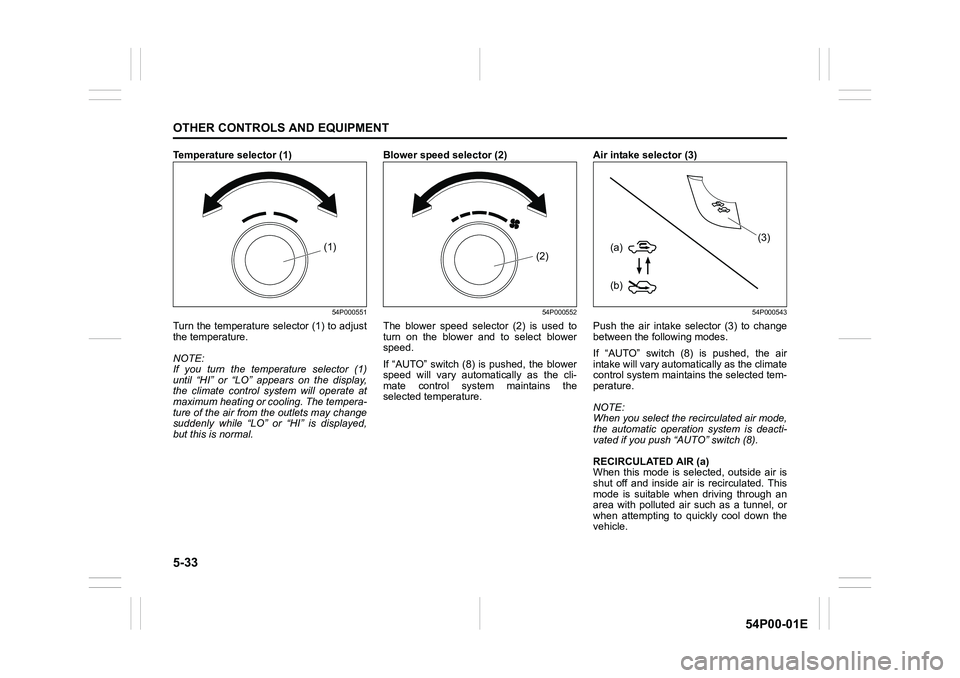
Temperature selector (1)
54P000551
Turn the temperature selector (1) to adjust
the temperature.
NOTE:
If you turn the temperature selector (1)
until “HI” or “LO” appears on the display,
the climate control system will operate at
maximum heating or cooling. The tempera-
ture of the air from the outlets may change
suddenly while “LO” or “HI” is displayed,
but this is normal.Blower speed selector (2)
54P000552
The blower speed selector (2) is used to
turn on the blower and to select blower
speed.
If “AUTO” switch (8) is pushed, the blower
speed will vary automatically as the cli-
mate control system maintains the
selected temperature.Air intake selector (3)
54P000543
Push the air intake selector (3) to change
between the following modes.
If “AUTO” switch (8) is pushed, the air
intake will vary automatically as the climate
control system maintains the selected tem-
perature.
NOTE:
When you select the recirculated air mode,
the automatic operation system is deacti-
vated if you push “AUTO” switch (8).
RECIRCULATED AIR (a)
When this mode is selected, outside air is
shut off and inside air is recirculated. This
mode is suitable when driving through an
area with polluted air such as a tunnel, or
when attempting to quickly cool down the
vehicle.
(1)(2)
(b) (a)
(3)
Page 276 of 482
5-34
OTHER CONTROLS AND EQUIPMENT
54P00-01E
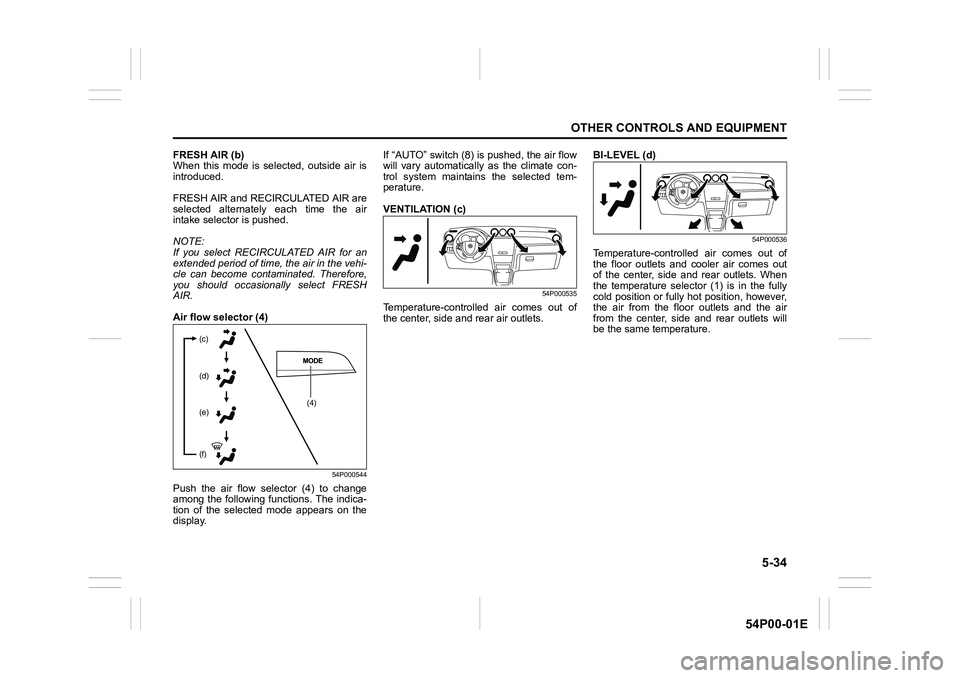
FRESH AIR (b)
When this mode is selected, outside air is
introduced.
FRESH AIR and RECIRCULATED AIR are
selected alternately each time the air
intake selector is pushed.
NOTE:
If you select RECIRCULATED AIR for an
extended period of time, the air in the vehi-
cle can become contaminated. Therefore,
you should occasionally select FRESH
AIR.
Air flow selector (4)
54P000544
Push the air flow selector (4) to change
among the following functions. The indica-
tion of the selected mode appears on the
display.If “AUTO” switch (8) is pushed, the air flow
will vary automatically as the climate con-
trol system maintains the selected tem-
perature.
VENTILATION (c)
54P000535
Temperature-controlled air comes out of
the center, side and rear air outlets.BI-LEVEL (d)
54P000536
Temperature-controlled air comes out of
the floor outlets and cooler air comes out
of the center, side and rear outlets. When
the temperature selector (1) is in the fully
cold position or fully hot position, however,
the air from the floor outlets and the air
from the center, side and rear outlets will
be the same temperature.
(4) (c)
(d)
(e)
(f)