cluster SUZUKI GRAND VITARA 2022 User Guide
[x] Cancel search | Manufacturer: SUZUKI, Model Year: 2022, Model line: GRAND VITARA, Model: SUZUKI GRAND VITARA 2022Pages: 482, PDF Size: 21 MB
Page 125 of 482
2-103
BEFORE DRIVING
54P00-01E
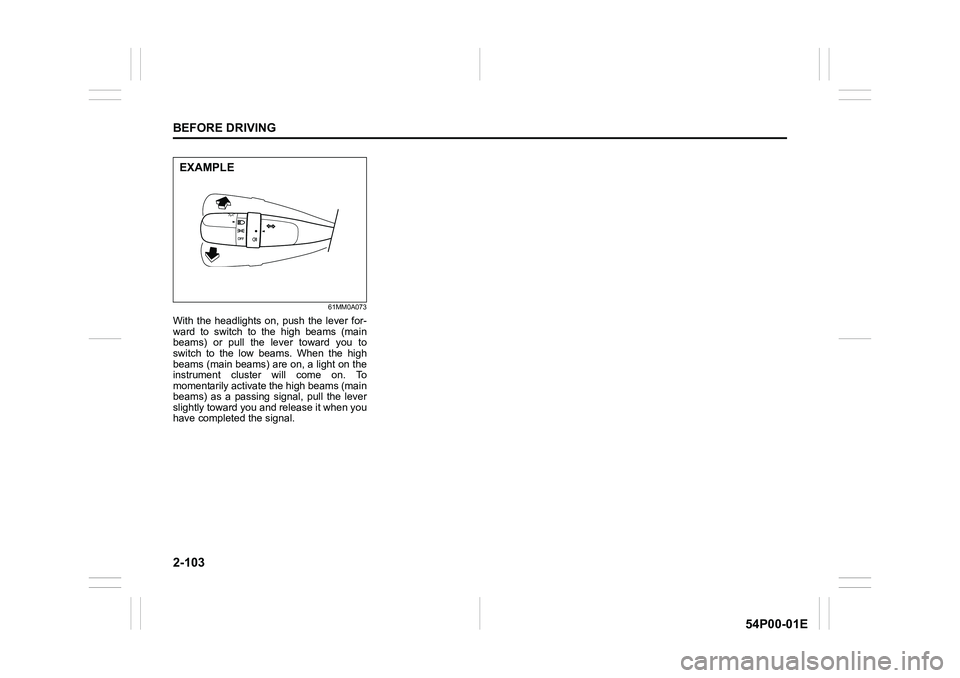
61MM0A073
With the headlights on, push the lever for-
ward to switch to the high beams (main
beams) or pull the lever toward you to
switch to the low beams. When the high
beams (main beams) are on, a light on the
instrument cluster will come on. To
momentarily activate the high beams (main
beams) as a passing signal, pull the lever
slightly toward you and release it when you
have completed the signal.
EXAMPLE
Page 127 of 482
2-105
BEFORE DRIVING
54P00-01E
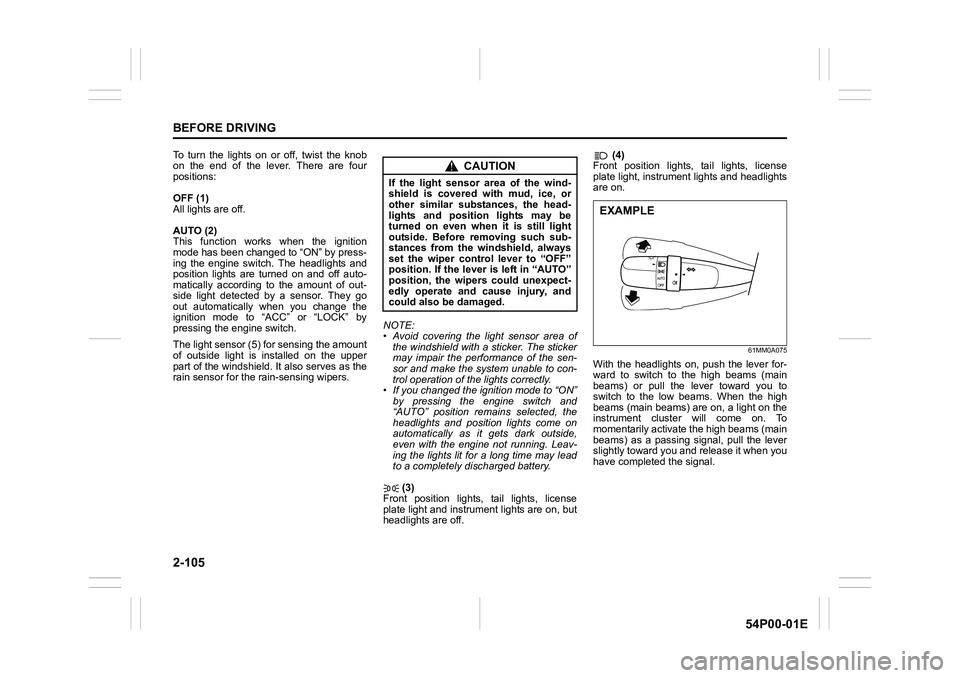
To turn the lights on or off, twist the knob
on the end of the lever. There are four
positions:
OFF (1)
All lights are off.
AUTO (2)
This function works when the ignition
mode has been changed to “ON” by press-
ing the engine switch. The headlights and
position lights are turned on and off auto-
matically according to the amount of out-
side light detected by a sensor. They go
out automatically when you change the
ignition mode to “ACC” or “LOCK” by
pressing the engine switch.
The light sensor (5) for sensing the amount
of outside light is installed on the upper
part of the windshield. It also serves as the
rain sensor for the rain-sensing wipers.NOTE:
• Avoid covering the light sensor area of
the windshield with a sticker. The sticker
may impair the performance of the sen-
sor and make the system unable to con-
trol operation of the lights correctly.
• If you changed the ignition mode to “ON”
by pressing the engine switch and
“AUTO” position remains selected, the
headlights and position lights come on
automatically as it gets dark outside,
even with the engine not running. Leav-
ing the lights lit for a long time may lead
to a completely discharged battery.
(3)
Front position lights, tail lights, license
plate light and instrument lights are on, but
headlights are off. (4)
Front position lights, tail lights, license
plate light, instrument lights and headlights
are on.
61MM0A075
With the headlights on, push the lever for-
ward to switch to the high beams (main
beams) or pull the lever toward you to
switch to the low beams. When the high
beams (main beams) are on, a light on the
instrument cluster will come on. To
momentarily activate the high beams (main
beams) as a passing signal, pull the lever
slightly toward you and release it when you
have completed the signal.
CAUTION
If the light sensor area of the wind-
shield is covered with mud, ice, or
other similar substances, the head-
lights and position lights may be
turned on even when it is still light
outside. Before removing such sub-
stances from the windshield, always
set the wiper control lever to “OFF”
position. If the lever is left in “AUTO”
position, the wipers could unexpect-
edly operate and cause injury, and
could also be damaged.
EXAMPLE
Page 128 of 482
2-106
BEFORE DRIVING
54P00-01E
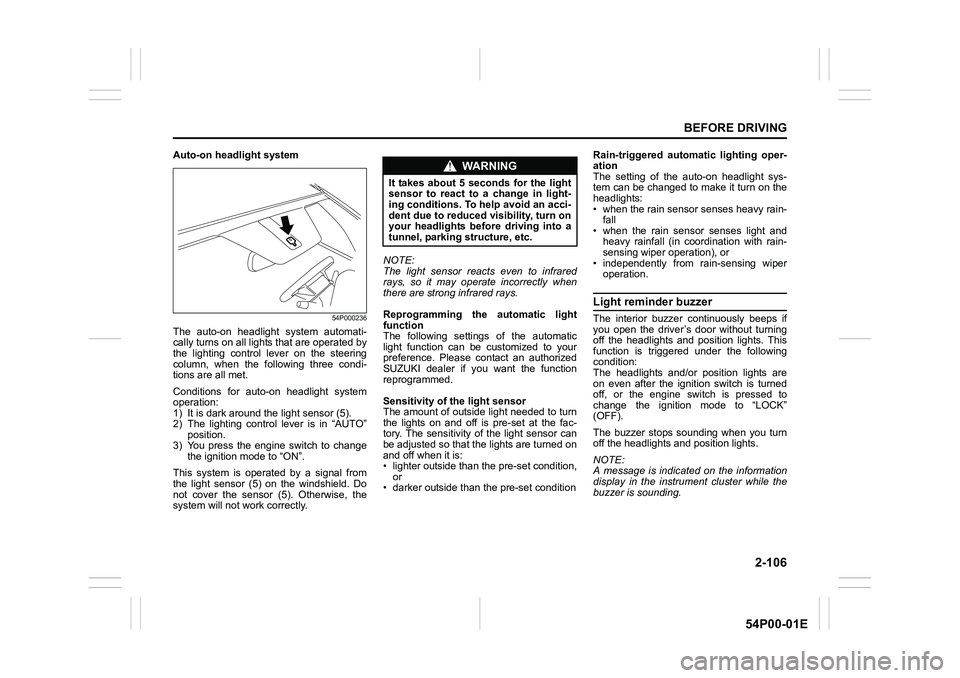
Auto-on headlight system
54P000236
The auto-on headlight system automati-
cally turns on all lights that are operated by
the lighting control lever on the steering
column, when the following three condi-
tions are all met.
Conditions for auto-on headlight system
operation:
1) It is dark around the light sensor (5).
2) The lighting control lever is in “AUTO”
position.
3) You press the engine switch to change
the ignition mode to “ON”.
This system is operated by a signal from
the light sensor (5) on the windshield. Do
not cover the sensor (5). Otherwise, the
system will not work correctly.NOTE:
The light sensor reacts even to infrared
rays, so it may operate incorrectly when
there are strong infrared rays.
Reprogramming the automatic light
function
The following settings of the automatic
light function can be customized to your
preference. Please contact an authorized
SUZUKI dealer if you want the function
reprogrammed.
Sensitivity of the light sensor
The amount of outside light needed to turn
the lights on and off is pre-set at the fac-
tory. The sensitivity of the light sensor can
be adjusted so that the lights are turned on
and off when it is:
• lighter outside than the pre-set condition,
or
• darker outside than the pre-set conditionRain-triggered automatic lighting oper-
ation
The setting of the auto-on headlight sys-
tem can be changed to make it turn on the
headlights:
• when the rain sensor senses heavy rain-
fall
• when the rain sensor senses light and
heavy rainfall (in coordination with rain-
sensing wiper operation), or
• independently from rain-sensing wiper
operation.
Light reminder buzzer
The interior buzzer continuously beeps if
you open the driver’s door without turning
off the headlights and position lights. This
function is triggered under the following
condition:
The headlights and/or position lights are
on even after the ignition switch is turned
off, or the engine switch is pressed to
change the ignition mode to “LOCK”
(OFF).
The buzzer stops sounding when you turn
off the headlights and position lights.
NOTE:
A message is indicated on the information
display in the instrument cluster while the
buzzer is sounding.
WA R N I N G
It takes about 5 seconds for the light
sensor to react to a change in light-
ing conditions. To help avoid an acci-
dent due to reduced visibility, turn on
your headlights before driving into a
tunnel, parking structure, etc.
Page 129 of 482
2-107
BEFORE DRIVING
54P00-01E
Daytime running light (D.R.L.) sys-tem (if equipped)
When the engine is started, this system
turns on the daytime running lights.
Conditions for D.R.L. system operation
1) The engine is running.
2) Headlights and front fog light (if
equipped) are off.
NOTE:
Brightness of the daytime running lights is
different from the brightness of the position
lights, but it is not a malfunction.
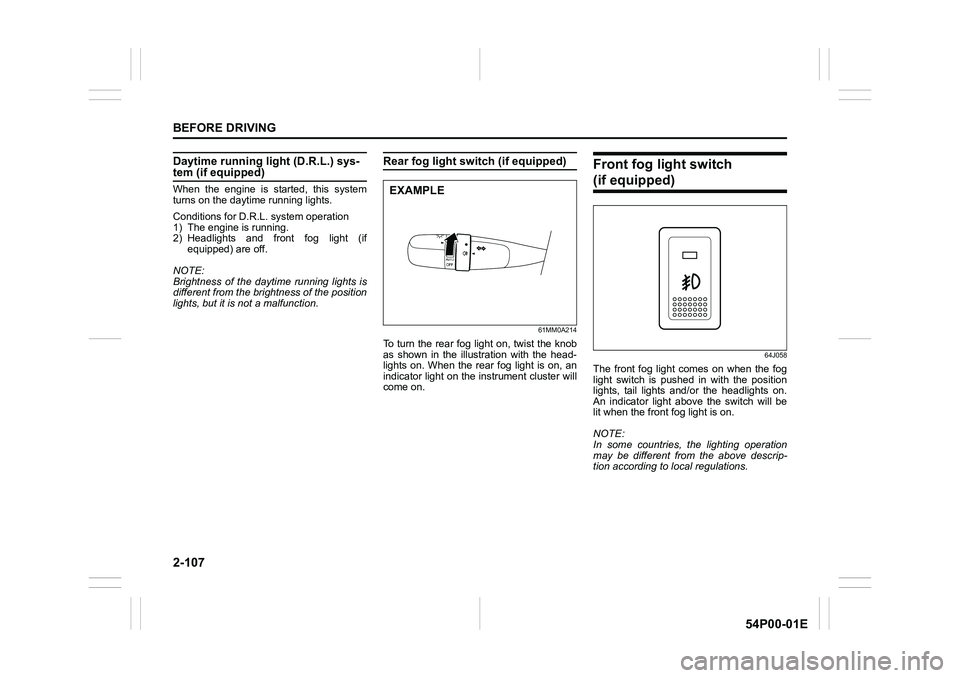
Rear fog light switch (if equipped)
61MM0A214
To turn the rear fog light on, twist the knob
as shown in the illustration with the head-
lights on. When the rear fog light is on, an
indicator light on the instrument cluster will
come on.
Front fog light switch
(if equipped)
64J058
The front fog light comes on when the fog
light switch is pushed in with the position
lights, tail lights and/or the headlights on.
An indicator light above the switch will be
lit when the front fog light is on.
NOTE:
In some countries, the lighting operation
may be different from the above descrip-
tion according to local regulations.
EXAMPLE
Page 145 of 482
3-5
OPERATING YOUR VEHICLE
54P00-01E
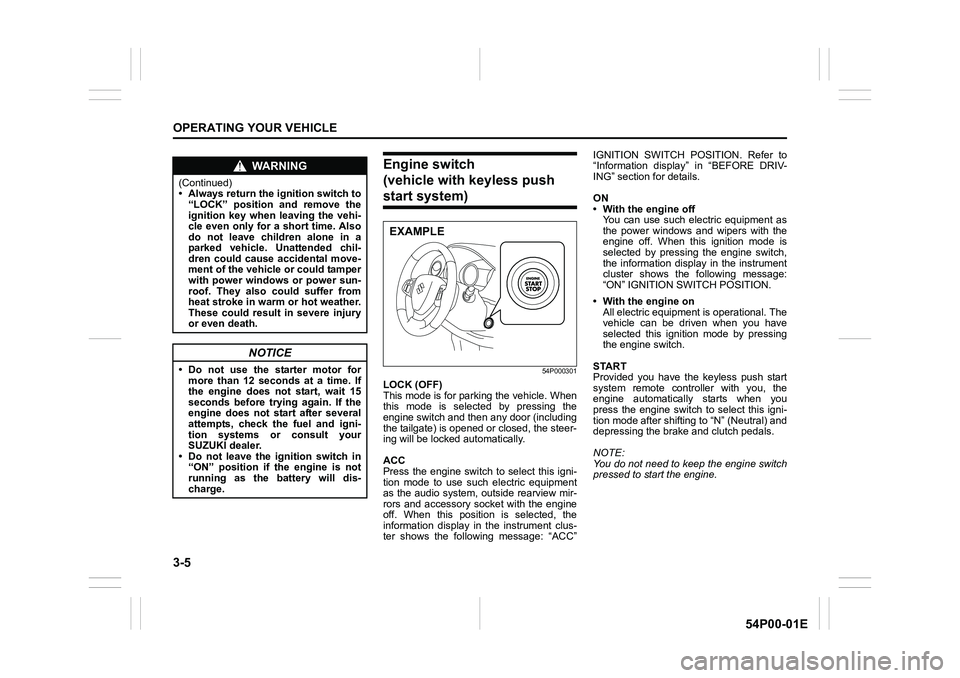
Engine switch
(vehicle with keyless push
start system)
54P000301
LOCK (OFF)
This mode is for parking the vehicle. When
this mode is selected by pressing the
engine switch and then any door (including
the tailgate) is opened or closed, the steer-
ing will be locked automatically.
ACC
Press the engine switch to select this igni-
tion mode to use such electric equipment
as the audio system, outside rearview mir-
rors and accessory socket with the engine
off. When this position is selected, the
information display in the instrument clus-
ter shows the following message: “ACC”IGNITION SWITCH POSITION. Refer to
“Information display” in “BEFORE DRIV-
ING” section for details.
ON
• With the engine off
You can use such electric equipment as
the power windows and wipers with the
engine off. When this ignition mode is
selected by pressing the engine switch,
the information display in the instrument
cluster shows the following message:
“ON” IGNITION SWITCH POSITION.
• With the engine on
All electric equipment is operational. The
vehicle can be driven when you have
selected this ignition mode by pressing
the engine switch.
START
Provided you have the keyless push start
system remote controller with you, the
engine automatically starts when you
press the engine switch to select this igni-
tion mode after shifting to “N” (Neutral) and
depressing the brake and clutch pedals.
NOTE:
You do not need to keep the engine switch
pressed to start the engine.
WA R N I N G
(Continued)
• Always return the ignition switch to
“LOCK” position and remove the
ignition key when leaving the vehi-
cle even only for a short time. Also
do not leave children alone in a
parked vehicle. Unattended chil-
dren could cause accidental move-
ment of the vehicle or could tamper
with power windows or power sun-
roof. They also could suffer from
heat stroke in warm or hot weather.
These could result in severe injury
or even death.
NOTICE
• Do not use the starter motor for
more than 12 seconds at a time. If
the engine does not start, wait 15
seconds before trying again. If the
engine does not start after several
attempts, check the fuel and igni-
tion systems or consult your
SUZUKI dealer.
• Do not leave the ignition switch in
“ON” position if the engine is not
running as the battery will dis-
charge.
EXAMPLE
Page 146 of 482
3-6
OPERATING YOUR VEHICLE
54P00-01E
NOTE:
In the presence of strong radio signals or
noise, you may not be able to change the
ignition mode to “ACC” or “ON” or to start
the engine using the engine switch. In this
case, the information display in the instru-
ment cluster will show the following mes-
sage: KEY FOB NOT DETECTED.
Unreleased steering lock warning
If the steering lock remains engaged when
you press the engine switch to change the
ignition mode to “ON”, the information dis-
play in the instrument cluster shows the
message: “TRN. STEERING WHEEL TO
RELEASE LOCK”. Refer to “Information
display” in “BEFORE DRIVING” section for
details.
NOTE:
The steering lock may not be released if
some load is acting on the steering wheel.
If this happens, turn the steering wheel to
the right or left to relieve it from the load
before you press the engine switch again
to change to the desired ignition mode.
Keyless push start system
(if equipped)
Provided the keyless push start system
remote controller is within the interior work-
able area (refer to the related explanation
in this section), you can use the engine
switch for starting the engine and selecting
an ignition mode (“ACC” or “ON”). In addi-
tion, the following functions can be used:
• Keyless entry function. Refer to “Keyless
push start system remote controller /
keyless entry system transmitter” in
“BEFORE DRIVING” section for details.
• Locking and unlocking doors (including
the tailgate) using a request switch.
Refer to “Keyless push start system
remote controller / keyless entry system
transmitter” in “BEFORE DRIVING” sec-
tion for details.
• Immobilizer (anti-theft) function. Refer to
“Immobilizer system” in “BEFORE DRIV-
ING” section for details.
Engine switch illumination
The engine switch is illuminated (lit) in the
following situations:
• When the engine is off and the driver’s
door is open, or for 15 seconds after the
driver’s door is closed. The illumination
will fade out after 15 seconds passed.
NOTICE
Do not leave the engine switch in
“ACC” or “ON” mode when the
engine is not running. Avoid using
the radio or other electric accesso-
ries for a long time when the engine
switch is in “ACC” or “ON” mode
when the engine is not running, oth-
erwise the battery may discharge.
Page 148 of 482
3-8
OPERATING YOUR VEHICLE
54P00-01E
NOTE:
When selecting the ignition modes, the
information display in the instrument clus-
ter shows certain messages. Refer to
“Information display” in “BEFORE DRIV-
ING” section for details.
If the master warning indicator light
blinks and the ignition modes cannot
be selected
Your keyless push start system remote con-
troller may not be sensed as being within the
interior workable area (refer to the related
explanation in this section). Try again after
checking that you have the remote controller
with you. If the ignition modes still cannot be
selected, the battery of the remote controller
may be discharged. To select an ignition
mode, you must then use the following
method:
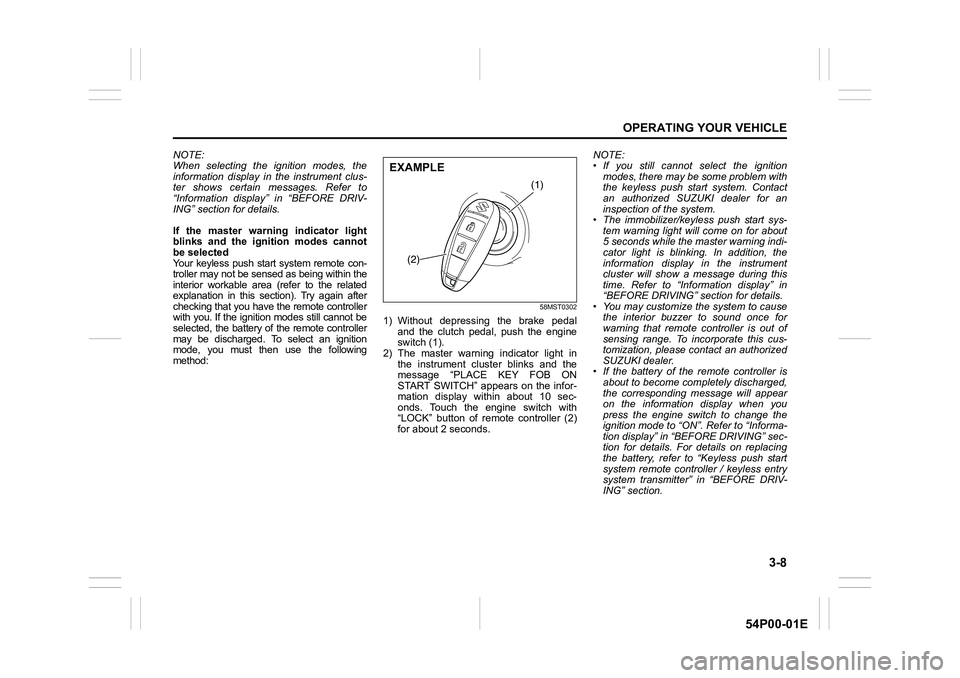
58MST0302
1) Without depressing the brake pedal
and the clutch pedal, push the engine
switch (1).
2) The master warning indicator light in
the instrument cluster blinks and the
message “PLACE KEY FOB ON
START SWITCH” appears on the infor-
mation display within about 10 sec-
onds. Touch the engine switch with
“LOCK” button of remote controller (2)
for about 2 seconds.NOTE:
• If you still cannot select the ignition
modes, there may be some problem with
the keyless push start system. Contact
an authorized SUZUKI dealer for an
inspection of the system.
• The immobilizer/keyless push start sys-
tem warning light will come on for about
5 seconds while the master warning indi-
cator light is blinking. In addition, the
information display in the instrument
cluster will show a message during this
time. Refer to “Information display” in
“BEFORE DRIVING” section for details.
• You may customize the system to cause
the interior buzzer to sound once for
warning that remote controller is out of
sensing range. To incorporate this cus-
tomization, please contact an authorized
SUZUKI dealer.
• If the battery of the remote controller is
about to become completely discharged,
the corresponding message will appear
on the information display when you
press the engine switch to change the
ignition mode to “ON”. Refer to “Informa-
tion display” in “BEFORE DRIVING” sec-
tion for details. For details on replacing
the battery, refer to “Keyless push start
system remote controller / keyless entry
system transmitter” in “BEFORE DRIV-
ING” section.
(1)
(2)
EXAMPLE
Page 149 of 482
3-9
OPERATING YOUR VEHICLE
54P00-01E
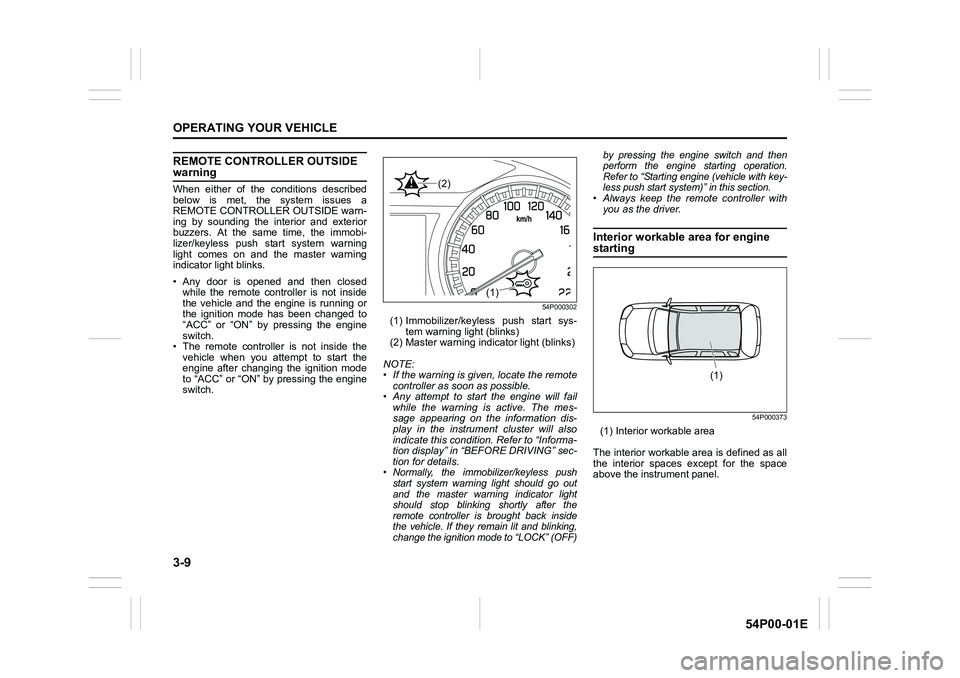
REMOTE CONTROLLER OUTSIDE warning
When either of the conditions described
below is met, the system issues a
REMOTE CONTROLLER OUTSIDE warn-
ing by sounding the interior and exterior
buzzers. At the same time, the immobi-
lizer/keyless push start system warning
light comes on and the master warning
indicator light blinks.
• Any door is opened and then closed
while the remote controller is not inside
the vehicle and the engine is running or
the ignition mode has been changed to
“ACC” or “ON” by pressing the engine
switch.
• The remote controller is not inside the
vehicle when you attempt to start the
engine after changing the ignition mode
to “ACC” or “ON” by pressing the engine
switch.
54P000302
(1) Immobilizer/keyless push start sys-
tem warning light (blinks)
(2) Master warning indicator light (blinks)
NOTE:
• If the warning is given, locate the remote
controller as soon as possible.
• Any attempt to start the engine will fail
while the warning is active. The mes-
sage appearing on the information dis-
play in the instrument cluster will also
indicate this condition. Refer to “Informa-
tion display” in “BEFORE DRIVING” sec-
tion for details.
• Normally, the immobilizer/keyless push
start system warning light should go out
and the master warning indicator light
should stop blinking shortly after the
remote controller is brought back inside
the vehicle. If they remain lit and blinking,
change the ignition mode to “LOCK” (OFF)by pressing the engine switch and then
perform the engine starting operation.
Refer to “Starting engine (vehicle with key-
less push start system)” in this section.
• Always keep the remote controller with
you as the driver.
Interior workable area for engine
starting
54P000373
(1) Interior workable area
The interior workable area is defined as all
the interior spaces except for the space
above the instrument panel.
(1)
(2)
(1)
Page 154 of 482
3-14
OPERATING YOUR VEHICLE
54P00-01E
Restarting diesel engine after fuel-
empty stop
If the engine stops and the low fuel warn-
ing light and the malfunction indicator light
come on, use the following procedure:
1) Fill the fuel tank.
2) Hold the ignition key in “ON” position for
5-10 seconds to feed fuel.
3) Perform above engine starting proce-
dure.
If the malfunction indicator light still comes
on after the engine started, there may be
some problem with the engine. Ask your
SUZUKI dealer to have the engine
inspected.Starting engine
(vehicle with keyless push
start system)
Before starting engine
54P000304
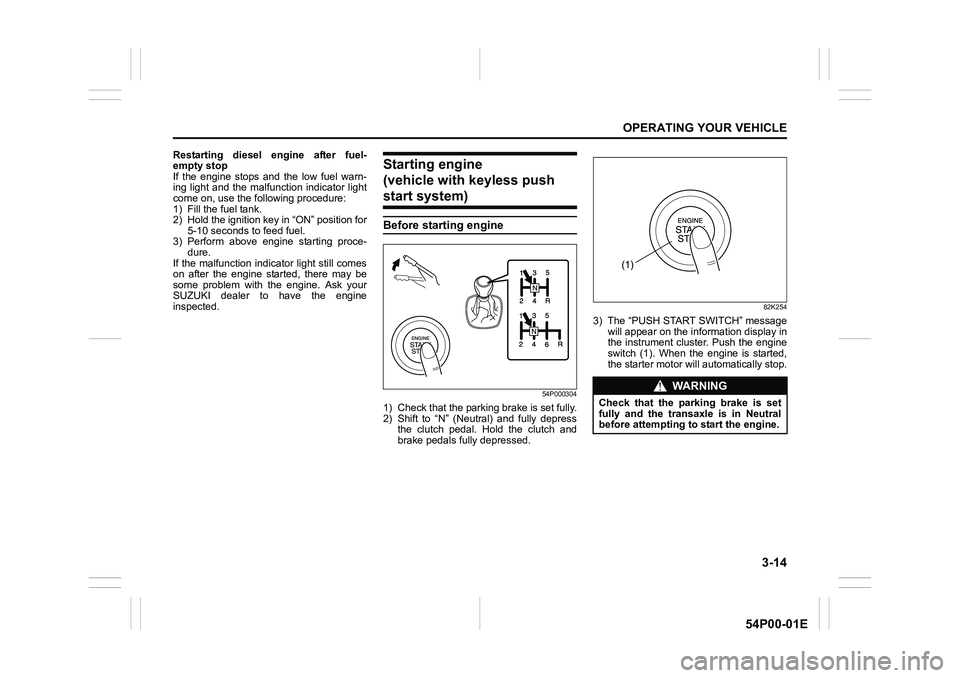
1) Check that the parking brake is set fully.
2) Shift to “N” (Neutral) and fully depress
the clutch pedal. Hold the clutch and
brake pedals fully depressed.
82K254
3) The “PUSH START SWITCH” message
will appear on the information display in
the instrument cluster. Push the engine
switch (1). When the engine is started,
the starter motor will automatically stop.
WA R N I N G
Check that the parking brake is set
fully and the transaxle is in Neutral
before attempting to start the engine.
(1)
Page 156 of 482
3-16
OPERATING YOUR VEHICLE
54P00-01E
(For diesel engine model)
Cold engine
Depress the clutch and brake pedals fully
and press the engine switch to crank the
engine. If the glow plug indicator light
comes on, the engine will start automati-
cally after the glow plug indicator light goes
off up to 10 seconds afterward.
Warm engine
Crank the engine by pressing the engine
switch to change the ignition mode to
“START”.
Caution when stopping the engine with
turbocharger
When stopping the engine after climbing or
high speed driving, let the engine idle for
about one minute or more (if it is not pro-
hibited) to cool down the turbocharger and
engine oil. This is to prevent the engine oil
from over-deteriorating. Deteriorated
engine oil will damage the bearings of the
turbocharger.Restarting diesel engine after fuel-
empty stop
If the engine stops and the low fuel warn-
ing light and the malfunction indicator light
come on, use the following procedure:
1) Fill the fuel tank.
2) Press the engine switch to change the
ignition mode to “ON” for 5-10 seconds
to feed fuel.
3) Perform the above engine starting pro-
cedure to start the engine.
If the malfunction indicator light still comes
on after the engine started, there may be
some problem with the engine. Ask your
SUZUKI dealer to have the engine
inspected.
If the master warning indicator light
blinks and the engine cannot be started
Your keyless push start system remote
controller may not be sensed as being
within the interior workable area. Try again
after checking that you have the remote
controller with you. If the engine still can-
not be started, the battery of the remote
controller may be discharged. To start the
engine, use the following method:
58MST0302
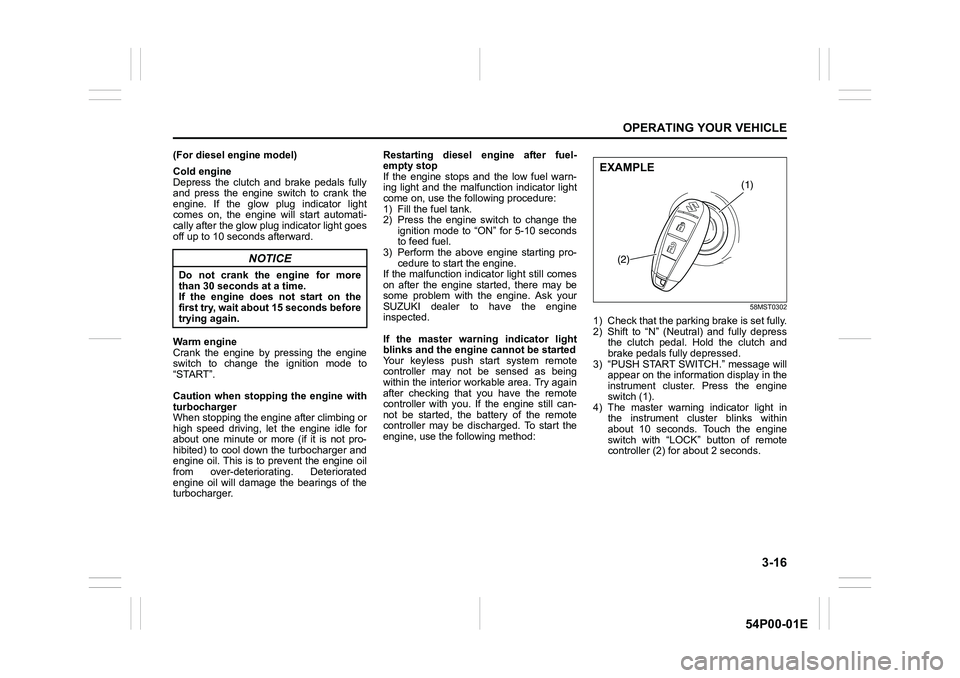
1) Check that the parking brake is set fully.
2) Shift to “N” (Neutral) and fully depress
the clutch pedal. Hold the clutch and
brake pedals fully depressed.
3) “PUSH START SWITCH.” message will
appear on the information display in the
instrument cluster. Press the engine
switch (1).
4) The master warning indicator light in
the instrument cluster blinks within
about 10 seconds. Touch the engine
switch with “LOCK” button of remote
controller (2) for about 2 seconds.
NOTICE
Do not crank the engine for more
than 30 seconds at a time.
If the engine does not start on the
first try, wait about 15 seconds before
trying again.
(1)
(2)
EXAMPLE